UI

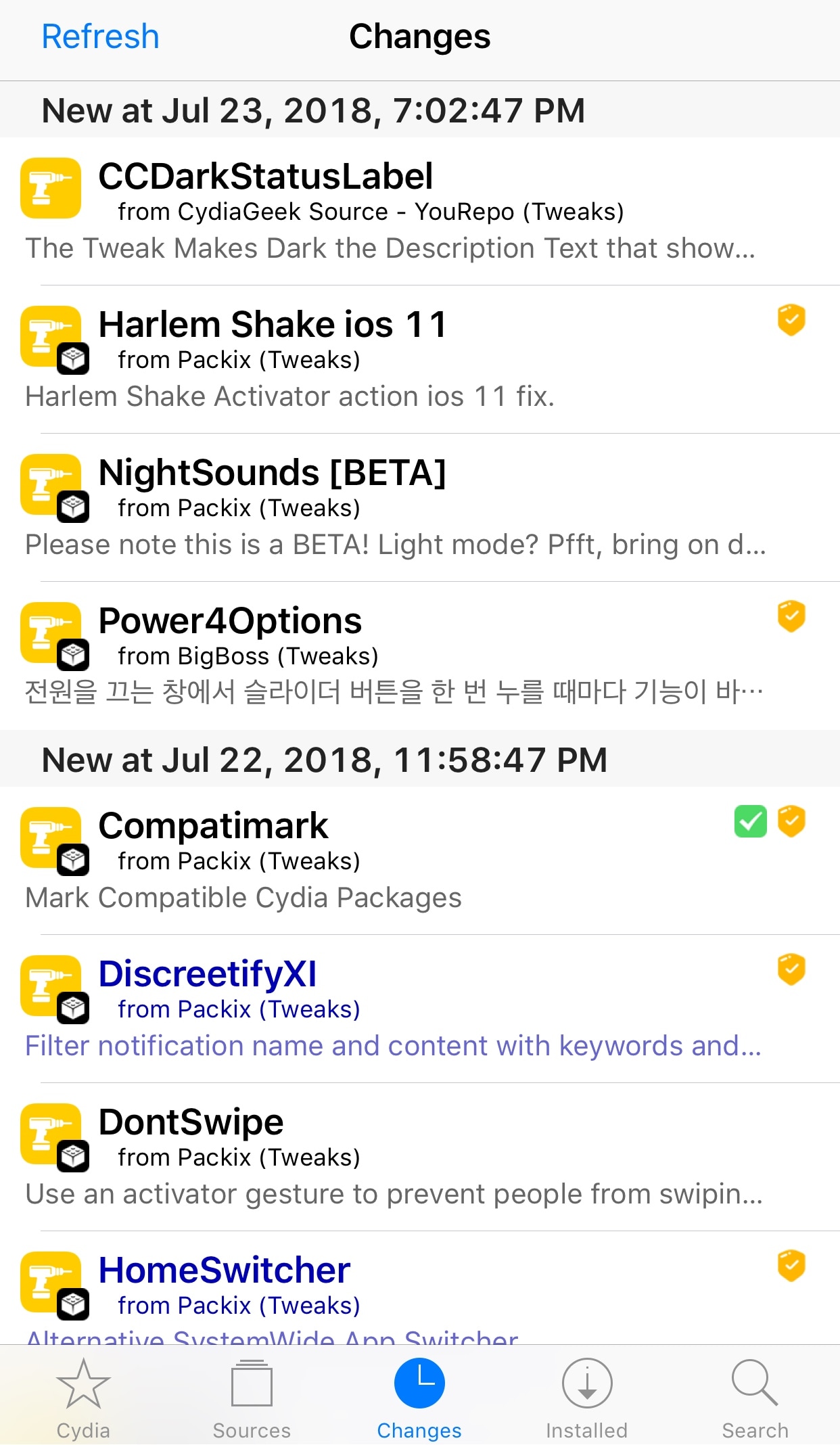
Compatimark lets you see if tweaks work with your firmware at a glance

While a clear majority of jailbreak tweak developers are working on iOS 11-compatible projects, some are still developing for iOS 10 or even iOS 9.

Given the diverse iOS support in Cydia, it can be confusing to discern which tweaks will work on your device. Fortunately, a new free jailbreak tweak called Compatimark by iOS developer CP Digital Darkroom attempts to make this process easier on the user.
PowerdownOptions lets you respring from iOS’ power down menu

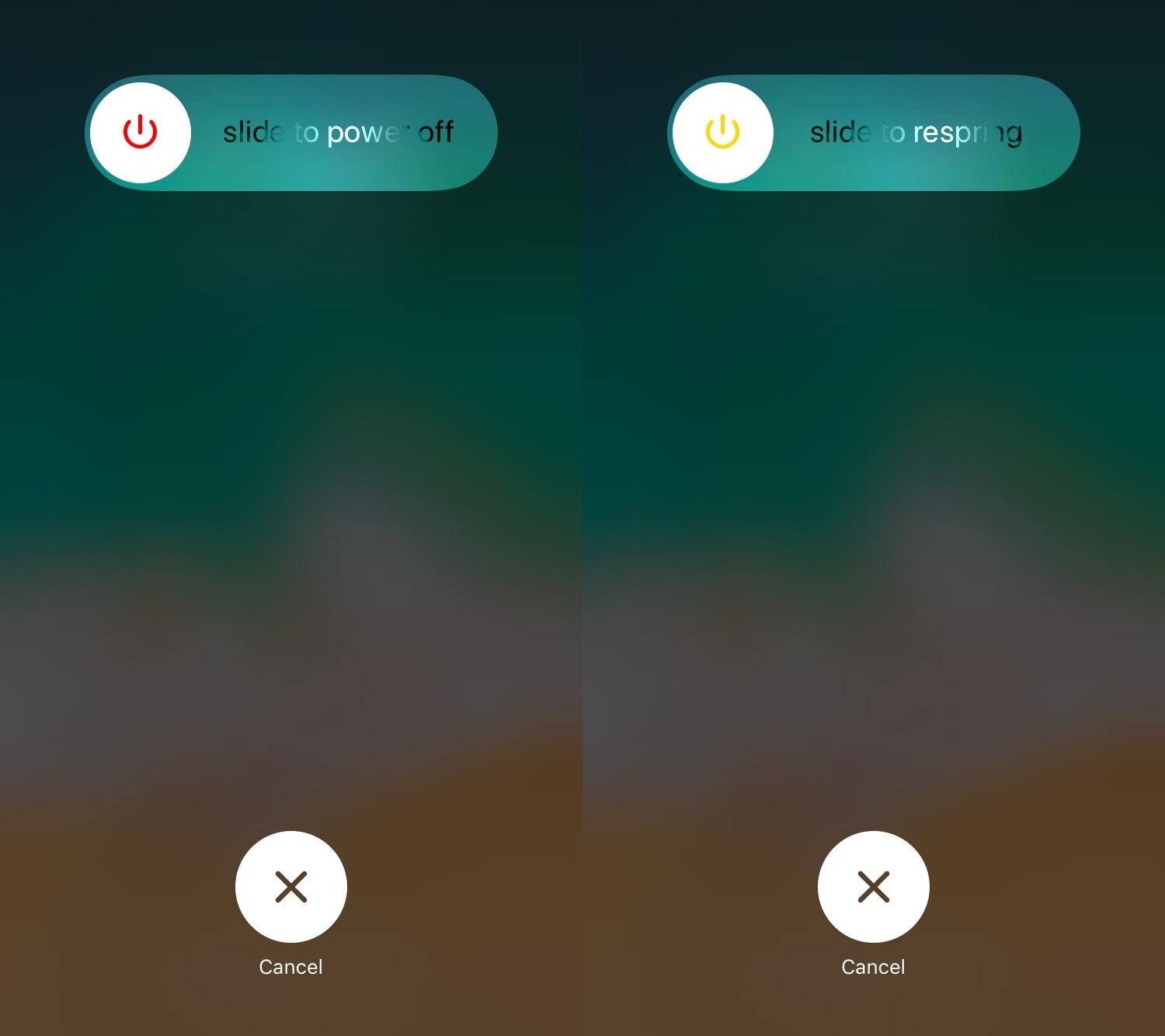
Quick access to a respring shortcut is beneficial for most jailbreakers, and there are several jailbreak tweaks to be found in Cydia’s plethora of repositories that can provide you with this kind of functionality.

But one of my favorites for iOS 11 thus far is a new free release called PowerdownOptions by iOS developer Austin West.

Customize your iPhone’s charging chime with Malipo

Whenever your iPhone connects to a power source to charge, whether via Lightning cable or Qi wireless charging, it plays a chime to let you know that the connection succeeded.

Love it or hate it, Apple provides no way of customizing your iPhone’s stock charging chime. But a new free jailbreak tweak called Malipo by iOS developer iKilledAppl3 does.

LiveRings animates your Activity app icon with real-time progress

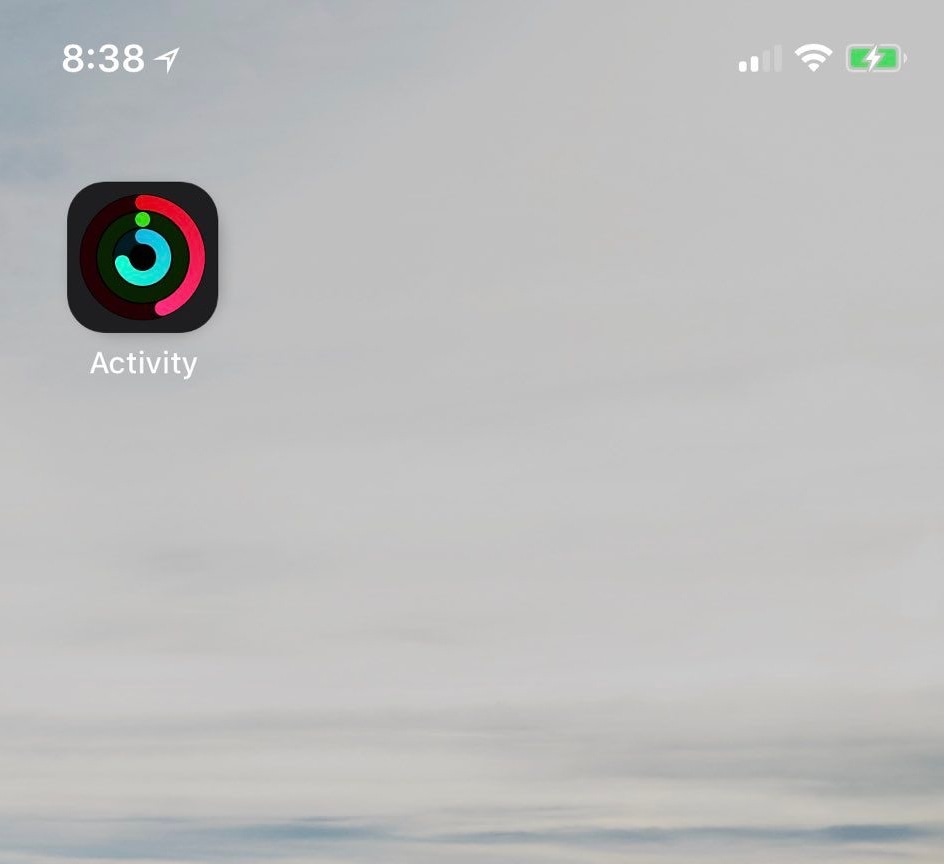
If you take advantage of the fitness features available on your iPhone and Apple Watch, then you might be excited to learn about a new free jailbreak tweak called LiveRings by iOS developer CP Digital Darkroom.

This tweak animates the Activity app icon on your Home screen so that it displays your actual ring activity in real-time, as shown above.

RWP Slider lets you tweak iOS’ Reduce White Point feature on the fly

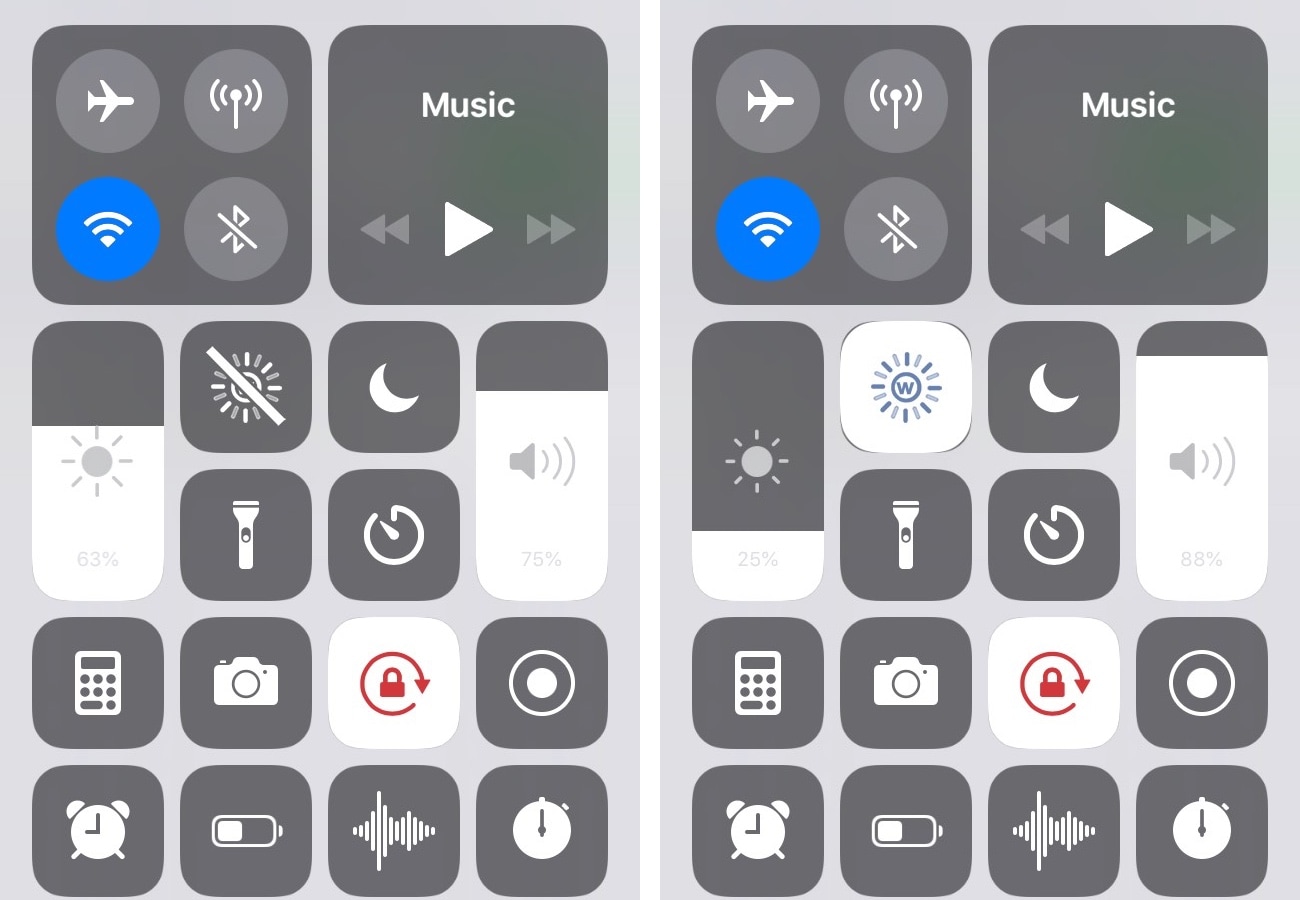
It’s only natural to fancy a lower display brightness when you’re in a dark environment, such as your bedroom during the night. Doing so makes viewing your display more comfortable by reducing the strain on your eyes.

But another eye-saving feature that comes bundled in iOS is Reduce White Point, and a new free jailbreak tweak called RWP Slider by iOS developer SpicaT makes it substantially easier to use.

Simulate iPhone X-like swipe gestures on unsupported handsets with HomeGesture

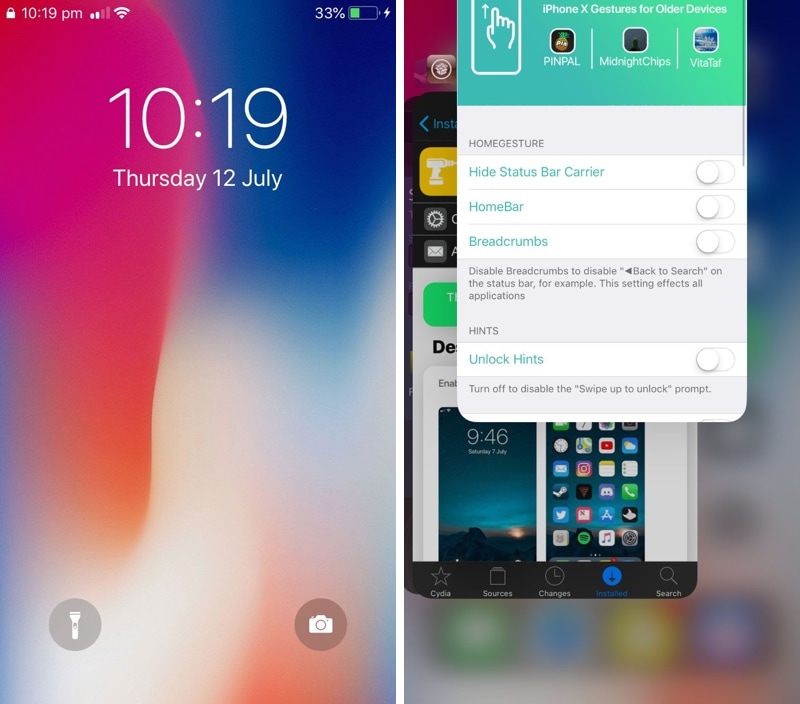
The iPhone X doesn’t have a Home button like traditional iPhones do. Instead, Apple has users swiping up from the bottom of the display to leave applications and unlock the handset.

But even if you’re still rocking a traditional Home button-equipped iPhone, you can take advantage of a new free jailbreak tweak dubbed HomeGesture by iOS developer MidnightChips to simulate the iPhone X-like swipe gestures on unsupported devices.

This tweak lets you colorize the iPhone X’s gesture bar

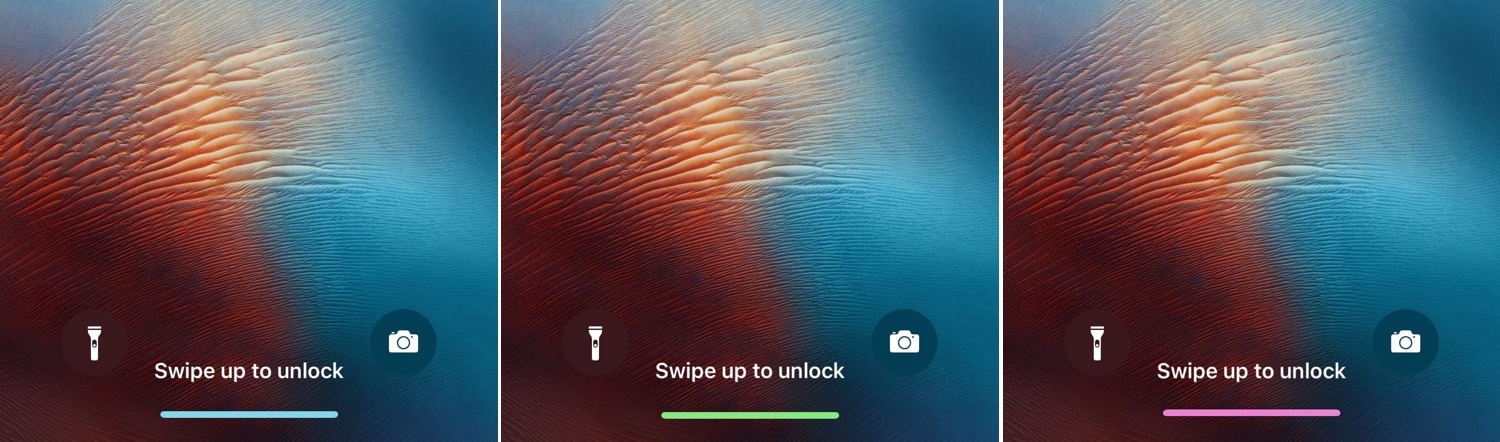
While the notch is one of the iPhone X’s most distinguishable features, so too is the missing Home button, which has been replaced with a new gesture bar.

Unfortunately, Apple doesn’t provide any customization options for said gesture bar, but a new free jailbreak tweak called LS Gesture Bar Colour (iPhone X) by iOS developer Justin Petkovic provides you with the customization that you might be looking for.

PurpleBar makes it easier to discern whether Do Not Disturb is enabled on the iPhone X

The iPhone X’s notch meant that Apple needed to re-engineer the Status Bar for optimal space-savings. Unfortunately, one of its shortcomings is that it can be difficult to discern whether Do Not Disturb mode is enabled at first glance.

PurpleBar is a new free jailbreak tweak by iOS developer smokin1337 that aims to solve this problem, and it does so by colorizing the Status Bar text purple whenever Do Not Disturb is turned on.

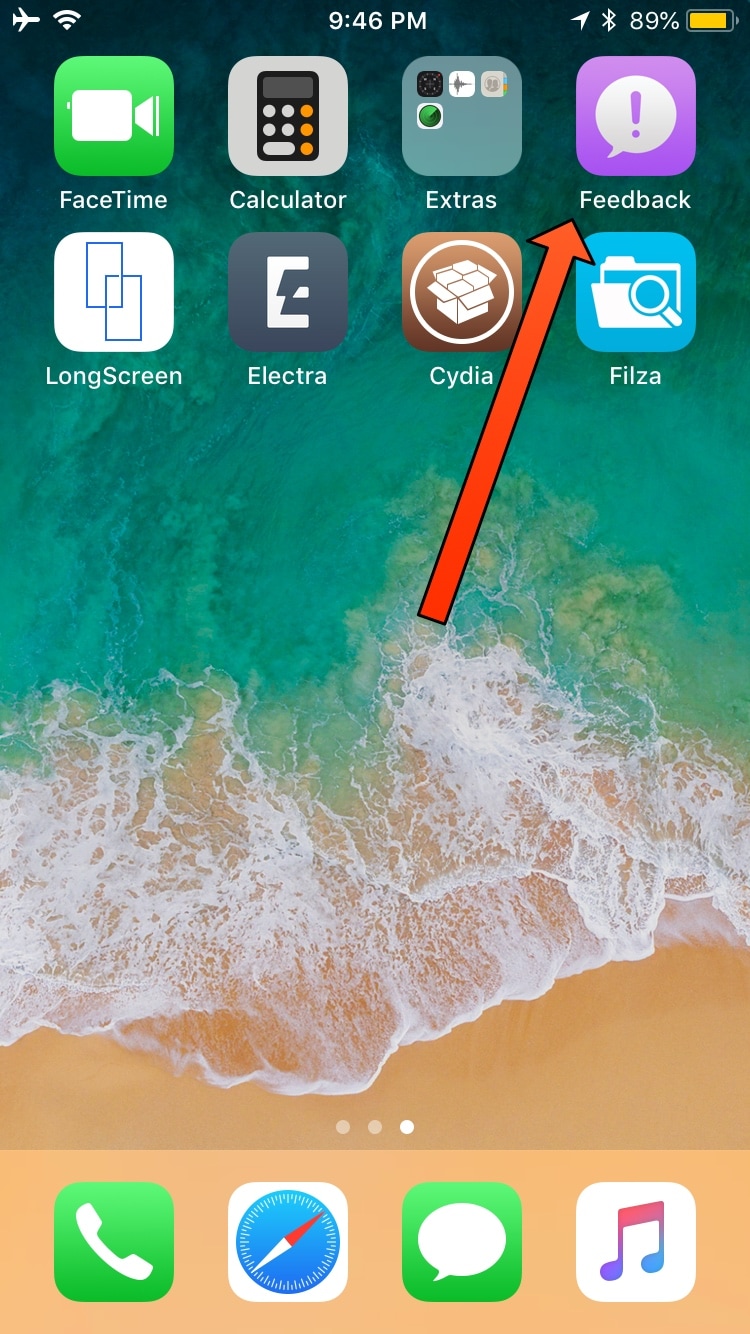
No Feedback hides the Feedback app on handsets with the tvOS beta profile installed

If you’ve been paying attention to the jailbreak scene recently, then you may have noticed Electra Team member CoolStar recommending that Electra1131 users install the tvOS beta profile on their jailbroken iOS device(s) to prevent iOS from nagging you to install software updates.

Assuming you heeded this advice, you should now have a purple Feedback app on your Home screen for reporting bugs and software issues to Apple. But if you’d rather not have this app, then you can use a new free jailbreak tweak called No Feedback by iOS developer RIshanan to get rid of it.

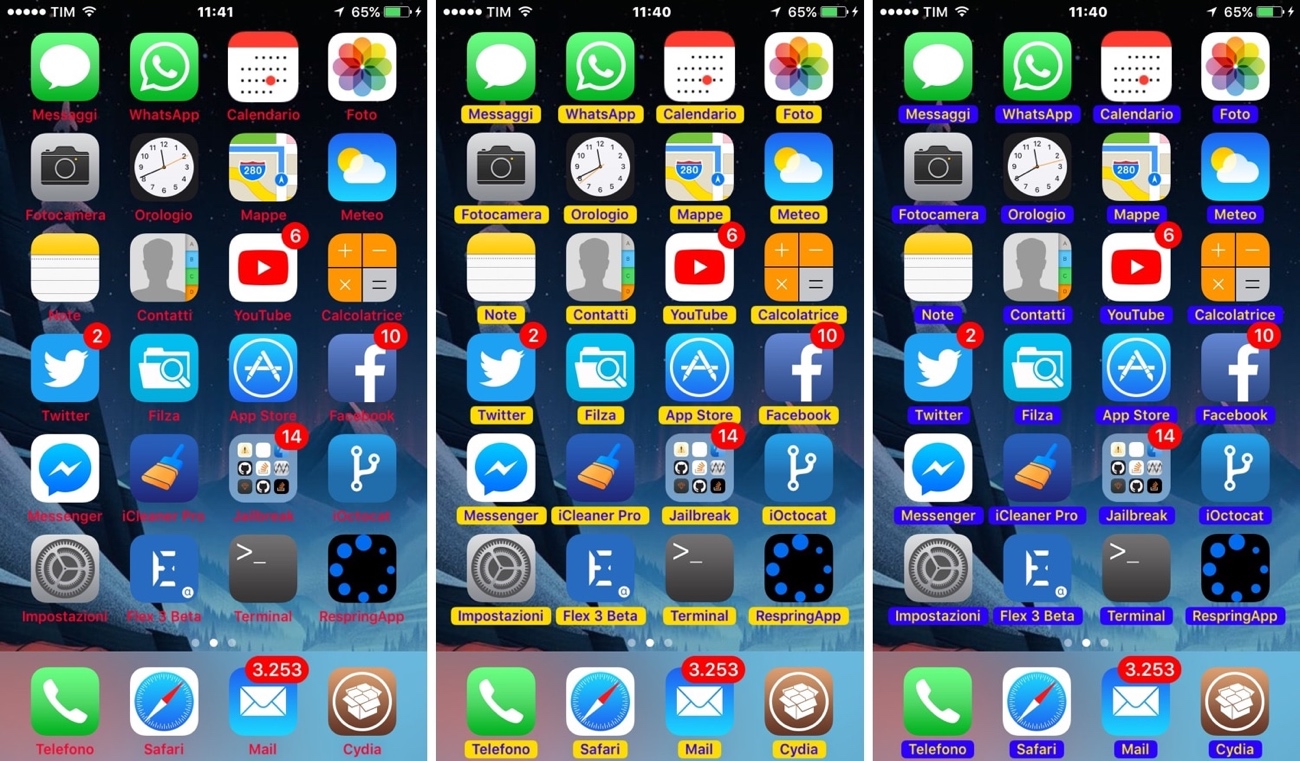
TintIconLabels lets you colorize your Home screen’s app icon labels

Apple designed the Home screen’s icon labels to be legible against most wallpapers out of the box, but some exceptions exist, especially when using third-party alternatives to the stock offerings. In other situations, users simply want something more expressive than just plain-Jane black or white.

Whatever the case may be, a new free jailbreak tweak called TintIconLabels by iOS developer CydiaGeek is here to help. Just as the name implies, TintIconLabels lets you adjust the appearance of your application icon labels.