UI

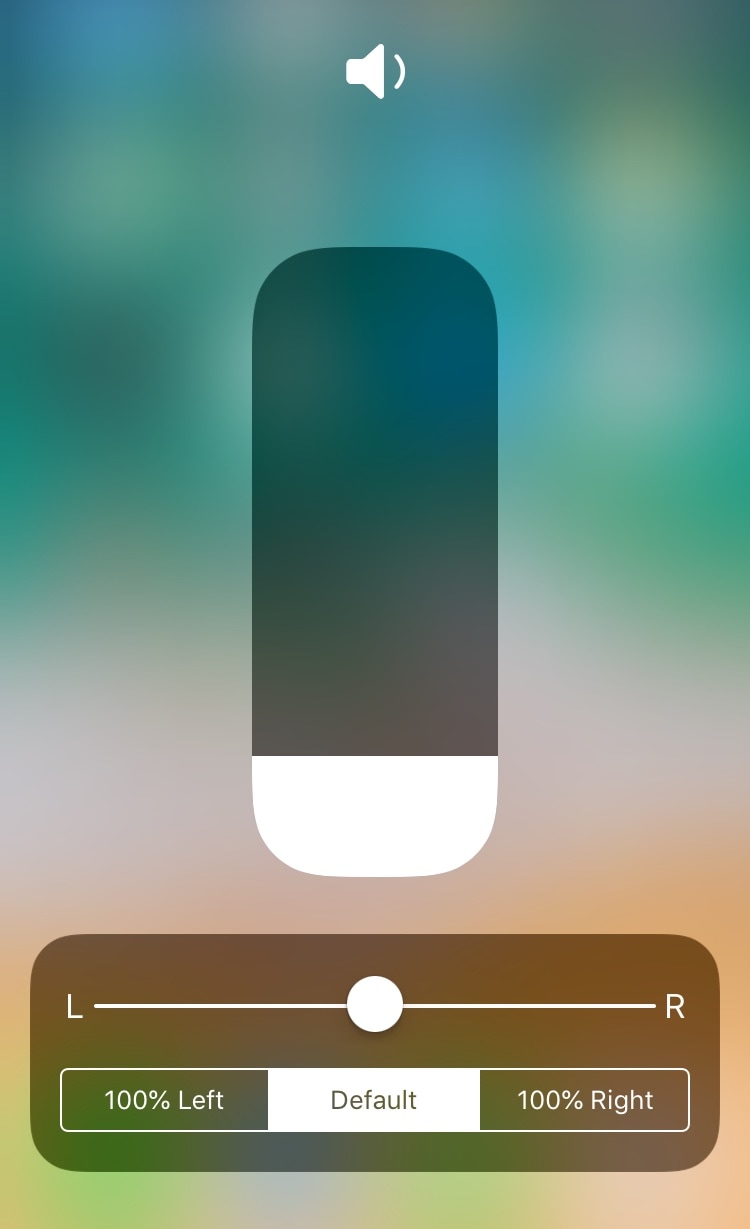
This tweak adds audio balance controls to Control Center

You can easily fine-tune your handset’s volume level with the Control Center-centric volume scrubber, but have you ever wished that you could have easier control over your handset’s audio balance from the same place?

If you answered yes to that question, then you’ll absolutely love a free jailbreak tweak dubbed CCAudioBalance by iOS developer shiftcmdk, because this tweak adds a full-featured audio balance adjustment tool to Control Center’s full-screen volume scrubber interface, as shown above.
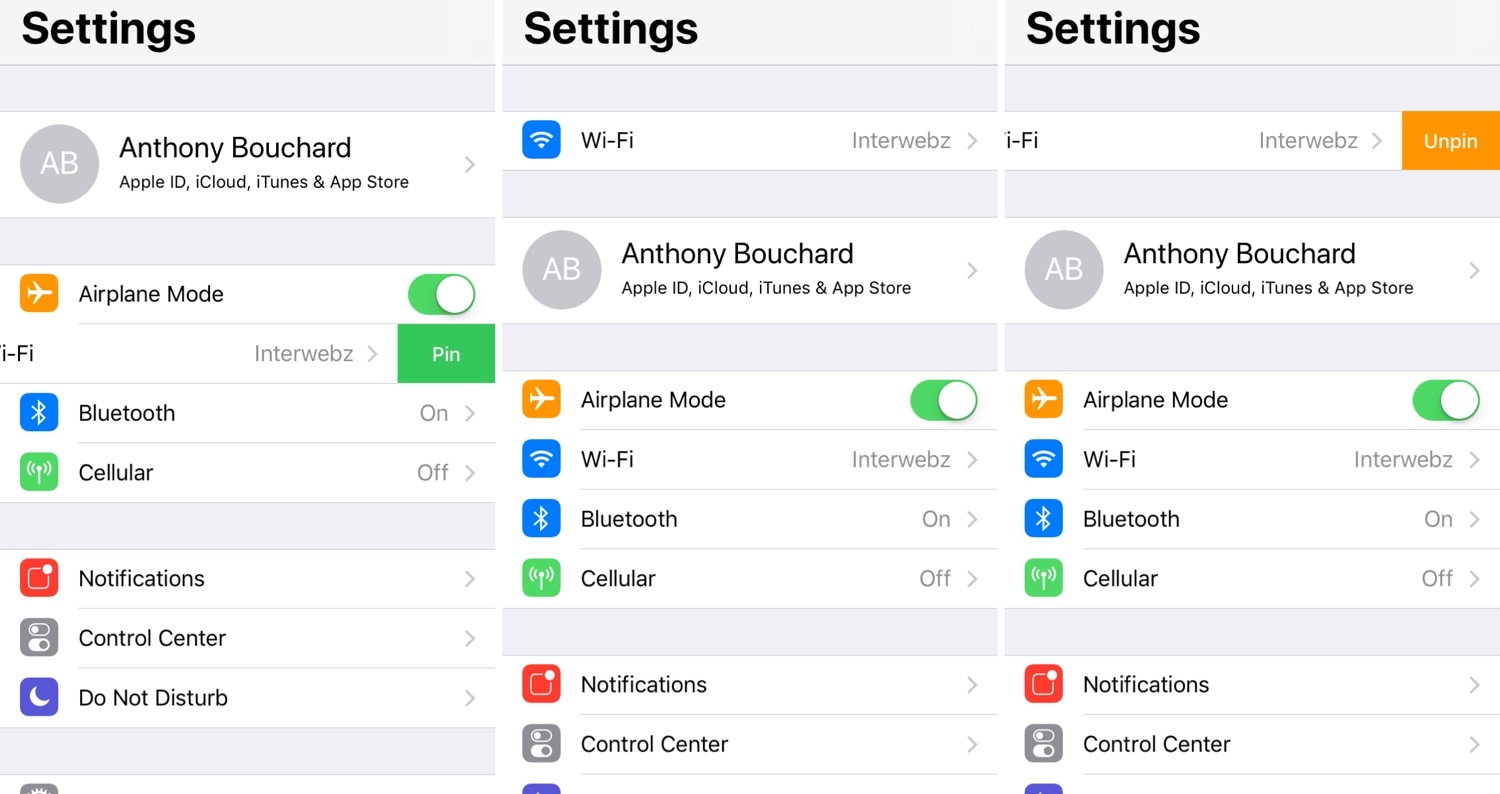

Pin your favorite preference cells to the top of the Settings app with StickAround

If you’re anything like me, then you probably use certain things in the Settings app more than others. Unfortunately, iOS doesn’t make it any easier to get to those things, regardless of how often you use them.

Here to change that about iOS’ Settings app is a newly-released and free jailbreak tweak called StickAround by iOS developer Squ1dd13. With this tweak, you can pin your favorite preference panes to the top of the Settings app, making it significantly easier to get to the things that matter to you the most.

CustomSiriBG lets you change the Siri interface background

If you’re interested in changing the default background of the Siri interface to something new, then you just might want to check out a newly-released and free-to-download jailbreak tweak dubbed CustomSiriBG by iOS developer TylerD3V.

In the screenshot example above, you’ll notice that the default Siri background has been changed to something more Pokémon-centric, and of course, you can always use something different if Pokémon isn’t your thing.

Breathe new life into your Home screen’s page dots with AwesomePageDots

At the bottom of any stock iPhone or iPad’s Home screen are a set of page dots that help you discern what page you’re on at any given time. As useful as this might be, it hasn’t changed much over the years.

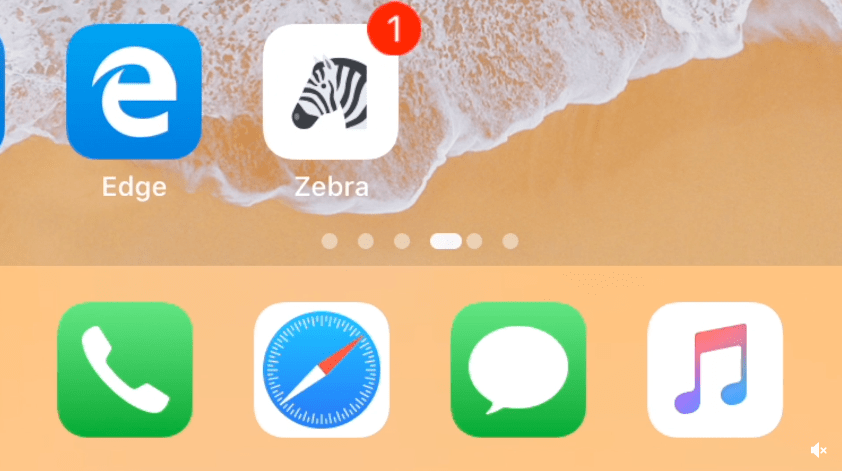
If you’re looking for a fresh take on iOS’ Home screen page dots, then you might come to appreciate a newly-released and free jailbreak tweak called AwesomePageDots by iOS developer shiftcmdk, as it reinvigorates your Home screen’s page dots with a much more appealing animation.

SettingsCollapse lets you de-clutter the Settings app for easier navigation

Most of your iPhone or iPad’s configurable options can be found in the native Settings app, but sometimes this app can feel like a maze with a substantial amount of clutter that hinders the process of getting to what you’re looking for.

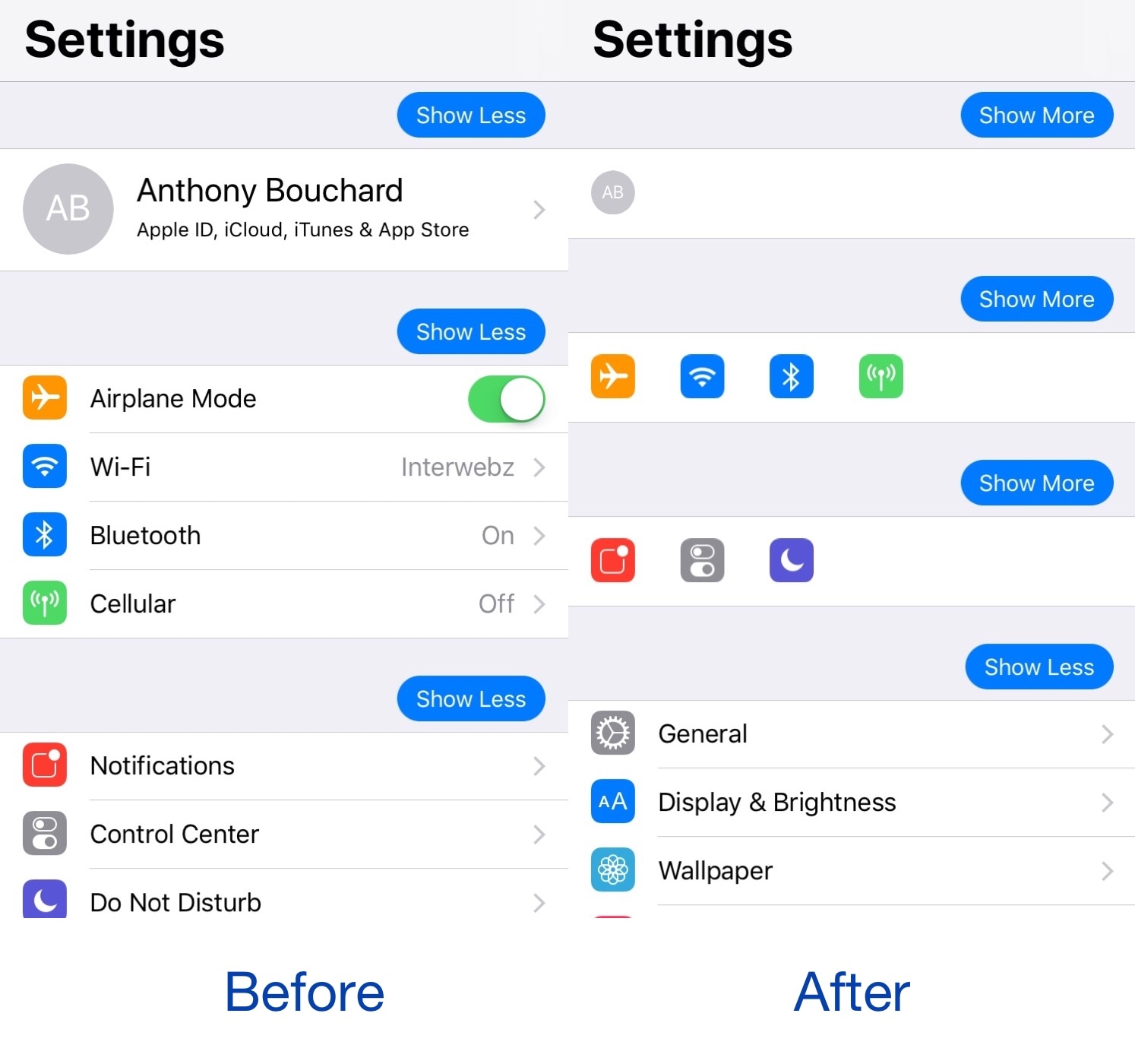
Those interested in de-cluttering the Settings app will likely come to appreciate a free jailbreak tweak called SettingsCollapse by iOS developer shiftcmdk, as it lets you collapse sections of the Settings app into compact blocks that are significantly easier to scroll through.

This tweak ports the Apple Pencil 2 charging interface to other devices when charging

Ever since getting my 2018 iPad Pro, and an Apple Pencil 2 to go along with it, I’ve become mainly accustomed to seeing the Apple Pencil 2’s charging status when it magnetically snaps to the side of my tablet. On the other hand, this beautiful charging interface often left me wondering: why hasn’t Apple implemented a similar charging interface for other devices?

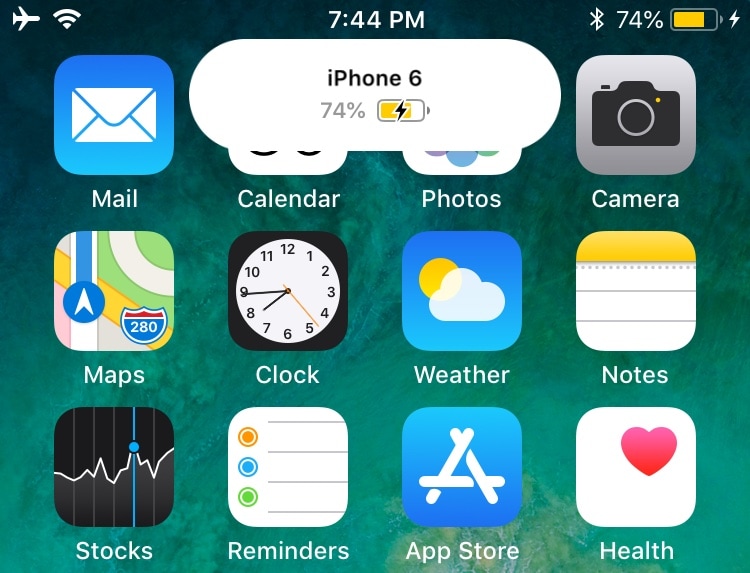
Enter PencilChargingIndicator, a free jailbreak tweak created by iOS developer shiftcmdk that brings the Apple Pencil 2-esque charging interface to other devices. Once installed, it makes the interface appear whenever the host device gets connected to a power source, as shown above.

Mute specific apps for certain periods of time with QuietDown

Notifications can be useful, but some apps tend to be a little bit noisier than others. iOS’ native Do Not Disturb mode sometimes comes in handy in this instance, but it mutes all your apps at the same time, and this isn’t always ideal. For that reason, iOS developer Skitty has come out with a new free jailbreak tweak release called QuietDown.

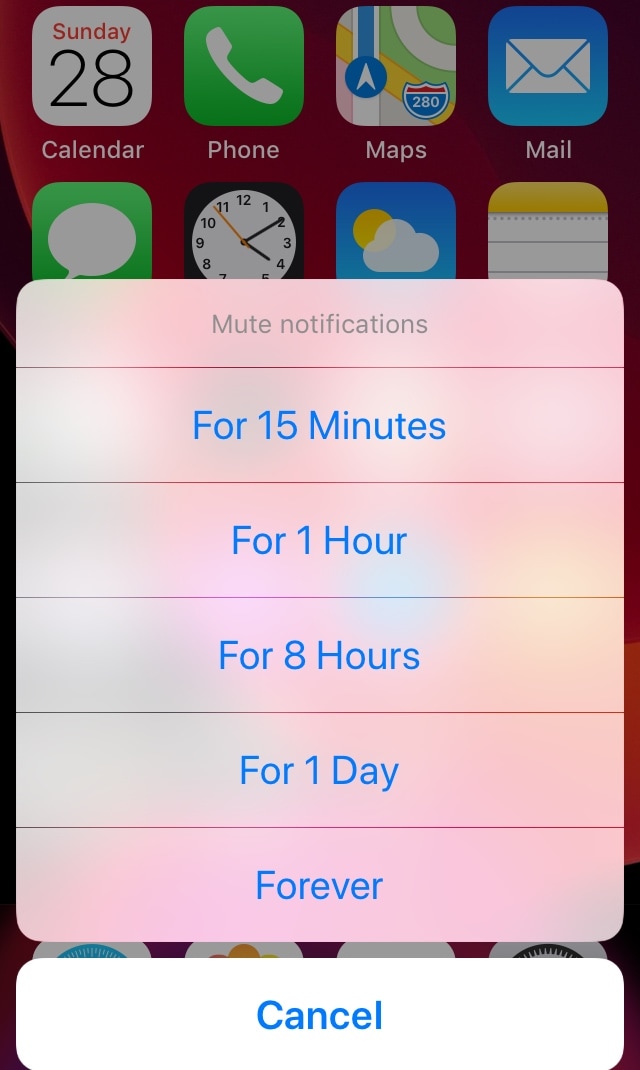
QuietDown allows users to mute specific apps for certain periods, and it does so in such a user-friendly manner. With a simple swipe up on an application icon or a 3D Touch gesture on that same icon, you can bring up the muting interface shown above.

CustomLock lets you personalize your iPhone’s Lock screen text

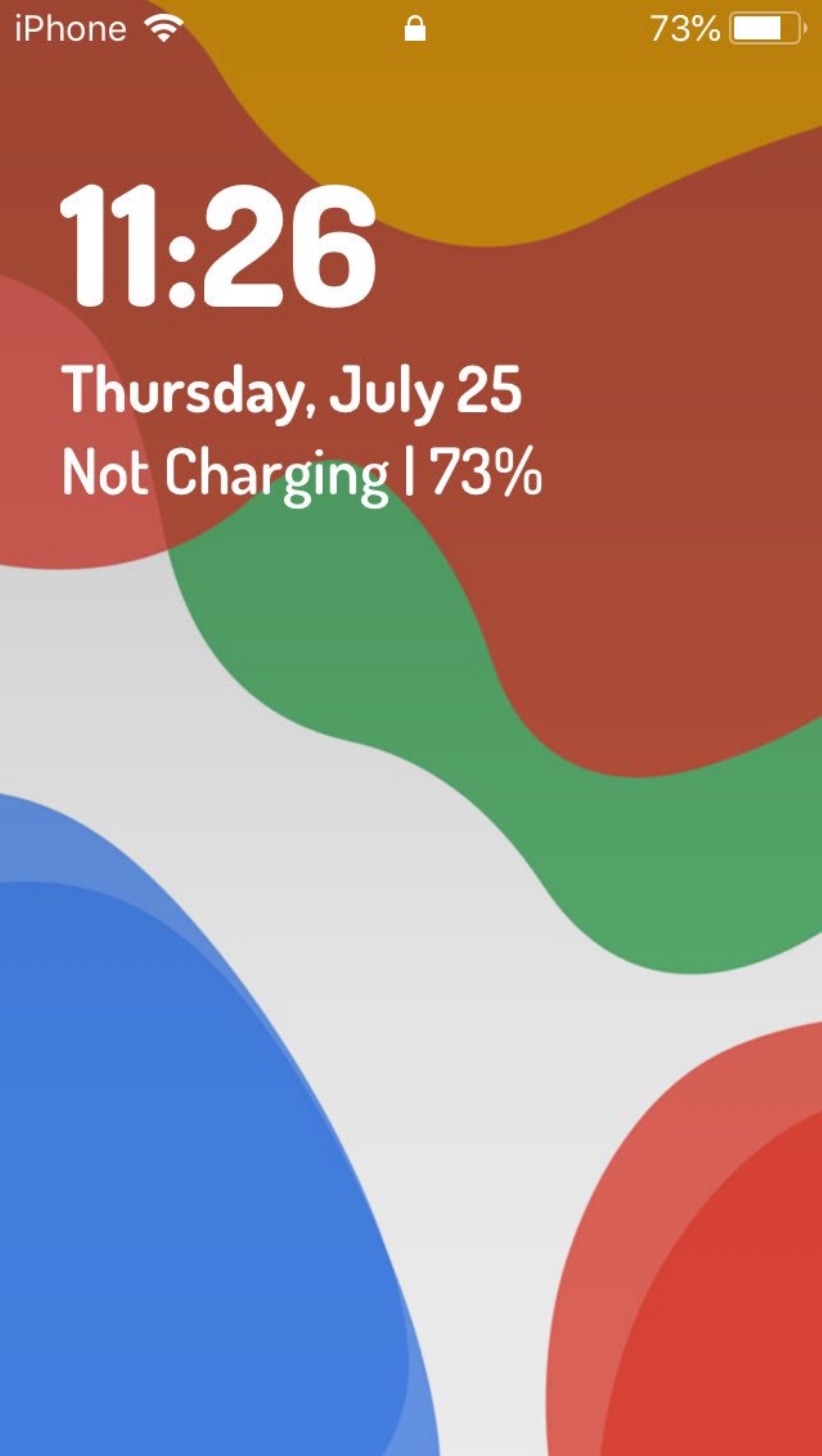
The Lock screen is the first thing you see every time you pick up your iPhone to use it. With that in mind, it’s not hard to see why some jailbreakers are quick to customize the appearance of it.

If you’re a minimalist and you appreciate the small things in life, then you might take a liking to a newly-released jailbreak tweak called CustomLock by iOS developer TylerD3V, as it provides users with two great ways to change the Lock screen’s aesthetics: text alignment and third-party fonts.

Like rainbows and hearts? You may also like these Dynamic Wallpapers for jailbroken devices

Your iPhone supports three different types of wallpapers, including still images, Live Photos, and Dynamic Wallpapers. The latter is particularly interesting because it's the closest thing to video wallpapers that Apple has ever provided, but iOS’ native selection of Dynamic Wallpapers out of the box leaves a lot to be desired.

It was only a few weeks ago that we showed you a jailbreak tweak called Dynamic Apples by iOS developer JGeorge, which replaced the stock Dynamic Wallpaper with Apple-esque ones, but if that didn’t do it for you, then perhaps a new free release called Dynamic Rainbow Hearts.

Pusher streams your iPhone’s push notifications to non-Apple devices

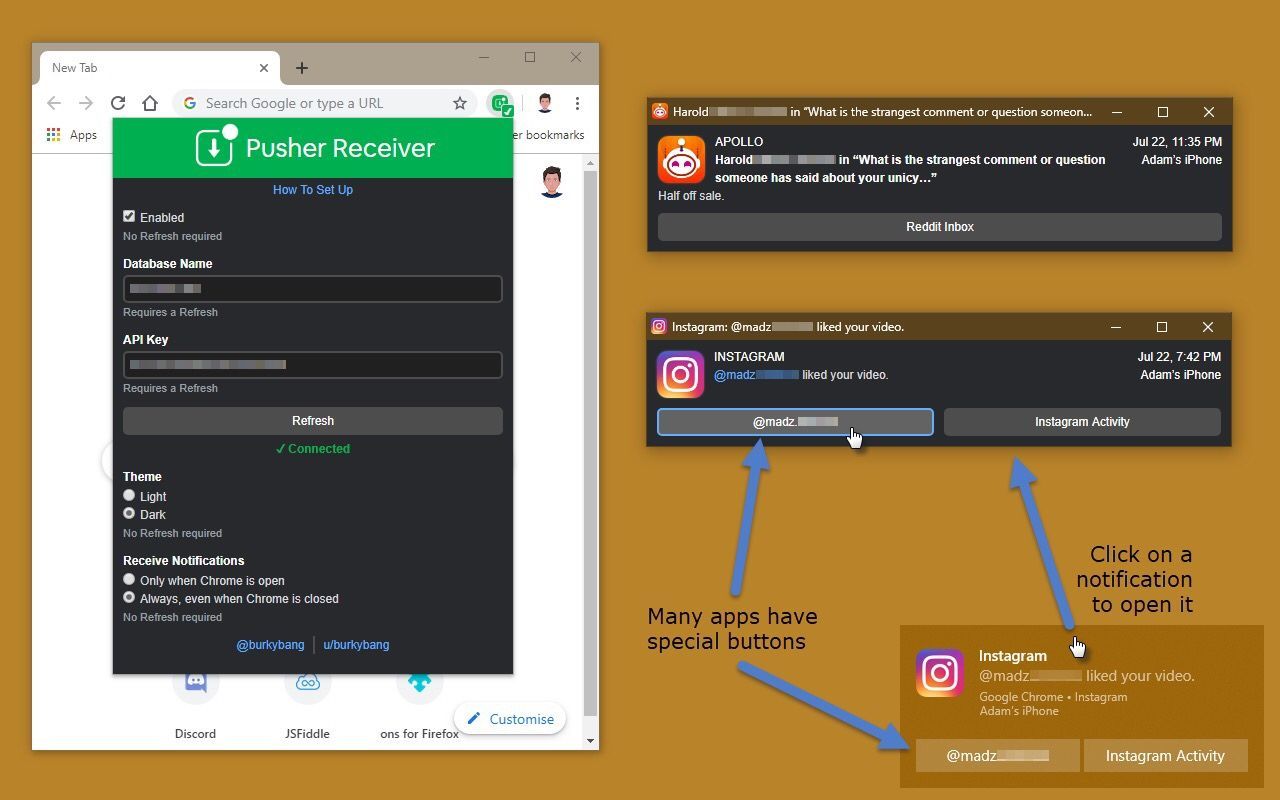
If all your devices – mobile and desktop alike – are of the Apple variety, then you’re probably accustomed to receiving push notifications from your apps on every one of your devices. On the other hand, this won’t necessarily be the case if you have, say, an Apple iPhone, an Android tablet, and a Windows computer.

Pusher is a newly-released jailbreak tweak by iOS developer Noah Saso that aims to help unify your push notification experience across all your devices, and astonishingly, this still applies even if your devices aren’t all manufactured by Apple.

Love Minecraft? This tweak makes your iPhone’s Settings app look more like the game

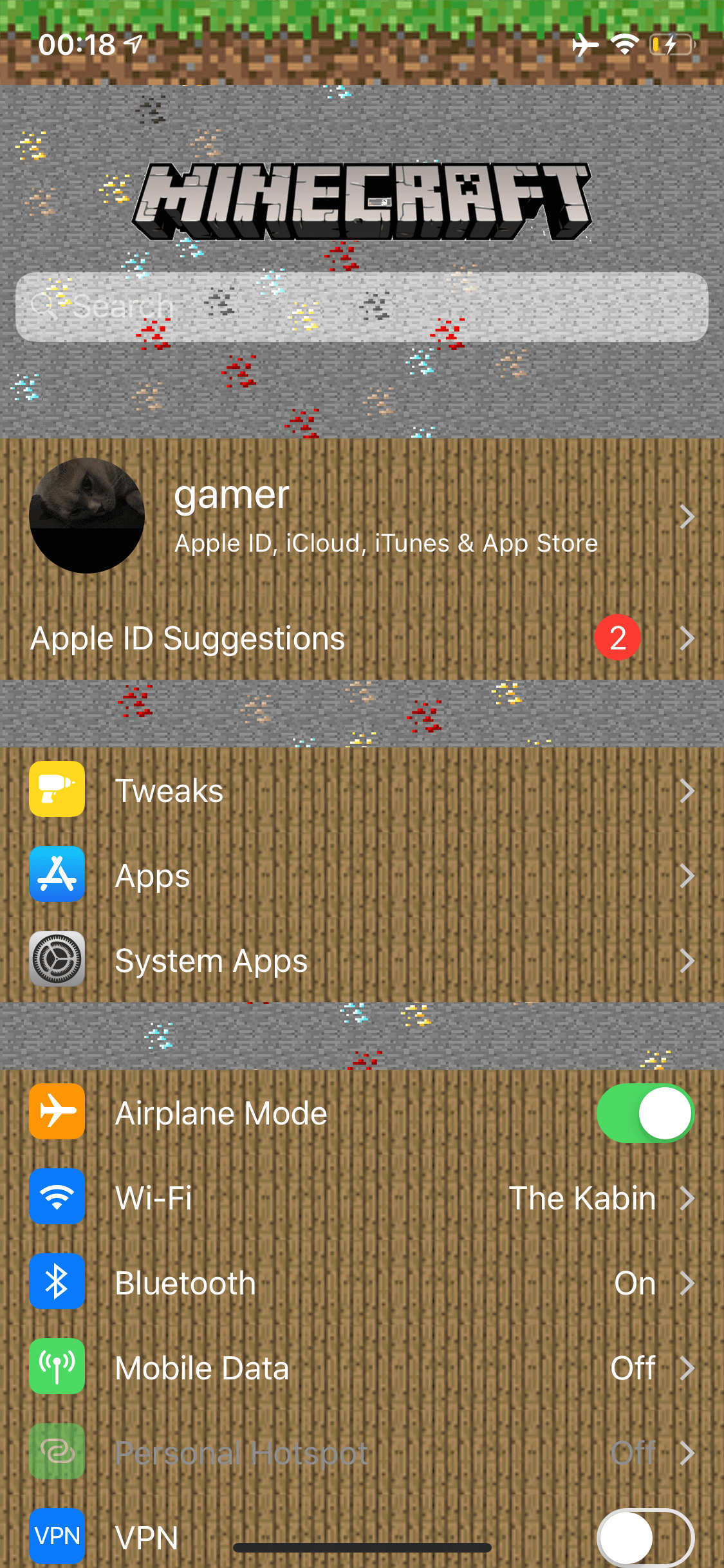
If you’re a huge Minecraft fanatic, then McSettings is a newly-released and free jailbreak tweak by iOS developer kushy that you won’t want to miss.

As you might’ve noticed already from the screenshot example provided above, McSettings themes iOS’ Settings app to look and feel like some of the textured resources that appear in the eccentrically popular Minecraft game by game publisher Mojang.

Customize iOS’ various system text strings with Label

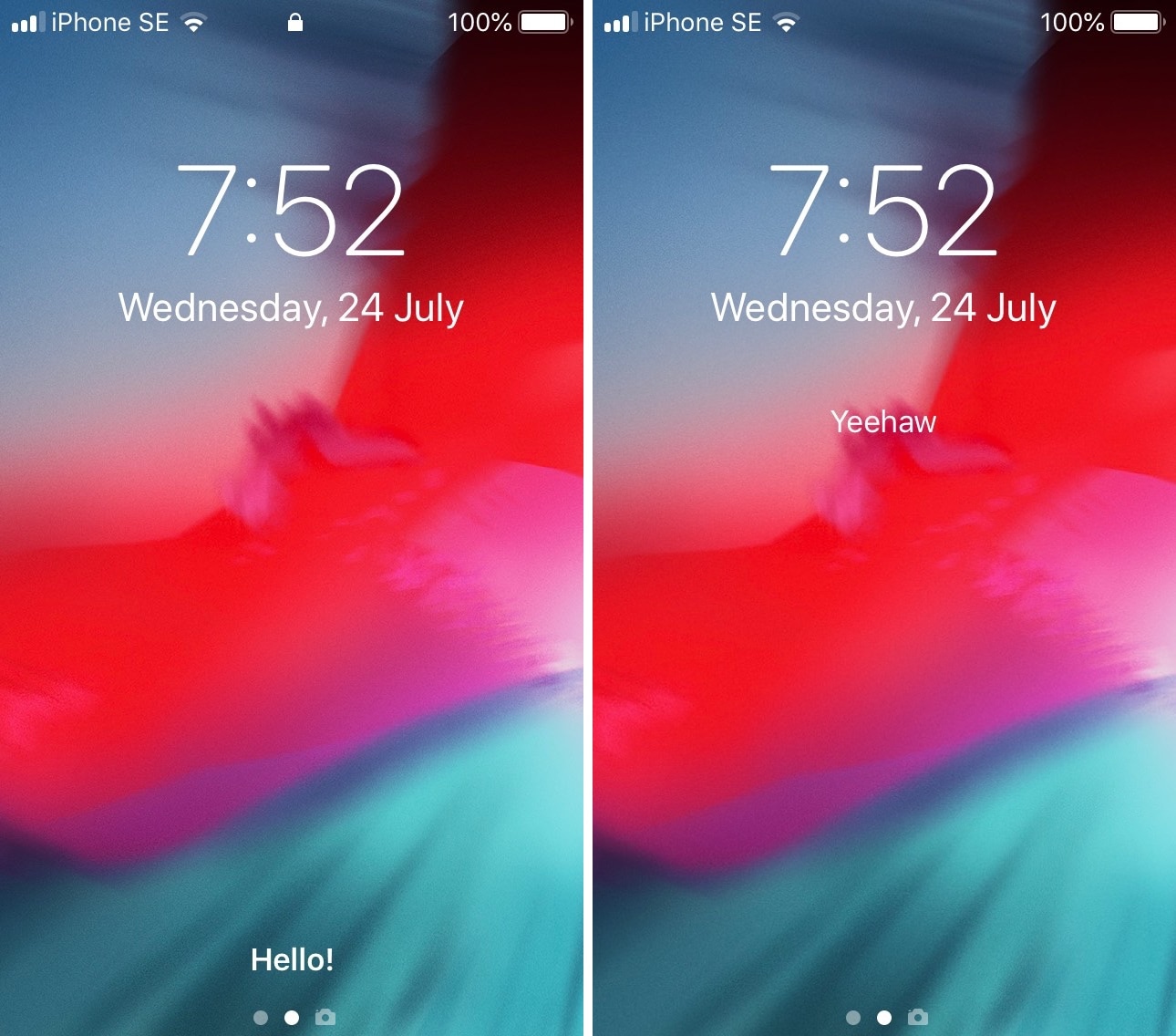
As you use iOS, you’ll come to notice a variety of labels throughout the user interface that display redundant or non-useful information, such as the Status Bar's carrier text, the Lock screen’s ‘Press home to open’ text string, and Notification Center’s ‘No New Notifications’ text.

If you aren’t jailbroken, then you can’t customize any of these labels, but if you are, then you can take advantage of a newly-released and free jailbreak tweak called Label by iOS developer archergs to do just that.