Theme

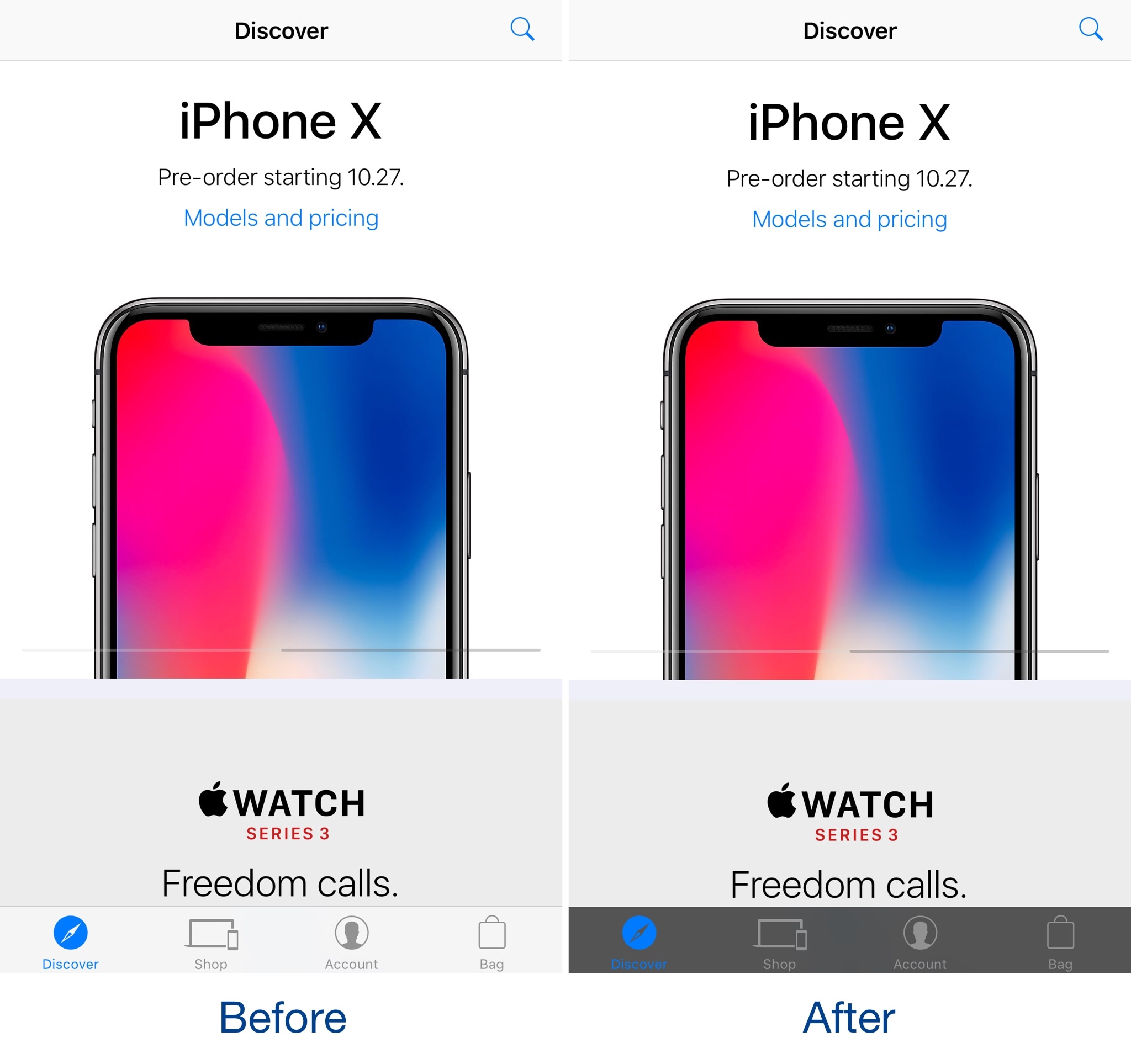
DarkAppleStore gives the Apple Store app’s tab bar a darkened makeover

Jailbreakers that use the Apple Store app to browse Apple’s product offerings can take advantage of a new free jailbreak tweak called DarkAppleStore by iOS developer CydiaGeek to spice up its user interface.

Post-installation, DarkAppleStore applies a darkened blur to the translucent tab bar at the bottom of the app, causing it to resemble the before and after images you see above and below.
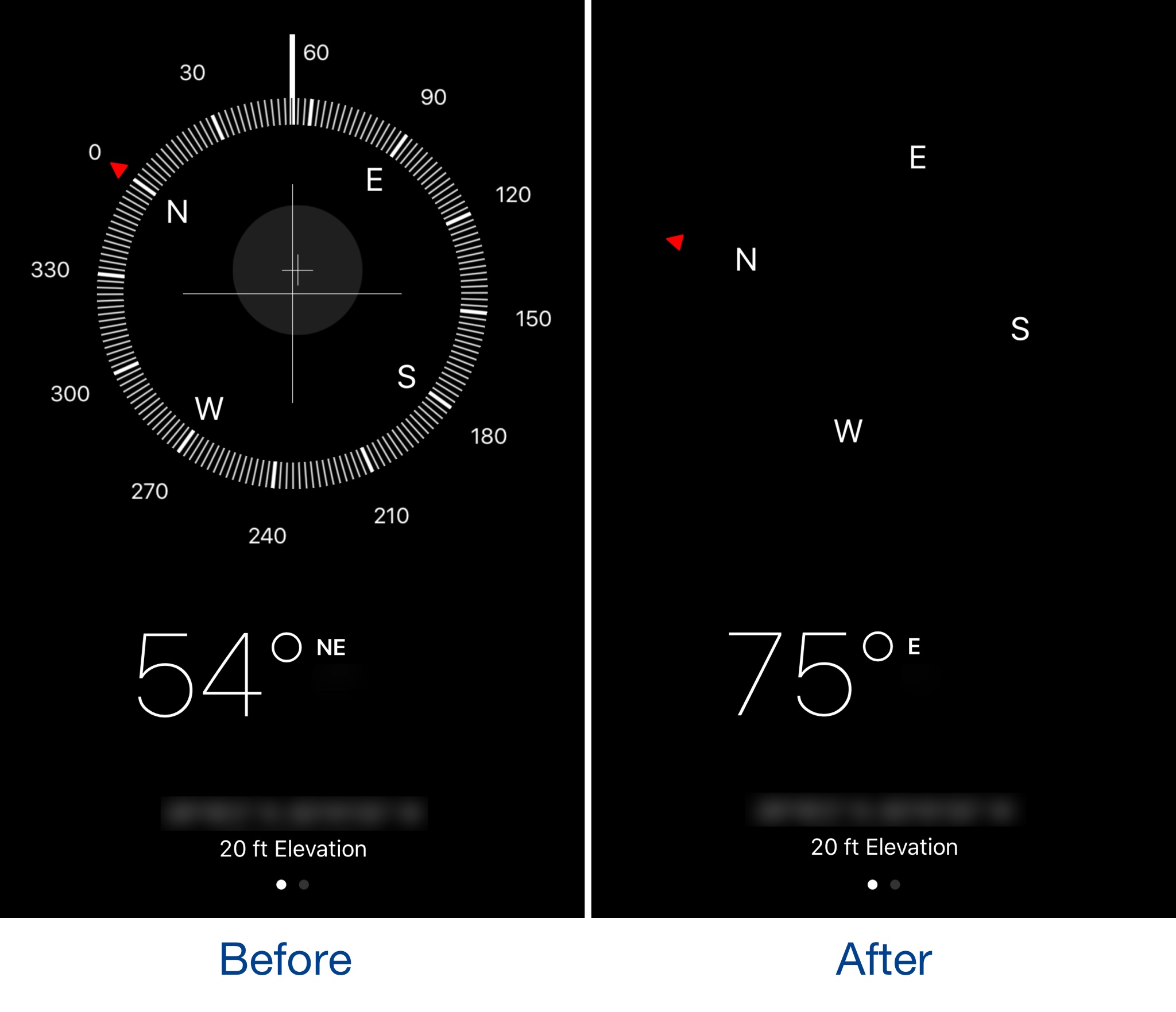
Simplify your Compass app’s user interface with sleekCompassView

The Compass app might be one of the most under-appreciated stock apps on an iPhone, but it can be exciting to use if you’re hiking and don’t want a map to spoil all the fun. Nevertheless, the app has a somewhat over-developed user interface.

A new free jailbreak tweak called sleekCompassView by iOS developer CydiaGeek simplifies the Compass app’s user interface by removing some of the unnecessary interface elements.

Mimic the iOS 11 experience on your jailbroken device with these tweaks

Although there isn't a jailbreak for iOS 11 yet, that doesn't mean you can't have your cake and eat it too. Even if you're using a jailbroken iOS 10 device right now, you can enjoy several of iOS 11's new aesthetics and features by installing a few tweaks on it.

While a bevy of tweaks released over the last several months specifically port iOS 11-esque features to jailbroken iOS 10 devices, even some older tweaks provide functionality comparable to what Apple included in iOS 11 and are worthy of recognition. In this piece, we showcase all the tweaks that came make your iOS 10 jailbroken device look more like it's running iOS 11.

NotificationCenterXI ports the iOS 11 Notification Center experience to jailbroken devices

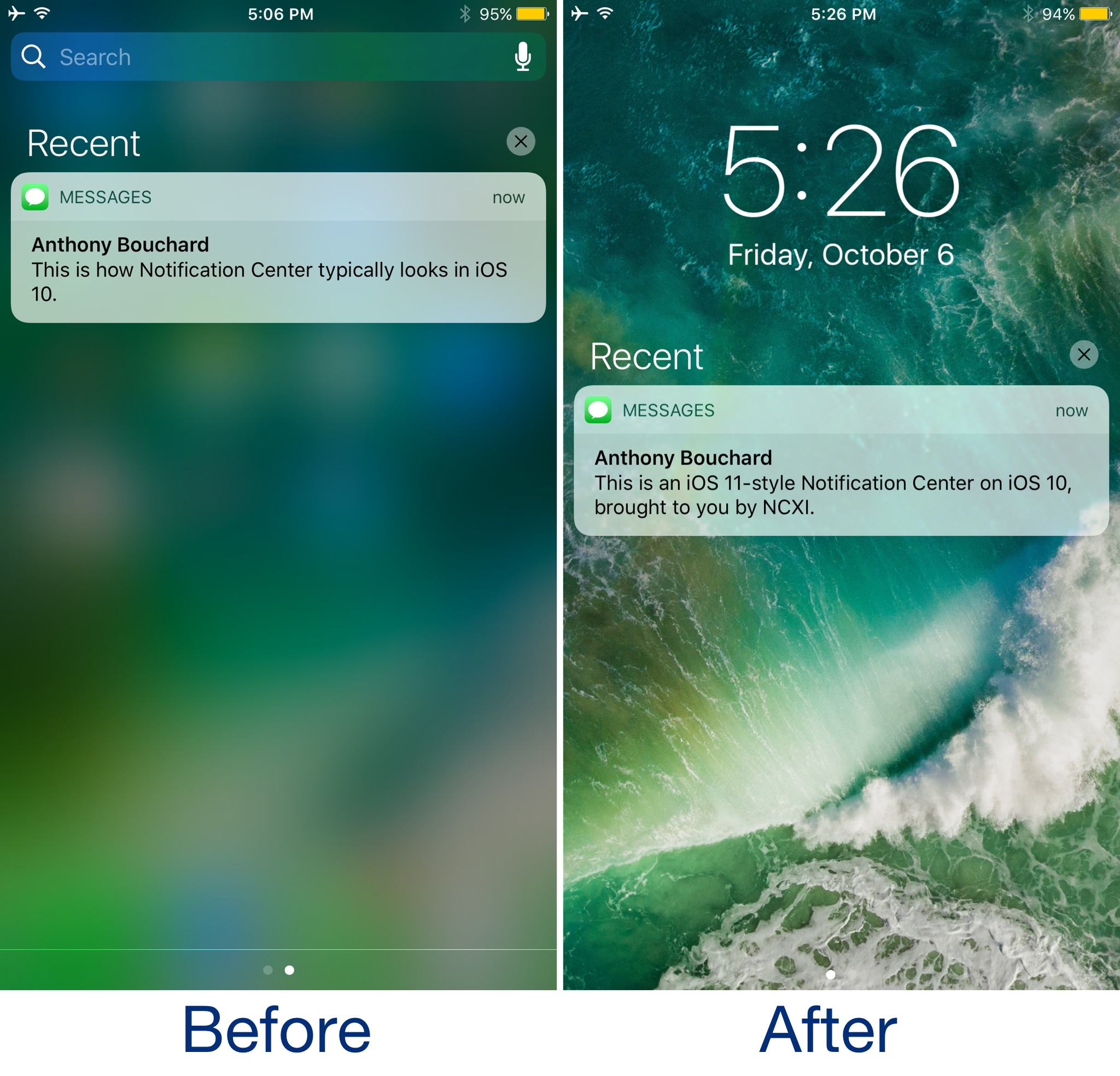
iOS 11 brings with it a whole host of changes, and one of the most notable right off the bat is the updated look and feel for Notification Center. Unfortunately for jailbreakers, upgrading is out of the question.

If you fall into that category, then new free jailbreak tweak dubbed NotificationCenterXI (iOS 10) by iOS developer LaughingQuoll might interest you. It ports the iOS 11 Notification Center experience to jailbroken devices, allowing jailbreakers to have their cake and eat it too.

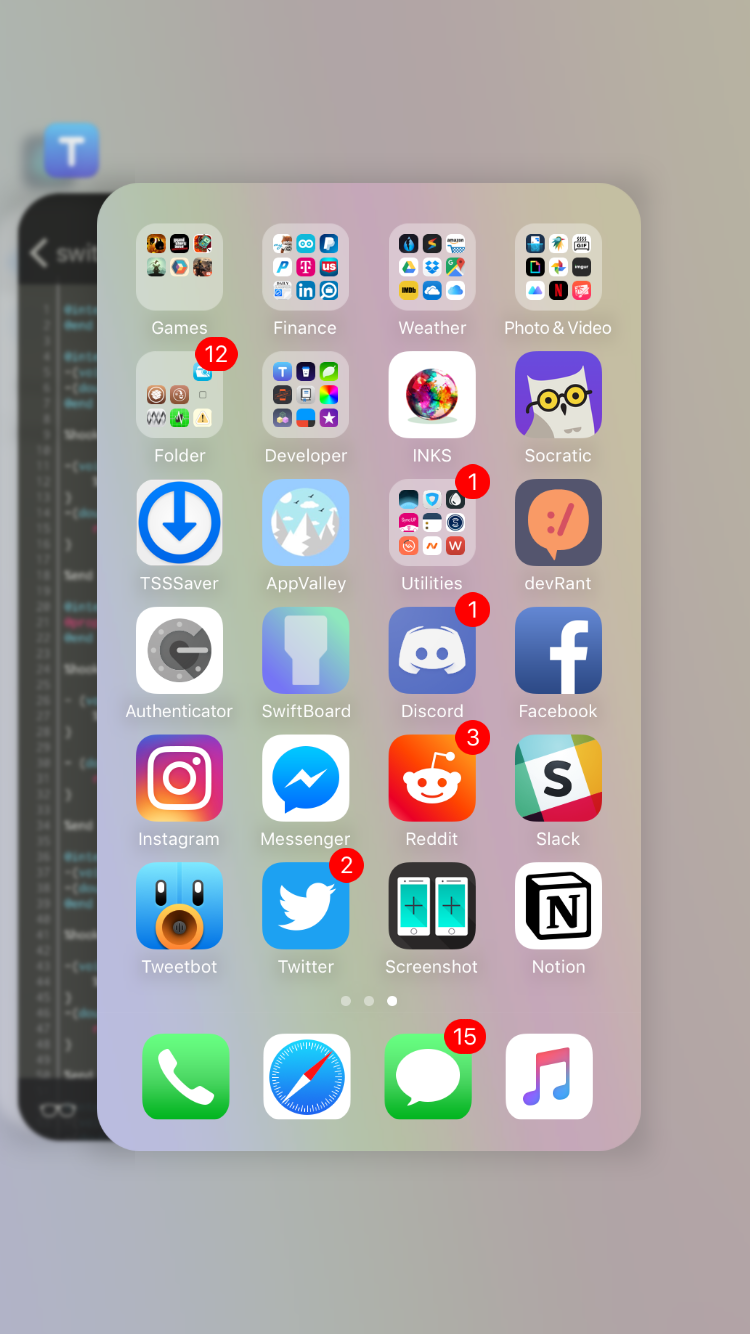
This tweak rounds your App Switcher cards’ corners like on the iPhone X

After Craig Feherighi demoed the iPhone X for the first time at last month's keynote, it became evident that several changes to the iOS user interface would need to accommodate for the new edge-to-edge OLED display, its rounded corners, and the notch.

One of the differences was in the App Switcher where each of the cards exhibits heavily-rounded corners that match the aesthetic of the device's display. Other iPhone models don’t have as pronounced of roundness, but a new free jailbreak tweak called switcherRadii by iOS developer CreatureSurvive can replicate this effect on your non-X handset.

OLEDification emulates OLED-style notifications on your jailbroken iPhone

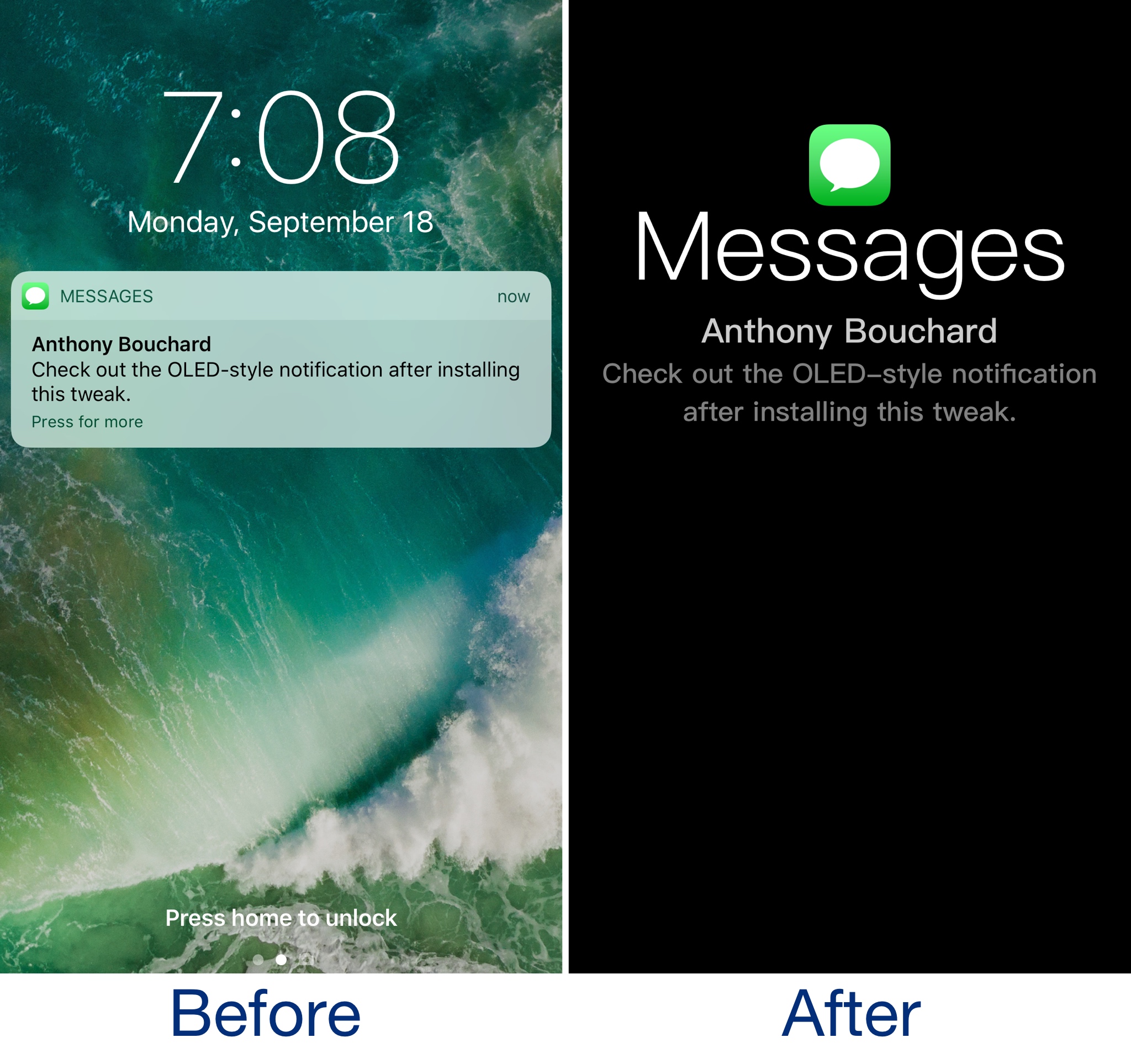
OLEDification is a new jailbreak tweak by iOS developer Shyam Lad that captures the notification experience of various devices with OLED displays and brings it to the Lock screen of your jailbroken iPhone.

Once installed, the Lock screen interface disappears when you receive notifications. Instead, you’re shown an immersive full-screen experience in which the background is dark, and the notification content itself makes up the only color you see on your display.

This tweak brings some of the boldness of iOS 11 to your folders

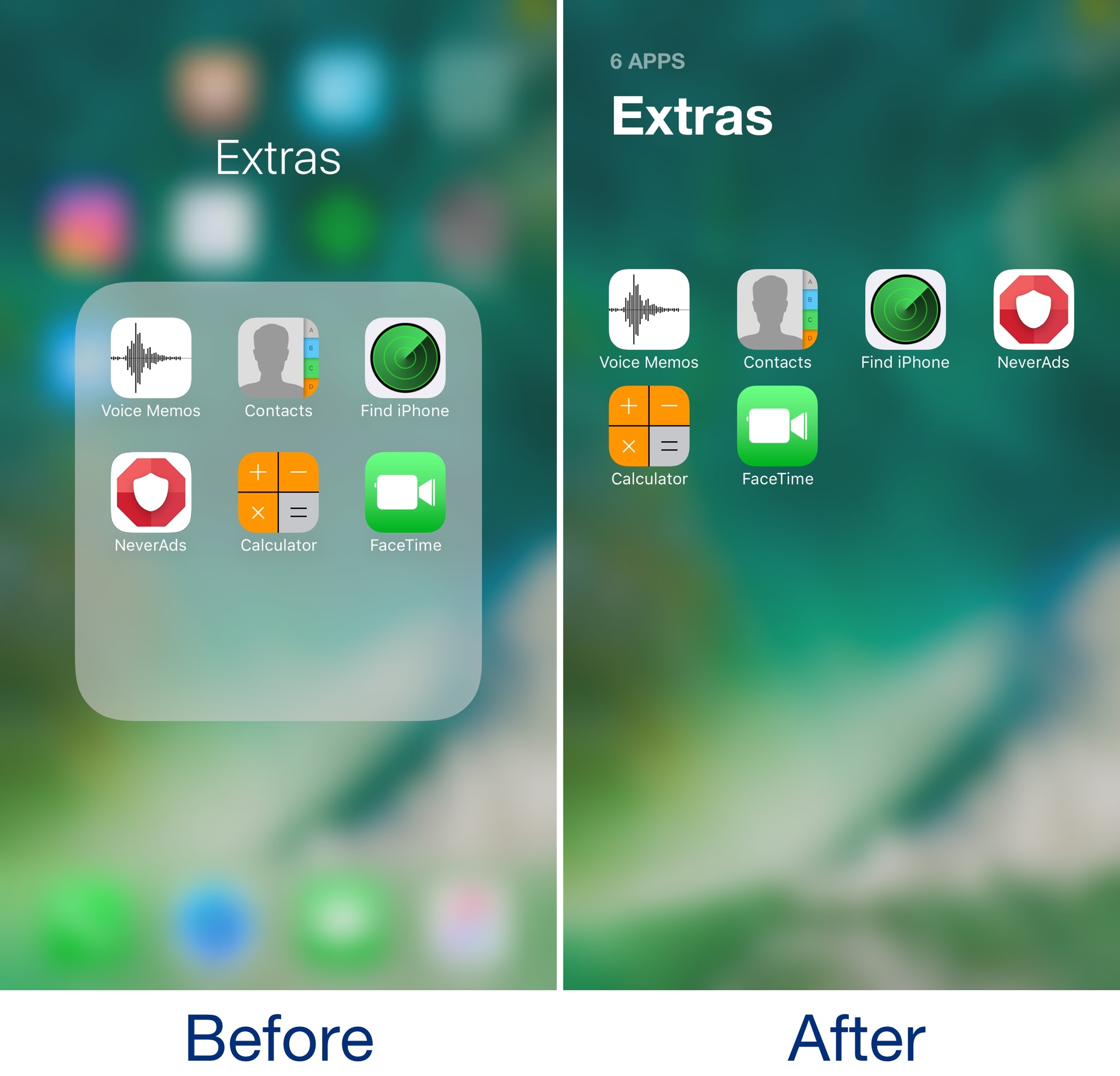
Admittedly, I’ve never really liked the way folders looked in some of the latest iterations of iOS. They take up the whole screen, but only utilize a fraction of it for a functional purpose. In my opinion, Apple is wasting so much space with the current setup.

A new free jailbreak tweak called Bolders by iOS developer candoizo helps fix some of these shortcomings by transforming iOS folders into actual full-screen works of art.

Shrink pop-ups in the Music app with MusicSmallerAlertsPlz

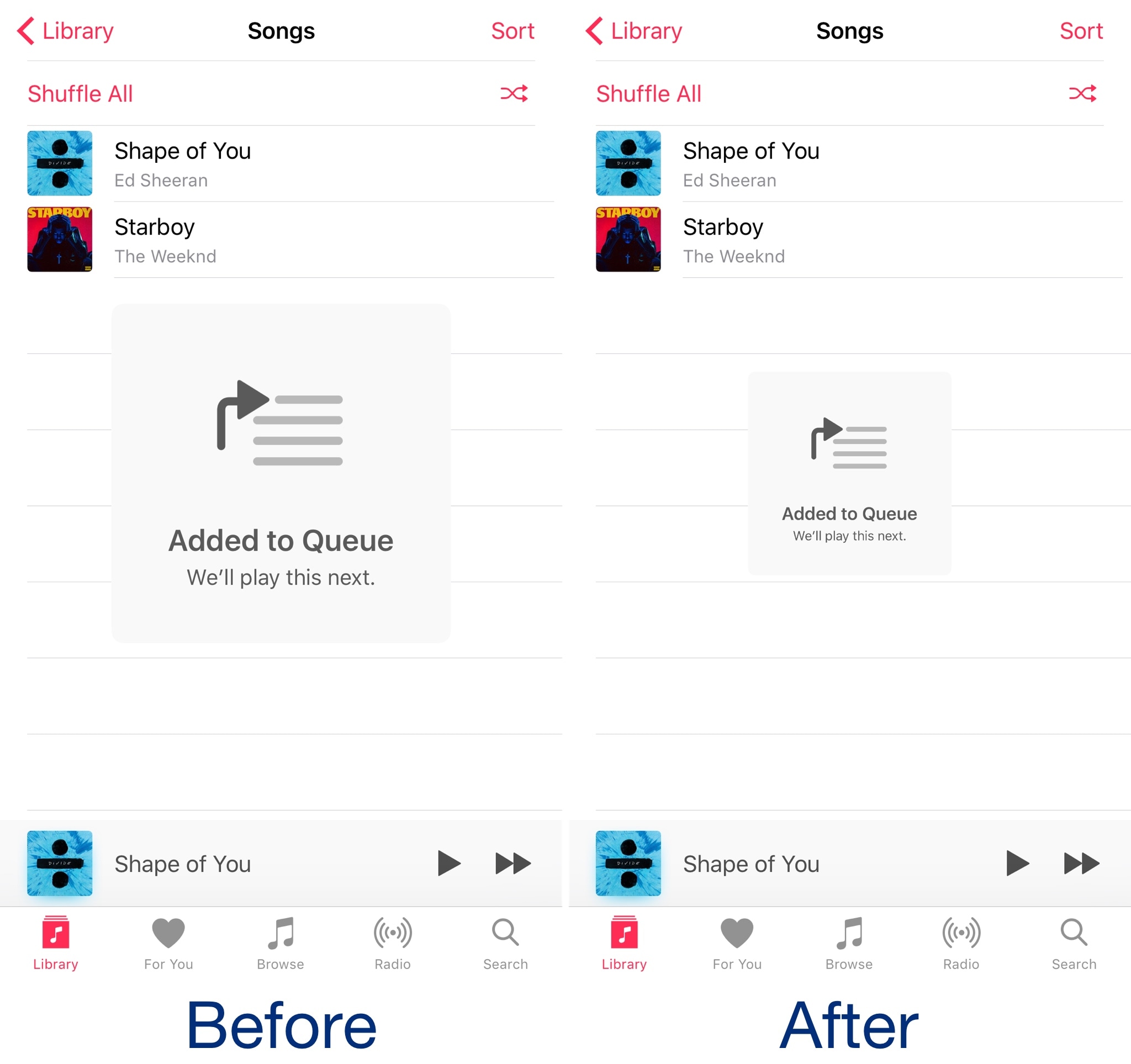
When you perform certain actions in Apple’s Music app, such as queueing a song to play next, a massive alert pops up that’s nearly as intrusive as the stock volume HUD is.

A new free jailbreak tweak called MusicAlertsSmallerPlz by iOS developer HiDan works to shrink those alerts to a more comfortable size to help keep them out of your way as you use the Music app.

Castro gives the iOS volume HUD a much-needed facelift

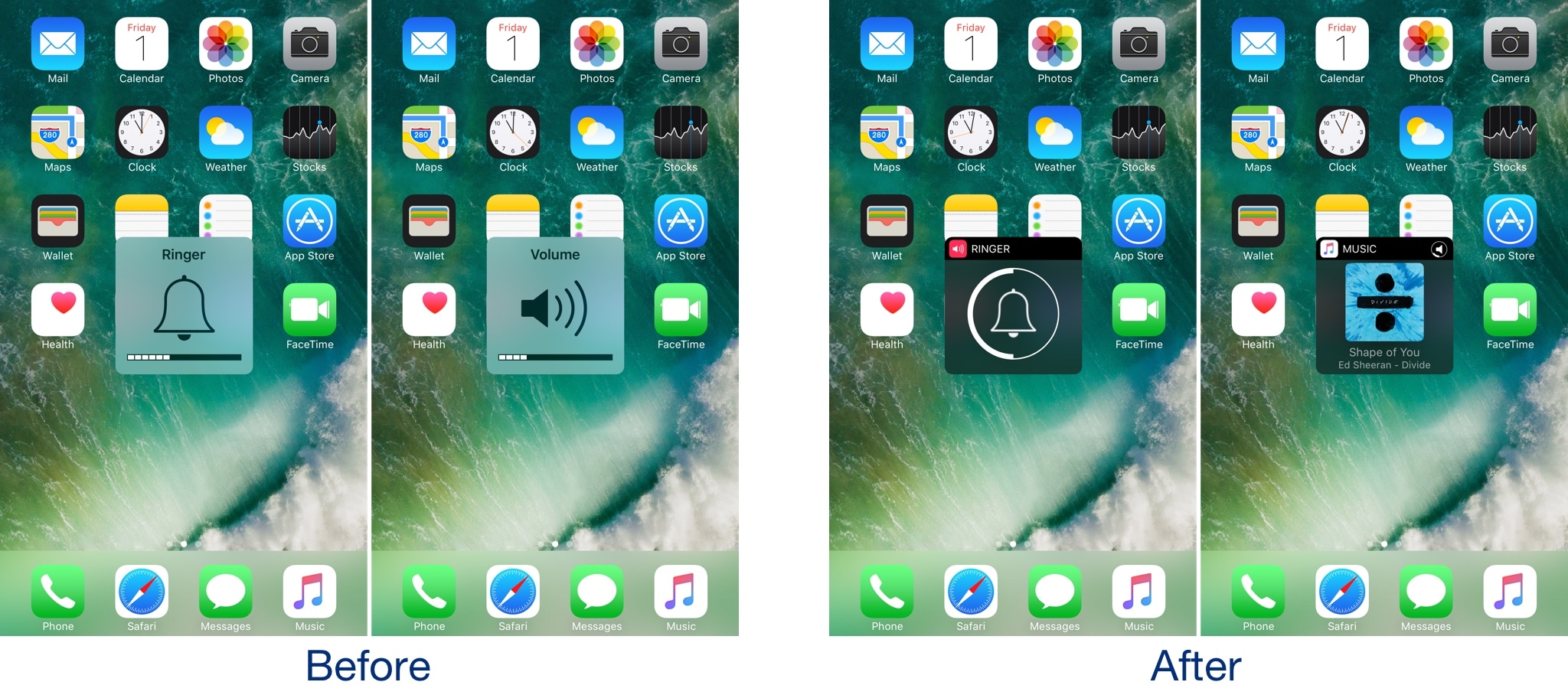
I’ve said it many times before, and I’ll say it again: the volume HUD in iOS is a ridiculous mess, and it's in need of a facelift.

A plethora of jailbreak tweaks in Cydia can help with the situation, but after trying a new release called Castro by iOS developer candoizo, I’m convinced that this just might be one of the best looking alternatives to date.