Siri

10+ new features in iOS 10.2 beta 1

Apple yesterday issued beta 1 of the forthcoming iOS 10.2 software update for the iPhone, iPad and iPod touch. For starters, iOS 10.2 beta 1 includes three new wallpapers, provides a bunch of new emoji as part of the Unicode 9.0 standard and gives Camera the optional ability to remember filter, Live Photo and mode settings.

Star ratings are back in the Music app and Videos has its own widget. Oh, and you can now annoy friends with a brand new animation in Messages.

Without further ado, here's our video hands-on with iOS 10.2 beta 1 accompanied by a detailed description of all the new features and enhancements.

Video showdown: Siri on iPhone 7 Plus vs. Google Assistant on Pixel XL

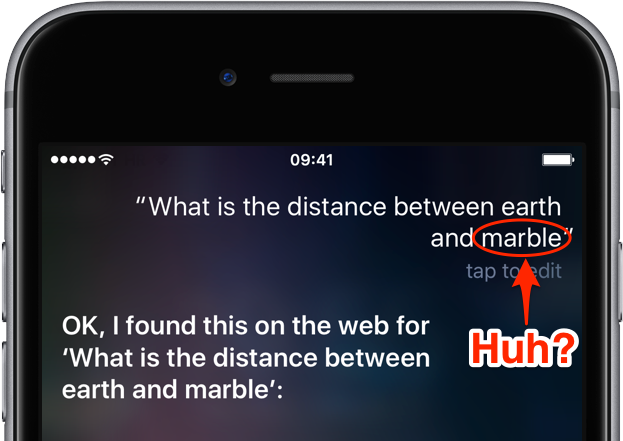
Siri continues to receive criticism over at times unreliable performance although Apple's been advancing its personal digital assistant by leaps and bounds since its debut in October 2011.

Google, on the other hand, is regularly praised for its powerful knowledge graph and accuracy.

You probably know that the search company's exciting new feature, Assistant, recently made its debut on the new Pixel smartphones.

With that in mind, YouTuber Marques Brownlee took it upon himself to pit the Pixel's Assistant against the iPhone's Siri in a cool side-by-side video comparison.

Let the battle of the smartphone voice assistants begin!

Apple to unify its separate cloud services teams to improve Siri, Maps, iTunes, iCloud & more

Bloomberg's Mark Gurman is reporting today that Apple is in the process of unifying its separate cloud services team in an effort to foster tighter collaboration between them, better compete with Google and Amazon in the cloud space and improve Siri, Maps, iTunes, iCloud and other services.

Eddy Cue, Apple's boss of Internet Software and Services, will oversee the effort to move cloud service engineering teams to a single campus as Apple continues shifting its cloud to its own infrastructure.

Skype for iOS updated with Siri, Phone, Contacts and Lock screen integrations

Microsoft today announced availability of freshly updated Skype for iOS apps. Bumped to version 6.25, both Skype for iPhone and Skype for iPad now include SiriKit support that lets them integrate with Siri so you can call people and send messages using just your voice. The apps also take advantage of CallKit, which allows VoIP Skype calls to behave like normal cellular calls with fullscreen contact images on the Lock screen and integration with Phone's Recents and Favorites on iSO 10 devices.

Project “Invisible Hand” would let users fully control Apple devices via Siri within 3 years

Bloomberg today published an article that shed more light on Apple's rumored Amazon Echo-like Siri hardware, which has purportedly exited the research and development lab and is now in prototype testing. As part of the report, Bloomberg alleges that Apple has another secretive project in the works that would improve Siri on iPhones and iPads.

Code-named Invisible Hand, the project would give us the ability to fully control our Apple devices through “a Siri command system within three years”.

Bloomberg: Apple’s Echo-like Siri appliance is now in prototype testing

Amazon Echo

Apple's rumored Amazon Echo-like Siri hardware has exited the company's research and development lab and is now in prototype testing, Bloomberg reported Friday. The project started more than two years ago, but Apple is now “pressing ahead” with the development of its unnamed Siri-driven smart home appliance after Amazon's Echo proved a surprise hit, even to Apple engineers working on the project.

How to enable “Hey Siri” on Mac

Five years after its introduction in 2011, Siri finally made its debut on Mac with the release of macOS Sierra. Featuring much of the functionality that Siri contains on iOS, such as being able to check the weather forecast or set a reminder, Siri for macOS also has some exclusive abilities, such as handling documents in the file system and being able to pin results to Notification Center.

One feature that macOS's Siri didn't port from its mobile counterpart, however, is the ability to activate Apple's digital assistant hands-free with the "Hey Siri" command. Fortunately, there's a viable workaround available that enables users to invoke Siri in macOS with their voice to give commands from across the room.

How to invoke Siri with a keyboard shortcut on Mac

Your favorite assistant finally made its way to the Mac, starting with the macOS Sierra software update.

If you have used Siri on your iPhone or iPad before, then you'll probably feel right at home with the assistant on your Mac since it works in a similar way. However, unlike your iPhone, you don't have the ability to invoke Siri on your Mac by saying "Hey, Siri." Instead, you will have to click on the Siri icon in the Menu Bar, or in the Dock.

Another way to invoke Siri is by using a keyboard shortcut. Admittedly, this is my preferred way of activating the assistant as it feels faster and more efficient than reaching for the mouse or trackpad and clicking on the Siri icon.

Using the Reminders app on Apple Watch

Apple Watch offers a standalone Reminders app, and as you'll soon learn, it can be just as functional as the iPhone app.

The introduction of an official Reminders app on Apple Watch was great because this little app on your wrist will help you get through all your errands throughout the day and keep track of your busy life.

The app is used with Siri since there is no keyboard to input text on the Apple Watch like there is on your iPhone. With that being said, using the Reminders app may feel a little awkward at first, but it should become a second nature to you in no time at all.

WhatsApp rolls out its iOS 10 update with Phone/Siri support & more

WhatsApp is one of the showcase apps for CallKit, Apple's new framework allowing VoIP calls to integrate with iOS 10's Phone app and behave like cellular calls. Today, WhatsApp has rolled out its anticipated update which enables integration with Phone and Siri on iOS 10 while bringing out half a dozen other features and improvements like forwarding multiple chats at once, a new iOS 10 widget that lets you go to a recent WhatsApp chat or see which chats have unread messages, and more.