Safari

New York Post’s Website Blocking Mobile Safari, iPad App the Winner

If you're a New York Post reader and like to read your news via NYPost.com on an iPad, then you could find the process a little more complicated than it used to be. The newspaper has blocked access to its website from Apple's Mobile Safari browser.

In a clear attempt to push users away from the NYPost website and towards the iPad app. The New York Post's homepage now suggests users tootle off to the App Store if they want to get their news fix on Apple's super-successful tablet...

Web App Performance in iOS 5 Greatly Improved

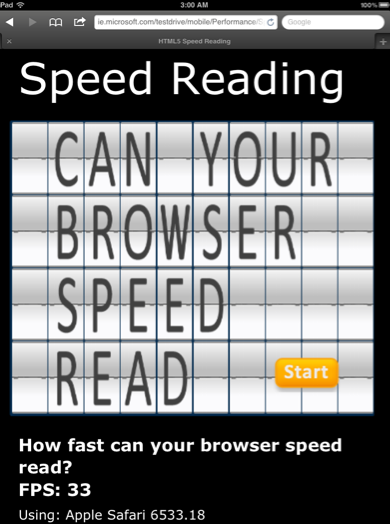
Web app performance in iOS 4 has been disappointing. It's been speculated that Apple has been intentionally handicapping web app performance in iOS 4. When websites are launched from the iPhone's homescreen, loading times become much longer than when a site is opened straight from the Mobile Safari app.

In iOS 5, it's been discovered that fullscreen web apps from the homescreen can access the Nitro Javascript engine that sped up Mobile Safari in iOS 4.3. These "dynamic-codesigning" privileges allow for a much faster web app experience in iOS 5.

New in iOS 5: ‘Find on Page’ Search from iPad Keyboard

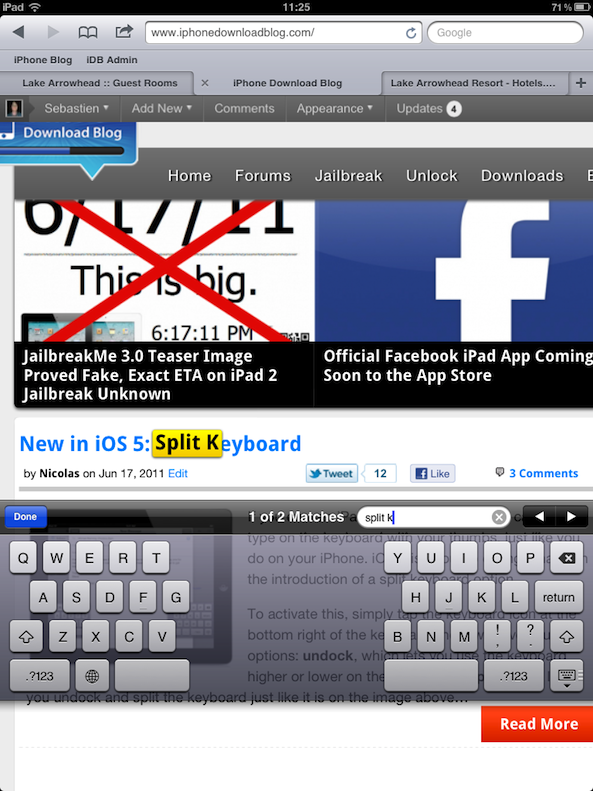
The "Find on Page" feature in Safari isn't new, as it was introduced with iOS 4.2. Up until iOS 5, to use this feature, you had to tap the “Google” search bar at the top right and start typing. As Google gave you suggestions, you also had the “on this page” option appearing at the bottom.

iOS 5 is making this feature much smoother on the iPad, as it brings it directly to the keyboard...

New in iOS 5: Save and Read Webpages Later with Reader

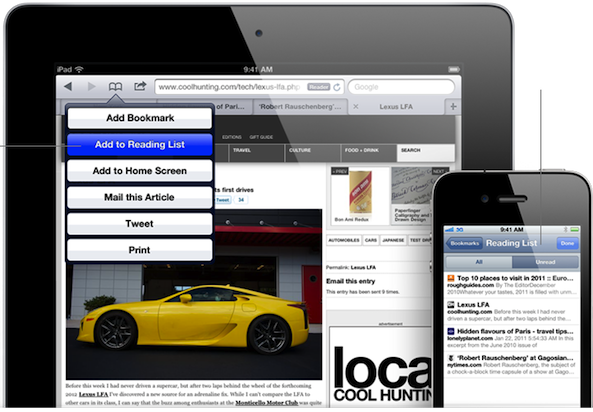
In iOS 5, Apple has taken services like Instapaper and Read It Later head-on with a new feature called "Reader." Like the similar feature that has existed in Safari on the Mac, Reader for iOS 5 will strip a webpage in Mobile Safari of unneeded images and ads for a more enjoyable reading experience.

Articles can also be saved for reading later on any iDevice that's set up with your iCloud account. Bookmarking is a thing of the past.

Mobile Safari Gets Private Browsing Mode in iOS 5

Since Apple dropped the first beta release of iOS 5 yesterday, those of us with access to the firmware have been keen to play around with it and discover those "200 new features" that weren't quite big enough to get a mention at the WWDC keynote yesterday.

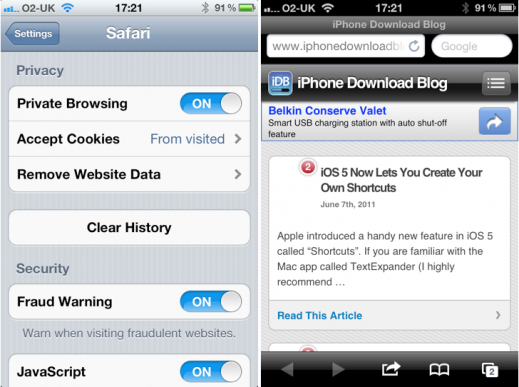
In addition to customizable keyboard shortcuts, one feature you may not have noticed is the 'Private Browsing' mode within mobile Safari...

Opera Mini for iOS Gets Major Update, Faster Browsing Included

It'll be interesting to see if Apple gives Safari a facelift in the upcoming iOS 5 update. It's already rumored that several areas like voice control will receive an overhaul, but will the tiny browser see any improvements?

If you're not currently happy with Apple's default browser, there are several alternatives in the App Store. iCab and Atomic are awesome choices, but what about Opera Mini? Even if you didn't like the browser before, you might want to check out the latest update...

Safari “Reading List” in Mac OS X Lion Will Wirelessly Sync Bookmarks with iOS Devices

Apple's next version of their desktop operating system, Mac OS X Lion, is nearing the final stages of developer beta testing. It is suspected that Apple will release the new OS to Mac users this summer.

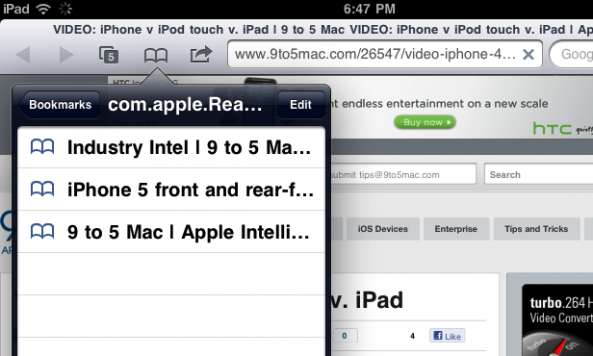
More and more features are being uncovered in the developer builds of OS X Lion, and a recent finding points to a cloud-synced bookmark feature in Apple's browser, Safari. The new "Reading List" feature in OS X Lion will allow users to wirelessly sync their bookmarked webpages with iOS devices.

This would allow you to easily take your bookmarked pages with you on the go...

Google News Introduces “News Near You” for Mobile Devices

Google just announced a new feature for Google News for mobile devices such as the iPhone. When pointing your iPhone to news.google.com via Safari, Google News will ask you if it can use your location. If you agree, it will serve you news that happened around you.

I really like the idea of news near me, the problem is I can't get this thing to work. Yes, my Location Services are turned on, I rebooted, etc, but it just won't work. Oh well, I guess I will have to remain ignorant of what's happening around me...

Amazon Cloud Player Now Works on the iPhone

According to a report from TechCrunch, Amazon's Cloud Player has magically started working on the iPhone and other iOS devices. The service, which was initially available to only PC and Android users, seems to have gained iOS support.

When you visit the Amazon Cloud Player webpage, the website will inform you that your device is not supported, but after ignoring the message, all features seem to be working flawlessly. 

How to Make Safari Load Faster on the iPhone

Although Safari may not be perfect, as far as truly native iPhone browsers go, it's all we've got. If one of your major problems with Apple's mobile browser is how long it takes to load, you're in good company.

It's Safari's built-in session saving feature that makes the browser so sluggish. In most cases, it will completely reload you're previous page you were on at launch. iOS doesn't have an option to disable this feature, but there might be a way around it...

Google Search Term “Tilt” Actually Tilts iPhone Search Results

Google has been known for quite a few pranks (no, Android is not one), and their latest joke took nearly five days to uncover.

When you use your mobile device to search Google for the term "tilt" or "askew," as pictured above, the search will return with the results tilted ever so slightly to the right. The trick works on both iOS and Android devices.