Review

My favorite accessories to use with the 2018 iPad Pro

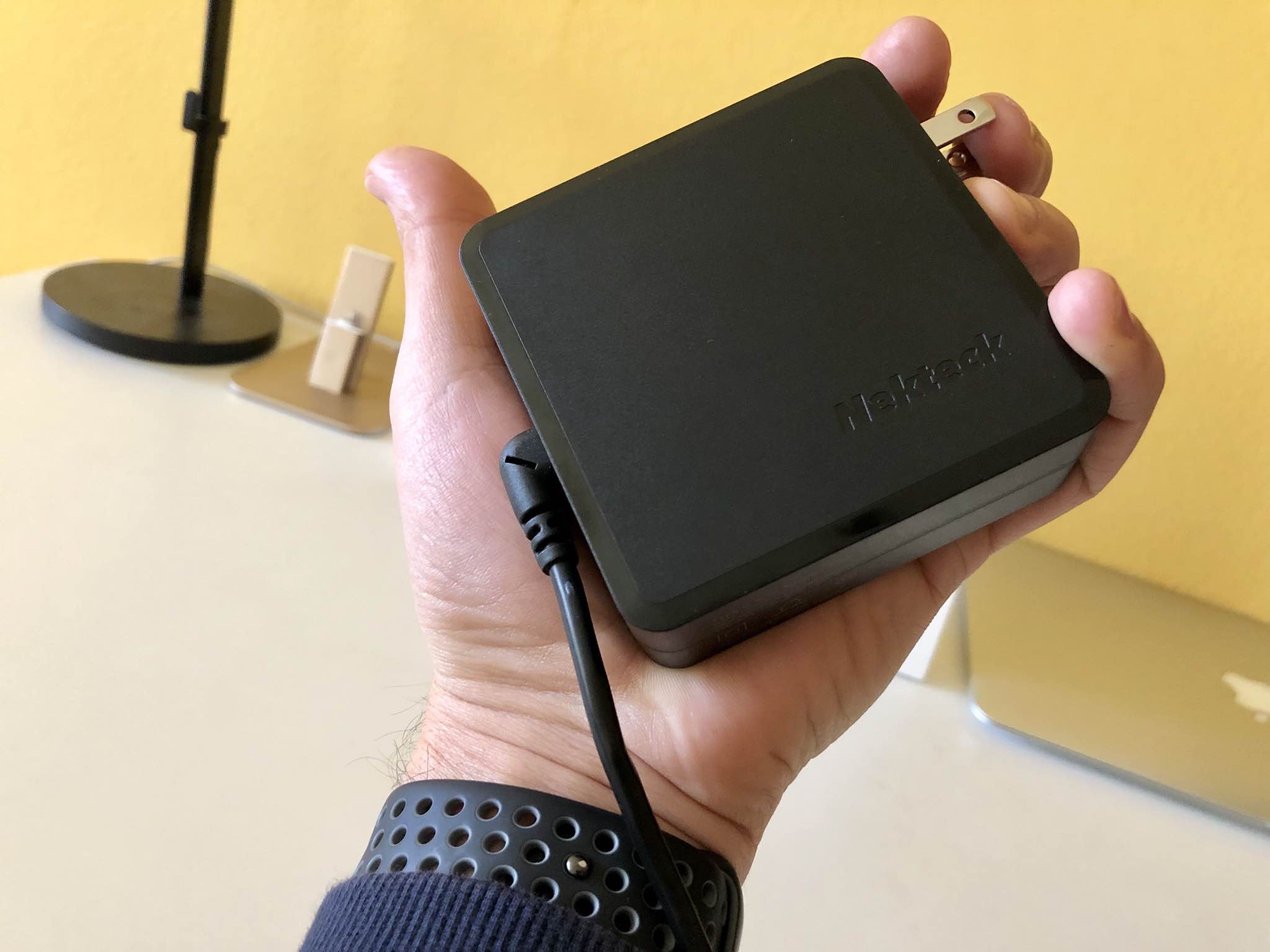
It wasn’t long after Apple announced the new 11-inch and 12.9-inch iPad Pros that I went to my local Apple Store to pick one up. The idea of a USB-C-powered Apple tablet fascinated me, and it wasn’t long before I started gathering accessories to augment the iPad Pro experience.

In this piece, I’ll discuss my favorite accessories for my 11-inch iPad Pro. They’re in no specific order, but you will find a mix of first-party and third-party accessories below.
Jailbreak tweaks of the week: HiddenAlbumLock, NextUp, Waves, and more

Jailbreak Tweaks to check out

Whether you’re rocking the Electra jailbreak by the Electra Team or the unc0ver jailbreak by Pwn20wnd, chances are you’re looking for new ways to trick out your jailbroken iOS 11 device. Fortunately, this jailbreak tweak roundup can help you with that by summarizing everything new from this week.

This roundup will encompass all the jailbreak tweaks released from Monday, December 31st to Sunday, January 6th. As usual, we’ll kick things off by discussing our favorite releases and then round up the rest afterward.

Waves brings fun fluid-like animations to your jailbroken iPhone’s Home screen

While most jailbreak tweaks are made in response to some sort of problem or inconvenience in iOS, some exist purely for good fun and entertainment. A new free release dubbed Waves by iOS developer Muirey03 is a beautiful example of the latter.

As you might have inferred already from the name and the screenshot example above, Waves brings a fluid-inspired animation to your iPhone or iPad’s Home screen. The fluid depicted in the screenshot is sensitive to motion, which means tilting your device causes the fluid to move just as the laws of physics in the real world would command.

HiddenAlbumLock requires authentication to view the ‘Hidden’ album in your Photos app

Photos App Icon iOS

You can hide images from the Camera Roll in iOS’ native Photos app to prevent them from appearing in your image list, but hidden images are quickly discovered by prying eyes when someone holding your iPhone opens the “Hidden” album in the Photos app.

If you wish Apple took better care of your Hidden images, then you might enjoy a new free jailbreak tweak called HiddenAlbumLock by iOS developer smokin1337. Just as the name implies, this tweak locks the Hidden album and requires authentication to unlock it for viewing.

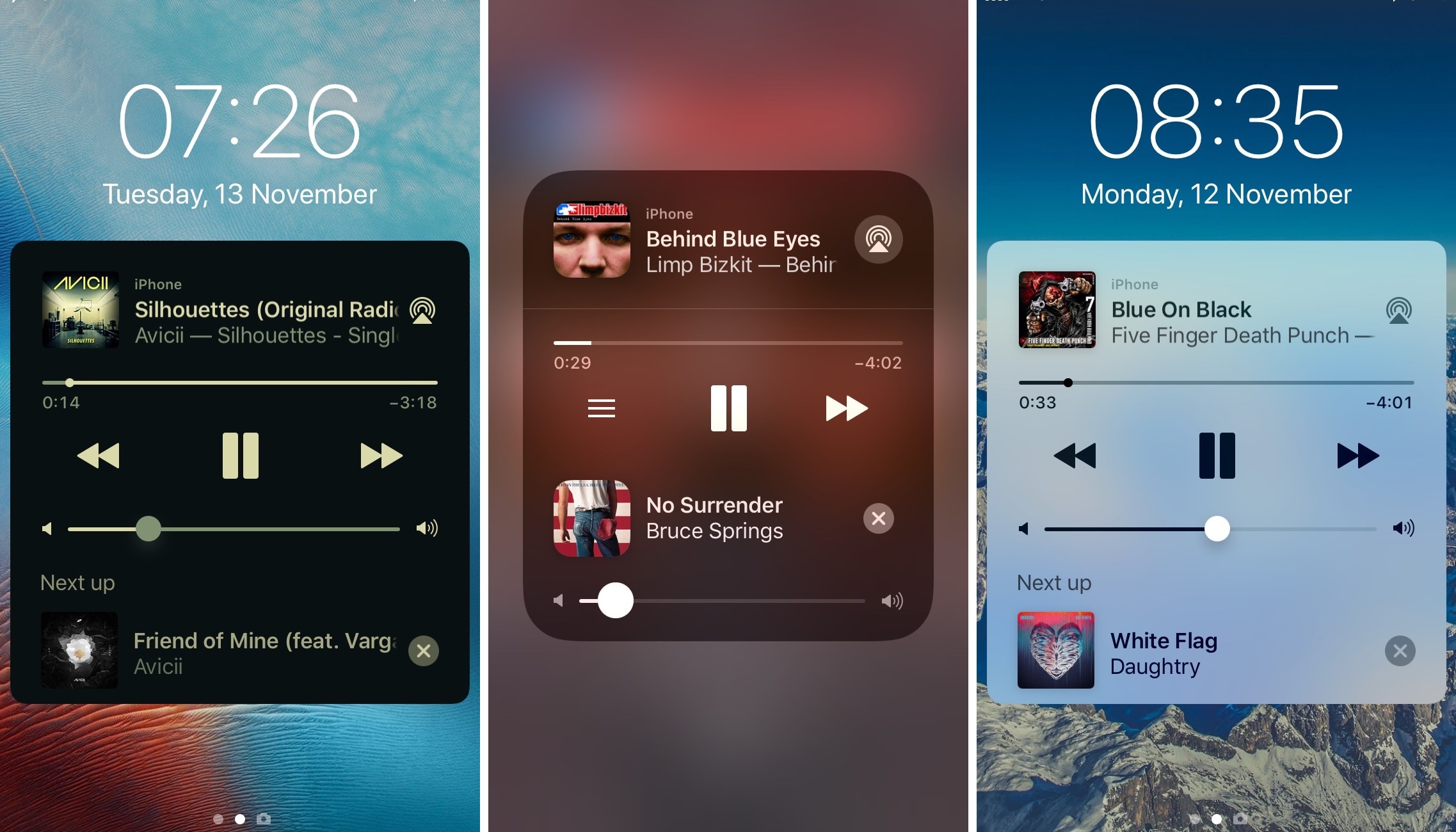
NextUp tells you what song is coming up next in iOS’ Now Playing interface

Apple designed iOS’ Now Playing interface to display relevant information about the music you listen to at any given time, such as the album artwork, artist name, and song title, but it also provides you with useful music controls in a pinch.

But one place where the Now Playing interface falls short is in summarizing what you can expect next in your music playlist, and that’s where a new jailbreak tweak called NextUp by iOS developer Andreas Henriksson comes into play.

Jailbreak tweaks of the week: HUE2, Night Maps, and more

Jailbreak Tweaks to check out

It’s been a big week for the jailbreak community. Not only was the Electra jailbreak updated for the first time since the Summer months, but the first public beta of the Sileo package manager was also released, which aims to compete directly with Cydia.

Regardless of whether you prefer Cydia or Sileo for your jailbroken handset, you’re probably wondering how you can make the best of your pwned iOS 11 device. Fortunately, this roundup will discuss all the jailbreak tweaks released from Monday, December 24th to Sunday, December 30th.

Night Maps brings a universal Dark Mode experience to various mapview-supported apps

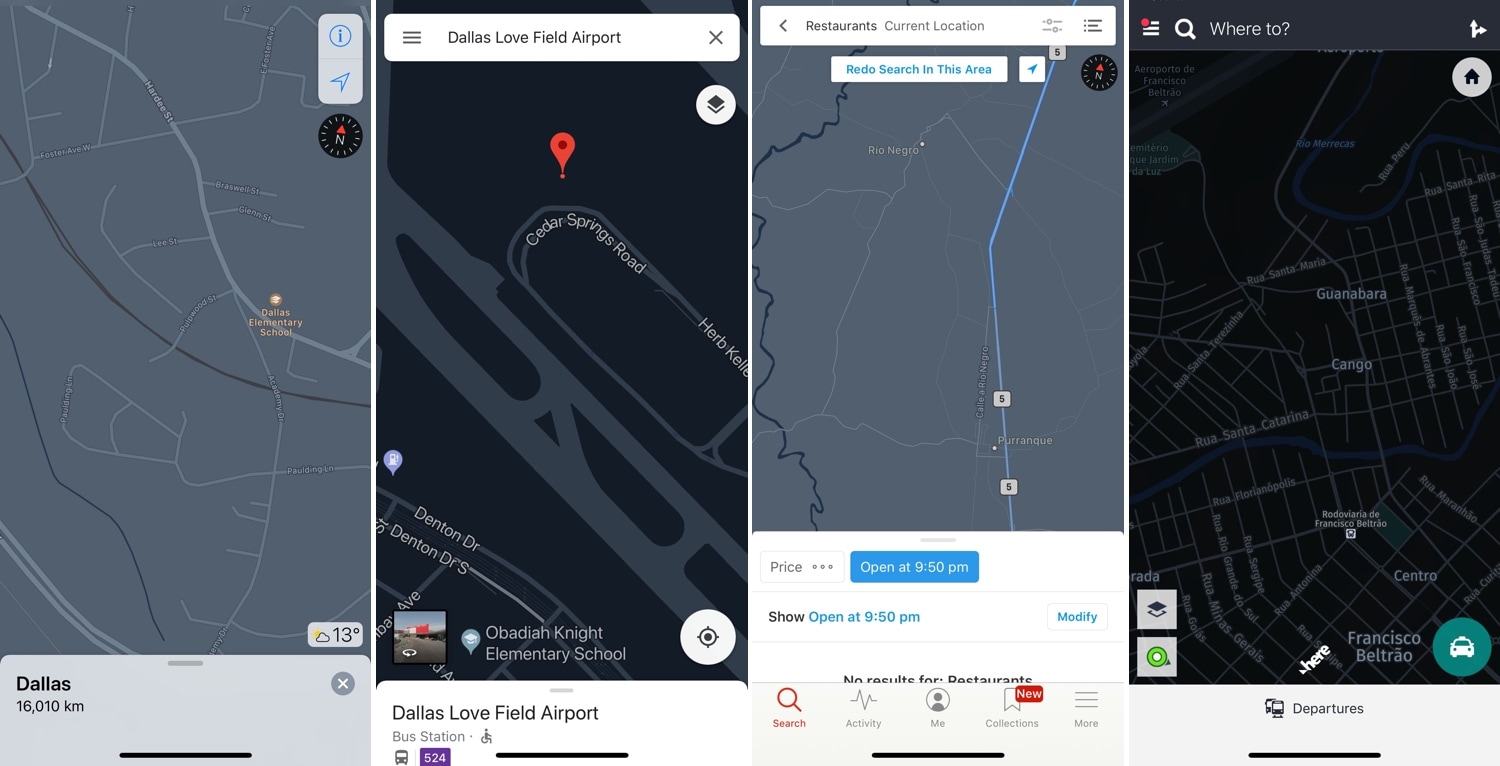
Dark Mode-centric jailbreak tweaks have become quite the hot commodity as of late, but many lack support for the different types of mapviews used in the bevy of map and navigation apps available for download in the App Store.

Enter Night Maps, a new jailbreak tweak by iOS developer FoxFortMobile that fills this particular niche. As shown above, Night Maps brings a universal Dark Mode experience to the mapview of almost any map or navigation app you might use on your iPhone or iPad.

HUE2 colorizes your Philips Hue lights based on colors from the Now Playing album artwork

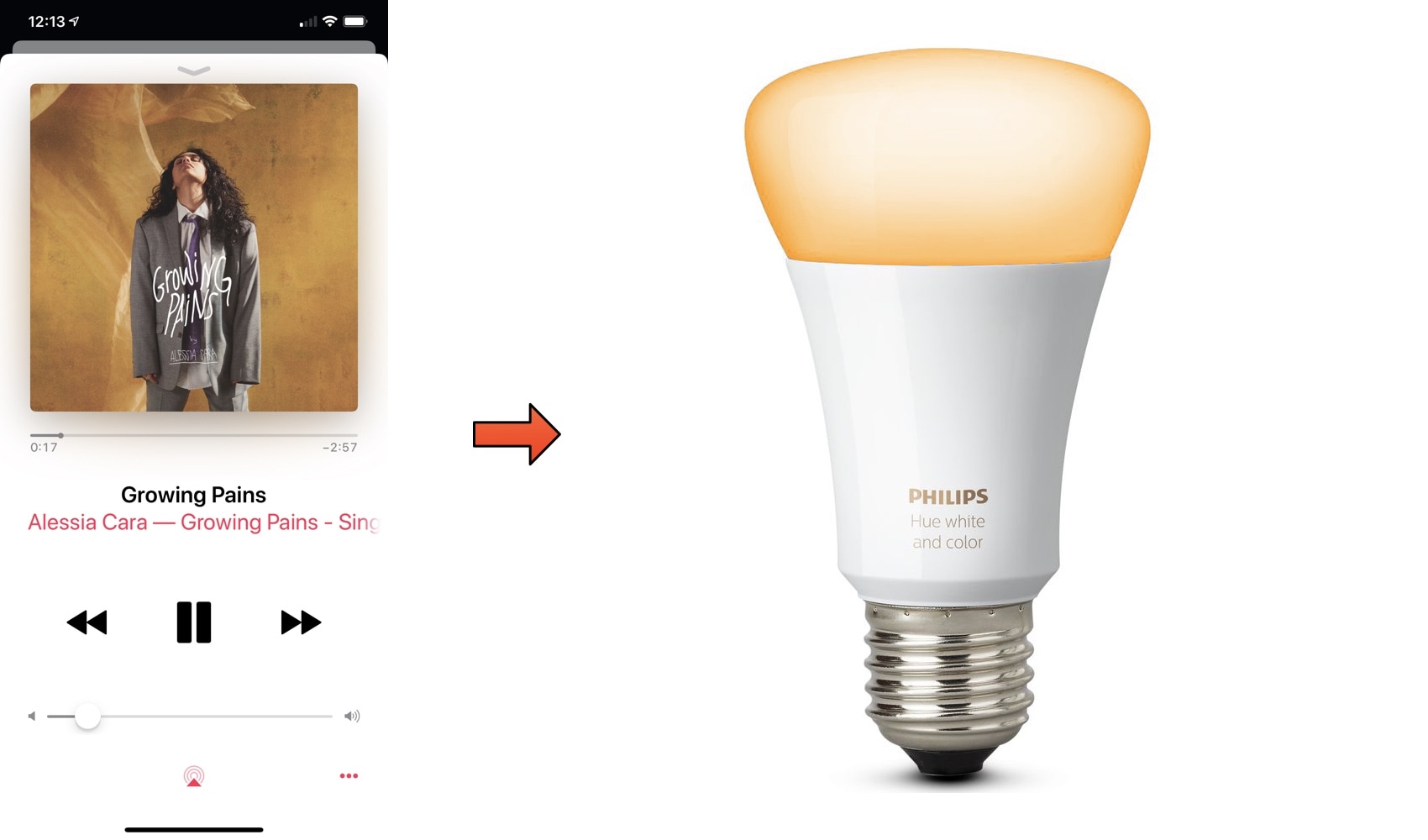
If you’re a fan of the Philips Hue lighting system and also happen to have a jailbroken iPhone, then you might come to appreciate a new jailbreak tweak dubbed HUE2 by iOS developer Antique.

HUE2 is fundamentally a new way to integrate your music-listening experience on iOS with your Philips Hue lighting system. Right out of the box, the tweak colorizes your Philips Hue lights to match the dominant color of the album artwork of any music you might be playing, as depicted above.

Jailbreak tweaks of the week: Asteroid, LSPullToDismiss, Nightshade, and more

Jailbreak Tweaks to check out

Despite Saurik’s decision to shut down the Cydia Store, the jailbreak community is still running strong. New jailbreak tweaks are continuously being published in Cydia and are readily available for you to download.

This roundup will encompass all the jailbreak tweaks we’ve shown you this week, from Monday, December 17th to Sunday, December 23rd. As usual, we’ll kick things off by discussing our favorites and then outline the rest afterward.

Nightshade provides an all-in-one Dark Mode experience for your iPhone or iPad

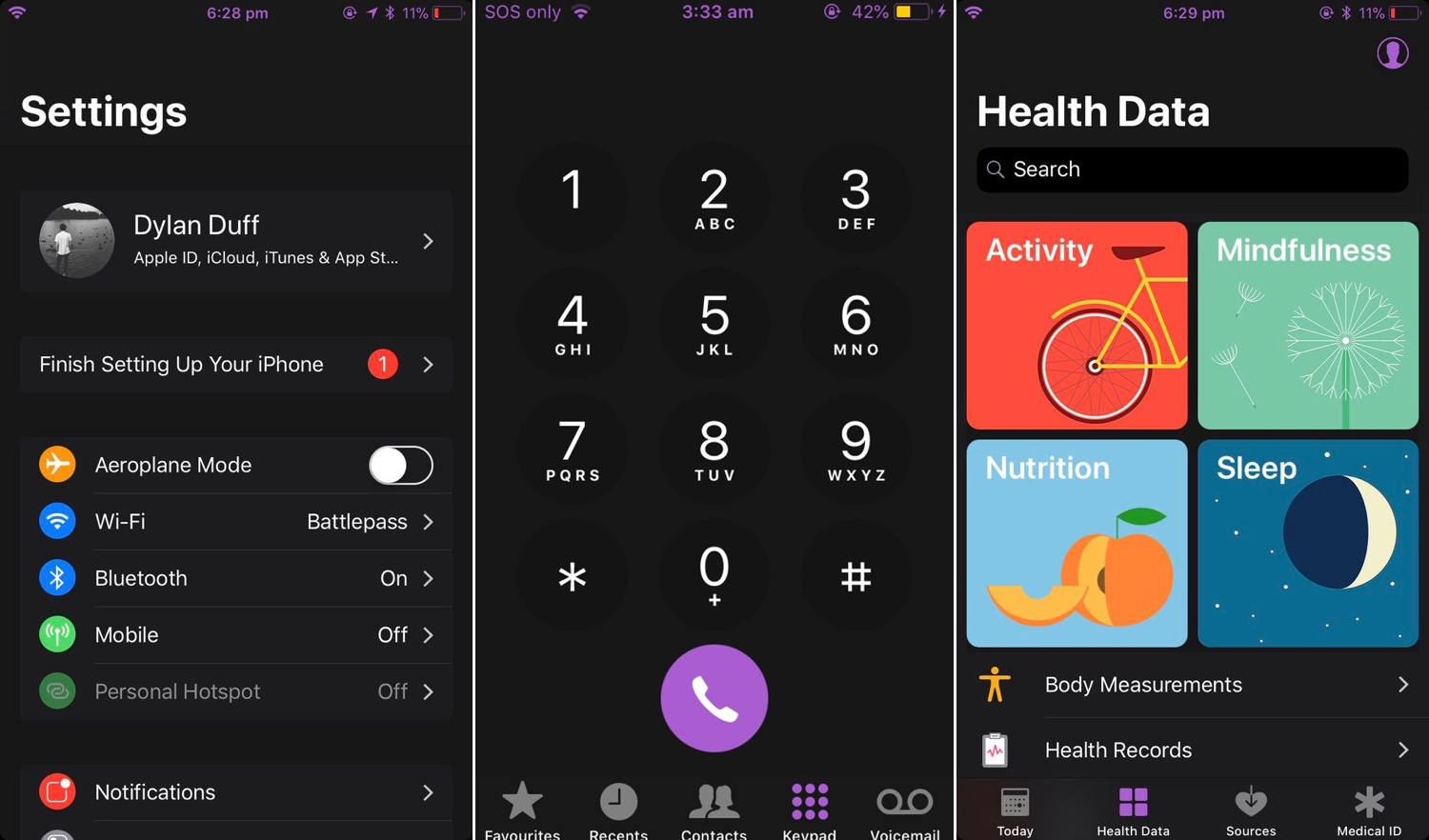
Dark Mode jailbreak tweaks have become quite the hot commodity among iPhone and iPad users, especially considering how Apple officially supports the feature on macOS. But wouldn’t it be nice to have a reliable all-in-one solution for all your apps and user interfaces rather than installing several jailbreak tweaks to achieve the same result?

If you answered ‘yes’ to that question, then you’re in luck; a new jailbreak tweak called Nightshade by iOS developer Dylan Duff promises ‘an all-in-one iOS Dark Mode’ that promises to ‘theme almost every aspect of the UI.’

Hide the Control Center grabber from the iPhone X’s Lock screen with NoCCBar

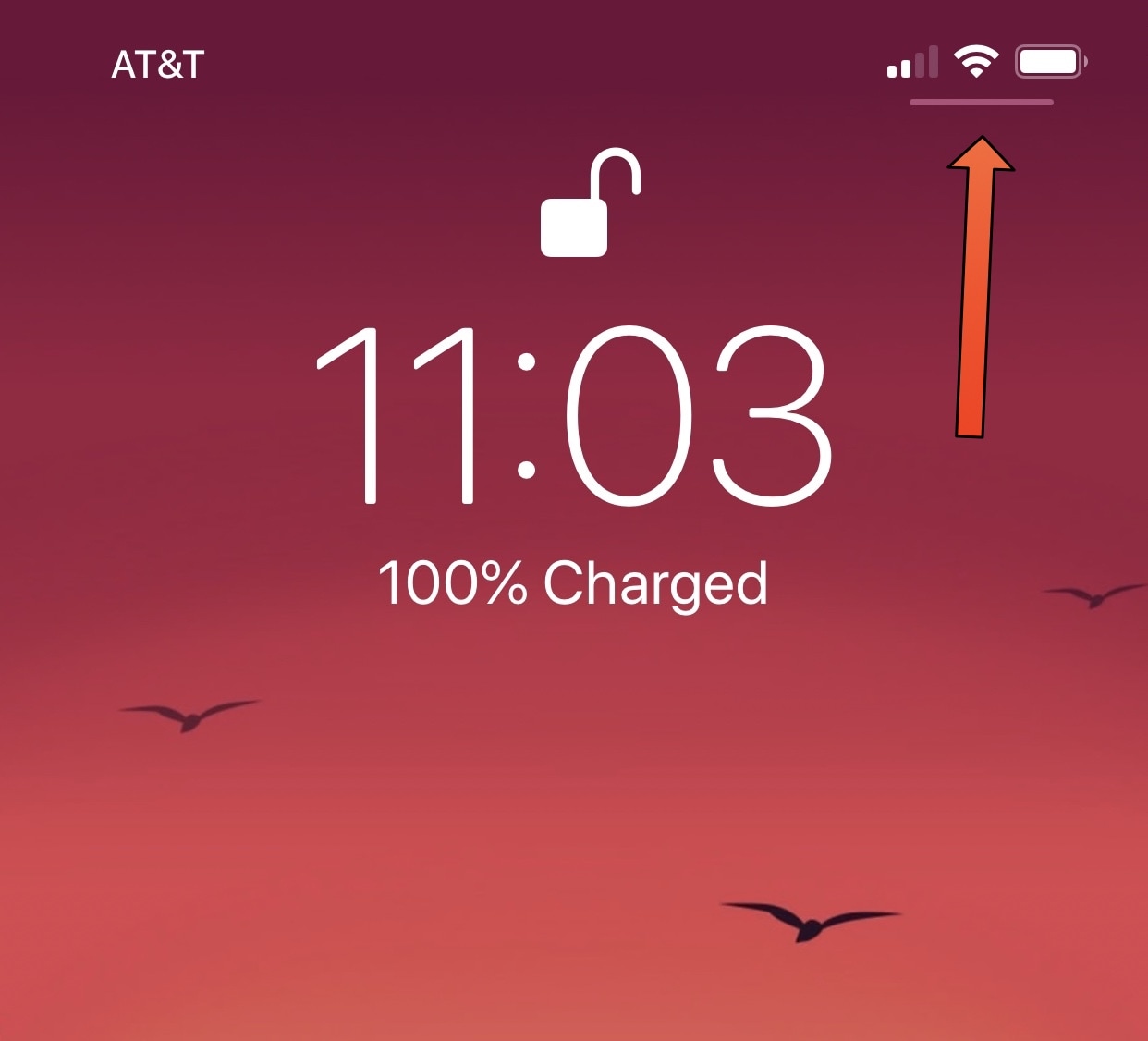
If you have any of Apple’s latest handsets with rounded-corner displays, such as the iPhone X, XS/XS Max, or XR then chances are you’re familiar with the tiny Control Center grabber that appears at the top-right corner of the Lock screen, as depicted above.

For whatever reason, this grabber doesn’t appear anywhere else in iOS besides the Lock screen; yet you can invoke Control Center from anywhere by swiping down from the top-right corner of the display.