Review

Jailbreak tweaks of the week: ActionBar, Goodges 2, Vocito, and more

If you’re in search of the best and latest ways to customize your jailbroken iOS 11 or iOS 12 device, then you’ve come to the right place.

In this roundup, we’ll summarize each of this week’s new jailbreak tweak releases from Monday, April 8th to Sunday, April 14th. As usual, we’ll kick things off by discussing our favorites and then outline the rest afterward.

FlashyHUD is a minimalist volume HUD replacement for iOS with oodles of configuration

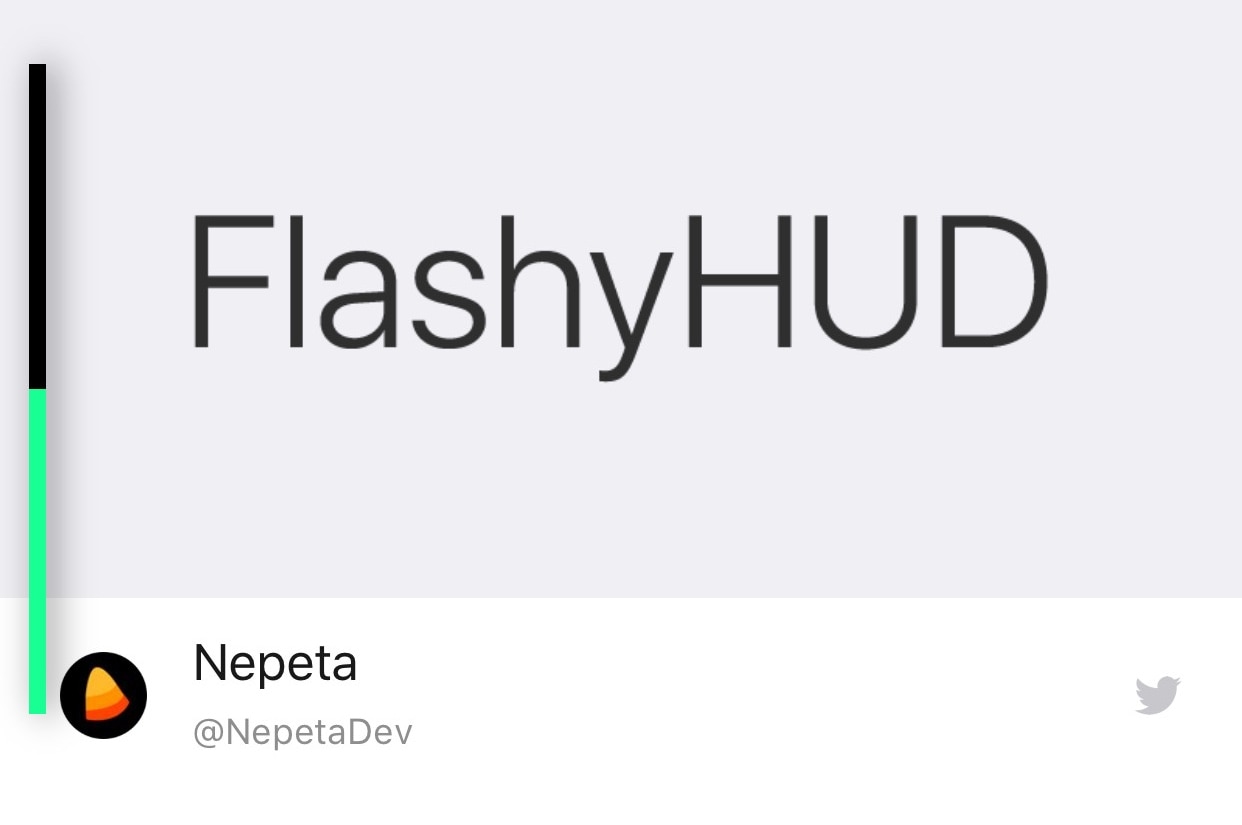
It’s no secret by now that the iPhone’s native volume HUD leaves a lot to be desired, especially in the realms of aesthetics and intrusiveness. Thankfully, there are a plethora of jailbreak tweaks in Cydia that can change how your iPhone’s volume HUD looks, and we’re here today to talk about the latest in this batch of tweaks called FlashyHUD by iOS developer Nepeta.

As shown in the screenshot example above, FlashyHUD provides a volume HUD interface that appears at the very edge of the display, hence preventing it from getting in your way and causing a ruckus. Perhaps more importantly, FlashyHUD is fully-configurable; not only can you colorize it however you want, but you can also choose where it appears on your display.

ChromaGram provides simple color customization for the Instagram app

Apart from Facebook and Twitter, Instagram is perhaps one of the most popular mobile-centric social platforms, and yet it still hasn’t adopted a native dark mode interface of any sort. With that in mind, wouldn’t it be great if you could just skip to the beat yourself?

Those in agreeance might take a liking to a new free jailbreak tweak called ChromaGram by iOS developer Revulate. As depicted in the screenshot examples above, this tweak lets you colorize the Instagram app however you’d like, whether you’re into dark mode-centric aesthetics or something else entirely.

BatteryPercent12 displays a numeric percentage inside the Status Bar’s battery icon

On modern notched handsets like the iPhone X, XR, XS, and XS Max, Apple did away with the numeric battery percentage option for the Status Bar. Instead, the numeric battery percentage remains hidden unless you open the Control Center interface.

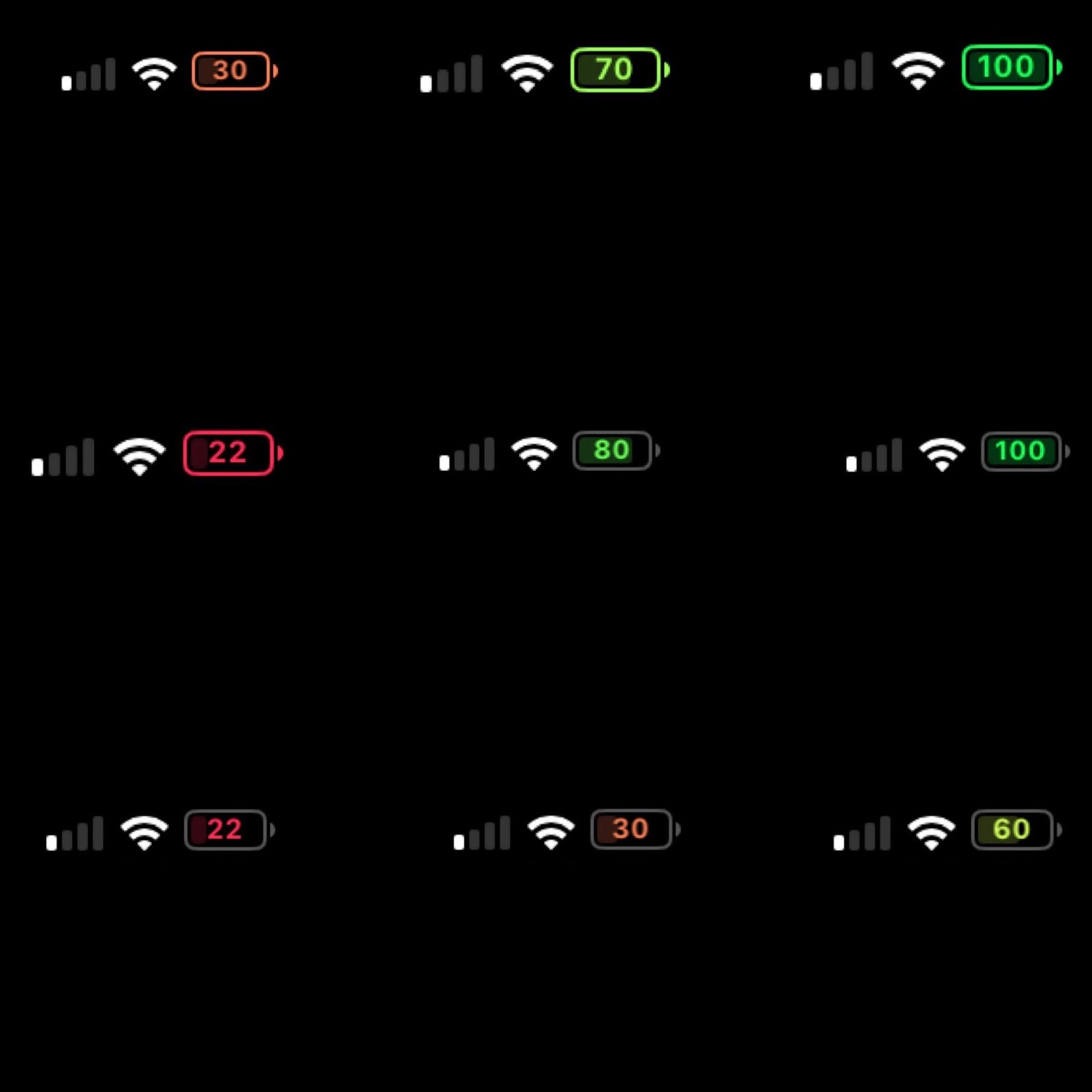
I’ve enabled this feature on all my previous iPhones for years, and so this change has felt like a serious downgrade since I picked up my first iPhone X. On the plus side, a new free jailbreak tweak called BatteryPercent12 by iOS developer dpkg_ promises to display the numeric battery percentage in the Status Bar without hindering the battery icon itself.

Pylarm II makes you solve math problems to dismiss your iPhone’s alarm

Lots of people use their iPhone’s built-in alarm function to help them wake up in time for class or work each morning, but some people still have trouble getting up because it’s too easy to dismiss the alarm when it goes off.

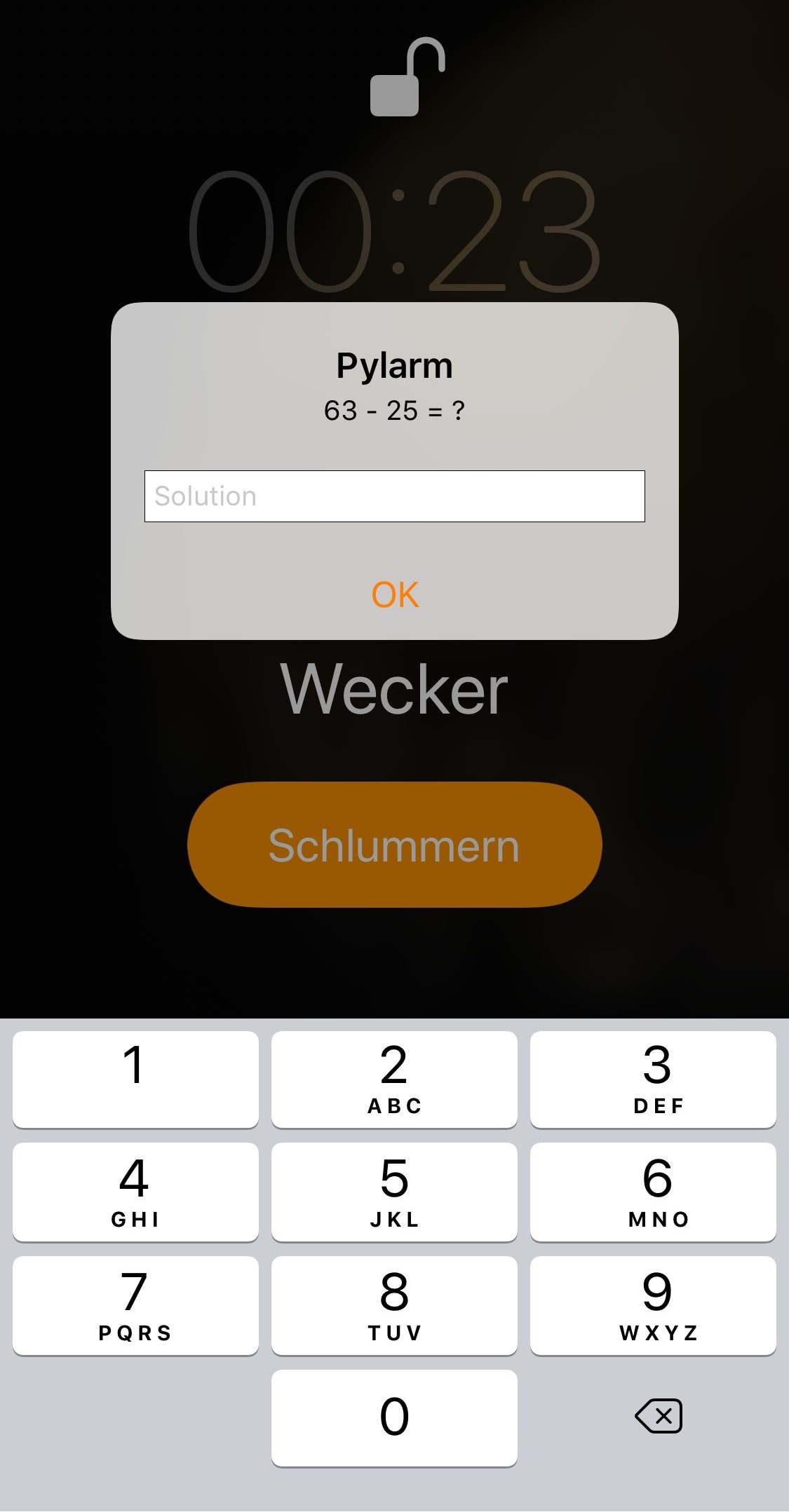
If you’re in the same boat and need a little bit of extra motivation to wake up each morning, then you might want to try a new free jailbreak tweak called Pylarm II by iOS developer R0wDrunner. This add-on forces users to solve math problems before the iPhone’s alarm can be dismissed.

Vocito is a lightweight alternative to CallBar

It’s no secret that the iPhone’s inbound call interface is an intrusive pain in the butt. Not only does it take up the entire display, but you can’t do away with it without first declining the phone call. Obvious much?

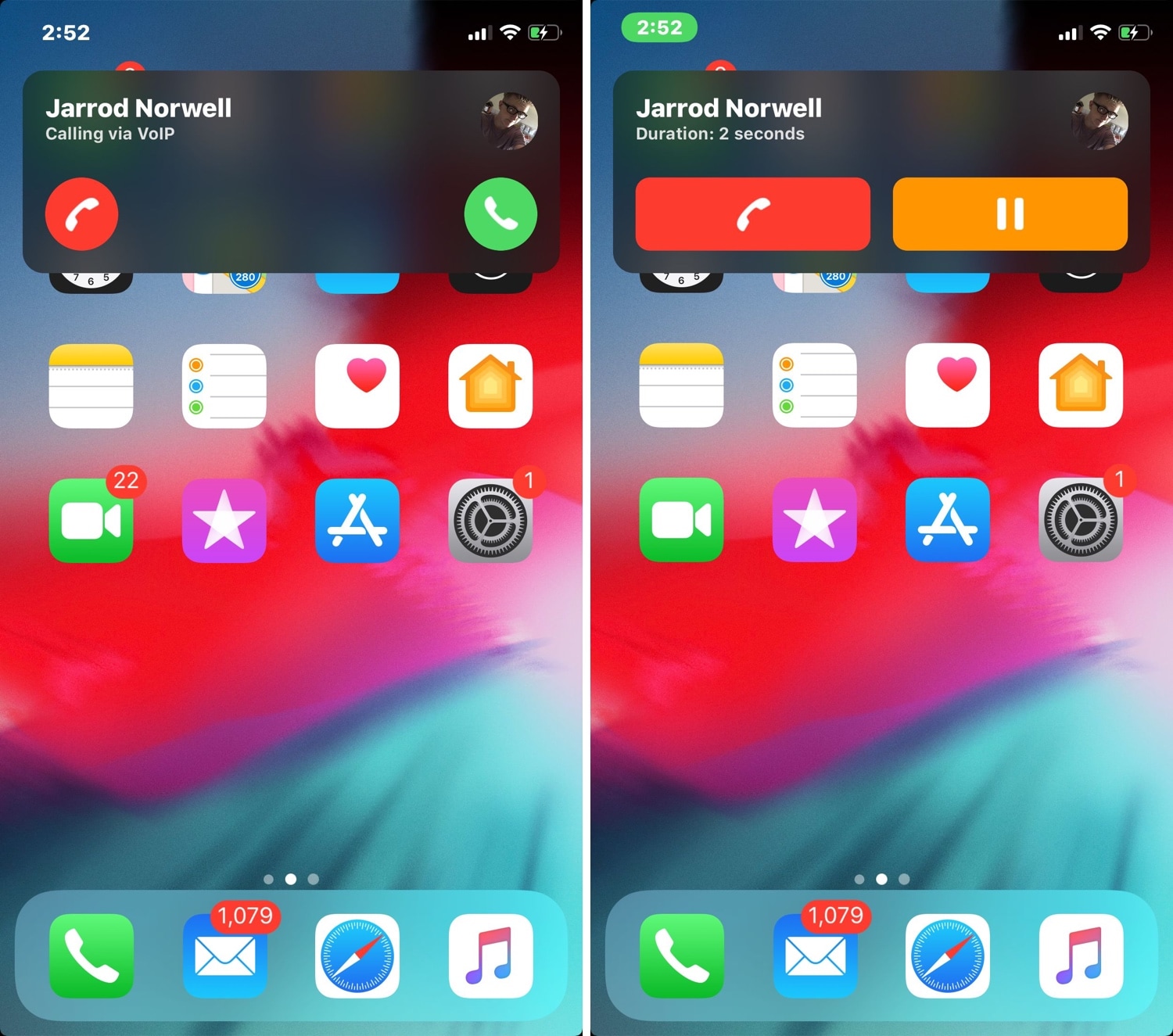
CallBar by Elias Limneos has long enjoyed being the premier solution to Apple’s horrendous inbound call interface on jailbroken handsets, but a new jailbreak tweak release dubbed Vocito by iOS developer Antique aims to increase the competition in this sector by introducing a minimalist alternative to CallBar.

ShyLabels: dynamic app icon labels for your Home screen

If you’re looking for a fun and quirky way to make your iPhone or iPad’s Home screen more interesting, then you may want to have a look at a free jailbreak tweak dubbed ShyLabels by iOS developer NoisyFlake.

ShyLabels helps your handset stand out from the crowd by making your Home screen’s app icon labels disappear until you begin scrolling from one page to another. As you swipe over to the next page, your Home screen’s app icon labels will reappear, but they’ll disappear again shortly after, as demonstrated by the animated GIF example below:

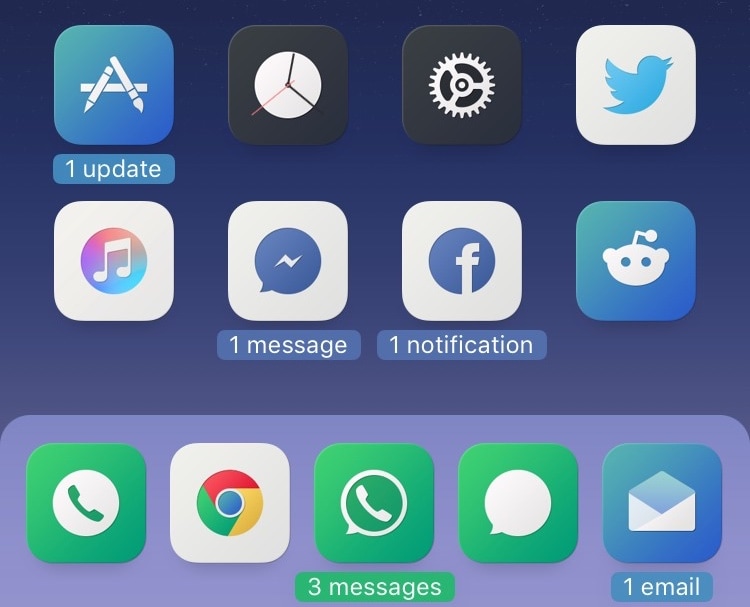
Goodges 2 replaces standard notification badges with these sexy new icon labels

If you receive a lot of app notifications from one day to the next, then perhaps you feel like looking at something a bit more aesthetically pleasing than a plethora of red icon badges randomly dispersed across your Home screen.

If you can relate, then you might take a liking to a free jailbreak tweak called Goodges 2 by iOS developer NoisyFlake. This tweak replaces those tiny red atrocities with dynamic app icon labels that notate precisely how many missed notifications you have for all relevant apps.

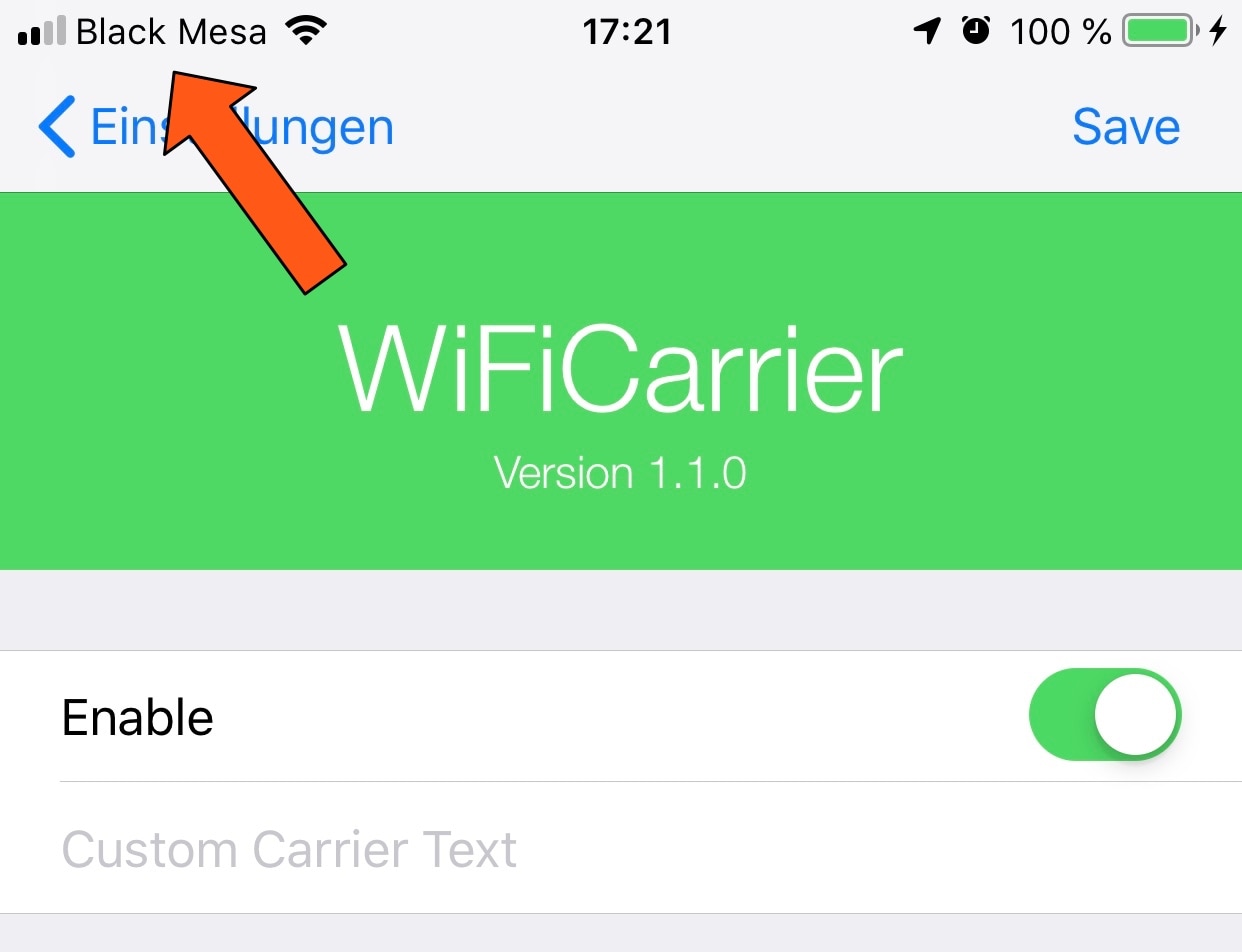
WiFiCarrier replaces the Status Bar’s carrier text with the Wi-Fi network name when connected to Wi-Fi

Your cellular carrier’s name appears in between the cellular signal strength indicator and Wi-Fi signal strength indicator in your iPhone’s Status Bar from the moment you activate your handset, but doesn’t it seem a bit weird to you that your Status Bar still displays the carrier’s name when you connect to a Wi-Fi network?

If you’re in agreeance, then you might enjoy a free jailbreak tweak called WiFiCarrier by iOS developer NoisyFlake, as it replaces the carrier’s name in your iPhone’s Status Bar with the SSID (network name) of your current Wi-Fi network whenever you’re connected to one.

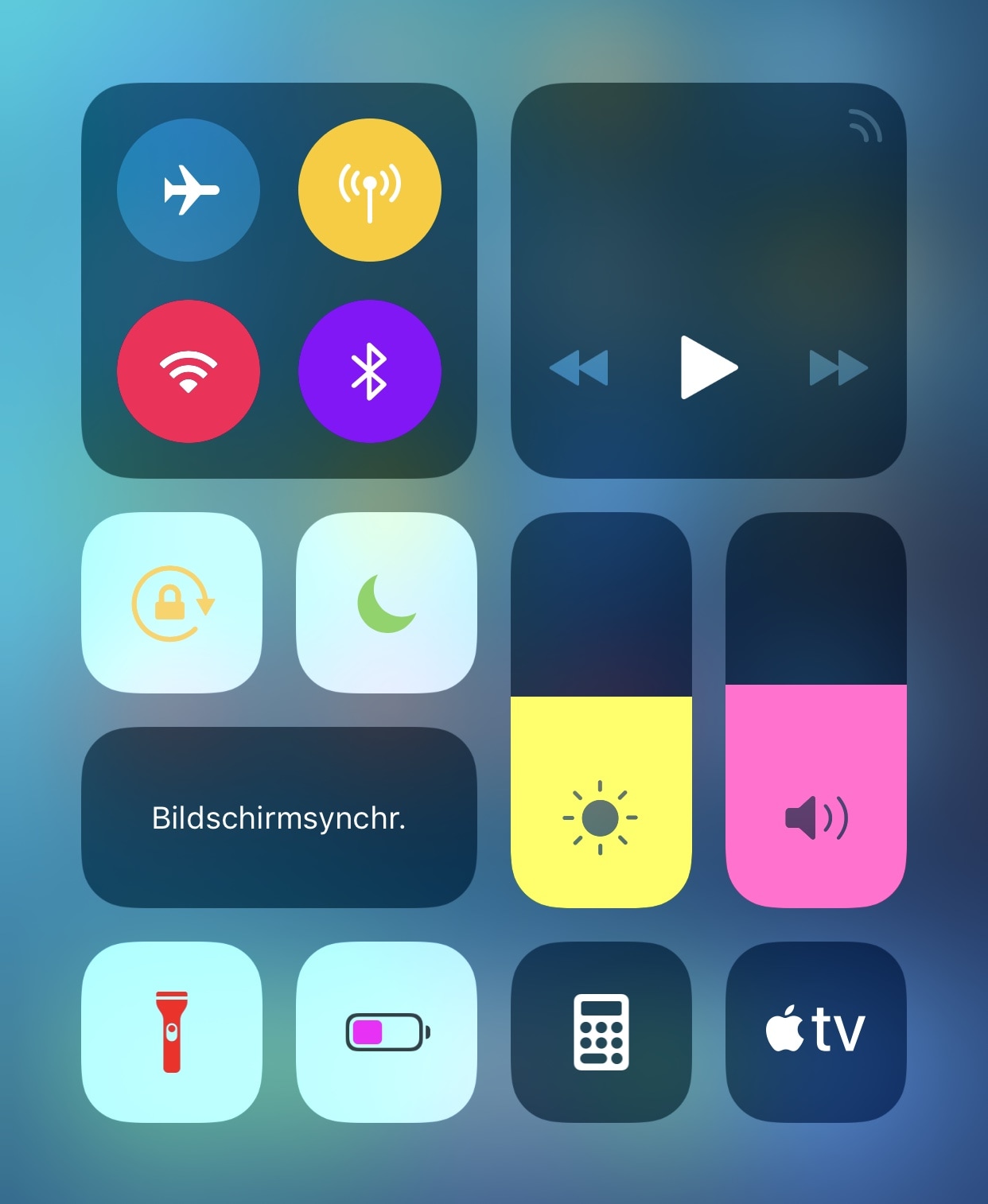
Add a fresh coat of paint to Control Center with Magma

If you have a jailbroken iPhone or iPad in your possession and you haven’t yet started colorizing the user interface to stand out from all the other handsets out there, then you’re doing yourself an injustice.

Fortunately, a new free jailbreak tweak called Magma by iOS developer NoisyFlake can help you with this endeavor, as it lets you apply custom colors to the plethora of toggles and shortcuts that you use via the Control Center interface, as shown above.

ActionBar brings a modernized text-editing interface to the iOS keyboard

When typing on any iOS device, you can perform text editing-related actions by tapping and holding on a string of text. Among the options you’re presented with are “Cut,” “Copy,” and “Paste,” among others. This interface and the means of interaction hasn’t changed much over the years, and many would argue that it feels antiquated.

Given the circumstances, iOS developer RestiveConch has just released a new jailbreak tweak called ActionBar that breathes new life into the process of interacting with these actions by integrating them all into the keyboard interface itself, as shown above.

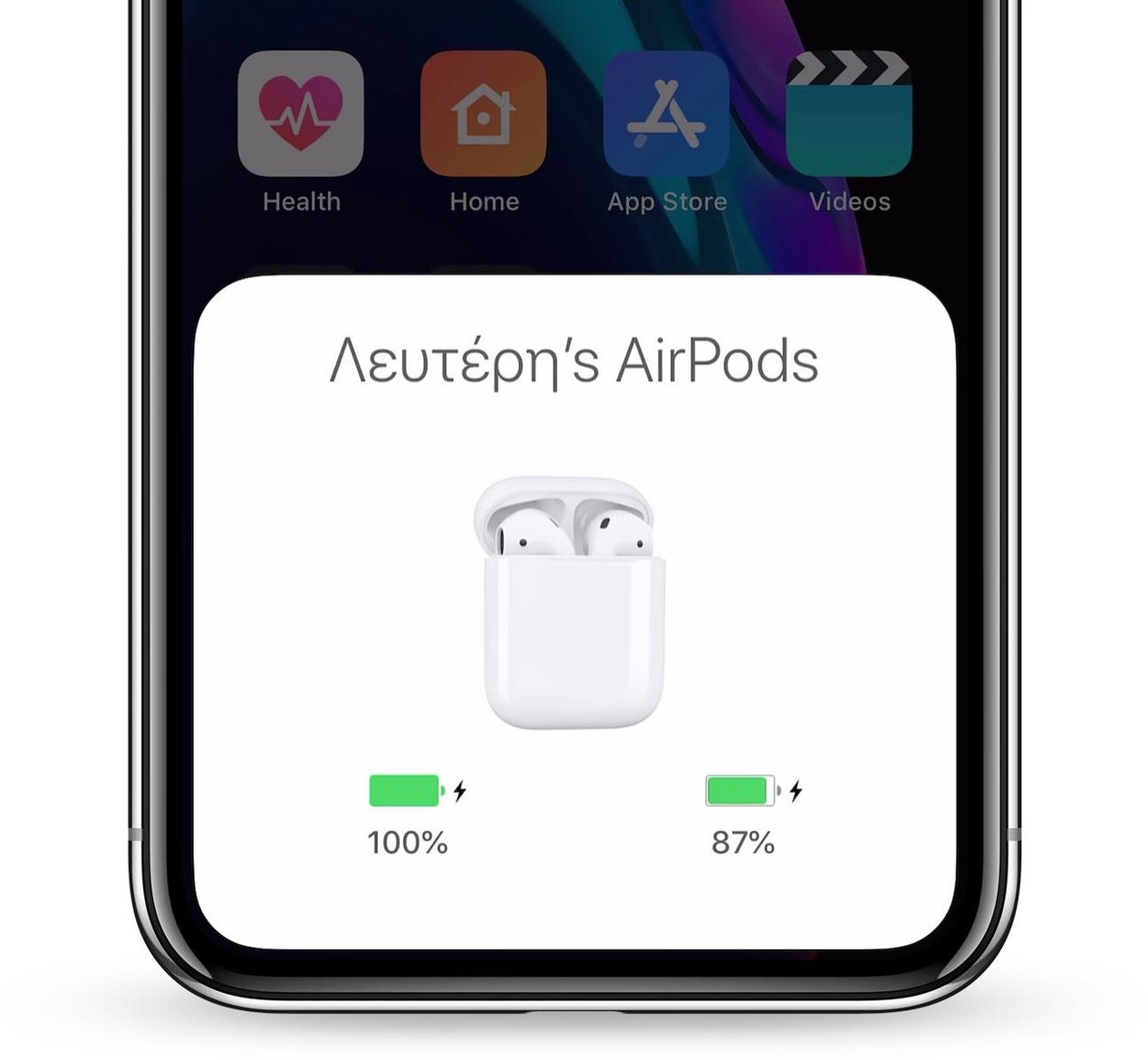
Augment your iPhone’s AirPods animation with AnimPods

Apple’s iPhones and iPads display an exclusive animation when pairing a set of AirPods with the device, but after the pairing process is complete, day-to-day usage gets somewhat less exciting due to the lack of captivating animations.

Here to change that is a new jailbreak tweak release called AnimPods by iOS developer Lefteris Karkaletsis, which as the name implies, brings a sleeker and more mesmerizing animation to AirPods users during day-to-day usage.