Review

VideoSwipes adds swipe gesture controls to iOS’ native video player

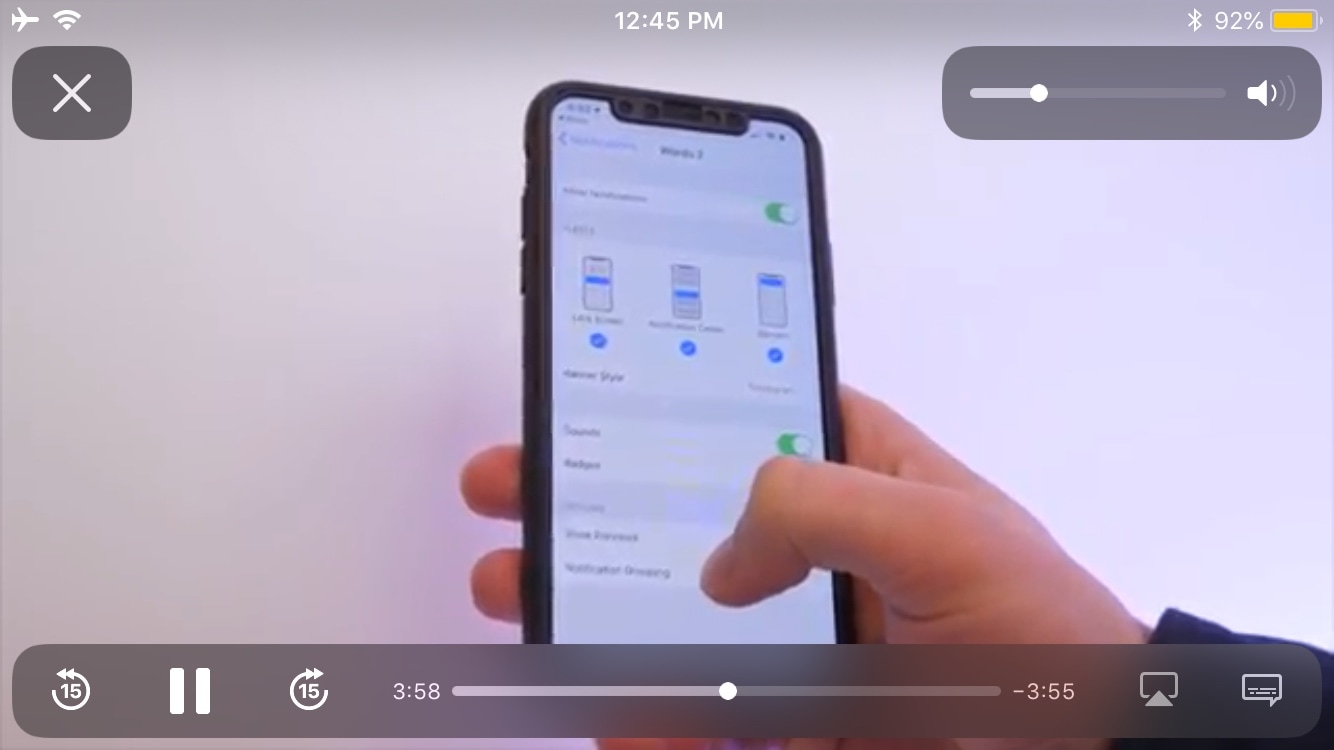
The iOS platform sports a gorgeous native video player interface, but as you might come to expect from Apple, those good looks aren’t coupled with the oodles of functionality that you might find on other platforms such as swipe gesture-based controls.

In response to this apparent shortcoming, iOS developer AnthoPak has just released a new free jailbreak tweak in Cydia called VideoSwipes, and just as the name implies, this tweak brings swipe gesture-based controls to iOS’ native video player.
Augment iOS’ native power down interface with ModernPower

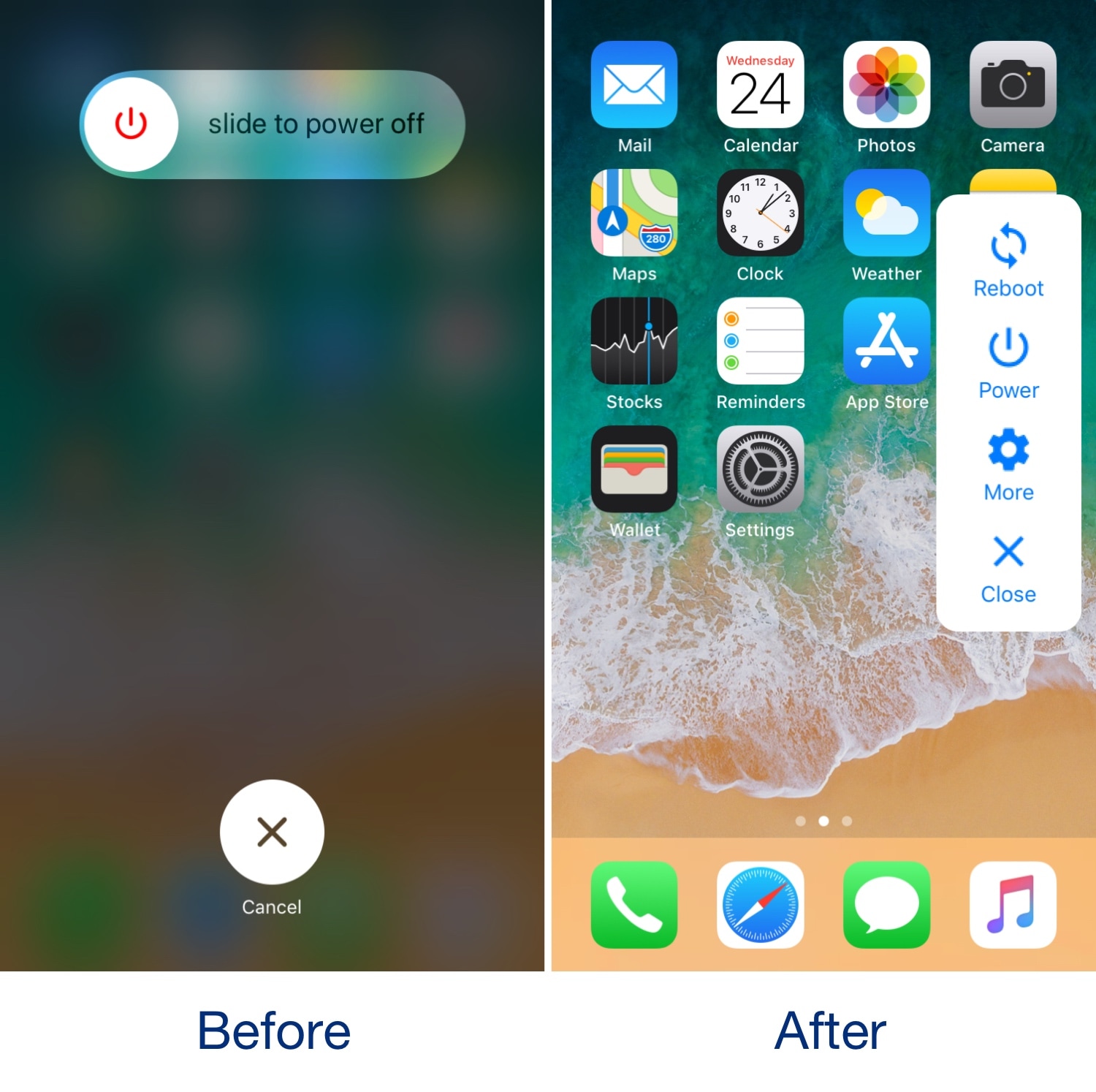
Pressing and holding a certain button sequence on your iOS device (the sequence varies depending on the device) invokes the power down menu from which you can easily turn your handset off. Unfortunately, iOS’ native power down menu has an ongoing reputation for being somewhat ‘featureless.’

In an attempt to change that, iOS developer conorthedev released a new free jailbreak tweak called ModernPower, which gives iOS’ native power down menu a modern facelift and supercharges it with additional features that you won’t find out of the box on a stock device.

InstaLauncher helps you launch any app on your device in a jiff

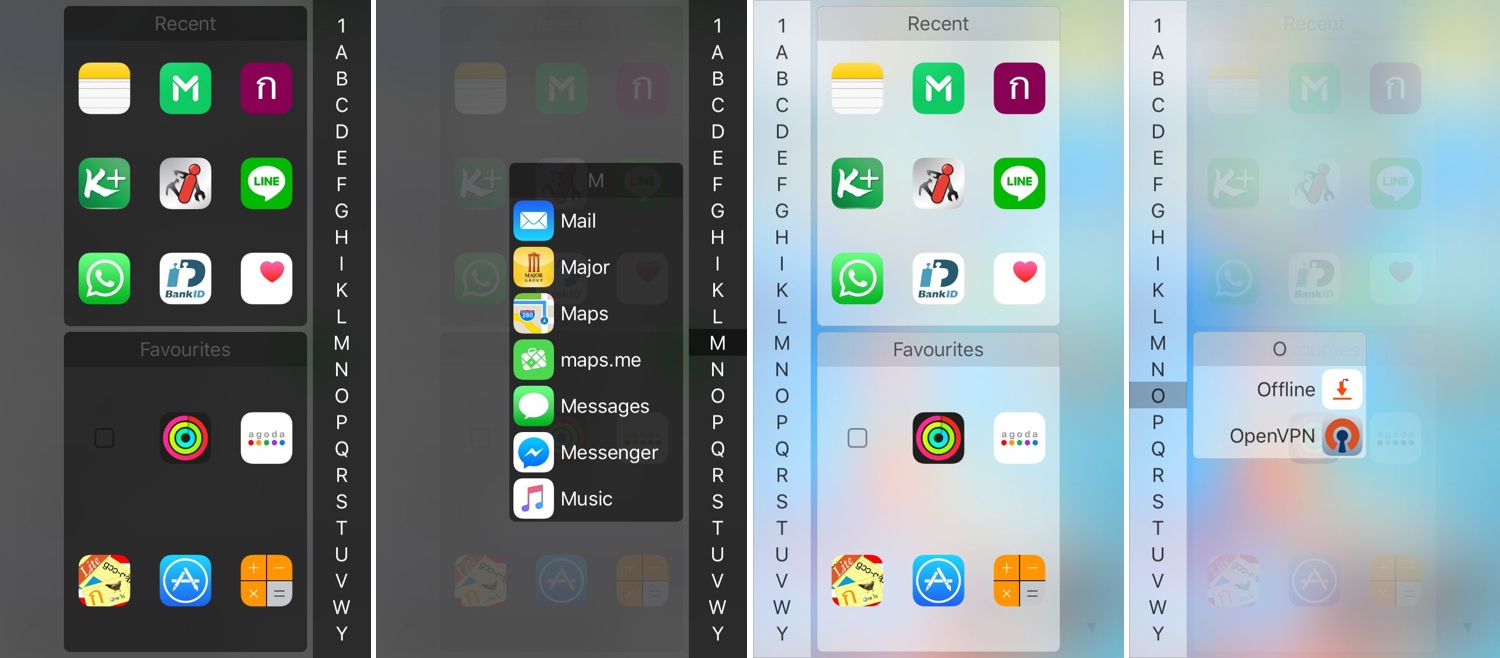
One of my favorite parts about jailbreaking over the years has been installing custom app launchers that make accessing my apps easier. There haven’t been that many tweaks of this nature in recent memory, and that’s why I’m excited to show you the rebirth of a classic jailbreak tweak dubbed InstaLauncher by iOS developer Jonathan Winger-Lang.

InstaLauncher has been around for several years, but it was just recently re-released with full support for the latest Electra and unc0ver jailbreaks encompassing iOS 11 and iOS 12. Those who remember the original tweak should see InstaLauncher for what it is: a tweak that lets you launch any app on your device in a jiff without having to scour multiple Home Screen pages.

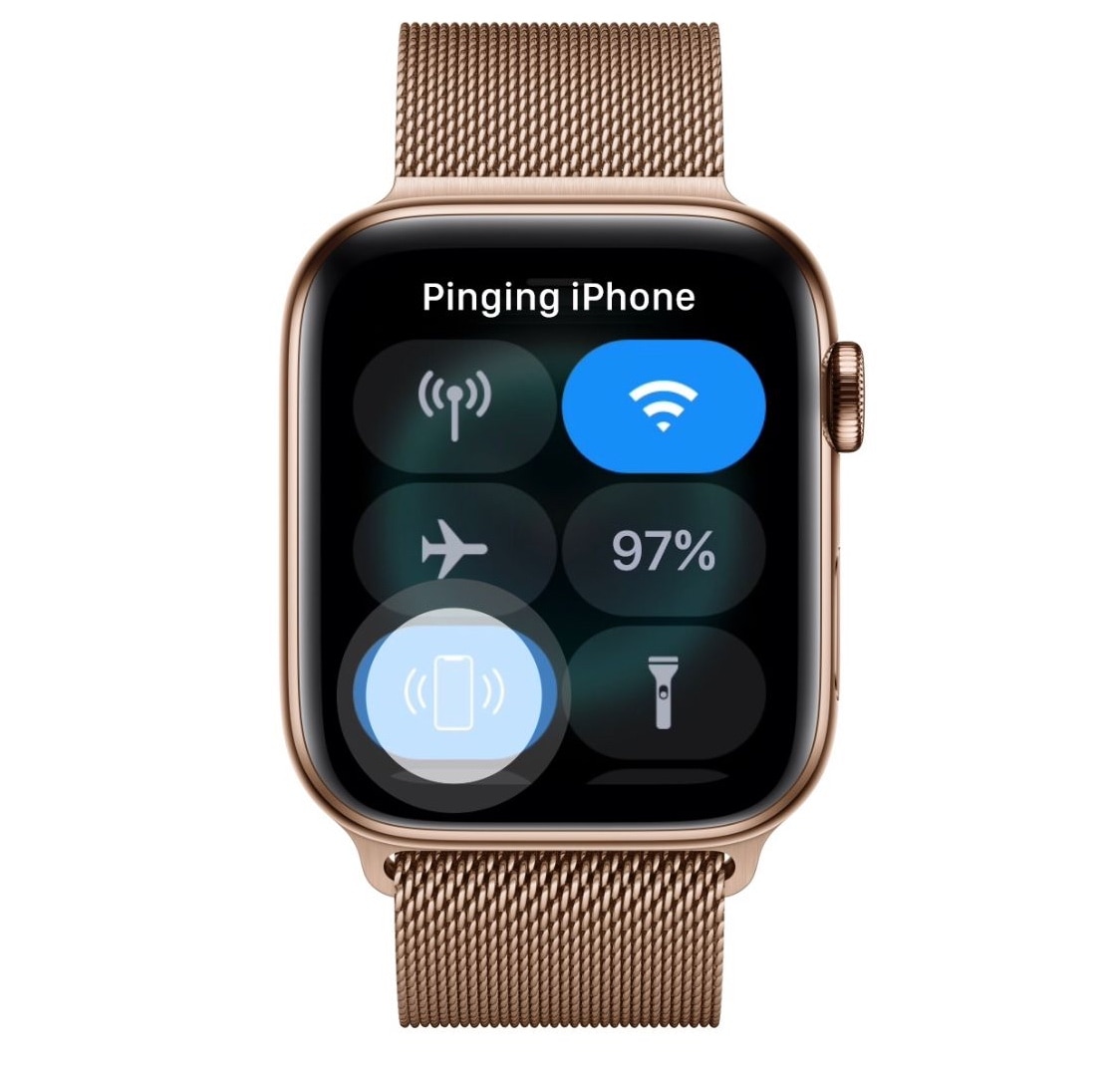
PingWatch gives your iPhone a more audible Lost and found tone

Sometimes you misplace your iPhone and it’s merely hiding in between the seat cushions on your couch rather than being lost out in public, and that’s why Apple includes a native feature on your Apple Watch called Lost and found, which forces your iPhone to emit a high-frequency sonar tone so that you can locate it with just your ears.

As cool as this feature is, many have expressed their concerns with the sound, noting that it isn’t loud or noticeable enough. Apple’s response to these concerns? – such is life. But iOS developer Lefteris Karkaletsis wanted to do more, and so he released a new jailbreak tweak called PingWatch to replace the native Lost and found tone with something more audible.

Improve your iPhone’s multitasking capabilities with PullOver Pro

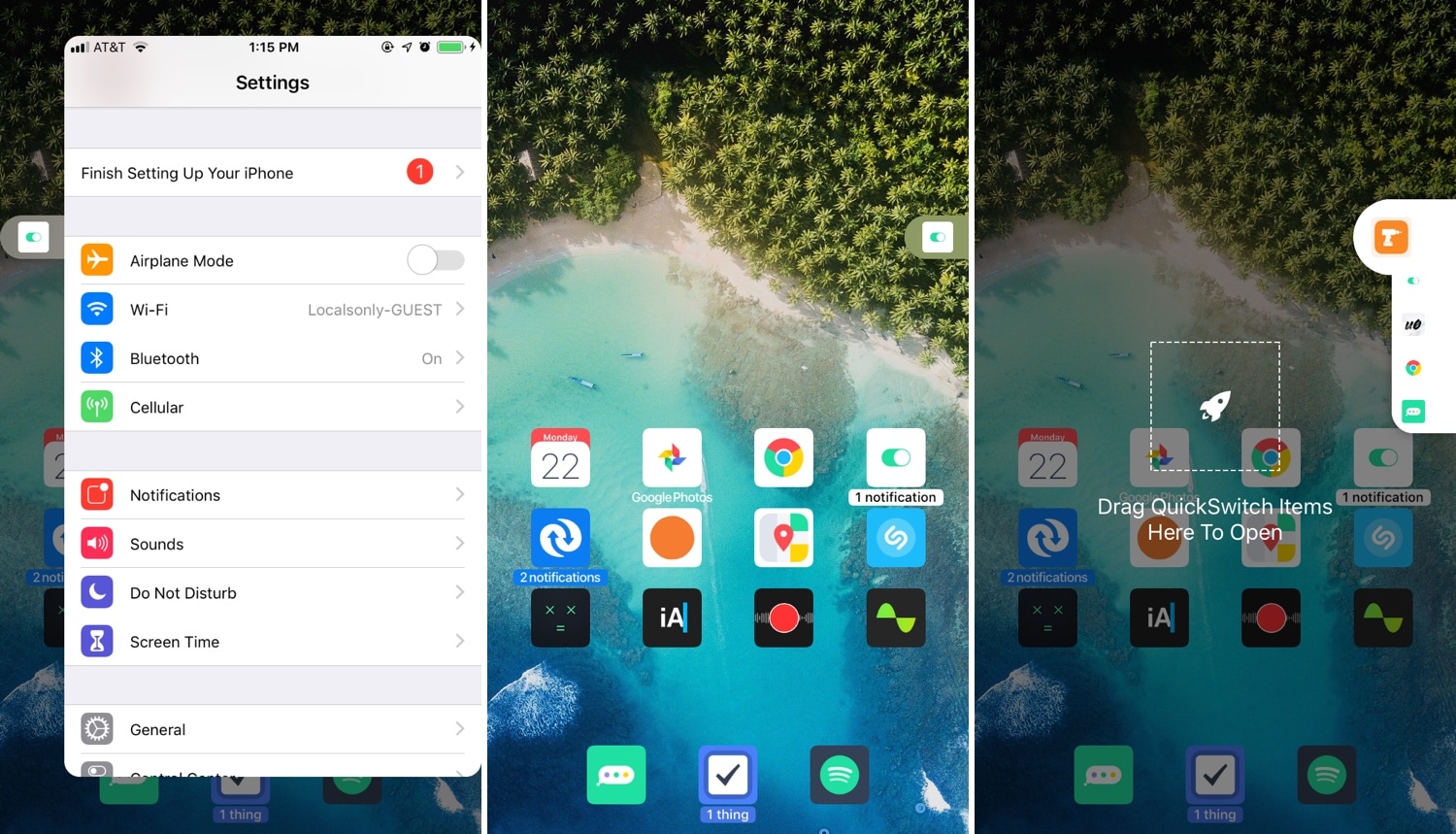
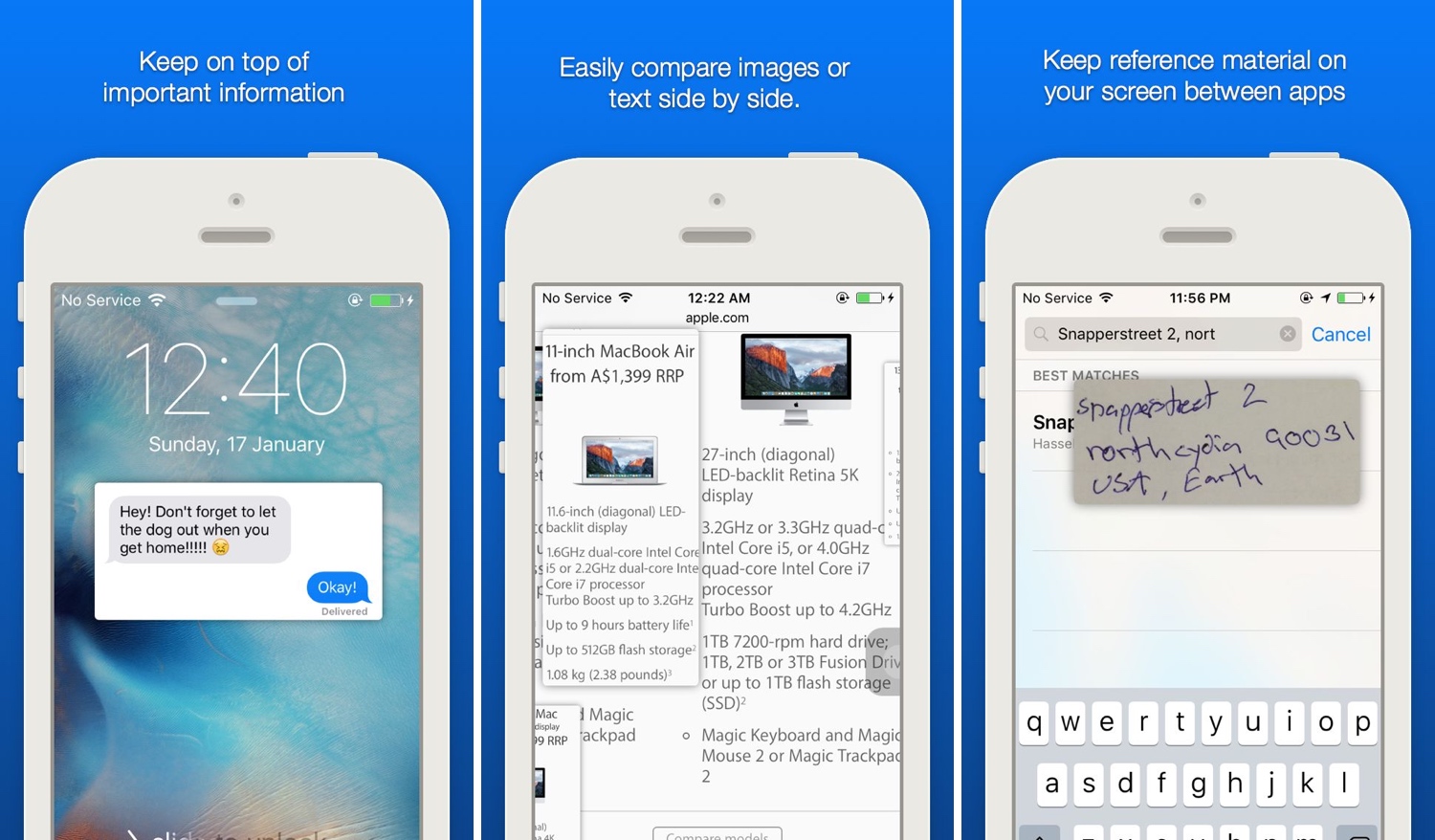
Multitasking is something that the iOS platform has always fallen short on, and that’s precisely why we’re excited to talk to you about a newly-released jailbreak tweak called PullOver Pro by iOS developer c1d3r.

As you might’ve noticed from the screenshot examples above, PullOver Pro is exactly what it sounds like. The tweak adds a small grabber to the side of your display that you can interact with to gain quick access to your favorite or most recently-used apps.

DNDAllow lets you configure Do Not Disturb on a per-app basis

iOS’ native Do Not Disturb feature is immeasurably useful for those instances when you don’t want to be disturbed by phone calls, social media, and text messages. On the other hand, that doesn’t always mean you want all your apps to be silenced.

DNDAllow is a new free jailbreak tweak by iOS developer Karimo299 that lets you designate Do Not Disturb on a per-app basis, effectively letting you receive notifications from specific apps even when your iPhone’s Do Not Disturb mode is toggled on.

Konban replaces the Today page with your favorite app

The Today view is an integral part of iOS that contains all your favorite widgets for a quick glance at app-centric information. As cool as it is, the fact remains that not everyone uses the Today view as Apple intended, leaving a lot of wasted space on your Home screen.

If you’re one of many who thinks that the Home screen’s Today view would be more useful if repurposed for something else, then you might take an interest in a new free jailbreak tweak called Konban by iOS developer Nepeta.

Augment iOS’ Do Not Disturb feature with LeaveMeAlone

I use Do Not Disturb mode all the time, because, like anyone else, there are times when I simply don’t want to be bothered by my smartphone. On the other hand, Apple’s Do Not Disturb feature is implemented in such a way that it can be an annoyance in and of itself.

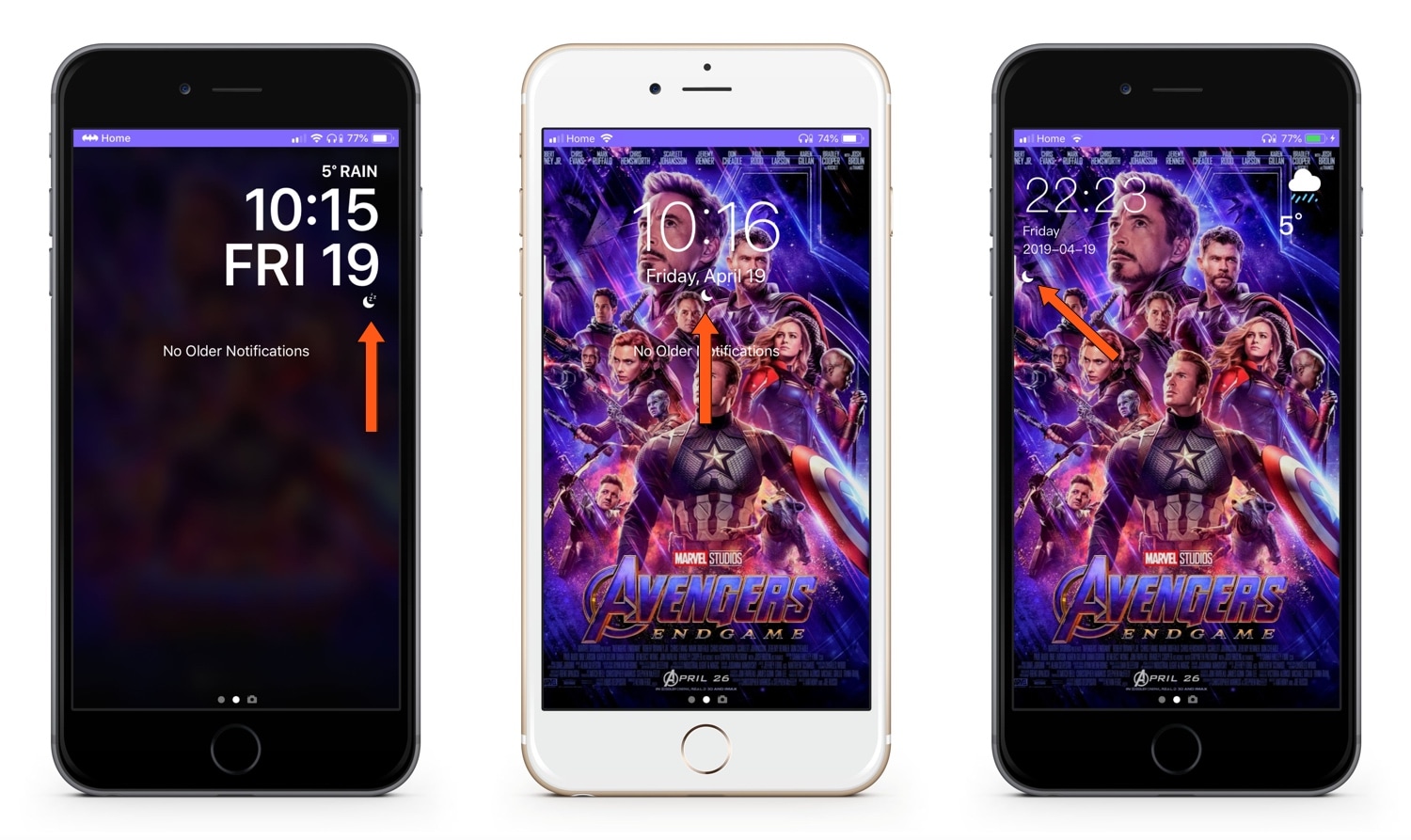
LeaveMeAlone is a new free jailbreak tweak by iOS developer Karimo299 that resolves some of these problems by making Do Not Disturb less of a distance. More specifically, it does away with iOS 12’s annoying Do Not Disturb banner and moves the Status Bar icon beneath the Lock screen’s date and time indicator, as shown above.

Blanka protects specific apps with Touch ID or Face ID

If you’re more anxious than most, then you probably wouldn’t mind adding an extra layer of security to the plethora of apps you have installed on your iOS devices. Fortunately, that’s completely possible on a jailbroken handset.

Blanka is a new jailbreak tweak by iOS developer maximehip that lets you lock specific apps on your Home screen with Touch ID or Face ID (depending on what your handset comes equipped with). It’s particularly useful for when you want to hand your unlocked device over to a friend or family member, because they can then use the phone without going through your personals.

Jailbreak tweaks of the week: DragSpring, PhotoManager, Proximitus, Snapper 2, and more

We’re just one step short of a full-fledged A12(X) jailbreak by way of unc0ver, but all we can do at the time of this writing is remain patient until such an update finally surfaces. If you’re using an older handset, then you’re probably looking for new and exciting ways to trick out your jailbroken installation of iOS 11 or iOS 12.

In this roundup, we’ll summarize each of this week’s new jailbreak tweak releases from Monday, April 15th to Sunday, April 21st. As usual, we’ll kick things off by discussing our favorites and then outline the rest afterward.

Proximitus will notify you when you leave a Bluetooth device behind

If you’re like me, then you’ve got a lot of Bluetooth devices connected to your iPhone at any given time including some of the most pertinent, like the Apple Watch and AirPods. But if you aren’t thinking straight, it can be easy to leave your Apple Watch on the nightstand charger or to leave your AirPods on your desk when leaving your house with your iPhone.

iOS developer LaughingQuoll knows the struggle, and that’s why he’s working on the release of a brand-new jailbreak tweak called Proximitus.

Snapper 2 augments your iPhone’s screenshot-centric capabilities

Apple stepped up how iOS handles screenshots in some of the latest iterations of iOS, but that’s not to say it’s perfect. With that in mind, we can usually expect that the jailbreak community will respond with a solution whenever Apple leaves anything to be desired, and that’s precisely what happened in this particular instance.

Snapper 2 is a jailbreak tweak by iOS developer Jonathan Winger-Lang that augments iOS’ screenshot handling with a whole trough of new features, including sticky screenshot previews and privacy protection, among other things.