Review

Arcade review: Dear Reader

Dear reader, do you love books as much as you love video games? Would you like to play and read at the same time? Do you want to play and improve your vocabulary while reading some of the world's most famous books? I don't know how, but this went from an Arcade review to an infomercial really quick.

ScreenSafe protects your iPhone’s display from burn-in with screensavers

Handsets equipped with OLED displays are particularly adept at displaying high-contrast colors due to the true blacks they exhibit, especially when compared to handsets sporting traditional LCD displays. On the other hand, OLED displays are also notorious for screen burn-in issues, and that’s where screensavers come in.

Modern iPhones such as the iPhone X, XS, and 11 Pro (including their larger counterparts) come standard with OLED displays, and while Apple has already done plenty to mitigate screen burn-in with these devices, they haven’t yet adopted screensavers on the iOS platform. With that in mind, a new jailbreak tweak release called ScreenSafe by iOS developer Kushy comes off as particularly interesting.

Add haptic feedback to the Instagram app with HaptiGram

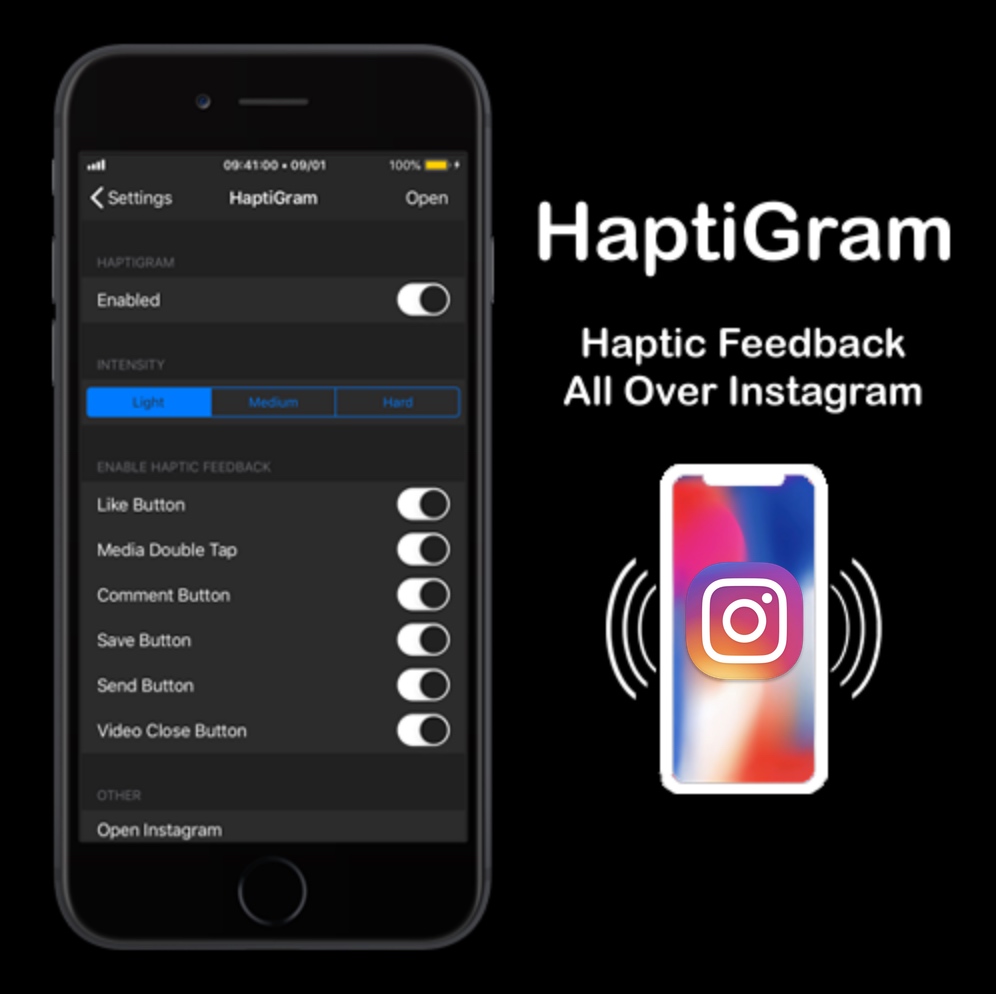
If you’re a jailbreaker that uses the Instagram app and also happens to enjoy subtle vibrations when performing actions (better known as haptic feedback), then we think you’ll take a particular liking to a newly released jailbreak tweak called HaptiGram by iOS developer iCraze.

As you may have inferred already from the context clues above, HaptiGram integrates haptic feedback into various actions performed in the official Instagram application for iOS. According to the developer, haptic feedback can be felt when doing any of the following things:

Jailbreak tweaks of the week: IconTweak, PureFocus, SafariElectro, and more

Having a jailbroken iPhone or iPad means that you can modify that device outside of Apple’s stock parameters, but it’s not always easy to know where you should start.

This convenient week-end roundup will encompass all the latest jailbreak tweaks released from Monday, October 28th to Sunday, November 3rd. As always, we’ll kick things off by discussing our favorites and then wrap things up with an outline of the rest afterward.

This tweak forces the Twitter app to show the ‘Latest’ Tweets at all times

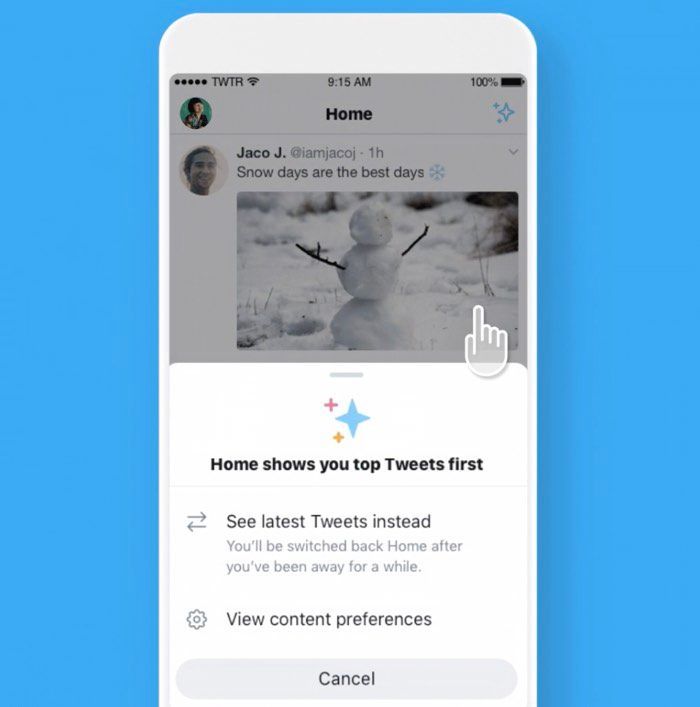
Twitter users who use the social network via the official app will notice that it seems to favor “Top” Tweets over “Latest” Tweets in your News Feed. In some cases, it even switches you from Latest to Top without your consent. It’s easy to switch back, but it can be annoying to deal with nonetheless.

I’ve always disliked this about the Twitter mobile app, and for that reason in particular, I’m excited to show you a newly released and free jailbreak tweak dubbed AlwaysLatestTimelineTwitter by iOS developer aesthyrica.

Take Home screen customization to the next level with IconTweak

The Home screen is something you interface with every single day. That said, wouldn’t it be nice if Apple allowed you to do more with it than simply change the wallpaper image and move the app icons around?

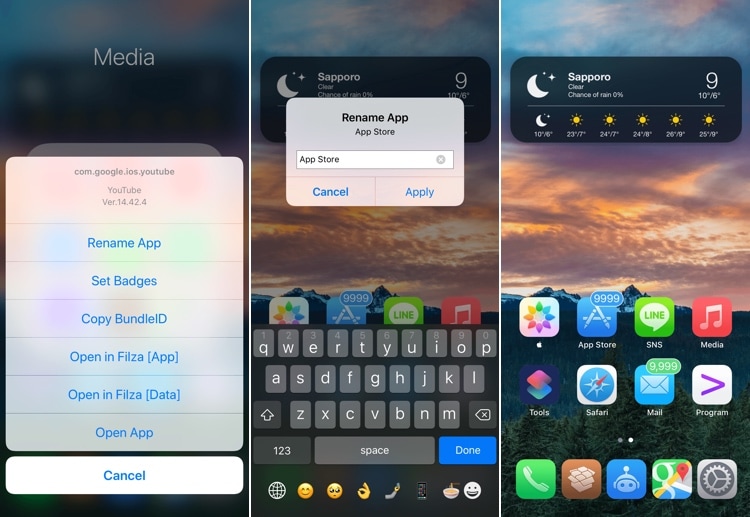
If you’re onboard with the aforementioned idea, then you’ll probably take a liking to a new jailbreak tweak called IconTweak by iOS developer ichitaso. With it, you can customize your Home screen’s app icons in new and exciting ways.

Safari Electro supercharges the iOS web browsing experience

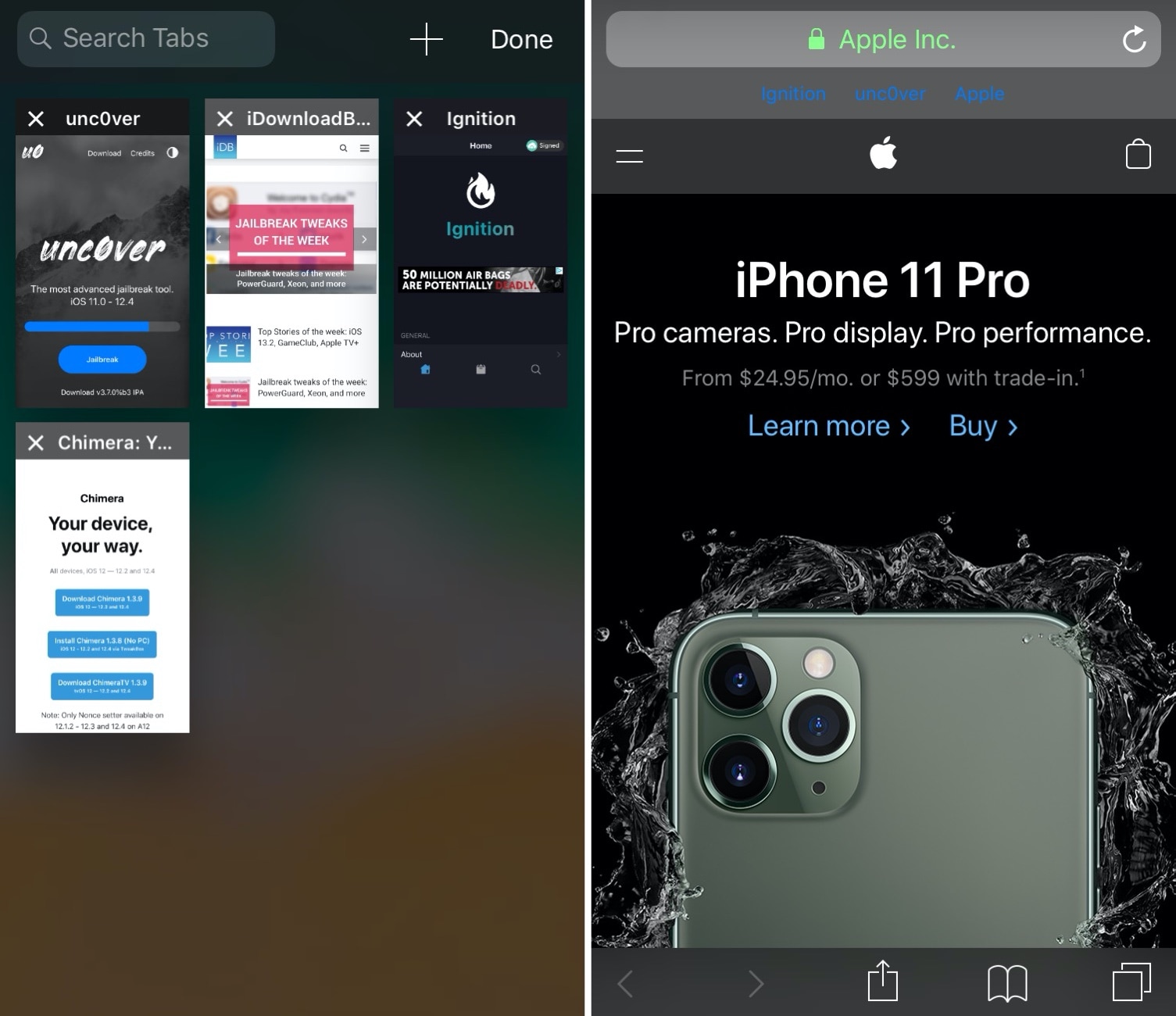
Apple pours tons of developmental resources into its mobile Safari web browser to make things as fluid as possible for the end user, but that doesn’t change the fact that Safari lacks some features that might be considered useful, especially when moving from Safari for iPad to Safari for iPhone.

If you agree with the statement above, then you’ll want to check out a newly released jailbreak tweak dubbed Safari Electro by iOS developer Minazuki. As you may have inferred from the screenshot examples above already, this tweak supercharges the mobile Safari web browser on the iPhone and iPad with power user features.

PureFocus productively mitigates distractions on jailbroken devices

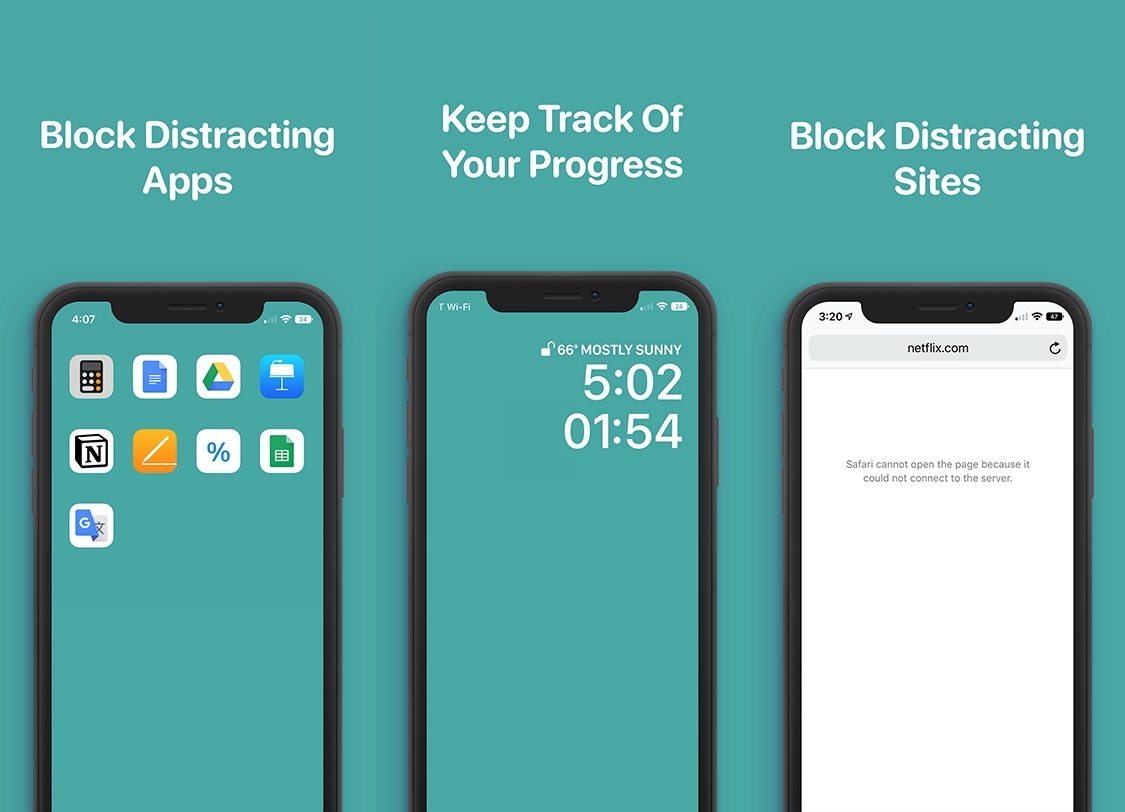
Smartphones can be incredibly useful tools in day to day life, but let’s face it, they also impose a substantial distraction that can cause even the slightest of procrastinators evade meaningful productivity. For that reason, it’s a good idea for students and professionals to use focus-oriented software.

PureFocus is a newly released jailbreak tweak by iOS developer Dave Van Wijk that helps improve productivity by filtering out distractions on your pwned handset for a user-defined amount of time.