Productivity

Dropbox for iOS gains iMessage app, PDF signing, iOS 10 widget, PiP video & more

Cloud storage startup Dropbox today announced a major update to its mobile application for the iPhone and iPad, bringing new iOS 10-focused features that will make you more productive. Dropbox 18.2 for iOS packs in a brand new iMessage app for sharing Dropbox files through Apple's Messages app.

You can now sign legal PDF documents with your finger, and see newly updated Dropbox files on your Lock screen via a new Today widget, and much more.

Facebook targets Slack, Google Apps and others with new Workplace for iPhone app

Facebook yesterday announced a new Workplace mobile app which it has used to run its own company “for many years”. Available at no charge from the App Store, Workplace for iPhone (formerly known as Facebook at Work) is now available to any company or organization that wants to use it. In a nutshell, Workplace puts the best of Facebook at your fingertips while packing in a few notable productivity features businesses may like.

Dropbox Paper app now available in the EU

Paper, a new productivity app from cloud storage experts over at Dropbox, launched in public beta in the United States a month ago. After a slight delay, Paper is now available to customers in the European Union. With the free Paper app (not to be confused with Facebook's experimental Paper app), you can collaborate on projects, get updates, make edits and respond to feedback right from your iPhone, iPad or iPod touch.

How to invoke Siri with a keyboard shortcut on Mac

Your favorite assistant finally made its way to the Mac, starting with the macOS Sierra software update.

If you have used Siri on your iPhone or iPad before, then you'll probably feel right at home with the assistant on your Mac since it works in a similar way. However, unlike your iPhone, you don't have the ability to invoke Siri on your Mac by saying "Hey, Siri." Instead, you will have to click on the Siri icon in the Menu Bar, or in the Dock.

Another way to invoke Siri is by using a keyboard shortcut. Admittedly, this is my preferred way of activating the assistant as it feels faster and more efficient than reaching for the mouse or trackpad and clicking on the Siri icon.

AppRestrict lets you stay productive by putting time limits on your apps

I have a pretty bad problem with procrastination, which is made worse by all the distractions I deal with, and it seems like a mutual issue for a lot of people who own smartphones because notifications always go off left and right.

Fortunately, a new jailbreak tweak called AppRestrict offers a way to stay more productive with your life by setting time frames for which certain apps on your iPhone or iPad will be locked to keep you from getting distracted.

PDF Expert 2 for Mac is here: new editing features, password protection & more

Ukrainian developer of fine iOS and Mac software, Readdle, today announced it's launching a major update to its PDF Expert for Mac productivity application, bringing out a plethora of improved editing capabilities and new features like password protection for your PDF documents, the ability to link any image or text to a different page or a website, localizations for ten languages and other perks. The update will go live on the Mac App Store today at no charge for those who already own PDF Expert.

Microsoft’s mobile Office apps pick up support for drawing with a finger/stylus on iPhone

Microsoft today issued updates to its mobile Word, Excel and PowerPoint apps on the App Store, adding support for drawing with your finger on the iPhone. Back in January 2016, the Windows maker brought its inking tools to the iPad Pro with Apple Pencil support. With the latest update, iPhone owners can take advantage of the Draw tab to draw, highlight and annotate documents with their finger or a stylus.

Dropbox Paper enters public beta, iPhone and iPad app now available

As of today, Dropbox Paper, a collaborative document editor akin to Google Docs and Apple's iWork for iCloud suite (only better!) is in public beta after spending about a year in private beta, the cloud storage startup announced.

In addition, the mobile Paper app for the iPhone, iPad and iPod touch launched today, too, so you can immediately download it at no charge from the App Store.

Microsoft releases a free iOS client for SharePoint enterprise collaboration suite

Microsoft on Tuesday announced the official release of a brand new application on the App Store, SharePoint. Available at no charge for the iPhone, iPad and iPod touch, the software is basically Microsoft's long-expected iOS client for its SharePoint enterprise collaboration suite.

Billed as the Intranet in your pocket, the app lets enterprise users stay connected to their company's intranet while on the go, navigate their company's web sites and portals, access important content, information and people and more.

Microsoft rolls out Planner to all eligible Office 365 customers worldwide

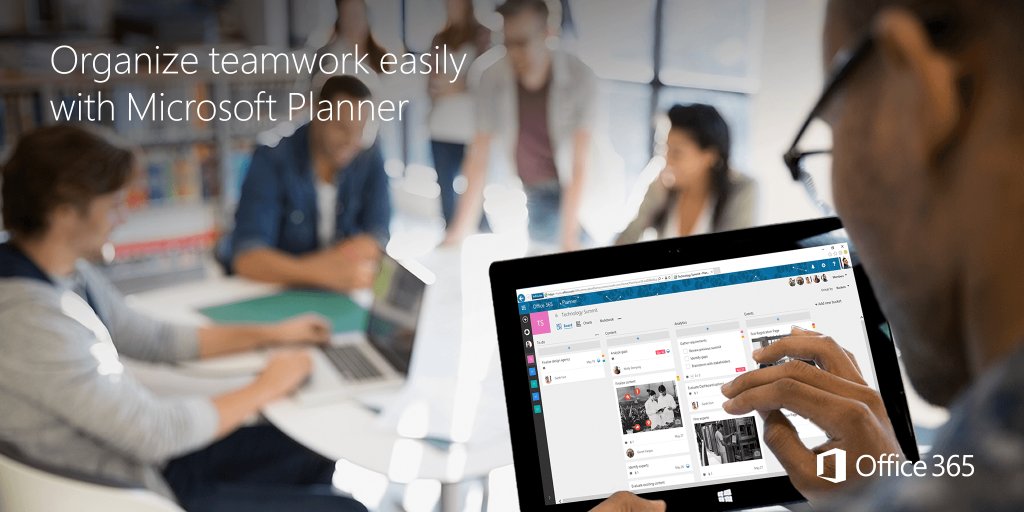
Microsoft today said that its new productivity and teamwork app, called Planner, is now rolling out to all eligible Office 365 customers worldwide. “Beginning today, Planner will start rolling out to all eligible tenants,” said the Windows giant.

“We expect the rollout to be complete in the next several weeks.” Companion Planner apps for iOS, Android and Windows are currently being worked on and should release later this year.

Checking out Focus, a minimalist task manager for iPhone

Focus for iPhone, a new task manager by Oslo, Norway-headquartered digital marketing agency Dots Design, is a beautifully conceived application with a minimalist user interface which makes creating lists built around your lifestyle a breeze.

Available at no charge on the App Store, Focus, as the name suggests, is all about focusing on the task at hand. The minimal user interface lends itself nicely to keeping the app very easy to use, with gestures-driven actions and a single screen on which everything takes place.

GraphicConverter for Mac gains facial recognition, Collage, Picture Package and more

GraphicConverter by small Germany-based developer Lemkesoft has been dubbed the Swiss Army knife of Mac graphics programs, and for a very good reason: this app converts over 200 different graphic file formats into any of almost 80 graphic formats.

In its latest update, GraphicConverter for Mac was bumped to version 10 and enriched with a trio of major new features—facial recognition for your photos, Collage and Picture Package—along with refinements like support for converting Apple’s Live Photos format into an animated GIF.