OS X

Apple seeds third OS X 10.9.2 beta to developers

Apple has seeded the third OS X 10.9.2 beta to registered Mac developers this afternoon. The release comes just one week after the second beta, suggesting Apple is honing in on a final version.

The new build is available to registered Mac developers through the Software Update tab in the Mac App Store, or as a full download via the Mac section of Apple’s online developer portal…

New concept dreams up iOS 7-ified OS X 11

Some pundits continue to call for the merging of OS X and iOS into a monolithic operating system that would simplify app development and allow Apple to engineer consistent user experiences across its desktop and mobile platforms.

I'm not so sure the time is right for an iOS-ified OS X.

That, however, hasn't stopped designer Andrew Ambrosino from envisioning what the future of OS X might look like. Introducing Andrew's OS X 11 concept, which brings Apple’s desktop operating system in line with the flattened appearance of iOS 7...

First OS X 10.9.2 beta seeded to developers

Apple has seeded the first OS X 10.9.2 beta to registered Mac developers this afternoon. The release comes just three days after the public version of OS X 10.9.1 hit the Mac App Store.

The new build is available to registered developers through the Software Update tab in the Mac App Store, or as a full download via the Mac section of Apple's online developer portal...

Apple releases OS X 10.9.1

If you open the Mac App Store, you'll notice a shiny new update awaiting you: OS X 10.9.1. It's an bug fix update that brings performance and stability improvements to Apple's desktop offering. Apple recommends that all current users of Mavericks update to OS X 10.9.1.

This update comes a tad short of two weeks since Apple released its last 10.9.1 beta, and contains no new surprises for those of you following the beta trail. Have a look inside for the full change log.

VLC 2.1.2 is out with experimental decoding of HEVC and WebM/VP9

VLC, the free cross-platform desktop media player, has been through some turmoil as VideoLan, which manages the project, has undergone reorganization as the multinational development team now spans twenty nations.

The open source media player made its App Store debut back in October 2010 as one of the first iPhone apps that could render media file formats unsupported by iTunes and iOS. Unfortunately, the app got pulled in January 2011 over licensing issues.

The problems came down to the GNU General Public License (GLP) requirements as developer Rémi Denis-Courmont, lead contributor to the VLC project, filed a licensing claim based on the code he had contributed to the project.

Following a two-year hiatus, VLC made its way back into the App Store earlier this summer (you can download it for free). And today, VideoLan has pushed an update to VLC for Mac and Windows desktops, bringing a lot of fixes and a cool experimental decoding of media files in HEVC and WebM/VP9 file formats...

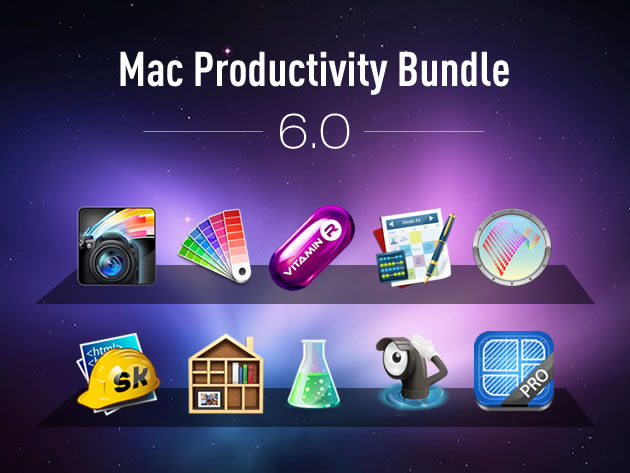
Good deal: 91% off Mac software bundle

Whether you're planning on getting a new Mac for the holidays, or you're just looking for some new apps to increase productivity on your current one, you'll want to check out this big Mac software bundle from Stack Social.

The deal site is currently offering a suite of 10 Apple computer applications, which includes AfterShot Pro, Vitamin-R, skEdit and Compartments, at a steep discount. More details and a full rundown of the apps after the fold...

How to control your Nest thermostat from the menu bar

I wouldn’t call myself a Nest Learning Thermostat early adopter, but I did acquire one fairly early in the game, and I haven’t looked back. The Nest, as you’re likely well aware of, is the new-aged thermostat from iPod designer Tony Fadell. The Nest allows users to control the thermostat from anywhere in the world using a web browser, or by using an iOS app for the iPad or iPhone.

Mac users have sort of been left out in the cold; pun intended. Desktop users have basically been relegated to using the web browser in order to control the Nest, as there is no official Nest app available for OS X. The good news is that developer Joseph Workman has taken the initiative to wrap the Nest’s web interface into a handy utility called Climate, and it runs in the Mac’s menu bar. This makes it so that you can quickly access the Nest’s temperature controls and other features from anywhere on your Mac.

We’ve taken the initiative to create a video walkthrough in order to showcase to you how Climate works, and why it’s so beneficial to Mac users. Jump past the break to see all the details.

How to keep your MacBook awake while its lid is closed

NoSleep is a handy menu bar utility that I use each and every day to keep my MacBook Air awake. It’s like speed for your Mac. Even with the lid on the MacBook closed, it stays awake.

The best thing about this utility is that it can be easily toggled on or off by means of a single click on its menu bar icon. NoSleep is a simple tool, yet it does feature a few options to customize the way it works. Have a look inside as I showcase NoSleep on video.

New OS X 10.9.1 beta seeded to developers

Apple has seeded its latest 10.9.1 beta for OS X developers; this time sporting a build number of 13B40, compared to the 13B35 build released back on November 21. Like build 13B35, this version focuses on Apple Mail, Safari, VoiceOver, and graphics drivers. Check inside for more details, screenshots, and the full release notes.

Shiori: my favorite Pinboard utility for the Mac

In episode 002 of Let’s Talk iOS we talked about Pinboard, and why it’s such a useful service for saving bookmarks. I won’t get too much into the specifics about Pinboard on this post, so I urge you to listen to that episode if you haven’t already. The episode does a good job of explaining the methodology behind Pinboard, pricing, etc.

What I do want to talk about is an awesome Pinboard utility called Shiori. A free download for OS X, Shiori is a Pinboard utility that allows you to quickly add new bookmarks to your Pinboard account and just as quickly search all of the contents of your account.

Shiori runs in the menu bar, and both its add and search functions can be accessed by a pair of useful keyboard shortcuts. Have a look inside as we go hands on with Shiori on video. If you’re at all interested in saving bookmarks for the longterm, then I’m positive you’ll find Shiori useful.

Yoink is an awesome drag and drop utility for the Mac

Sometimes dragging and dropping items between multiple windows and full screen apps and folders can be challenging. But dragging and dropping doesn’t have to be a tedious or perplexing task. One of my favorite utilities for the Mac is called Yoink, and it allows you to simplify the process of dragging and dropping on OS X.

Its description in the Mac App Store states that Yoink simplifies drag and drop between windows, apps, spaces and fullscreen apps. As a long time user of the tool, I can vouch for developer Matthias Gansringler’s description. As you’ll see in the video walkthrough that follows, Yoink is one of those apps that you don’t realize you need until you see it in action. Have a look inside for the full walkthrough.

ScreenFlow 4.5 released with new transitions, asynchronous uploads, and more

ScreenFlow is, in my opinion, the best screen recording software available for the Mac. It's what I use each and every day to create a lot of the video content that you see on iDB. Its developer, Telestream Inc., has made the app available on both the Mac App Store and via direct download from its website.

Unfortunately, as with a lot of the apps that feature Mac App Store versions and direct download versions, the Mac App Store release lags behind. ScreenFlow is stuck at version 4.0.4 on the Mac App Store, while the direct download version recently got updated to version 4.5. For that reason, I recommend buying the direct download version, because that version gets updates much faster than the Mac App Store version.

It’s also a great time to buy the direct download version, because Telestream is having a 30% off sale. This means you can snag ScreenFlow 4.5 for under $70 bucks. That’s a steal for this type of powerful software, as it's usually $100 bucks.

Version 4.5 of ScreenFlow is a huge update, which brings numerous new features, improvements and bug fixes to the table. Have a look inside to see what all has changed.