News

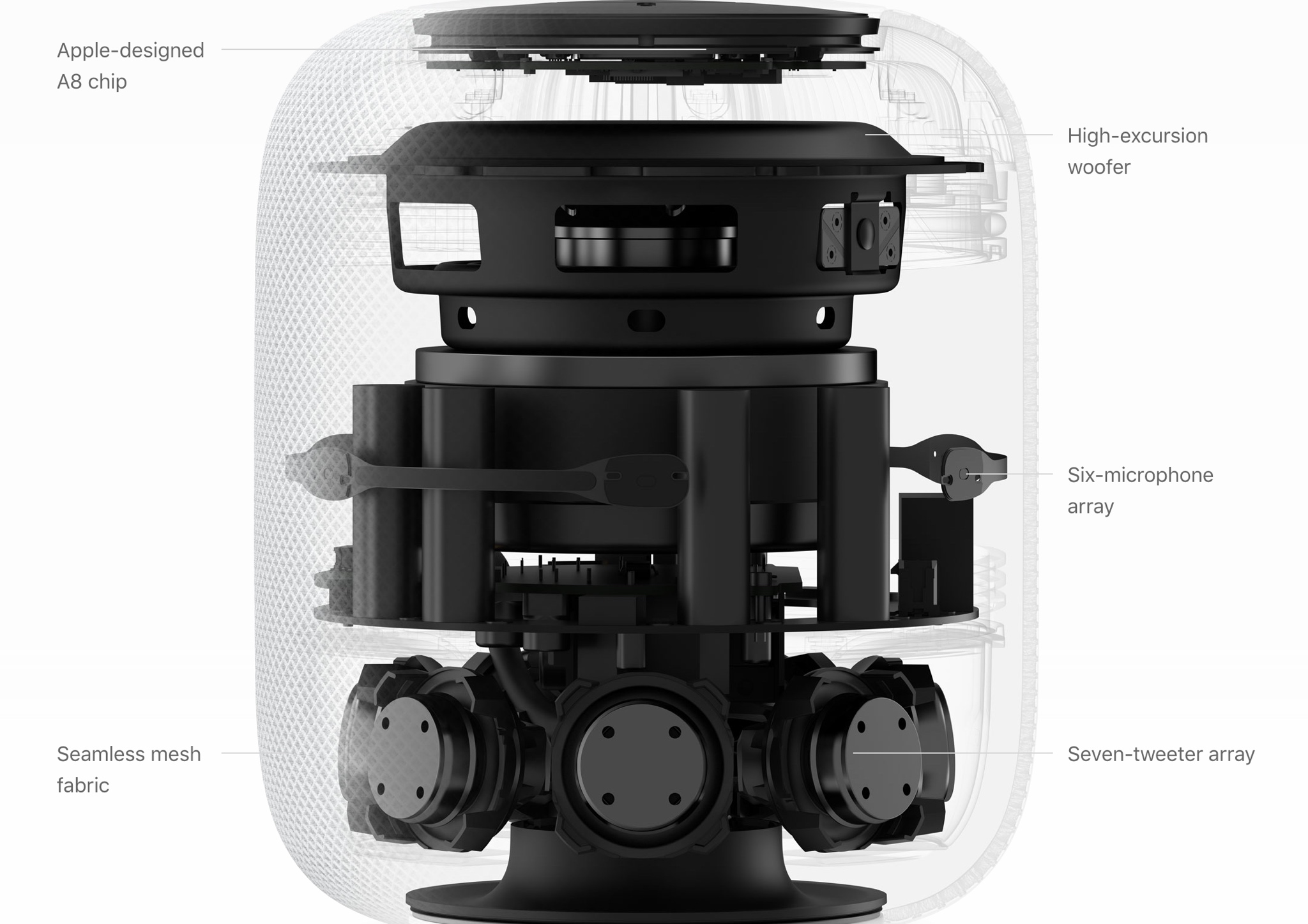
HomePod tech specs

Apple’s HomePod was by far one of the most exciting announcements at WWDC 2017. A totally new kind of technology for Apple’s realm of expertise, HomePod is a speaker system that also acts as a Siri virtual assistant and HomeKit controller, among other things.

In this piece, we’ll go over the HomePod’s tech specs so that you have an idea of what kind of technology is packed into the new accessory.

Here come the first ads for Apple’s new iPad Pro

With the new 10.5-inch iPad Pro now official, Apple posted a pair of brand new ads on its official YouTube channel as part of its ongoing “Real problems…answered” campaign. Titled “So many things to love” and “A whole new kind of computer,” the videos are running 16 seconds long each and position the new 10.5-inch iPad Pro as a viable alternative to your computer.

With drag-and-drop, a new Files app, an enhanced Dock and other productivity-centric iPad features on iOS 11, plus an improved Apple Pencil hardware and stylus support, your iPad will indeed become more powerful than ever before.

Like before, the new videos are based on real tweets from real people.

“So many things to love”

“You could do everything you love, if your computer was the new iPad Pro.”

https://www.youtube.com/watch?v=fKk4BUfrYp8

The video is based on this tweet by user @yagirlgeorgie.

“A whole new kind of computer”

“ You could work in a whole new way, if your computer was the new iPad Pro.”

https://www.youtube.com/watch?v=1wENU092DDc

The clip is based on this tweet by user @ryandrake.

Don't forget to watch other WWDC videos Apple posted today, highlighting its all-new iMac Pro model, a Siri-driven smart speaker, called HomePod, and iOS 11's upcoming productivit-enahncing features on the new 10.5-inch iPad Pro model.

Now watch Apple’s WWDC videos promoting HomePod speaker, 10.5″ iPad Pro & iMac Pro

With the WWDC keynote wrapped up, Apple has now posted latest product introduction videos to its official YouTube channel, including one aptly titled “Apocalypse” that highlights the importance of mobile apps (it was played as an opening intro for WWDC attendees).

Some of the hardware products and updates announced today are available immediately, like the refreshed Mac desktops and notebooks, while others will arrive later in the year, like the firm's Siri-powered smart speaker, called HomePod, and the new iMac Pro.

Apocalypse

“Ever wonder what life would be like if all our apps suddenly disappeared? Enter the Apocalypse,” reads the videos description.

https://www.youtube.com/watch?v=FC0pT9xg1oI

Song: “All Right” by Christopher Cross

Introducing HomePod

“Immersive hi-fi audio. All the music you love. And the intelligence of Siri. Welcome HomePod.”

https://www.youtube.com/watch?v=1hw9skL-IXc

As we told you, HomePod will be available beginning this December. To learn more about Apple's Siri-enabled smart speaker with HomeKit support and more, visit apple.com/homepod.

The New iPad Pro—On Any Given Wednesday

“With the world's most advanced display, the powerful A10X Fusion chip, and a new 10.5-inch model, the new iPad Pro is everything you want modern computing to be.”

https://www.youtube.com/watch?v=UR5ODc5Wbbo

Productivity-enhancing OS 11 features shown in the video will be available this fall.

To learn more about what the new 10.5-inch iPad Pro has to offer check out my colleague Cody's write-up, then visit apple.com/ipad-pro.

iMac Pro—Power to the Pro

“Packed with powerful technologies for the creative professional. The new iMac Pro. Power to the pro.”

https://www.youtube.com/watch?v=XPIrnAcmCSk

To learn more about the upcoming iMac Pro, visit apple.com/imac-pro.

Can your iPhone or iPad run iOS 11?

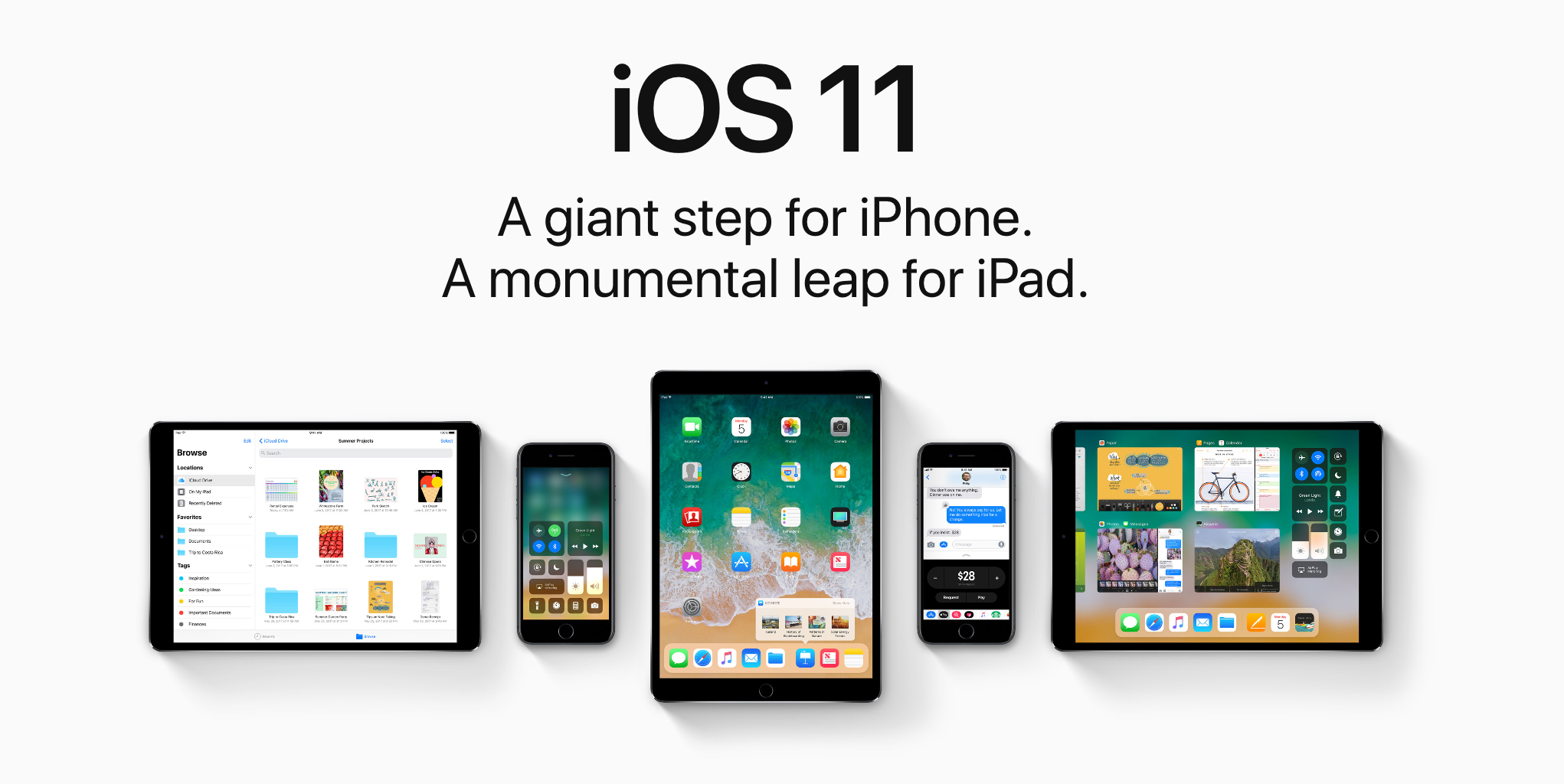
iOS 11 makes your iPhone and iPad more powerful, personal and intelligent than ever before. You might be wondering if you have the device requirements to install it. Fortunately, we're here to answer that question.

Apple refreshes iMacs with faster everything: Kaby Lake chips, Radeon Pro 500 graphics, brighter displays, Thunderbolt 3 & more

Apple today refreshed its family of all-in-one desktops with faster Intel chips, up to three times more powerful graphics, speedier storage options, 43 percent brighter displays at 500 nits that now support one billion colors, the latest Thunderbolt 3 I/O and other improvements.

The 5K models of new iMacs sport the same 5,120‑by‑2,880 pixel resolution and wide color gamut (P3) support like the models they're replacing. In fact, the previous-generation iMac lineup is no longer sold on Apple Online Store.

The new desktops with Retina 4K and 5K displays are available to order today on Apple.com, and available to buy in Apple Stores starting on Wednesday, June 7, with one-day shipping.

Using Intel's seventh-generation Core processors, code-named “Kaby Lake” that were introduced in March 2017, the new iMacs have the clock frequency of up to 4.2 GHz with Intel's Turbo Boost technology increasing the CPU speed to up to 4.5 GHz during heavy workloads.

In the graphics department, the updated iMacs feature the new Radeon Pro 500-series graphics with up to 8GB of dedicated video memory. The 21.5-inch iMac model delivers up to three times faster graphics performance, with the 27-inch models being up to fifty percent faster in terms of graphics than the current generation.

The new lineup supports up to twice the memory as the previous generation and SSD storage options are now up to 50 percent faster as well, Apple has said. Speaking of which, Apple's made its Fusion Drive (a hybrid SSD/HDD drive) standard across all 27-inch iMac configurations and it's now included by default on the top-end 21.5-inch iMac model, too.

The $1,299 21.5-inch iMac model now features a brighter Retina 4K display, an upgrade over the previous 1080p screen, and discrete rather than integrated graphics. And with the macOS High Sierra update due this fall, the new iMacs will deliver even faster graphics performance via Apple's updated Metal graphics framework for 3D graphics, video editing and gaming.

The following models are available:

$1,099 21.5-inch iMac

21.5-inch 1,920-by-1,080 sRGB display 2.3GHz dual-core Intel Core i5 processor with Turbo Boost up to 3.6GHz 1TB storage 8GB 2133MHz memory, configurable to 16GB 1TB hard drive Intel Iris Plus Graphics 640 2x USB-C/Thunderbolt 3 ports

$1,299 21.5-inch iMac

21.5-inch Retina 4K 4,096-by-2,304 display with wide color (P3) support 3.0GHz quad-core Intel Core i5 processor with Turbo Boost up to 3.5GHz 8GB 2400MHz memory, configurable to 16GB 1TB hard drive Radeon Pro 555 graphics with 2GB video memory 2x USB-C/Thunderbolt 3 ports

$1,499 21.5-inch iMac

21.5-inch Retina 4K 4,096-by-2,304 display with wide color (P3) support 3.4GHz quad-core Intel Core i5 processor with Turbo Boost up to 3.8GHz 8GB 2400MHz memory, configurable up to 32GB 1TB Fusion Drive Radeon Pro 560 graphics with 4GB video memory 2x USB-C/Thunderbolt 3 ports

$1,799 27-inch iMac

27-inch Retina 5K 5,120-by-2,880 display with wide color (P3) support 3.4GHz quad-core Intel Core i5 processor with Turbo Boost up to 3.8GHz 8GB 2400MHz memory, configurable up to 32GB 1TB Fusion Drive Radeon Pro 570 graphics with 4GB video memory 2x USB-C/Thunderbolt 3 ports

$1,999 27-inch iMac

27-inch Retina 5K 5,120-by-2,880 display with wide color (P3) support 3.5GHz quad-core Intel Core i5 processor with Turbo Boost up to 4.1GHz 8GB 2400MHz memory, configurable up to 64GB 1TB Fusion Drive Radeon Pro 575 graphics with 4GB video memory 2x USB-C/Thunderbolt 3 ports

$2,299 27-inch iMac

27-inch Retina 5K 5,120-by-2,880 display with wide color (P3) support 3.8GHz quad-core Intel Core i5 processor with Turbo Boost up to 4.2GHz 8GB 2400MHz memory, configurable up to 64GB 2TB Fusion Drive Radeon Pro 580 graphics with 8GB video memory 2x USB-C/Thunderbolt 3 ports

macOS High Sierra will turn your iMac “into a great platform” for VR content creation.

Last but not least, the Cupertino giant has previewed an all-new iMac Pro model. Engineered to please creative pros until a next-generation Mac Pro with a modular design is ready, the new iMac Pro is the “most powerful Mac we've ever made”.

It will be available in December, starting at $4,999.

For more information on the refreshed iMac lineup, including additional technical specifications, configure-to-order options and accessories, visit apple.com/imac.

iOS 11 on iPad comes with a raft of new features for Apple Pencil

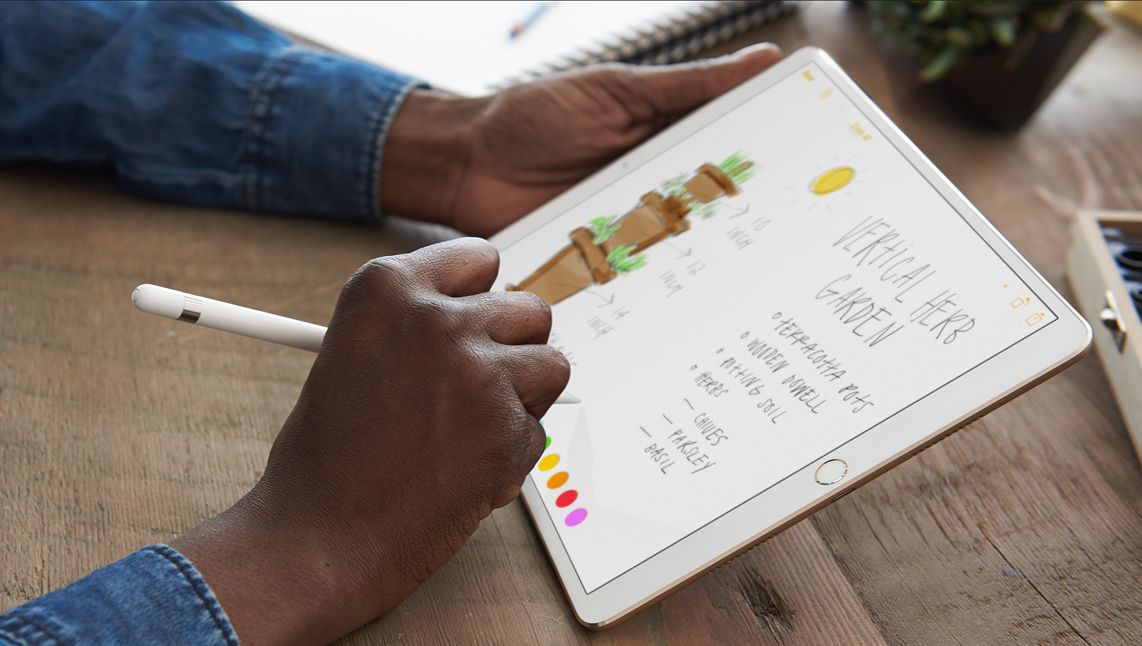
Apple Pencil is already loved by a large constituency, but new features added this fall will mean more and better use cases for the white stylus. Deeper integration for Apple Pencil has been developed for both the current and new iPad Pro range, the latter however does boast additional technological advancements such as ProMotion, developed to further boost the responsiveness and latency of the writing tool.

With the exception of ProMotion, all iPad Pros in the market are going to acquire a bunch of new skills. Naturally, the most prominent features were introduced under the buzzwords of Instant Markup, Instant Notes, Inline Drawing and Scan & Sign.

To flesh out Instant Markup, any device screenshot taken on iPad immediately creates a thumbnail in the newly-designed app dock, which in turn can be marked up or manipulated otherwise before being shared.

Besides this and a built-in scanner functionality for the enhanced Notes app, Inline Drawing (between typed paragraphs) for Pencil will be implemented, allowing for the user to easily clear as much space as needed between written words for drawings or sketches.

It is also now confirmed that touching the lock screen with Pencil will instantaneously open a clean piece of paper to work on. The instant note will be saved inside your Notes app in the event that the iPad is locked again.

What's more is that iOS 11 boasts smarter machine learning algorithms capable of recognizing Apple Pencil handwritings in Notes, which means you will be able to search notes by way of Spotlight search and consequently detect files containing words scrawled by hand.


New Apple Files app has support for Dropbox and other third-party cloud services

Apple announced a new Files app at its Worldwide Developers Conference today that works especially well with the newly announced iOS 11 productivity features for iPad. A placeholder listing for the Files app appeared on App Store earlier today, meaning users will be able to hide and re-download the new app.

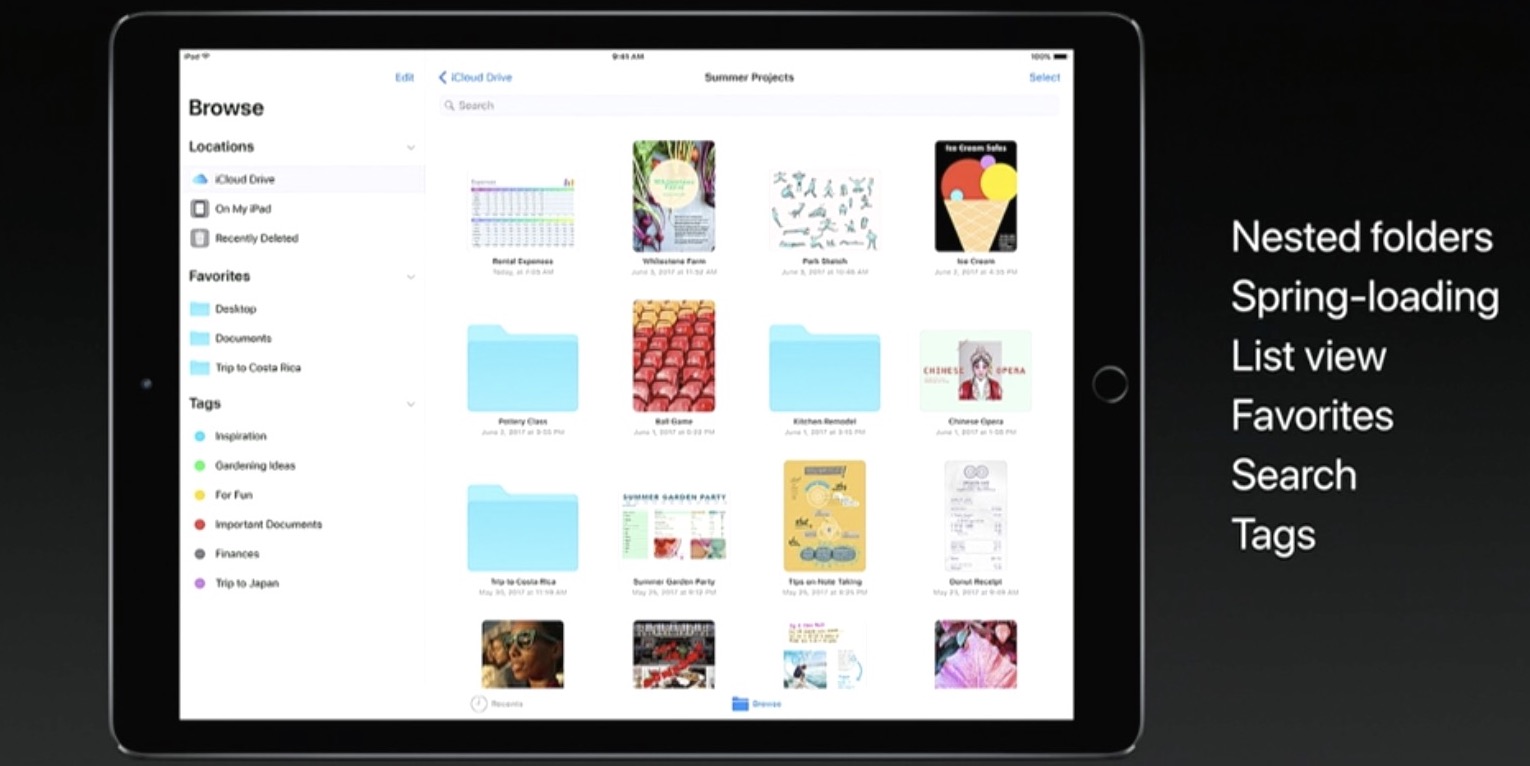
Featuring a user interface that looks like an enhanced iCloud Drive app, the Files app allows you to access files and folders in your iCloud Drive, on your device and in third-party cloud services like Box and Dropbox, as long as they include a Provider Extension for iOS.

And with new iPad productivity features on iOS 11 like an enhanced Split View mode, an interactive Dock (pictured above) and drag-and-drop, users will be able to easily, say, drag an attachment from Mail and drop it on a folder in the Files app to save it to a custom location.

It works the other way, too.

For instance, you could tap and hold the Files app icon in the Dock to bring up your recently accessed files, then simply drag a recently opened image and drop it in a precise place within the Keynote presentation you're working on.

Your files can be browsed in the grid view with larger thumbnails or you can access details about files in the more informative list view. Items can be sorted by size, date and more, you can create new folders, delete files and so forth.

The files app requires iOS 11 and supports only 64-bit devices.

With ARKit, Apple turns iOS devices into the largest AR platform in the world

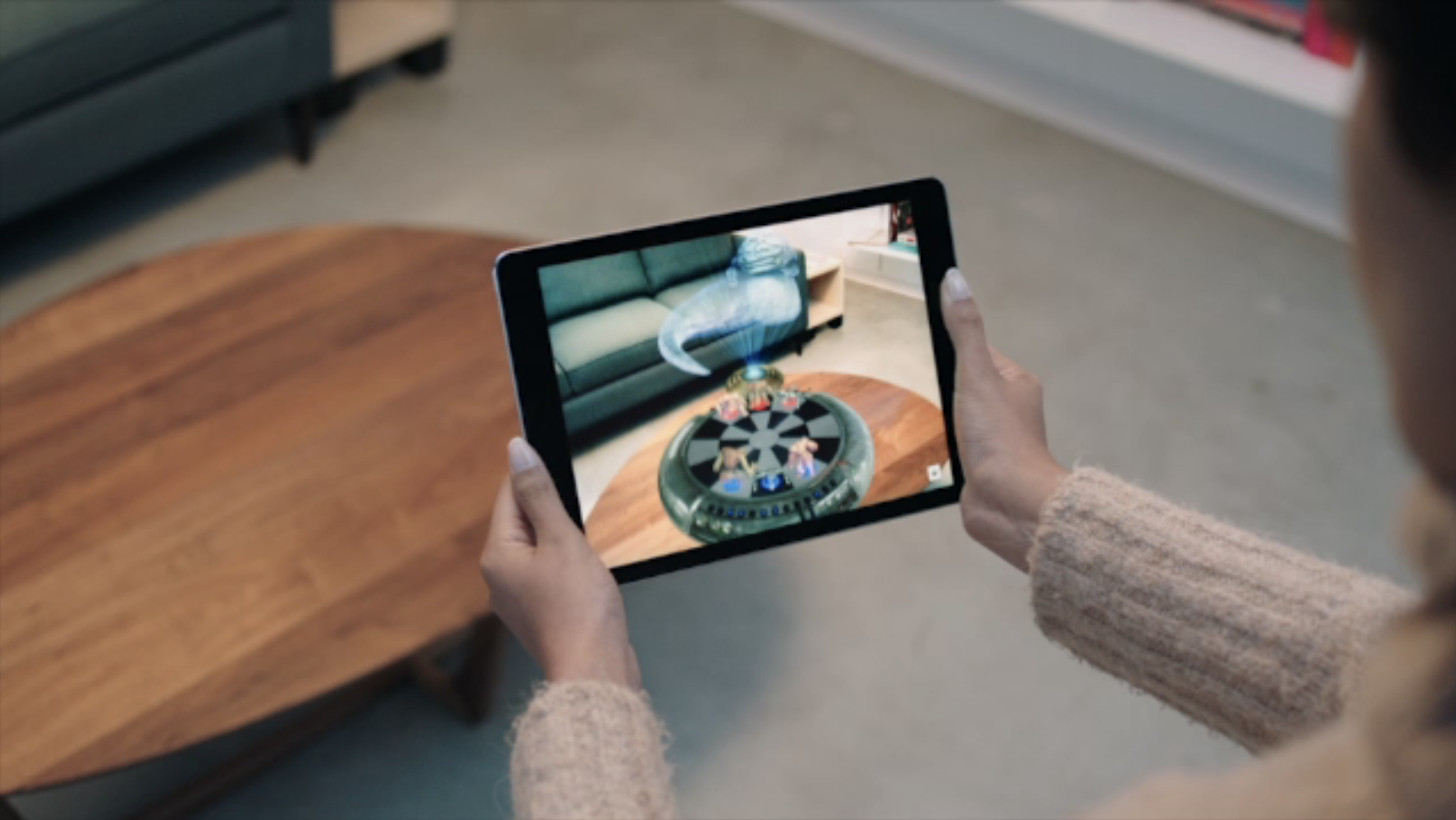
Augmented Reality is set to make its mark on Apple's iOS 11, as the impressive technology has been showed off on stage moments ago. ARKit brings the API to all developers, allowing developers to tap into the latest computer vision technology to build compelling virtual content on top of real-life scenes. It brings along all new possibilities for existing apps like the by now infamous Pokemon Go, as well as for new creations such as camera apps allowing for virtual object manipulation.

The technology is going to be rolled out across all the latest iPhones and iPads, virtually rendering Apple's devices the largest player in the Augmented Reality field over night.

The live demo given certainly looked awe-inspiring and showed multiple objects being rendered on top of an on-stage table and subsequently affecting each other when shuffled around. That is to say, the shadows cast by all objects and light emanating from the virtual lamp adapted to corresponding movements and displayed correctly on surface of the real world table.

In a second, equally impressive, demonstration, a Lego Batmobile was projected onto the table and disassembled in real time by touching the iPad's screen, camera angle and individual bricks could be smoothly manipulated. It remains to be seen what else developers and Apple themselves have up their sleeves later this year, this short excursion alone certainly did whet our appetite for more.

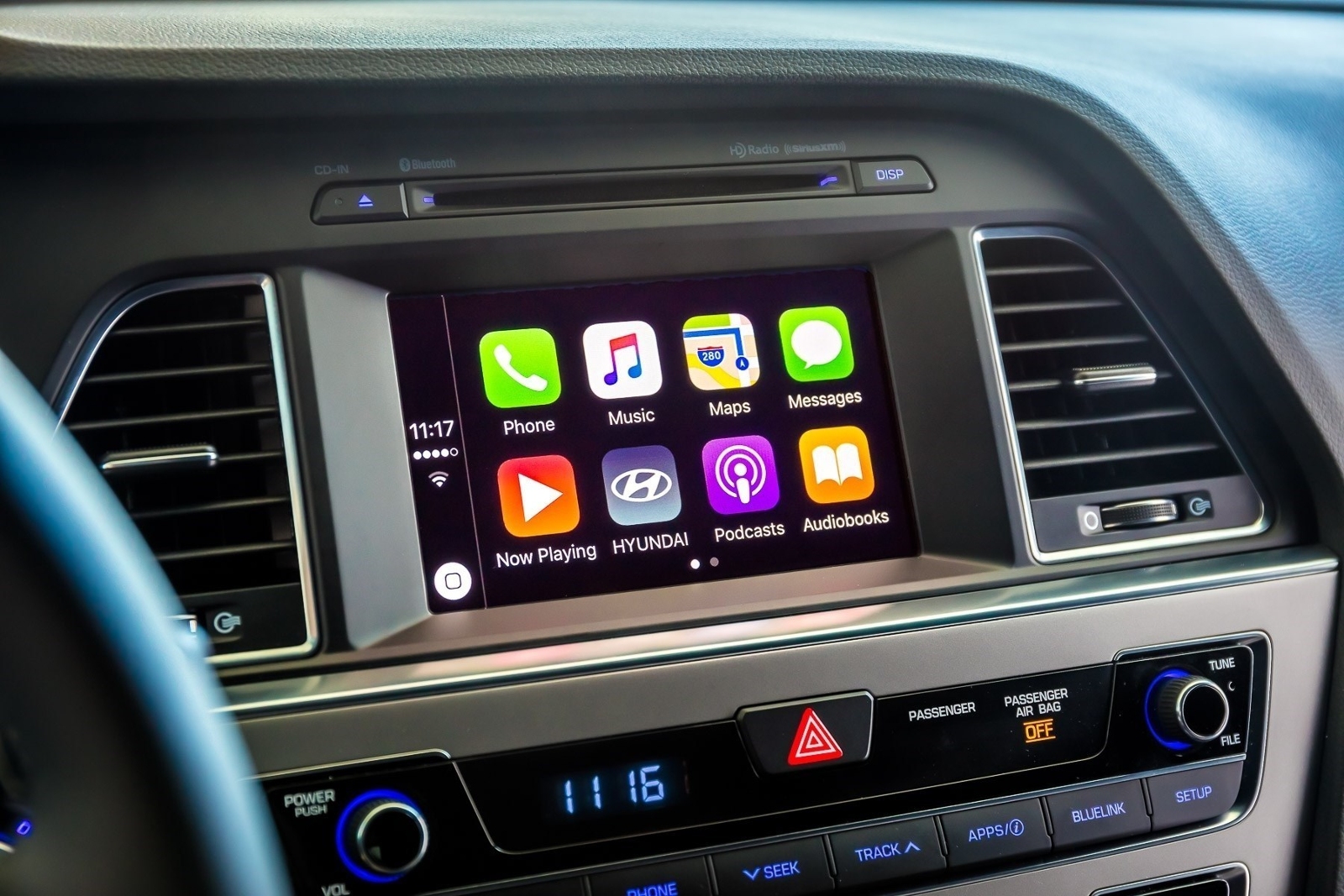
CarPlay on iOS 11 has DND while driving

A real important step for safety in the car was just introduced at Apple's Worldwide Developers Conference that's currently underway in San Jose: Do Not Disturb mode while driving. Apple's proactive assistant on iOS 11 determines when you're driving and offers to automatically turn on DND mode via CarPlay.

With DND active while driving, CarPlay won't be showing any notifications, similar to DND mode on iPhone, iPad and iPod touch. And if someone message you while DND mode is active on CarPlay, the Messages app on your iPhone will auto-respond with a message on your behalf telling the sender that you're currently driving and will be getting back to them soon.

Like with DND on iOS, DND for CarPlay allows you to cherry-pick contacts whose messages will get through while you're driving in DND mode. The Messages app on iOS 11 will permit users to respond with a simple “reply” message if they'd like their muted message delivered to CarPlay, as long as they're on your whitelist.

Those and other CarPlay improvements will launch for everyone when iOS 11 releases for public consumption this fall.

Messages in iOS 11 gains iCloud syncing, revamped app drawer & more

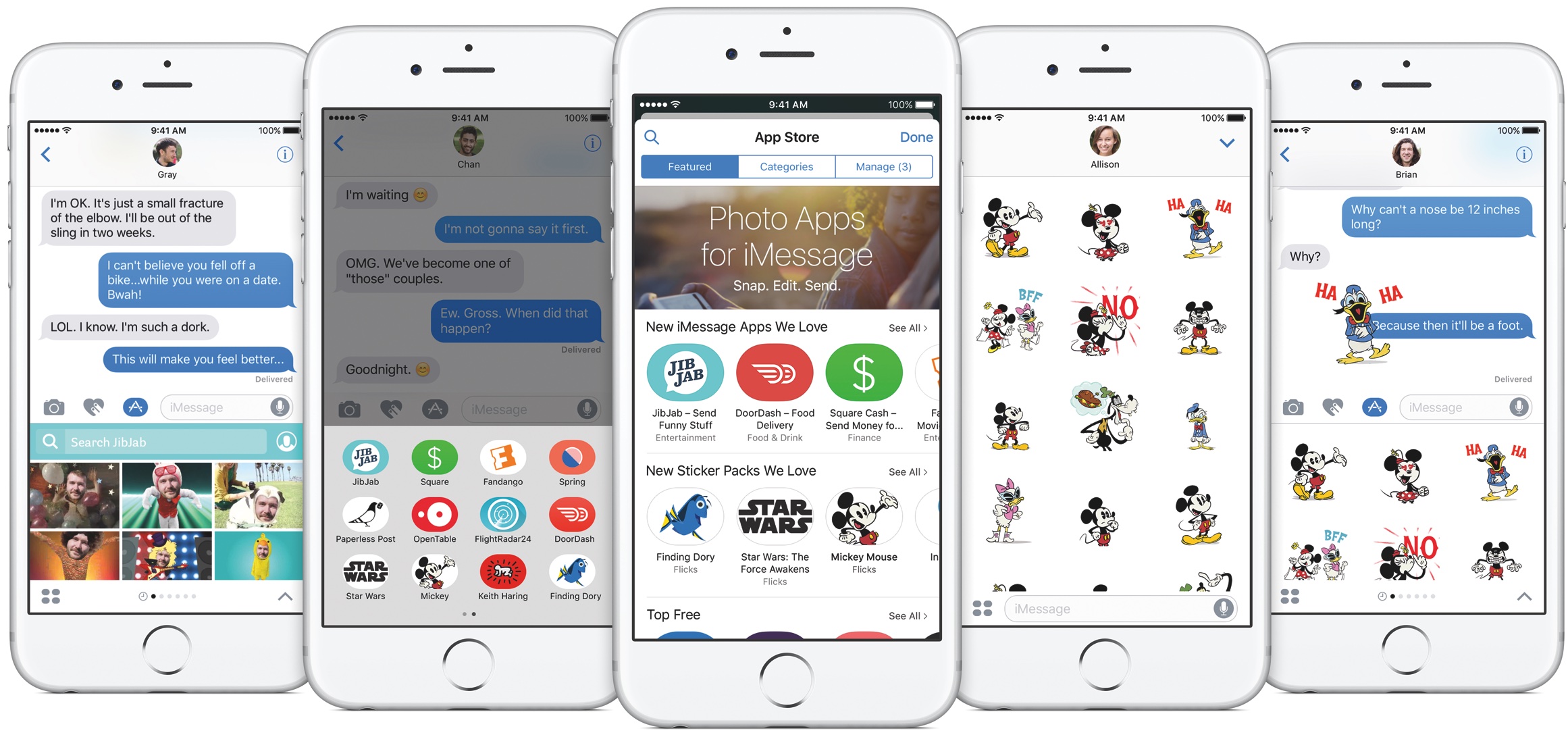
Apple announced at the Worldwide Developers Conference today that Messages on iOS 11 will now synchronize your chats across devices via iCloud while making it a lot easier to get to your favorite iMessage apps and stickers using a redesigned app drawer.

With the redesigned drawer, your favorite iMessage apps and stickers live as horizontally-scrollable thumbnail icons lined alongside the bottom of the interface. Before today, getting to a sticker pack or an iMessage app you wanted to use was a multi-tap affair. With a new Messages in iCloud feature, when you sign in to a new device all your existing conversations will be automatically synchronized, and stay in sync.

For example, if you delete a message on your iPhone it will get automatically deleted from Messages on your iPad, and vice versa. And because your full Messages archive is now synced via iCloud, iOS 11 only keeps the most recent messages on the device while downloading older ones on demand.

As a result, Messages will consume a lot less storage space on your device, and device backups will be faster, too. According to Apple, iOS 10 is now installed on 86 percent of supported devices in the wild, up from the 79 percent adoption rate for iOS 10 reported on February 20, 2017.

iOS 10 features 96 percent customer satisfaction.

Image: The current Messages app on iOS 10.

Apple unveils Apple Pay person-to-person transactions, and Apple Pay Cash card

The number one contactless payment service in the mobile world, Apple Pay, will be implementing person to person payments starting with iOS 11. What the rumor mill had treated for the longest time as Apple Cash is now going to be located in your redesigned iMessage app drawer, and serve as an easy way to send money to any friend or family member on Apple's iMessage service.

Money transferred via iMessage winds up in the recipient's Wallet app in the shape of a brand new card called Apple Pay Cash card. From there, the card can be thought of as a multi purpose account, facilitating purchases on the App Store, storing the money for future transactions, but also offering the handy option to withdraw the money to your private bank account. As expected, Touch ID authentication is required to go ahead with any one transaction.