News

Apple reportedly shutting down drone flights over Apple Park area

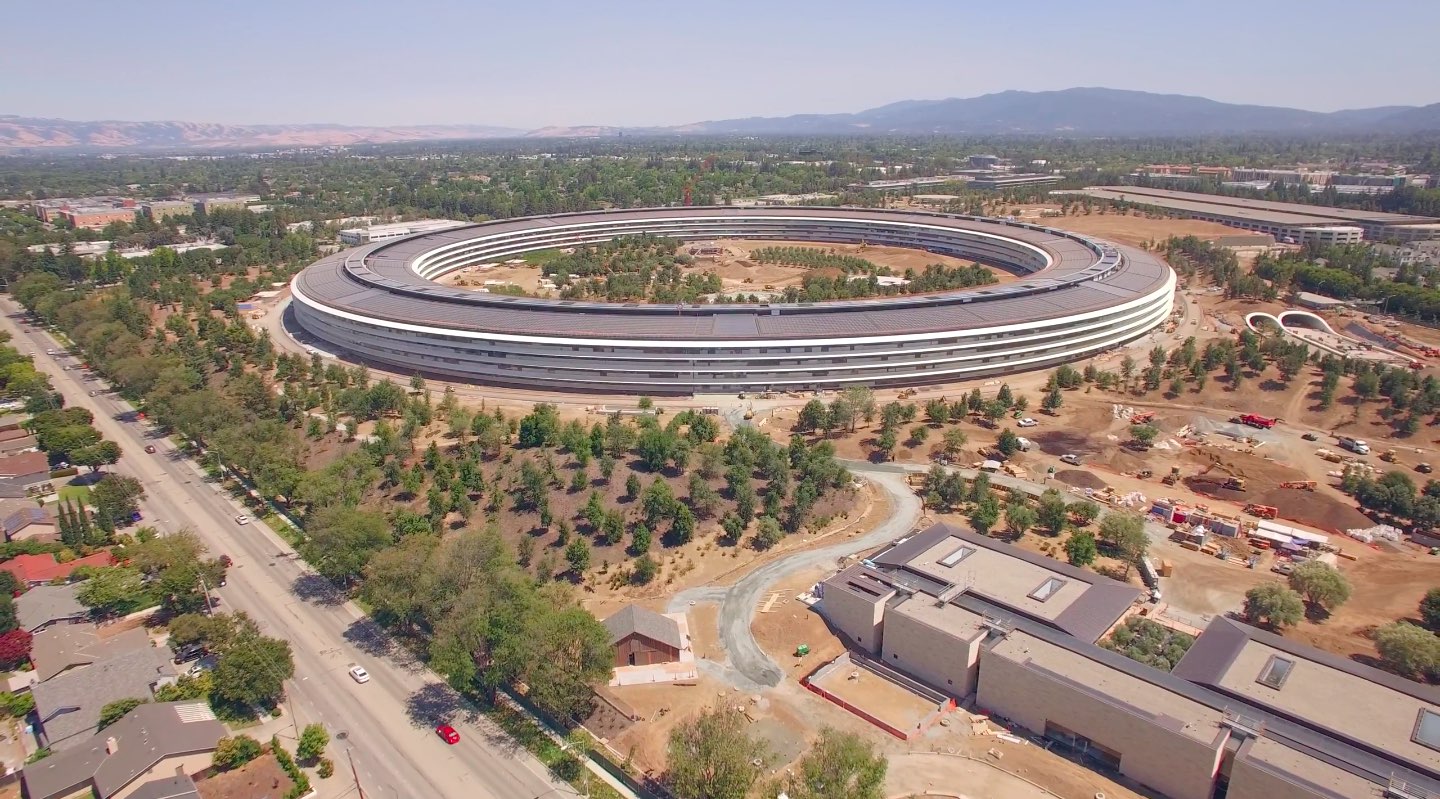
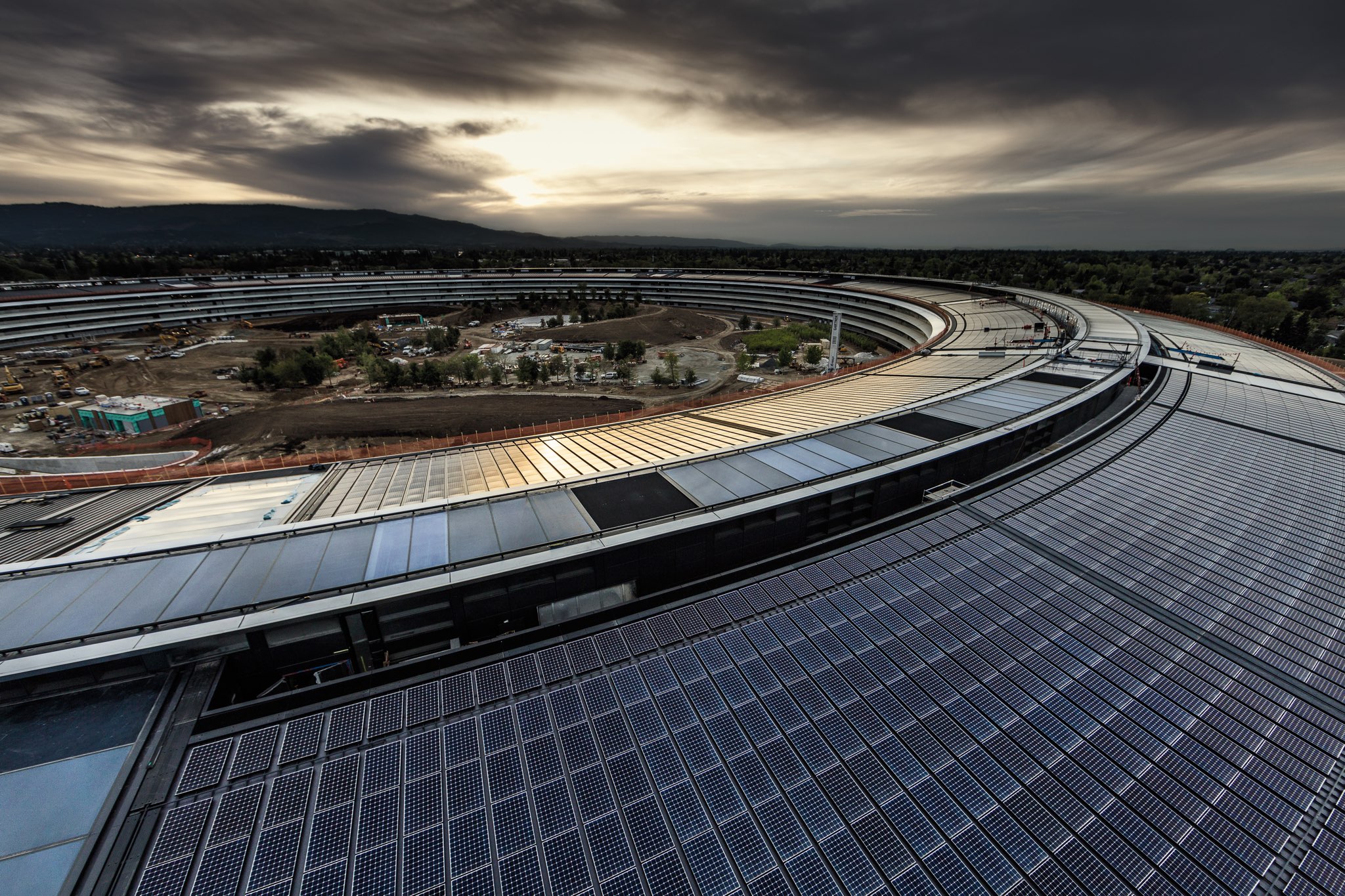
Today's aerial footage showing construction progress at the Apple Park site may be one of the last videos of the massive headquarters because Apple is reportedly cracking down on drone pilots in the area. AppleInsider has learned of the existence of a dedicated security force at the site with the sole mission to halt these flyovers.

“Another drone pilot claims that they were stopped by a hired security guard who has the express purpose of shutting down drone flights over the campus,” said the publication today.

Apple Park is not currently listed as a no-fly zone by the U.S. Federal Aviation Administration.

The publication notes that FAA guidance requires drones to keep 360 feet away from structures, with pilots required to maintain visual line-of-sight to the drone at all times.

“Apple could have an avenue for restrictions, if they can demonstrate that the drones are causing a nuisance, or are violating one of California's privacy laws,” reads the article. “Drones landing or being flown from private property can result in a trespassing charge.”

Today's video from videographer and drone pilot Matthew Roberts offered a closer look at the nearly finished visitor center that will host an Apple Store and a cafe open to the public.

https://www.youtube.com/watch?v=VwxQnI98CKw

The historic Glendenning Barn has now been reassembled.

The video also offered a glimpse inside the entrance to the 1,000-seat underground Steve Jobs Theater, where Apple will unveil future products.

The glass auditorium is 20-foot tall and 165 foot in diameter.

Landscaping work at the site continues with additional trees being planted inside and around the ring-shape structure with each passing day. By the way, the final tree count is expected to approach 9,000. Also of note, the manmade pond appears to be nearly ready for water.
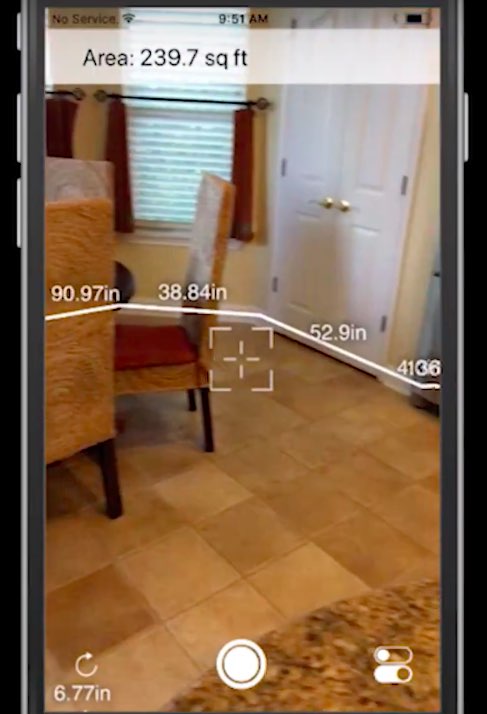
ARKit demo: accurate room measurement in augmented reality

If the augmented reality (AR) tape measure app we recently featured has gotten you excited for the possibilities that Apple's ARKit framework brings to developers, you're wholeheartedly recommended to watch this video demonstration of an upcoming ARKit-driven app that will let you take precise room measurement by pointing your iPhone's camera at the corners.

The app will help generate 3D models and automatically calculate the footage for the user. It's a really cool-looking demo and I can't wait to try this app out when it releases.

Watch the demonstration video below.

https://www.youtube.com/watch?v=iw9MPZoPqCQ

The app was created by a company called Smart Pictures, which provides the Measurement Cloud system that enables dimensioning intelligence for the interior world.

Here's a recent ARKit-powered tape measure demo that set the Internet on fire.

https://www.youtube.com/watch?v=z7DYC_zbZCM

This level of precision is made possible by ARKit's accurate plane detection and reliable object tracking. On existing devices, the ARKit framework leverages data from on-board sensors and uses computer vision algorithms constantly analyzing live camera feed.

ARKit-driven apps should be even better on iPhone 8 because Apple's OLED iPhone is said to feature a dedicated 3D laser sensor on both its front and back for even better augmented reality features and faster, more precise autofocus.

Amazon to take on HomePod with more stylish, better-sounding Echo this fall

Amazon is working on the next Echo accessory that should feature significantly improved sound quality over the current lineup of Echo smart speakers, Engadget reported Thursday.

The gizmo will reportedly include “several tweeters” versus the one large tweeter and a woofer in the existing Echo. The company is also improving the new Echo's microphone technology, “though it's unclear how it's doing so.”

Current Echo devices have seven far-field mics, while Apple's HomePod has six and Google's Home has two.

Shorter and slimmer than the original Echo, which released two years ago, the next Echo will be more stylish than its predecessors thanks to rounded edges and a cloth-like covering.

Amazon is allegedly planning for a fall release.

Echo has been lauded as the best voice-activated speaker on the market in terms of AI and voice features, but with poor audio quality. That's in stark contrast to Apple's upcoming HomePod, which many reviewers praised for being the best-sounding smart speaker out there, even outperforming Sonos in terms of sound quality.

https://www.youtube.com/watch?v=5l_YjBiK7iM

With the next Echo, Amazon is clearly looking to close the gap with HomePod when it comes to audio quality and style.

HomePod features an array of seven horn-loaded tweeters, each with its own custom amplifier, a high-excursion woofer with custom amplifier, internal low-frequency calibration microphone for automatic bass correction and a six-microphone array for far-field Siri and room sensing.

The built-in A8 chip constantly analyzes the music being played through the speaker, as well as the room layout, to continually optimize audio quality using software-based features such as direct and ambient audio beam-forming and transparent studio-level dynamic processing.

HomePod is due to launch this December.

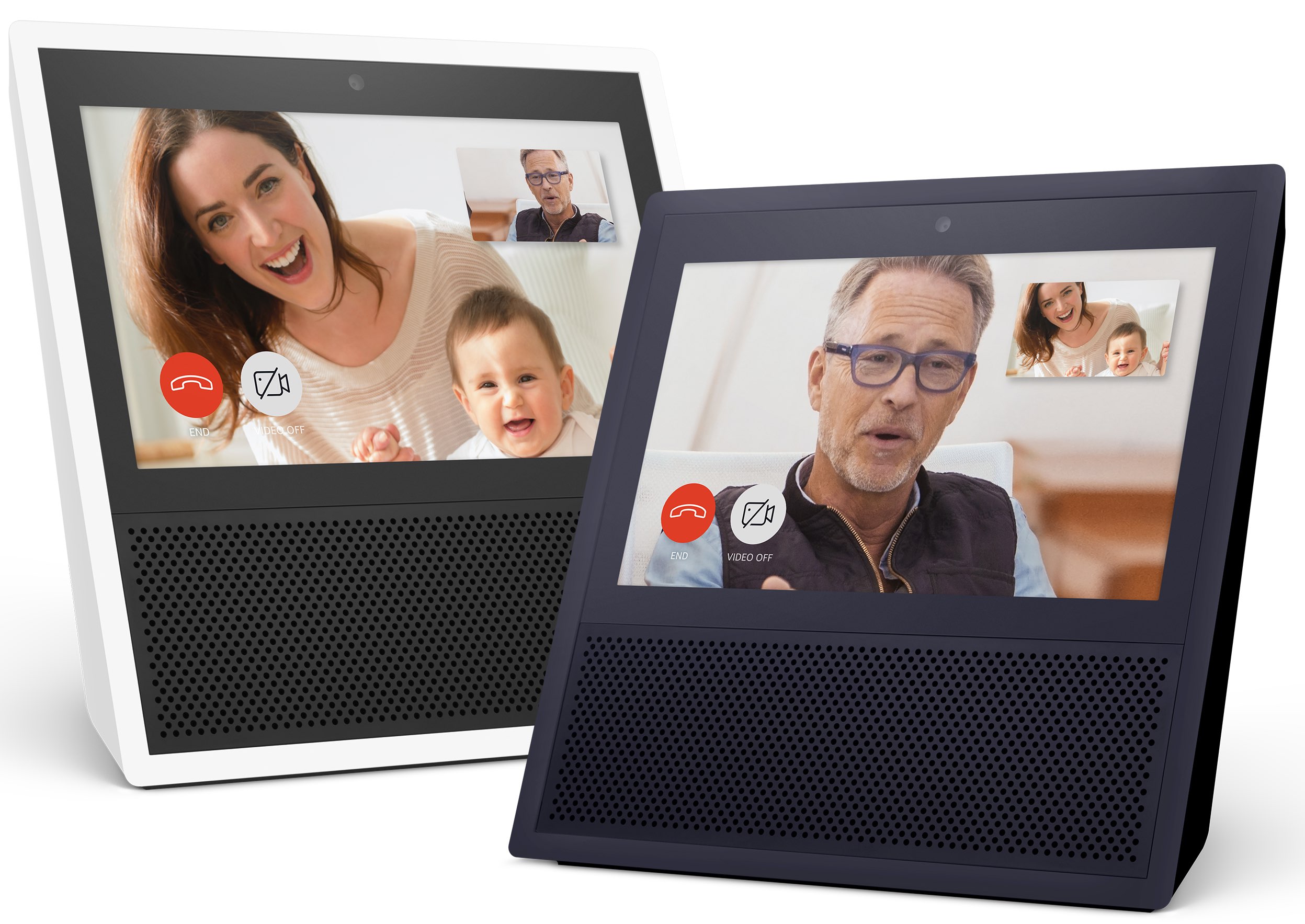
Image: Amazon Echo Show with a built-in display

iPhone 8 to use rear 3D sensor for better AR & autofocus, haptic feedback on side buttons

Fast Company is out with a new report that basically reiterates what Barclays and KGI Securities said before: that Apple's OLED iPhone will actually feature two 3D sensors, one on the front and the other out the back. In addition, the device could feature completely waterproof buttons on its side that respond with haptic feedback.

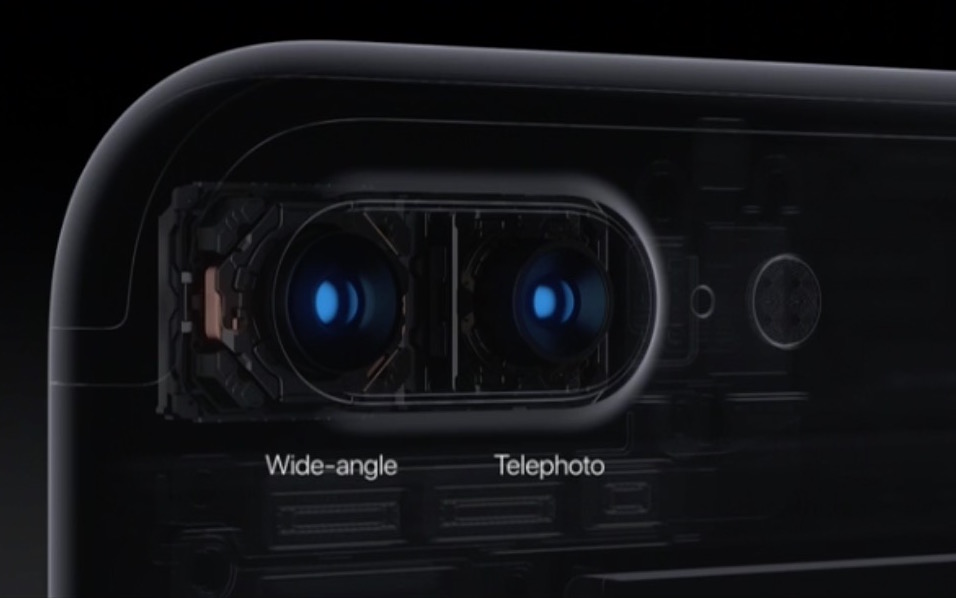
According to the publication's sources, the rear 3D sensor will help iPhone 8 provide improved camera autofocus and enhanced augmented reality features, likely stemming from even more accurate object tracking and better depth detection in ARKit-powered apps.

Like the front-facing 3D sensor, the rear one is said to use a vertical-cavity surface-emitting (VSCEL) laser system that also includes a lens, a detector sensor and a dedicated chip. The VCSEL system would map objects in 3D by calculating the distance the light travels from the laser to the target and back to the sensor, using so-called time-of-flight measurement.

Suppliers Lumentum, Finisar and II-VI will reportedly be providing the VCSEL lasers for the device. STMicro, Infineon or AMS should provide the time-of-flight sensor. Apple could buy the whole modular system from either LG Innotek, STMicro, AMS or Foxconn, added the source.

The system costs about $2 per phone, as per the publication.

The laser-based sensor will also enable a faster and more accurate autofocus than the phase detection autofocus used on current iPhones. That's because the dedicated rear 3D sensor will determine precise object depth by measuring the time it takes the laser light beams to bounce off objects and return to the sensor.

This will let iPhone 8 focus the camera lens on the desired object in milliseconds. Laser autofocus systems are already used in phones from Google, Huawei, OnePlus and Asus.

Apple Park visitor center taking shape, historic barn reassembled & more

Aerial videographer Matthew Roberts posted new birds-eye footage of the upcoming Apple Park corporate campus, showing that a visitor center is slowly but surely takin shape.

The historic Glendenning Barn that the company dismembered plank by plank has now been fully reassembled (it's adjacent to a 100,000-square-foot gym for employees).

Among other highlights: a closer look at the 1,000-seat underground Steve Jobs Theater where Apple will host future press and corporate events, additional trees being planted and more.

As for the visitor center, it will include an Apple Store and a cafe open to the public.

https://www.youtube.com/watch?v=VwxQnI98CKw

As you can see for yourself, a pond inside the ring-shaped structure looks nearly complete. If the large sheet is an indication, Apple may soon fill the pond with water.

Landscaping work will continue for a few months after the offices inside the main building have been completed. Since April, employees have been gradually moving into Apple Park.

Second public beta of tvOS 11 now available for Apple TV

Members of Apple's free Public Beta Software Program can now download and install a second public beta of tvOS 11 on their fourth-generation Apple TV. tvOS 11 public beta 2 has the same features as tvOS 11 beta 3 that was seeded to developers two days ago.

tvOS 11 includes minor improvements such as the ability to synchronize your Home screen layout across multiple Apple TVs via iCloud, automatic switching between Light and Dark mode based on local time, new background multitasking modes, notification support, custom sound support, layered image improvements, right-to-left language support and other tidbits.

To enroll in Apple's public beta program, sign in with your Apple ID in Safari on your computer at beta.apple.com. Now click the link “Enroll Your Devices” to get started.

Next, go to Settings → Accounts on your Apple TV and sign in with the same Apple ID that you used to register for the public beta program into at least one of the account options (iCloud, iTunes and App Store or Game Center).

Now go to Settings → System → Software Update and turn on the option labeled Get Public Beta Updates, then follow the onscreen instructions to complete enrollment.

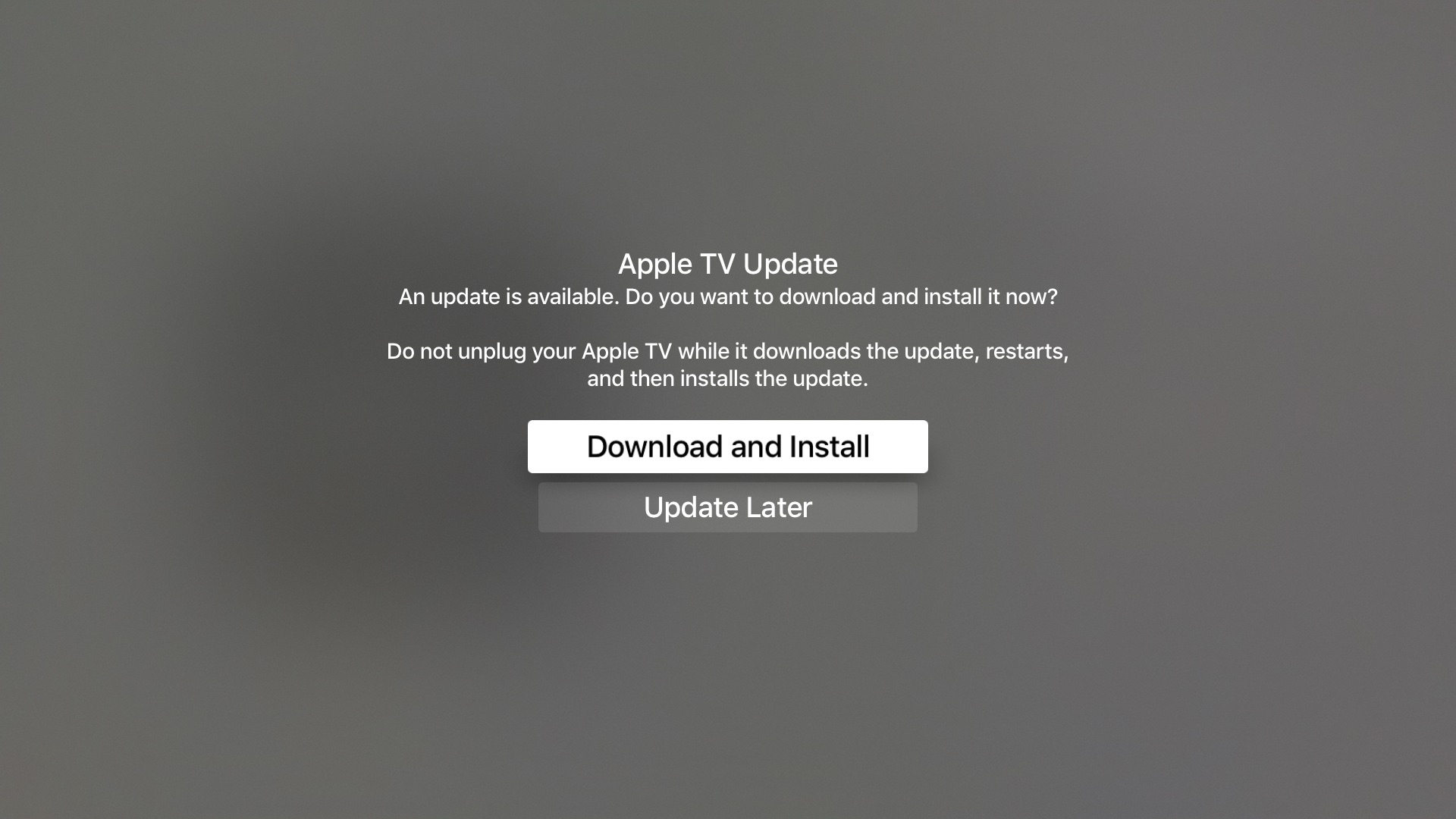
The Software Update mechanism on your Apple TV will put up a prompt when a new tvOS 11 public beta is available for download. To manually check for tvOS public beta updates, go to Settings → System → Software Updates → Update Software.

To submit feedback and report bugs to Apple, use the Feedback Assistant app on your iPhone, iPad or iPod touch with the iOS 11 public beta.

tvOS 11 will release for public consumption this fall.

Apple also released this morning second public betas for iOS 11 and macOS High Sierra. watchOS betas are currently unavailable for public beta-testing.

macOS High Sierra public beta 2 drops

Aside from releasing iOS 11 public beta 2, Apple this morning posted a second public beta for macOS High Sierra. It has the same features (and bugs) like developer-only beta 3 seeded to registered developers and members of the paid Apple Developer Program two days ago.

To install the public beta of High Sierra on your computer, sign up for Apple's Beta Software Program by signing in with your Apple ID in Safari on your Mac at beta.apple.com

Next, click the “Enroll Your Devices” link on the webpage to download the macOS Public Beta Access Utility, which will enable your computer to receive public beta software through the Software Update mechanism via the Mac App Store's Updates tab.

To check if your computer is enrolled in the beta program, open System Preferences and click the App Store icon. A message will appear saying "your computer is set to receive beta software update" if your Mac is enrolled in the program.

macOS High Sierra includes new features like the Apple File System, support for the new High Efficiency Video Codec (HEVC), also known as H.265, an updated version of Metal with support for VR applications and external GPU enclosures, Safari 11 with new anti-tracking features, support for flight status information in Spotlight, more natural voices for Siri and more.

FaceTime, Messages, Notes and other stock apps have been updated with various enhancements, including the Photos app which now has a new sidebar, curve-based editing and support for editing in third-party apps like Pixelmator and Photoshop.

High Sierra will release for public consumption this fall for supported Mac models.

Second public beta for iOS 11 is out now

Apple on Wednesday released iOS 11 public beta 2, which has the same features as a third developer-only beta that was seeded to developers two days ago.

Before it can be installed on your device, you must sign in with your Apple ID at beta.apple.com in order to enroll your iOS device to access the latest public beta of iOS 11.

Next, from your iOS device visit beta.apple.com/profile to download the configuration profile.

Follow the onscreen instructions to allow installation of the profile, which will permit your iOS device to automatically receive over-the-air public beta software updates.

Lastly, go to Settings → General → Software Update to install the public beta.

Screenshot via Joey Antonini

You're wholeheartedly recommended to perform a full iCloud or iTunes backup of the device before installing any beta software. Do not install the iOS 11 public beta on your daily driver.

Here's our overview of the changes in the iOS 11 public beta 2.

https://www.youtube.com/watch?v=bixdLWqPIvA

Subscribe to iDownloadBlog on YouTube

For the complete list of all the changes in iOS 11 public beta 2 and developer-only iOS 11 beta 3 (which, again, have the same features), check out our previous article.

iOS betas are typically riddled with bugs and various issues until a Gold Master candidate is released ahead of public launch. You've been warned—performance issues, crashes, battery drain and various other problems and hiccups are a commonplace with iOS betas.

Apple typically optimizes iOS for speed and power consumption close to launch.

To report any issues and bugs to Apple, use the included Feedback Assistant app. The iOS 11 software update will release to everyone this fall.

PayPal for Apple ID expands to 11 markets, now with support for Apple TV & Apple Watch

PayPal announced today that it's expanding support for App Store and other purchases made with Apple ID across Apple devices to eleven new markets, including the United Kingdom, Germany, France, Italy, Austria, Spain, Canada, Mexico, Israel and Australia.

The roll out began today in Canada and Mexico, with other markets including the US due soon.

Before today, the PayPal option was limited to customers in the United States with limited integration requiring a credit card on file with PayPal as a linked method of payment.

As part of an expanded partnership with Apple, your App Store purchases can be now deducted directly from your PayPal account. The new system provides a “secure and versatile payment method to meet the growing demand for digital entertainment,” in PayPal's own words.

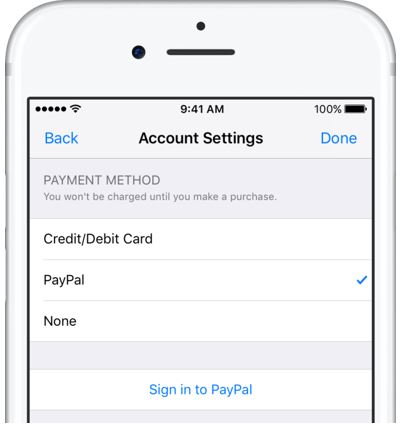
Adding PayPal as a payment method now works in the App Store, iTunes Store and iBooks Store apps for iPhone, iPad and iPod touch: just go to Settings → iTunes & App Stores, tap your Apple ID in the list and choose payment information to link PayPal with your Apple ID.

Previously, customers had to go through iTunes for Mac and Windows PCs to configure their Apple account for PayPal integration. Once PayPal has been selected, all future purchases with the customer's Apple ID will be automatically charged to their PayPal account, including:

Apps on App Store and Mac App Store Apple Music subscriptions Music, movies, TV shows, ringtones and more on iTunes Store Books on iBooks Store iCloud storage upgrades

As a bonus, the feature now supports PayPal's One Touch technology,

One Touch skips the PayPal login screen at checkout after the first use as long as you’re in the same device or browser. In other words, after buying something using your Apple ID from App Store and other stores, One Touch will skip the password field that PayPal normally requires.

More importantly, One Touch allows for simple purchasing from all Apple devices—including your Apple TV and Apple Watch for the first time—since you no longer need to provide your PayPal credentials for every purchase.

Both new and existing customers will be able to switch their account to use PayPal as the default method when the feature goes live in their market.

For more information on how to set up PayPal with your Apple ID account on your iOS device, visit paypal.com/ituneslaunch.

The best thing about using PayPal as a payment method on App Store and elsewhere is the fact that you can add credit cards to your PayPal account to use with your Apple ID without having to enter any financial details into your Apple ID account.

Fantastical for Mac gains attachment and travel time support, time to leave alerts & more

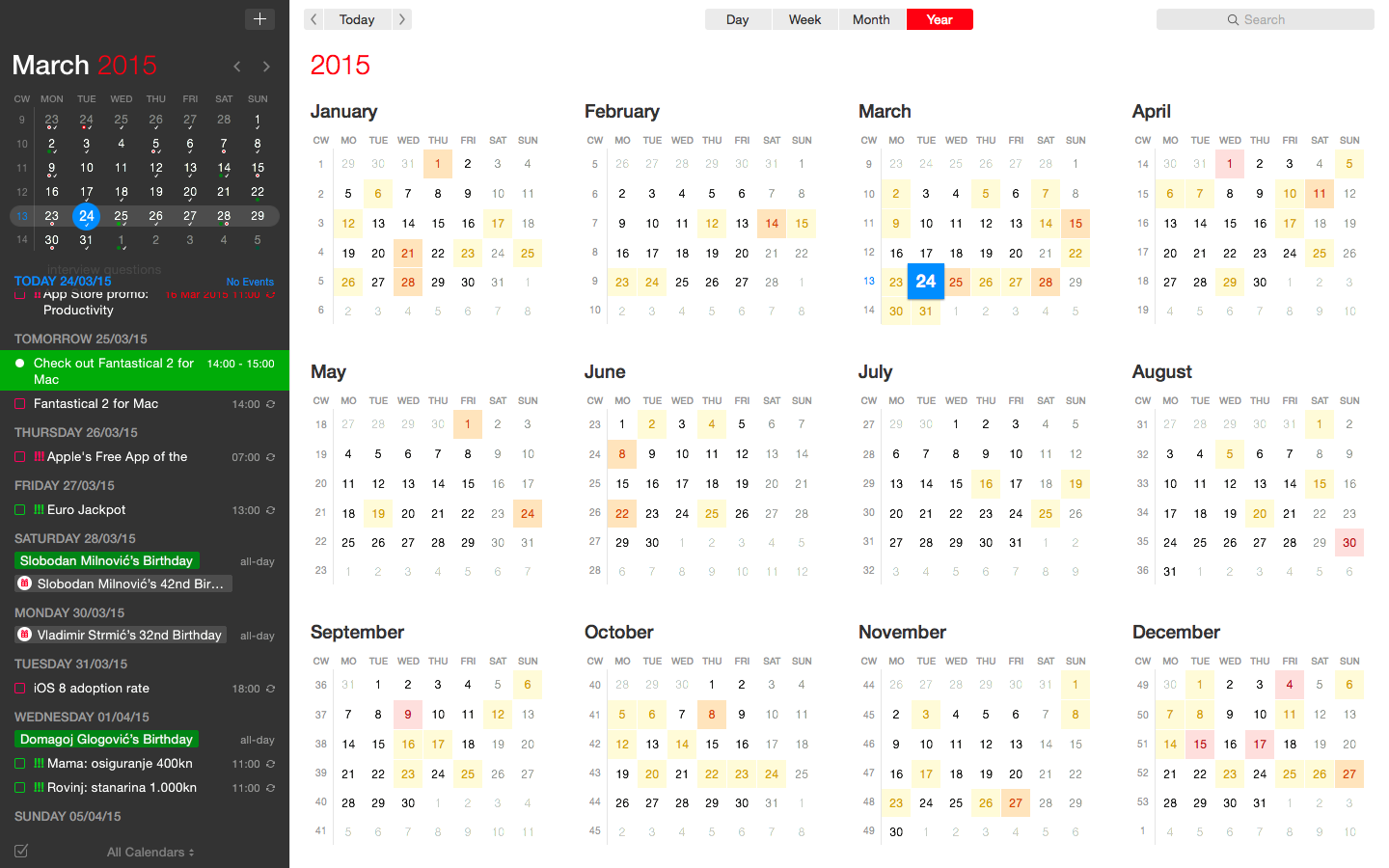
Developer FlexiBits today released a major update to the Mac edition of its award-winning calendar application, Fantastical, that you may be familiar with.

Version 2.4 brings a host of improvements, including new features like time to leave alerts, attachment support for iCloud and Exchange calendar events, undo/redo and more.

You can now view, create, and edit attachments on iCloud and Exchange (or view them on Google Calendar). With this feature, you can attach things like images, videos, Keynote presentations and other files to your calendar events.

The feature works on other CalDAV servers that support managed attachments.

https://www.youtube.com/watch?v=s2lJ5p8hd8A

Another new feature, aptly named Travel Time, allows customers to receive notifications when they need to leave to help ensure they reach an event on time. You can even define your own travel time so you can plan how long it will take to reach an event.

https://www.youtube.com/watch?v=_tVOwXgnipE

Fantastical 2.4 also improves invitation support for Google Calendar and Exchange with response messages, invitation guest count for Google, the ability to forward Exchange invitations and the option to respond to Exchange invitations without sending a reply.

TUTORIAL: How to create app-specific passwords for Fantastical and other apps

The app includes a bunch of refinements and under-the-hood fixes, like full undo/redo support for adding, editing, and deleting events and reminders, the ability to combine identical events that are on multiple calendars, to mention a few.

There's also a new More link in the Month view to show additional events and reminders, Facebook push updates are now instantaneous while new options in preferences at long last permit you to customize the number of weeks per month.

Have a look at everything new in Fantastical 2.4 for Mac.

https://www.youtube.com/watch?v=GZm3PWDBh5k

Last but not least, you can now forward invitations to other people on Exchange accounts, see the year of the anniversary for contacts and respond to an Exchange invitation without sending a message to the sender by clicking and holding the Accept, Decline or Maybe buttons.

Fantastical requires macOS El Capitan 10.11 or later.

Current users can get the update for free via the Mac App Store's Updates tab or through the in-app updater if the app was purchased directly from the Flexibits Store.

Fantastical 2.4 for Mac is $49.99 on Mac App Store.

A three-week trial is available via the Flexibits website.

Apple unveils 2017 Back to School deals: free Beats with select iPad Pro & Mac purchases

Apple on Wednesday announced its 2017 Back to School promotion for customers in the United States and Canada. Students, teachers and university staff members will get a free Beats Solo3 wireless headphones when they purchase an eligible Mac with education pricing, including the MacBook, MacBook Pro, MacBook Air, iMac and Mac Pro models.

If you opt for a 10.5-inch or 12.9-inch iPad Pro, Apple will treat you to a free BeatsX wireless earphones or you can pay $50 extra to get a Powerbeats3 in-ear headphones or $150 extra for the Solo3 on-ear wireless headphones.

The Solo3 headphones are a great choice because they contain Apple's W1 chip for more reliable connections, better sound quality and longer battery life compared to Solo2.

The 2017 Back to School deals area available to students enrolled in college, parents, teachers and faculty members. Verification is required at checkout.

Apple also recommends Back to School accessories such as AirPods, Apple TV and more.

Plus, students can take advantage of existing Apple Music deal with a monthly subscription available to eligible students half price at just five bucks per month, or sixty bucks per year.

The Back to School promotion for customers in Australia, New Zealand and Japan went live back in January. It offered an Apple Store credit in exchange for a qualified iMac, Mac Pro, MacBook/Air/Pro or iPad Pro purchase made from February 7 to March 16.