Music

‘Articon’ turns app icons into album art when playing music

Articon is a jailbreak tweak that can spice up your Home screen by adding album artwork on top of the now-playing music app. The album artwork used by Articon is the same artwork that appears in the app that you use to play music.

You might think that Articon's effects would be limited to the stock Music app, but that isn't the case. I was able to successfully have album artwork on my Spotify app, and even Amazon Instant Video—yep, it works with video playing apps as well.

If you're looking for a way to change up the look of your music or video app icons, then Articon is a tweak that might interest you. Have a glance at our video walkthrough inside for more information.

Apple said to be considering ‘dramatic’ overhaul of iTunes music store

Apple is considering the most dramatic overhaul of its iTunes music store in more than a decade, according to a new report by Billboard. Citing sources familiar with the company's deliberations, the outlet claims Apple is actively looking for ways to combat declining music downloads.

We saw a similar report from Billboard last month, which claimed that the Cupertino firm was mulling over an Android version of its iTunes store, as well as an on-demand streaming service of sorts. It's clear that Apple is facing increasing competition from Spotify, Rdio and other services...

The best apps for learning music

I’ve been actively playing music in a variety of bands for the past 17 years. I taught myself everything I know. I’m far from being an expert or professional, but I can hold my own against other musicians.

I would have loved an iPhone or iPad when I was learning how to play music. I probably would have progressed a lot faster, and might even be more competent than I am now.

For those potential musicians or secret rock stars out there, we’ve got a list of apps that are geared toward learning your instrument. We believe these are some of the best apps for learning music. Have a look at our selection and add to it if you think we've missed something...

How to add now-playing details to the iPhone’s status bar

PlayMe is a super simple jailbreak tweak with one goal in mind—it allows you to add now-playing information to the iPhone's status bar, such as album artist, and song title. PlayMe works well with the stock Music app, but it also plays nice with third-party applications like Spotify.

As you play music, PlayMe will rotate between the album artist name and the name of the song repeatedly. There are no options to configure to change the way the tweak displays the now-playing text, it's totally an install and go affair. Have a look at our video walkthrough after the break for a closer look into how PlayMe works.

Spotify updated with major redesign and other improvements

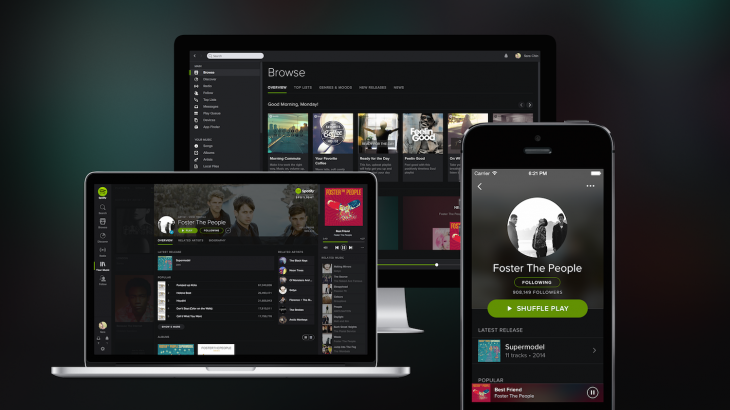
Good news for Spotify users this morning: the streaming music service has delivered a much needed redesign to its web, iPhone and desktop clients. The new look brings the apps more in line with competitors like Rdio, and establishes a single identity across all platforms.

The redesign comes to the iPhone (it doesn't look like it's on the iPad yet) by way of the version 1.0 update. It's much darker than before, and features trendy effects like blur and rounded iconography. Spotify has also made a handful of performance and stability improvements....

How to disable “Cover Flow” in the iOS 7 Music app

The traditional Cover Flow feature that's been a staple of the Music app for many years was finally retired in iOS 7. It was replaced with a cool new album art view that appears when placing your device into landscape orientation.

While the new-fangled Cover Flow view (I'll just call it Cover Flow for lack of an official name) is pleasing to the eyes, some may find it to be an annoyance at best and a hinderance at worst. Needless to say, its usability is questionable, and it arguably places style over substance and convenience.

With that being said, there is a way outright prevent the Cover Flow view from being displayed when placing your device in landscape mode. The solution to the problem is a new jailbreak tweak entitled NoCoverFlow7.

Shazam revamps content pages, introduces scrollable lyrics, enhanced Rdio support and more

Friday, music discovery engine Shazam has refreshed its iOS apps with some fine new features, starting with a brand new track page design and a new look and feel for video, album, track reviews, artist bios and other pages.

"Many" (but not all) song lyrics will now scroll in time with the music, a handy feature if you're singing along a song trying to remember the lyrics.

Shazam last December added the ability to listen for songs and television shows in the background, tagging them automatically.

Background listening can negatively impact your battery so you'll be delighted to learn that the new Shazam 7.5 apps are more power friendly "so you don’t need to worry about your battery life while it’s running."

Both the free, ad-supported Shazam and the paid Shazam Encore have been updated with these changes...

Drag and drop iTunes tracks to Google Play Music using new Chrome lab feature

Google's official Play Music app lets you access both Google’s subscription-based All Access and standard music services on your iPhone and iPad, but Apple-imposed restrictions prevent your iOS device from actually uploading song files to Google's music locker in the cloud.

Desktop users can upload their music using Google's Music Manager application for Mac and Windows PCs, but now there's a ridiculously easy way of adding those iTunes tracks to Google Play, using only the Chrome browser.

Now available in the Labs section of the Google Play Music web interface, and only on the Chrome web browser, this nicely done web app lets you upload individual tracks to the cloud literally by dragging and dropping them from iTunes, Windows Media Player or folders...

Twitter pulls #music app from the App Store ahead of April 18 shutdown

Twitter will discontinue its #music app on Friday, April 18. Conveniently, April 18 marks the app's first (and obviously last) anniversary. Yup, Twitter #music is officially dead. As part of the move, the micro-blogging startup has already pulled the free iPhone and iPad application from the App Store.

Whenever a piece of software gets removed from the App Store, it becomes unavailable for download or re-download so folks who plan on continuing to use the music discovery app have better backed it up in their iTunes library on their computer.

If you only keep Twitter #music on your iOS device, transfer it to desktop iTunes by connecting your device to a computer and choose the Transfer Purchases option nested under iTunes' File > Devices menu...

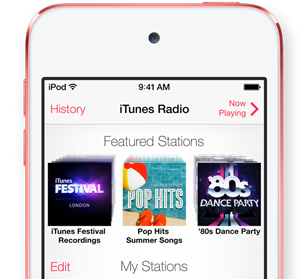
iTunes Radio is getting NPR’s streaming news channel today

National Public Radio (NPR) is adding the first streaming news channel to Apple’s free iTunes Radio service, Re/code just reported.

The unexpected development marks the official branching out of iTunes Radio, which debuted last September as a music-only streaming service available on Mac and PC desktops as well as on the iPhone, iPod touch and iPad devices.

When NPR’s new channel goes live later today in iTunes Radio, Apple users will be able to tune in to a free stream offering 24/7 mixes of live news with segments from pre-recorded shows such as 'All Things Considered' and 'The Diane Rehm Show.'

But the good news doesn't stop here. Read on for the full reveal.

UPDATE: NPR's channel is now live in iTunes Radio...

iOS 7: The ultimate Music app guide

The Music app is a stock application that comes preinstalled on all iOS devices. It's the primary way for playing music on the iPhone, iPod touch, and iPad. With iOS 7.0, a new feature was baked into the stock Music app called iTunes Radio. iTunes Radio is an ad-supported service that allows users to browse more than 250 curated stations. Users can also create and build their own stations, which feature Pandora-like customization over time.

The stock Music app has endured significant changes over the past few years. The Music app was once exclusively relegated to the iPod touch, with iPhone models offering an "iPod" app as a means to play music and watch videos. Eventually, with the advent of iOS 5, the iPod app was broken-up into separate Music and Video apps for the iPhone line, unifying the stock Music app presence across all iOS hardware.

While there are many ways to play music via third-party apps on iOS, the stock Music app is the only music application that's closely integrated with iTunes and allows you to use the iTunes Match iCloud-hosting service. There may be benefits to other apps like Spotify, but no app is as tightly intertwined with the rest of iOS as the stock Music app. With that in mind, please take a look inside, as we break down the many facets of this ever-growing and ever-changing stock application.
Apple considering iTunes for Android, on-demand streaming service

Apple is contemplating launching an iTunes app for Android devices to bolster its digital music sales, according to a new Billboard report. The company is also said to be in exploratory talks with senior label executives about rolling out an on-demand streaming service that would rival Spotify and Beats Music. These two moves are part of a broader strategy that would help the Cupertino-based company combat double-digit drops in iTunes downloads in the United States…