Mail App

‘Sparrow Plus’ now available on Cydia

[tube]http://www.youtube.com/watch?v=8AfGbZv7gQM[/tube]

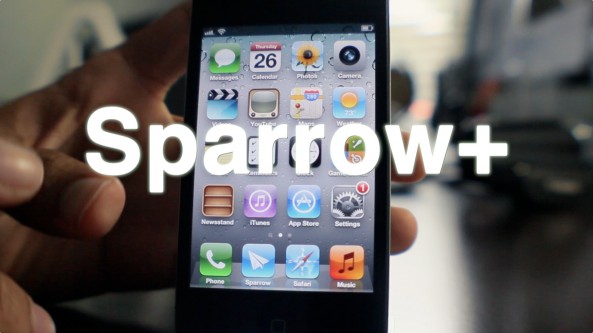
Sparrow+ — the jailbreak tweak that allows you to set Sparrow as the iPhone's default mail client, along with enabling push notifications — is now available on Cydia.

Sparrow is the 3rd party email client that has proved to be a popular alternative to the stock iOS Mail app, despite some glaring shortcomings.

You can download Sparrow+ for free from Cydia's BigBoss repo starting today. You can also download the Sparrow iOS app for $2.99.

Once you give it a try, be sure to share your thoughts on the combo in the comments section.
Make Sparrow your iPhone’s default mail client with ‘SparrowPlus’ [Updated]

If you remember my Sparrow review, I said it was a great app that was marred by a few missing features — namely: push notification capability, and the ability to make Sparrow the default Mail app.

In due time the folks at Sparrow will undoubtedly solve the push notification issue, and a few enterprising iOS jailbreak devs have already taken the liberty on that issue as well.

One feature that's not so easy to implement is making Sparrow iOS' default mail client. In fact, unless Apple does a virtual 180 on its current stance, this will never be a feature of Sparrow, or any other 3rd party Email app for that matter.

The only hope to implement such functionality rests with the jailbreak community. In fact, I reached out to iOS developer Majd Alfhaily yesterday, and he graciously accepted my request for such a feature in his upcoming jailbreak tweak coined: Sparrow+.

Want to see it in action? Have a look...

Sparrow for iPhone updated, developers say push coming soon

Sparrow, once only a third-party email client for the Mac, landed on iOS last month with a splash. The $2.99 software provides users with an excellent alternative to the native Mail option.

Well the app received an update today, bringing it to version 1.1. It includes a handful of new additions and features, and the developers say that more is on the way...

Browse through your email more efficiently with Swipe for Mail

If implemented correctly, swipes and gestures can make all your tasks on the iPhone seem far less tedious. That's why Cydia packages like Activator and App Store apps like Clear are so popular.

Now, folks with jailbroken devices can add swipe-based navigation to their stock Mail app, with Swipe for Mail. The tweak enables you to browse through your inbox by swiping across your screen...

iEagleEye Adds Extra Image Options to Safari And Mail

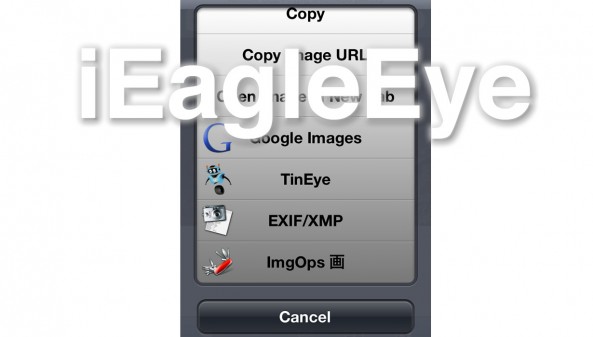
The image selection menu in Safari and Mail just got a lot more interesting. iEagleEye is a jailbreak tweak that adds a numerous amount of new options to image selection — options such as Google Images, opening in new tab, copying the image URL, and more.

If you're looking to make your iOS experience more like a desktop experience when it comes to images, then you might want to give iEagleEye a look.

AllMail: Add Mass Mail Options to the Stock Mail App

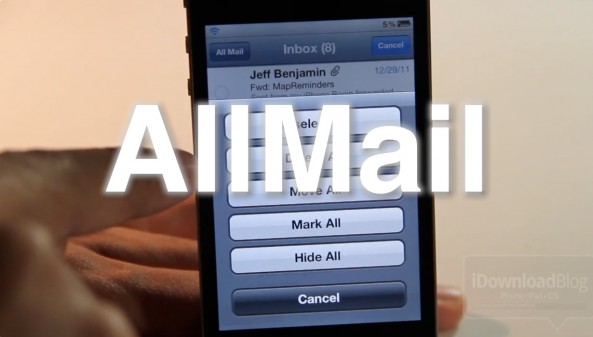
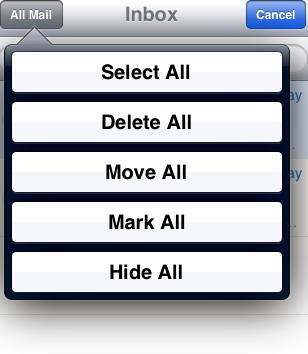
AllMail is a jailbreak tweak that adds a variety of "mass edit" options to the stock Mail app. For instance, you can select all, delete all, and even hide all emails in one swift motion.

Although iOS 5 has brought some improvements to the Mail app, it's still a lot better when accompanied by jailbreak tweaks like AllMail and others...

Easily Sync Your iPhone Contacts With Gmail Using “Contacts Sync for Google Gmail”

Are you one of the thousands of users who have transitioned their entire online ecosystem into Apple's iCloud? Did you stop syncing your contacts with Gmail in order to sync with iCloud? Do you want to maintain your address book with iCloud and have the same address book in Google Contacts?

Now you can with a paid application called Contacts Sync For Google Gmail...

SemiTether Jailbreak Updated For Stability

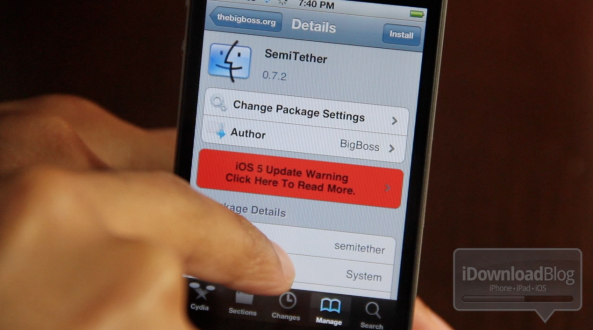
The popular SemiTether jailbreak was updated to v0.9.1 this morning, and it's quite the update.

Working with Saurik, the team was able to fully incorporate the new mobile substrate, which allowed them to get rid of the daemon patching and restarting.

Mobile substrate now does all of the heavy lifting when it comes to the SemiTether. There's even an option to patch Safari to work in non-jailbreak mode now.

Perhaps most importantly, the new version of SemiTether will protect your iOS 5 Notification Center plugins...

How to Mark Multiple Emails as Read in iOS 5

For the past few weeks, we've been showing you how to access some handy features in iOS 5. We've shown you how to create text shortcuts, and how to look up word definitions using iOS' system-wide dictionary.

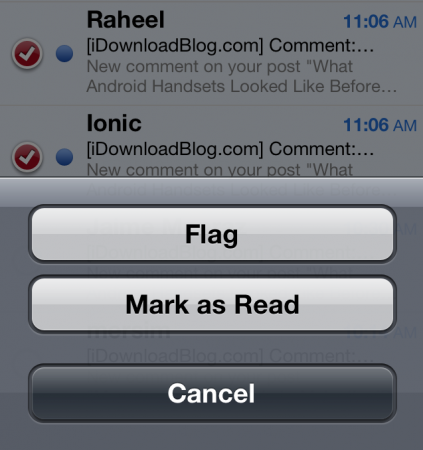
Now we're going to show you how to mark multiple emails as read in iOS 5. This wasn't something you could do before in iOS 4 without a jailbreak tweak, but it's easy to do in the latest version of Apple's mobile OS...

SmartFolders Lets you Create Folders and Rules for Mail App

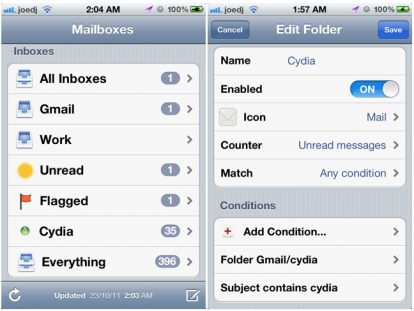
Even with all the improvements Apple has made to the iPhone's Mail app in iOS 5, there are still some glaring omissions, especially if you're the kind of person who likes to create folders and have them populated based on a selection of rules.

Smart folders are something that Apple has embraced on the desktop, with Mail on OS X featuring them heavily, which makes it all the more surprising that they haven't brought them to its mobile platforms.

As always, the jailbreak community has some to the rescue, and SmartFolders is just what the doctor ordered...

AllMail Brings Better Mail Management to iOS 5

If you purchased Delete Mail or Mark Read for your iDevice, you may have noticed that neither extension is compatible yet with the new Mail app in iOS 5. The iOS 5 update brings new mail management features to your device, but “Select All” is nowhere to be found.

Many of us with large email inboxes are very wary of manually selection multiple emails to apply Mail actions. Simply put, it is very disappointing that neither Mark Read or DeleteMail have received iOS 5 updates yet.

Thankfully, a new jailbreak tweak has been released to solve your massive message management woes. Most of Cydia's recent activity has been centered on compatibility updates, but some game-changing newcomers have been appearing in the updates. Enter AllMail...

MailKeyboardHide De-Clutters Your iPhone Compose Screen

Just last month we told you about SMSHideKeyboard, a jailbreak tweak that brought iOS 5-like SMS keyboard hiding to the jailbreak scene.

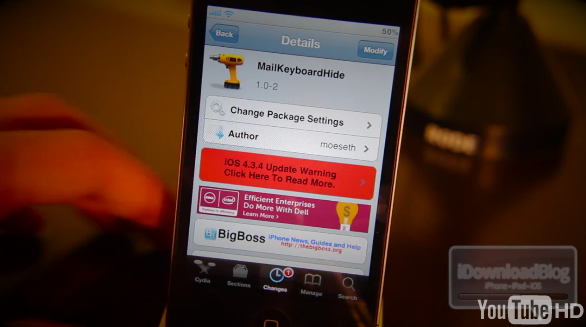
Today we have a similar tweak, but one that has a trick up its sleeve. Going by the name of MailKeyboardHide, this slight variation of SMSHideKeyboard offers the ability to hide the iPhone's keyboard during the composition of emails.

And it also does more than that...