Mail App

‘HiddenMail’ Hides Your Email Accounts from Prying Eyes

Between being a handheld gaming device and portable media player, iDevices get passed around a lot. This can leave personal information exposed, such as, pictures, messages, and of course emails.

While there are already ways to password protect your device, this new jailbreak utility removes the hassle. For folks who are particularly concerned with privacy when it comes to their email, here's HiddenMail...

New in iOS 5: Flagging Email in Mail App

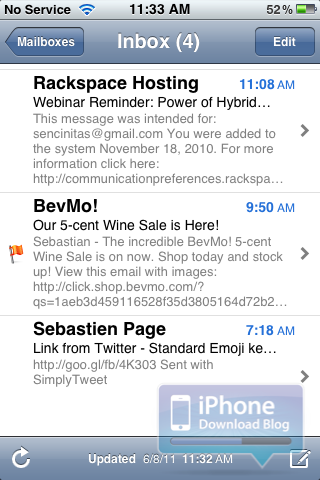
If you've been looking for a more elegant way to mark your email in Apple's Mail app, iOS 5 may have what you're looking for. In iOS 5, you now have the ability to "Flag" messages in the Mail app as important. The flags can be used to access certain emails for quick reference, or show you what messages are the most important to you.

Mail App Gets Rich Text and Other New Features in iOS 5

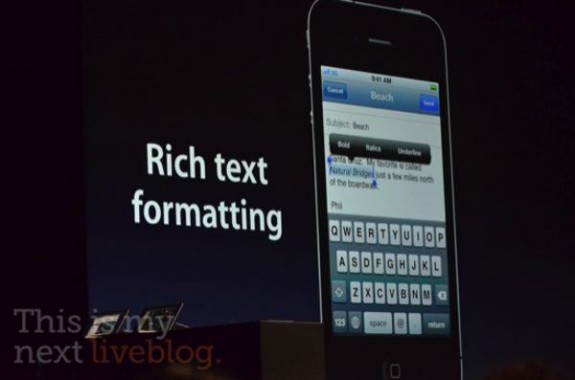
The new features keep pouring in as Scott Forestall, the man behind iOS, announces update after update in the new iDevice software. While we knew that a new notifications system and other revamps were coming, not much was said about the iOS Mail app.

There wasn't really anything wrong with the previous version of the iOS Mail app, but it did leave a couple of things to be desired. Apple must've gotten wind of jailbreak tweaks like Rich Text for Mail, because they just included it and other features in iOS 5...

Customize Your Emails With Rich Text for Mail

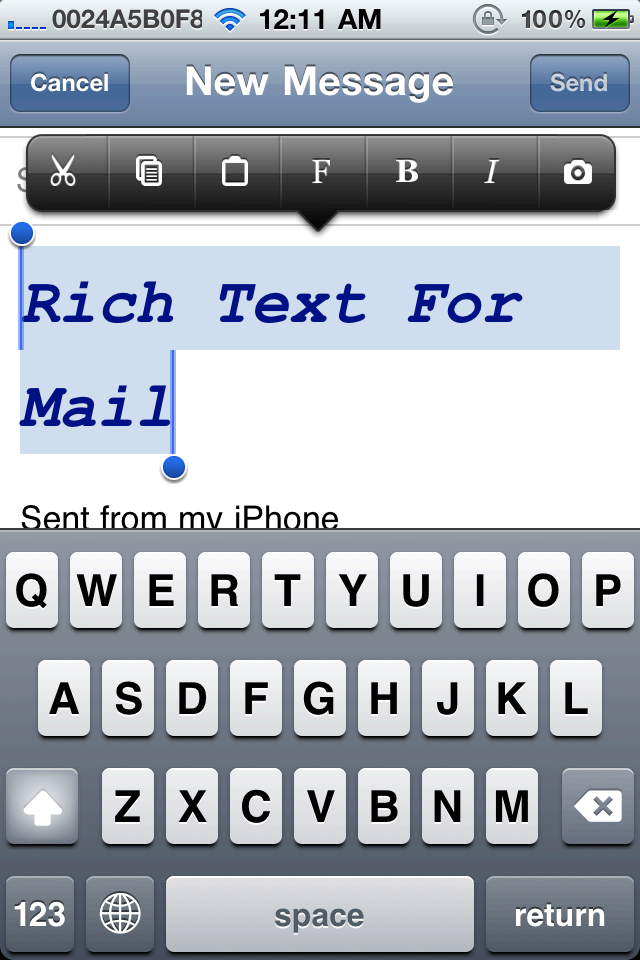
Another day, another reason to jailbreak your iPhone and customize it to the fullest. The latest jailbreak tweak is called Rich Text for Mail by well-known iOS developer Ryan Petrich (@rpetrich).

Rich Text for Mail enables you to compose and reply to emails using custom fonts, colors and styles. That includes adding format, bold, italic, strikethrough, underline and image items to Action Menu. The app works in conjunction with Action Menu, so there are no additional buttons or apps added. Best of all, it adds all these customization tools to the stock iPhone Mail app...

DeleteMail Tweak Makes Clearing out Your Inbox Easy

The iOS Mail app is fairly straightforward. It houses all the basic functions of a standard email client, along with some nifty Exchange options. However, there is certainly room for improvement.

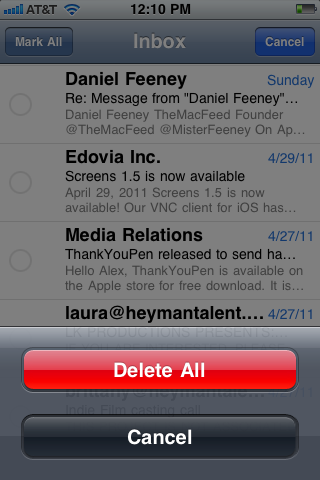
One of the main features missing is the ability to delete multiple emails quickly. If you have 1 or more inboxes that sees 100+ emails daily, you know what a pain it is to go through and select each message one at a time to delete them. Luckily, Cydia now has a tweak for that...

Yahoo! Finally Fixes iPhone IMAP Data Leak

I am a devoted Gmail user, and have been for a long time. I had a Yahoo! Mail account years ago. I switched over to Gmail because at that time, I couldn't sync my Yahoo! Calendar to my newly purchased iPhone. Even though the calendar issue has since been remedied, they keep giving me good reasons to stay away.

Earlier this year, a report claimed that Yahoo! Mail was the cause of false data usage by smartphone users. In the land where the unlimited plan is becoming more extinct, this could possibly amount to hundreds of dollars in overage fees. The study noted that Apple iPhone and Windows Phone users were among the most affected...

Attention to Detail: How the iPhone’s Mail App Decides to Show New Email

This one can be filed under "incredibly specific." The question is simple: What happens when a new email arrives in the iPhone's Mail app?

That question may sound ridiculous at first. You may immediately say, "Of course I know what happens! I get a new email! Isn't it that simple?" But do know what really happens? How does Mail.app decide to deliver email?

The design of Apple's Mail app is proof that it's all about the details...

Fake Your Indentity with FakeMail for iPhone

Want to trick a friend by sending him an email from a fake sender, now you can, with FakeMail. This new application available in the App Store will help you send emails from a fake sender and fake email address.

Perfect to play pranks on friends! I can only imagine my friend's face if I sent him a fake email from his boss telling him he's fired! Well, you get the idea of the app. Playing tricks to your friend has a price though. In this case, the FakeMail application will cost you $.99 in the App Store...

mBoxMail Lets you Access your Hotmail with an iPhone App

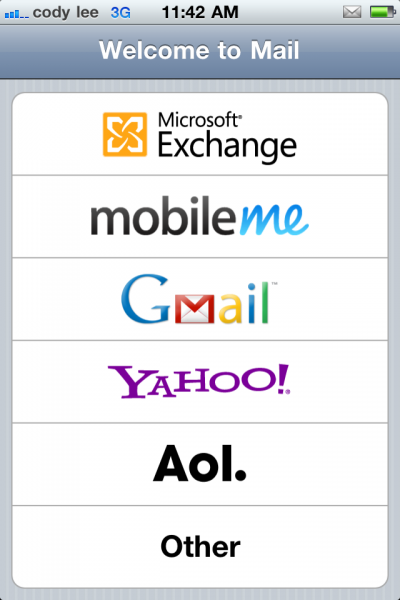
I have a Hotmail Plus account so I have been able to access my hotmail account on my iPhone but I couldn't access my folders and I had to go back to the web interface to permanently delete my mail.  It was an okay solution so that I could at least read it on the go, but nFluent just came out with a new app mBoxMail [iTunes Link].

I installed it yesterday and I love this app. It is a bit pricey at $9.99 but I have to say that I didn't even hesitate to buy it. It is very easy to setup and very intuitive and straightforward to use.

nFluent created a short demo on their web page so you can see how it works.

Here are the features of the software according to nFluent's website:

Security In today's world, your information is only as secure as your email account. There is no middle man with m•Box Mail. This application speaks directly to the Windows Live Hotmail servers so you do not have to worry about your confidential information getting stored elsewhere. Your email, user name and password are not stored outside your mobile device. Passwords are securely kept in iPhone’s key store so they do not get into the wrong hands.

Sync your Hotmail and Live Mail Sync your Microsoft Hotmail or Live Mail to iPhone, including all the read and unread flags. All your folders also are available through m•Box Mail so you can stay organized even while on the go.

Fast and Efficient m•Box Mail is highly optimized for mobile platforms so access to your email is the best possible experience. For example, you will be amazed at how fast your email is synced onto your iPhone.

Attachments View emailed image attachments right on your iPhone.

Hotmail Contacts All your Hotmail contacts are available so addressing an email from your iPhone is now as easy as doing it from your computer.

Send from Hotmail m•Box Mail supports sending email from your Hotmail account. Your signature also can be customized on your iPhone for outgoing messages, and you can edit your sent messages folder – keep email for review or delete them as wanted.