Mac

Stay up-to-date on the latest Mac news, and tutorials. Get expert tips and tricks to optimize your Mac’s performance and learn about the latest Apple products and software updates. Discover the best Mac apps and accessories to enhance your user experience.

How to remove the Macintosh HD icon from the desktop on Mac

Remove the Macintosh HD and other hard disk icons from Mac desktop

Neat freaks like me like to keep the desktop of their computers free of any clutter. That includes files, folders, and of course, the Macintosh HD icon. As a matter of fact, removing the Macintosh HD icon from the desktop is one of the first few things I do when setting up a new Mac.

Although pretty simple to do, hiding that icon is not very obvious to less tech-savvy people. So in this post, I will describe how to remove the Macintosh HD or the hard disk/SSD icon from the desktop on your Mac.

AirBar accessory that brings touch to your MacBook Air is now available

AirBar, a cool Mac touchscreen accessory that was announced at the Consumer Electronics Show in Las Vegas in January 2017, is now available to purchase for $99 at Fry's Electronics, Evine.com and other retailers in the United States, its maker Neonode announced Tuesday.

The product will also launch through Amazon, Best Buy, Staples and other online outlets.

AirBar is basically a touchscreen sensor in the form of a USB laptop dongle that brings familiar touch gestures to your thirteen-inch MacBook Air. It uses an invisible light field projected on the surface of the MacBook Air's display to detect objects like a finger or stylus.

When an object breaks the light, the accessory is able to detect its precise position and distinguish between gestures like tapping, swiping, scrolling and pinch-zooming.

https://www.youtube.com/watch?v=d-4fFaWLnlQ

Remo Behdasht, Senior Vice President of AirBar Devices at Neonode, said:

We’ve seen an overwhelmingly positive response from the Apple community since our big debut of AirBar for MacBook Air at CES this year. Other Apple devices, such as the iPhone and iPad, have helped consumers become accustomed to a range of touchscreen products for several years now.

It’s a natural progression for MacBook Air to have touchscreen capabilities, and we are thrilled to provide Apple enthusiasts with this completely new way to interact with their MacBook Air notebook.

Neonode’s patented zForce AIR technology lets you use anything from a gloved finger to a paintbrush to interact with the MacBook Air's screen, ideal for scrolling through emails, reading e-books, zooming in on images and more.

The product is plug-and-play though support for additional gestures requires the installation of the AirBar multitouch software. AirBar does not support other Mac notebook models because it needs 17mm of free space below the display.

For more information, visit www.air.bar.

Here are some of new emoji coming to iPhone, iPad, Mac and Apple Watch later this year

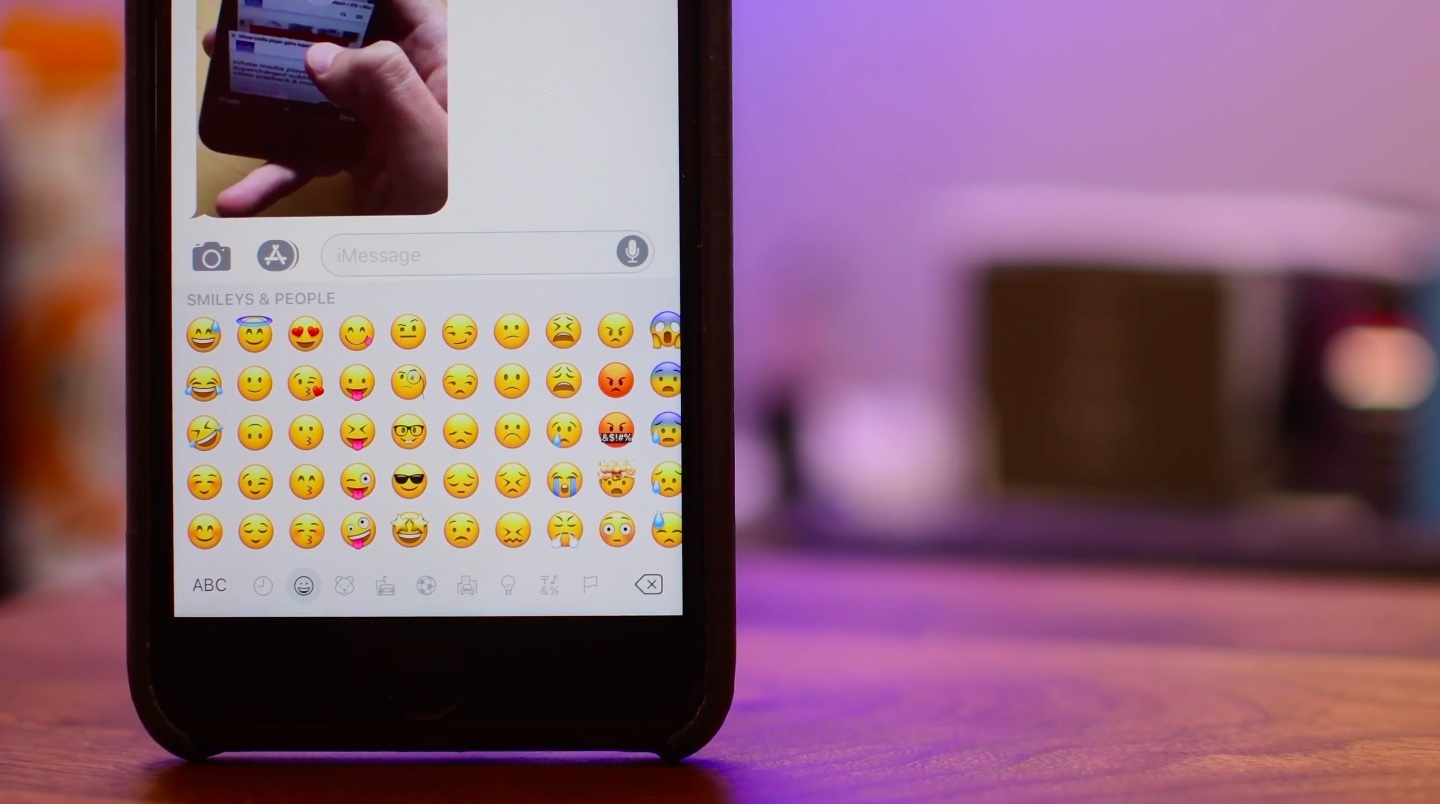
Celebrating World Emoji Day on July 17, Apple on Monday previewed some of the new emoji coming to iPhone, iPad, iPod touch, Mac and Apple Watch later this year.

They include a woman with a headscarf, a bearded person and breastfeeding, as well as various new food items such as sandwich and coconut.

“More animals and mythical creatures like T-Rex, zebra, zombie and Elf are a fun way to describe situations and new star-struck and exploding head smiley faces make any message more fun,” said Apple.

The aforementioned emoji are coming to iOS, macOS and watchOS later this year as part of the 56 new emoji recently unveiled by the Unicode Consortium.

Emojipedia provides the complete list of new Unicode 10 emoji.

https://www.youtube.com/watch?v=9hIJLOgdSZo

Emoji on iPhone, iPad, Mac, Apple Watch and Apple TV are part of the Apple Color Emoji font.

Also in celebration of World Emoji Day, App Store will be highlighting apps to create or do fun things with emoji. iTunes Movies is already featuring emoji in place of select movie titles. The new emoji should be delivered via point updates to iOS 11, macOS High Sierra and watchOS 4.

macOS High Sierra public beta 2 drops

Aside from releasing iOS 11 public beta 2, Apple this morning posted a second public beta for macOS High Sierra. It has the same features (and bugs) like developer-only beta 3 seeded to registered developers and members of the paid Apple Developer Program two days ago.

To install the public beta of High Sierra on your computer, sign up for Apple's Beta Software Program by signing in with your Apple ID in Safari on your Mac at beta.apple.com

Next, click the “Enroll Your Devices” link on the webpage to download the macOS Public Beta Access Utility, which will enable your computer to receive public beta software through the Software Update mechanism via the Mac App Store's Updates tab.

To check if your computer is enrolled in the beta program, open System Preferences and click the App Store icon. A message will appear saying "your computer is set to receive beta software update" if your Mac is enrolled in the program.

macOS High Sierra includes new features like the Apple File System, support for the new High Efficiency Video Codec (HEVC), also known as H.265, an updated version of Metal with support for VR applications and external GPU enclosures, Safari 11 with new anti-tracking features, support for flight status information in Spotlight, more natural voices for Siri and more.

FaceTime, Messages, Notes and other stock apps have been updated with various enhancements, including the Photos app which now has a new sidebar, curve-based editing and support for editing in third-party apps like Pixelmator and Photoshop.

High Sierra will release for public consumption this fall for supported Mac models.

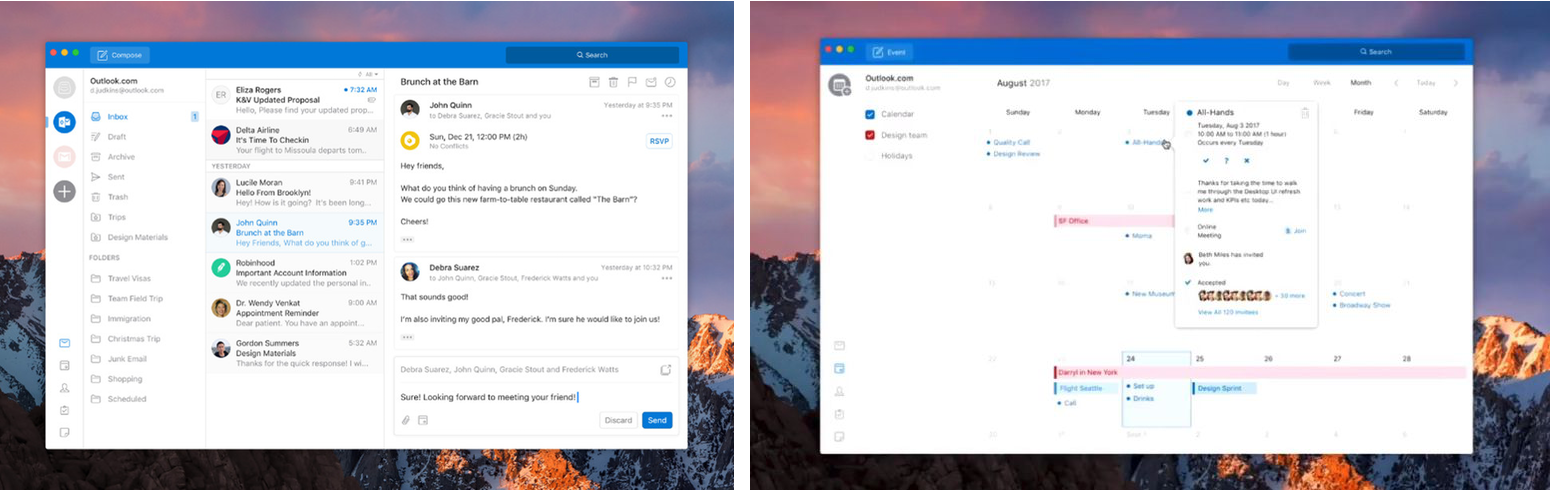
Fantastical for Mac gains attachment and travel time support, time to leave alerts & more

Developer FlexiBits today released a major update to the Mac edition of its award-winning calendar application, Fantastical, that you may be familiar with.

Version 2.4 brings a host of improvements, including new features like time to leave alerts, attachment support for iCloud and Exchange calendar events, undo/redo and more.

You can now view, create, and edit attachments on iCloud and Exchange (or view them on Google Calendar). With this feature, you can attach things like images, videos, Keynote presentations and other files to your calendar events.

The feature works on other CalDAV servers that support managed attachments.

https://www.youtube.com/watch?v=s2lJ5p8hd8A

Another new feature, aptly named Travel Time, allows customers to receive notifications when they need to leave to help ensure they reach an event on time. You can even define your own travel time so you can plan how long it will take to reach an event.

https://www.youtube.com/watch?v=_tVOwXgnipE

Fantastical 2.4 also improves invitation support for Google Calendar and Exchange with response messages, invitation guest count for Google, the ability to forward Exchange invitations and the option to respond to Exchange invitations without sending a reply.

TUTORIAL: How to create app-specific passwords for Fantastical and other apps

The app includes a bunch of refinements and under-the-hood fixes, like full undo/redo support for adding, editing, and deleting events and reminders, the ability to combine identical events that are on multiple calendars, to mention a few.

There's also a new More link in the Month view to show additional events and reminders, Facebook push updates are now instantaneous while new options in preferences at long last permit you to customize the number of weeks per month.

Have a look at everything new in Fantastical 2.4 for Mac.

https://www.youtube.com/watch?v=GZm3PWDBh5k

Last but not least, you can now forward invitations to other people on Exchange accounts, see the year of the anniversary for contacts and respond to an Exchange invitation without sending a message to the sender by clicking and holding the Accept, Decline or Maybe buttons.

Fantastical requires macOS El Capitan 10.11 or later.

Current users can get the update for free via the Mac App Store's Updates tab or through the in-app updater if the app was purchased directly from the Flexibits Store.

Fantastical 2.4 for Mac is $49.99 on Mac App Store.

A three-week trial is available via the Flexibits website.

Apple unveils 2017 Back to School deals: free Beats with select iPad Pro & Mac purchases

Apple on Wednesday announced its 2017 Back to School promotion for customers in the United States and Canada. Students, teachers and university staff members will get a free Beats Solo3 wireless headphones when they purchase an eligible Mac with education pricing, including the MacBook, MacBook Pro, MacBook Air, iMac and Mac Pro models.

If you opt for a 10.5-inch or 12.9-inch iPad Pro, Apple will treat you to a free BeatsX wireless earphones or you can pay $50 extra to get a Powerbeats3 in-ear headphones or $150 extra for the Solo3 on-ear wireless headphones.

The Solo3 headphones are a great choice because they contain Apple's W1 chip for more reliable connections, better sound quality and longer battery life compared to Solo2.

The 2017 Back to School deals area available to students enrolled in college, parents, teachers and faculty members. Verification is required at checkout.

Apple also recommends Back to School accessories such as AirPods, Apple TV and more.

Plus, students can take advantage of existing Apple Music deal with a monthly subscription available to eligible students half price at just five bucks per month, or sixty bucks per year.

The Back to School promotion for customers in Australia, New Zealand and Japan went live back in January. It offered an Apple Store credit in exchange for a qualified iMac, Mac Pro, MacBook/Air/Pro or iPad Pro purchase made from February 7 to March 16.

Every Mac wallpaper since OS X Cheetah 10.0

Journalist Stephen Hackett and French designer @forgottentowel have created an awesome compilation of every new wallpaper that appeared in macOS editions since OS X Cheetah 10.0, the first major version of Apple's desktop operating system released sixteen years ago in 2001.

Older ones back from the day when computers didn't have Retina screens were upscaled for the glorious 5K resolution. You can view and download them individually from the 512 Pixels website, as well as learn a little bit of history behind each wallpaper.

The first two releases of Mac OS X shared the same wallpaper: the sweeping blue arcs and curves, which helped set the tone of the new Aqua interface.

It wasn't until OS X Leopard 10.5 that Apple changed the theme of the default OS X wallpaper from the blue-themed trails streaking across the screen to various space nebulas.

“It ushered in the 'space era' of OS X wallpapers, which was used heavily in the new Time Machine interface as well,” Hackett wrote. The space theme for Mac wallpapers had continued for a few years until OS X Mavericks 10.9, which marked the beginning of Apple’s naming scheme for Mac releases based on California locations.

With OS X Yosemite 10.10 and its flattened user interface, Apple began shipping new default wallpapers based on images of mountains. Subsequent OS X releases, including the latest macOS High Sierra, each shipped with their own mountain-themed wallpapers.

What's your favorite macOS wallpaper of all time?

macOS High Sierra 10.13 developer beta 3 rolling out on Mac App Store

Apple today released a third beta of macOS High Sierra 10.13 for Mac systems. macOS High Sierra 10.13 beta 3 (build number 17A306f) is now available to Apple's registered developers and members of the Apple Developer Program on any supported Mac via the Mac App Store's Updates tab.

The full macOS High Sierra 10.13 beta 3 installer can be downloaded from Apple's Dev Center portal. Once installed, subsequent betas will be available through the Software Update mechanism in Mac App Store.

A developer-only preview of High Sierra was released at WWDC in June, followed by a second beta on June 21 and the public beta on June 29. The first public beta of High Sierra has the same features as developer-only macOS High Sierra beta 2.

macOS High Sierra includes Apple's File System, official support for High Efficiency Video Codec (HEVC), also known as H.265, an updated version of Metal with support for VR applications and external GPU enclosures, Safari 11 with new anti-tracking features, support for flight status information in Spotlight, more natural voices for Siri and more.

Stock apps including FaceTime, Messages and Notes have received a few refinements, too.

High Sierra also introduces new core storage, video, and graphics technology, as well as an enhanced Photos app with a new sidebar, curve-based editing and support for third-party apps like Pixelmator and Photoshop.

TUTORIAL: How to unenroll from Apple's Beta Software Program

macOS High Sierra will release for public consumption this fall across supported Mac models.

If you have managed to spot new user features in macOS High Sierra beta 3, tell us on Twitter or via email at tips@iDownloadBlog.com. You can also post your findings in the comments section and we’ll make sure to update the article with new information as it becomes available.

Apple isn’t paying bug hunters nearly enough for iPhone exploits

According to a report from Motherboard, iPhone, iPad and Mac bugs are too valuable to report to Apple, which leads to sky-high prices for iOS and macOS exploits on the grey market.

“For now, security researchers who have been invited by Apple to submit high-value bugs through the program prefer to keep the bugs for themselves,” reads the article. All of the eight bug hunters that the publication interviewed said they have yet to report a bug to Apple.

According to Nikias Bassen, a security researcher for the company Zimperium, and who joined Apple's program last year:

People can get more cash if they sell their bugs to others. If you're just doing it for the money, you're not going to give bugs to Apple directly.

Apple's bug-bounty initiative debuted at the Black Hat conference in August 2016.

The program offers between $25,000 and $200,000 for an iOS or macOS exploit, depending on where it is and what it does. For now, the initiative is invite-only.

As The Loop's Dave Mark put it, the question here is, are the bugs valuable enough for Apple to raise their bounties to compete with the grey market?

macOS Sierra 10.12.6 beta 6 now available for developer testing

Aside from releasing a sixth developer beta of iOS 10.3.3 for iPhone, iPad and iPod touch, Apple today seeded a sixth beta of the forthcoming macOS Sierra 10.12.6 software update.

macOS Sierra 10.12.6 beta 6 has a build number 16G24b.

It can be downloaded and installed on a compatible Mac using the Software Update mechanism through the Mac App Store's Updates tab. Only Apple's registered developers and members of the paid Apple Developer Program are allowed to beta-test macOS Sierra 10.12.6.

The new beta arrived nearly ten days following macOS Sierra 10.12.6 beta 5.

Like with iOS 10.3.3, users won't see any important outward-facing changes in macOS Sierra 10.12.6 when it releases for public consumption. This is a point release that will fix bugs and improve the security and performance of your Mac.

Apple is currently testing macOS High Sierra with its developers ahead of its release in the fall.