Mac Apps

Fantastical for Mac and iPhone on sale for a limited time

Ok, this is getting a bit out of hand. After the EA sale, and the Disney and Warner Bros. sale, and the App Santa sale, I'm just not sure how many more purchases my wallet can handle. Luckily, I already own two of the three apps we're going to be talking about this morning.

Flexibits announced via their Twitter account last night that they have placed all of their apps on sale for the holidays. That means that for a limited time, you can snag the popular Fantastical app for Mac and iPhone, as well as the Chatology messaging app, at a nice discount...

1Password for Mac goes 30% off for a limited time

Following a lengthy sale on its 1Password app for iOS, AgileBits has begun offering a discount on the Mac version of its password manager. For a limited time, you can get the Mac application for 30% off its regular $50 price.

The deal comes just a week before Christmas, but the developers say that the reason for the promotion is in celebration of the fact that Apple has just named 1Password for Mac as one of the best Mac App Store apps of 2o13...

1Password for Mac gains custom password fields, better search, auto-save and more

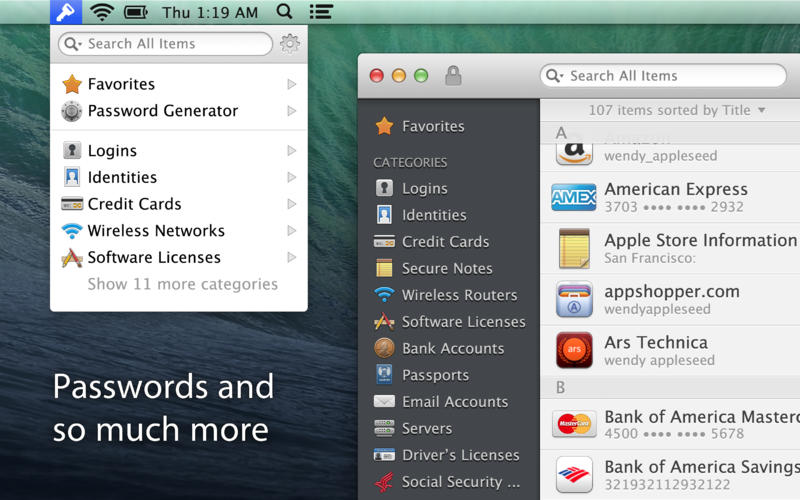
AgileBits' 1Password is my favorite program to manage all of my secure notes, passwords, logins, credit card information and other sensitive data.

The developer in mid-October updated the 1Password for iPhone and iPad client with local Wi-Fi sync, improved iCloud support and other tweaks and today a major new version of 1Password for Mac is scheduled to go live in the Mac App Store.

1Password 4.1 for Mac, which has been in beta testing for weeks, includes a host of changes and improvements, like the all-new custom password fields which vastly expands the software's usefulness, an improved search, an auto-save feature and lots more. Go past the fold for the full breakdown...

How to control your Nest thermostat from the menu bar

I wouldn’t call myself a Nest Learning Thermostat early adopter, but I did acquire one fairly early in the game, and I haven’t looked back. The Nest, as you’re likely well aware of, is the new-aged thermostat from iPod designer Tony Fadell. The Nest allows users to control the thermostat from anywhere in the world using a web browser, or by using an iOS app for the iPad or iPhone.

Mac users have sort of been left out in the cold; pun intended. Desktop users have basically been relegated to using the web browser in order to control the Nest, as there is no official Nest app available for OS X. The good news is that developer Joseph Workman has taken the initiative to wrap the Nest’s web interface into a handy utility called Climate, and it runs in the Mac’s menu bar. This makes it so that you can quickly access the Nest’s temperature controls and other features from anywhere on your Mac.

We’ve taken the initiative to create a video walkthrough in order to showcase to you how Climate works, and why it’s so beneficial to Mac users. Jump past the break to see all the details.

How to keep your MacBook awake while its lid is closed

NoSleep is a handy menu bar utility that I use each and every day to keep my MacBook Air awake. It’s like speed for your Mac. Even with the lid on the MacBook closed, it stays awake.

The best thing about this utility is that it can be easily toggled on or off by means of a single click on its menu bar icon. NoSleep is a simple tool, yet it does feature a few options to customize the way it works. Have a look inside as I showcase NoSleep on video.

Shiori: my favorite Pinboard utility for the Mac

In episode 002 of Let’s Talk iOS we talked about Pinboard, and why it’s such a useful service for saving bookmarks. I won’t get too much into the specifics about Pinboard on this post, so I urge you to listen to that episode if you haven’t already. The episode does a good job of explaining the methodology behind Pinboard, pricing, etc.

What I do want to talk about is an awesome Pinboard utility called Shiori. A free download for OS X, Shiori is a Pinboard utility that allows you to quickly add new bookmarks to your Pinboard account and just as quickly search all of the contents of your account.

Shiori runs in the menu bar, and both its add and search functions can be accessed by a pair of useful keyboard shortcuts. Have a look inside as we go hands on with Shiori on video. If you’re at all interested in saving bookmarks for the longterm, then I’m positive you’ll find Shiori useful.

Yoink is an awesome drag and drop utility for the Mac

Sometimes dragging and dropping items between multiple windows and full screen apps and folders can be challenging. But dragging and dropping doesn’t have to be a tedious or perplexing task. One of my favorite utilities for the Mac is called Yoink, and it allows you to simplify the process of dragging and dropping on OS X.

Its description in the Mac App Store states that Yoink simplifies drag and drop between windows, apps, spaces and fullscreen apps. As a long time user of the tool, I can vouch for developer Matthias Gansringler’s description. As you’ll see in the video walkthrough that follows, Yoink is one of those apps that you don’t realize you need until you see it in action. Have a look inside for the full walkthrough.

ScreenFlow 4.5 released with new transitions, asynchronous uploads, and more

ScreenFlow is, in my opinion, the best screen recording software available for the Mac. It's what I use each and every day to create a lot of the video content that you see on iDB. Its developer, Telestream Inc., has made the app available on both the Mac App Store and via direct download from its website.

Unfortunately, as with a lot of the apps that feature Mac App Store versions and direct download versions, the Mac App Store release lags behind. ScreenFlow is stuck at version 4.0.4 on the Mac App Store, while the direct download version recently got updated to version 4.5. For that reason, I recommend buying the direct download version, because that version gets updates much faster than the Mac App Store version.

It’s also a great time to buy the direct download version, because Telestream is having a 30% off sale. This means you can snag ScreenFlow 4.5 for under $70 bucks. That’s a steal for this type of powerful software, as it's usually $100 bucks.

Version 4.5 of ScreenFlow is a huge update, which brings numerous new features, improvements and bug fixes to the table. Have a look inside to see what all has changed.

Apple adds new features to iWork for iOS and Mac

As you know, Apple earlier in the month has promised to bring back dozens of recently-removed iWork features over the course of six months. In keeping with that promise, a barrage of updates has gone live Wednesday on the App Store and Mac App Store, adding new capabilities to the iWork suite of applications on Macs, iPhones, iPads and iPods.

This is the first major refresh since last month's downgrade stealthily removed arguably less popular though essential features in favor of cross-platform document compatibility between OS X, iOS and the web.

I've included full release notes and a couple of highlights right after the break...

Good deal: 88% off Mac software bundle

A little over a week from now, retailers everywhere are going to open their doors to hordes of holiday shoppers as they rush towards their must-have items. Everything from TVs to iPads will be heavily discounted for what is known as Black Friday.

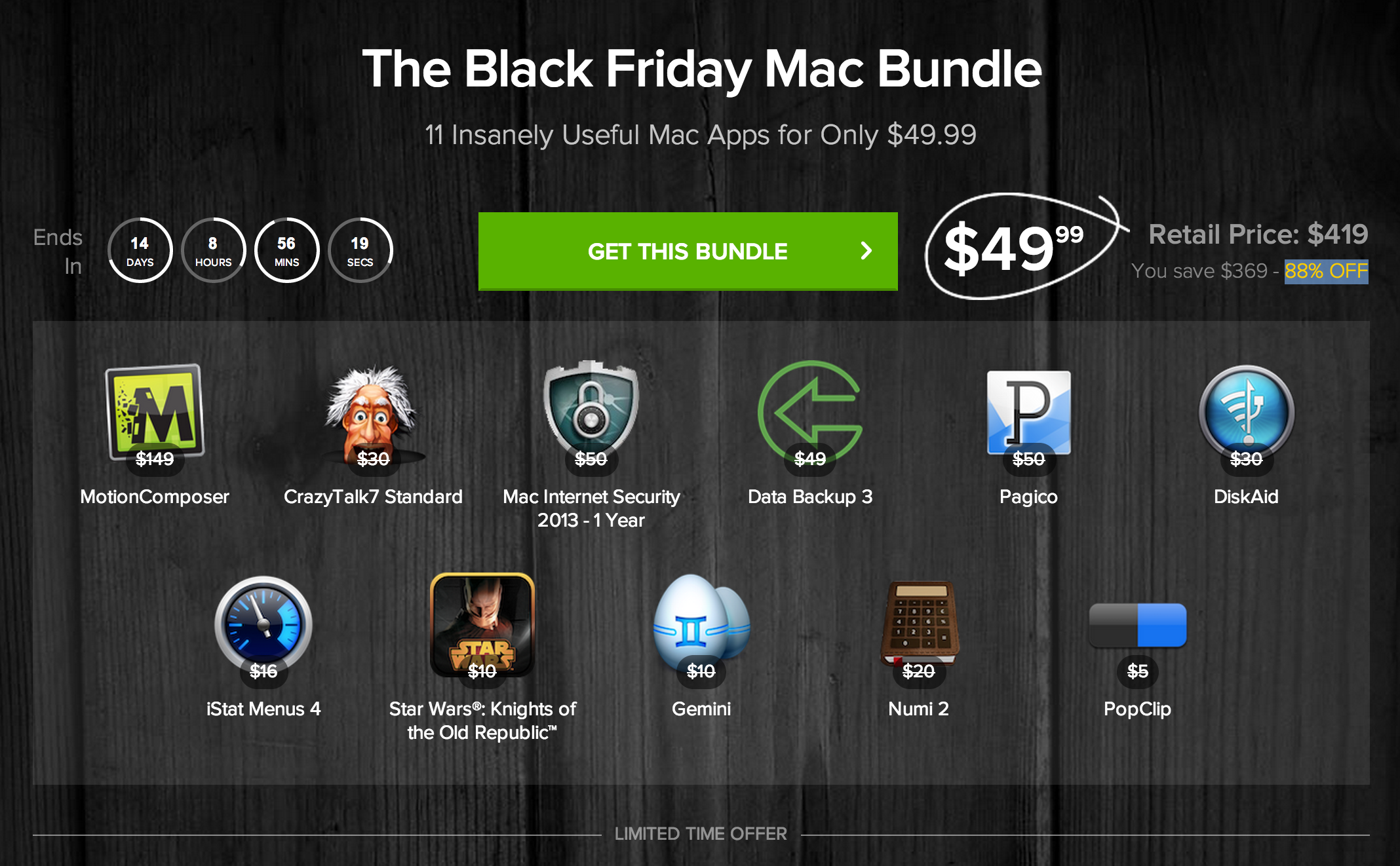
But these holiday sales aren't just limited to consumer electronics—take this new Black Friday Mac Bundle from Stack Social, for example. The deal site is offering up a package of 11 popular Mac apps (well 10 apps and 1 game) at an 88% discount...

How to quickly search the contents of iDB using Alfred

Alfred is one of my favorite launchers available for OS X. It serves as a replacement for Spotlight search, and can do a whole bunch of other cool things using custom workflows, searches, etc.

I could write a whole series about Alfred, because it's just that deep. But first things first. To start, I'm going to show you how to perform a custom search on iDownloadBlog. I've included a downloadable custom search in this post that you can import directly into Alfred. Have a look inside to see how it works.