Mac Apps

Fantastical 2 for Mac picks up loads of new features and refinements in a new update

Developer Flexibits has updated its popular calendar, reminders and to-do alternative, Fantastical 2 for Mac, with more than a dozen new features, enhancements and bug fixes. The app now includes a new-look birthday event interface and has added a pending invitations section to view all incoming invitations in one place.

You can now drag text from other apps to quickly create an event and drag items from OmniFocus, which also creates a related event.

Pixelmator for Mac gains Photos app support, Force Touch drawing, enhanced Repair tool, more

Pixelmator for Mac received a sweet update last evening, adding a trio of noteworthy features and a plethora of bug fixes. A free update to existing users of the app, Pixelmator 3.3.2 brought out an even more remarkable — and way faster — Repair tool.

It also added support for pressure-sensitive drawing on Macs with the new Force Touch trackpad and importing photos from the Photos app on OS X Yosemite 10.10.3. In addition to these perks, the app contains other tweaks and bug fixes.

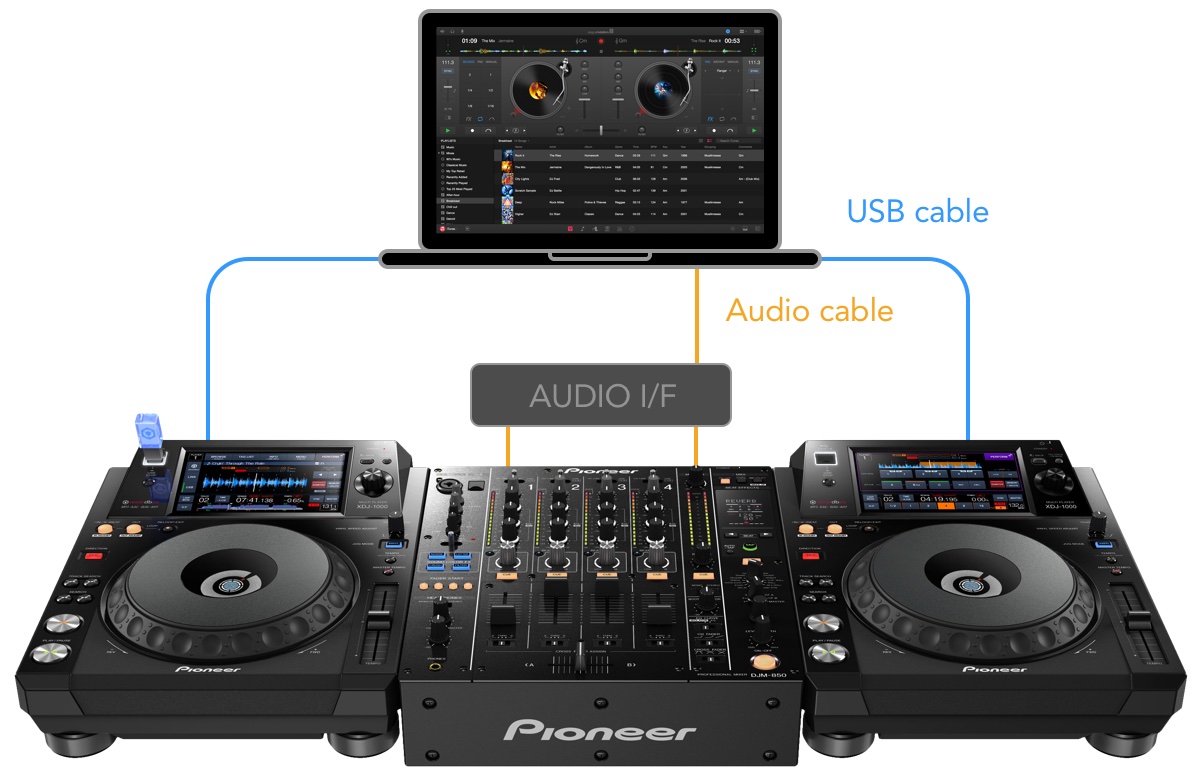
djay Pro for Mac gains live video mixing, native Pioneer CDJ/XDJ integration and much more

In addition to transforming the Apple Watch into the world's first wearable DJ controller with djay for Apple Watch, German developer Algoriddim also refreshed its Mac app this morning.

Djay Pro 1.1 for Mac, the company's flagship product, includes major new features such as real-time video mixing, native support for Pioneer's CDJ and XDJ line-up of professional digital decks used by the likes of David Guetta, high-quality Spotify streaming with up to 320 kbps and a host of other advanced features and capabilities.

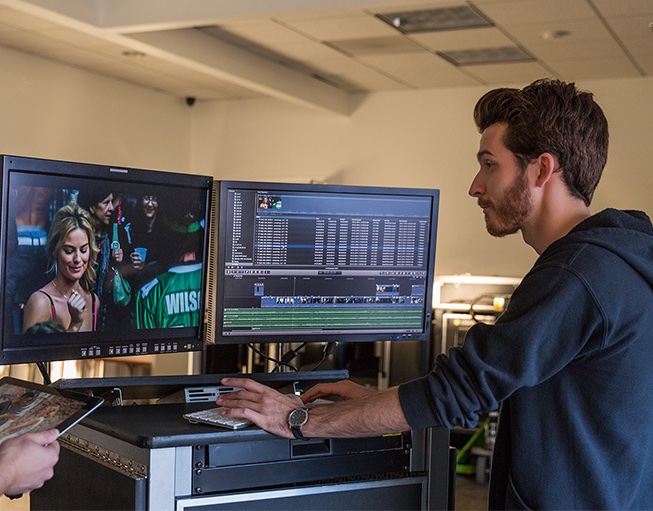
Apple refreshes Final Cut Pro X, Motion and Compressor with new features

Monday, Apple announced a major update to its pro-grade video editing and processing programs for the Mac — Final Cut Pro X, Motion and Compressor — with a bevy of new features for motion graphics and key enhancements available to accelerate video editing, packaging and delivery.

“From Hollywood blockbuster directors to first time movie makers, Final Cut Pro X is changing the way we edit movies today,” said Philip Schiller, Apple’s Senior Vice President of Worldwide Marketing. “The updated Final Cut Pro X, Motion and Compressor make it even easier to edit, title and package everything from short videos to feature-length films.”

Final Cut Pro 10.2 introduces new easy to use 3D titles, improved masking for color grading and effects, and native support for more camera formats, as well as GPU-accelerated RED RAW processing.

Manage your clipboard in style with Paste

The Mac’s copy and paste function is generally not something I think about. Sure, I use it. In fact, I use it every single day. It’s just that I never have to think about it. It’s a universal constant. No matter what machine you’re on or what you are trying to accomplish, copy/paste always works the same way. It always does the exact same thing and with the exact same limitations. Dmitry Obukhov’s Paste seeks to change that.

1Password for Mac gains 2-factor code generation

After releasing a massive update to its freemium iPhone and iPad password-keeping application back in January, developer AgileBits on Tuesday posted a matching update on the Mac App Store, bringing support for two-factor authentication codes and a bunch of other improvements to its 1Password for Mac utility.

In addition to two-step verification, the app has gained the ability to email and start a FaceTime Audio or Skype call by clicking numbers in the Identities section and given some existing features “a big power-up.”

Tweetbot for Mac adds support for Twitter-hosted GIF and video image previews

To make the wait until a massive (and way overdue) Yosemite overhaul of Tweetbot, the most purchased Twitter alternative on the Apple platform, developer Tapbots on Thursday pushed a small yet important update to Tweetbot for Mac.

This new version at last added official support for Twitter-hosted animated GIFs and video image previews. In addition to these enhancements, this edition of Tweetbot saw improvements in storage and memory usage.

So now when someone attaches an animated GIF to their tweet or records a video in Twitter's native video format, you'll see the video thumbnail inline. Previously, it wouldn't show any thumbnail at all, leaving you with clickable URLs that opened in a browser.

TweetDeck for Mac gains group DMs, inline video and GIFs and other goodies

TweetDeck for Mac, the popular Twitter-owned desktop client, on Wednesday received its first significant update since August 2014.

Available free of charge, the refreshed application now displays native Twitter video and animated GIF files inline and allows you to exchange direct messages with multiple users in group conversations, in addition to half a dozen other improvements.

Post to Instagram directly from your Mac with Uploader for Instagram

Most people’s biggest gripe with the photo sharing site Instagram is that they can’t upload photos directly from their Macs. There are a few workarounds for this, but most of them are intrusive, labor intensive, and far from user friendly. The aptly titled Uploader for Instagram seeks to simplify this process so that anyone can easily post from whatever device they choose.

Review: Fantastical 2 for Mac

The sequel to the popular language-parsing calendar utility for the Mac has arrived and it's everything you've been hoping for! Much more than a major new update, Fantastical 2 for Mac is a whole new app that feels instantly familiar while offering productivity-boosting improvements.

In addition to the revamped appearance optimized for OS X Yosemite's look and feel, Fantastical 2 is now a proper replacement for Apple's stock Calendar and Reminders apps.

Fantastical 2 has its own full-blown window and gorgeous full-screen mode while its menu bar thing can now be detached and dragged anywhere on the screen. The software is packed to the gills with a bevy of new features like iCloud Reminders and time zone support, light/dark theme, birthday reminders, a more powerful and friendlier natural language parser and more.

As a whole, the app feels tighter and more streamlined. Developer Flexibits was kind enough to put me on its limited list of beta testers, this is what I was able to gather from my weeklong hands-on time with the software.
This app turns your Mac’s Force Touch trackpad into a drawing tablet

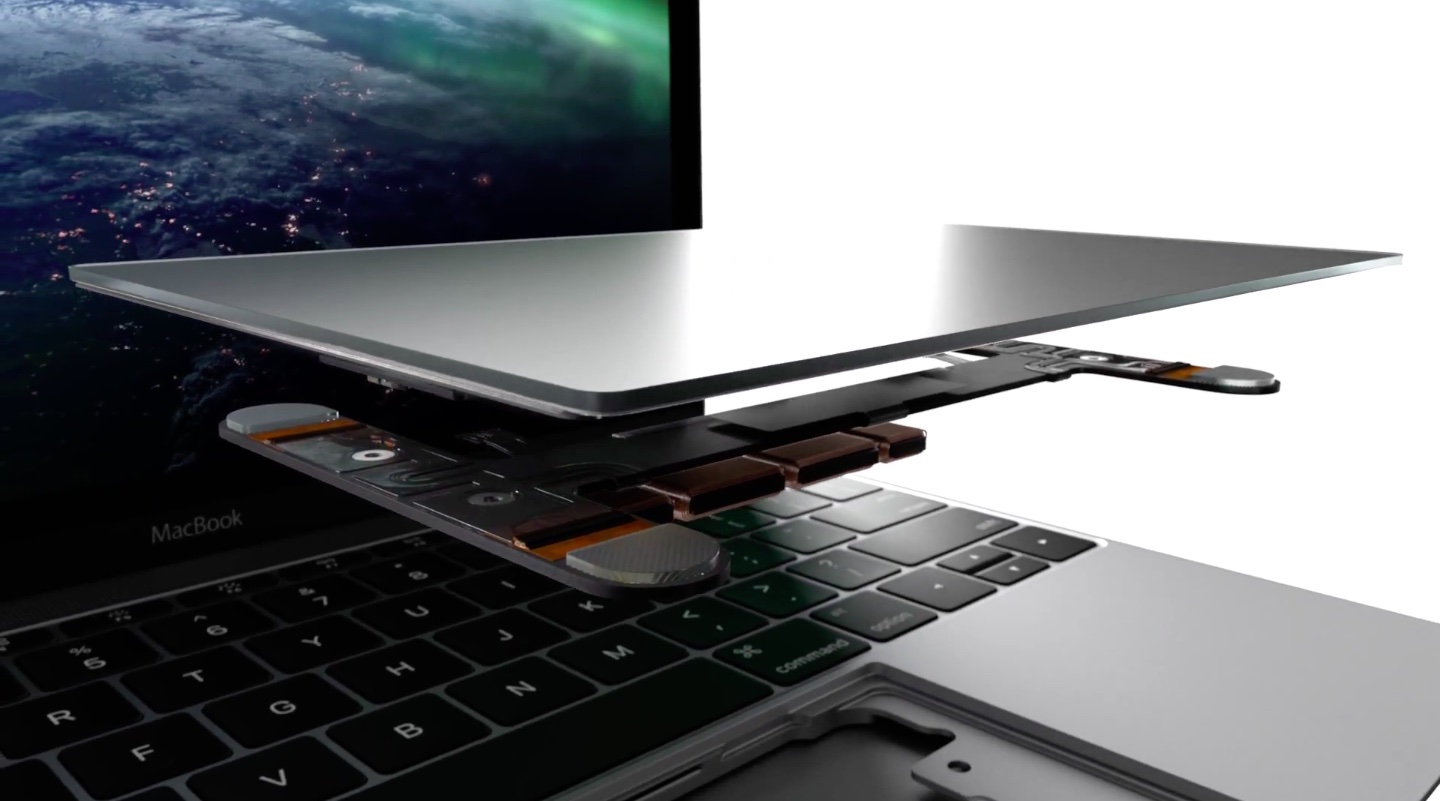
Apple's improved Force Touch trackpad on the new 12-inch MacBook and early-2015 MacBook Pro models has pressure sensors that make possible all sorts of new interactions, among them pressure-sensitive drawing with your finger.

In OS X Yosemite, for example, you can press lightly on the trackpad for a thin stroke or harder for a thick one when marking up a Mail attachment or creating a signature for forms in Preview.

And now, a Mac application called Inklet has been refreshed with superior pressure-sensitive drawing capabilities, basically turning the Force Touch trackpad in your Mac notebook into a powerful drawing tablet.