In this piece, I will share my top five macOS apps that I have configured to start up automatically when I power on my Mac.
5 Mac apps I have set to launch at system startup
In this piece, I will share my top five macOS apps that I have configured to start up automatically when I power on my Mac.

The popular open-source, cross-platform BitTorrent client, Transmission, today received its first major update in more than a year and a half. As first noted by Softpedia, the surprise update makes the free of charge app fully compatible with the user interface on Macs running OS X 10.9 Mavericks and later.
Transmission can now trim potential URIs from clipboard and supports downloading from HTTP servers on OS X El Capitan. Transmission's daemon, web client, Qt client and GTK+ client have also received various fixes. All told, there are over 50 changes in this release of Transmission.

If you're like me, then you probably have a hard time focusing on what needs to be done and you often multitask with fun activities when you should be focusing on homework or work. For example, instead of writing those essays due for your next class or finishing work, you might be playing around on Facebook with your friends or watching YouTube videos.
If you're the unproductive or procrastinating type, then a useful OS X app called Focus could be just what you need to stop getting distracted by social media and other fun websites.
Focus will help ensure that you only stick to the task at hand when you need to work or complete homework, and in this piece, we'll show you how it works.
Without fail, anytime I settle down to work on a programming project, a large chunk of my time is devoted to searching Google and StackOverflow for the best ways to tackle a given coding issue. Even if I haven't run into a problem per se, looking for the most efficient approach to a function or finding a snippet of code that carries out a specific purpose are just a couple reasons why I'm continuously researching whatever language with which I'm working. That's why Quiver is such a huge help to me.

Popular for letting users unlock their Mac with the Touch ID sensor on their iPhones and/or iPads, MacID comes with a slew of other useful features as well that take advantage of a Bluetooth connection between these devices.
A massive update to the $3.99 MacID app for iOS devices and the free software for Macs is now available that provides a slew of improvements and new features for users.
You can free up a significant amount of storage space on your Mac if you clean up your Downloads folder on a regular basis, remove your old iPhoto library, erase Safari's browsing data and move both your iTunes library and the Photos library to an external hard drive, among other things.
But what about other files on your computer? With Daisy Disk by Software Ambience, one of Apple's Best of 2015 Mac apps, it's easy to identify the biggest storage hogs on your Mac.
The app makes the mundane takes of cleaning up the Mac's storage easy and fun by giving your a nice visual breakdown on your disk space in the form of an interactive heat map. In this tutorial, you'll learn how to reveal the biggest space wasters with DaisyDisk so you can remove them and free up some additional storage on your Mac.
Although there are plenty of great apps already built into OS X, I use a lot of third-party apps on my Mac to give it more functionality tailored to my needs, as I'm sure many other Mac users do too. In this piece, I'll be sharing what my five favorite third-party apps to use on my Mac on a daily basis are, and I'll also share why I love using them.

Twitter recently unveiled a new feature that lets you elect to have the service surface new and interesting content at the top of your timeline since your last visit.
Called “Show me the best tweets first,” it's a staggered release so not everyone may have it at the same time although the majority of Twitter's user base should now see this option in their settings.
This post will take you through the steps you need to take in order to enable this feature in Twitter's mobile apps and in the desktop interface, so that you never miss important updates from people you follow.
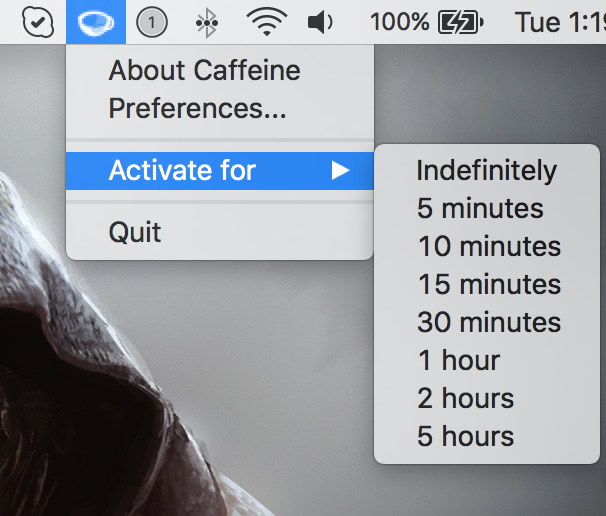
Yesterday, my colleague Anthony ran an informative tutorial that does a good job covering two ways to keep your Mac from sleeping, dimming or showing a screensaver: one is based on a little bit of Terminal magic and the other involves using a free of charge utility, called Caffeine.
As easy to use as Caffeine is, it suffers from not having been updated in years so it has some issues with OS X Yosemite and El Capitan.
Its icon, for example, is not Retina-compatible and looks odd in Yosemite's dark mode. That said, I want to share with you a pair of apps that one-up Caffeine at its own game.

In this tutorial, we show you two easy ways to temporarily keep your Mac from falling asleep, dimming the display, or showing a screensaver for as long as you need to.
Google on Friday announced that the Picasa desktop app and its corresponding online photo-sharing service, called Picasa Web Albums, are soon going to be officially dead. This didn't come as a shock: since the launch of Google Photos, Picasa's fate was pretty much sealed.
As of March 15, 2016, Google will no longer be supporting the desktop Picasa application for Mac and Windows. After the cut-off date, existing Picasa installations will still work.
However, Google has said it will cease development of the app so there will be no future updates nor will the Picasa app continue to be available for download after March 15.

The forthcoming OS X 10.11.4 El Capitan software update, currently in testing, will bring out the ability to import Evernote content into the stock Notes application, Apple's Vice President of Marketing, Brian Croll, has confirmed in an interview with Japanese publication PC User, as relayed yesterday by the Japanese blog Mac Otakara.
Through a new Import Notes menu command, Mac owners will be able to import Evernote files into Notes, which in OS X 10.11.4 supports Evernote's proprietary .enex file format.