Lockscreen

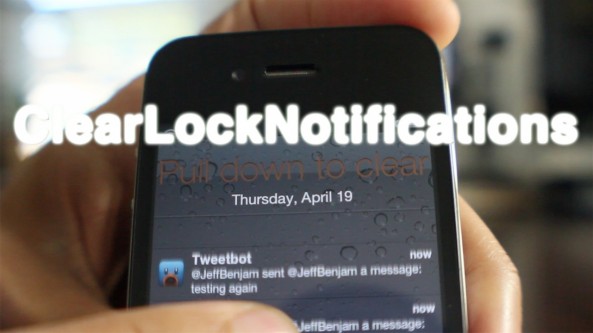
‘ClearLockNotifications’ updated with pull to clear functionality

About 5 months ago we reviewed ClearLockNotifications, and it was pretty good. Now the developer has updated the tweak to make it even better, more intuitive if you will.

ClearLockNotifications now features 'pull to clear' functionality right from the Lock screen. This means that you can clear all of your Lock screen notifications by simply pulling down on the list of notifications.

For a sneak preview of how it works, take a look at our video walkthrough...

‘FastLock’ places handy shortcuts on your Lock screen

I know what you're thinking: as if we needed yet another Lock screen shortcut tweak, right? There's no denying it, there are plenty of Lock screen shortcut methods available for the iPhone, and FastLock is the latest entry into an already crowded arena.

When considering just how many alternatives there are to FastLock, it's not surprising that I wasn't exactly jumping for joy after initially hearing about it. In such a dense market, is there room for yet another set of Lock screen shortcuts?

Have a look at our video and judge for yourselves...

SliderWidth: adjust the width of your Lock screen slider

SliderWidth is a jailbreak tweak that does exactly what its name states — allows you to adjust the width of your iDevice's "Slide to Unlock" bar.

But that's not the only trick in this tweak's bag; it also allows you to use custom slider text, remove the Lock camera button or photo frame button, along with being compatible with the iPhone, iPad, and iPod touch.

Take a look at our video walkthrough for more information...

How to reclaim your pre iOS 5.1 Lock screen camera functionality

Redire is a recently released jailbreak tweak that allows you to venture back to the days before Apple changed the Lock screen camera functionality for iOS 5.1.

It's extremely simple in both its purpose and execution, and includes no options to configure. After installing Redire your Lock screen camera will function almost exactly like it does on iOS 5 or iOS 5.0.1.

Check inside for video details of Redire in action...

Stride: unlock your iPhone with impeccable style

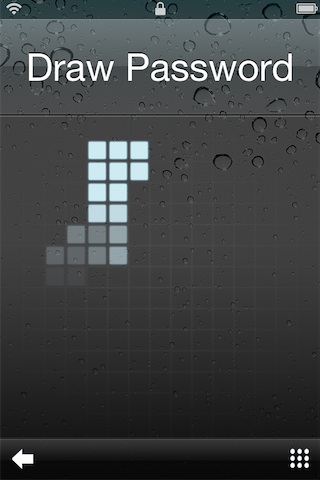
Stride is a brand new jailbreak tweak from excellent jailbreak developer and designer Adam Bell. It allows you to unlock your iPhone using an 8-bit styled drawing for security, in lieu of iOS’ boring passcode option.

When you try out the tweak for yourself, it's immediately obvious that there's some highly calculated design behind this effort. Indeed, Stride allows you to unlock your iPhone with impeccable style...

SwipeCam: swipe the camera icon to reveal Lock screen toggles

SwipeCam is an upcoming jailbreak tweak that allows you to use your Lock screen camera toggle as a gateway to more options.

SwipeCam only works with the old Lock screen camera interface, so that means devices below iOS 5.1.

Once the tweak is installed, simply enabled it, invoke your Lock screen camera shortcut, and swipe on the camera icon to reveal the additional toggles...

HeadphoneLauncher: launch apps from your Lock screen when headphones are detected

Wouldn't it be cool if the iPhone immediately enabled the media controls on the Lock screen upon the detection of headphones? Indeed, it would.

HeadphoneLauncher borrows this idea and takes it one step further; not only will it bring up the Lock screen media controls, but it will also bring up an application launcher that you can use to launch your favorite apps.

Check out our video walkthrough of HeadphoneLauncher inside...

Customize your Lock screen’s date with ‘LockDate’

Interested in customizing the look of your Lock screen's date display? Then look no further than LockDate — a tweak exclusively devoted to customizing the date reading on your iPhone's Lock screen.

With LockDate you can alter the date's font, color, style, and much more. There is also a provision to incorporate alternate calendar types and switch to them by swiping on the date with your finger.

LockDate certainly isn't a tweak that will find an audience with everyone one, but there's sure to be someone who is interested in this niche...

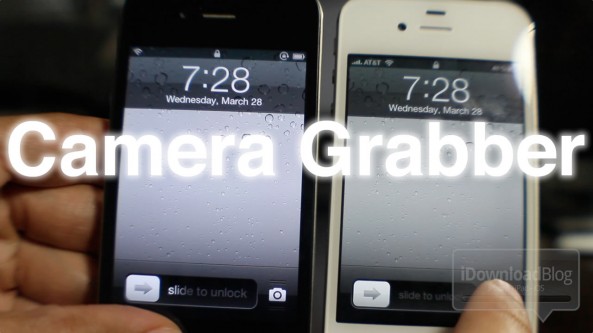
Camera Grabber for iOS 5 video walkthrough

One of the biggest features of iOS 5.1 is the new Lock screen camera functionality. In fact, we dedicated a post and video exclusively to the new Lock screen camera.

The problem is this; if you're one of the many that wishes to maintain an untethered jailbreak, you can't enjoy the fruits of Apple's labor. This is because the 5.1 update kills your untethered jailbreak.

That's where Camera Grabber for iOS 5 comes into play. This is a jailbreak tweak that allows pre-5.1 devices to enjoy the same Lock screen camera functionality as iOS 5.1 users.

How does it work? Check inside for the answer...

Here’s how the iOS 5.1 Lock screen camera works

Arguably the biggest change to iOS 5.1 when compared with its predecessors is the Lock screen camera functionality.

Instead of double pressing the Home button to reveal the camera icon on your Lock screen, the camera icon is a permanent fixture.

Revealing the actual camera also works quite differently than in times past. Check out our video walkthrough of the new iOS 5.1 Lock screen camera functions inside...

‘AppSlider’ now available for download in Cydia

[tube]http://www.youtube.com/watch?v=BJpzOzVsdsQ[/tube]

Lock screen app launcher, AppSlide, has made its way to the Cydia store this afternoon. As we previously discussed, AppSlider is a jailbreak tweak that allows you to customize your Lock screen with two shortcuts to your favorite apps.

You can launch your favorite apps directly from the Lock screen, and if you have a passcode enabled, AppSlider will respect the passcode before allowing you to launch the app.

You can download AppSlider for free on Cydia's BigBoss repo. Let us know what you think about it.