Lockscreen

Pin any Today widget on the Lock screen with LockWidgets

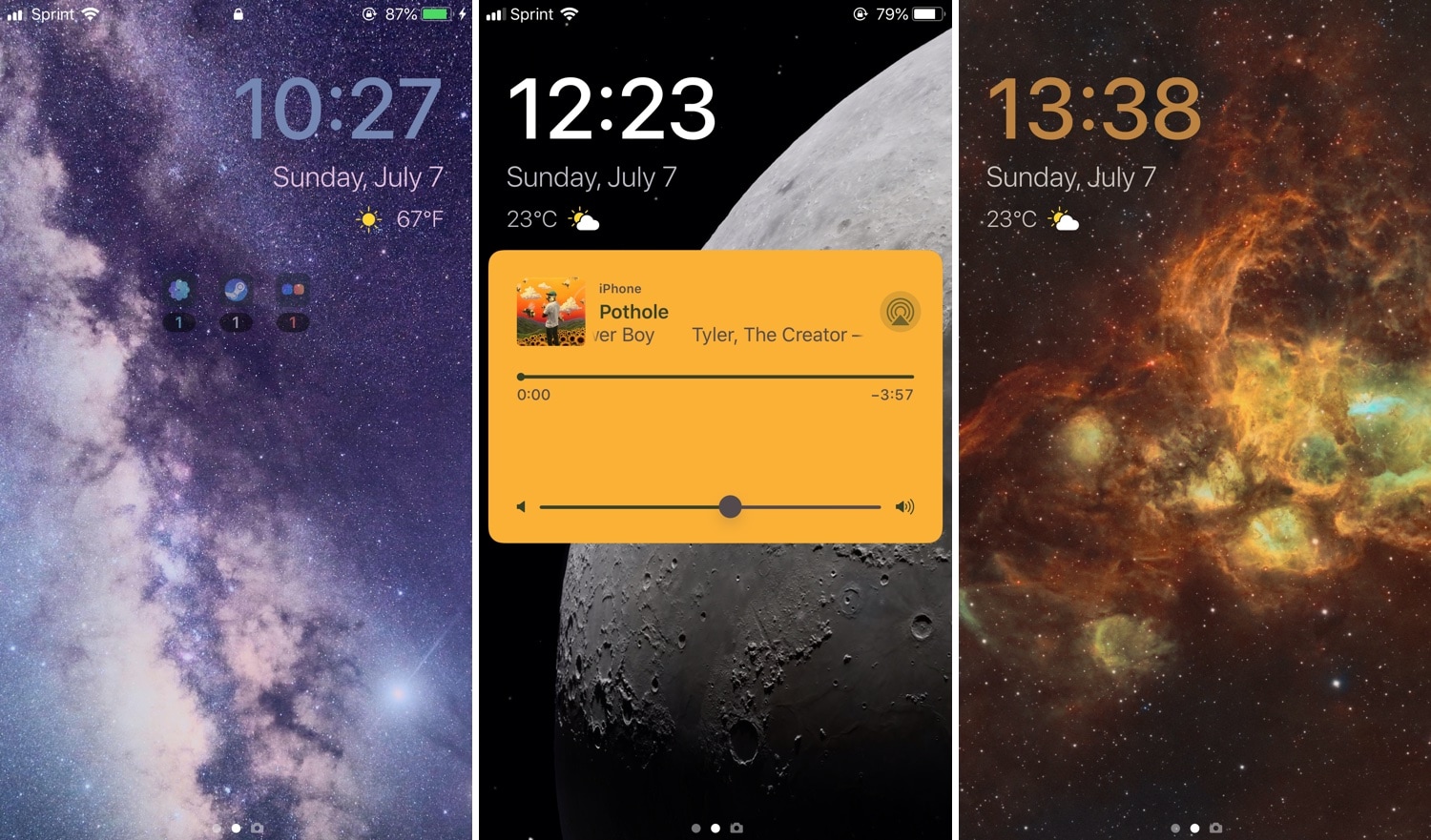
Have a favorite iOS widget, but wish you could see it directly from the Lock screen without needing to swipe over to the Today page? There’s a jailbreak tweak for that!

If you answered ‘yes’ to the question above, then we’d like to introduce you to LockWidgets, a newly released add-on by iOS developer ConorTheDev that lets you pin your favorite Today widget to the primary Lock screen page so you can view it at a glance:
Customize your iPhone’s Lock screen in depth with FingerLock

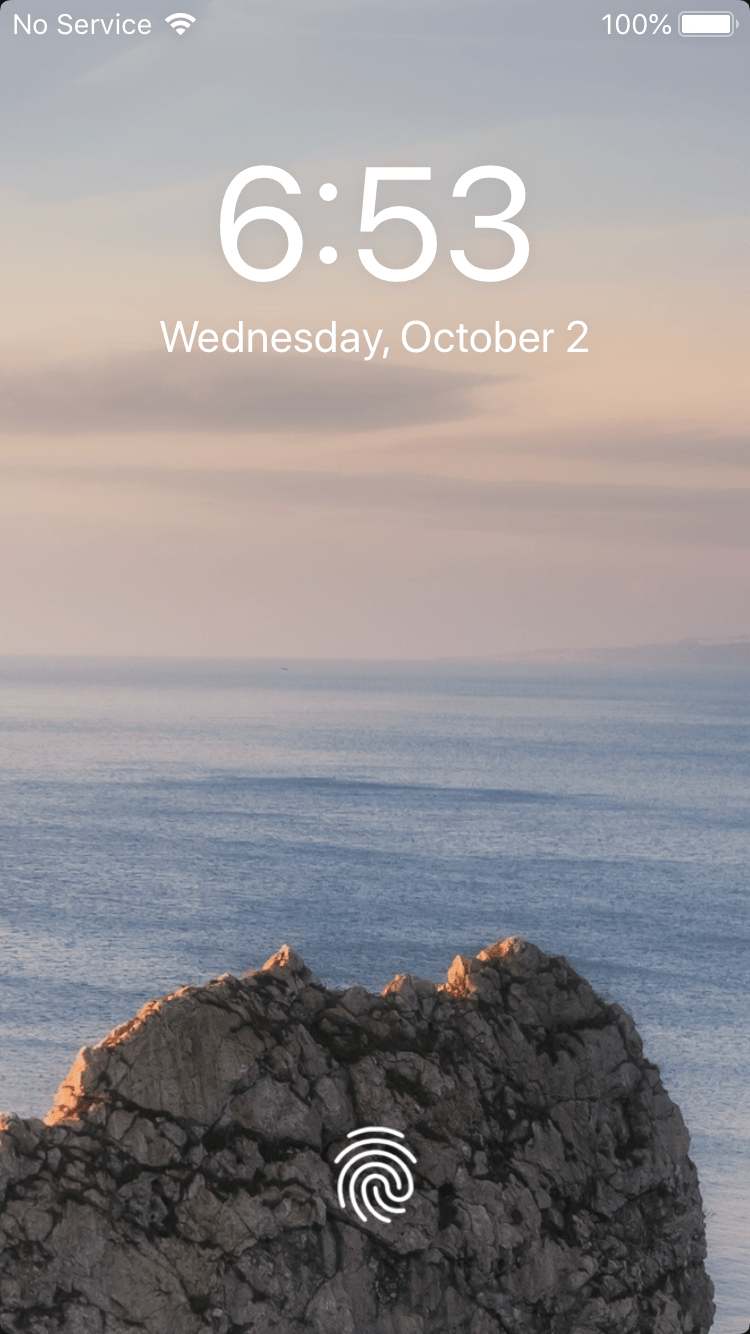
If you have a jailbroken iPhone or iPad at your disposal, then we think you might come to enjoy a newly released and free jailbreak tweak dubbed FingerLock by iOS developer MTAC.

Citing the details provided to us in the tweak’s Cydia depiction, FingerLock provides the user with a bevy of Lock screen-centric customization options that can help it stand out from the crowd. The tweak purportedly includes the following features:

NoDNDBanner disables the Do Not Disturb banner on iOS 12’s Lock screen

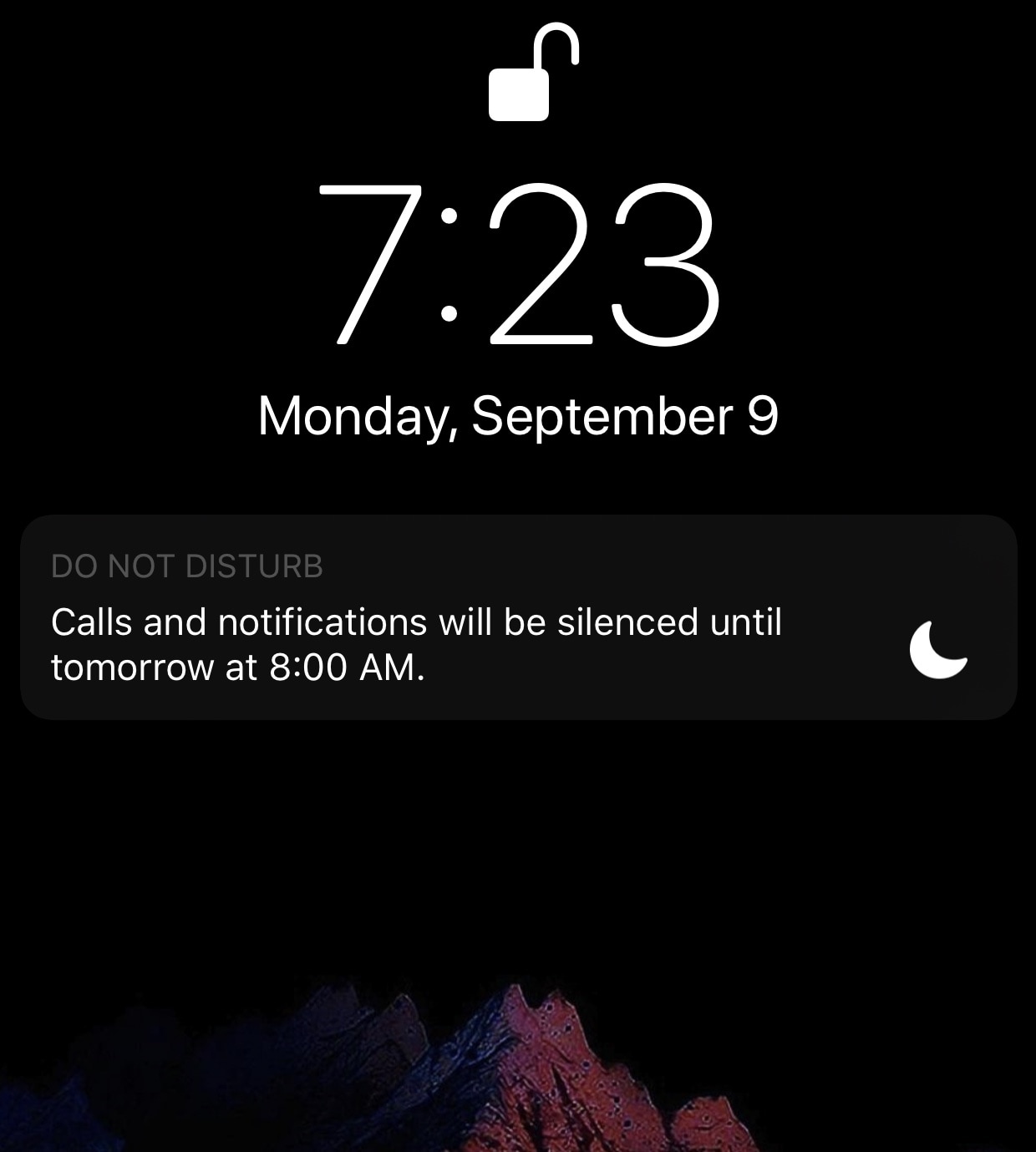
If you’re using any of the latest versions of iOS, then you’re probably familiar with the Do Not Disturb banner that rears its ugly head on the Lock screen whenever you have this feature turned on.

While it’s nice to be reminded that Do Not Disturb mode is toggled on, I find the banner to be somewhat intrusive in that it takes up space on the Lock screen and must be manually dismissed. Fortunately, a new and free jailbreak tweak called NoDNDBanner by iOS developer MrGcGamer does away with it automatically.

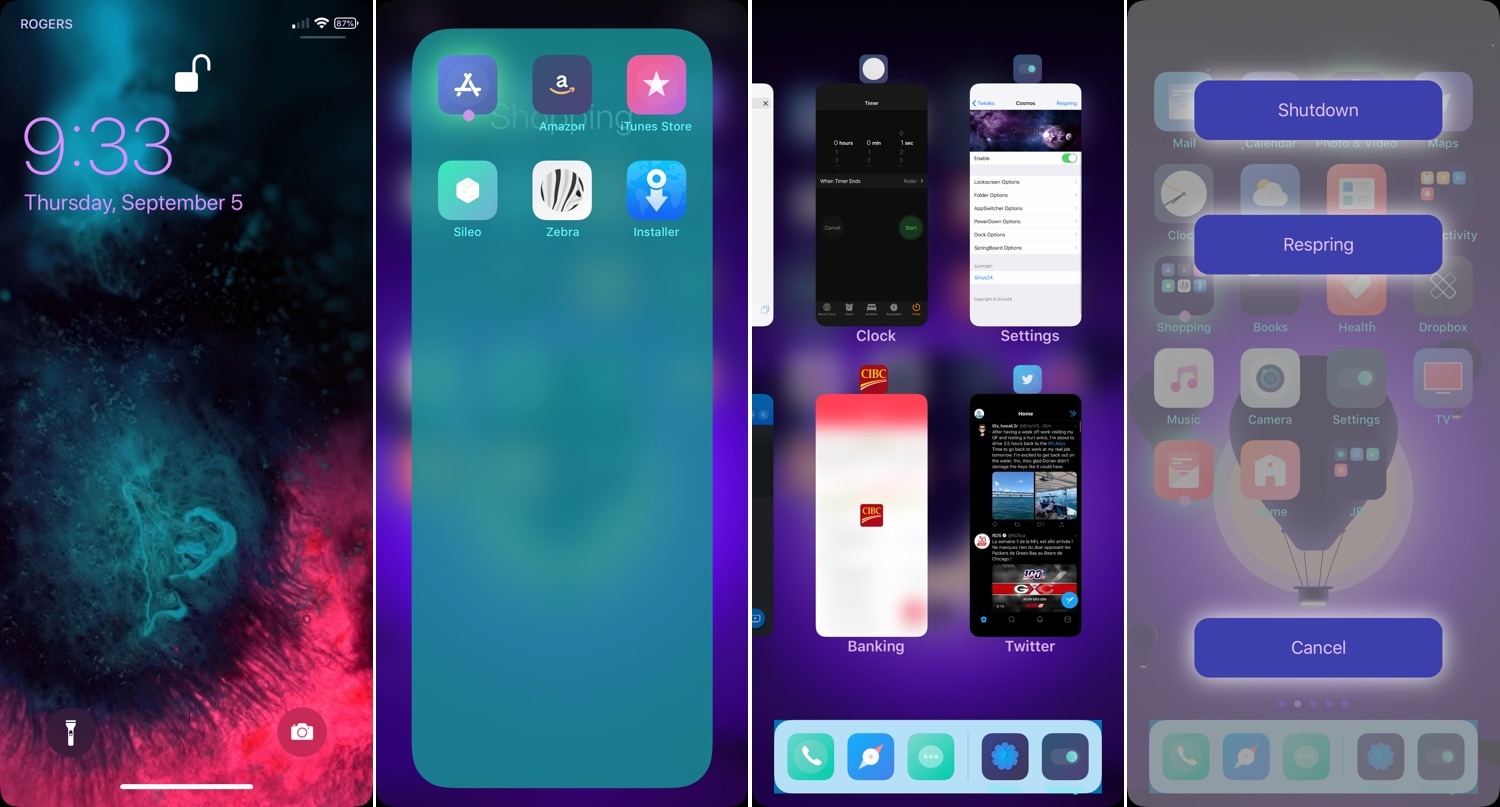
Cosmos is an excellent all-in-one SpringBoard customization tweak

One of the best ways to take advantage of your jailbroken iOS device is to download an all-in-one SpringBoard customization jailbreak tweak. These kinds of tweaks often combine the functionalities of several standalone tweaks into one, giving you the most bang for your buck.

Springtomize is perhaps one of the most well-accepted all-in-one SpringBoard customization tweaks ever made, but it’s not the be all and end all of iOS tweaking; many others, including the more recently released Cosmos tweak by iOS developer Sirius24, are worth taking a look at.

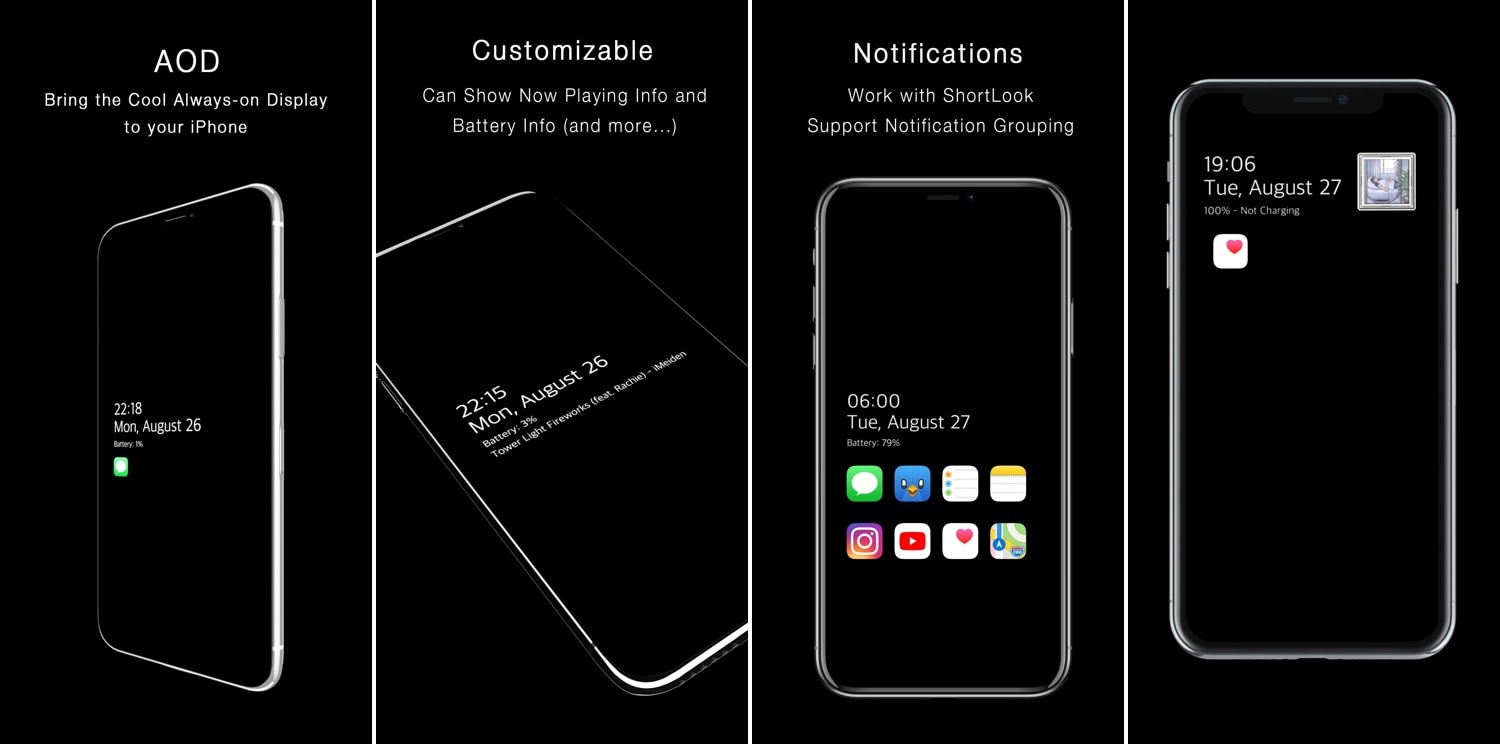
AOD brings an Android-style always-on-display to jailbroken iPhones

One of the cool things that several Android handsets have that the iPhone doesn’t is an always-on-display, which, for those who don’t know, continuously displays information on the Lock screen of OLED display-equipped handsets without ever shutting off, such as the time and any missed notifications. Fortunately for jailbreakers, this is no longer an Android-only feature.

With the help of a newly released jailbreak tweak dubbed AOD by iOS developer Soh Satoh, you can enjoy a true always-on-display experience on jailbroken devices running iOS 12, and while it works best on handsets equipped with OLED displays, it should work with LCD displays too.

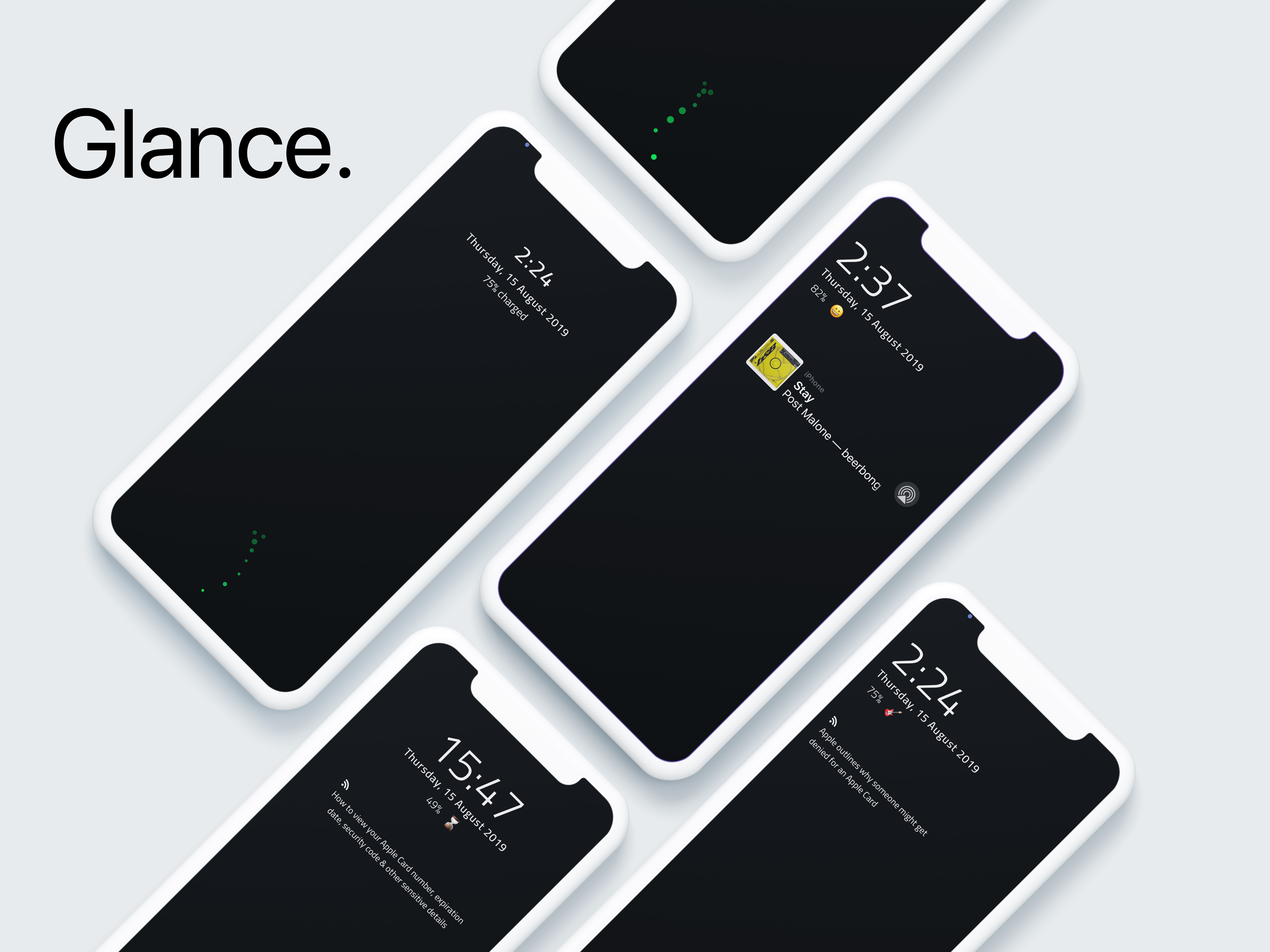
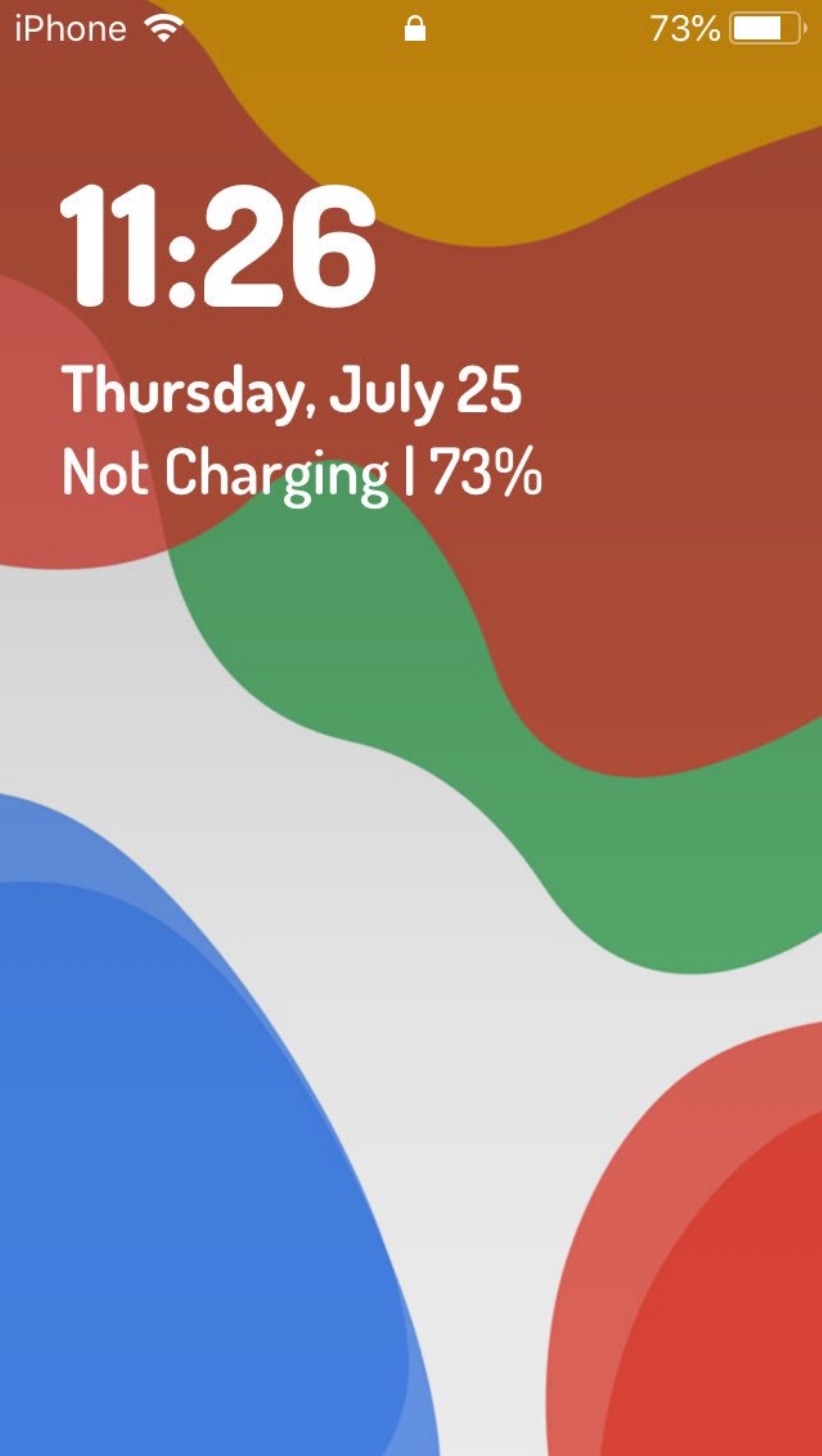
Glance brings a new charging animation and battery data to your Lock screen

One of the most important things you can ever monitor on your iPhone or iPad at any given time is its battery level, and if you agree with this sentiment, then you’ll probably take a liking to a newly released jailbreak tweak called Glance by iOS developer KushyDaBush.

As you’ll see in the screenshot examples above, Glance brings a battery-centric makeover to your iOS device’s Lock screen, offering a continuous display of your handset’s current battery level right underneath its date and time display.

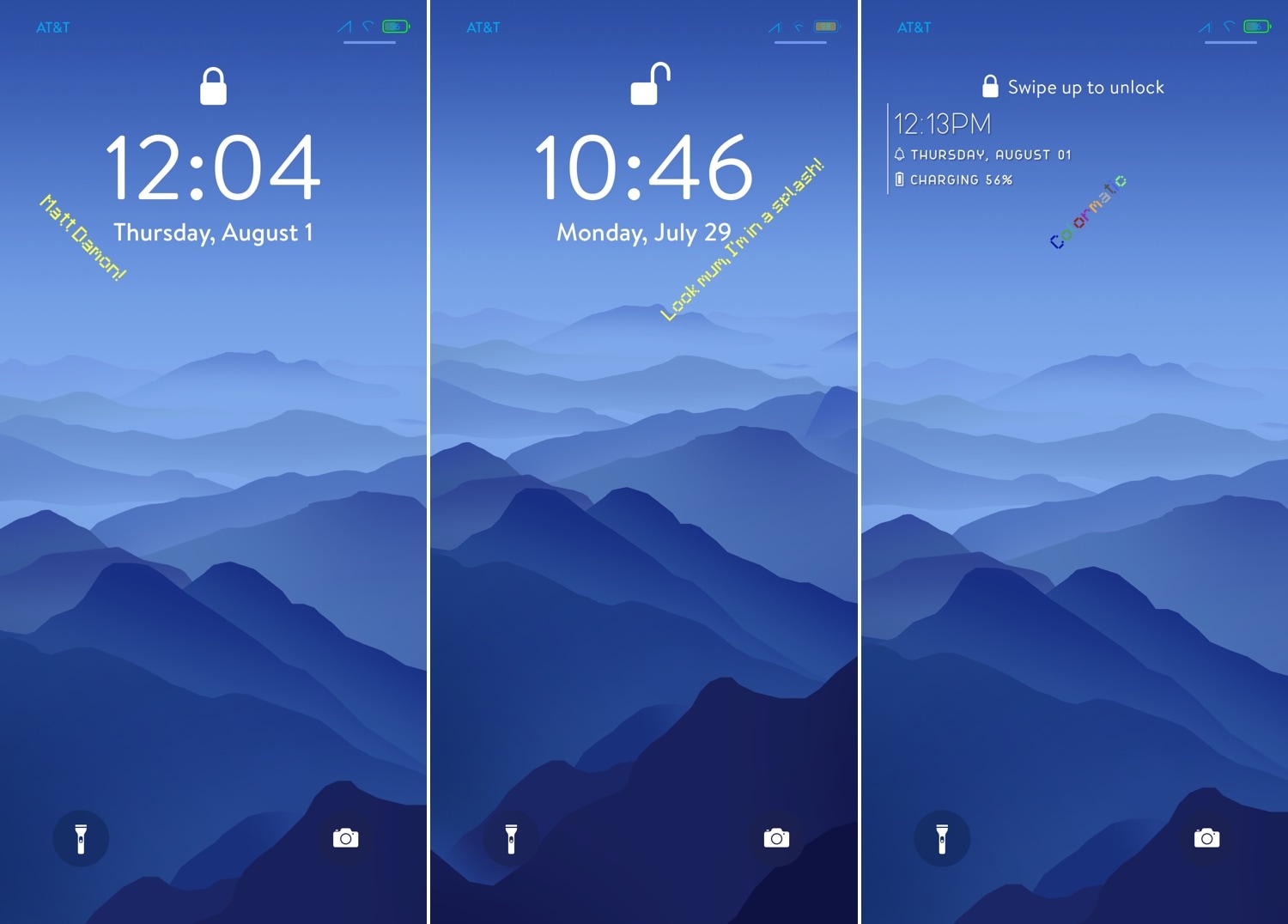
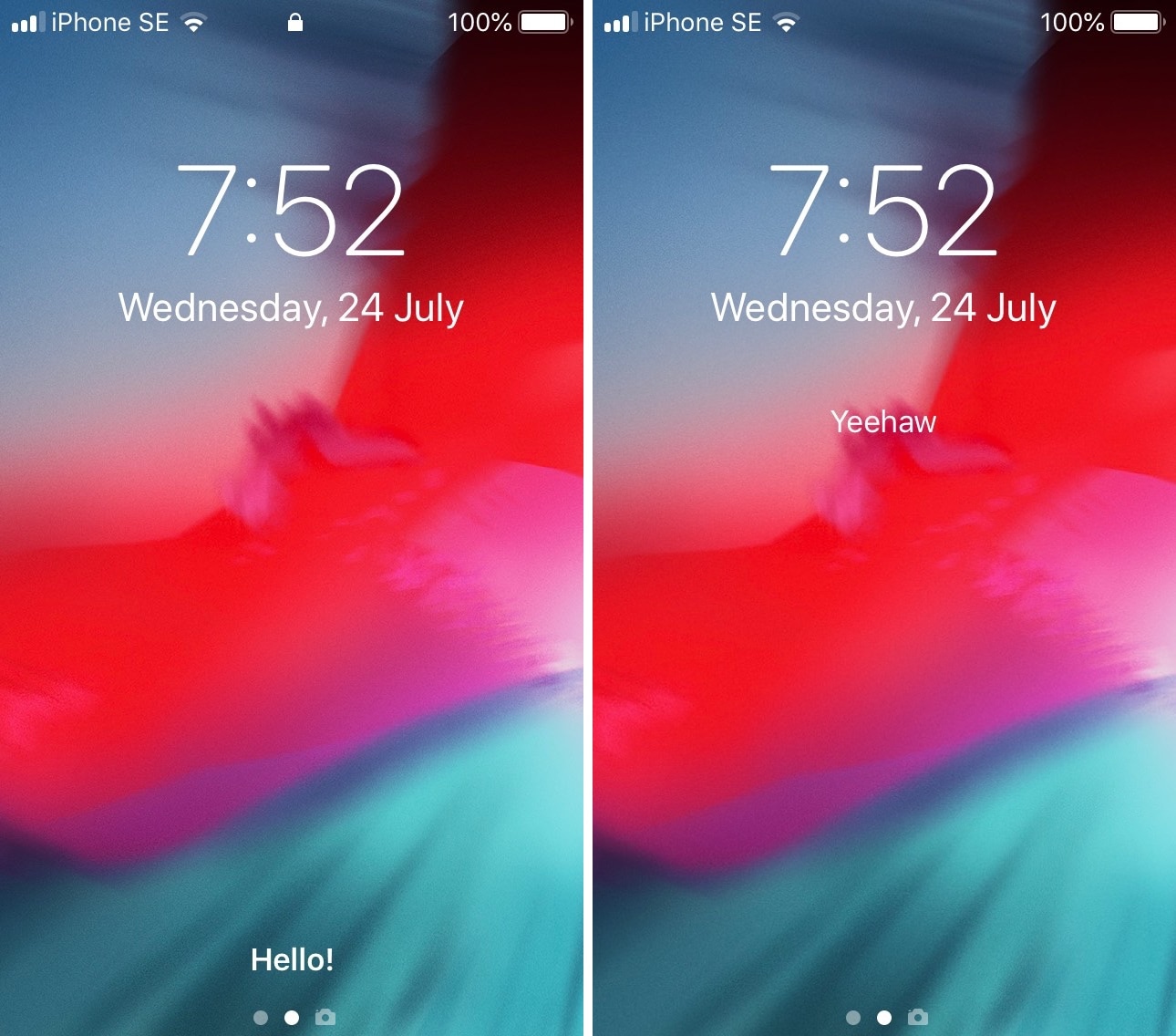
Bedrock brings Minecraft’s funny splash screen messages to your Lock screen

It was only a couple of weeks ago that we broke the news about a jailbreak tweak release called McSettings that could theme your Settings app to look and feel more like the popular Minecraft game, but now you can do the same with your Lock screen with the help of a new add-on called Bedrock by iOS developer Samg_is_a_Ninja.

As you might’ve discerned for yourself already, Bedrock brings the nostalgic Minecraft-centric splash screen messages to your iPhone’s Lock screen. These are generally one-liners and somewhat tacky, but Minecraft lovers will be excited to hear that they animate precisely as they would in the game on your computer.

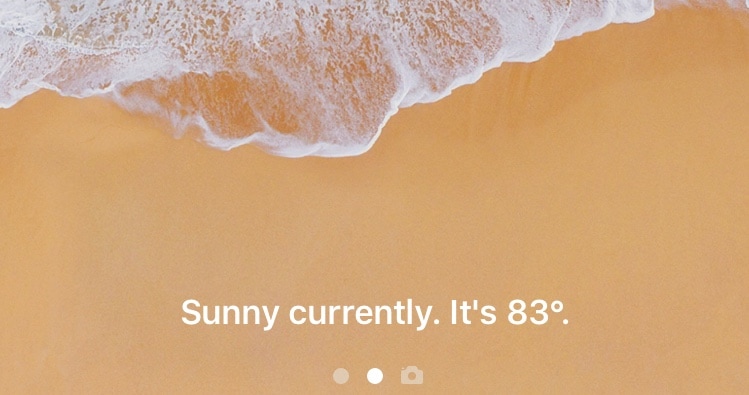
This tweak replaces your iPhone’s ‘swipe up to unlock’ text with weather info

If you’ve been using an iPhone for more than a week, then you probably don’t need to be reminded to “swipe up to unlock” or “press home to unlock.” Apple designs its devices to display this text whenever you’re looking at your locked handset’s Lock screen, and to some, it feels unnecessary.

If you’re ready to rid yourself of that silly text with something more useful, then chances are you’ll come to appreciate a newly-released and free jailbreak tweak called WeatherUnlockText by iOS developer XCXiao. This tweak replaces the standard text string with weather information for your current location, as shown in the screenshot example above.

CustomLock lets you personalize your iPhone’s Lock screen text

The Lock screen is the first thing you see every time you pick up your iPhone to use it. With that in mind, it’s not hard to see why some jailbreakers are quick to customize the appearance of it.

If you’re a minimalist and you appreciate the small things in life, then you might take a liking to a newly-released jailbreak tweak called CustomLock by iOS developer TylerD3V, as it provides users with two great ways to change the Lock screen’s aesthetics: text alignment and third-party fonts.

Customize iOS’ various system text strings with Label

As you use iOS, you’ll come to notice a variety of labels throughout the user interface that display redundant or non-useful information, such as the Status Bar's carrier text, the Lock screen’s ‘Press home to open’ text string, and Notification Center’s ‘No New Notifications’ text.

If you aren’t jailbroken, then you can’t customize any of these labels, but if you are, then you can take advantage of a newly-released and free jailbreak tweak called Label by iOS developer archergs to do just that.

Customize various locking and unlocking sounds on your iPhone with SoundLock

The iPhone’s locking and unlocking sounds have received minor revisions over the years, but perhaps not as many as we’d like. Fortunately, those with jailbroken handsets can get around this quandary by setting custom locking and unlocking sounds without Apple’s approval.

A newly-released jailbreak tweak called SoundLock by iOS developer DevelopApple is now available for free in the BigBoss repository, and it lets you configure custom sounds for a variety of locking and unlocking-centric actions that you might perform daily on your pwned iPhone or iPad.

Speculum gives your Lock screen a customizable aesthetic upgrade

If you’re in search of a fresh and aesthetically-pleasing Lock screen experience on your iPhone or iPad, then you might take an interest in a newly-released and free jailbreak tweak called Speculum by iOS developer LacertosusDeus.

As shown in the screenshot examples above, Speculum augments the Lock screen experience with customizable new features, including custom text alignment, formatting, colorization, and even a helpful new weather display.