Jailbreak

Check out the most comprehensive jailbreaking coverage on the internet, including the latest news, apps, tweaks, and detailed tutorials about everything jailbreak.

5 Tips for Boosting Your iPhone Resale Value

With me, the iPhone is like the water cycle, a never ending circular flow, that just keeps on repeating itself. What do I mean?

Well, my theory is like this: Buy an iPhone once, and never pay the full price for one again. How so? Here are 5 easy tips that will help you sell your iPhone for top dollar, so that you can turn around and buy a new one for free, or close to it.

Tutorial: How to Install the New Cydia for iOS 4.2

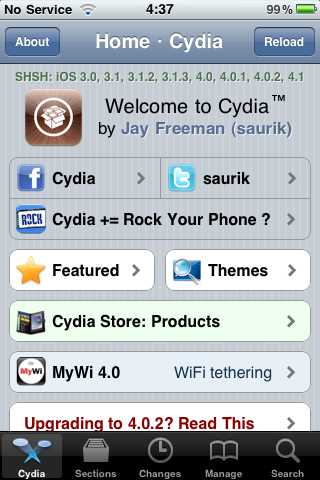
Cydia was recently updated to support Apple's updated API's in iOS 4.2. This particular Cydia update was quite the major overhaul, and there is no option available (yet) within Cydia to update to the newest version automatically.

Besides iOS 4.2 support, there are several long-awaited improvements in this version of Cydia.

The most noticeable improvement in this update is a huge performance boost throughout the whole application. Everything is faster. Once Cydia does the initial restructuring and downloading after you first install the update, you should notice an immediate boost in speed as you navigate the app. That means less of the dreaded loading wheel and more of actually accomplishing what you want to do...

Fix: iPhone Battery Drain After Jailbreaking and Unlocking

As we reported earlier this week, some of you who have recently updated your baseband to 06.15.00 to jailbreak and unlock have been facing battery drains issues. The problem doesn’t actually come from UltraSn0w or RedSn0w, but from the hacktivation process, for those of you who have hacktivated instead of activating the phone with an official carrier.

The issue comes from iOS 4.1 and 4.2.1 which constantly look for valid push certificates, either via wifi or your data plan (Edge or 3G). This runs down you battery and may even cause your iPhone to overheat. If you didn't hacktivate your iPhone but simply activated it with an official carrier (ie AT&T in the US), you shouldn't have any problem.

If on the other end you did hacktivate your iPhone, you might be experiencing the battery drain issue. Fortunately, there is now a fix for it...

Dev Team Releases RedSn0w 0.9.6b6 iPhone Jailbreak

The Dev Team has just released an update to their RedSn0w jailbreak, which is now at its version 0.9.6b6. This update was released following the battery drain issue experienced by some iPhone users who had unlocked using UltraSn0w.

This battery drain problem was encountered by those of you who updated the iPhone baseband to 06.15.00 in order to unlock. A fix has now been worked out. You can find this fix here...

Customize Your iPhone’s Battery Alerts with PowerAlerter

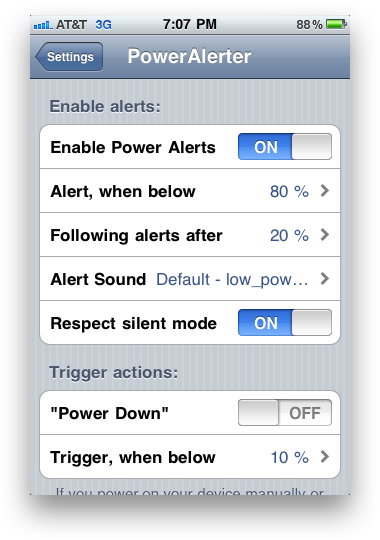
Sometimes, getting a battery alert at 20% on your iPhone isn't enough.  For those of us that want more control over our battery alerts, there's PowerAlerter.

PowerAlerter is a Cydia tweak that gives you full control over visual, audio and haptic notifications for your iPhone's battery. With PowerAlerter, you'll never have to worry about forgetting to plug your iPhone into the charger again...

Per Steve Jobs: AirPlay to Gain Increased Functionality in the Future

Chalk this up as likely one of the most obvious revelations to come out this week: AirPlay will be improved in the future.

On Sunday, Steve Jobs reportedly confirmed by e-mail that AirPlay would be receiving a few essential upgrades in 2011, including direct streaming from Safari and one additional feature that us iPhone users might find handy...

How to Prepare your iPhone 4.2.1 for Unlock using RedSn0w

We've seen yesterday that we the release of the updated UtraSn0w unlock, there are a few to be met to unlock iPhone 4.2.1. This unlock will work for the iPhone 3G or iPhone 3GS with baseband 04.26.08, 05.11.07, 05.12.01, or 05.13.04. It will also work with iPhone 4 with baseband 01.59.00.

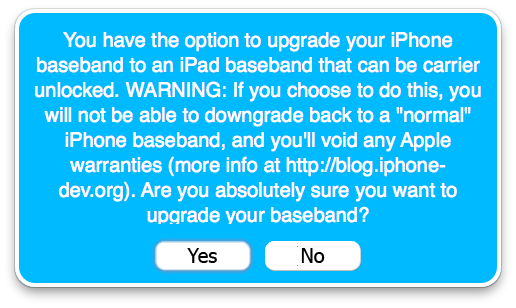
But what happens if you're not on one of those basebands? Depending on your phone model and configuration, you might have to update the baseband to 06.15.00, which is fully unlockable, then unlock using UltraSn0w.

In this tutorial, I will show you how to use RedSn0w to update your baseband to 06.15.00 so you can unlock your iPhone 3G/3GS 4.1.2...

How to Prepare Your iPhone for Unlock with PwnageTool

The Dev Team just released an update to their UltraSn0w unlock. Unfortunately, this time it's not as easy as downloading and installing UltraSn0w to unlock the iPhone.

If your iPhone is on baseband 01.59.00, 04.26.08, 05.11.07, 05.12.01, or 05.13.04, then you can simply go to Cydia and download UltraSn0w. If you are on a different baseband, you will first have to update your baseband to 06.15.00, which is unlockable.

All this sounds a little confusing? Yes, it's normal. It's very confusing, so I highly suggest you read this before going forward with the unlock process. It will tell you what you can and cannot do, depending on your configuration...

New Tweak Allows AirPlay Streaming from Any iOS App

AirPlay just got the jailbreak treatment. AirPlay (one of Apple's new technologies in iOS 4.2) allows streaming video to be pushed from any iOS device to an Apple TV.

AirPlay is only intended to allow streaming from the iPod and YouTube app, but this new jailbreak tweak opens up AirPlay possibilities to any playable media on an iOS device...

The Difference Between a Tethered and Untethered Jailbreak

With the release of the RedSn0w iOS 4.2.1 jailbreak, the notion of tethered jailbreak has been reintroduced and there seems to be a little bit of confusion about what's different between a tethered and untethered jailbreak.

I've seen many comments asking more clarification about what a tethered/untethered jailbreak is, so I thought I'd give you a quick and simple explanation...

Apple Puts Yet Another Roadblock to Jailbreaks and Unlocks

Even though jailbreaking is now legal, the cat and mouse game will never stop between Apple and the jailbreak community. Last example is the fact that iOS 4.2.1 has introduced a new baseband requirement, as explained by Notcom, the developer of TinyUmbrella.

While it's not clear yet what Notcom means by "baseband requirement", we can nonetheless assume that it is some kind roadblock that's going to make it harder for us to jailbreak, unlock, and downgrade.

Here is what Notcom has to say about this new baseband requirement:

Tutorial: How to Jailbreak Your iPhone iOS 4.2.1 with RedSn0w

RedSn0w was recently updated to jailbreak iOS 4.2.1. While this is excellent news, it doesn't come without its drawbacks as only the iPhone 3G, older iPhone 3GS, and non-MC iPod touch 2G get the untethered jailbreak.

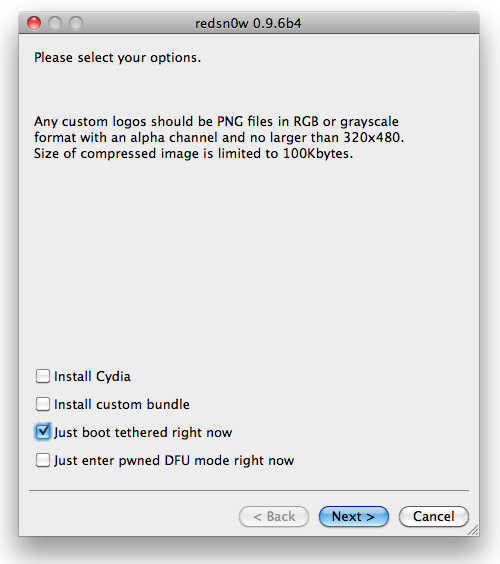
Other devices get a tethered jailbreak, which means that every time you reboot your iPhone, you will have to plug your iPhone in your computer, and launch RedSn0w to start your iPhone. Hopefully the Dev Team will come up with a way to bypass this soon.

If you are an unlocker, you should not update to 4.2.1 yet. You will lose your chances of unlocking. Wait for PwnageTool, which should be updated relatively soon.

This step by step guide will show you how to jailbreak your iPhone iOS 4.2.1 with RedSn0w. This tutorial was made using an iPhone 3GS but the steps are the same, no matter what device you are using...