Jailbreak

Check out the most comprehensive jailbreaking coverage on the internet, including the latest news, apps, tweaks, and detailed tutorials about everything jailbreak.

Troubleshooting Cydia: Problems with Broken Repos

I had a scary experience last night. As I was searching for a certain tweak in Cydia, I noticed that I wasn't getting the results I was looking for. So I searched for a few more apps and tweaks, and I kept getting no results. I thought about it for a minute, and then realized that every item I had searched for was from the BigBoss repo.

I've recently upgraded to the iOS 4.3.1 jailbreak, and I haven't gotten to play around with my main iPhone setup that much yet.

To my surprise, the BigBoss repo was broken in Cydia. BigBoss is a pre-installed repo in Cydia, so it's very odd that it wasn't working. The good news is that there's a way to re-add default Cydia repos without re-jailbreaking the iPhone...

How to Access Your Apple TV’s File System With CyberDuck

Yesterday we showed you folks how to SSH into your jailbroken Apple TV2 through your desktop OS' command line prompt. Today we are going to show you how to create a connection with your hacked Apple TV2 in a much more user friendly way.

All you need is CyberDuck for Mac or Windows, and your Apple TV's IP Address. Of course you'll also need a jailbroken Apple TV2, and both it and your computer must be on the same Wi-Fi network. For those new to the game, you can find your IP in your Apple TV2's main menu, Settings > General > Network > IP Address.

Once CyberDuck is done downloading, fire it up. Your going to want to choose to create a new connection.

From the drop down menu, select SFTP. In the Server field type your IP Address that we had you get earlier.

In the Username section type root and for the password, type alpine.

Then just click Connect.

You should now be looking at your Apple TV's root directory. Besides the ability to view your ATV2's folder sub system, you also have write privileges. This is one way to install Plex or Firecore's ATV Flash.

Any questions?

App Picks of the Week: NoSpot, Grades, Witness

Every week, we select a few apps that catch our eye. These apps can be from the App Store, web apps, or jailbreak apps.

This week, we have a nifty jailbreak tweak for disabling Spotlight, an App Store app, and another iOS companion app for the Mac. Hope you enjoy this week's picks!

How to SSH into Your Jailbroken Apple TV2 to Install Apps

If you have recently jailbroken your Apple TV2 for the first time, you might find yourself wondering what to do next. Sure the default NitoTV is cool, but there's only so much you can do with it.

If you are seriously looking to venture into the world of Apple TV hacking, you might want to pay attention. One of the best ways to access your Apple TV and install files is through SSH. This is just basically a secure connection between 2 devices.

In this case it is between your computer and your Apple TV2. OpenSSH, written by Saurik is installed during the jailbreak process. This is what allows your Apple TV to make a connection with your computer.

I'm on a Mac but I assume it is basically the same process for Windows users with its command line prompt app. Mac users open spotlight and type in Terminal. Once open you want to enter the following:

ssh root@192.168.x.x

Obviously you want to fill in the x's with your Apple TV2 IP address. To find it, just open the main Apple TV menu and go to Settings > General > Network > IP address.

Don't get discouraged if you don't get it right away, it took me a few minutes before I finally got prompted for a password. Also you must make sure you are on the same Wi-Fi network as your Apple TV.

The default Apple password is alpine, like on all of their other iOS devices.  Type it in and hit enter. You should now see Apple-TV:~root# which means you have write access to Apple TV's hard disk.

For an example I will give you the commands to install XBMC on your AppleTV2 which is a popular home theatre PC software.

echo "deb http://mirrors.xbmc.org/apt/atv2 ./" > /etc/apt/sources.list.d/xbmc.list

apt-get update

apt-get install org.xbmc.xbmc-atv2

After the last line is entered, you should see some code scrolling across your Apple TV2 and your machine will restart. After it reboots, you should see XBMC in your Apple TV Main Menu. You have successfully SSH'd into your Apple TV!

Any questions?
iPad 2 Jailbreak Release Coming Soon!

If you have jailbroken your iDevice before, you should recognize the name Chronic Dev. Much like the notorious iPhone Dev Team, Chronic Dev plays a large part in the jailbreaking community.

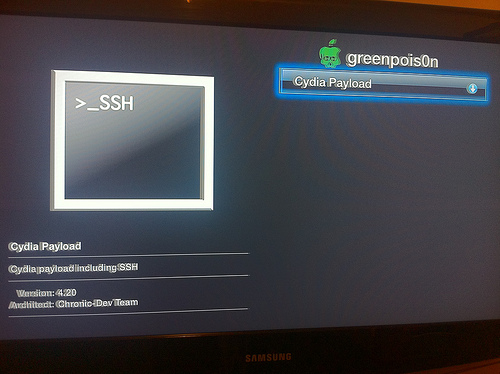
Their software, GreenPois0n, made jailbreaking as easy as plugging in your device to a computer.

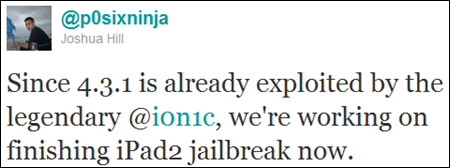
Although they've been relatively quiet lately, it appears they plan to come back in a big way. Chronic Dev team member Joshua Hill, aka @p0sixninja, mentioned on Twitter yesterday that his team was focused on finishing their iPad 2 jailbreak.

Since a jailbreaking solution has yet to become available for the iPad 2, this is pretty big news. The 4.3.1 exploit released last Sunday by the Dev Team does not work on Apple's latest tablet, and there has been no word from Comex on his current progress.

When will the iPad 2 jailbreak be finished? @p0sixninja tells a Twitter follower that they are in early stages, and jokes that progress depends on which way the winds blowing. Since he uses the word "finishing" in his early Tweet, I have to assume he was just kidding.

Tech site Redmond Pie believes the iPad 2 jailbreak will be packaged in with the new version of GreenPois0n, which is expected to be released soon and work on all iDevices.

Keep checking back and we will keep you updated on the latest iPad 2 jailbreak news.

Anyone dying to jailbreak their iPad 2?

RedSn0w Jailbreak Gets a Minor Update

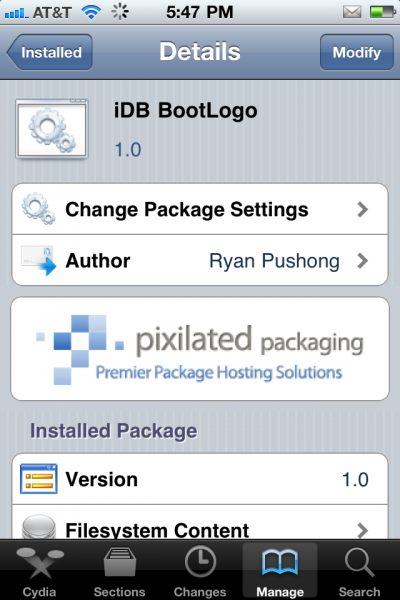
The Dev Team has recently updated their RedSn0w jailbreak to version 0.9.6rc12. According to MuscleNerd, RedSn0w 0.9.6rc12 should fix any lingering issues with the boot logo animations, which some of you had issues with.

So, what to do if you already jailbroke with RedSn0w and want to fix this boot logo issue? Simply download RedSn0w 0.9.6rc12 from here and run it over your current jailbreak, but make sure you do not select to install Cydia...

The State of App Piracy and What Can Be Done to Fix It

[iDB does not condone app piracy.]

Have you ever been inside a peddler's mall? It's basically a huge consignment shop where different vendors come and sell their knick knacks under one roof.

People who have items to sell in a peddler's mall pay the mall's owner a percentage of their sales for the rights to sell in the store. People will come to the peddler's mall to see what kind of deals they can find and to barter with the sellers.

In a way, the peddler's mall is a lot like the App Store. And folks, people are shoplifting.

iQuickCall Allows You to Quickly Call, Text, or E-Mail with Activator

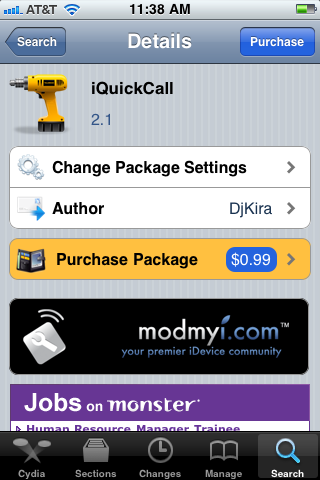
iQuickCall is a jailbreak tweak that allows you quick access to the number you call everyday. Using the gesture options built into Activator, iQuickCall gives you several methods for quickly prompting the option to call/text/e-mail someone from anywhere on your screen.

There are apps in the App Store that try to solve the issue of quick contact reference in iOS, but iQuickCall uses the system access benefits that jailbreaking provides for a more integrated approach...

One Man Turned Jailbreaking iPhones into a Full-Time Job

For most of us, we jailbreak because we want to. We do it to get customized apps, tweaks, or to give our iDevices a complete makeover. Even though the process has become extremely simple, we still feel a sense of accomplishment after our device reboots and that Cydia icon is glowing off of the screen.

I've jailbroken friends devices for them, and showed them how to use Cydia to download things. While software like PwnageTool and RedSn0w do most of the iPhone hacking for you, it still isn't recommended for the not-so-tech savvy. One Virginian college student has capitalized on that fact by turning jailbreaking into his full time job...