Jailbreak

Check out the most comprehensive jailbreaking coverage on the internet, including the latest news, apps, tweaks, and detailed tutorials about everything jailbreak.

Ten iOS 7 features that were borrowed from the jailbreak community

Let's state the obvious; iOS 7 borrows heavily from many of our favorite jailbreak tweaks. Without even really trying, I came up with a list of ten different jailbreak tweaks that may have inspired the iOS 7 development team.

Yes, the obvious ones are here, like SBSettings and LiveClock, but some not so obvious ones have made the cut as well. Check inside, as I walkthrough all 10 jailbreak tweak inspirations on video, and compare them with their iOS 7 counterparts.
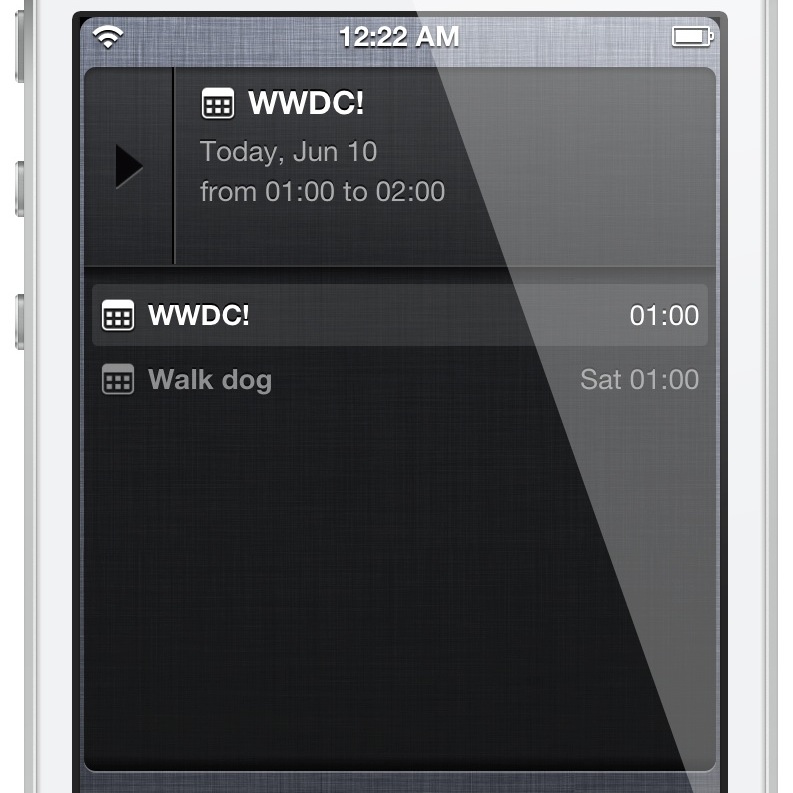
‘Overview’ allows you to manage mail, reminders, and events in one place

Overview is a brand new jailbreak tweak that provides a Notification Center widget containing email, reminders and calendar events. All of these items can be viewed directly via Notification Center. As you'll see, it's a really awesome design and concept, and it's from the same developer that brought us Tap to Widgets: Alan Yip.

You can easily scroll through all of the events, reminders, and email via the Overview widget. By tapping and holding on any of the items, you'll be taken directly to that item's full app. For example, if you tap and hold on an email within the widget, you'll be taken directly to the individual email message within the Mail app.

I've been testing out Overview for a few days now, and I'm confident that you'll like what you find, especially if you liked Tap to Widgets. Want to see how it looks in motion? If so, check out my full video walkthrough after the break...

Automatically clear Spotlight search with ‘ClearOnOpen’

Whenever you perform a Spotlight search by typing search terms in the Spotlight search bar, and then exit the search, the Spotlight search field remains populated when you swipe back to the Spotlight search screen. This is how Spotlight search works with stock settings.

ClearOnOpen is a new jailbreak tweak that forces the Spotlight search field to clear when coming back to the Spotlight search page. If you'd like to see how it works in action, then check after the break as we guide you via our video walkthrough.

‘Cybernetic’ brings new options to banner notifications

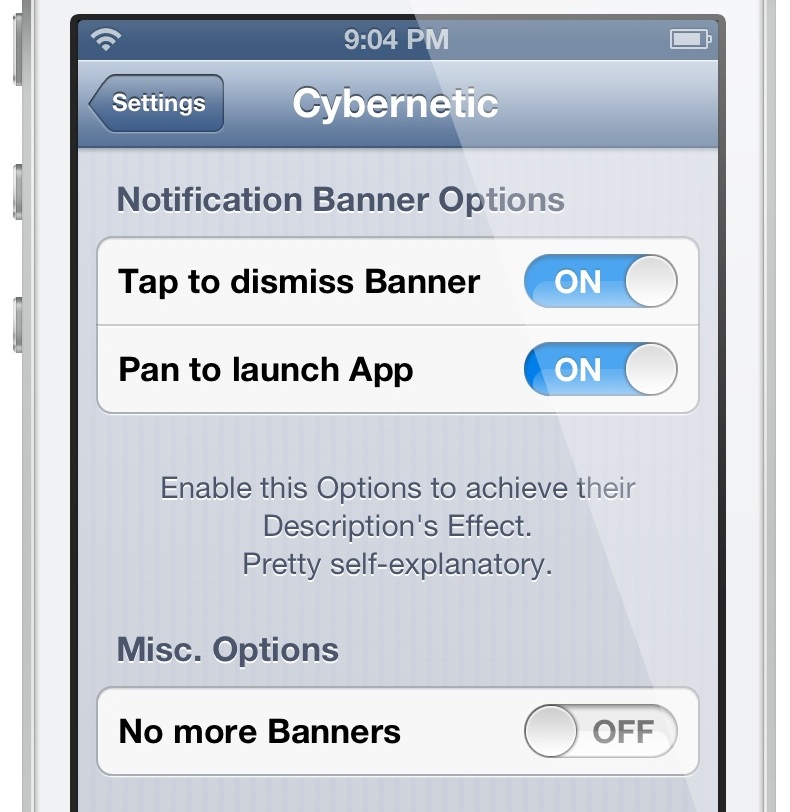
Cybernetic is a recently released jailbreak tweak that allows you to alter the way banner notifications work. For instance, if you tap on a banner, you can make the banner dismiss instead of opening the app associated with the notification.

If you're looking to change some of the options when it comes to banner notifications, then look no further than Cybernetic. Check inside for our hands-on video walkthrough.

7 features from jailbreak tweaks we could see in iOS 7

Now just a few days away from WWDC, excitement among Apple fans is at its climax. From predictions to speculations to wish lists, we're all trying to chime in on what Apple might unveil on Monday, and more specifically, what iOS 7 will hold for us.

There are a few details that appear to be set in stone. Namely, iOS is believed to have been flattened by design guru Jony Ive and his collaborators. Besides the visual make over, we're certain that iOS 7 will also bring new feature to the table, and if history gives us any hindsight, Apple's new mobile operating system might draw some inspiration from the jailbreak community once again.

In this post, I will detail a few features from various jailbreak tweaks that Apple should could implement in iOS 7...

Show off your jailbreak spirit with a WWJC iCarbons iPhone skin

I can't believe it's already June. It seems like just yesterday we were talking about the possibility of an April iPad event, and now we're less than a week away from WWDC, and two months away from WWJC.

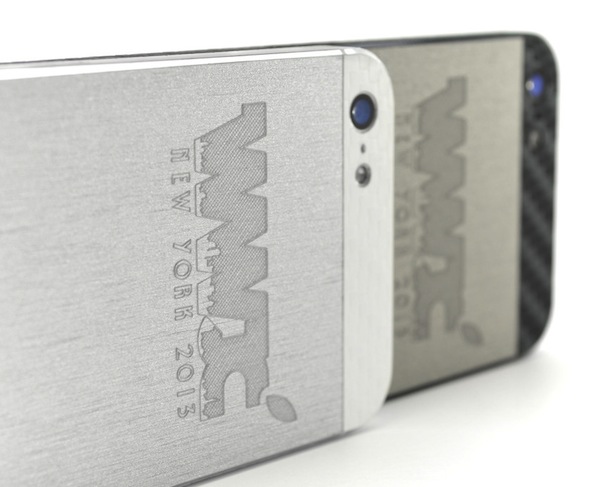
This year's World Wide Jailbreak Conference will be a 2-day affair, hosted at the Raddison Hotel in New Rochelle, New York. And whether you plan on attending or not, you can show off your jailbreak spirit with these Limited Edition WWJC 2013 iCarbons skins...

Auxo for iPad review

I've been covering jailbreak tweaks for a long time, and I've seen quite a few big releases in my time doing so. Tweaks like Octopus Keyboard, IntelliScreen X, Dashboard X, and most recently, Velox, come to mind.

But perhaps no tweak has been as anticipated this year as Auxo for iPad has. It is, of course, the big brother to the original Auxo tweak for the iPhone, which has proved to be extremely popular, and just as successful.

Needless to say, Auxo for iPad has some fairly big shoes to fill, and even bigger expectations. We all know how Auxo looks and feels on the small screen, but the question is this: can such a tweak be successfully translated to the iPad's significantly larger screen? More importantly, will it provide users with a better overall experience when using their devices? Check out our full review inside, as I break down the ins and outs of this long anticipated jailbreak release.

Preview: Auxo for iPad

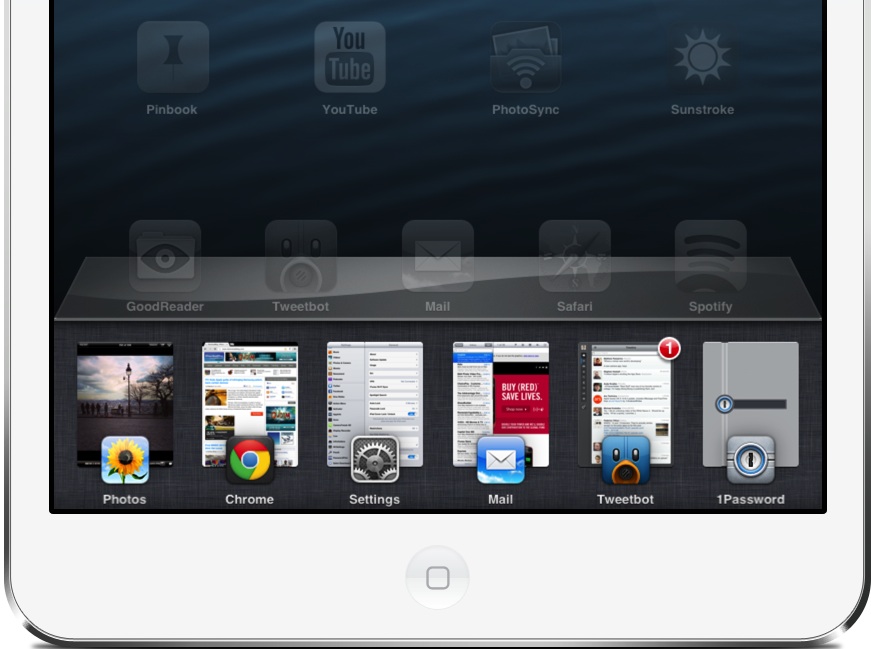
In just two days, one of the most anticipated jailbreak tweaks to ever hit the iPad will touch down. Obviously I'm referring to Auxo for iPad, the jailbreak tweak that will finally reinvigorate the iOS app switcher on the larger screen.

Auxo for iPad has taken a long time to arrive, because it has been meticulously built and designed. Instead of simply porting a rough version of the tweak to the iPad, the team behind the popular iPhone release decided to take their time and get it right. Did they accomplish their goal? You'll have to wait until our review on Thursday for the answer to that. In the meantime, check out our hands-on preview teaser video of Auxo running on the iPad.

Let’s Talk Jailbreak 13: Something got pushed down to eleven

This week, Jeff and Sebastien discuss WWDC, upcoming changes to iOS, and potential hardware announcements. They also talk about the possibility of iOS becoming increasingly open to developers. As always, the pair discusses this week's jailbreak tweaks, including AltKeyboard, Activator, MiniPlayer 2.3, Auxo for iPad, and more. Also, don't miss their discussion of the latest SemiRestore beta.

Flipswitch: a new centralized toggle system for iOS

We've covered hundreds if not thousands of jailbreak apps, tweaks, and themes over the years, and many of them contain some form of toggle to enable and disable functionality on device. Wouldn't it be great if there was a centralized means of providing toggles, instead of each developer wasting resources to come up with their own? Having a centralized toggle framework would also ensure that functionality remains more or less the same amongst the variety of different apps and tweaks.

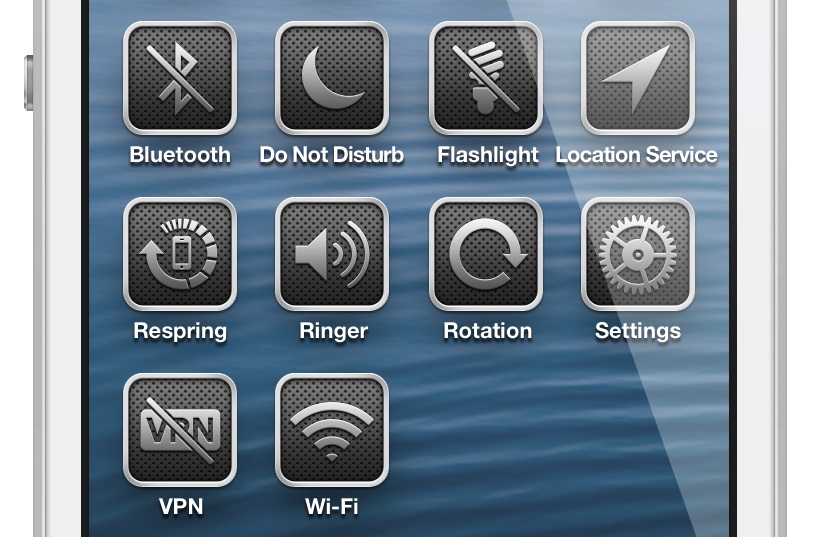
That's where Flipswitch — a new centralized toggle system for iOS — steps in to save the day. A collaboration between developers Ryan Petrich and Jack Willis, Flipswitch is a generalized toggle framework that's ready to go out of the box. This is a new tool that will make it easy for developers to implement toggles into their apps and tweaks with very few lines of code.

Take a look inside as I talk about FlipSwitch, and showcase its sample tweak — Switchicons — in our video walkthrough...

How to add a translucent status bar to Safari

Have you ever wished for the ability to see through Safari's status bar while browsing your favorite websites on your iPhone? If so, then TranslucentStatusBar for Safari might be right up your alley. It's a tweak that forces the status bar to be translucent while using the stock Mobile Safari app. Check inside for a video walkthrough of the tweak in action.

New Activator beta adds new flick icon gestures and more

Activator has been around for a long time, and it's safe to say that it's a staple jailbreak app, and probably a little bit under appreciated. While new fangled tweaks seem to get all the shine, Activator, the gesture plumbing that many jailbreak tweaks rely on, keeps on trucking along.

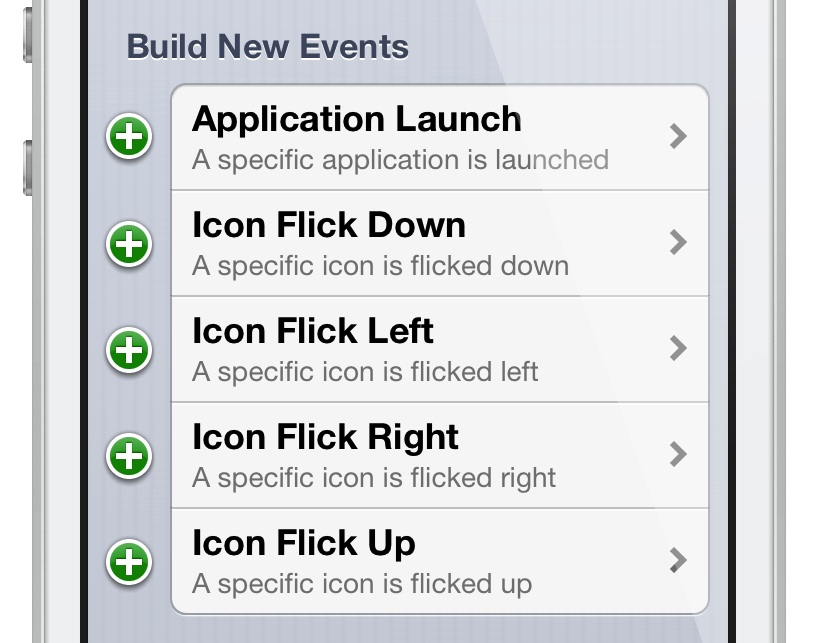
Since the initial 1.7.5 beta release at the beginning of May, Activator has been on the receiving end of a significant overhaul of its structure and inner workings. Perhaps the most exciting of all of the updates happened yesterday, with 1.7.5 beta 6. This new release adds support for per-app launch gestures and icon flick gesture. Think Velox.

In other words, Activator just got a lot more power under the hood, and it'll be interesting to see what developers and users like you, do with it all. Take a look inside as I dissect these two new features and showcase how they can be used.