Jailbreak

Check out the most comprehensive jailbreaking coverage on the internet, including the latest news, apps, tweaks, and detailed tutorials about everything jailbreak.

Jailbreak tweaks of the week: Safe Alarm 3, Delay Read Receipts, QuickPowerMode, & more…

As the Yalu jailbreak for iOS 10 continues to fuel the release of more new incredible new jailbreak tweaks, we also continue to show you the most notable throughout the work week.

Of course, since it's that time of the week again, we go out with a bang with an all-inclusive roundup. In this piece, we'll show you our favorite releases of the week, along with all the rest afterwards.
Safe Alarm 3 adds powerful features to your iPhone alarm

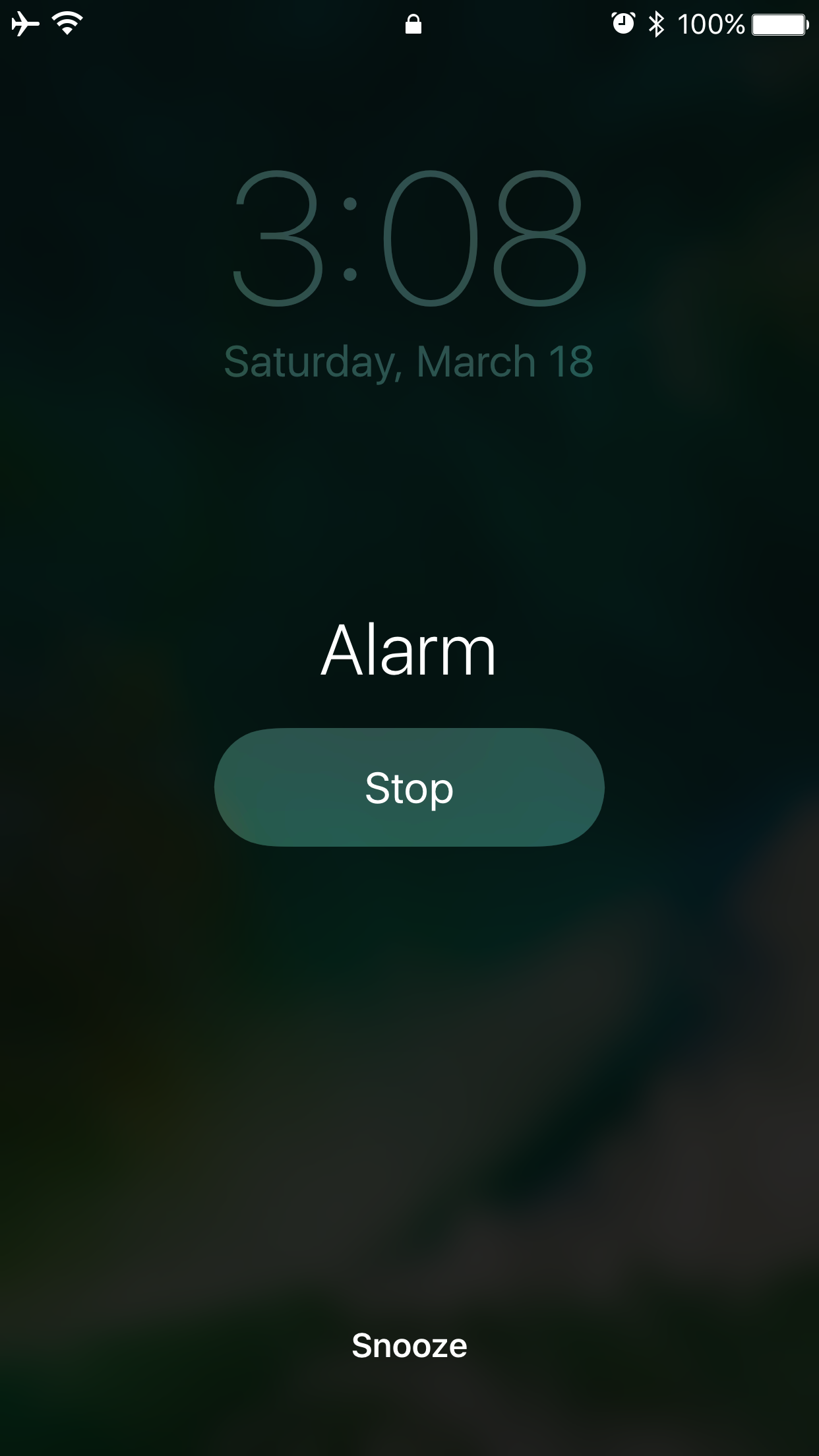
So many people rely on alarms from their smartphone to wake up in the morning that when a major new jailbreak tweak comes out that improves the stock alarm system on the iPhone, it’s a big deal.

Safe Alarm 3 by Douglas Soares is a noteworthy release in Cydia that expands upon the alarm system in iOS by giving you a trough of new options to configure, including new ways to be woken up.

Defluxit applies a fade effect to your Lock screen notifications

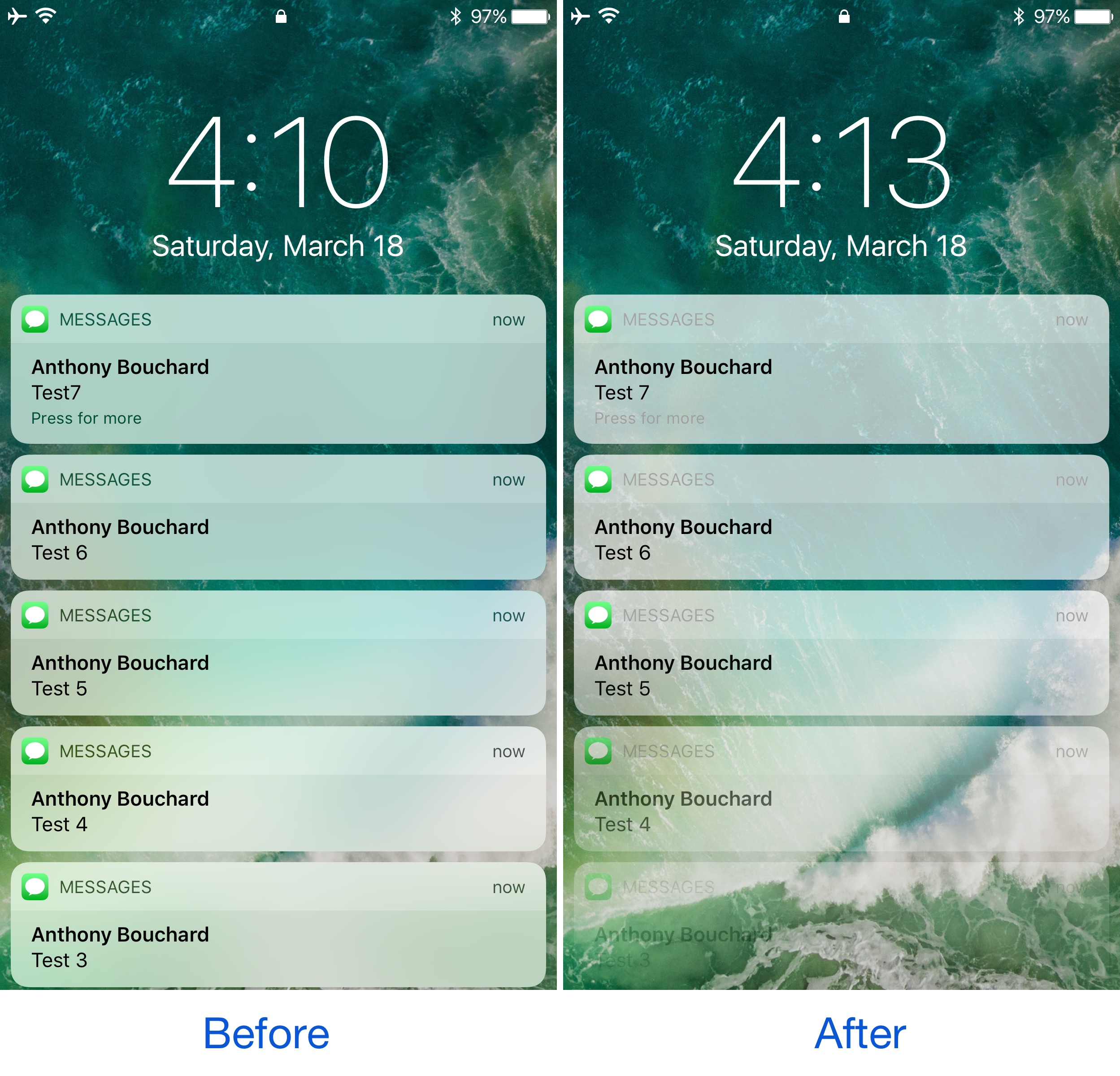
One thing the jailbreak community does best is change the way iOS looks through the channels of jailbreak tweaks and themes, and one of the latest releases to do so is Defluxit, by c0ldra1n.

This tweak is intended to give your Lock screen’s incoming notifications a visually-appealing fade away effect that puts emphasis on your most recent notifications, as shown above.

Colorize your iPhone’s cursor and text selection tools with Moose

The last several weeks have seen the release of many jailbreak tweaks aimed at colorizing different elements of iOS, and it doesn’t seem like the trend will be dying down any time soon.

Yet another tweak to join the growing array of color customization tweaks is Moose by iOS developer Tom Effects. This tweak lets you tint the cursor and text highlighting tools you typically see when editing text in iOS.

SleekNotifications makes notification banners more compact

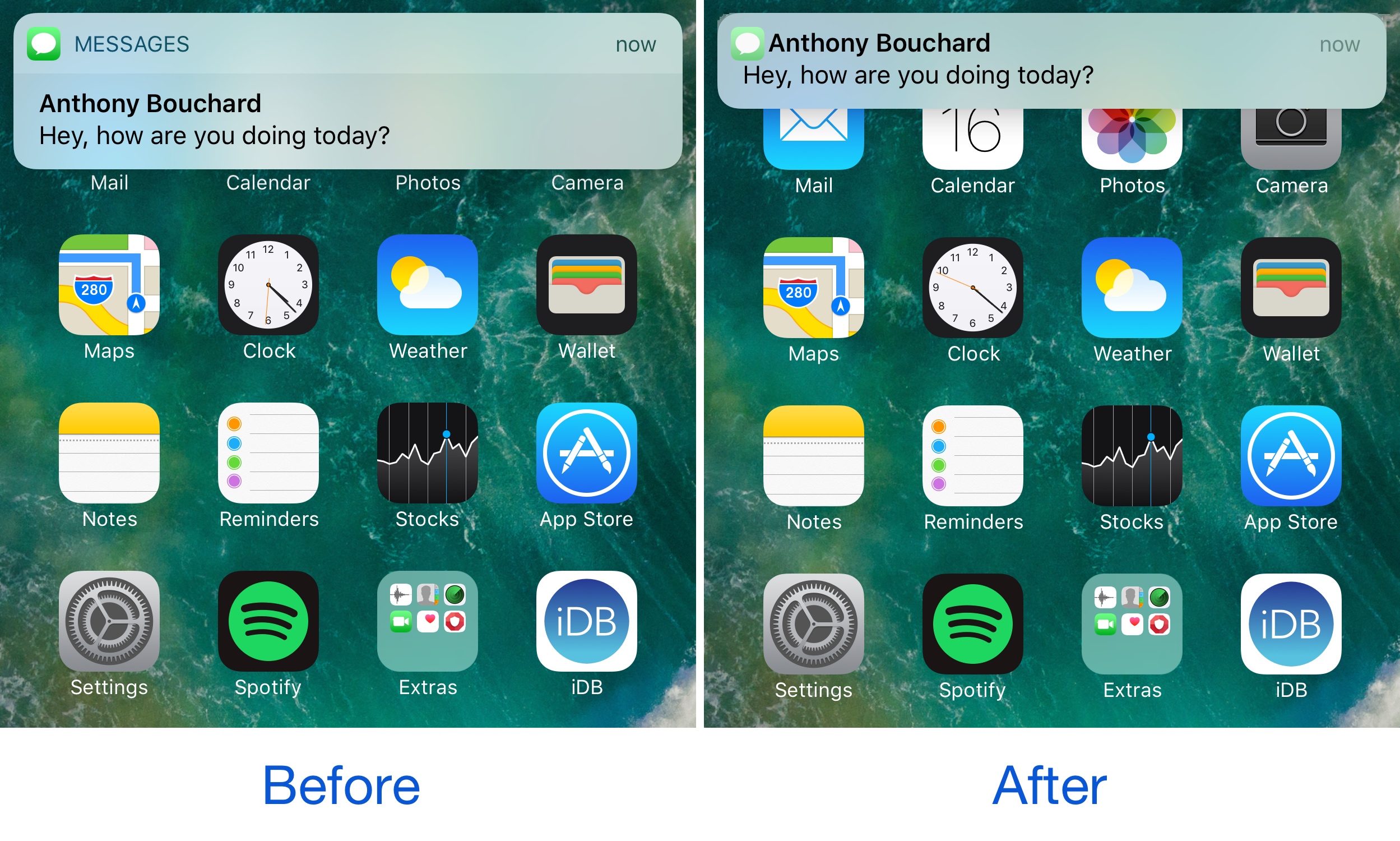
One of the ongoing pain points of notification banners circa iOS 7 is their large size. Banners were originally introduced to keep notifications out the way, but Apple eventually made them taller, causing them to get in the way of more of what you’re doing.

A new free jailbreak tweak called SleekNotifications by Rishanan is now available to help quell the misery in this department, as it shirnks down the size of your notification banners so they take up less vertical space on your screen.

This tweak withholds read receipts from your iMessage recipients until you’re ready

Admittedly, I have a love/hate relationship with read receipts. I like getting them, and I don’t particularly mind sending them to people, but sometimes I want to read someone’s message in peace without notifying them until I'm ready to deal with the consequences.

You could go into Settings and disable read receipts temporarily, but this becomes more of a nuisance than it’s worth. Fortunately, a free jailbreak tweak called Delay Read Receipts (iOS 10) by iOS developer HiDan helps by preventing read receipts from getting sent to your recipient until you’re ready.

WiFi Top Toggle moves the location of the Wi-Fi toggle switch in Settings

If you ever want to change Wi-Fi-related settings on your device, you typically go into the Wi-Fi section of the Settings app where you can then toggle the feature on or off on demand and/or pick the network you want to connect to.

A new free jailbreak tweak called WiFi Top Toggle by Mohamed Marbouh does a little bit of rearranging in your Settings → Wi-Fi preferences pane, yielding an end result that feels tidier.

BouncyNC10 makes the Notification Center launch animation bouncier

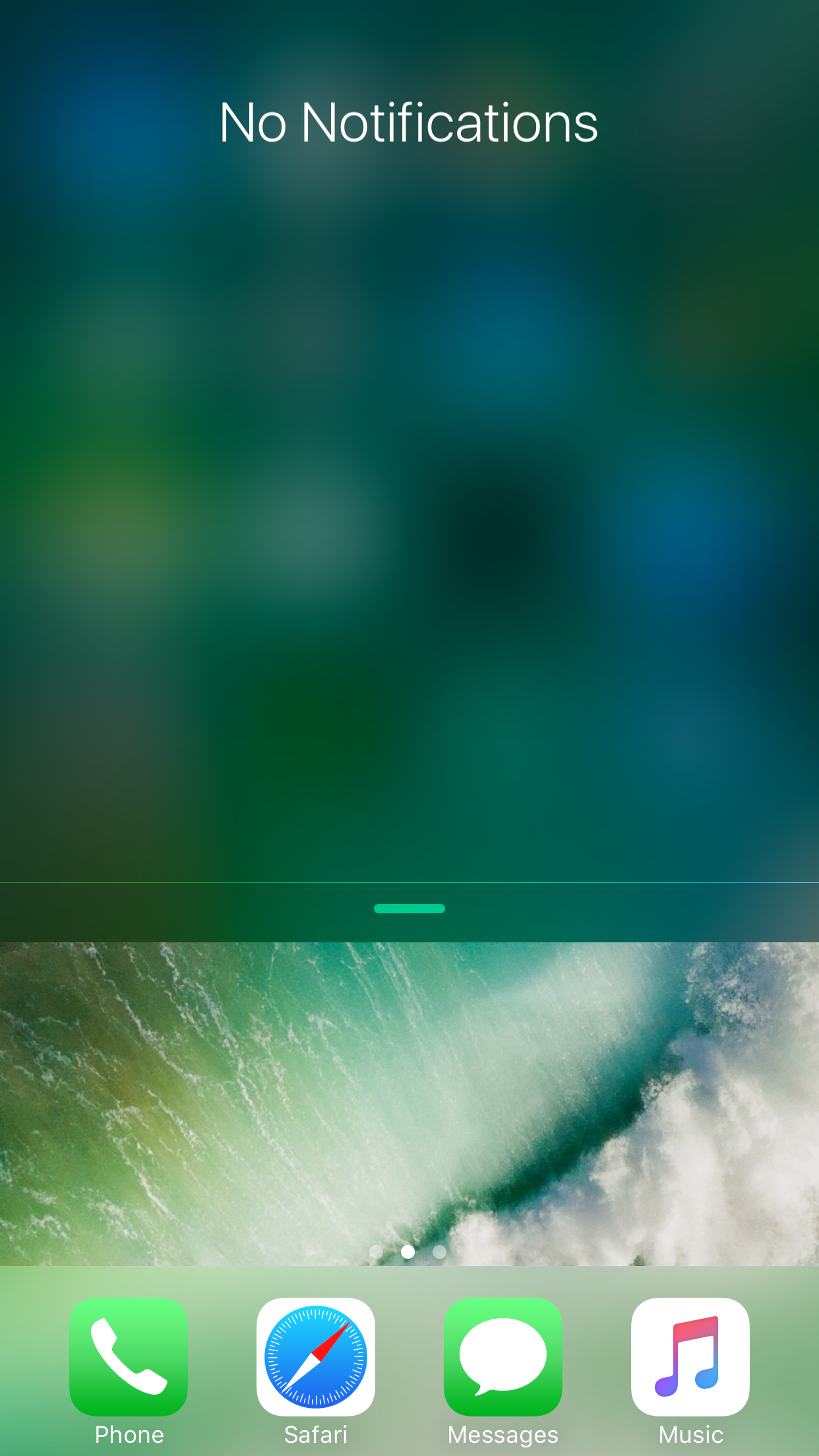
When you drag Notification Center down from the top of your screen, the interface normally just falls into place. The stock animation is a little boring, and some might argue that it could do with some additional creativity.

That’s the idea behind a new free jailbreak tweak called BouncyNC10 by CydiaGeek, which adds an enhanced bounce animation to Notification Center as it strikes the bottom of the screen.

BiggieSmallcc makes the album artwork more more prominent in Control Center

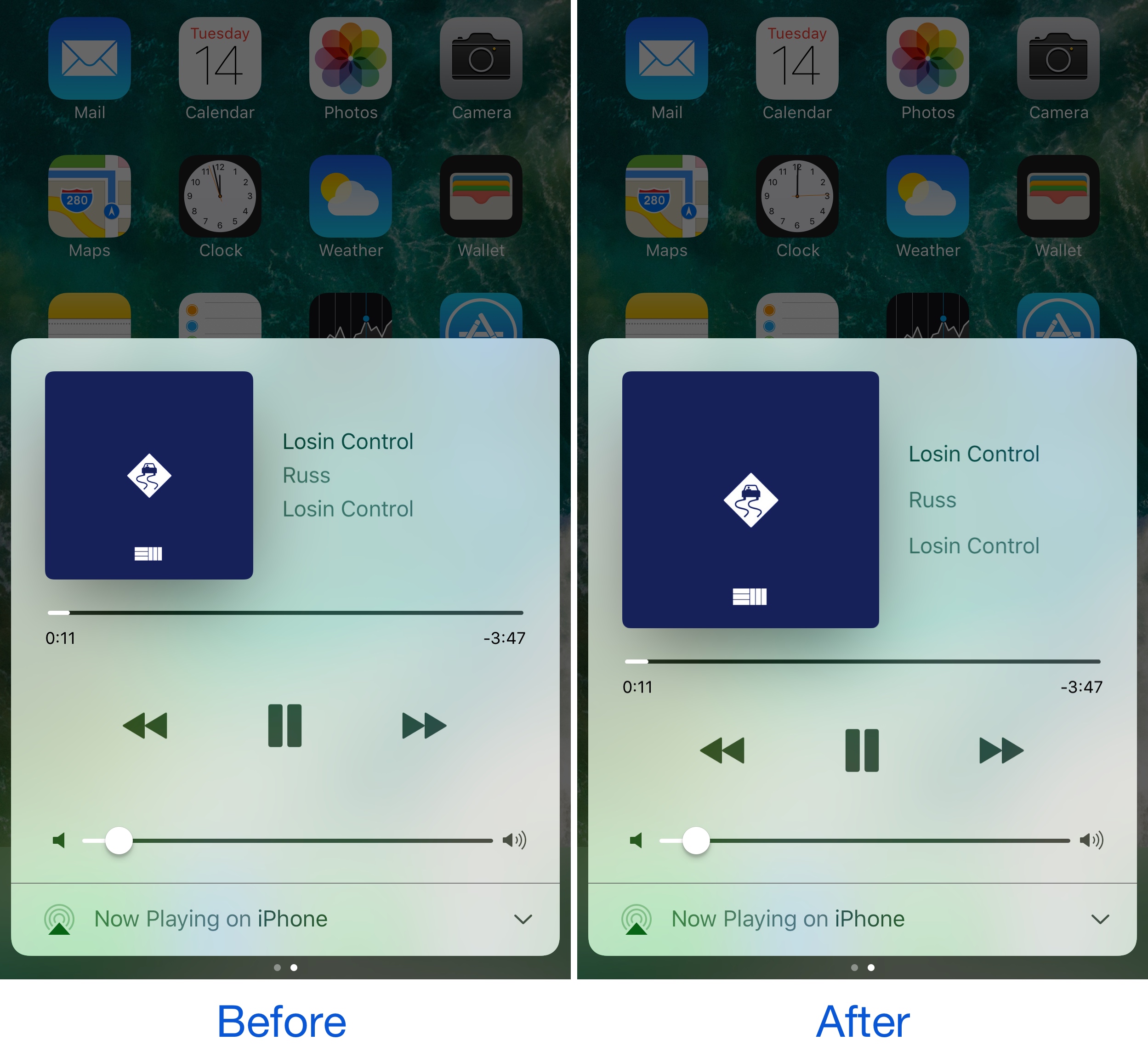
One of the great things about Control Center is how it offers access to Music controls anywhere you might need them. Part of the music control interface shows an album artwork illustration for whatever media is playing. Of course, some jailbreak developers would argue that it needs improvement.

A new free jailbreak tweak called BiggieSmallcc by candoizo aims to make the album artwork more proportionately appropriate by enlarging it to better fit the size of the interface, especially on larger-screened devices.

This tweak removes the background mask effect from Spotlight search results

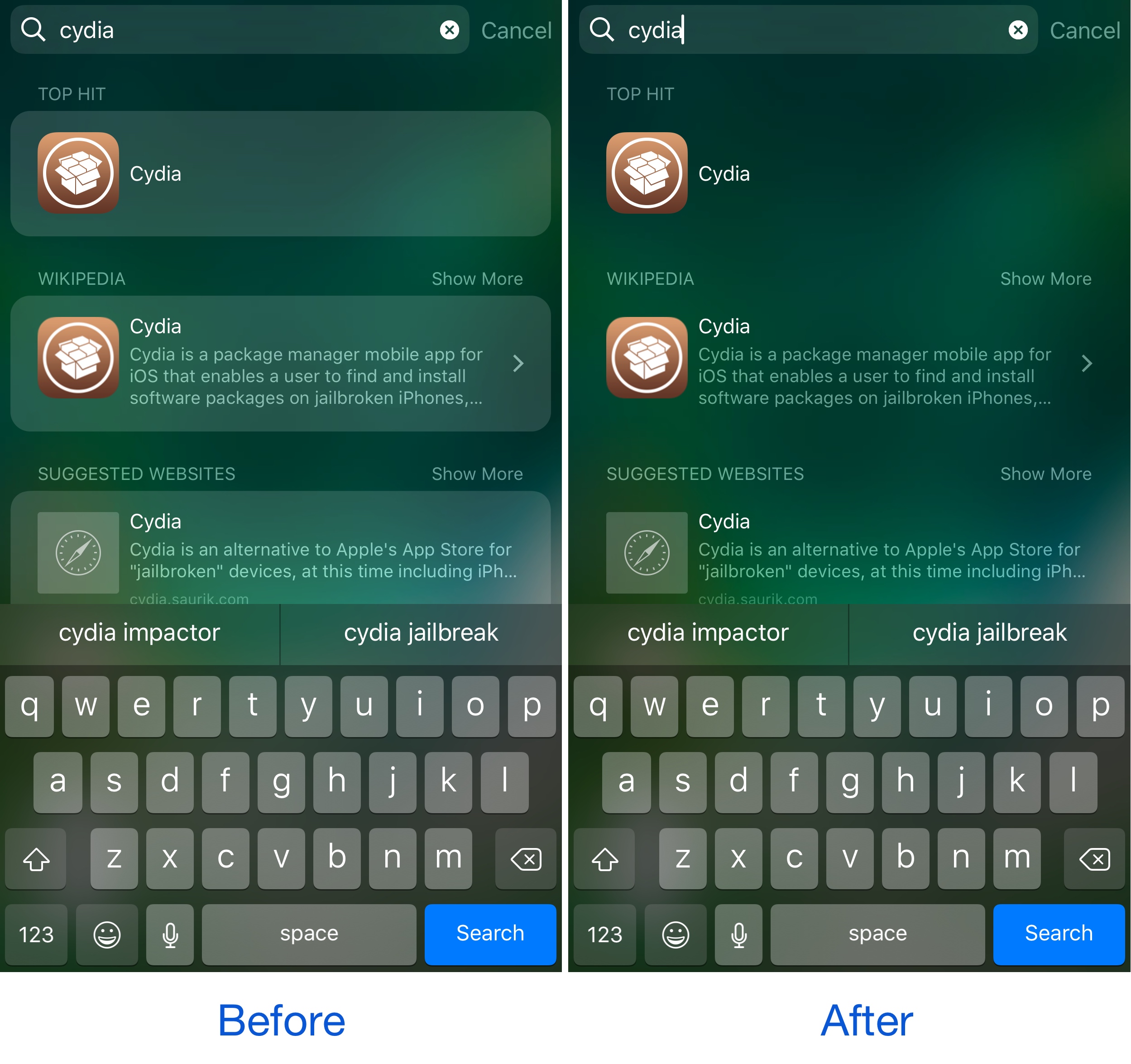
We recently showed you a tweak that can remove Spotlight search from your device entirely. On the other hand, if you do use Spotlight, but just wish there was more you could do with it to make the interface look better, then try this on for size…

A new free jailbreak tweak called No Spotlight BG Mask by Justin Petkovic is a minor aesthetic mod that simplifies the way your Spotlight search results look. It removes the background masks that normally appear out of the box, resulting in a new look.

BorderIcon+ adds colorized borders to various parts of your Home screen

For the folks who like tinkering with the way their iPhone looks and feels, a new free jailbreak tweak release called BorderIcon+ by Pax Cex lets you deck out various parts of your Home screen with customizable borders.

The tweak is fully configurable and can be applied to a number of things including: app icons, notification badges, folder backgrounds, and even 3D Touch menus.

NoSpot10 removes Spotlight search from your iPhone

If you never really use Spotlight, and it always ends up in your face when you don’t want it to be, then you might want to take a look a new free jailbreak tweak called NoSpot10 by CydiaGeek.

Installing this tweak lets you disable Spotlight in a system-wide manner, leaving you with simpler widget pages on the Home screen, Lock screen, and Notification Center.