Jailbreak Apps

‘SwitcherSettings’ – Add SBSettings Toggles to the App Switcher

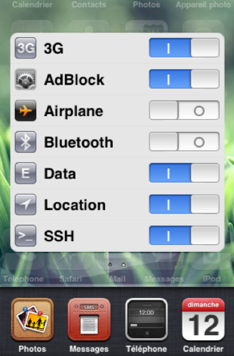
SBSettings is always the first tweak I install after jailbreaking. Even when it's not installed, I find myself swiping at the statusbar expecting a menu to drop. The simple utility gives me quick access to toggle Wi-Fi and Bluetooth settings, as well as a respring function.

Though I've yet to find anything in Cydia that matches the functionality of SBSettings, the competition is certainly heating up. Jeff recently told you about Homescreen Settings, which places the actions on your springboard. I'm going to tell you about SwitcherSettings, which adds the functions to your app switcher...

‘CameraLock’ Jailbreak Tweak Brings iOS 5 Style Camera Button to Your iPhone

It was only a matter of time before an iOS 5 inspired lock screen camera shortcut appeared for current gen iOS firmware, and that time is now.

CameraLock is a tweak by tweaking expert Filippo Bigarella, who unsurprisingly is behind the similar FlashLock tweak inspired by our very own Sebastien Page.

In the very same vein of the iOS 5 feature, CameraLock places a handy little camera shortcut on your lock screen for easy access.

But there are a few differences between this implementation, and the version that is featured in iOS 5, as I highlight in the following video walkthrough...

Bring Infinite Swiping to Your iPhone’s Home Screen with ‘Wraparound’

It's time to add another entry to the, "why didn't Apple think about that?" list.

Introducing: Wraparound -- a jailbreak tweak for the iPhone that allows you to scroll indefinitely on your Home screen.

Normally when you reach your last page of apps, you're restricted from going any further. With Wraparound installed, this restriction is a thing of the past.

Instead of reaching a dead end on your iPhone's Home screen, you'll be rerouted back to the Spotlight page for another go 'round, and you can do so until your fingers get tired of swiping...

‘Homescreen Settings’ Adds Settings App Shortcuts to Your Home Screen

Homescreen Settings is the type of innovative tweak that doesn't come around too often, but when it does, you wonder, what took so long?

It's one of those, "well, duh!" tweaks that leave you scratching you head as to why it hasn't been done before.

That's what I love about the jailbreak community, because no matter how far we think the developers have pushed the envelope, they continue to amaze us with their work.

Homescreen Settings is just that, an amazing tweak, and worth every cent of its $1.99 asking price. It allows you to place any, literally, any settings panel onto your iPhone's Home screen as a quick and convenient shortcut.

Not convinced? Check inside and be convinced...

‘OpenOther’ Jailbreak Tweak is Guaranteed to Bring the Practical Jokester Out of You

Every so often you'll stumble across a jailbreak tweak that's absolutely perfect for use as a practical joke.

OpenOther fits well into this category; it's great for driving your iPhone owning friends or family up a wall.

That's of course assuming that your friends or family have jailbroken iPhones, since OpenOther is a tweak available on Cydia for jailbroken iPhone's only.

This sneaky tweak allows you to reroute an app to another app, meaning that when you open one app, it opens another instead.

Check inside for a full video demo of OpenOther in action...

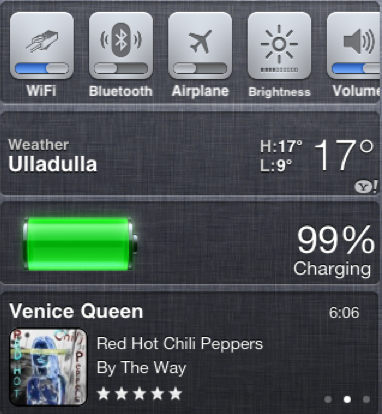
2 New Notification Center Widgets: BatteryCenter and MusicCenter

Jailbreak developers have been on a roll over the past two weeks, releasing several custom widgets for the new Notification Center in iOS 5. From the looks of things, it doesn't appear that the community plans on slowing down anytime soon.

Programmer Aaron Wright has recently released not one, but two jailbreak tweaks for Apple's iOS 5 beta software. Jailbroken folks on iOS 5 are more than welcome to try out the 2 new widgets, which are available for free from the developer's repo...

List of Jailbreak Tweaks Compatible with iOS 5

If you got your hands on iOS 5 beta 1 and decided to give it the jailbreak treatment via RedSn0w, you have probably noticed that a bunch of your favorite jailbreak apps and tweaks are not functioning properly, if at all.

A lot of those jailbreak apps haven't been updated yet to work properly on iOS 5. So if your favorite tweak is broken, don't worry, the developer will most likely fix it soon. In the meantime, the jailbreak community came up with a handy list of jailbreak apps and tweaks that are compatible with iOS 5...

FlashLock Activates Your iPhone 4 Flash From the Lockscreen

I know what you're thinking: "we don't need one more of these flashlight applications." Even though Cydia and the App Store are flooded with Flashlight apps, I have a very special interest in FlashLock because it was my idea and I worked with developer Filippo Bigarella to bring it to life.

Up until today, my flashlight app of choice was SpringFlash, but it never really did what I wanted. So, I asked one of my favorite tweak devs if he could make my dream flashlight app come true. And he did...

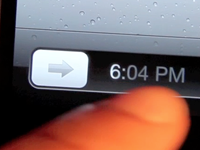
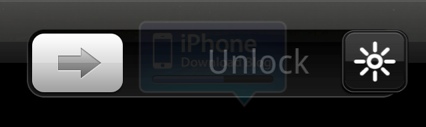
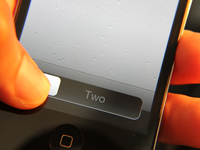
‘multislide’ Supercharges Your ‘Slide to Unlock’ Bar

Wouldn't it be nice if you could get some extra mileage out of that one-trick pony Slide to Unlock bar?

That's the purpose behind the latest TweakWeek tweak, and first entry by developer Tyler Nettleton. multislide allows you to open up pre-specified apps directly from the iPhone's lock screen by means of the Slide to Unlock bar.

Although the name of the game with TweakWeek is short, simple, and to the point, you've got to respect the obvious extra effort that went into conceptualizing and designing this handy tweak...

SpotURL Jailbreak Tweak Lets You Visit Websites From Spotlight

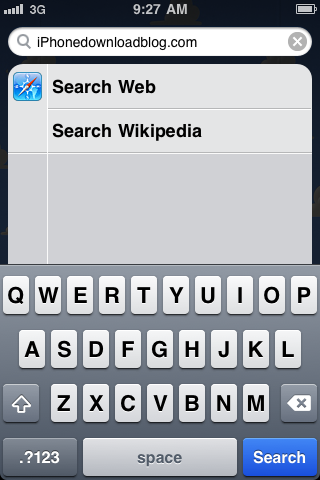
Would you like to add a little more functionality to your iPhone's Spotlight? SpotURL is a new jailbreak tweak, by Filippo Bigarella, that allows you to visit a website straight from the Spotlight page.

Instead of having to enter a web address in Mobile Safari, SpotURL will let you enter the address right on your iPhone's homescreen. For quick navigation to a web page, SpotURL is about as good as it gets.

How to install .deb files

While Cydia is a decent hub for all of the available jailbreak apps and utilities, there's no arguing that dealing with the clunky package installer can be a bit cumbersome at times.

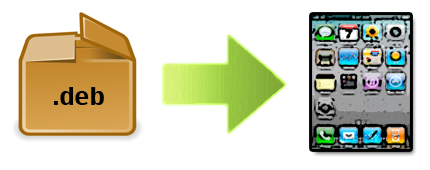
For folks that weren't aware, you can manually install jailbreak apps and tweaks without ever opening Cydia. All you need is the .deb file of the package you want to install, and an FTP client like iPhone Explorer or Cyberduck.

In this tutorial, we will show you how to manually install a .deb file on your iPhone, iPad, or iPod touch.