Jailbreak Apps & Tweaks

These are the latest jailbreak apps and tweaks available for your iPhone or iPad. We save you time by highlighting only the best tweaks.

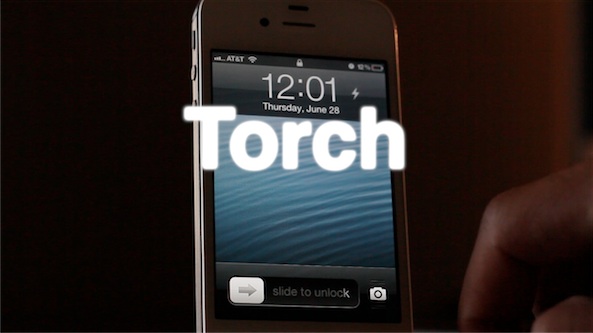
‘Torch’ is a new flashlight toggle for your iPhone’s Lock screen

Whenever you find yourself in a dark place, chances are you don't have a flashlight on your person, but you do have an iPhone. For that reason, it's a good idea to install a jailbreak tweak that allows you to easily use the iPhone's built in LED flash as a flashlight.

There are already a handful of decent flashlight tweaks available on Cydia, but this latest one called Torch is one of the better implementations. Torch is a tweak that places an easily accessible flashlight button on your Lock screen that will enable or disable the LED flash.
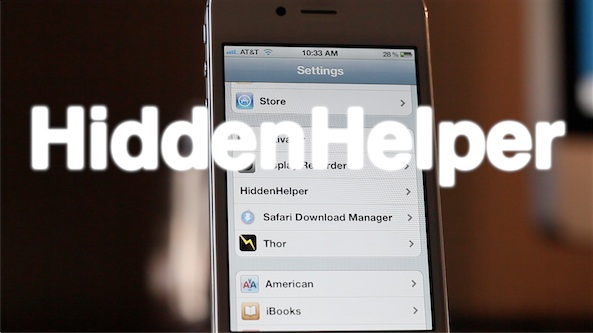
HiddenHelper allows you to use Siri while hiding the UI

HiddenHelper is a jailbreak tweak that's the public successor to the GhostSiri concept tweak that we posted about a while back. HiddenHelper, like GhostSiri, aims to accomplish the same deed — allow you to use Siri without actually bringing up the Siri UI.

Where HiddenHelper one-ups GhostSiri is in the options department. In HiddenHelper's settings panel, you'll notice provisions for enabling certain Siri snippets where a UI is necessary to receive proper response; Wolfram Alpha queries are a great example of this.

Check out our full video walkthrough for the details...

Speero is an upcoming system management tweak for the iPad

Speero is an upcoming jailbreak tweak for the iPad that places a system management utility at your fingertips by means of an Activator action.

Once Speero is invoked using Activator, you can manage apps, execute toggles, launch apps, and perform specific Activator actions from a list of up to 20 programmable actions.

There's even a provision built in for further plugins to expand upon the premise of the tweak. If you've been looking for a decent system management tweak, then you may want to give Speero a look...

ChromeURL allows you to use the standard web keyboard with Google Chrome

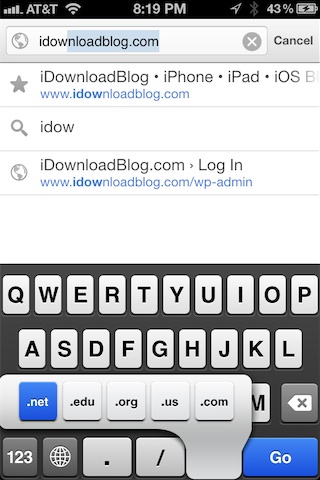
One of the few big complaints about Google Chrome is the fact that Google inexplicably left out TLD (top level domain) keyboard shortcuts in favor of their own custom keyboard layout.

In mobile Safari, these shortcuts allow you to tap and hold the ".com" button to bring up an alternate list of TLDs like .org, .net, etc. On Chrome, however, Google opted for a different styled keyboard that lacks these shortcuts.

As usual, the jailbreak community has come to the rescue with a fix — this one in near record time. The fix is called ChromeURL, and it's a free jailbreak tweak downloadable from Cydia's BigBoss repo. Its purpose is to perform one function, and one function only — replace the Chrome keyboard with the same keyboard present in the stock mobile Safari browser...

Chromizer adds full screen mode, pull to refresh, and better tab switching to Google Chrome on iOS

Chromizer is a free jailbreak tweak that will be available tomorrow on Cydia. Its purpose, as its name not-so-subtly alludes to, is to add additional functionality to the recently released Google Chrome browser for iOS.

A tweak that's compatibile with both the iPhone and iPad, Chromizer seeks to add a few missing features to the browser's otherwise excellent stock feature set. For its initial release, Chromizer focuses on adding three new functions to the iPad: Pull to Refresh, full screen mode, and iPhone styled tab switching. For the iPhone, you'll get the full screen mode and pull to refresh, since it already has the tab switching area covered.

Is Chromizer a tweak that you should consider if you have a jailbroken iOS device, and Google Chrome is your browser of choice? Check inside for the answer...

How to open Home screen shortcuts with Google Chrome

Earlier in the day we covered BrowserChooser, a jailbreak tweak developed by Ryan Petrich, which allows you to assign Google Chrome as your default web browser.

It's a great tweak, and works exactly as expected; it was even recently updated with a few new additions such as the ability to have a dialogue to select your browser of choice when opening a link, and the ability to make the dialogue sheets say "Open with Chrome" instead of "Open with Safari".

One thing BrowserChooser doesn't do, however, (at least for the time being that is) is allow you to open Home screen shortcuts/bookmarks created via Safari with Google Chrome. Browser Changer is a tweak that's been around for a very long time, and it was recently updated to allow you to do just that.

Check out our hands-on walkthrough inside...

Make Chrome your default browser in iOS with BrowserChooser

So that didn't take long. It hasn't been 12 hours since Chrome popped up in the App Store, and there's already a jailbreak tweak available that allows you to make it the default browser in iOS.

BrowserChooser comes courtesy of jailbreak developer Ryan Petrich. And if you're a fan of Google's mobile browser, you're going to want to download this package as soon as possible...

BiteSMS-maker releases new WhatsApp quick reply tweak

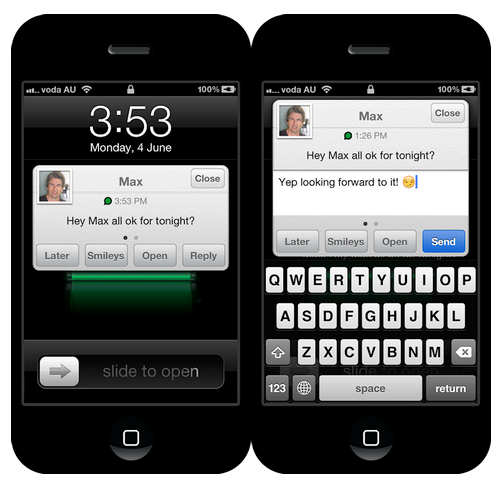
Jailbreakers who use the popular WhatsApp messenger will be happy to hear that Delicious, the folks behind biteSMS, have just released a handy new tweak for the client.

Quick Reply for WhatsApp hit Cydia today. And as you may have guessed, it enables you to quickly reply to incoming WhatsApp messages from anywhere in iOS...

LockSpring adds a respring button to your Lock screen

LockSpring is a free jailbreak tweak that adds a respring button and toggle to your Lock screen. It's an incredibly simple tweak, and chances are you already have the same functionality in another tweak installed on your iDevice. For that reason, most won't see the value in adding a standalone tweak like LockSpring to their repertoire.

On the other hand, if you're looking for a singular tweak that performs a respring function only with no extra fluff, then LockSpring may be worth taking a look at.

Deck HD released on Cydia

[tube]http://www.youtube.com/watch?v=NwWTDyg_saY[/tube]

Deck HD - the iPad version of the popular Deck tweak for the iPhone - has finally made its way to Cydia for download.

A while back we posted a full walkthrough showcasing Deck HD in action. What we found was a tweak that worked just as well as the iPhone version, and in fact felt even better to use due to the extra screen real estate, and exclusive iPad customizations.

Deck HD can be downloaded from Cydia's ModMyi repo for $1.99. If you decide to try it, be sure to share your experience in the comments section.

Fake Activator app pops up in the App Store

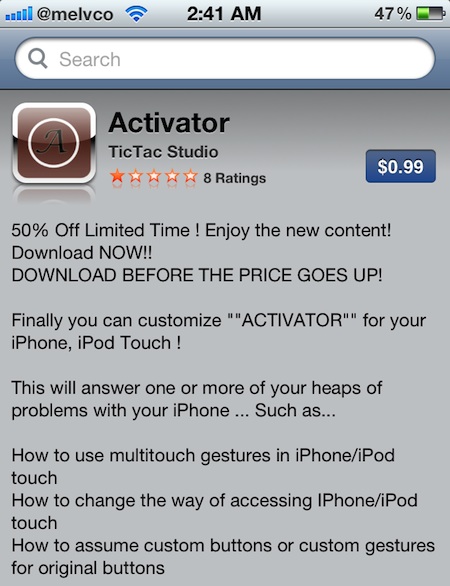
There appears to be a new trend developing in the App Store: create a crappy application, name it after a popular jailbreak app, and hope folks mistakenly buy it for $0.99.

Last week we saw a fake Cydia app make its way into Apple's digital download hub. And now we've come across a similar Activator impostor...

How to add the iOS 6 Twitter Widget to iOS 5

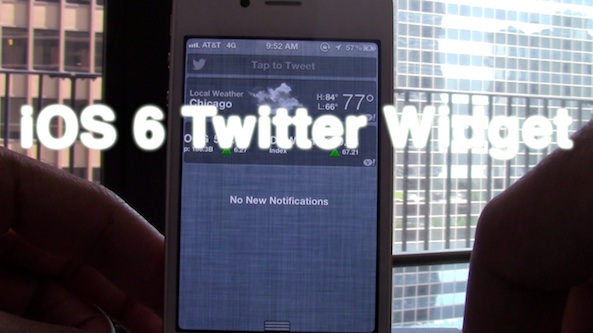
Now that iOS 6 has official built-in widgets for both Twitter and Facebook updates, wouldn't it be nice to be able to replicate those same widgets on iOS 5? Apparently that's the same thought the developer of iOS 6 Twitter Widget had when creating his tweak. This widget, as its name so plainly alludes to, allows you to have an exact replica of the iOS 6 Twitter widget on lesser firmware.

Take a look inside for the full video walkthrough...