Jailbreak Apps & Tweaks

These are the latest jailbreak apps and tweaks available for your iPhone or iPad. We save you time by highlighting only the best tweaks.

Jailbreak tweaks of the week: ActIf 2, Kairos 2, & more…

With the jailbreak community becoming a bit more active in recent weeks, we've seen a number of interesting releases and even teases of upcoming releases that are sure to knock your socks off.

In this roundup, we'll talk about all of the jailbreak tweaks that were released during the past week, starting with our favorites. We'll outline all of the rest of the tweak releases after we get through the best of the best.
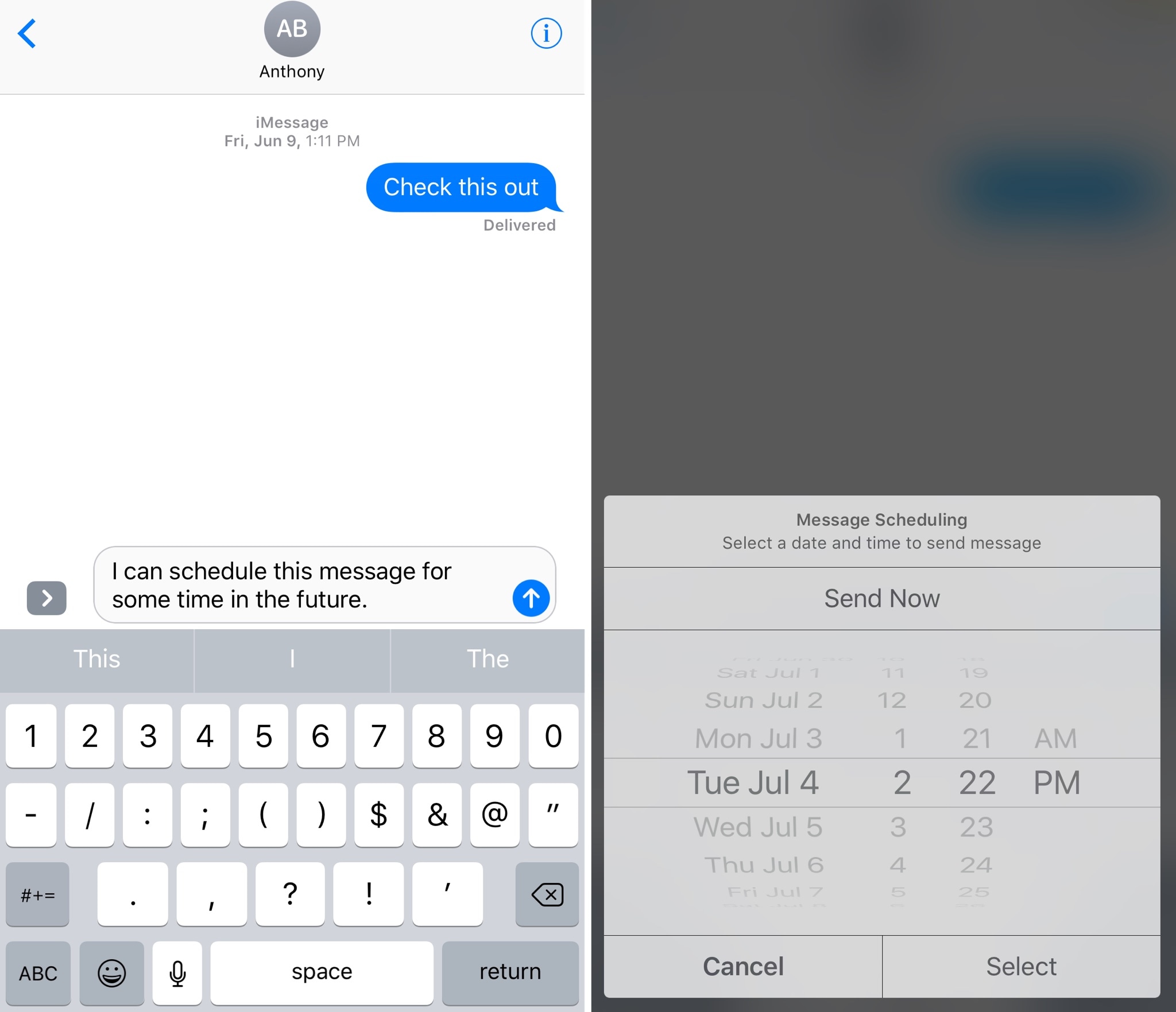
Kairos 2 lets you schedule text messages for future dates and times

Have you ever thought to yourself, “I wish I could schedule iMessages or text messages to send at a future date?” Well, now you don’t have to just sit and wish for such functionality anymore.

A jailbreak tweak called Kairos 2 by iOS developer CP Digital Darkroom enables iMessage and SMS scheduling right from the stock Messages app on your jailbroken iPhone or iPad.

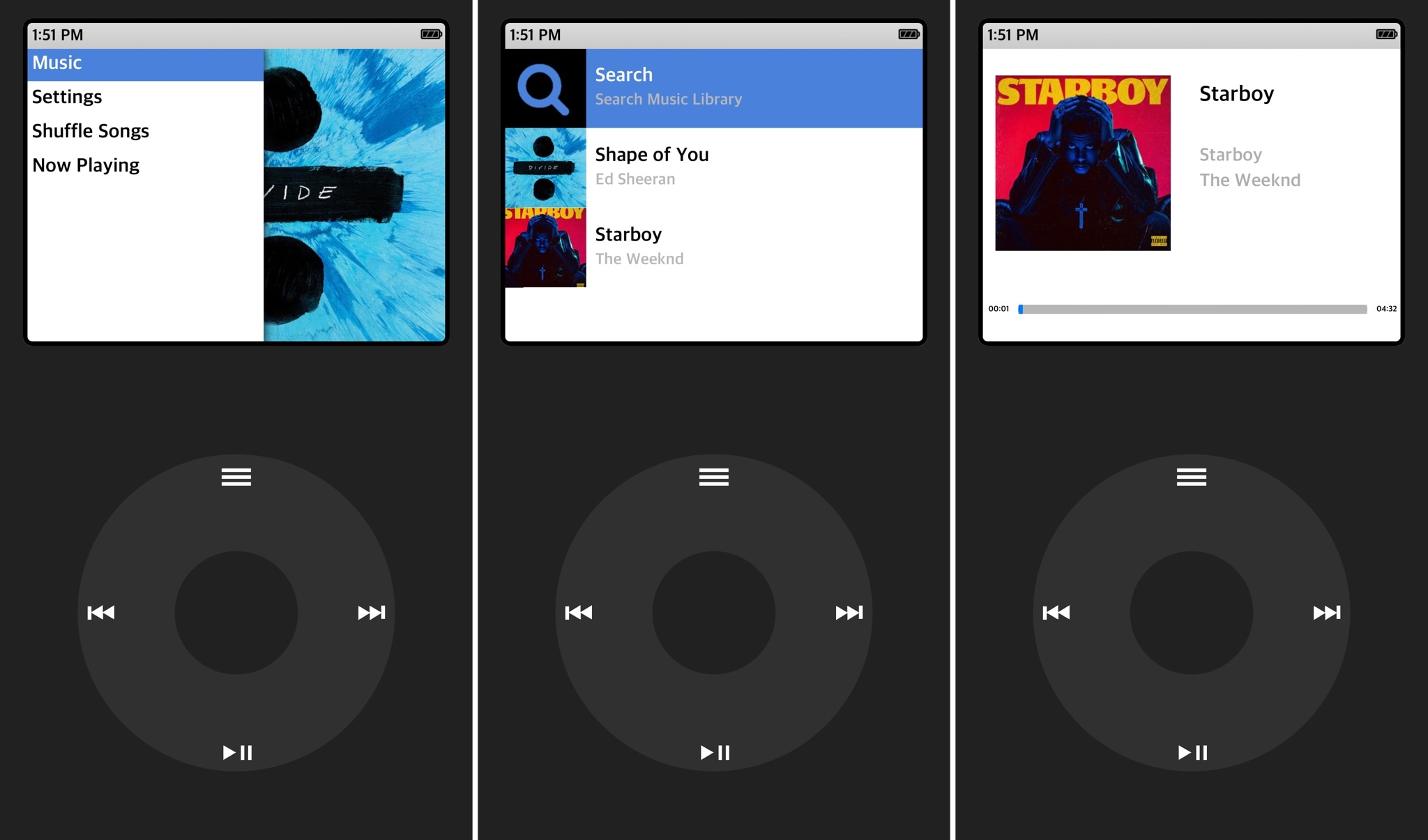
ClassicPlayer turns your iPhone into an iPod Classic

Those who've been using Apple products for years might be familiar with the days when the iPod Classic reigned supreme as a music player. It was made famous by its click-wheel design, which responded to touch and drag gestures for navigating your music.

A new jailbreak app dubbed ClassicPlayer by iOS developer Guillermo Moran (fr0st)  brings this experience to the iPhone for all the nostalgic folks out there who are missing the click-wheel experience from the days of yore.

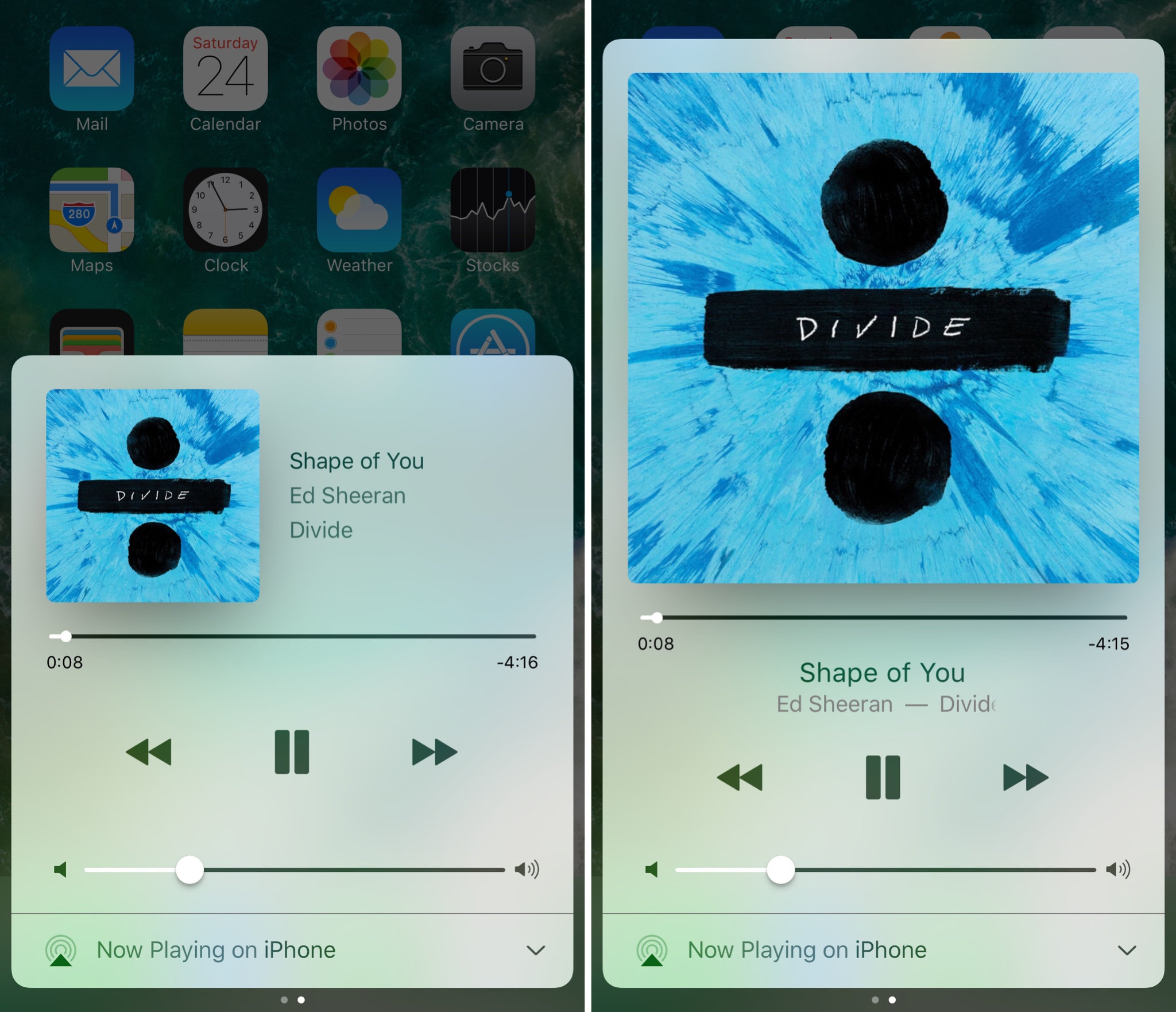
Make Control Center’s Now Playing interface full screen with Sinatra

iOS’ Now Playing interface showcases any music you’re listening to and includes controls for adjusting your playback settings, but there are so many ways the interface could be improved.

A new jailbreak tweak called Sinatra by iOS developer candoizo takes some first steps towards improving the Now Playing interface in Control Center while still maintaining an Apple-esque design standard.

The best jailbreak tweaks for the Lock screen

The Lock screen separates the outside world from your personal data and is the first thing you interact with any time you use your device. If you're using the Yalu jailbreak for iOS 10, then you might be wondering about the best ways to personalize it.

In this piece, we’ll discuss the best Lock screen-oriented jailbreak tweaks released since the iOS 10 jailbreak launched to the general public.

Full schedule for the JailbreakersUnite 2017 conference materializes

At the beginning of June, we shared the news of a new conference called JailbreakersUnite, which will allow avid jailbreakers to meet up with one another and have an opportunity to listen to prominent community members speak about their projects.

The event, which is taking place at the Fat Cat Fab Lab Maker Space in Greenwich Village in New York City, will be like a slimmed-down WWJC and will allow participants to mingle with those with similar interests and grab selfies with famous jailbreak hackers and developers.

ActIf 2 brings conditional statement support to Activator

To say Activator is a useful tool for jailbreakers is an understatement; the popular extension is by far one of the most powerful tools ever designed for jailbroken devices, and its popularity today is a testament to how the classics never die.

Despite how useful it is out of the box, you can now make it even more powerful with a new jailbreak tweak dubbed ActIf 2 by iOS developer Jay Zuerndorfer, which adds support for conditional statements.

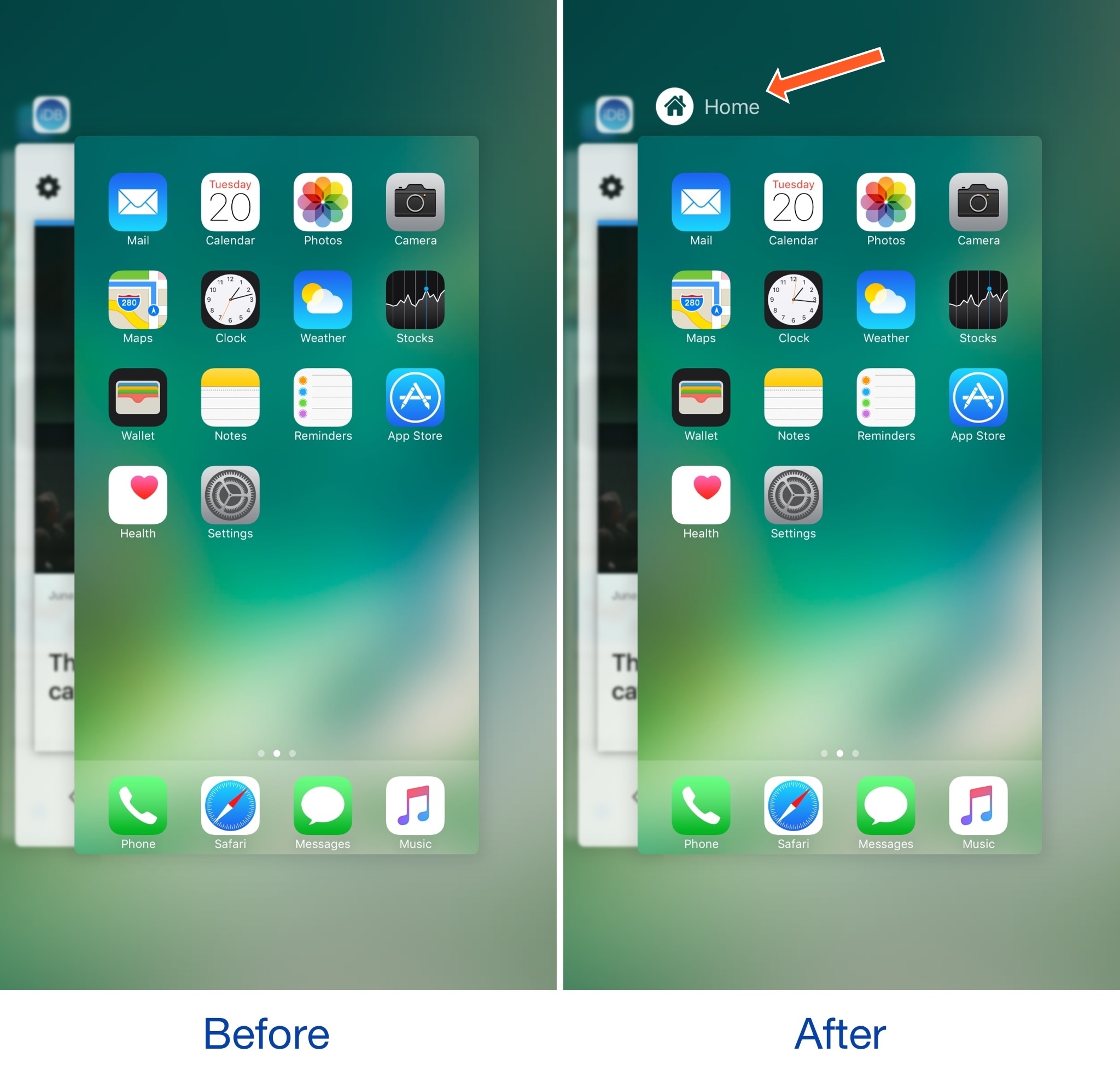
This tweak makes the App Switcher’s Home screen card more consistent

The App Switcher has a Home screen card in addition to those for each of your recently used apps. While each app has its own header with an icon and label above it, the Home screen card unfortunately does not.

A new free jailbreak tweak called HomeCardIconLabel by iOS developer DGh0st does away with this inconsistency and adds both a label and icon to the top of the Home screen card in the App Switcher.

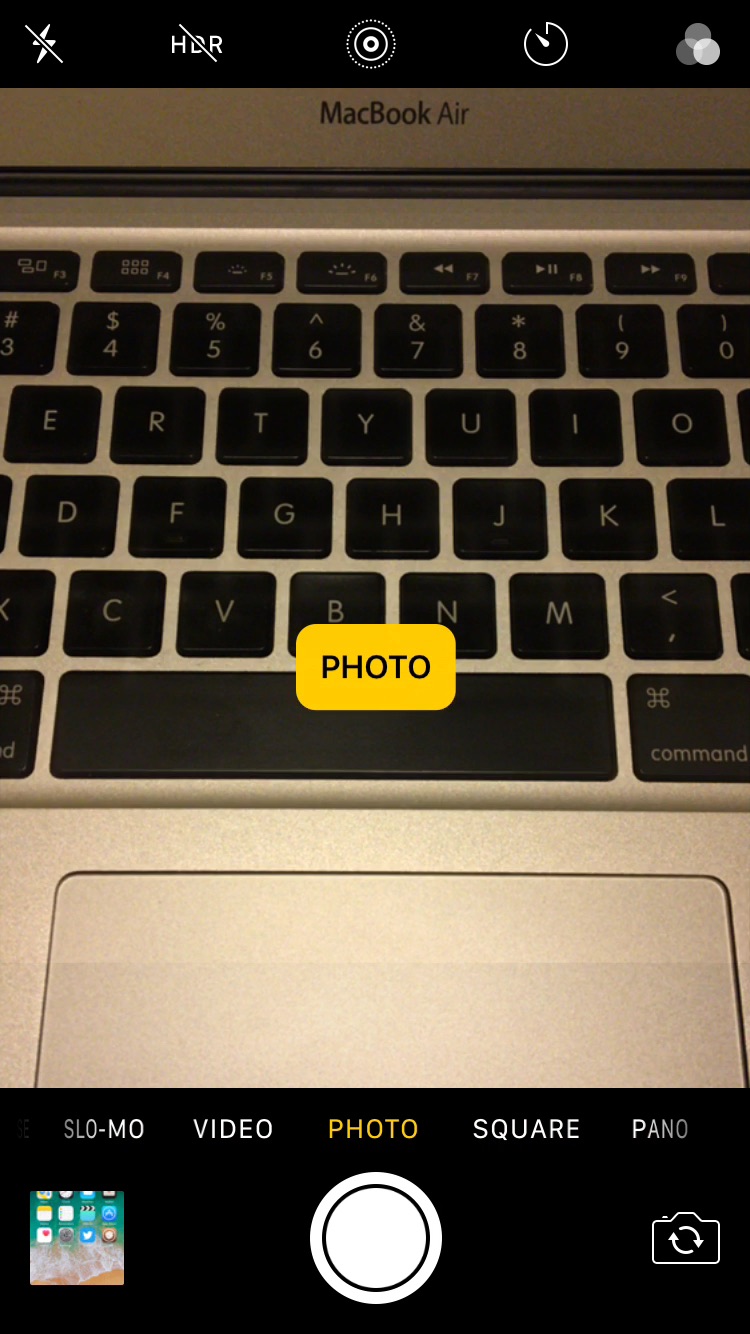
CamMode adds a mode-switching HUD to the Camera app

The Camera app in iOS has a host of different shooting modes that you can switch between by swiping left or right in the viewfinder frame.

The carousel selector just under the frame displays the shooting mode you’re currently using, but iOS could do a much better job communicating this information with the user, especially in the wake of accidental swipes. Developer Cole Cabral agreed, and so he made a new free jailbreak tweak called CamMode.

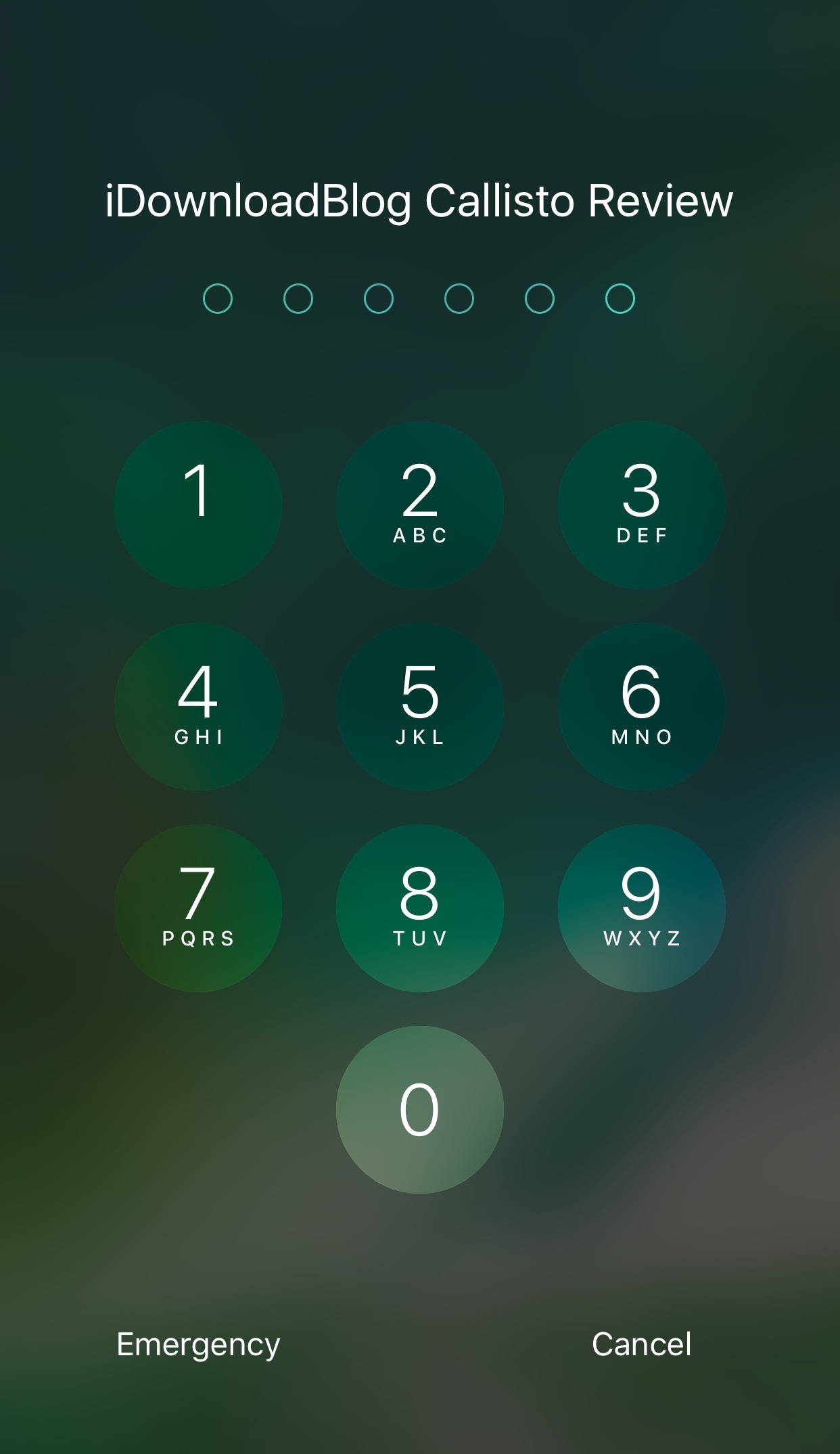
Spice up your Lock screen’s passcode capabilities with Callisto Pro

Whether you’re using Touch ID or a passcode to secure your device, a new jailbreak tweak dubbed Callisto Pro (iOS 10) by iOS developer ijapija00 provides a host of new features for customizing the passcode-entry experience.

It's jam-packed with both aesthetic and functional features, letting you not only customize the way your passcode keypad looks and feels, but also the way it keeps your device protected.

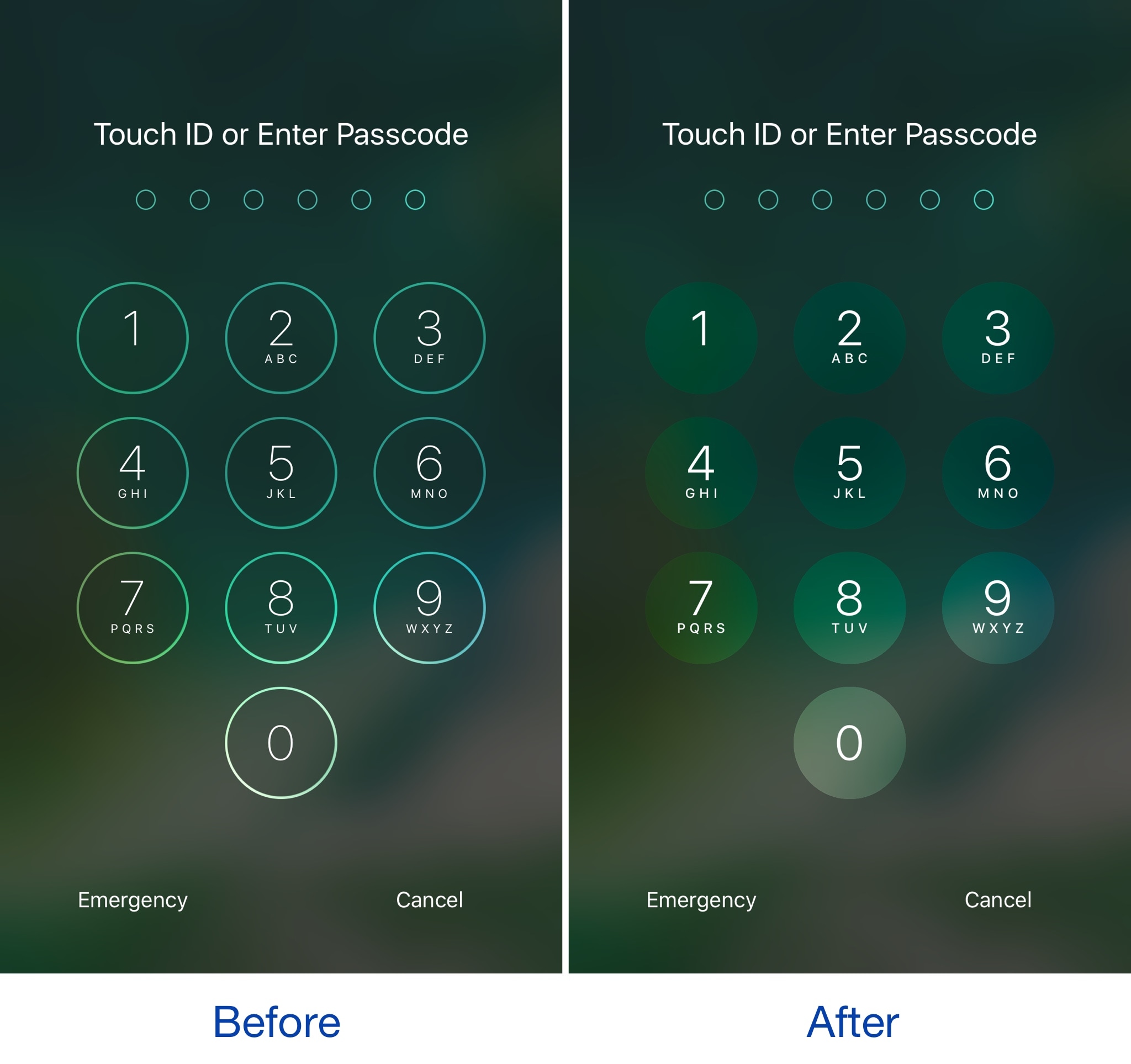
This tweak brings an iOS 11-inspired passcode keypad to iOS 10

Among the slew of interface changes iOS 11 brings to the table, one of first things you’ll notice after picking up a device with the new operating system installed on it is the redesigned passcode keypad.

If you like the way it looks, but you won’t be upgrading this Fall in order to keep your jailbreak, a new free jailbreak tweak dubbed Creamy (iOS 10) by iOS developer ijapija00 can be used to mimic the aesthetics of the iOS 11 passcode keypad on your jailbroken device.

Jailbreak tweaks of the week: BrowserChanger10, CCustomize, & more…

Things have been picking up in the jailbreak community lately, which is great for those who want to try new jailbreak tweaks to trick out their devices. While some tweaks exist to make iOS look better, and others make iOS function in new ways, all jailbreak tweaks serve some kind of purpose to the tune of making your device do more out of the box.

In this roundup, we'll talk about all of the jailbreak tweaks that were released this week, starting with all of our favorites and then moving on to the rest afterwards.