iPod Touch

Apple’s Workflow app gains new Apple Music actions, brings back Chrome and Pocket integrations

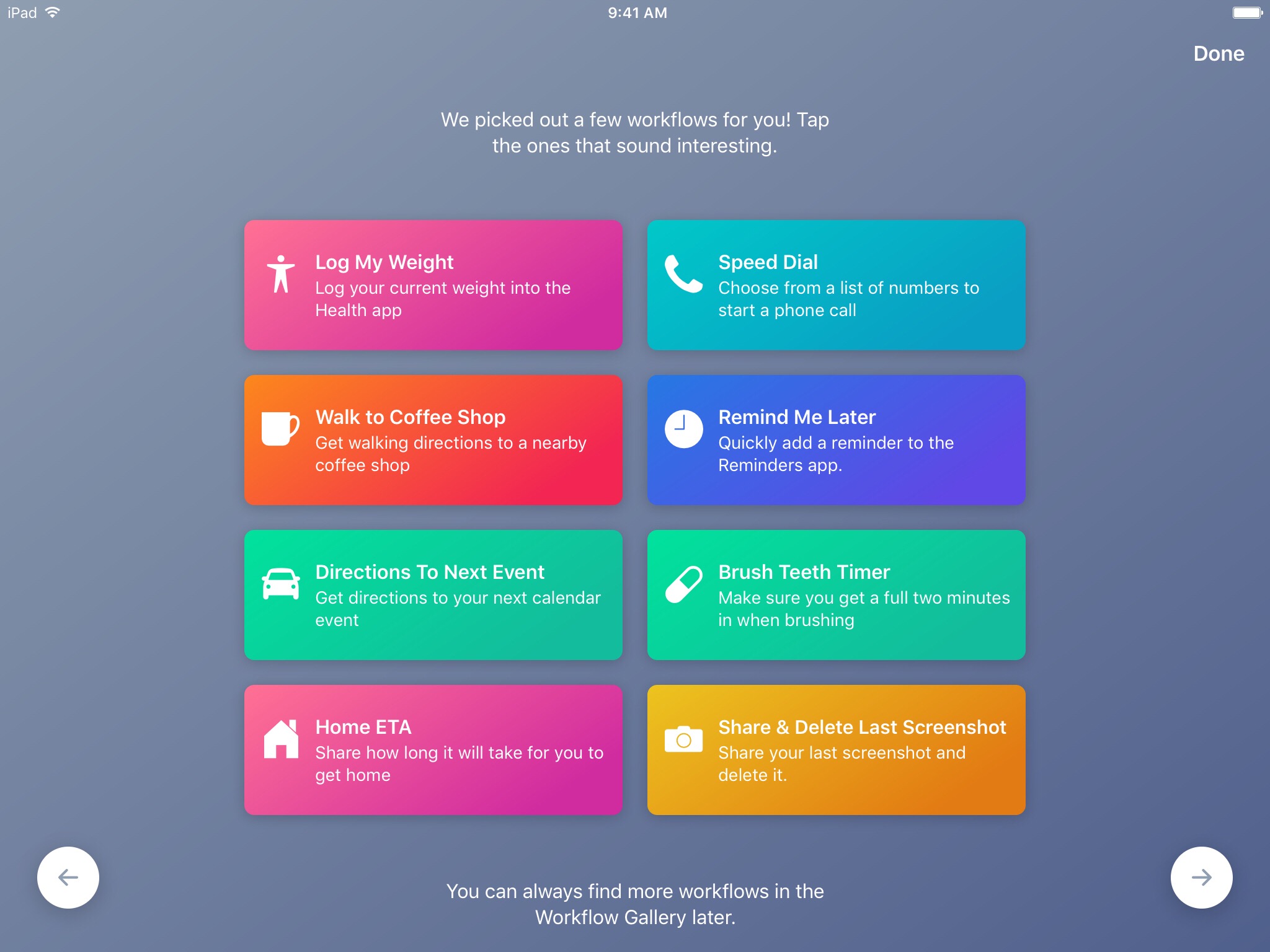
Workflow, the powerful iOS automation app that Apple acquired in March, has brought back a few features that were originally removed from the software following the Apple deal while adding updated Apple Music actions.

In Workflow 1.7.4 for iPhone and iPad, users can now create workflows using actions specifically designed for Google's Chrome browser and the read-later app Pocket, which browser vendor Mozilla acquired in February.

With the updated Apple Music actions, Workflow fans can now add songs to their Up Next queue in the Music app. Another new action lets you clear the songs in the Up Next queue.

Additionally, Workflow's Get Distance actions has been updated with support for getting the distance from a specified location while the order of items passed from a Dictionary action to Choose from List is now preserved.

Here's everything new and fixed in Workflow 1.7.4:

Bug fixes and improvements Restored the Google Chrome and Pocket actions Add music to your Up Next queue with the Add Music to Up Next and Clear Up Next actions Get Distance now supports getting the distance from a specified location The order of items passed from a Dictionary action to Choose from List is now preserved Fixed getting prices for books in Search iTunes Store Fixed making archives with special characters in the filename on iOS 10.3 and later Fixed an issue where workflow glyphs in the Today Widget may be stretched and cut off Fixed an issue where latitude and longitude may be formatted incorrectly in international locales Fixed an issue where .wflow files may fail to open on iOS 10.3 and later Fixed an issue where improperly formatted URLs from Pinboard could cause Workflow to crash Fixed an issue where booleans may not update when their value is changed inside dictionary fields Fixed an issue where handing off clipboard content from the Today Widget or Action Extension may throw a “The file Clipboard could not be opened” error Fixed an issue that could cause Workflow to crash on launch Other bug fixes and minor additions

Apple has said that it will continue to push maintenance updates to Workflow, but no new user features will be added to the software. Today's update makes good on that promise.

https://www.youtube.com/watch?v=7rJXJcn93jU

Subscribe to iDownloadBlog on YouTube

Apple's plans for Workflow are unclear at the moment. For what it's worth, any new features or major changes that could be in the works for the app should be formally announced at the company's annual conference for developers next month.

Workflow is available at no charge via App Store.

How to switch between Celsius and Fahrenheit on your iPhone, iPad, and other Apple devices

Two screenshots from the iPhone Weather app with one showing the temperature in Fahrenheit and the other in Celsius

Your Apple devices provide a global setting for representing specific quantities of temperature in apps. You can switch between displaying the temperature in either Celsius or Fahrenheit. Apps that support this feature, including Apple's stock Weather app, honor this setting to display the temperature in your preferred unit regardless of your regional settings.

In this tutorial, you will learn how to easily switch between Celsius and Fahrenheit independently of your other regional settings on your iPhone, iPad, or iPod touch, as well as adjust this setting on other Apple devices, such as your Apple TV, Apple Watch, or Mac.

Apple clarifies only in-app commissions have dropped to 2.5 percent

Apple has clarified in an email communique by its iTunes Affiliate Support team that the recently reduced affiliate rates which went into effect May 1 only apply to in-app content, not to apps linked on websites and other outlets.

The company announced a policy change last month, saying commission rates for apps and in-app content would drop from seven to just 2.5 percent. The firm now clarifies that the change applies only to affiliate links used inside apps, not the ones on websites like iDB.

“Please note that only in-app commissions have changed,” reads the message from iTunes Affiliate Support. Here are the correct new app commission levels, according to Apple itself:

iOS apps commissions: 7 percent In-app iOS commissions: 2.5 percent Mac apps commissions: 7 percent In-app macOS commissions: 2.5 percent

Several website owners and bloggers linking to App Store and Mac App Store apps have reported that the seven percent commission for apps has in fact remained unchanged.

MacGamerHQ provides the following screenshots of Apple's email to iTunes Affiliate members.

Apple originally said about two weeks ago that beginning May 1, 2017 commissions for all apps and in-app content would get slashed from seven percent to just 2.5 percent globally. The poor wording of the message has been blamed for the misunderstanding.

“We will also continue to pay affiliate commissions on Apple Music memberships so there are many ways to earn commissions with the program,” Apple said two weeks ago.

Aside from slashing commissions for in-app content, items like music, movies, books and TV subscriptions remain subjected to the seven percent commission rate across all markets.

iTunes Affiliate Program lets website owners and developers claim a small percentage of the proceeds from linked apps and content.

The company's Affiliate Resources webpage offers a Getting Started guide on becoming an affiliate partner, an updated Program Overview section providing information on the commission raters, reporting, creating links and other useful resources.

Apple’s social video editing app Clips gains new feature in first update since launch

Apple yesterday pushed the first update to Clips for iPhone and iPad following the software's debut on App Store nearly a month ago. Bumped to version 1.0.1, Clips packs in improvements to the Live Title feature that lets you create animated captions and titles in 36 different languages using your voice.

Apple says you can now tap on Live Title text while playing or paused to edit it manually in case Siri misheard you. Additionally, when you share your edited video to a contact who has multiple messaging addresses in your address book, the app will now suggest the most frequently used address.

Lastly, the stability and reliability when capturing and sharing videos that contain certain posters have been improved in this edition of the app.

https://www.youtube.com/watch?v=-2dfeWpwfyk

Subscribe to iDownloadBlog on YouTube

Clips is compatible with iPhone 5s and later, 9.7-inch iPad (2017), all iPad Air and iPad Pro models, iPad mini 2 and later and sixth-generation iPod touch.

The app requires iOS 10.3 or later and does not work on 32-bit devices.

For more on Clips, check out our walkthrough video included above. Clips was introduced as part of a flurry of Apple's Spring product refreshes in March.

Download Clips for iOS for free via App Store.

Google says Apple Watch support will be returning to Maps for iOS

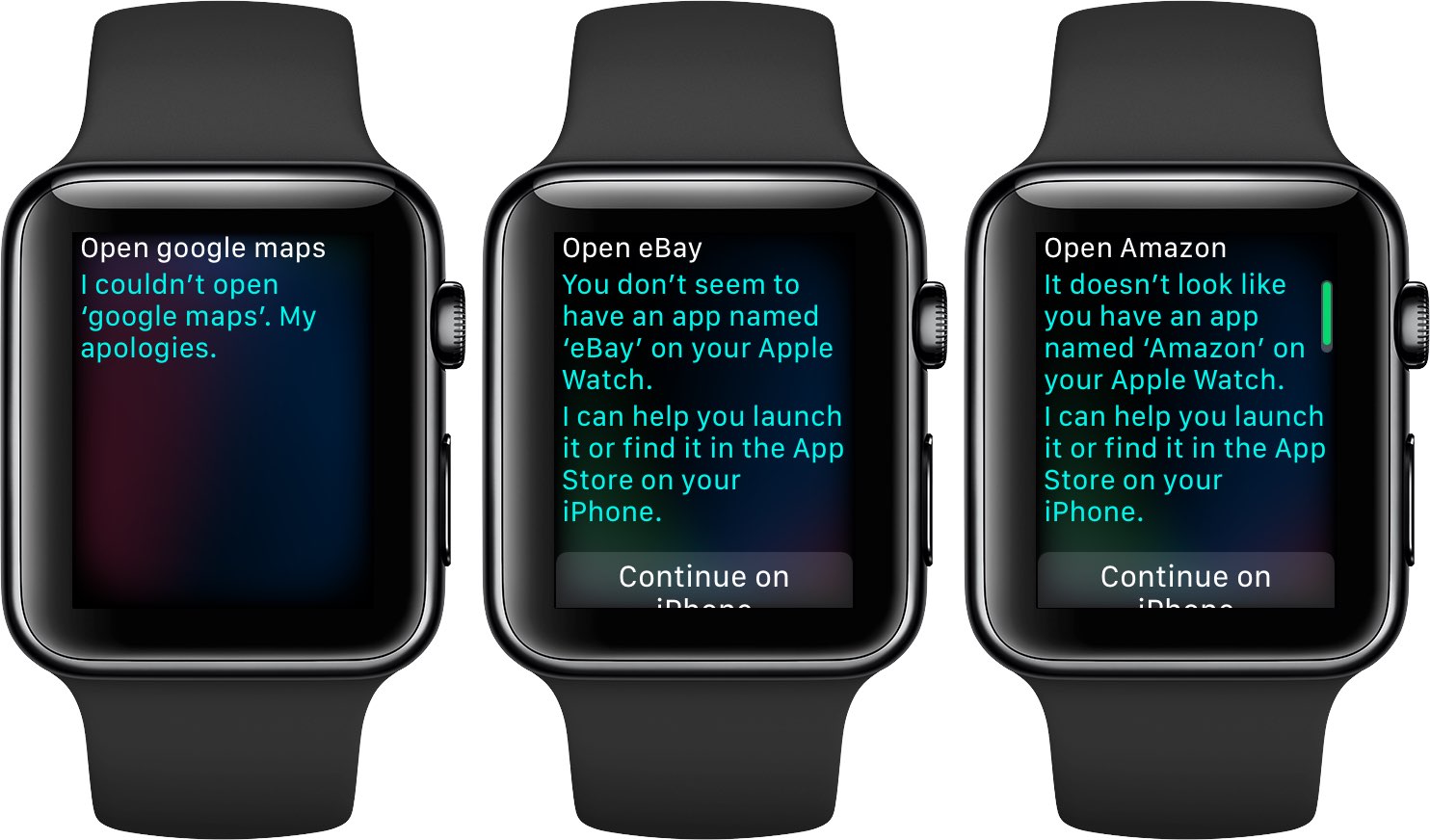
Google has confirmed that it will be bringing back support for Apple Watch to the Maps app for iPhone and iPad at some point in the future. In a statement issued Tuesday to AppleInsider, a spokesperson for the search giant said: “We removed Apple Watch support from our latest iOS release, but expect to support it again in the future”.

The company provided no explanation for the removal of Apple Watch functionality from Maps for iOS, which went largely unnoticed because it wasn't mentioned in App Store release notes.

As we reported yesterday, recent updates to major iPhone apps like Google Maps, eBay, Amazon and Target came stripped of all Apple Watch support, perhaps indicating that watchOS features in them were not widely used.

Google brought its Maps app to Apple Watch in September 2015, with features like turn-by-turn driving, walking and transit directions for recently visited points of interest. The app lacked other features found in Apple's Maps for Apple Watch, such as no conventional map view and the inability to conduct searches without a tethered iPhone.

WhatsApp testing chat pinning, photo albums, message revoking & other upcoming features

The popular messaging app WhatsApp is experimenting with a new pinning feature in the chat list that, when released for everyone, will permit you to stick up to three contacts to the top of the conversation list, regardless of when they last messaged you.

As first noted by AndroidPolice, it was spotted in the latest beta builds of WhatsApp for Android. Other features in an iOS beta of the app include albums, the ability to revoke a message after it's been sent, sending your real-time location to friends and family and more.

WhatsApp Albums, another upcoming feature, is in its early stages of development. Eventually, it will let you create custom albums of photos for sharing with individuals and groups.

Like other WhatsApp features, albums use end-to-end encryption.

According to WABetaInfo on Twitter, the unsend feature may be remotely enabled in the latest stable version of WhatsApp. Full support for rich notifications is being worked on, too.

Recent WhatsApp updates brought us improvements like the ability for Siri to read aloud newly received messages, text-only statuses, two-step verification for your account, sending messages offline, searching for animated GIFs from Gify and more.

You can join the WhatsApp for Android beta channel on Google's Play Store, by tapping Join Beta at the bottom of the listing. WhatsApp for iPhone betas require a jailbroken device.

Instagram passes 700 million users

Photo-sharing service Instagram announced Wednesday that its mobile app for iOS and Android has passed 700 million users. Instagram hit the 600 million users milestone in December 2016, meaning the Facebook-owned company has managed to attract a hundred million new users to its platform in less than five months.

Super Mario Run gains Game Center achievements, new buildings & other perks

Nintendo just issued a second major update to Super Mario Run for iPhone following the game's App Store inception in December 2016. Version 2.1 includes several enhancements and perks, such as official support for Game Center achievements (finally!), the ability to use your bespoke Miitomo character as your in-game player icon, new buildings including the 8-bit Bowser Statue, Bullet Bill Statue and Bob-omb Statue, plus additional changes and improvements.

Google Photos gains AirPlay support

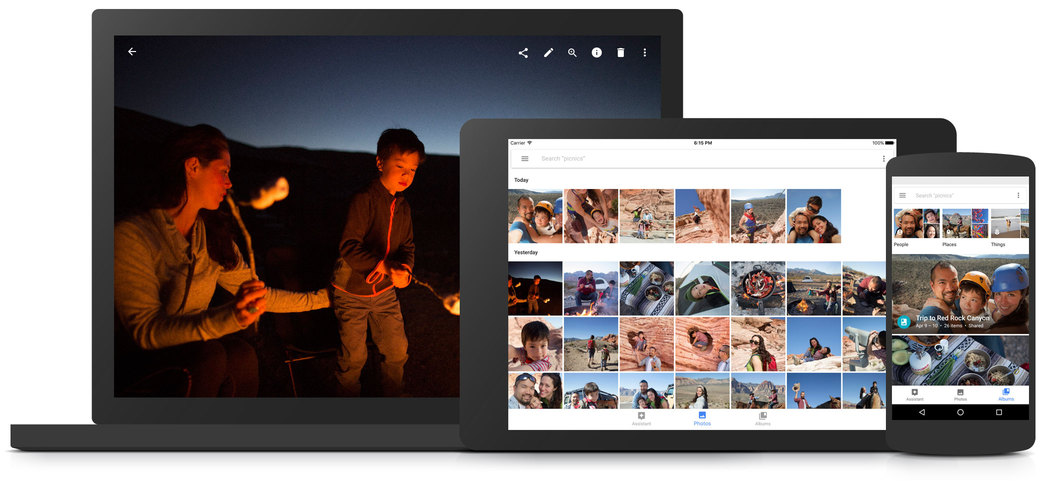
Google's dedicated Photos app for iPhone and iPad was updated on App Store today with the ability to enjoy your photos and videos through the Apple TV media streamer with AirPlay. Aside from the ability to beam photos and videos wirelessly to your telly, Google Photos for iOS 2.14.0, a free download from App Store, also includes unspecified performance improvements.

Apple to cut affiliate commission on apps and in-app content to 2.5 percent

As first noted by Contrast founder David Barnard, Apple just slashed the affiliate commission on iPhone, iPad, iPod touch and Mac apps and In-App Purchases from the previous seven percent rate down to 2.5 percent globally.

“Beginning May 1, 2017, commissions for all apps and in-app content will be reduced from seven percent to 2.5 percent globally,” Apple told iTunes Affiliate Program members via email.

All other iTunes content types, including music, movies, electronic books and TV subscriptions, shall remain at the current seven percent commission rate in all markets.

“We will also continue to pay affiliate commissions on Apple Music memberships so there are many ways to earn commissions with the program,” reads Apple's message.

Apple's Affiliate Resources webpage has received a facelift with optimized navigation, a new Getting Started guide on becoming an affiliate partner, an updated Program Overview section providing information on the commission raters, reporting, creating links and more.

Source: David Barnard on Twitter via MacRumors

Fourth betas of iOS 10.3.2, macOS Sierra 10.12.5, watchOS 3.2.2 & tvOS 10.2.1 now available

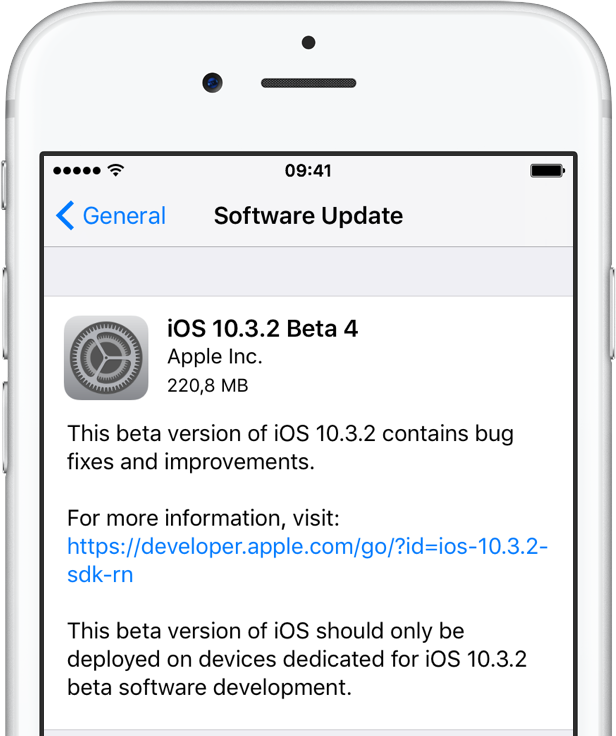
Apple on Monday issued fourth betas of what would become maintenance and bug-fix updates to its four major software platforms: iOS, macOS Sierra, watchOS and tvOS. Members of the Apple Developer Program can now deploy iOS 10.3.2 beta 4 (build 14F5086a), macOS Sierra 10.12.5 beta 4 (build 16F67a), watchOS 3.2.2 beta 4 (build 14V5485a) and tvOS 10.2.1 beta 4 (build 14W5583a) through the Software Update mechanism.