iPhone

Stay up-to-date on the latest iPhone news and learn new tips and tricks with our comprehensive tutorials. From software updates to new features, we’ve got you covered.

Apple seeds fourth beta of iOS 10.3.3 and tvOS 10.2.2 to developers

Apple on Thursday released a fourth beta of iOS 10.3 for iPhone, iPad and iPod touch, as well as tvOS 10.2 for Apple TV. iOS 10.3.3 beta 4 (build number 14G5053a) and tvOS 10.2.2 beta 4 (build number 14W5751b) are now available to Apple's registered developers and members of the Apple Developer Program through Dev Center.

To deploy them over the air, use the Software Update mechanism in the Settings app. Your iPhone, iPad, iPod touch or Apple TV must have an Apple beta configuration profile installed.

Both iOS 10.3.3 and tvOS 10.2.2 are bug-fix releases with no new user-facing features. They're probably the last point updates as Apple is currently beta-testing the next major versions of its platforms: iOS 11, watchOS 4, macOS High Sierra and tvOS 11.

Hands-on with iOS 11 beta 2: DND While Driving and other new features, changes & fixes

Apple (somewhat surprisingly) dropped the second beta of iOS 11 to developers on Wednesday with a myriad of changes and bug fixes. While there doesn't seem to be a huge number of user-facing enhancements, there are still quite a few notable changes and new features in this beta.

A large number of prominent bugs have been fixed that have been plaguing users, like crashing when deleting a voicemail, manual screen brightness not staying set, 3D Touch on phone numbers and addresses not working.

Unfortunately, with all of those bug fixes are several new bugs and known issues.

For instance, an SOS alert may still be sent even though the user cancelled it. This is a good reminder this is an early developer beta that should only be run on secondary devices.

As for the new features, we have the initial implementation of the much touted Do Not Disturb While Driving mode that will lock your phone as well as send a custom auto-reply (customizable in Settings → Do Not Disturb) should someone text you.

Control Center can now be disabled inside of applications, like on prior iOS editions. And far from last, the Files app now has started to show external locations like Google Drive and Box.

New features and changes

This is what you probably wanted to know about iOS 11 beta 2.

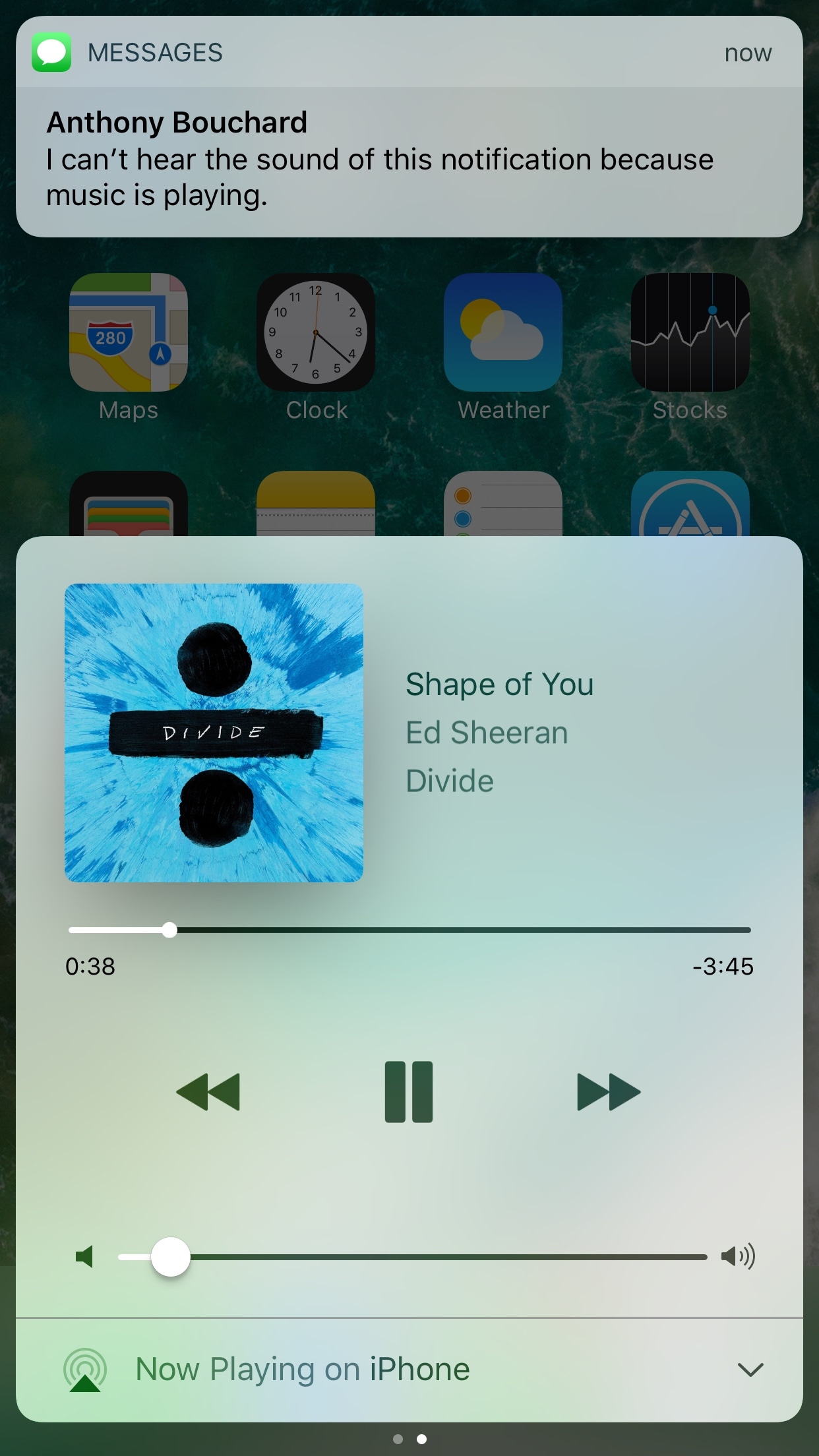
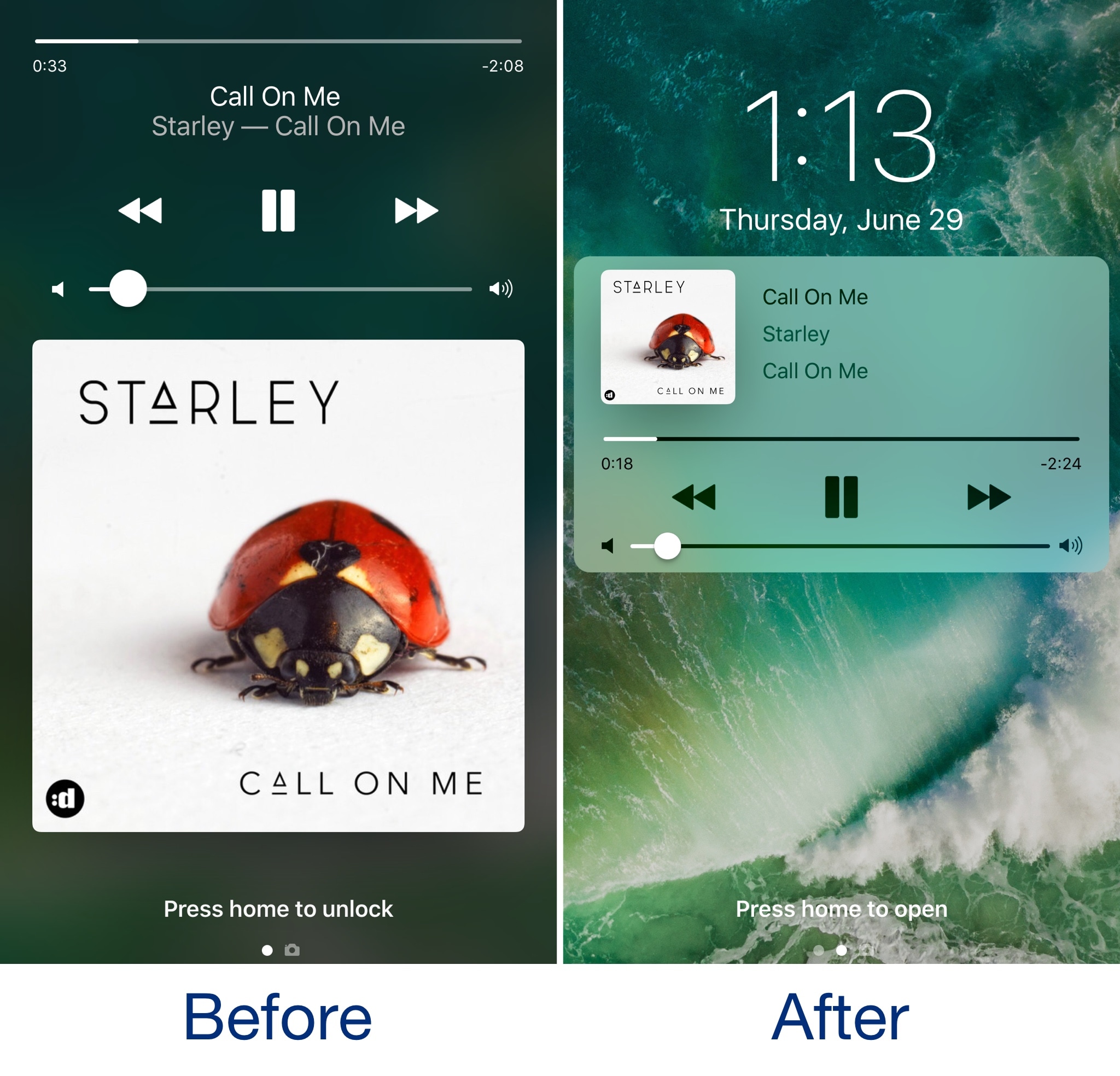
CarPlay now has lane guidance in Maps Smaller speed in Maps To edit/add filters in Photos you now tap the edit button in the top right corner instead of the sliders icon Now Playing widget has been tweaked New phone placeholder icon when no album artwork present in Now Playing widget Audio source switcher is now available on Lock screen New orange color for the new Echo effect in Messages Do Not Disturb While Driving is enabled with extra options in Settings Control Center can be turned on or off while in apps New search options within Apple Music You can now select multiple items in Photos Bluetooth widget now works the same as Wi-Fi: instead of turning off, it will just disconnect from whatever is connected to it Notification Center pull down has a gradual blur New Share sheet extension: Save to Files app Safari has new experimental features in Settings Dictation is now available in Hindi New options in Settings to make notification banners permanent or permanent Built-in screen recorder boosts video capture resolution to 1080p

Take a look at our hands-on video to see all of these new features and more in action.

https://www.youtube.com/watch?v=TZ5pwZMPRxI

Subscribe to iDownloadBlog on YouTube

And here's a quick overview of the most important fixes.

Bug fixes 3D Touch data detectors are now working for phone numbers, addresses, etc. Screen brightness stays at set level YouTube search bar has returned More stable Bluetooth connections (Dexcom) Android Migration now works as intended Crashing when deleting voicemails is fixed Lock screen no longer rotates Long exposure photos are now higher quality than in first beta Wrapping it all up

As we conclude our tour of all the changes, fixes, improvements and new features in iOS 11 beta 2, feel free to tell us about your own discoveries and observations in comments or via tips@iDownloadBlog.com.
What's your favorite change in iOS 11 beta 2 thus far, and why?

New video tutorials from Apple explain how to customize and share Moments

Apple yesterday published a pair of new videos through its official YouTube channel, covering the Moments feature in Photos which uses machine learning to automatically create themed albums and animated slideshows from your best images and videos.

Running sixteen seconds long each, the two new clips show how to customize and share Memories in the stock Photos app on iPhone. Using iOS's multipurpose Share sheet, users can publish their currently playing Memory Movie to Facebook, Twitter and other services.

And with the ability to choose from many built-in templates and songs, everyone can customize every Memory to their liking, all from within the stock Photos app.

How to customize Memories on iPhone 7

“Customize your Memories movies by choosing from tons of preselected moods and music, right from the Photos app,” reads the video's description.

https://www.youtube.com/watch?v=_Dzv3LCvlJY

How to share Memories on iPhone 7

“Share your favorite Memories movies with friends, family or all of Facebook, right from the Photos app.”

https://www.youtube.com/watch?v=X-VxQYw8hLk

To watch other tutorials in the series, visit apple.com/iphone/photography-how-to.

The best jailbreak tweaks for the Lock screen

The Lock screen separates the outside world from your personal data and is the first thing you interact with any time you use your device. If you're using the Yalu jailbreak for iOS 10, then you might be wondering about the best ways to personalize it.

In this piece, we’ll discuss the best Lock screen-oriented jailbreak tweaks released since the iOS 10 jailbreak launched to the general public.

Second beta of iOS 11 seeded to developers

Apple today seeded a second beta of iOS 11 to its registered developers and members of the Apple Developer Program. To download and install the update, use the Software Update mechanism on your iPhone, iPad or iPod touch, which must be running the previous beta and have an appropriate configuration profile installed (you can download it through Dev Center).

This second beta doesn't seem to come with new features, but rather looks like it is focusing on the usual bug fixes and performance improvements.

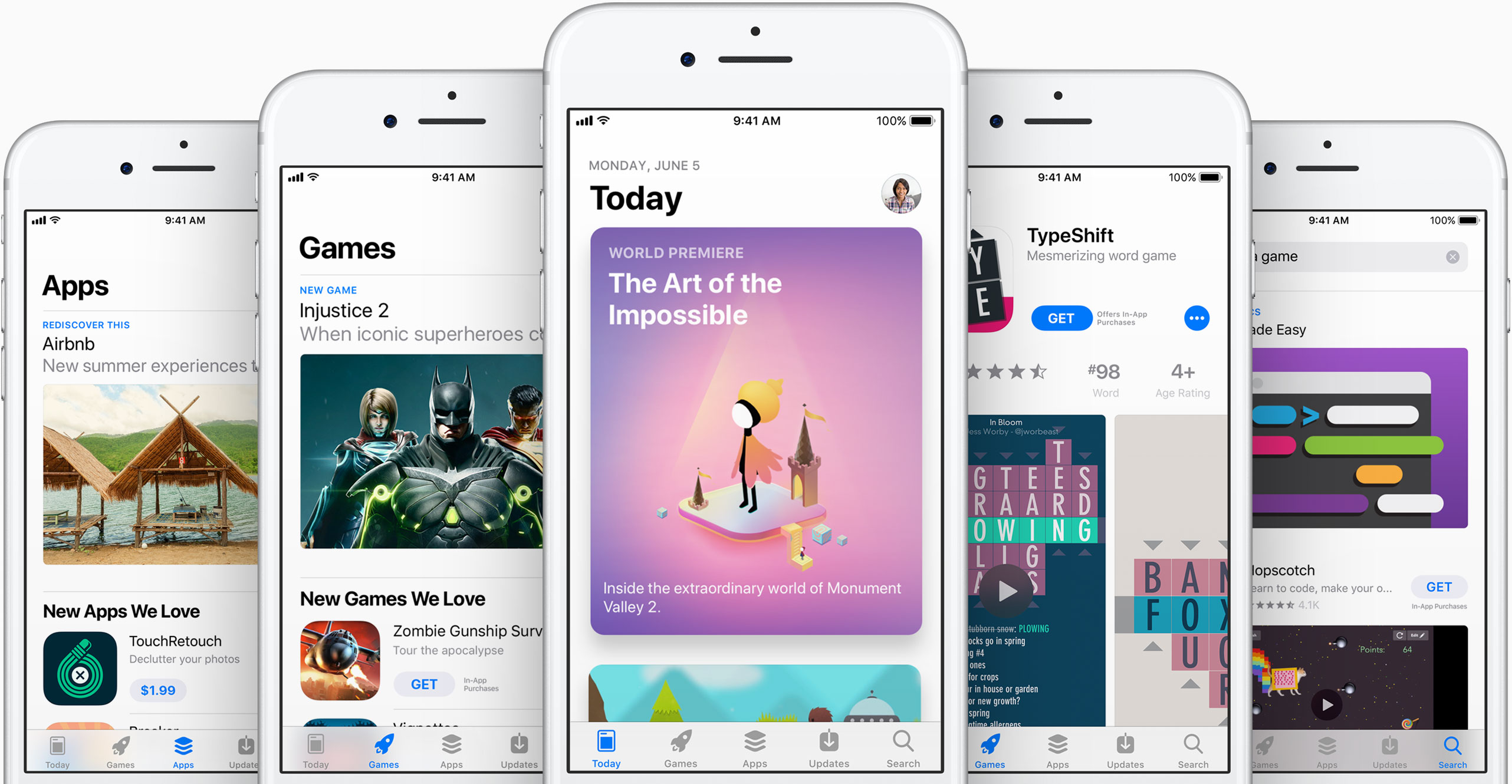
The first developer-only beta of iOS 11 brought out a bunch of new features and platform technologies, including a major revamp for App Store, advanced multitasking features on iPad, drag and drop, a new Files app, AirPlay 2 with multi-room audio, new Siri capabilities and more.

https://www.youtube.com/watch?v=-hoPcMPvL88

Subscribe to iDownloadBlog on YouTube

iOS 11 also packs in many visual refinements across the system designed to make Apple's mobile operating system look prettier than ever. Some of the visual tweaks include bolder headlines across stock apps, a redesigned app drawer in Messages and much, much more.

If you spot new user-facing features, changes or important refinements in iOS 11 beta 2, be sure to ping us on Twitter or shoot us an email via tips@iDownloadBlog.com (attach any screenshots, if necessary) and we'll update the article with any relevant new information.

Watch rare interview with former iOS chief Scott Forstall and original iPhone team members

The Computer History Museum last night hosted Pulitzer Prize journalist John Markoff (formerly of the New York Times) who interviewed former iOS chief Scott Forstall and the original iPhone engineering team members Hugo Fiennes, Nitin Ganatra and Scott Herz.

“We knew we were doing something right with the user interface design,” Forstall told Markoff, citing an example of a two-year old girl and a 99-year old woman who could use iPhone and iPad without any user manual.

“The team was amazing and we knew we were doing something right,” he added.

“The first text I ever sent was on my iPhone, because texting on other devices was horrid,” he revealed. Commenting on Apple's late co-founder Steve Jobs, Forstall called him “the most intense person I’ve ever known.”

Jobs was “super driven, demanding and forced people to do their best,” Scott said.

“When he was sick, I’d go to his house every day. On some days, he couldn’t open his eyes,” he said of Steve's passing. “We got Siri right before he passed and he loved it because he was too weak to type. I was surprised, it just seemed like he’d always be there.”

Asked to comment on the then controversial skeuomorphic design, which imitates real-world materials like leather in software, Forstall responded by saying the following:

I never heard the term skeuomorphism, even years after we built iPhone.

I mean, that’s a horrible word. It sounds unnatural, it just sounds terrible. When I look at good design—when I look for good design—I look for something which is easy to use.

Approachable and friendly that you can use without a manual.

If you look at the designs we did at Apple, we talked about photo-illustrative, metaphorical designs. And those were infused into the design sense of Apple by Steve Jobs since the original Mac if not earlier. The original Mac had a desktop and folders that looked very much like the desktop on which that Mac sat.

And so we used these design philosophies. It doesn’t mean that we loved every single part of it. It doesn’t mean I loved every single part of it. There’s definitely things that I was less a fan of than others. But we built these designs that worked. And how do we know they worked? You just had to watch people use it.

Here's the full video of the interview (the Forstall part begins at 1:07).

https://www.youtube.com/watch?v=zjR2vegUBAo

The original video is available on Facebook.

Asked if there ever was a time he shook his head at something about iPhone (assuming he's still using one), Forstall said this:

That happens all the time. If you’re a designer, if you care about design, you can’t go through any part of your life without shaking your head and thinking that could have been done better. And I thought that for our design, even the first version. The second version you’re always making it better.

On Apple secrecy:

The thing about Apple is we all get it, we all live in that culture. They were very respectful. You develop a talent for describing what you’re working on without giving too many details.

Fiennes added that the first time he saw pinch-zooming was at the original iPhone keynote. Ganatra said he heard Forstall on many occasions talking about scrolling deceleration, adding he was “being very detailed about scrolling and how the UI responds to touch.”

“There’s a lot of math that goes into making it work so well,” said Ganatra.

And to illustrate Apple's legendary attention to detail, Fiennes said Jobs asked him to move the processor in an iPhone a couple of millimeters in order to make the printed circuit board (which ordinary users never get to see) symmetrical.

Forstall suggested Apple kicked off work on a tablet project, dubbed Project Purple, because Steve hated an unnamed Microsoft employee (Scott says it wasn't Bill Gates).

“It began because Steve hated this guy at Microsoft. That is the actual origin. Every time Steve had any social interaction with that guy, he would come back pissed off,” said Forstall.

“Steve came in on a Monday, there was a set of expletives and then he said, 'Let's show them how it's really done'.”

Steve later put the tablet project on hold to work on iPhone, asking Scott if they could take a rubber-band scrolling demo they were doing with the tablet and shrink it down to a phone.

The rest, as they say, is history.

I also like this anecdote on how Jobs scammed Apple for free lunch:

He and I would go to the cafeteria at Apple all the time, and he would insist on paying. I was like, you're paying me enough that I can afford the $8 lunch, but he'd always, if he got his food before he'd wait at the line for me to get up there and he'd pay.

And he made it so you could pay with your Apple badge.

So you'd come up there and you'd badge in, and it would be directly withdrawn from your paycheck. Somehow, I was like, 'Why are you, really, go sit down, I feel like an ass when you're sitting up there waiting for me and I can't get any long-cooking food.'

Steve said 'No, no, no, this is great. I only get paid $1 per year. I don't know who's paying every time I badge!' He was a multi-billionaire scamming Apple!"

The lunch story is at mark 1:56 in the video.

Although Forstall isn't currently building anything himself, he's “doing a lot” in terms of advising startups and Broadway (he has always loved theater and even used to act).

“It was always a passion” he said. “When I left Apple, I was introduced to a woman and we hit it off and she said ‘we should produce something on Broadway.’” Doing a Broadway show, he says, is like managing a startup.

“You start with the creative types, you invent something, then you put a bunch of money and effort and time behind it and you give it to the public.”

At the end of the interview, Forstall thanked everyone in the audience who had participated in creating iPhone, iPad and iOS. “It's not one person or even four people,” he said. “It was hundreds and thousands of people who made it happen.”

It is no secret that Forstall was a divisive figure within Apple due to its exacting standards, demanding demeanor and abrasive management style.

He was fired in a major management shakeup in October 2012, in part due to his alleged refusal to sign an apology letter over the Apple Maps debacle, prompting CEO Tim Cook to issue a public apology to Apple customers.

Videos: cool stuff made with ARKit

Eager to learn why Apple's new ARKit framework is such a big deal? Look no further than a new website which offers a hand-picked curation of some of the coolest stuff developers have made thus far with ARKit, via The Loop.

For the uninitiated, augmented reality experiences superimpose computer-generated imagery on top of live video feed of the real world. According to Apple, ARKit uses a technique known as Visual Inertial Odometry to accurately track the world around an iPhone or iPad by fusing camera sensor data with motion data.

“These two inputs allow the device to sense how it moves within a room with a high degree of accuracy, and without any additional calibration,” the company says.

The following videos offer a look at the capabilities of the ARKit framework.

https://www.youtube.com/watch?v=nMd0dIAEJuc


https://www.youtube.com/watch?v=1hvfpxaxGwc


https://www.youtube.com/watch?v=6OV2mBbNtVk


https://www.youtube.com/watch?v=2xrVFDRJ8HQ


https://www.youtube.com/watch?v=R4OeFjZCi9o


https://www.youtube.com/watch?v=OHJRExynkuI


https://www.youtube.com/watch?v=VdaWHv6hmJk


https://www.youtube.com/watch?v=njQSiO2uj0s


https://www.youtube.com/watch?v=Rq2NChZ3c4E


https://www.youtube.com/watch?v=4HY868Jskrc

The ARKit framework uses computer vision to determine the layout of your surroundings and automatically find horizontal planes like tables and floors. It can track and place objects on smaller feature points and apply the right type of light to a virtual object in order to match the current lighting conditions in your room.

Ikea is working on an AR app in partnership with Apple that will let users try out furniture in augmented reality before buying it. Apple's WWDC 2017 keynote demos included an upcoming ARKit-driven game, called Wingnut AR, by director Peter Jackson's AR company.

If you like these demos, be sure to follow @madewithARKit on Twitter.

ActIf 2 brings conditional statement support to Activator

To say Activator is a useful tool for jailbreakers is an understatement; the popular extension is by far one of the most powerful tools ever designed for jailbroken devices, and its popularity today is a testament to how the classics never die.

Despite how useful it is out of the box, you can now make it even more powerful with a new jailbreak tweak dubbed ActIf 2 by iOS developer Jay Zuerndorfer, which adds support for conditional statements.

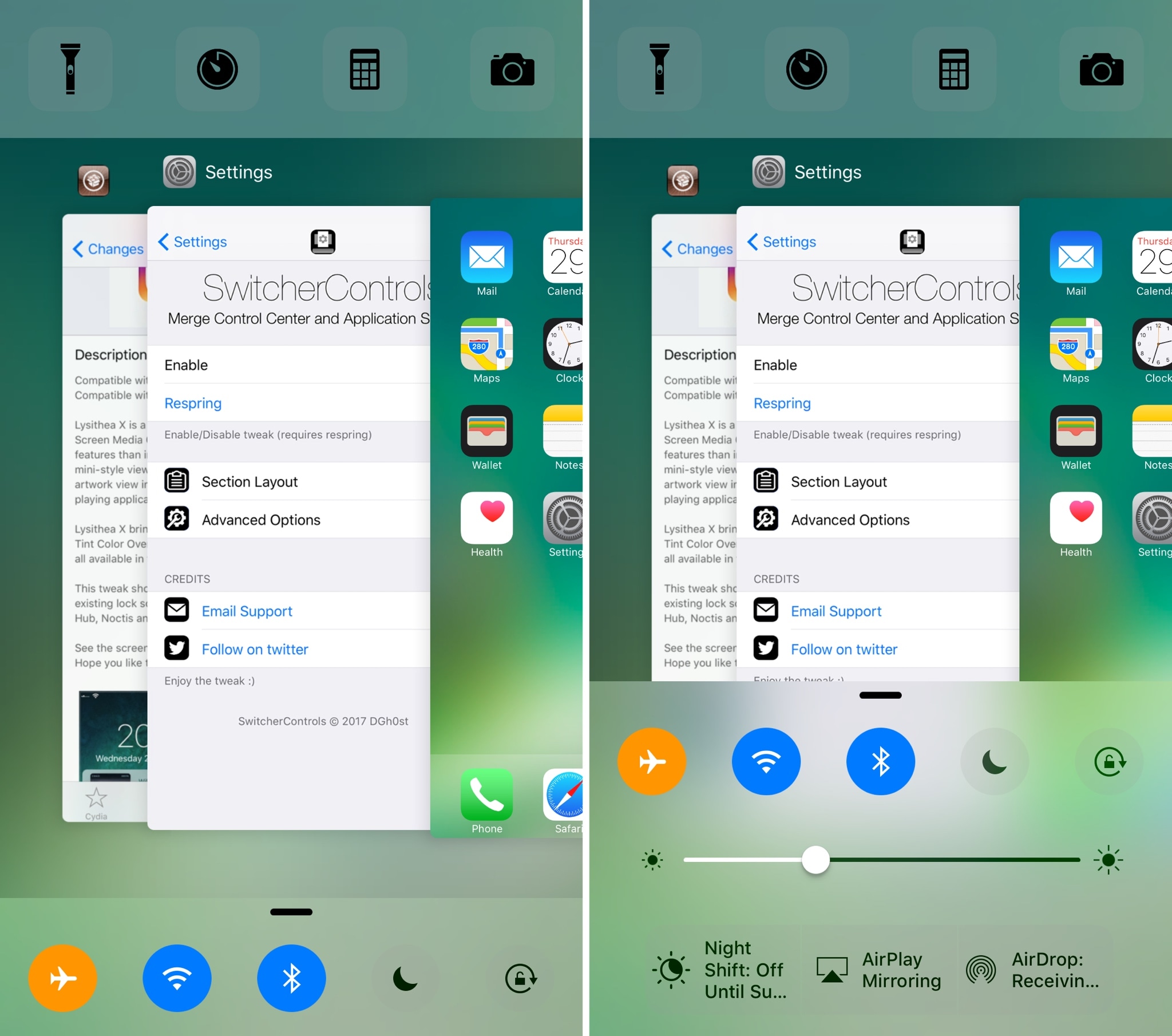
This tweak makes the App Switcher’s Home screen card more consistent

The App Switcher has a Home screen card in addition to those for each of your recently used apps. While each app has its own header with an icon and label above it, the Home screen card unfortunately does not.

A new free jailbreak tweak called HomeCardIconLabel by iOS developer DGh0st does away with this inconsistency and adds both a label and icon to the top of the Home screen card in the App Switcher.

CamMode adds a mode-switching HUD to the Camera app

The Camera app in iOS has a host of different shooting modes that you can switch between by swiping left or right in the viewfinder frame.

The carousel selector just under the frame displays the shooting mode you’re currently using, but iOS could do a much better job communicating this information with the user, especially in the wake of accidental swipes. Developer Cole Cabral agreed, and so he made a new free jailbreak tweak called CamMode.

Spice up your Lock screen’s passcode capabilities with Callisto Pro

Whether you’re using Touch ID or a passcode to secure your device, a new jailbreak tweak dubbed Callisto Pro (iOS 10) by iOS developer ijapija00 provides a host of new features for customizing the passcode-entry experience.

It's jam-packed with both aesthetic and functional features, letting you not only customize the way your passcode keypad looks and feels, but also the way it keeps your device protected.