iPhone

Stay up-to-date on the latest iPhone news and learn new tips and tricks with our comprehensive tutorials. From software updates to new features, we’ve got you covered.

Benchmarks Suggest A5-Powered iPhone Would Support Much Faster Graphics

While we're all getting so uptight about whether the incoming iPhone will be of the 4S or 5 designation, and thus, whether it will receive a new design or not, MacRumors is there to bring us all back to reality.

The site's founder, Arnold Kim, has sought to remind us all that, while all the glitz and glamor of possible redesign is tempting, we're forgetting about the specs that will actually power the device.  lt's obvious that the next iPhone will feature Apple's impressive A5 chip architecture — the chip that currently powers the iPad 2.

That fact alone means we'll have a significantly faster iPhone to buy. Check out the impressive benchmark breakdown inside...

iPhone 4S Shows Up in Vodafone Germany Listings with 16GB, 32GB, 64GB Capacities

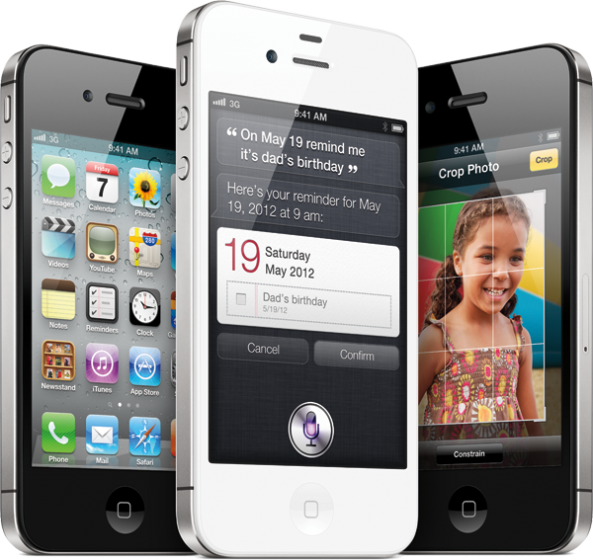
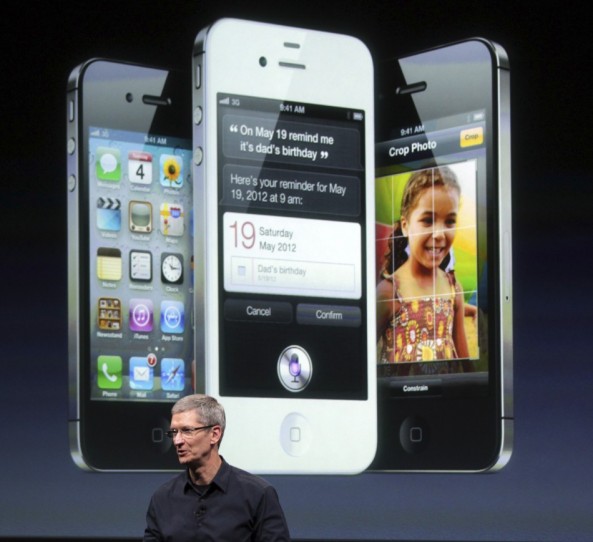
It's already been rumored that the iPhone 4S will come in a 64GB flavor, and now mobile carrier Vodafone Germany is listing the iPhone '4S' in three different capacities on its website.

Carriers have been known to create placeholders for unreleased Apple products, with some carriers even offering preorders for the fifth generation iPhone before it is announced. In the case of this Vodafone listing, the iPhone 4S is listed for the first time instead of the 'iPhone 5' placeholder that we've seen before. The storage options line up with rumors as well...

Are You an Apple Fanboy? [Infographic]

With Apple set to unveil the next iPhone tomorrow, 'fanboys' are coming out of the woodworks. Some may call these people 'Apple enthusiasts', while others would call a fanboy something more along the lines of a mindless zombie.

What does it mean to be an Apple fanboy? Let's take a closer look...

How to Add Basic Photo Edit Options to the Stock Photos App

Wishing for a quick and simple way to perform basic photo editing tasks without the use of external app?

True, such a feature is baked directly into iOS 5, but that's still a few days away. What about now?

Jailbreak connoisseur Filippo Bigarella's got you back, with the recent release of PhotoEdit, a jailbreak tweak that brings a few basic photo editing options to us iOS 4 users...

ActiveAccess for Activator: Enable Zoom, VoiceOver, and Invert Colors From Anywhere

The awkwardly named ActiveAccess for Activator, is a jailbreak tweak, which allows you to assign various accessibility options to Activator actions.

Accessibility options consist of features like Invert Colors, VoiceOver and Zooming — options that are great for the visually impaired.

Thanks to this tweak, there's an even easier way to invoke these features by assigning one or all of them to an Activator action...

UnlockBright: An Eccentric Brightness Tweak for Your Lock Screen

Feeling eccentric? If so, then why not add some interesting brightness controlling functionality to your iPhone's slide-to-unlock bar, by means of UnlockBright?

UnlockBright is an interesting jailbreak tweak, because it combines the slide-to-unlock bar with your iPhone's brightness settings. The weird thing is, that these settings aren't permanent, they only take effect as you're unlocking your phone.

Confused? Take a look at the video demo just after the break...

LSMediaControls: Control Music Simply By Swiping Your Lock Screen

I have to admit, I really didn't see much of a need for LSMediaControls in my jailbreak repertoire...until I happened to use it while driving.

My experience using this tweak while on the road has opened my eyes to how incredibly useful it can be.

No longer do you need to glance at the iPhone to make sure you're tapping the right button.

LSMediaControls makes it simple to play, pause, skip and listen to previous music, from virtually any music app. Check inside for the video details...

How to Enable Swiping for SBSettings Toggles [Video]

A few days ago, we received a question about SBSettings; specifically, how do you enable swiping for the toggle buttons in SBSettings?

By default, SBSettings will enable more than two rows if you have more than eight buttons in your list of toggles. Because of this, there's no need to have separate pages for toggles, due to everything fitting on a single page.

Ah, but there is a simple way to force a maximum of two rows of toggles, as this video tutorial shows you inside...

Pictures of a Cheaper iPhone Based on the iPhone 4 Surface, Two iPhones Coming Tuesday After All

Gizmodo has done it again. The same site that got its hands on the iPhone 4 before it was released has also procured images of what is assumedly a new iPhone to be announced on Tuesday.

The device, codenamed 'N90A', is not the iPhone 4S (codenamed 'N94). That device is still coming, but this photo is of the cheaper 8GB iPhone 4 that will be launched next week, too.

Major iPhone 4S Details Leaked in Latest iTunes Beta

It appears that any hope left of Apple unveiling a totally redesigned handset next week just floated out the window. As it has done several times, 9to5Mac just uncovered some juicy information hidden within Apple's software.

The find comes from the latest version of iTunes beta, which Apple seeded to developers yesterday afternoon. The music software references two new models of Apple's smartphone, the black iPhone 4S and the white iPhone 4S...

How to See if You’re Eligible for an iPhone Upgrade

You've heard that a new iPhone is coming out, and you want to see if you're eligible for an upgrade with your carrier. For those that don't buy off contract, early upgrade fees can be extremely expensive for smartphones like the iPhone.

There's actually a really easy way to check your upgrade eligibility from your iPhone on AT&T. Verizon lets customers check eligibility from its website. Here's how to see if you're eligible for an iPhone upgrade...

‘F.lux’ Helps Prevent Eyestrain When Using Your iPhone at Night

It's been a long time coming, but one of my favorite OS X utilities has made its way to iOS. Indeed, f.lux just appeared on the iPhone, but not via the conventional App Store method.

f.lux is a handy utility that automatically adjusts the color temperature of your screen, resulting in significantly reduced eye-strain.

Unfortunately, due to the nature of f.lux, it pretty much has no chance of ever appearing on the official App Store. Thankfully, the team behind this excellent tweak has found refuge on Cydia...