iPhone

Stay up-to-date on the latest iPhone news and learn new tips and tricks with our comprehensive tutorials. From software updates to new features, we’ve got you covered.

HBO Now updated with support for Picture in Picture, Spotlight Search and more

HBO on Thursday pushed out an update for its HBO Now streaming app, bringing the iOS client to version 1.3. The update is a significant one for folks running iOS 9, particularly those with a late-model iPad, as it adds compatibility with some of the new software's features.

The most important of those features is Picture in Picture, which allows [newer] iPad owners to watch videos in a small, standalone window while using other apps. Additionally, the update adds support for Spotlight Search, as well as various other bug fixes and improvements.

iOS 9.0.2 fixed vulnerability that allowed Lock screen access to photos and contacts

iOS 9.0.2 has patched a potentially disturbing vulnerability which allowed malicious users who have access to your device to use Siri from the Lock screen in order to browse your photos and contacts.

According to Apple' official iOS 9.0.2 release notes, the software has fixed the issue which allowed access to photos and contacts on a locked device by “restricting options offered on a locked device.”

The vulnerability was left unpatched in iOS 9.0 and iOS 9.0.1 and affected the iPhone 4s and later, fifth-generation iPod touch and later and iPad 2 and later.

Electronic Arts releases Need for Speed: No Limits in App Store

Electronics Arts' newest racing game on mobile, called Need for Speed: No Limits, is now available in the App Store as a freemium download. Created by developer Firemonkeys which brought you Real Racing 3, this new game challenges you to become a reckless yet respected driver.

A stable of sports cars available in No Limits include the Subaru BRZ, BMW M4, McLaren 650s, Porsche 911 and many more. Unlike previous Need for Speed Games, No Limits is big on customization.

OneDrive for iOS gains new command gestures and cool ways to work with PDF files

Microsoft today updated OneDrive for the iPhone and iPad, its cloud-storage client app, with several new features such as a simpler way to share things with an all-new radial contextual menu and cool new ways to work with and annotate PDF files.

For starters, you can now draw smiley faces or whatever your like on PDF files, sign documents and more. And thanks to OneDrive's newly gained Outlook integration, you can share OneDrive files as email attachments through Outlook, if it's installed.

OneDrive's Document Picker extension on devices with iOS 8 or later permits you to open your cloud files in third-party apps like Keynote and Pages. Oh, and you can now see folders shared with you, alongside your own OneDrive folders, and sync them on your computer.

iPhone 6s Plus teardown reveals a 165 mAh battery downgrade versus last year’s iPhone 6 Plus

After taking apart the 4.7-inch iPhone 6s, repair wizards over at iFixit have now disassembled its bigger brethren, the 5.5-inch iPhone 6s Plus (model A1687/A1634) After popping the handset open, the iFixit team immediately discovered a largely unchanged layout from the iPhone 6 and a slightly smaller battery versus last year's iPhone 6 Plus.

In line with the rumors, the battery inside the iPhone 6s Plus is of a 2,750 mAh variety, representing a modest 165 mAh downgrade versus the iPhone 6 Plus battery rated at 3.82 V and 11.1 Wh of energy, for a total of 2915 mAh.

Viber for iPhone and iPad gains group likes, 7,000-character messages and more

Viber's free mobile application for the iPhone, iPod touch and iPad was updated earlier today in the App Store with four new features. Bumping the version number to 5.6, the new Viber for iOS lets you express yourself in a more detailed manner than before with support for 7,000 characters long text messages.

In addition, you can now like messages in group chats, forward the contents of public chats and take advantage of better video messaging features that improve your experience.

Is iPhone 6s waterproof? iFixit has the answer

So, is the new iPhone 6s waterproof or not? A lot of ink has been spilt following a video that showed an iPhone 6s surviving being submerged in bowls of water for over an hour. People have been wondering whether the poster had used Liquipel to protect their device from water damage or if Apple has in fact done something to improve water resistance of the new iPhones.

iFixit was wondering the same so they set out to put this debate to rest once and for all. So then, is the new iPhone waterproof or not? Read on to find out.

How to make your iPhone and iPad more secure with 6-digit passcodes

Starting with the release of iOS 9.0.1, Apple has increased your security by defaulting to 6-digit passcodes on Touch ID devices. “If you use Touch ID, it’s a change you’ll hardly notice,” says Apple.

Compared to 4-digit passcodes which have 10,000 possible combinations, their 6-digit counterparts strengthen your security with one million possible combinations, meaning 6-digit passcodes will be a lot tougher to crack.

Non-Touch ID iPhones and iPads still default to less secure 4-digit passcodes, however. You can enable a 6-digit passcode with a quick trip to Settings, here's how.

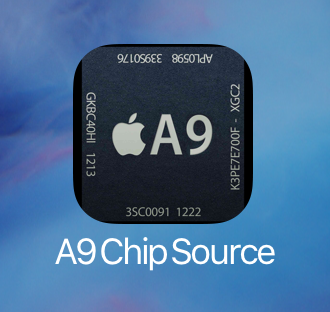
Semiconductor analysis confirms iPhone 6s ‘A9’ chip manufactured by Samsung and TSMC

An initial analysis of the Apple-designed A9 system-on-a-chip powering the new iPhone 6s and iPhone 6s Plus, conducted by semiconductor experts over at Chipworks, has identified both Samsung and rival Taiwan Semiconductor Manufacturing Company as manufacturers of the package.

What's really interesting is that the A9 comes in two sizes, depending on who manufactured it, with the Samsung-built units being a bit smaller than those manufactured by TSMC. This is the first time an Apple-designed processor for an iPhone came in two different sizes.

Photo shootout: how the iPhone 6s compares to its predecessors

Photographer Lisa Bettany, co-founder of the popular iPhone app Camera+, on Monday posted a series of images comparing photos taken with the iPhone 6s with its predecessors. The comparison images feature identical shots taken with each of the 9 iPhone models (sans 5c).

The image you see above shows macro photos taken of colored pencils against a white backdrop. You start to notice more details with the iPhone 3GS, and furthermore with the 4s. After that it becomes harder to discern differences, but the iPhone 6s photo clearly looks the best.

Review: Password Chef—enjoy untethered password entry with recipes

The App Store offers several high-quality apps that help you create strong passwords for various services, manage your passwords and synchronize them between devices with ease, AgileBits' freemium 1Password being perhaps the most popular one.

But there's now a brand new password manager on the block which takes a clever approach to securing all your online accounts with strong passwords but without having to actually remember them.

How about re-creating passwords from recipes?

Welcome to Naranja Studio's Password Chef, a novel $2.99 app for the iPhone, iPod touch and iPad which takes advantage of unique recipes to basically turn any site name into an easy-to-recall password, canceling the need for additional software or devices.

How to zoom in and out of your iPhone 6s screen with 3D Touch

We have been covering various 3D Touch features extensively here on iDownloadBlog and will continue to do so in the foreseeable future.

In addition to using your iPhone 6s keyboard in trackpad mode, adjusting the sensitivity of 3D Touch and turning the feature on and off, iOS 9 also provides a way for iPhone 6s owners to use its built-in zooming capability in conjunction with 3D Touch, based on the amount of force exerted on an on-screen controller.

They're calling it Peek Zoom and once activated lets you invoke iOS's standard Zoom feature through 3D Touch rather than requiring you to double-tap with three fingers.