iPad

From the latest news to the most comprehensive tutorials, learn how to get the most out of your iPad with our step-by-step guides and expert tips.

Snapchat launches limitless snaps, new Magic Eraser & Loop tools

Snap Inc. announced yesterday that it'd added new features to its mobile Snapchat app, including limitless snaps as well as a pair of all-new creative tools in the form of the Magic Eraser and Loop features.

For starters, you can now draw with emojis. Simply tap the doodle tool to get started. If you'd like to access Snapchat's new Magic Eraser tool, tap the Scissors tool, then the Stars icon.

To let your friends view your snaps for as long as they want, use the new Loop tool for videos. With this Instagram Boomerang-like feature, you can easily decide whether your snap plays once or loops until your friend is ready to tap to the next one (the infinity option for the timer).

According to the company:

We’ve all felt the frustration of not being able to fully enjoy a snap—even after replaying it—and we wanted to give you the option of allowing the recipient to enjoy your snap as long as they’d like. After your friend finishes viewing the snap and taps to close it, it will delete as usual.

The new creative tools require Snapchat version 10.8 or later.

Snapchat for iOS available at no charge on App Store.

Schedule repairs and make Genius Bar reservations with Apple Support app

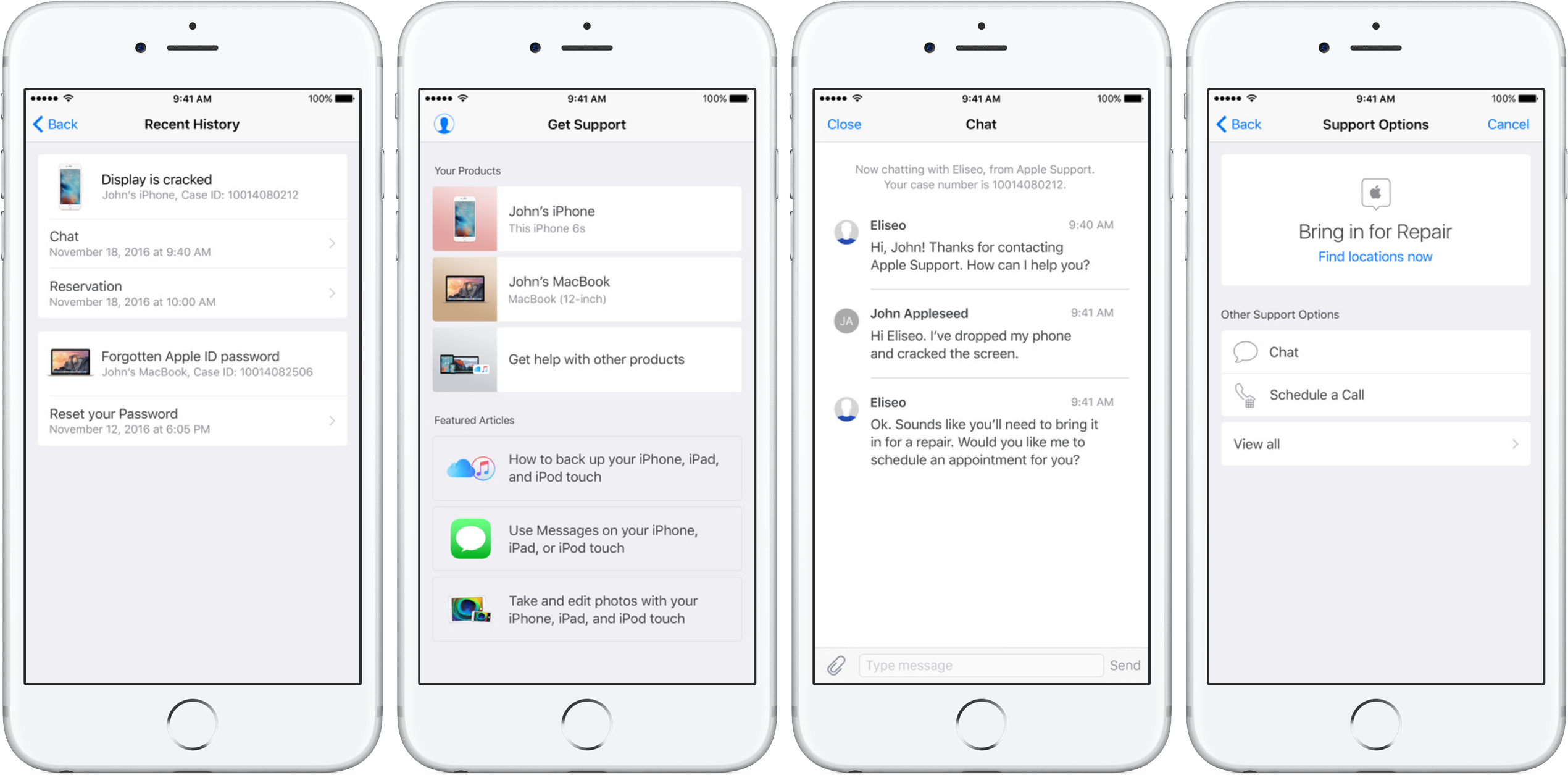
Apple's dedicated Support app was refreshed on App Store today with the ability to schedule repairs and make Genius Bar reservations. Bumped to version 1.1, the app packs in other improvements as well, including simplified authentication process, support for iOS 10's rich notifications for chat and the ability to filter locations by mobile carrier.

As mentioned, the refreshed app now permits iPhone, iPad and iPod touch owners to schedule repairs at participating Apple Authorized Service Providers. The ability to make Genius Bar reservations from within the app is currently limited to Apple Stores in China, Hong Kong, Macao, Turkey and United Arab Emirates.

Apple Support is a free download from App Store.

PDF Expert 6 for iOS is out with revamped look, enhanced search, new editing tools & more

Readdle, a prolific Ukrainian developer of fine productivity software for iOS and macOS, today pushed a major new version of its fast, robust and beautiful PDF editor, called PDF Expert.

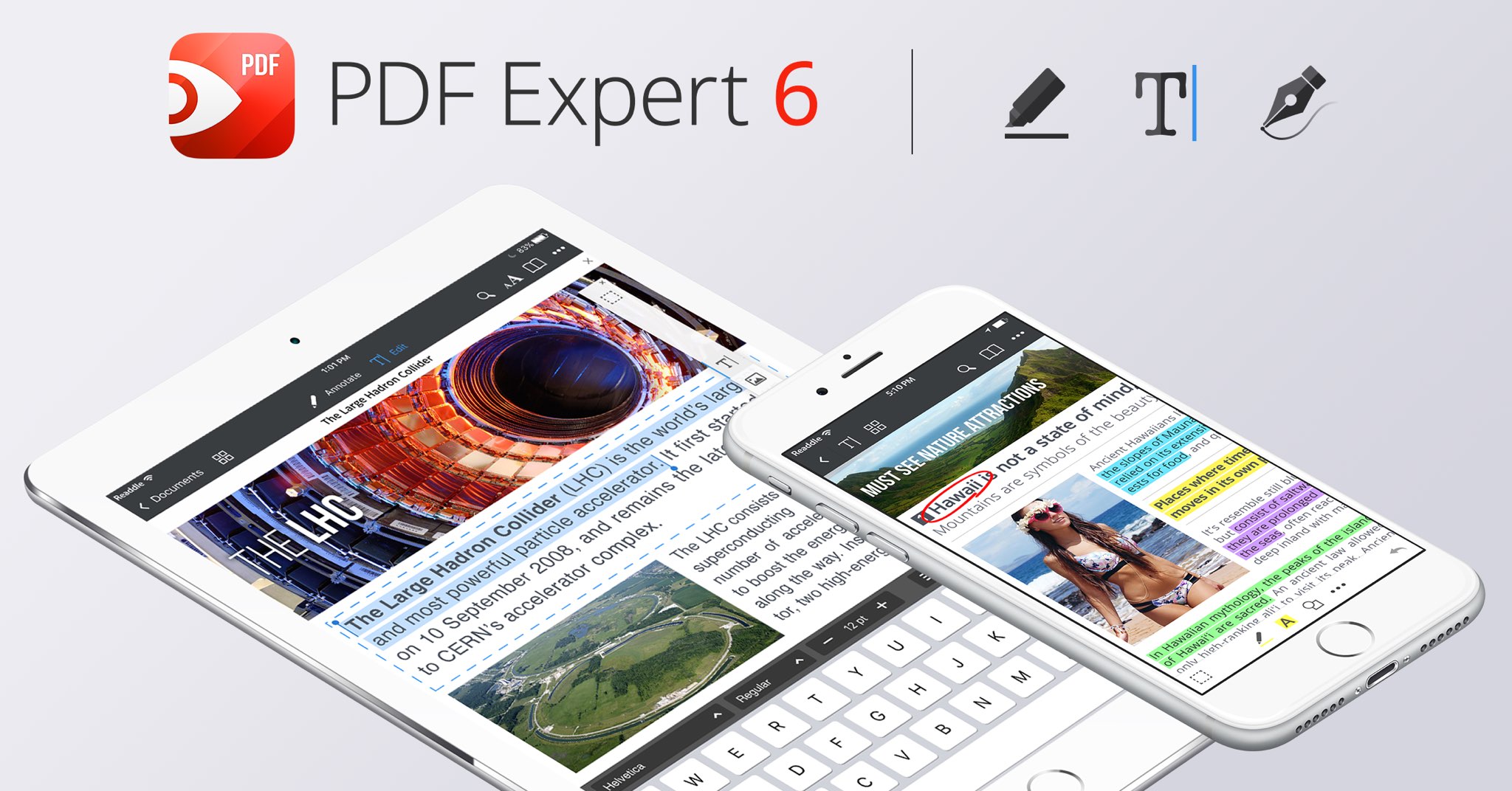
Aside from an overhauled interface which allows you to navigate your documents in a most effective way, PDF Expert 6.0 for iPhone and iPad includes a brand new experience when adding and managing files and built-in editing tools for those times when you're required to edit that contract, update presentation slides or change the invoice logo while on the go.

PDF Expert for iPhone and iPad

“You make fewer taps in order to edit, zip, tag, move or sync files,” developers noted, adding that “bigger file preview thumbnails give you a better idea of the content of that Excel spreadsheet or PowerPoint presentation.”

Aside from the usual features, PDF Expert 6.0 now allows users to edit and modify text and images in their PDFs, as well as add links, redact information and more.

But first, watch the promotional video below.

https://www.youtube.com/watch?v=_Jrg8txgDVo

The new editing tools in the iOS app let you:

Edit and modify PDF text Add and replace images Add links to text and pictures Hide sensitive information using Redact feature

For those who work in the cloud, the app now allows you to edit, annotate or sign documents in your Dropbox or any other supported cloud storage service without needing to download the document locally—all your edits are now saved directly in the cloud version of the document.

With PDF Expert 6.0, PDF documents that contains sensitive data can be finally protected with a password. Lastly, the iOS app now lets you edit outlines to help structure data in huge documents and provides an enhanced search feature with the ability to search for a word or a document across multiple documents and file types.

PDF Expert for Mac

The Mac app was refreshed with enhanced navigation, faster search and other updates back in March 2017, here are your key highlights. To make the editing process even easier, the Mac app automatically detects the font, size and opacity of the original text.

This is very useful because no longer do you have to adjust the formatting after every single edit. “Now, you can edit PDF text and images, add links, work directly from the cloud without downloading files and much more,” Readdle noted.

The improved search is smarter and quicker than before. Perhaps more important than that, you can save all relevant discoveries into your search history to easily find them in the future.

Lastly, you'll notice the all-new toolbar layout with several page layout templates and the ability to customize your reading experience in macOS's Split View multitasking mode. Whether you’re comparing contracts or reading an article, you can now bring up the new rendering options to choose the most convenient layout to quickly accomplish your task.

The new editing tools in PDF Expert 6.0 for iOS require a one-time $9.99 In-App Purchase. All the other new features are free for existing users of the iPhone and iPad app.

New users can grab PDF Expert for iOS on App Store in exchange for $9.99.

PDF Expert for macOS is available for $60 via Mac App Store.

A free trial is available via the official PDF Expert website.

Customize the Control Center toggle button statuses with CCStatus

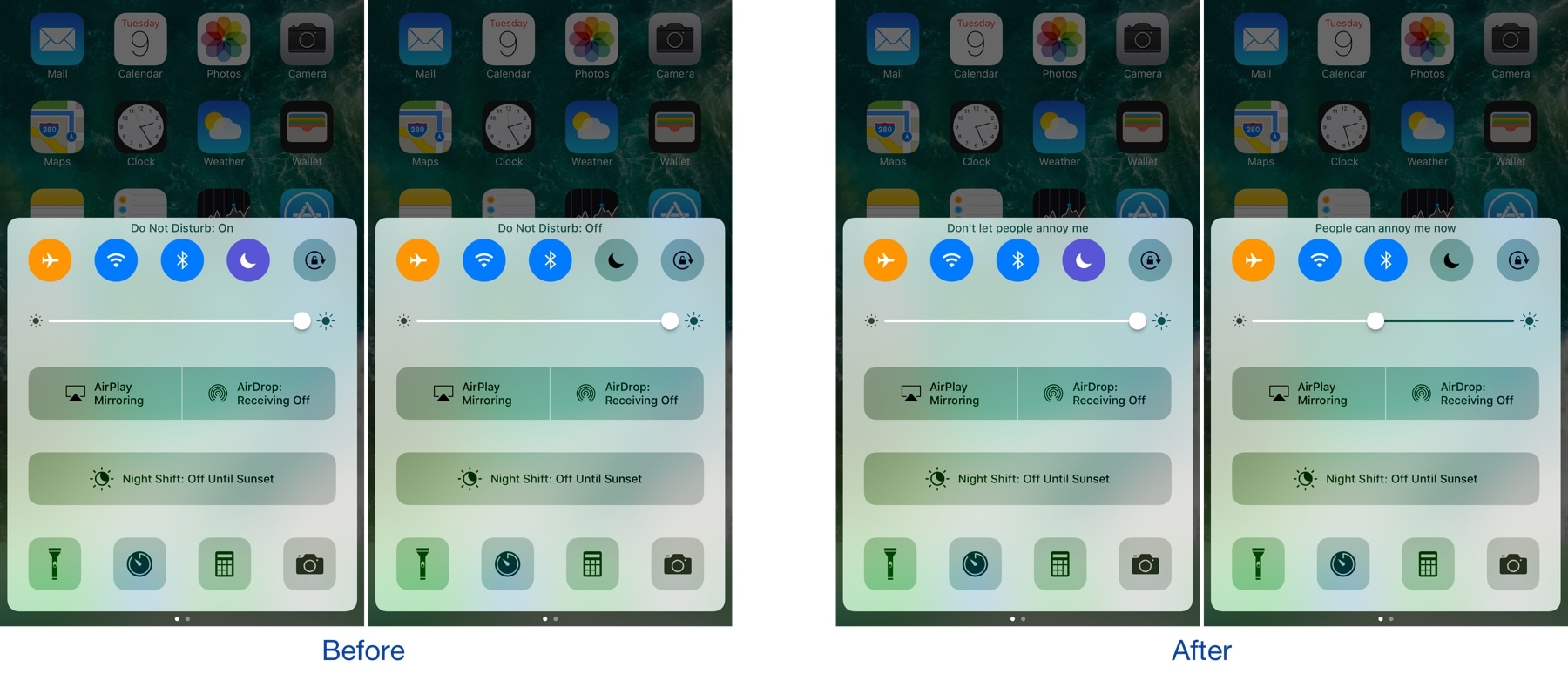
Control Center houses a bevy of toggles that make accessing certain iOS features more convenient. Whenever you toggle one of the features on or off, a status update appears at the top of Control Center that lets you know what you changed.

A new free jailbreak tweak called CCStatus by iOS developer harrywantstodev lets you customize these strings of text so that your customized statuses appear when you toggle buttons on or off instead.

WAStatusVolume brings a WhatsApp-inspired volume HUD to iOS

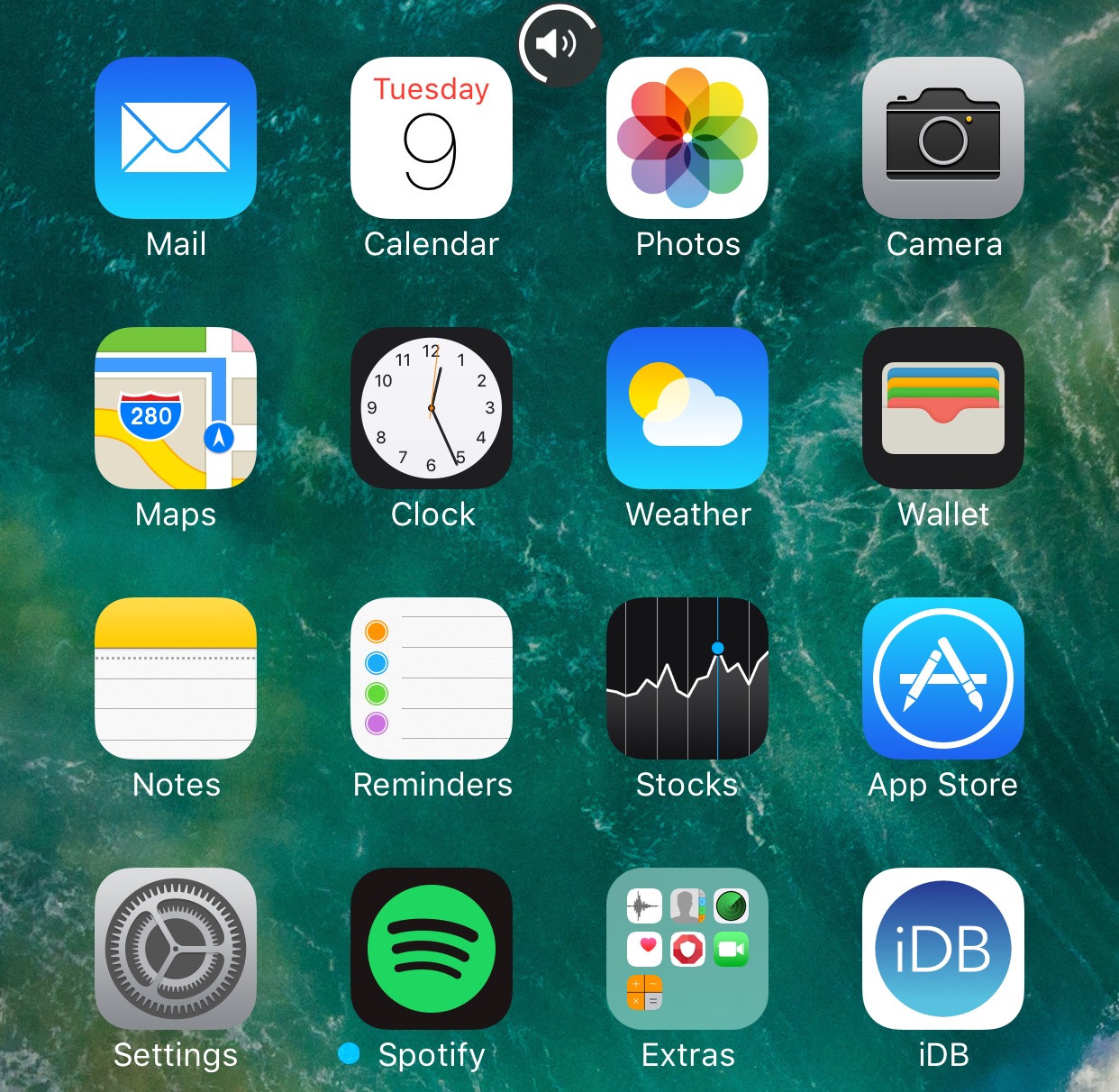
The jailbreak community has brought forth a myriad of different solutions for replacing the ugly stock volume HUD in iOS, but one of my favorites so far is a new jailbreak tweak dubbed WAStatusVolume by iOS developer midkin.

This tweak takes a WhatsApp Messenger-styled approach to making the volume HUD experience better by taking the same volume indicator you’d normally see in the WhatsApp Messenger app and making it available system-wide.

TapToOpen lets you interact with your Lock screen notifications with a tap

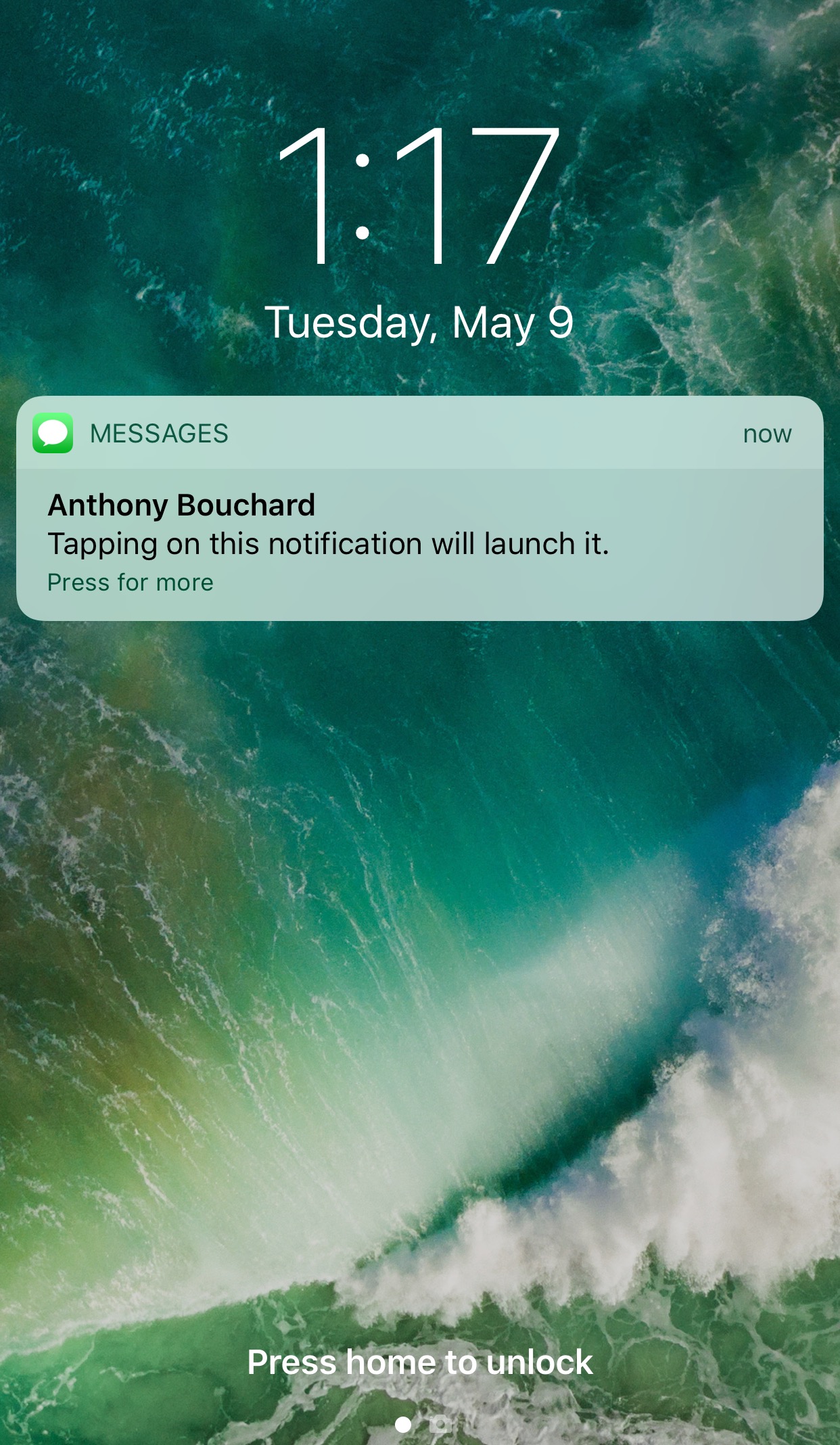
You can either swipe on or use a 3D touch gesture to interact with with notifications on your Lock screen. The swipe reveals options for clearing or replying to the notification, while the 3D Touch gesture opens a quick reply interface instead.

A new free jailbreak tweak called TapToOpen by iOS developer gilshahar7 adds a new way to interact with your notifications by letting you tap on them to interact with them.

Apple acquires sleep tracking app Beddit

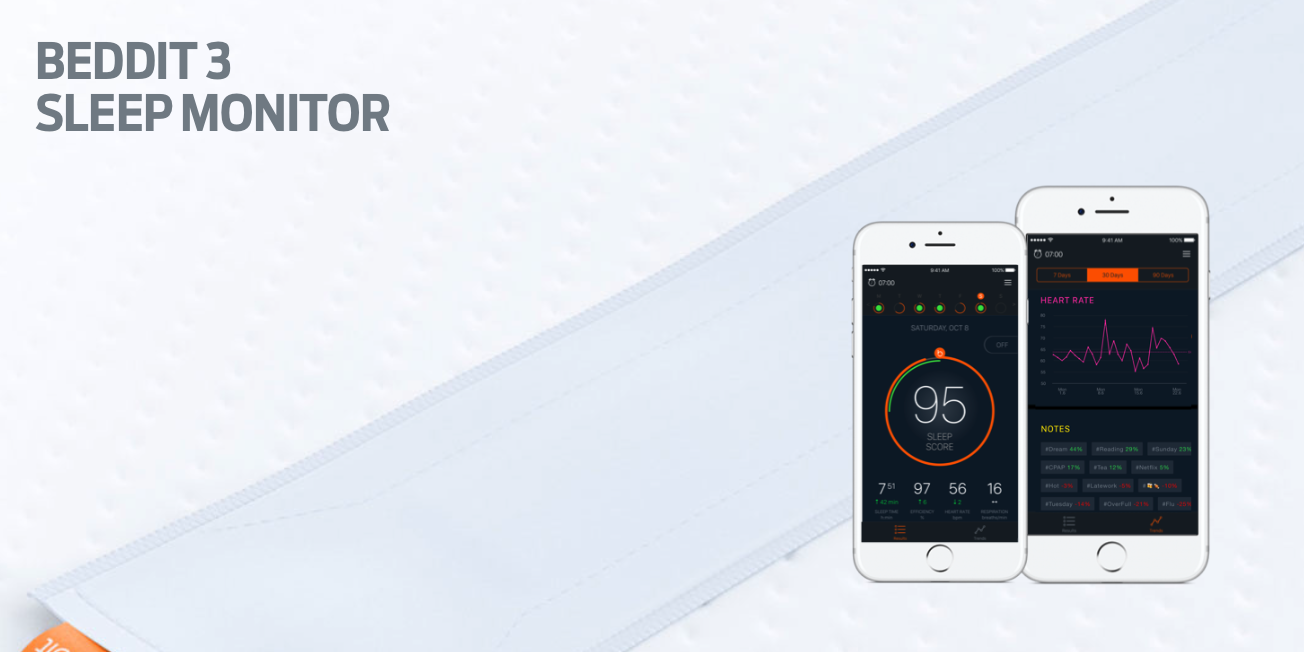
Apple has acquired sleep tracking startup Beddit. The company updated its privacy policy on its website Tuesday to announce the acquisition, saying "your personal data will be collected, used and disclosed in accordance with the Apple Privacy Policy."

Apple’s 2017 iPad does not support untethered Hey Siri

Apple's fifth-generation iPad, which launched in March 2017, does not support tetherless “Hey Siri” functionality even though the device features an embedded M9 motion coprocessor. As first noted by AppleInsider, the 9.7-inch iPad Pro is the only Apple tablet the feature is currently available on.

An always-on Siri requires that the device be outfitted with a low-power motion coprocessor embedded into the main chip. This lets iOS listen for the “Hey Siri” wake up phrase on battery power, in the background, without waking up the main power-hungry processor.

TUTORIAL: “Hey Siri” not working? Here's your troubleshooter!

“Hey Siri” made its debut with iPhone 6s, the first Apple device to embed the motion coprocessor in the main processing chip. All iPhones from iPhone 6s onward support “Hey Siri” on battery power, including iPhone SE and the latest iPhone 7 series.

The 12.9-inch iPad Pro is another Apple tablet without support for tetherless “Hey Siri” despite the inclusion of the M9 chip. It's unclear at the moment if Apple could eventually enable untethered “Hey Siri” in software on the new iPad and the 12.9-inch iPad Pro.

WhatsApp quietly added encryption to iCloud backups in late 2016

WhatsApp last year closed an important security loophole by adding encryption to users' chat backups stored in iCloud. Before the change, hackers could theoretically gain access to WhatsApp chat archives in iCloud using third-party forensic tools to access underlying messages in a readable form.

Rather than rely on iCloud Drive to protect customer data, the Facebook-owned company has added a unique encryption key created by the WhatsApp app.

A spokesperson confirmed iCloud backups are now being encrypted, telling Forbes: “When a user backs up their chats through WhatsApp to iCloud, the backup files are sent encrypted.”

Although Apple holds the encryption keys for iCloud, it's up to app makers to use encryption when sending user data to iCloud. According to TechCrunch, a Russian company called Oxygen Forensics, which supplies mobile and cloud hacking tools, was able to generate encryption keys for WhatsApp's iCloud backups.

The workaround requires that an attacker have access to a SIM card with the same mobile number that the app uses to send a verification code to generate the encryption key for the iCloud backup. Of course, Oxygen still needs a user's Apple ID and password to gain access to their iCloud user space in the first place.

“Then, using the associated SIM, Oxygen said it can generate the encryption key for decrypting the data by passing the verification process again,” explains TechCrunch. Forbes suggests the method could be used by police in possession of a device where the WhatsApp account has been deleted but iCloud backups have not been wiped.

https://twitter.com/FiloSottile/status/861569977681412096

In other words, after realizing that forensic tools could be used to download encrypted WhatsApp data from iCloud backups in a readable form, WhatsApp has beefed up security and quietly rolled out encryption for iCloud backups last year.

You can backup your entire WhatsApp chat archive to iCloud by tapping the Settings tab in the lower-right corner of the app. Now tap Chats, then Chat Backup and finally hit Back Up Now.

By the way, WhatsApp should update the wording of the Chat Backup screen because it states, somewhat confusingly, that “media and message you back up are not protected by WhatsApp end-to-end encryption while in iCloud.”

See more at a glance in the Music app with MusicMoreColumns

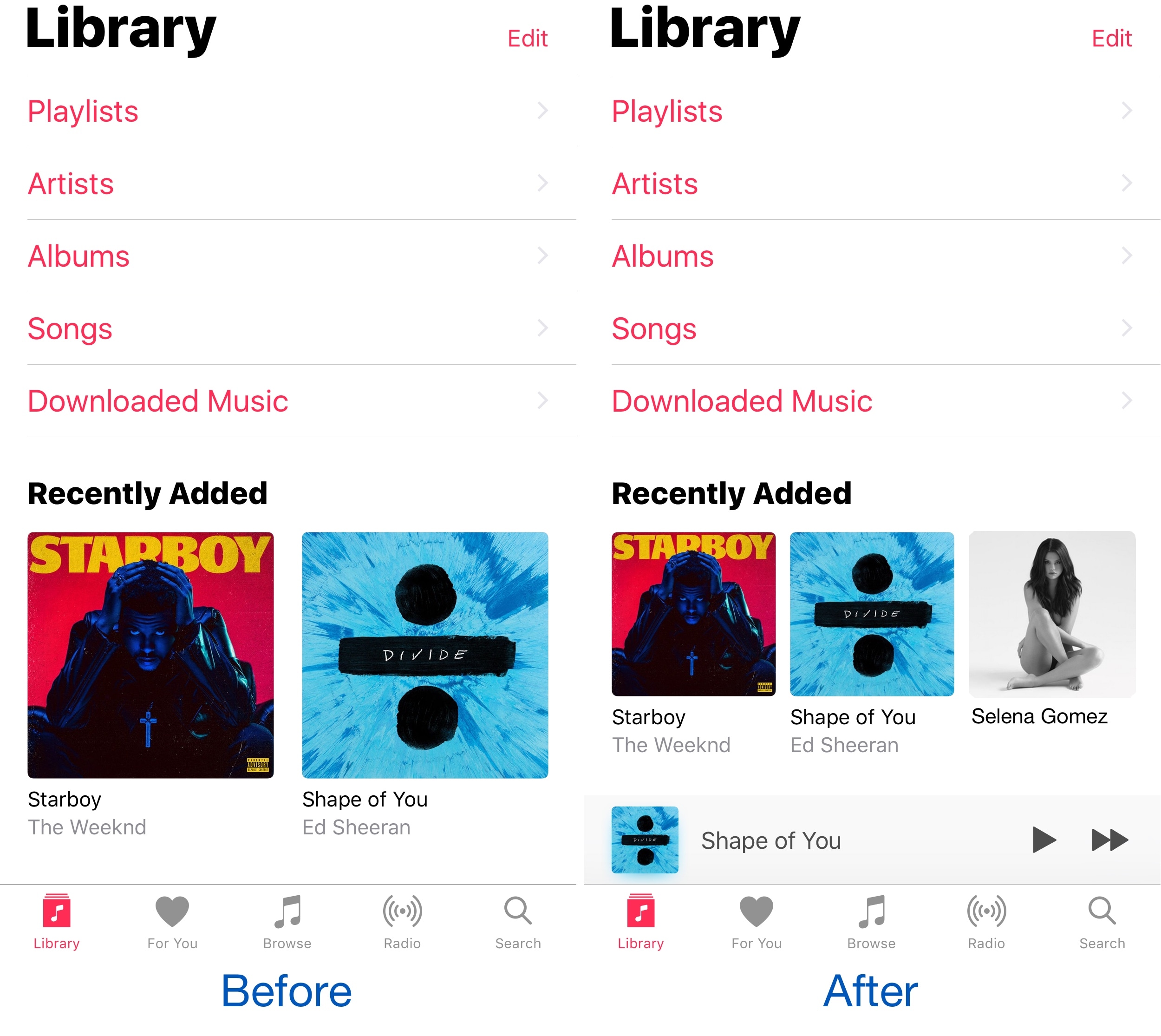
Apple’s own Music app underwent several major UI changes since the debut of Apple Music, and one part of the latest redesign is how the app displays two columns of your music on the screen at once.

Because two columns can be limiting, and because modern iPhones have larger displays, a new free jailbreak tweak called MusicMoreColumns by iOS developer HiDan enables three columns in the Music app so you can see more at a glance.

This tweak makes your iPhone animations bouncier

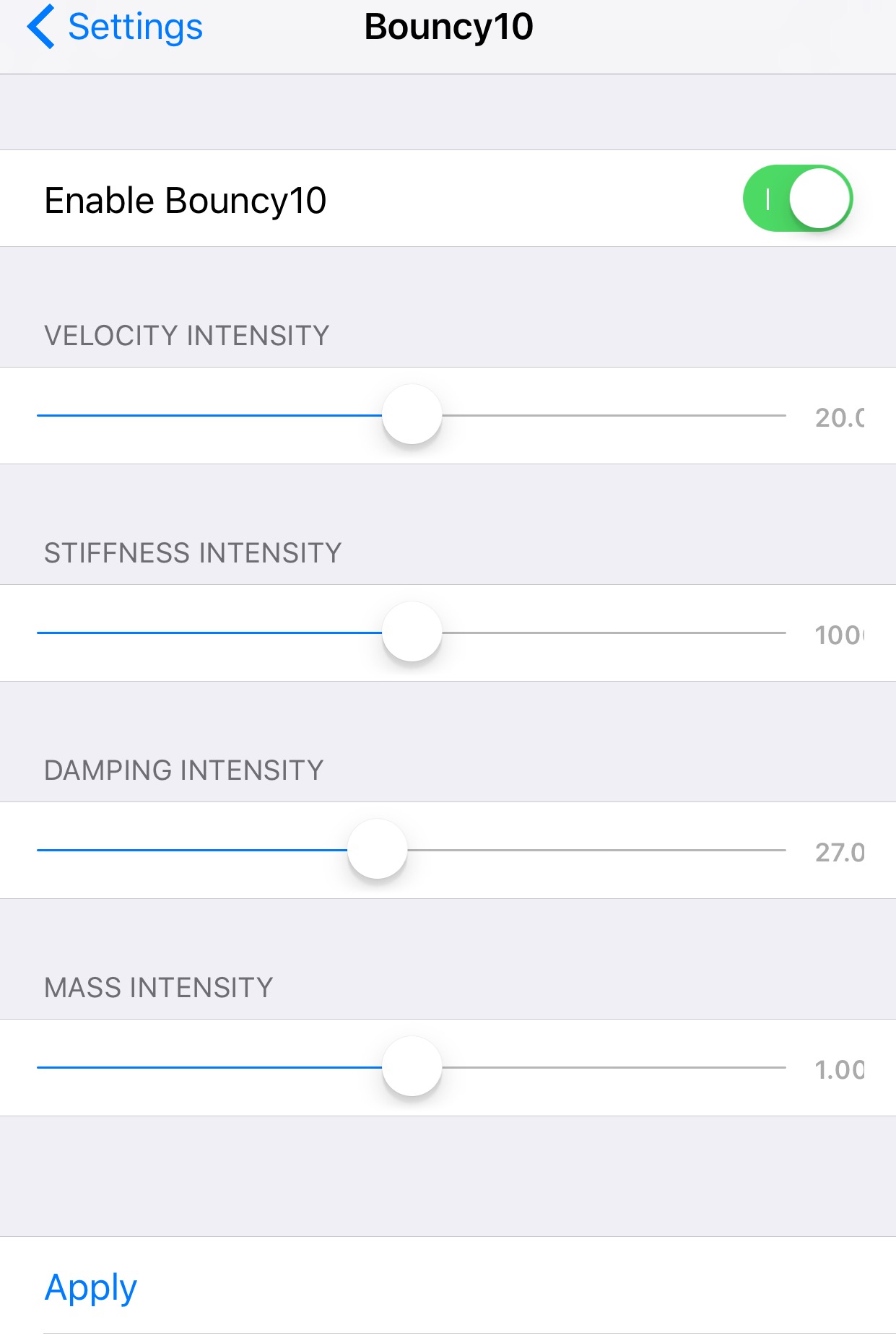
Bouncy10 is a new free jailbreak tweak by iOS developer Rishanan that gives iOS a system-wide fun and quirky animation makeover rather than the smooth and boring animations you've become to used to.

It takes a bouncier approach to iOS animations, and more importantly, they're fully adjustable, allowing you to have a different animation effect than other Bouncy10 users.

Apple’s Workflow app gains new Apple Music actions, brings back Chrome and Pocket integrations

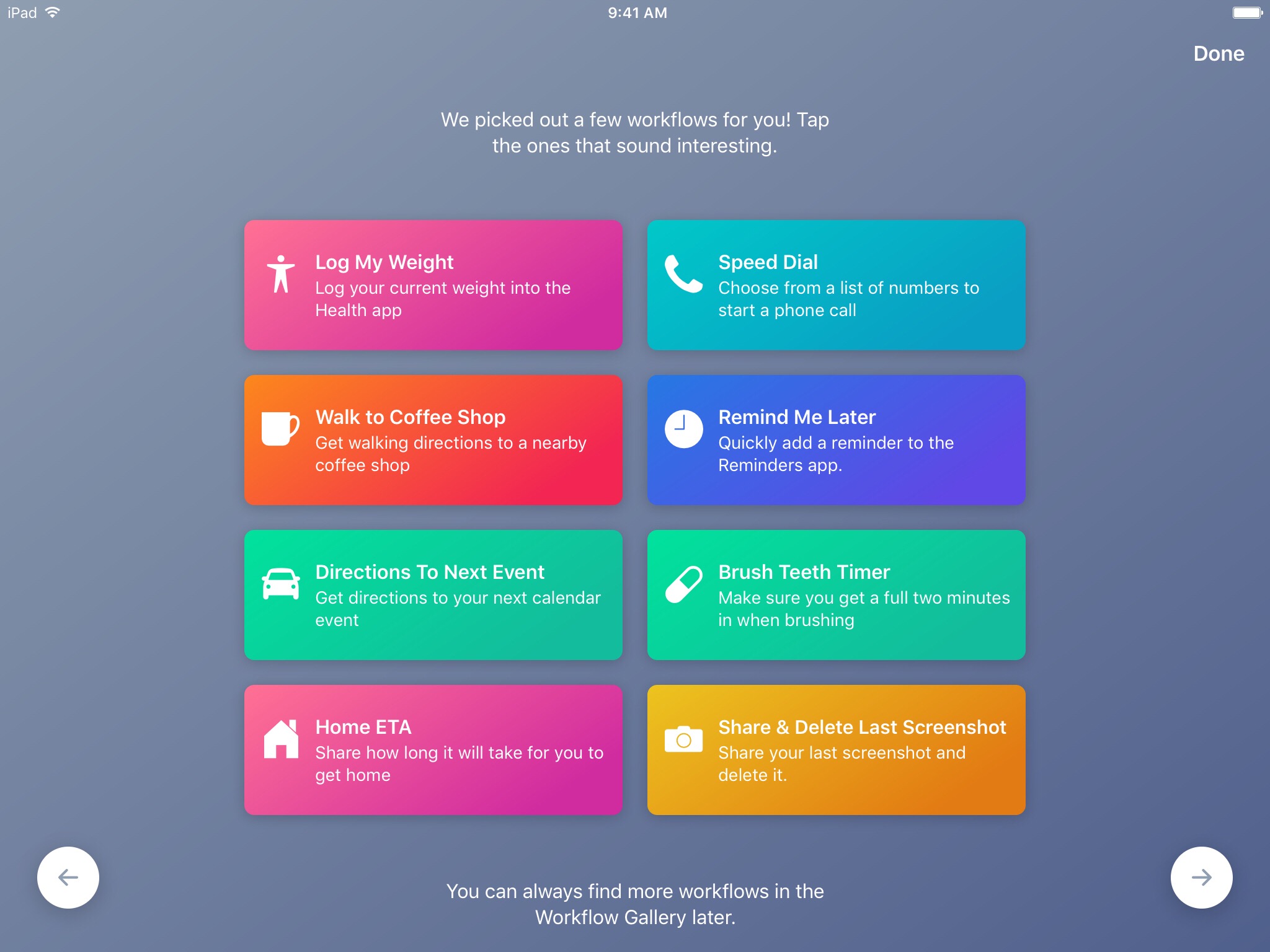
Workflow, the powerful iOS automation app that Apple acquired in March, has brought back a few features that were originally removed from the software following the Apple deal while adding updated Apple Music actions.

In Workflow 1.7.4 for iPhone and iPad, users can now create workflows using actions specifically designed for Google's Chrome browser and the read-later app Pocket, which browser vendor Mozilla acquired in February.

With the updated Apple Music actions, Workflow fans can now add songs to their Up Next queue in the Music app. Another new action lets you clear the songs in the Up Next queue.

Additionally, Workflow's Get Distance actions has been updated with support for getting the distance from a specified location while the order of items passed from a Dictionary action to Choose from List is now preserved.

Here's everything new and fixed in Workflow 1.7.4:

Bug fixes and improvements Restored the Google Chrome and Pocket actions Add music to your Up Next queue with the Add Music to Up Next and Clear Up Next actions Get Distance now supports getting the distance from a specified location The order of items passed from a Dictionary action to Choose from List is now preserved Fixed getting prices for books in Search iTunes Store Fixed making archives with special characters in the filename on iOS 10.3 and later Fixed an issue where workflow glyphs in the Today Widget may be stretched and cut off Fixed an issue where latitude and longitude may be formatted incorrectly in international locales Fixed an issue where .wflow files may fail to open on iOS 10.3 and later Fixed an issue where improperly formatted URLs from Pinboard could cause Workflow to crash Fixed an issue where booleans may not update when their value is changed inside dictionary fields Fixed an issue where handing off clipboard content from the Today Widget or Action Extension may throw a “The file Clipboard could not be opened” error Fixed an issue that could cause Workflow to crash on launch Other bug fixes and minor additions

Apple has said that it will continue to push maintenance updates to Workflow, but no new user features will be added to the software. Today's update makes good on that promise.

https://www.youtube.com/watch?v=7rJXJcn93jU

Subscribe to iDownloadBlog on YouTube

Apple's plans for Workflow are unclear at the moment. For what it's worth, any new features or major changes that could be in the works for the app should be formally announced at the company's annual conference for developers next month.

Workflow is available at no charge via App Store.