iPad

From the latest news to the most comprehensive tutorials, learn how to get the most out of your iPad with our step-by-step guides and expert tips.

Reddit Enhanced is a tweak that lets you customize the official Reddit app

If you frequently use Reddit, then chances are you have the Reddit app on your iPhone or iPad for ease of access. While it’s useful for perusing the boards, it does have its shortcomings.

To get around many of the shortcomings, a new free jailbreak tweak called Reddit Enhanced by iOS developer Tom Effects offers a bevy of new options that let you fine-tune the Reddit app to better fit your personal needs.

Big Keys, Subtotal, Dazzle Browser, and other apps to check out this weekend

This week's edition of our Apps of the Week roundup includes a third-party keyboard with extra large keys, a new app for saving money, and a mobile-friendly web browser. And as always, we have two great new games for you to check out this weekend.

Big Keys

Big Keys is exactly what it sounds like: a third-party iOS keyboard with extra large keys. I'm sure this isn't a brand new concept and the third-party keyboard implementation in iOS is pretty rough, but with Mother's Day this weekend, I figured this was worth a mention. Anyone who has trouble typing on (or seeing) the tiny keys on the iOS keyboard will love this. Now it only works in landscape mode, but you get large keys and large emojis. Plus it has a numeric keypad, supports gestures, and it's customizable. Big Keys is available for $2.99.

Subtotal

Get up to 10% cash back when eating out with the app Subtotal. It's simple: at the end of your meal, select your restaurant. Follow the on-screen instructions to enter and pay your bill (supports Apple Pay). Present the on-screen barcode to your waiter—it works just like a gift card. You get your cash back in a few days. Now it's a new thing, so only a handful of restaurants are supported so far (Applebee's, Chili's, Red Robin, etc.), but this seems like an app worth checking out for folks who want to save money with little effort. Subtotal is available for free.

Dazzle Browser

The third-party iOS web browser space is a tough one to get into. Apple's Safari, of course, has a huge head start with prominent placement and performance enhancements. Google's Chrome has solidified itself as the official runner-up. Then there are a bunch of smaller browsers fighting for a distant third. Dazzle throws its hat into the ring with a simple, mobile-first interface. It was built for one-handed usage with a unified search bar located towards the bottom of the app, and the ability to quickly swipe between pages. Dazzle Browser is available for free.

Sky Gamblers Races

Your favorite fighter plane franchise is back with the ultimate air racing game. Featuring more than 90 highly detailed WWII planes, Sky Gamblers Races tasks players with building their reputation on the air racing circuit. Unique visuals, sound effects, and gyroscope controls make for an immersive gaming experience. There are over 100 races in different environments and 5 game modes: normal, slow down, elimination, timed races and death races. You of course can customize your plane and even race opponents in real time. Sky Gamblers Races is available for $2.99.

Crash Club

If you're looking for something a little different this weekend, Crash City is the anti-racing game. Drive anywhere you want in this big coastal city, break everything and take down other drivers for points to rule the leaderboard! Massively multiplayer action with over 30 players live and real time in every game. Everything can be crashed, with weapons and abilities available in the middle of the action. There are over 25 unique cars that can be customized in both looks and performance. Crash City is available for free (with some IAPs).

More apps to check out Drop everything (except your bags) – this app is all you need for grocery shopping Apple’s free app of the week: Little Kitten Meet Breaker, a young podcast app with a social twist Infuse media player gains supercharged subtitles, 10-bit video playback & more PDF Expert 6 for iOS is out with revamped look, enhanced search, new editing tools & more Apple’s Workflow app gains new Apple Music actions, brings back Chrome and Pocket integrations

How to check if the phone you’re buying was stolen

If you're in the market for a used iPhone, it's always a good idea to ask the owner to disable Find My iPhone, which automatically turns off Apple's theft-deterring Activation Lock feature.

But what if you're buying a non-Apple smartphone? Can you still check if it was stolen? As it turns out, that's exactly what CTIA’s Stolen Phone Checker service does for you.

Powered by the GSMA Device Check service, which provides up to 10 years’ of a device’s history as well as the device model information and capabilities, the free Stolen Phone Checker tool is an online service designed to help consumers, businesses and law enforcement agencies make informed purchasing decisions and limit the resale of lost and stolen mobile devices.

TUTORIAL: How to find your iPhone's IMEI number

This is a US-only service so this tutorial may not apply to international readers.

How to check if the phone you're buying was stolen

1) Visit stolenphonechecker.org/spc/consumer on your device.

2) Enter the IMEI, MEID or ESN of the phone you're about to purchase. If you're buying an iPhone, you can find this information in Settings → General → About. If you're buying a non-Apple smartphone, ask the owner to provide the IMEI number.

3) Solve the captcha and click the Submit button.

If the phone isn't stolen,“Not reported lost or stolen” should appear next to Device Status along with some useful information, including the device model, manufacturer and more.

Regular consumers are allowed to check up to find phones per day. Again, this service is limited solely to consumers in the United States.

Related tutorials

Check out the following how-tos:

What to do if your iPhone is lost/stolen How to remotely erase iPhone that was lost/stolen How to use Lost Mode if your iOS device is lost/stolen How to secure your iPhone with Activation Lock How to locate misplaced AirPods Checking Activation Lock status via Apple Support website Wrapping it up

If you have a question, post a comment below and we'll do our best to answer it. Please share this tutorial on social media and pass it along to the folks you support.

Submit your ideas regarding future coverage via tips@iDownloadBlog.com.

Google’s Allo messaging app will soon let you create personalized stickers from your selfies

Google is working on a new feature for its mobile messaging app Allo that will permit iPhone users to create stickers based on their selfies. Taking advantage of neural networks, machine learning and the work of artists, the app will create virtual avatars personalized to match the user's own distinct look, said the company.

“Photography in the form of a selfie is a very direct form of expression. It comes with a set of rules bounded by reality,” wrote Google. “Illustration, on the other hand, empowers people to define themselves—it’s warmer and less fraught than reality.”

The feature is pretty straightforward: you just snap a selfie and the app returns an automatically generated illustrated version of you. You can also customize your new sticker manually with various facial features and other options.

What makes you, you?

Rather than algorithmically determine the colors, shapes and textures in selfies, Google's system takes advantage of an advanced algorithm that picks out qualitative features of one's face in a manner similar to the way people do.

“While we could have trained a large convolutional neural network from scratch to attempt to accomplish this, we wondered if there was a more efficient way to get results, since we expected that learning to interpret a face into an illustration would be a very iterative process.”

Toying with its existing more general-purpose computer vision neural networks, Google found out that a few neurons in these networks were good at focusing on things they weren’t explicitly trained to look at.

The company explains:

By virtue of being large general-purpose neural networks, they had already figured out how to abstract away things they didn’t need.

All that was left to do was to provide a much smaller number of human labeled examples to teach the classifiers to isolate out the qualities that the neural network already knew about the image.

They fed the neural network illustrations created by an artistic team which captured a wide variety of facial features, such as different hairstyles, skin tones and nose shapes. Human curators then trained the network to match the right illustration to the right selfie.

Google's research team has taken special care to ensure that the illustrations cover a range of race, age, masculinity, femininity and androgyny. Furthermore, they're working with a range of artistic voices because “it’s not enough to make an avatar that is a literal representation of yourself when there are many versions of you.”

The feature began rolling out today in Allo for Android, and will come soon to Allo on iOS.

The most recent update to Allo for iOS included Incognito chats for group conversations and new notification settings for selectively enabling and disabling individual notifications.

Google Allo is a free download from App Store.

The best jailbreak tweaks for the Status Bar

Jailbroken or not, the Status Bar is an essential part of your iPhone that lest you keep track of your battery level, wireless signal, and time. On the other hand, jailbreakers can take control of their devices and have their Status Bar do so much more.

In this roundup, we'll discuss the best jailbreak tweaks for modifying the Status Bar since the the Yalu iOS 10 jailbreak was released to the general public.

Pagico 8.7 helps you make better plans and actually stick to them [sponsored]

If you haven't heard about Pagico before, it's a productivity app that allows individuals and team members to easily manage all their tasks, files and notes across iPhone, iPad, Mac, Windows, Ubuntu and Android devices.

With Pagico, you can organize everything related to your projects in one place, stay informed with handy flowcharts, access data anywhere, manage your day, visualize workloads, cross-link everything, organize stuff into collections, collaborate and much more.

Now bumped to version 8.7, the app sports some interesting new features designed to help you be more productive and stay on track with support for sub-containers, enhanced container duplication features, smart filters, teammate filters, improved email handling and printing, plus a lot more.

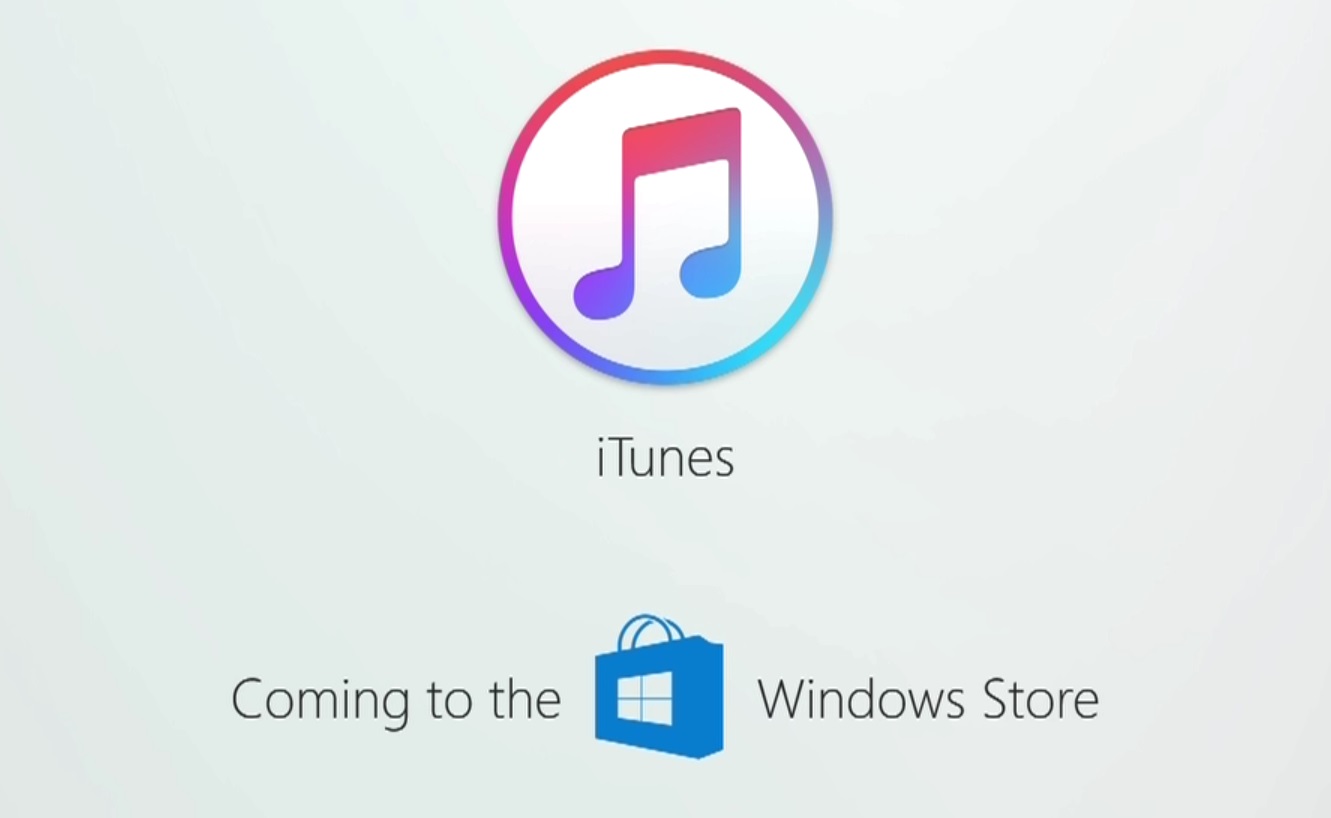
iTunes is coming to Windows Store later this year

Windows maker Microsoft announced today at its Build conference for developers that Apple is working on bringing iTunes to Windows Store with full support for Apple Music and iOS device syncing. TechCrunch reports that users will essentially enjoy the same iTunes experience from Windows Store that the existing iTunes for Windows download currently offers.

While Microsoft didn’t show any screenshots of what this experience might look like, Apple may be required to tweak iTunes’ look and feel to match Microsoft’s new Fluent Design system.

The development is especially important in light of Windows 10 S, a slimmed down version of Windows 10 for inexpensive Chromebook-like computers aimed at education, because Windows 10 S customers can only install officially sanctioned apps from Windows Store.

As a result of the restrictions, many popular apps such as Apple iTunes, Google Chrome, Mozilla Firefox and Spotify are currently unavailable on Windows 10 S systems. According to The Verge, iTunes is one of the apps Windows users search for most often on the store.

Unless iTunes is available on Windows Store, people in the market for a Surface Laptop, for example, won't be a be able to synchronize their iOS devices with their Windows 10 S-powered PC unless they upgrade to Windows 10 Pro to remove all restrictions.

Windows 10 is now on half a billion devices and Office 365 recently passed its hundred-millionth monthly user, Microsoft revealed at the Build conference.

The Sims Mobile soft-launches, brings all the features of the original Sims game to iPhone and iPad

Publisher Electronic Arts said today that it's soft-launched a new Sims game for mobile devices via App Store in Brazil. Called The Sims Mobile, it includes all of the features of the original PC game which released 17 years ago back in 2000 and files as an official mobile game by Maxis Studios and Electronic Arts.

In The Sims Mobile, players can shape their Sims' legacy as they create their unique personalities, homes and relationships—all on their iPhone, iPad or iPod touch.

Key highlights include:

Shape your Sims' legacy—Shape your Sims’ families over multiple generations. When your Sims accomplish their career goals and retire, you’ll be rewarded with Heirlooms that unlock hobbies and careers for future generations, allowing new Sims to tell deeper stories. Create unique Sims—Customize your Sims with distinct appearances, hairstyles, outfits, and accessories. Choose different personality traits and life goals. Build a home—Personalize your Sims home layouts and designs, and decorate with a variety of furniture, appliances, decorations and more. Play together—Host and attend parties with other Sims to socialize, show off your amazing house, earn rewards, and develop new relationships.

Here's the promotional trailer for the free-to-play title.

https://www.youtube.com/watch?v=VwFMyHGtIXs

As mentioned, The Sims Mobile is a free-to-play download. If other EA games are an indication, the game may include a bunch of optional In-App Purchases.

You can sign up for email updates at the thesims.com/mobile.

Six years ago, EA released The Sims Freeplay for iOS and Android, a simplified version of the original PC game. The publisher has other Sims-branded titles on App Store, including The Sims 3, The Sims 3 World Adventures, The Sims 3 Ambitions for iPad and more.

The Sims Mobile soft-launched today on App Store in Brazil.

We'll keep you posted when the game expands to other markets.

Are you a fan of The Sims franchise?

Change the shape of your app icons with SpringToolz

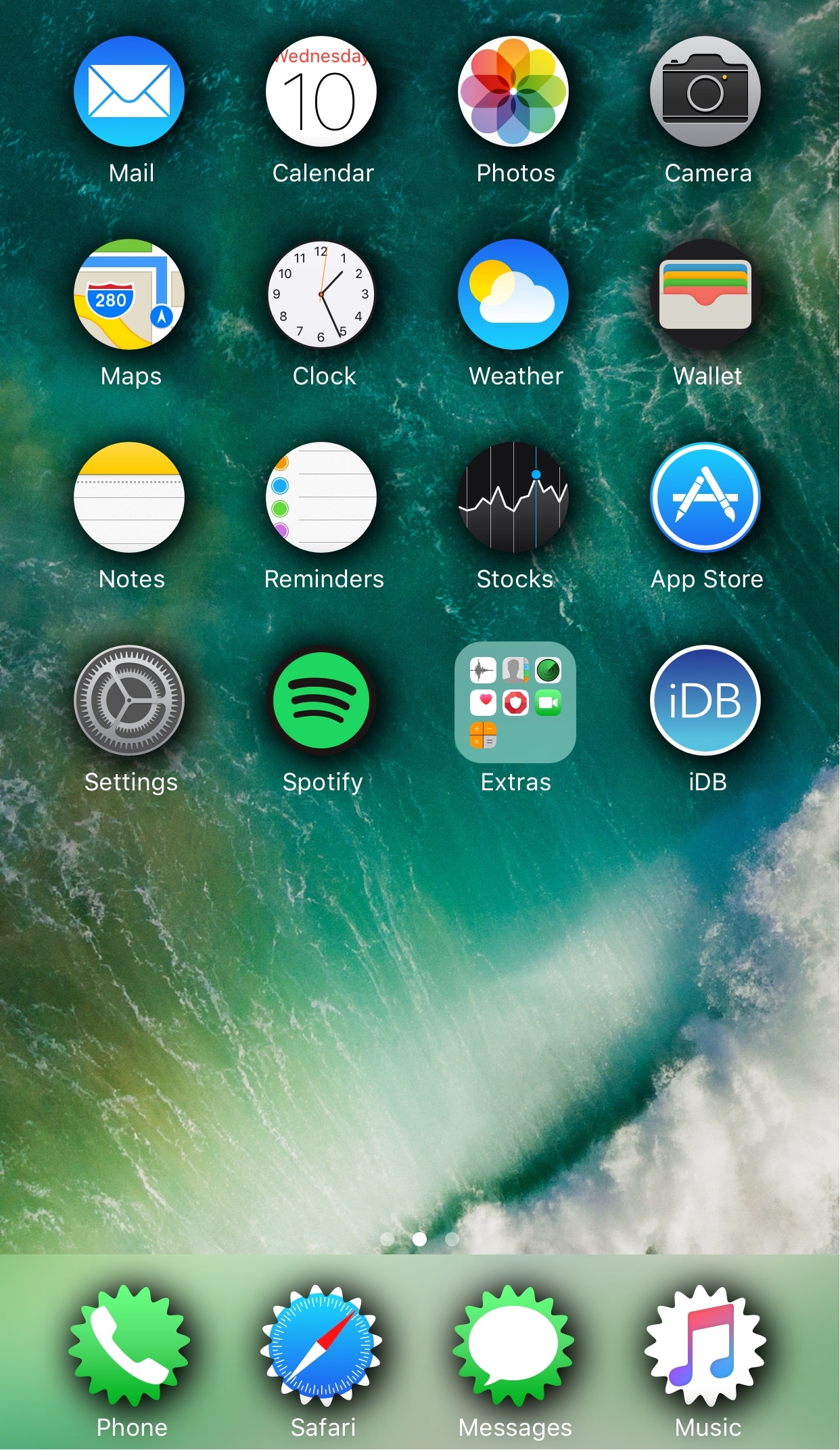
Looking to spice up your Home screen a little bit more? A new free jailbreak tweak called SpringToolz by iOS developer Stoyan Stoyanov lets you change the shape of your Home screen icons, add drop shadows, and much more.

The tweak comes loaded with a vast number of shape options to choose from and can give your device that distinct appearance you’re looking for to make it stand out from the rest.

CCVertically gives Control Center a vertical makeover

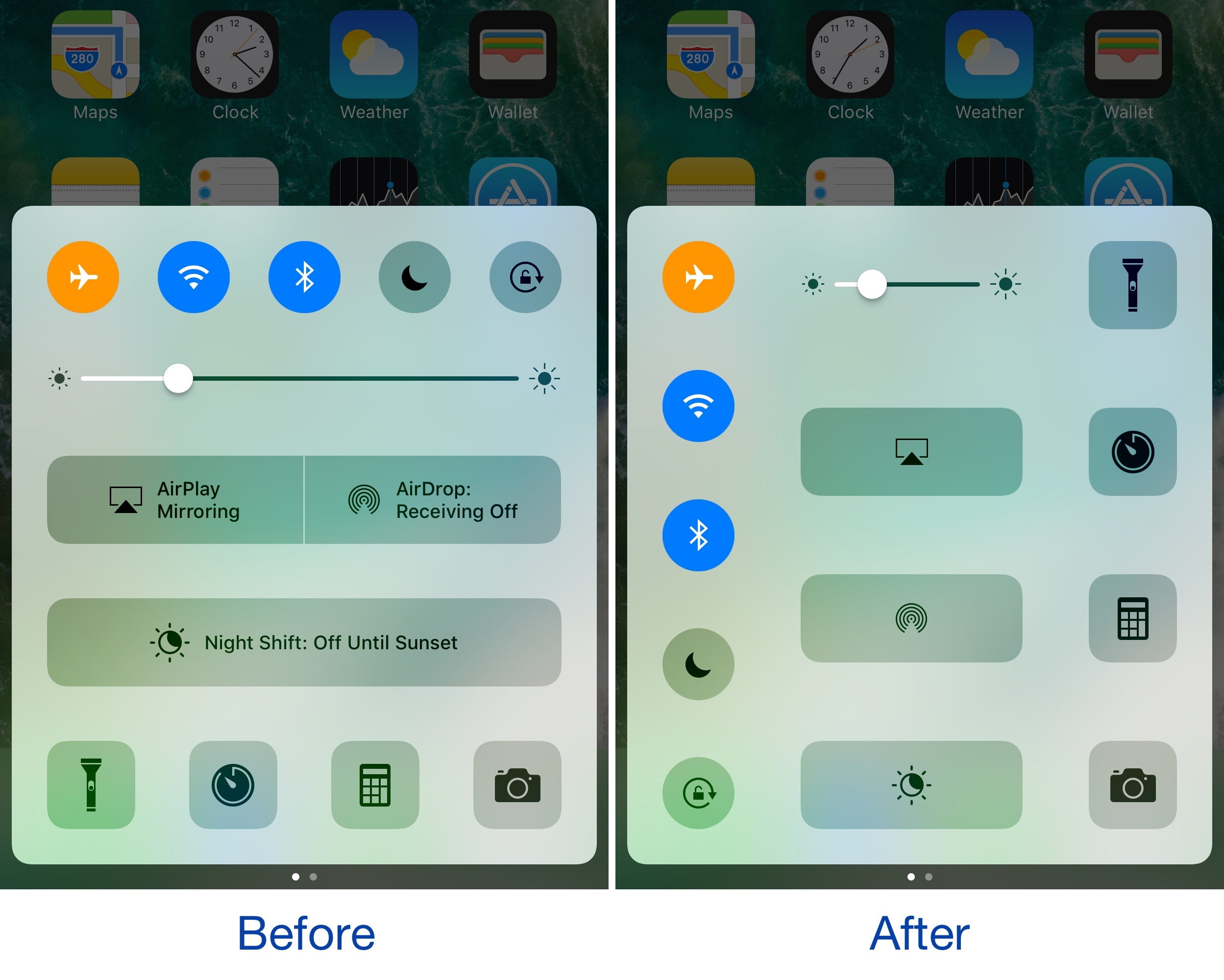
Control Center normally has a horizontal layout; it's categorized into rows with each section having its own dedicated purpose, whether it’s for toggles, shortcuts, or sliders.

If you're interested in trying something new, then you might be interested in a new free jailbreak tweak called CCVertically by iOS developer pxcex. This tweak flips everything 90 degrees to give Control Center a vertical layout.

How to disable in-app ratings and review requests on iPhone and iPad

Apple included a handy new feature in iOS 10.3 beta to give people the power to disable in-app prompts seeking feedback in one fell swoop. Apps that use the new SKStoreReviewController API can invoke a new standardized prompt offering users to provide a rating or write a review without taking them to the actual App Store. This feature has been available on and off for beta testers and should be available to the public in an upcoming update to iOS 10.

These in-app prompts for ratings and reviews can be disabled at once for all apps installed on your iPhone, iPad or iPod touch which support the feature. This tutorial provides step-by-step instructions for how to disable in-app ratings and review requests in iOS.

How to disable in-app ratings and review requests on iPhone and iPad

To opt out of receiving these feedback prompts, do the following:

1) Launch Settings on your iOS device.

2) Tap iTunes & App Stores.

3) To disable all in-app prompts for App Store reviews and ratings, flip the switch In-App Ratings & Reviews switch to the OFF position.

This will prevent all apps that are installed on your iPhone, iPad or iPod touch from asking for product feedback in the form of App Store ratings and reviews. Again, this toggle has no bearing on apps on your device that do not use iOS 10.3's new SKStoreReviewController API.

Please think twice before disabling in-app ratings and reviews.

As I explained before, the new API streamlines the product feedback experience with standardized prompts limited to three per year per app. As Apple itself suggests, you should help developers and other users know what you think by letting apps ask for product feedback.

Like before, your submitted ratings are valid for the App Store territory where you originally purchased the app. You can also leave ratings and write reviews for iPhone, iPad and iPod touch apps directly in App Store, and for macOS apps in Mac App Store.

You can also leave ratings for Apple TV apps, but not submit reviews.

About in-app ratings and review requests

iOS 10.3 beta gives users the power to silence in-app prompts seeking App Store feedback.

In the past, developers were free to interrupt the experience and inundate users with pesky prompts asking them to provide a rating or write a review on App Store.

With the new SKStoreReviewController API, developers simply choose when they’d like to prompt the user and identify places in their apps where it makes sense to ask for feedback, and the system takes care of the rest.

The system allows users to submit a rating through the standardized prompt and authenticate with Touch ID to write and submit a review, all without leaving the app.

The API limits these requests to three prompts per app in a 365-day period. The counter is not reset when the app is updated. The hope here is that the new API will encourage developers to strategically ask for feedback for major updates only.

Previously, many apps would aggressively ask for feedback after each and every update because App Store erases an app's average rating with each submitted update. Apps that don't use the aforesaid API can still put up a bespoke prompt seeking feedback “at appropriate times throughout the user experience,” according to Apple.

App makers that use iOS 10.3's new SKStoreReviewController API save time because the system decides when to pull up these in-app prompts and how they're rendered.

Users benefit from having the standardized prompt and the ability to write a review or submit a rating without leaving the app they're in.

When the user sees an in-app prompt seeking App Store feedback, he or she can authenticate with Touch ID to write and submit a review, right there and then.

“The system’s rating prompt offers a familiar, efficient experience that’s designed to engage the user with minimal impact,” explains Apple.

As a bonus, developers can at long last respond publicly to App Store reviews.

Any questions?

If you have any questions regarding the topic of this tutorial, please post a comment below and our knowledgable writers will try to answer them.

Be sure to pass this article along to the friends and family you support.

Submit your ideas regarding future coverage via tips@iDownloadBlog.com.
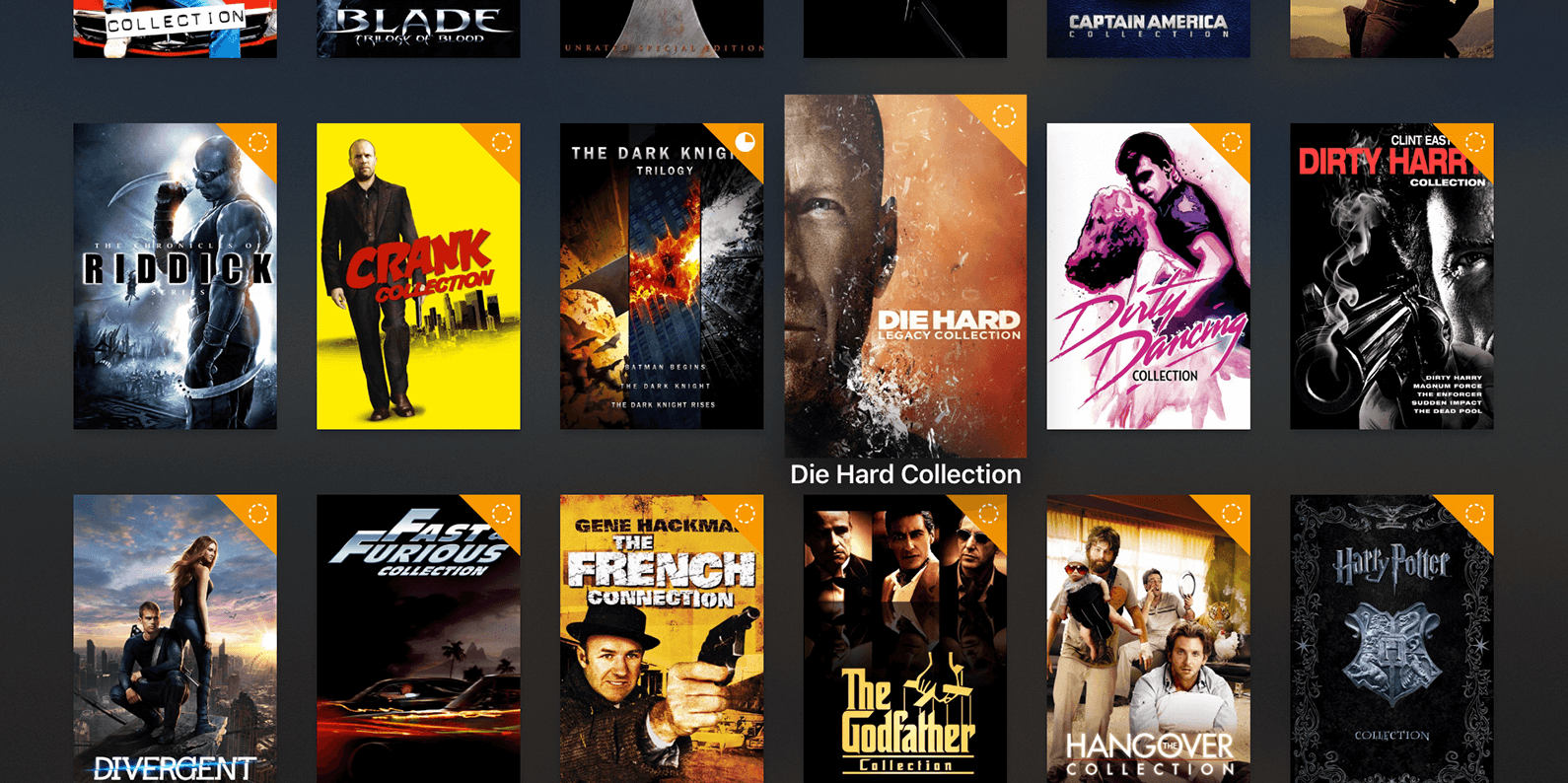
Infuse media player gains supercharged subtitles, 10-bit video playback & more

aTV Flash Black developer FireCore recently pushed a new version of Infuse, implementing vastly improved subtitle support, gorgeous 10-bit video playback and a host of other improvements.

Infuse 5.4 for iOS and tvOS, a free download for existing users, recently celebrated its fourth anniversary. Since making its App Store debut back in 2013 [review], this versatile media-player app for iPhone, iPad and Apple TV has been gaining new features on a regular basis.

10-bit video playback

10-bit videos now look great thanks to some slick new hardware decoding options available in Infuse 5.4. Not only does hardware-assisted decoding on newer iOS devices provide great playback performance, it unlocks hours of extra battery life as well.

Hardware-assisted decoding of the Hi10P video format (H264-encoded 10-bit video) requires Apple's A9 chip or later, meaning this feature is supported on iPhone 6s or later models, all iPad Pro models and the new 2017 iPad model.

Supercharged subtitles

Subtitles have been “entirely revamped” in Infuse 5.4.

The new subtitle rendering engine includes support for subtitles on 3D videos (SBS and TAB), plus subtitle position (AN) tags. The app now accepts many more subtitle formats, including .TXT files (MicroDVD, MPL2, SRT and TMP). As a bonus, the update introduces new options for adjusting text color to your liking and fancy styling and animation effects.

Infuse now uses the secure HTTPS protocol to download subtitles from OpenSubtitles, increasing your privacy. Lastly, Traditional Chinese is now supported for metadata and artwork.

Infuse availability

For a complete list of what's new in Infuse 5.4, visit the official Infuse website.

Infuse 5.4 for iPhone, iPad and Apple TV is a free download from App Store.

Advanced features are available without limitations as a $6.49 per year Pro subscription via the In-App Purchase mechanism. A free one-month trial of Infuse Pro is available within the app.

Alternatively, buy Infuse for iOS and tvOS outright for $12.99.