iOS

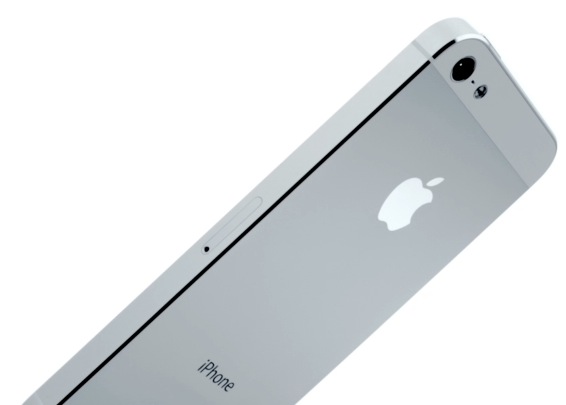
The iPhone 5 WiFi bug reportedly carrier-agnostic, double-check your cellular data usage

We thought a bug with carrier settings that led to some iPhone 5 owners reporting burning through excessive cell data on Verizon was fixed when Apple pushed a carrier settings update and Verizon promised not to slap the iPhone 5 owners for unwarranted cellular data usage. According to the latest by big media, the problem could be worse than originally thought.

As an added "bonus", it doesn't appear to be contained to Verizon customers only as apparently customers of AT&T, Sprint and other carriers are experiencing the same cellular data overages stemming from this bug. It would seem that something about the iPhone 5 or perhaps iOS 6 is causing the same cellular data drain even when the device is connected to WiFi...

The iOS Maps song

The song-a-day man Jonathan Mann can be funny as hell, even more so considering he's been able to write a song a day for more than two years straight without ever running out of inspiration. He's back at it again with a new song about Apple's mapping woes. If you like it, check out his birthday song to Siri from last week (part one from last year is here). Joy of Tech also has a nice take on what happens when Apple Maps meet Siri...

When Apple was designing the original iPhone, Maps was an afterthought

Piggy-backing on the ongoing Apple Maps drama, The New York Times gives us a couple interesting tidbits that help explain the origins of Google Maps on the iPhone. For starters, Apple never intended to put maps on the iPhone. It was a decision late CEO Steve Jobs made last minute, one that would cost Apple its reputation five years later as Apple rushed its own solution out of the door too early.

In a way, the report notes, Apple Maps continue on a string of Internet services missteps, with notable examples of the recently axed Ping social network for music, Siri, a controversial digital assistant, the MobileMe suite of web tools and recent iCloud outages.

These blunders expose Apple as a hardware and design-focused culture, which is more often than not a difficult match for online services on a world scale, where Google rules the landscape by a wide margin...

Survey: nearly 60 percent of iPhone owners have already adopted iOS 6

Apple's iOS 6 has been out for just over one week and already almost 60 percent of iPhone owners and more than 41 percent of iPad users are using the updated software. The figures from Onswipe are just the latest showing the new version of Apple's mobile software is being adopted at a record pace.

A survey of 100,000 visitors to website's using Onswipe's touch-friendly conversion service indicates that 59.43 percent of the iPhone users are on iOS 6, while 41.3 percent of iPad owners are using the recently-released software. By comparison, it took iOS 5 four weeks to gain 38 percent adoption...

Apple CEO Tim Cook issues open letter apologizing for iOS Maps flaws

Acknowledging what has become Mapgate, Apple's chief executive Tim Cook issued an apology for inaccuracies, faulty data and other issues plaguing Apple's new in-house mapping service that replaced the stock Google Maps app on iOS 6 devices.

And just as his predecessor did when Apple got entangled in disputes with the music industry over copy-protecting iTunes songs or Adobe over Flash, Cook issued an open letter on the company's web site to explain Apple's position on the matter...

Maps says sorry

And the iOS Maps bashing saga continues… Wanna know how it ends? Go past the fold for the remaining three tables. Joy of Tech also has another funny take on Mapgate, by the way…

iOS 6 can pull someone’s full name and Facebook photo based on a phone number alone

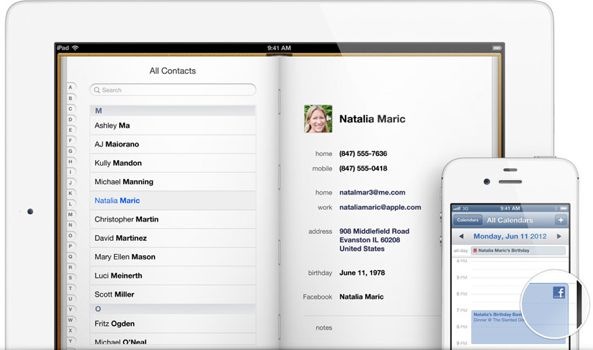
I’m risking of stating the obvious with this one, but I’d bet my shirt many of your were unaware of this little trick. As you know, Facebook integration in iOS 6 and OS X Mountain Lion can automagically update photos and user names for all matching contacts. What you may not have known is that Apple only needs a person’s phone number to pull this data.

So if a girl you met at a bar last night left you just her phone number, you can easily get her Facebook profile picture to appear on your iPhone when she happens to call you - even if you’re not friends with her on Facebook and even if her profile is hidden on Facebook. Plus, you'll get her full name in Contacts. How cool is that?

Google’s iLost ad uses a phony street address to exaggerate Apple Maps flaws

Remember an ad Google's subsidiary Motorola recently published to highlight Apple Maps flaws? "Looking for 315 E 15th in Manhattan?", Google's advertisement read. "Google Maps on Droid Razr M will get you there & not #iLost in Brooklyn", it went on to suggest that iOS 6 Maps will direct users to a wrong road name in the wrong city. Well, guess what? That address doesn't even exist!

That's right, 315 E 15th Street is not an actual address in Manhattan. This whole maps thing is really getting blown out of proportion. Why would Google fake an ad and make folks search for an incorrect, ambiguous street address other than make Apple Maps look bad. Apple of course also isn't one to shy away from deceptive advertising. Remember this?

Google enables better iOS contact sync via CardDAV protocol

If you wanted to sync your iOS Contacts with Google with changes instantly reflected across devices, Microsoft's Exchange ActiveSync used to be your only option. As of today, Google announced that “we’re adding CardDAV to that list”, allowing for seamless contact syncing between your Google Account and third-party apps, including iOS devices running iOS 5 or later...

Street View coming to Google Maps mobile web app in two weeks

I just read through David Pogue's freshly published article on the Mapgate situation and noticed a couple interesting revelations. The New York Times technology columnist says that in two weeks, you’ll be able to get Street View in the Google Maps mobile web on your iPhone, iPod touch and iPad.

Right now, you can use Safari on your iOS device to navigate to maps.google.com and use Google's maps on the web, though without spoken directions (you'll get written directions instead). More tidbits right below...

How to get live filters back in Instagram on the iPhone 5

Intstagram pulled a Skitch with yesterday's update in that the company has removed live filters from the iPhone 5. As Instagram fans could tell you, the live previewing feature is pretty popular because it lets you quickly apply Instagram's trademark photo filters right before hitting the shutter button, so you can see what the photo being taken would look like with the desired effect.

Though Instagram confirmed that live filters will be phased out from both the iOS and Android apps, developers left a stealthy workaround in place to re-enable live previewing on the iPhone 5...