iOS

Nearly half of iOS devices in the wild run iOS 8

Less than a week following its September 17 release, Apple's new iOS 8 mobile software is installed on 46 percent of all active iPhone, iPad and iPod touch devices in the wild that have accessed the App Store recently, reveals a dashboard on the Apple Developers website.

At the same time, the number of devices running the iOS 7 software has dropped to 49 percent as of September 21, with older iOS versions grabbing a meager five percent share.

Google updates Chrome for iOS with support for App Extensions in Share menu

The Internet giant Google on Monday issued a minor update to its Chrome browser for the iPhone and iPad adding support for the new third-party App Extensions in iOS 8 using the multi-purpose Share sheet.

This allows you to download apps which advertise their own extensions and actions to the system, making them available in any app that makes use of the standard Share menu, Chrome included.

This edition of Google's web browser also includes iOS 8 compatibility as well as stability improvements and bug fixes.

Awesome Screenshot now available as Safari extension on iOS 8

As our own Jeff told you before, Awesome Screenshot, a desktop web app for Google Chrome, Firefox and Safari, is arguably the best way to capture an entire web page as an image on OS X.

Thanks to the various extensibility features introduced in iOS 8, this nifty little utility is now available as a screenshot extension for Safari on the iPhone, iPod touch and iPad devices running iOS 8.

Upon downloading the free app from the App Store, Awesome Screenshot will allow you to capture a screenshot of any webpage simply by choosing it in Safari's Share menu.

Not only can you capture images of web pages on mobile devices with ease, but also annotate and share them with others using Apple's stock sharing choices or a number of third-party Share extensions available in the App Store.

Where did your iOS 8 Camera Roll go?

Following Wednesday's public release of iOS 8 and today's launch of the iPhone 6 and iPhone 6 Plus, the Apple Support Forums are already buzzing with disgruntled users who are venting their frustration with iOS 8 presumably removing some of their photos, a point driven home by the company's inexplicable removal of the Camera Roll album in iOS 8.

Indeed, it looks like Apple has introduced a major customer pain point by not elaborating whether the missing Camera Roll has anything to do with iOS 8's newly gained ability to access large photo libraries in iCloud within the Photos app.

So, where did your Camera Roll go and is there anything sensible to be done about it?

TeeVee 3 updated with iOS 8 Today widget, interactive alerts and now free

TeeVee 3, a TV show-tracking app that I reviewed in May by Tomas Perzl of the Czech Republic and Slovakia-based CrazyApps Team, now lets you tweet out upcoming episodes or mark the ones you've seen as watched, directly from the notification itself, and also see which shows are coming next in the Today view of the iOS Notification Center, thanks to its iOS 8-focused update released yesterday.

Other new features available in this excellent iPhone and iPad app include new sorting options (Alphabetically, Reverse, AirDate and Unwatched), the ability to delete a show by long-pressing it in the list and several bug fixes.

As a cherry on top, the team has decided to discount the $2.99 app to zero bucks, for a limited time, in an effort to bring in new customers. If you're going to grab the latest TeeVee 3.1 update, please keep in mind that the app now requires iOS 8.

Twitter’s iPhone app gains interactive notifications on iOS 8, revamps profile pages

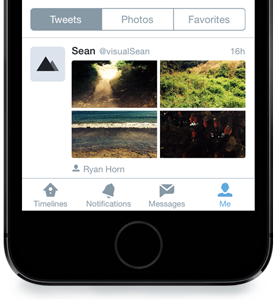
Twitter, the popular micro-blogging service, is rolling out a brand new profile experience on Twitter for iPhone, in addition to another cool new feature — support for interactive notifications for incoming tweets on iOS 8 devices — the startup announced in a blog post Thursday.

While the new profiles will be available for everyone using iOS 7 or above, the ability to interact with alerts on the Lock and Home screen is not because this capability is part of the great new features available only in iOS 8.

Gameloft updates Modern Combat and Asphalt with iOS 8 Metal-powered graphics

Following up on yesterday's public release of the free iOS 8 software update for Apple's iPhone, iPad and iPod touch mobile devices, French games maker Gameloft on Thursday unleashed a pair of updates for its two highly-successful titles: Modern Combat 5: Blackout, a first-person shooter, and Asphalt 8: Airborne, a crazy racing game driven by a powerful physics engine which has you performing dynamic, high-speed aerial stunts.

Both games are now powered by iOS 8's new Metal framework which provides low-level access to the GPU inside the Apple-designed A7 chip (the iPhone 5s, iPad Air and iPad mini with Retina display) and its A8 counterpart (the iPhone 6 and iPhone 6 Plus). When played on these devices, both of these games benefit from close-to-the-metal access to graphics cores, without the overhead of the OpenGL graphics run-time.

Epic releases Metal-powered ‘Zen Garden’ demo free on App Store

Demoed at WWDC back in June to show off the power of Apple's new low-level graphics framework, Metal, Epic Games' Zen Garden is now available to download on the iPhone, iPod touch and iPad devices running iOS 8 and powered by the Apple-deigned A7 or A8 processor.

Built on the recently-unveiled Unreal Engine 4, the first game engine with built-in support for the Metal API, Zen Garden classes as a technological showcase.

The latest iPhone 6, for example, renders the demo in a whopping 1,440-by-1,080 resolution at a smooth thirty frames per second.

The best new features of iOS 8

Admittedly, the myriad of new and useful capabilities that Apple's just-released iOS 8 brings to your iPhone, iPod touch and iPad are going to prove hugely popular with mainstream users, to say the least. With iOS 8, Apple is appeasing harsh critics who'd frequently point out that Android is capable of things iOS cannot do, and then some more.

iOS 8 opens up Apple's mobile operating system to third-party development to a much greater extent than ever before. And stemming from relaxed policies, iOS 8 boosts on-the-go productivity with deeper inter-app sharing while implementing some of the features our Android friends have grown accustomed to, but in a typical hassle-free Apple fashion, things like third-party keyboards, custom actions, photo editing extensions within the context of Photos and Camera apps and way more.

And though evolutionary rather than revolutionary, we have no doubt in our minds that iOS 8 is going to significantly improve the functionality of Apple's mobile platform, and perhaps even give some folks less reasons to jailbreak.

To celebrate today's release of the free iOS 8 software update, we proudly present you this detailed overview of more than two dozen iOS 8 features we think you're going to fall in love with at first sight.

Poll: did you upgrade to iOS 8?

iOS 8 released today and with it came not only plenty new features, but also the usual assortment of teething issues which — as is the norm in the software industry — happen to plague other vendors' software, too.

For example, a last-minute bug discovered in the HealthKit framework has prompted Apple to pull all HealthKit apps from the App Store this morning until the issue is fixed via a software update due by the end of this month.

Aside from this inconvenience, iOS 8 has also been found to slow down older devices such as the three-year-old iPhone 4s.

I'm sure readers will discover their favorite issues with iOS 8 just by scanning their RSS feed and keeping a close eye on conversations on Twitter, Facebook and other social media channels.

But here's the thing: it's all part of the Apple folklore. Early adopters certainly don't mind being part of it, even if it means coping with unforeseen issues, unexpected crashes, broken apps and other problems.

The question is, are you an iOS 8 holdout or an early adopter?.

Read this before upgrading your iPhone 4s to iOS 8

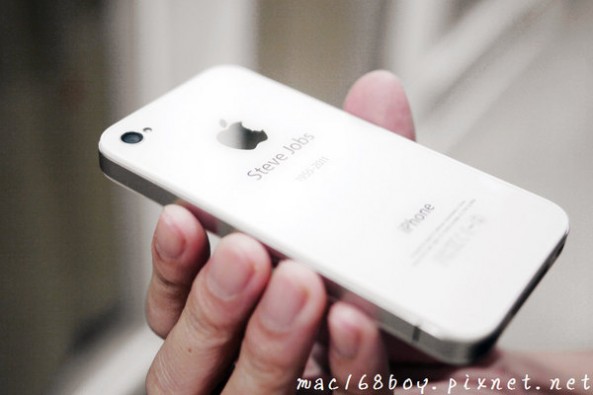
Think twice before updating your rusty old iPhone 4s to the just-released iOS 8 because Apple's feature-packed upgrade makes its handset run most tasks about two times (or more) slower.

iOS 8 will slow down common tasks on the handset, including approximately two times slower launching of stock apps, almost three seconds longer booting and more, ArsTechnica reported Wednesday.

In addition to the performance hit, the three-year-old handset is incompatible with certain hardware-dependent iOS 8 features such as Handoff, AirDrop, the OpenGL ES 3.0 and Metal graphics run-time and more.

Facebook updates Paper for iPhone with iOS 8 compatibility, adds HD video uploading

The social networking behemoth Facebook has just updated its popular Paper app for the iPhone with iOS 8 compatibility following the release of Apple's mobile operating system this morning.

Facebook Paper version 1.2.2, a maintenance update, also enables high-definition video uploading. Previously, you could only upload photos in high-definition so this is going to be a nice upgrade for users who tend to post lots of video clips to the social network on the go.