iOS

Atmos, Bio Locker, Musessions, and other jailbreak tweaks to check out this weekend

The jailbreak community is staying intact despite a slow couple of weeks; fortunately, new life was breathed into the jailbreak community this week with the launch of the Phoenix iOS 9.3.5 jailbreak and with the release of several interesting new jailbreak tweaks.

In this roundup, we’ll discuss all the new tweaks that launched in Cydia this week, starting with our favorites and then capping off with all the rest afterward.

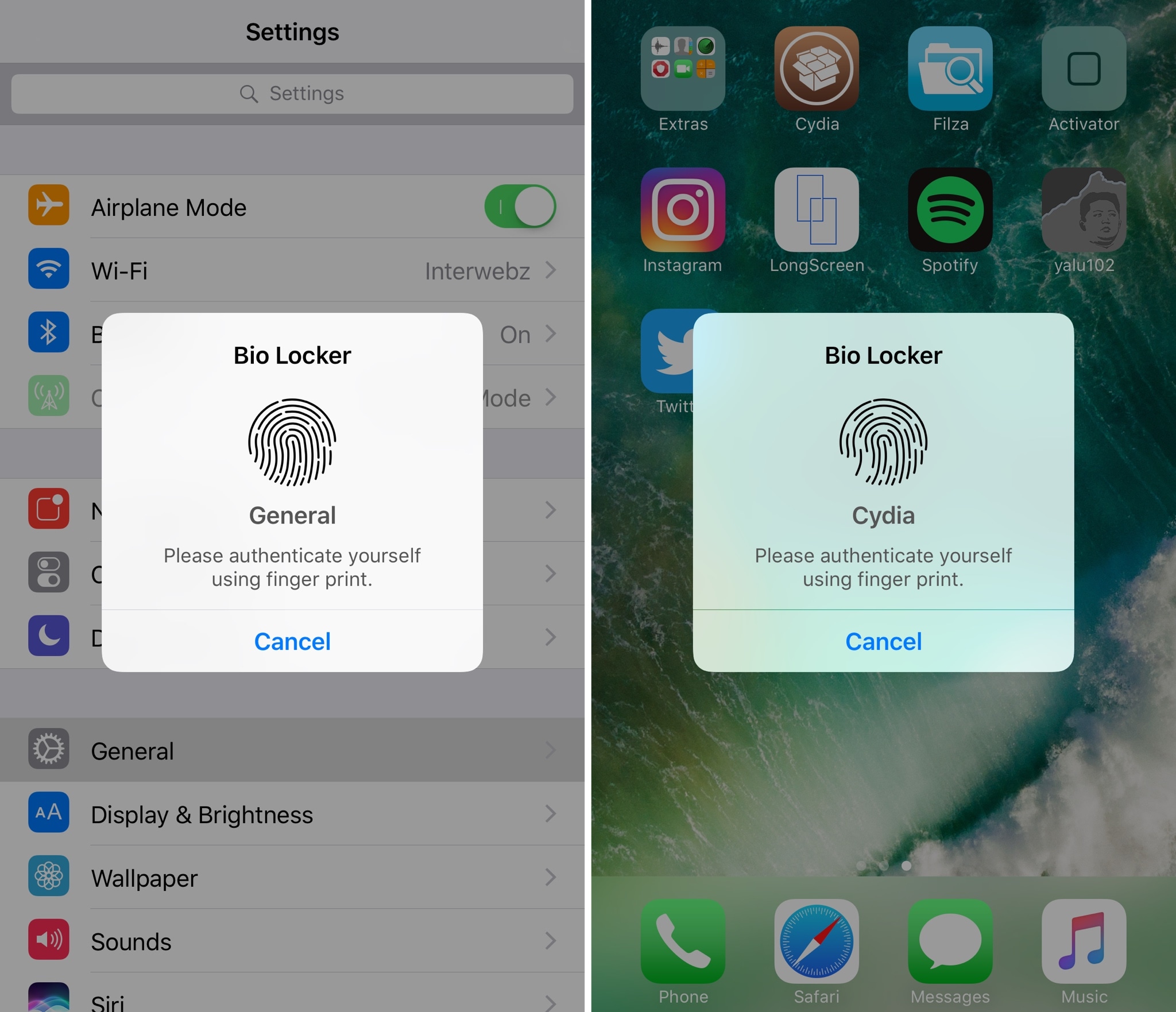
Bio Locker: a polished layer of security for jailbroken devices

For most people, using a passcode or Touch ID authentication on the Lock screen is enough for keeping an iPhone secure from intruders. On the other hand, many share their passcodes with those near and dear to them or give their unlocked iPhones to others to show off photos or videos.

If you’re worried about someone rifling through your data when they shouldn’t be, and you fall under either of the two scenarios above, then a new jailbreak tweak called Bio Locker by iArrays might be worth checking out.

CallPlus improves the Phone app on jailbroken iPhones

If you have an iPhone, then chances are you rely on the built-in Phone app to handle your inbound and outbound calls. While the app is useful, it’s also barebones by nature and could do with some improvements.

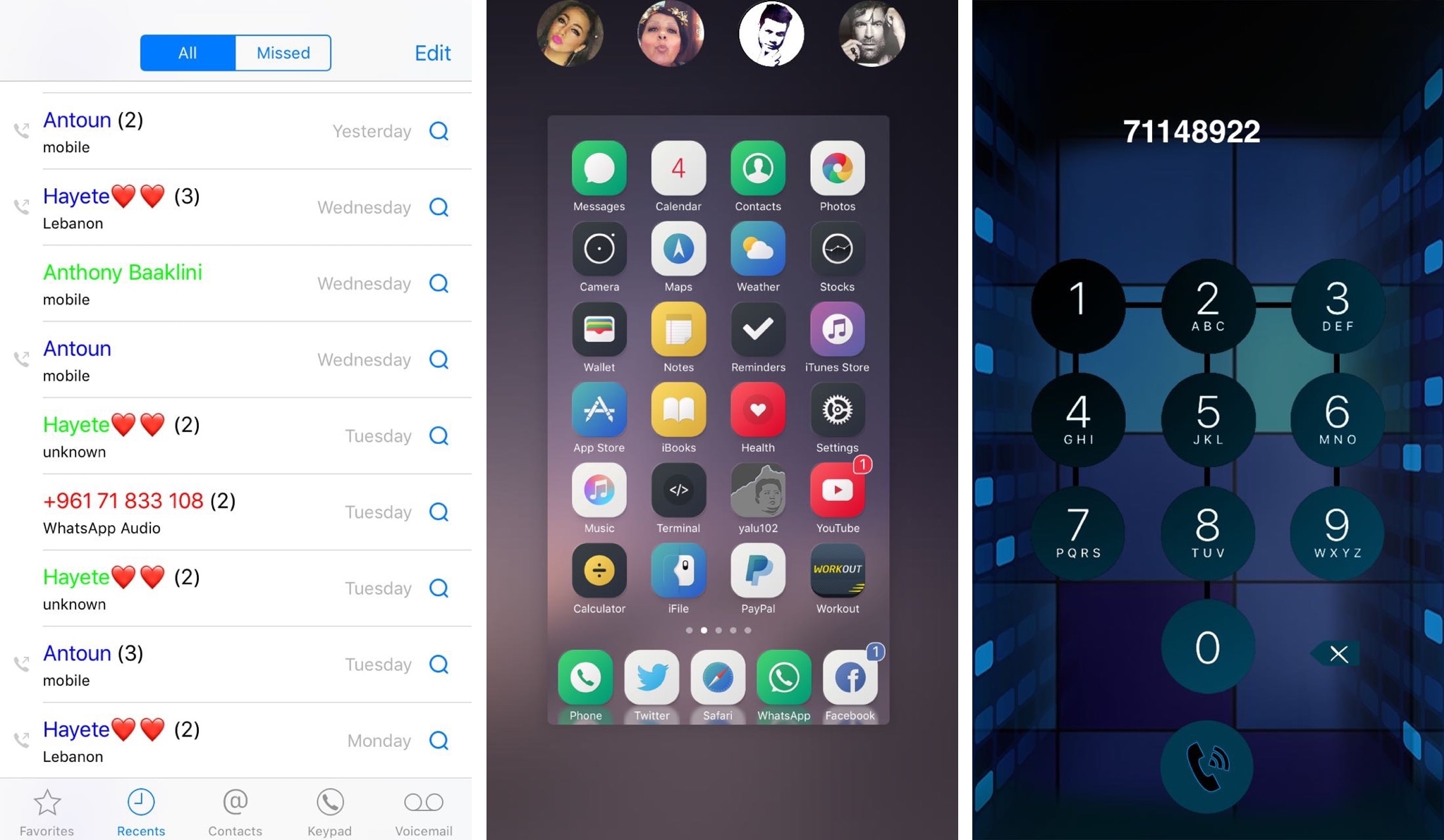
A new jailbreak tweak dubbed CallPlus by iOS developer Elias Sfeir supercharges the Phone app, giving you more features than you’re probably accustomed to out of the box.

How to jailbreak iOS 9.3.5 with Phœnix (and how to move from version 1 to later versions)

Now that a 32-bit jailbreak for iOS 9.3.5 is finally available a lot of legacy device owners will be looking to try it out on their devices, whether as an end of life plan, or to downgrade them to an unsigned firmware which runs more smoothly. In this guide, we'll show you how to use the Phœnix jailbreak, as well as how to move correctly from the first version to any later ones.

Turn your Status Bar icons into fully-functional shortcuts with Hera

Your Status Bar displays relevant information about your device in every interface, including its battery level, signal strength, and the system time. On the other hand, it has so much untapped potential in its stock form.

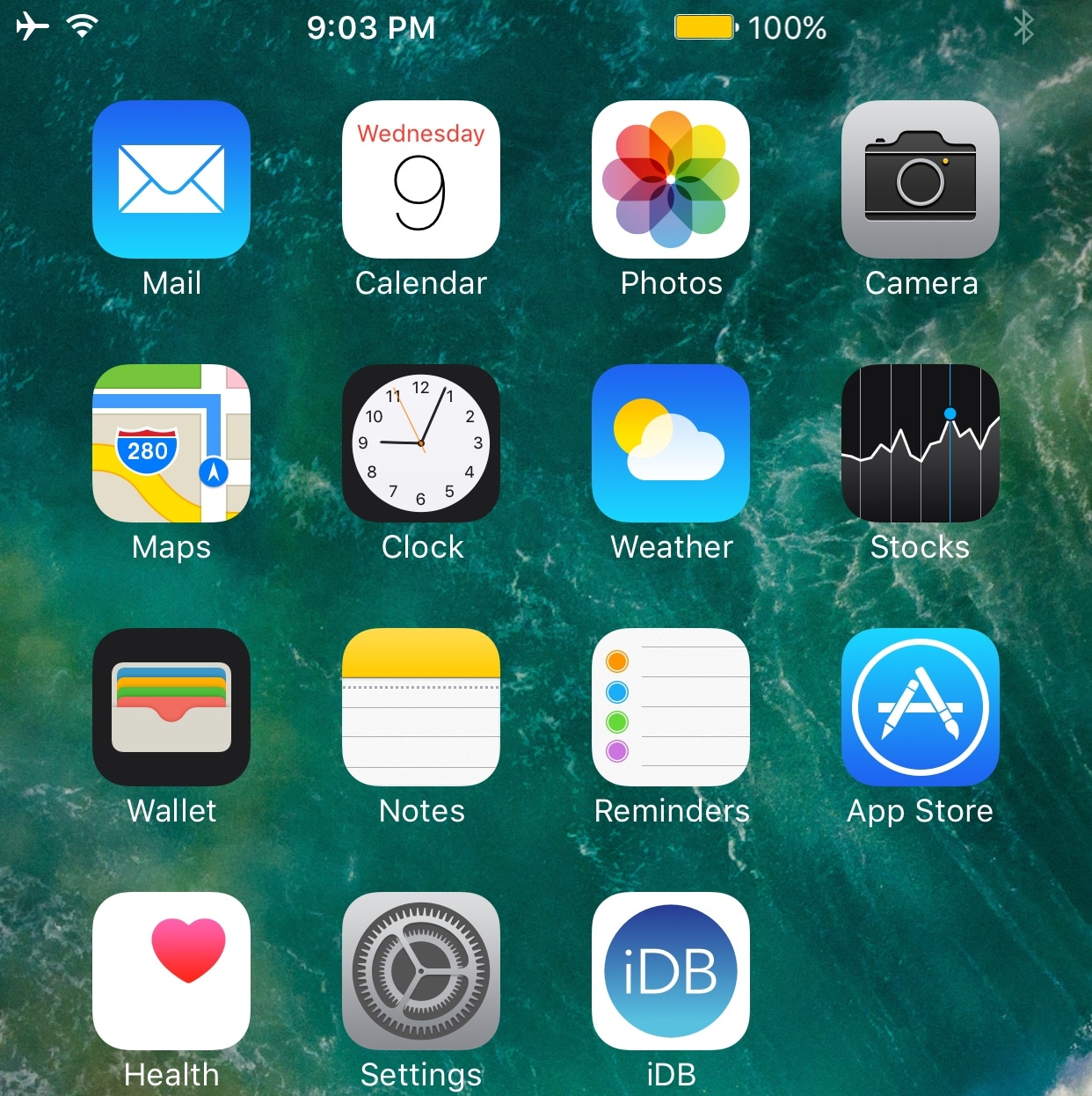
With a new jailbreak tweak called Hera by iOS developer Maximehip, you can supercharge your Status Bar with new shortcuts and customization features.

Miss Priority Hub because you’re on iOS 10? Try Atmos

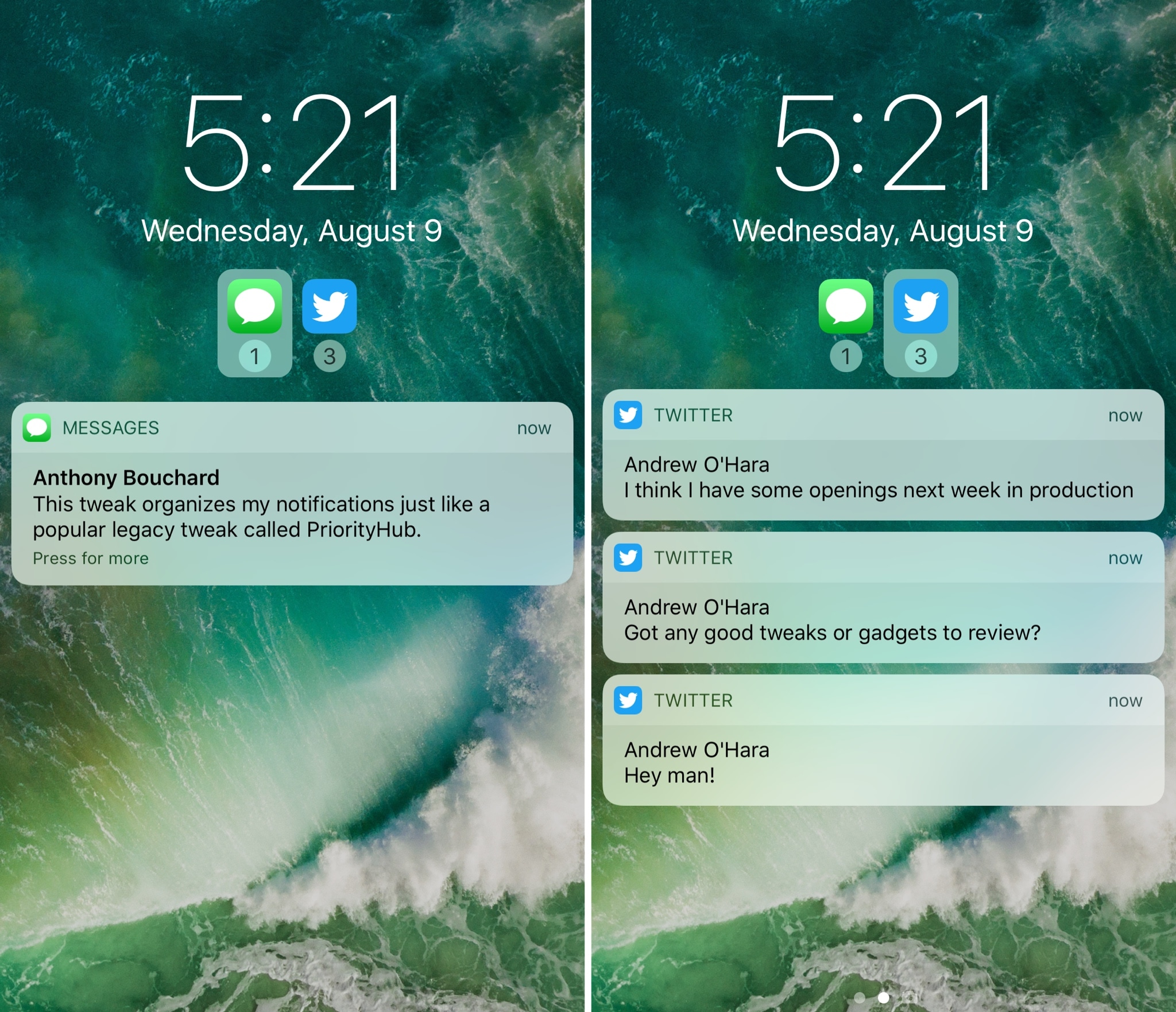
One of my long-time favorite jailbreak tweaks for organizing my incoming notifications is Priority Hub, but the tweak was never updated to support iOS 10. If you’re in the same boat and miss this classic tweak, then you might want to try a new release called Atmos by iOS developer Antique.

After you install Atmos, your notifications are grouped by app both on the Lock screen and in Notification Center. With this sort of organization, you can focus on what’s important rather than looking at a chaotic menagerie of mixed notifications.

SlideToUnlockX brings the classic ‘slide to unlock’ to iOS 10

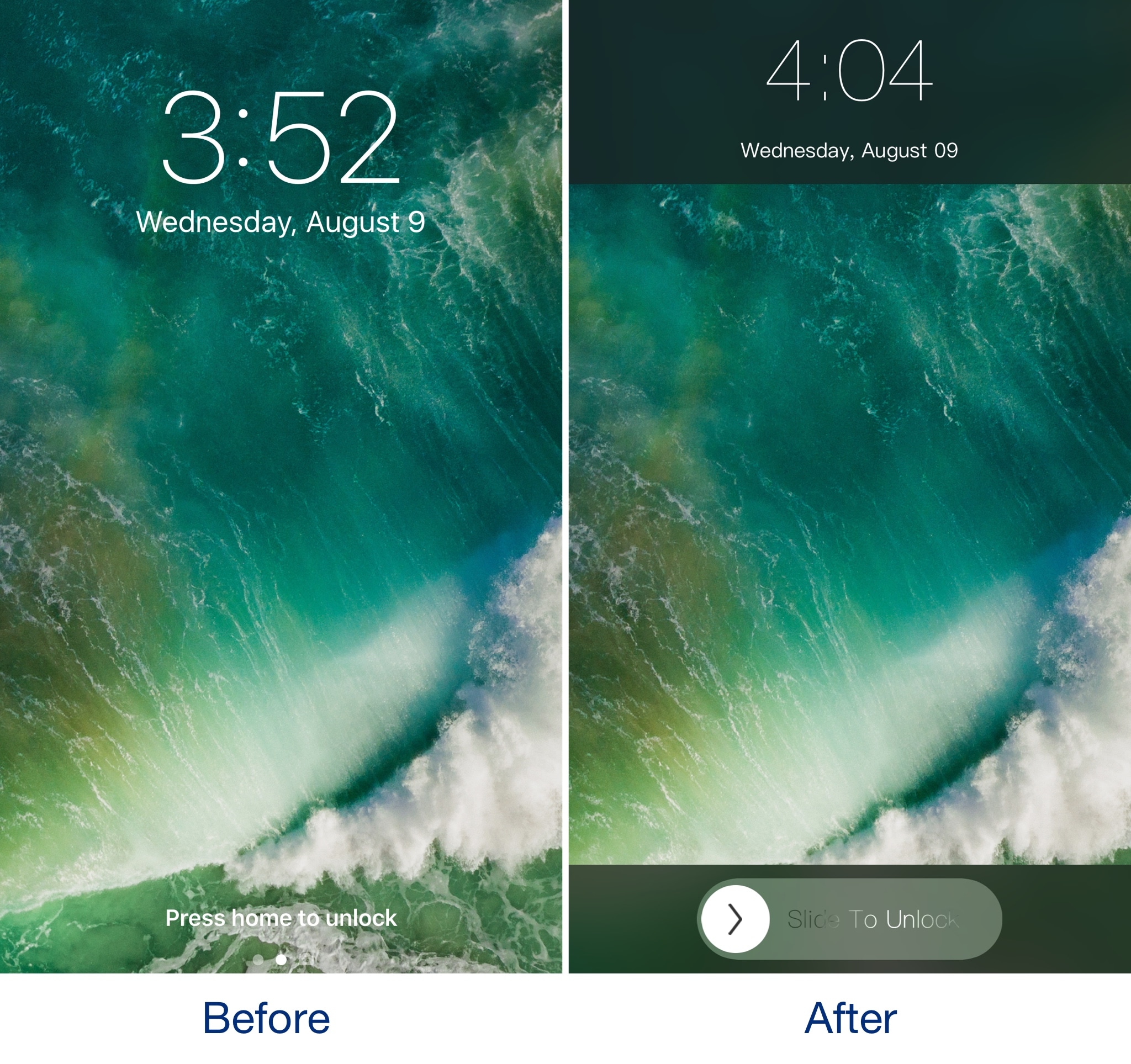
If you've got nostalgia for the good old days when you would use 'slide to unlock' to access your iPhone, then you should check out a throwback jailbreak tweak dubbed SlideToUnlockX by iOS developer XCXiao.

Once you install SlideToUnlockX, you can bring this classic unlock style to your jailbroken iOS 10 iPhone or iPad and cure your nostalgia.

Apple closes the signing window for iOS 10.3.2

Apple systematically stops signing older firmware for its mobile devices a couple of weeks after a new firmware release to prevent downgrades. Although they’re slightly late this time around, they’ve closed the signing window for iOS 10.3.2 three weeks following the release of iOS 10.3.3.

It’s not too significant for most iPhone and iPad users considering there isn’t a public jailbreak for any iOS firmware newer than Yalu for iOS 10.0-10.2, but it illustrates how Apple isn’t letting up on their efforts to put everyone on the latest firmware possible and to keep them there.

Why and how to turn off Background App Refresh on iPhone & iPad

Background App Refresh in iPhone settings

You can turn off Background App Refresh on your iPhone or iPad to save cellular data and extend the battery life.

In this tutorial, we'll tell you what Background App Refresh is and how to disable it for all apps or only selected apps. Plus, we'll show you how to turn it off only for cellular data or for both cellular data and Wi-Fi.