Apple on Monday seeded seventh betas of iOS 11, macOS High Sierra 10.13, watchOS 4 and tvOS 11 to developers.
Apple seeds beta 7 of iOS 11, macOS High Sierra 10.13, watchOS 4 & tvOS 11
Apple on Monday seeded seventh betas of iOS 11, macOS High Sierra 10.13, watchOS 4 and tvOS 11 to developers.
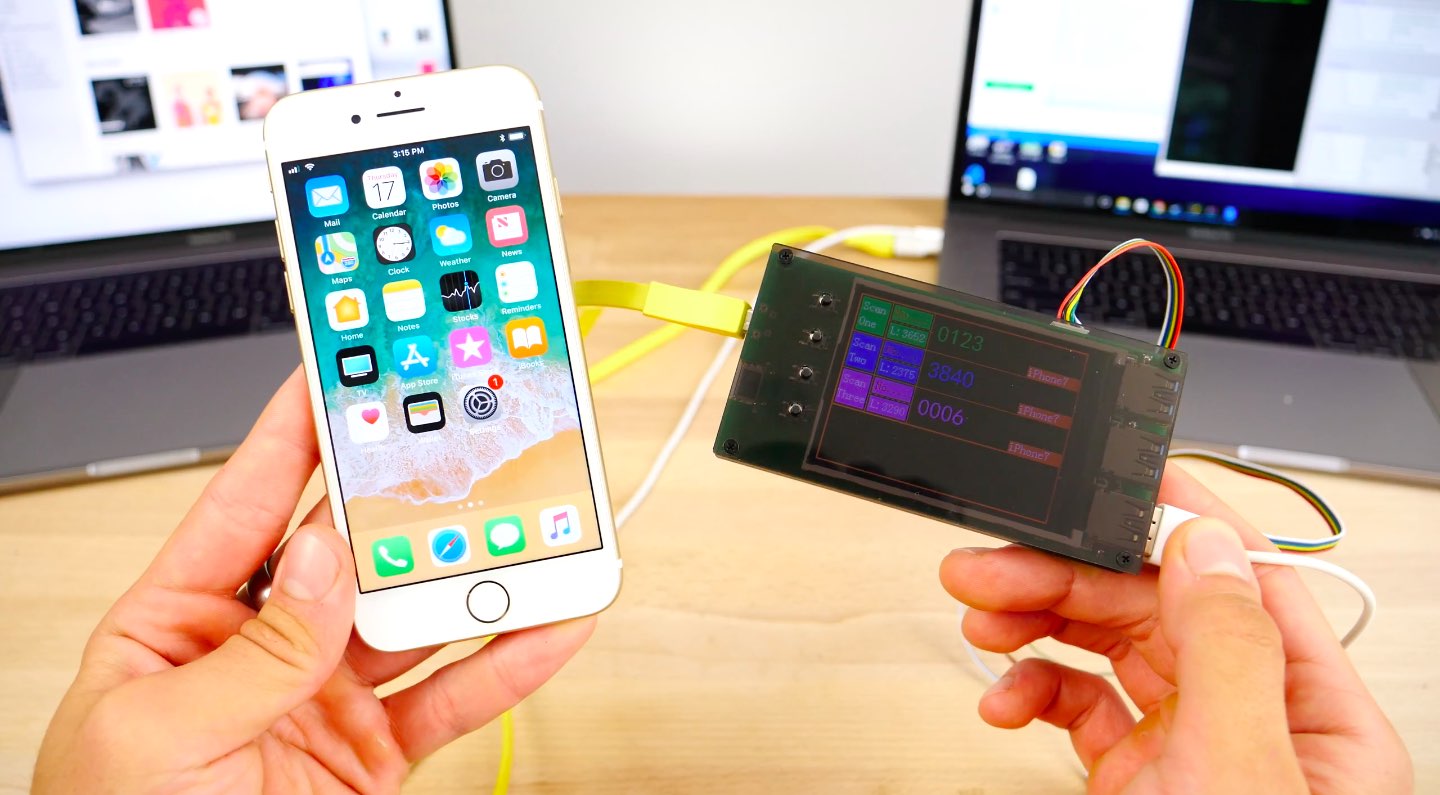
Apple has already patched a widely reported vulnerability which made it possible—albeit under some very, very specific circumstances—to crack an iPhone 7 passcode using a dedicated $500 hardware guessing box, a company spokesperson told TechCrunch last weekend.
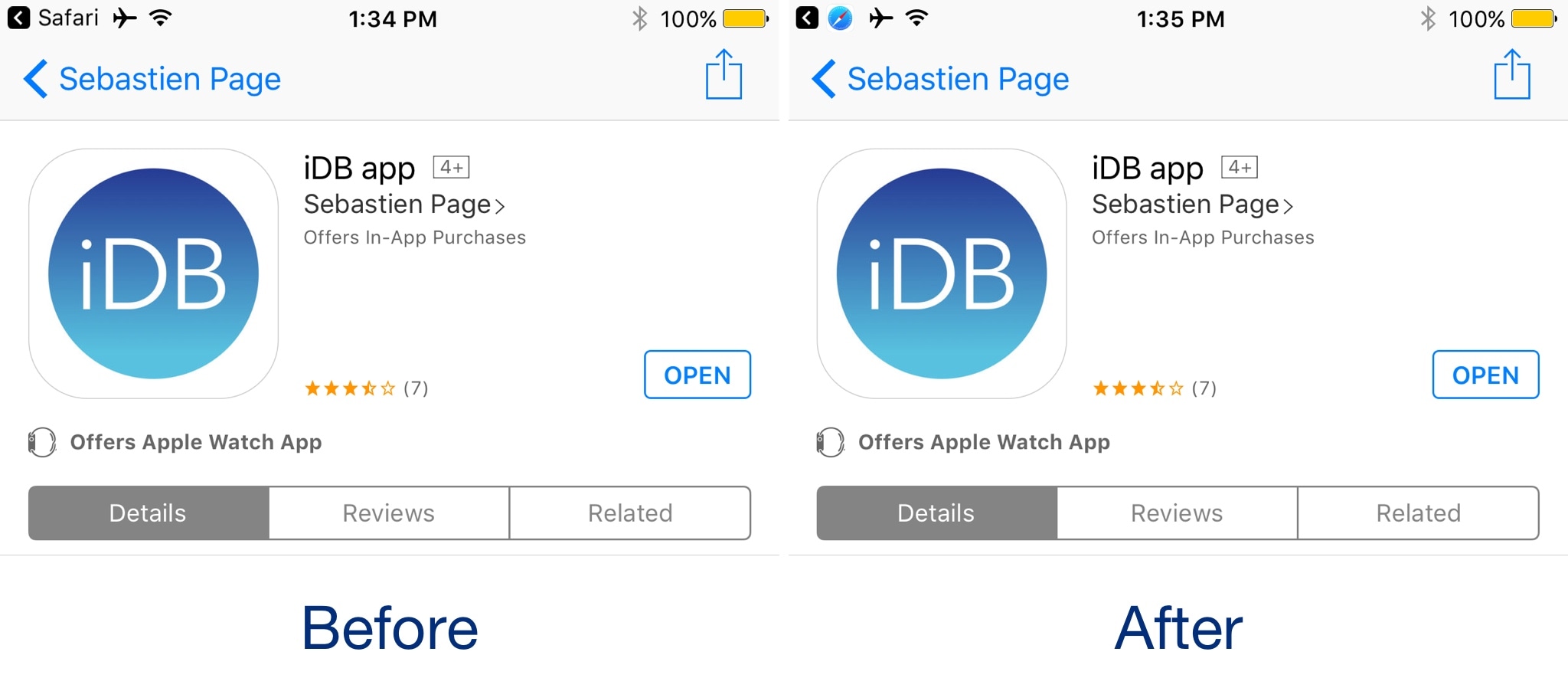
One of the more useful features Apple integrated into iOS is the Breadcrumb link function, which is accessible from the Status Bar. With it, you can go back to previously-used apps more quickly after you’re redirected to another on your device.
Despite how handy it is, people aren't so fond of their Status Bar getting cluttered up with extra text. Fortunately, iOS developer Sticktron found an aesthetically-pleasing way to improve your Breadcrumb link trail in his new free jailbreak tweak dubbed Croutons (iOS 9/10).

Every Sunday, we curate a roundup of all the jailbreak tweaks we show you throughout the work week, and this Sunday is no different.
In this roundup, we'll showcase this week's jailbreak tweak releases, starting with our favorites. We'll move on to all the other tweaks afterward.
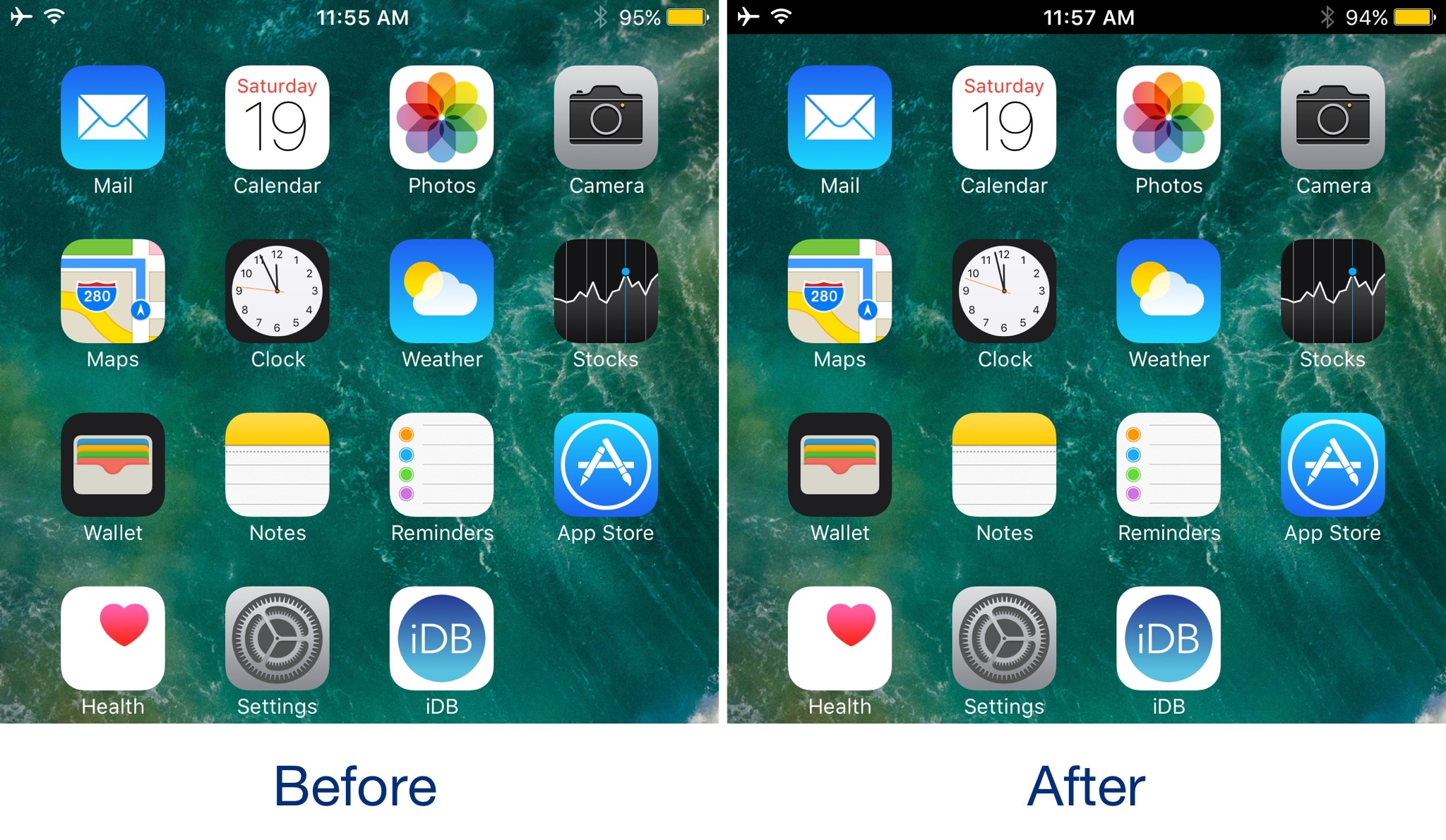
Back in the day, the Status Bar never used to be the same color as the background behind it. Things changed drastically after the major iOS 7 redesign and stayed that way up until now.
If you miss the dual-tone Status Bar look and feel, then you can use a new free jailbreak tweak called Black Status Bar (System Wide) by iOS developer Justin Petkovic to satisfy your needs.
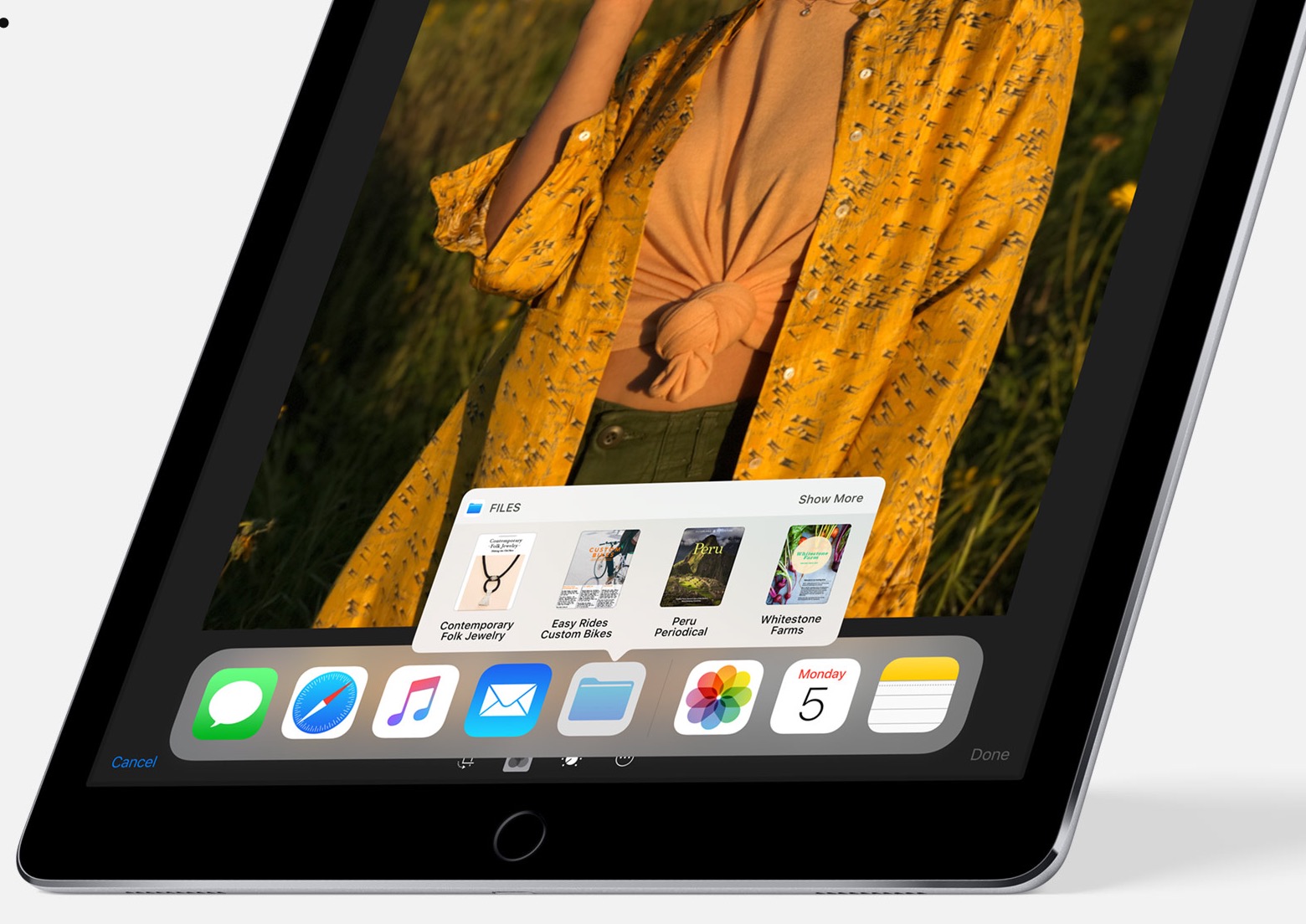
Yesterday, Apple's official YouTube channel was refreshed with half a dozen how-to videos detailing some of the major new features coming to iPad this fall with iOS 11, including the spring-loaded Dock, a new Files app, drag and drop, enhanced multitasking and more.
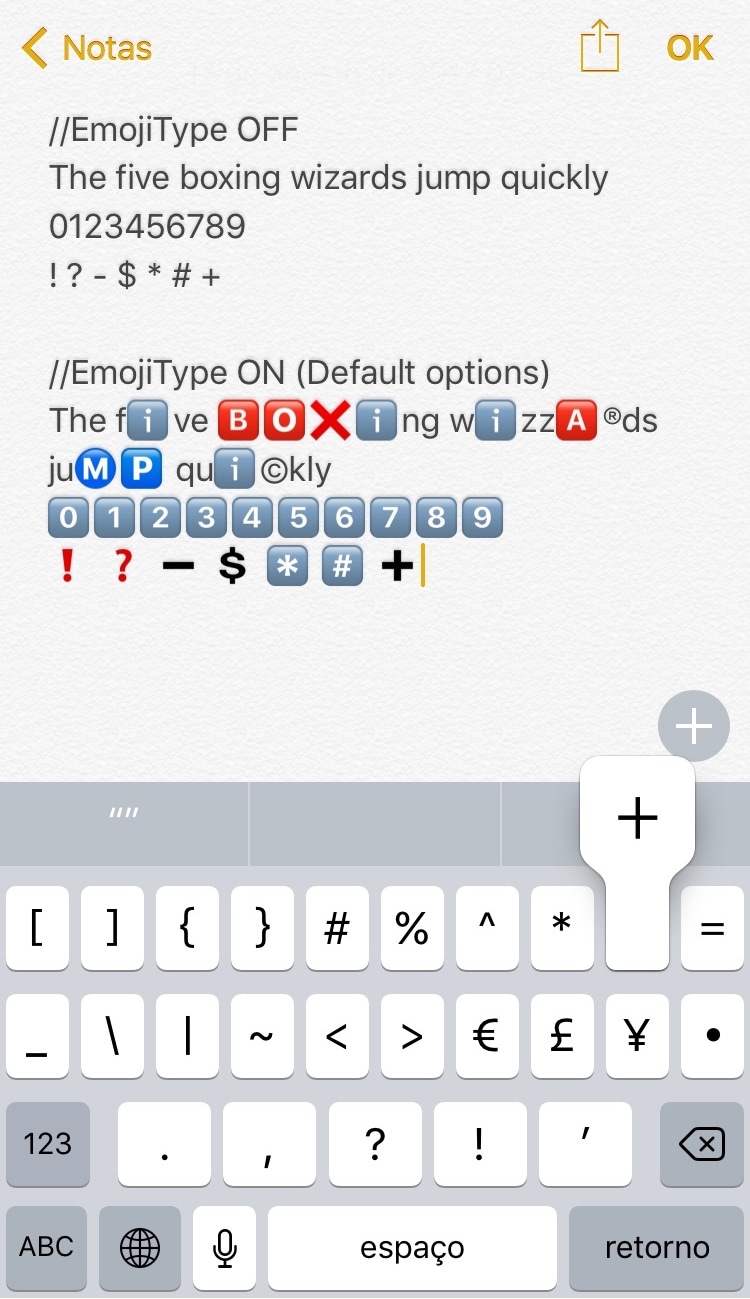
As you type with your iPhone's keyboard, standard plain text characters appear on the screen, but that's not always enough if you're a heavy Emoji user. To insert Emojis, you need to visit the Emoji keyboard and tap on them manually, while the predictive keyboard suggests relevant Emoji from time to time. Nevertheless, it won’t automatically-insert them for you.
If you wish things worked a little differently, then a new free jailbreak tweak called EmojiType by iOS developer Adriano Junior is now available that automatically replaces certain text characters with relevant Emoji characters.
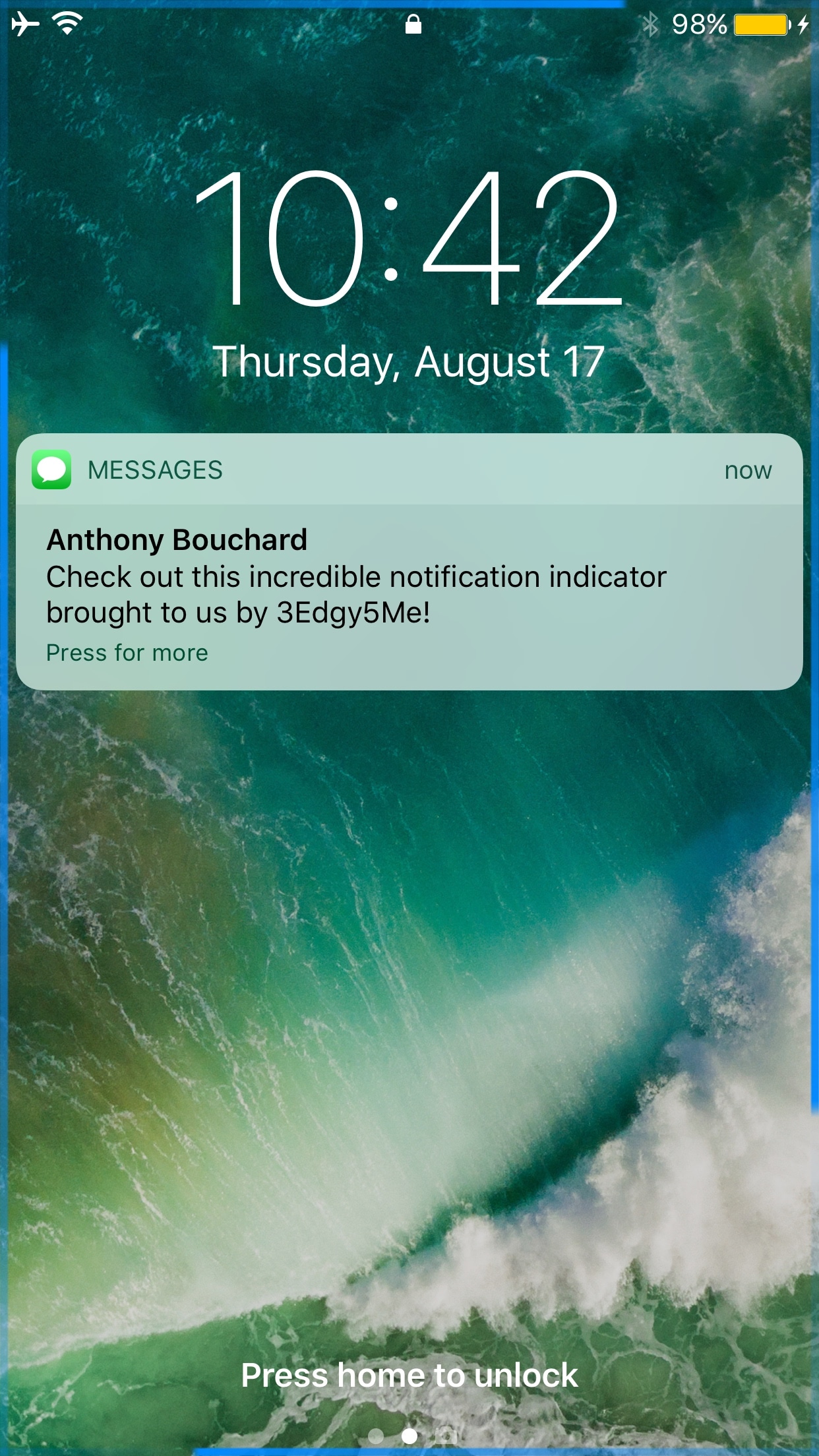
Out of all the smartphone choices out there, it’s probably not wrong to say that iOS has one of the most uninteresting notification systems of them all. Fortunately, those who sport jailbreaks can spice up the notification system up a bit with add-ons.
One of the latest jailbreak tweaks to do just that is a new release called 3Edgy5Me by iOS developer Will Smillie, which brings customizable Galaxy S8-style notifications to iPhone and iPad.
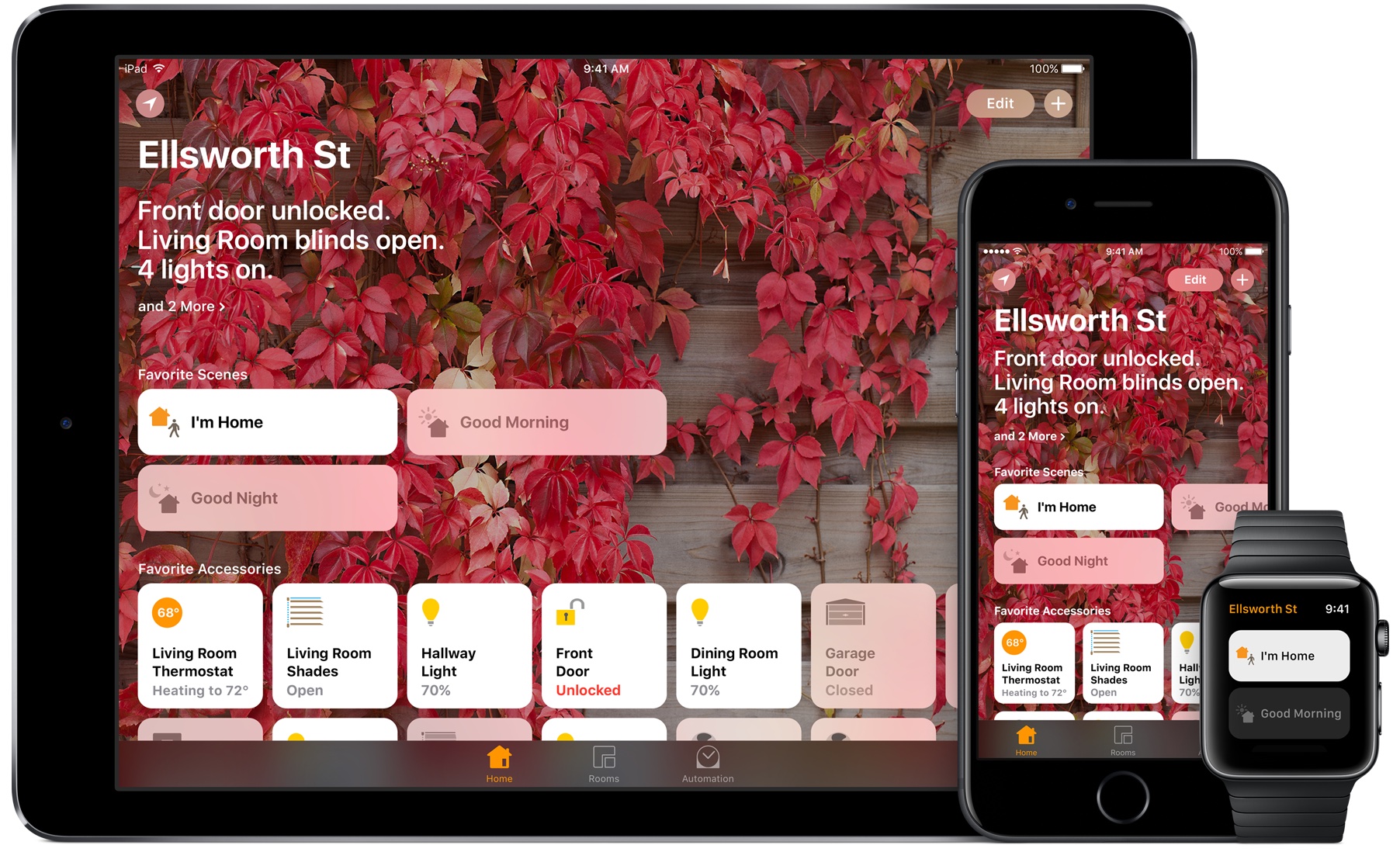
As we previously outlined, quite thoroughly, iOS 11 and watchOS 4 introduce many cool new features for HomeKit across iPhone, iPad and Apple Watch devices.
Some people resort to using proxy servers to maintain internet privacy and to get around website blocks at educational institutions and/or at work. On the other hand, anyone who’s ever used a proxy server knows how cumbersome it can be.
With a new jailbreak tweak called ProxySwitcher by iOS developer mbo42, toggling your favorite proxy server in iOS any time you’re connected to Wi-Fi just got a whole lot easier.

Sometimes you need to get home, and whether you’re too intoxicated because you had one too many drink or you’re just too tired to drive, both Lyft and Uber offer convenient transportation services to get you from point A to point B safely.
Both services have apps to make summoning transportation easy for you, but if you want to make things even easier, then you might like a new jailbreak tweak called Get Me Home by iOS developer Tom Effects.
iOS 11 is still a bit away from its public release this fall, but as we approach that deadline, betas are now starting to roll out closer and closer to one another.