iOS 11

Can your iPhone or iPad run iOS 11?

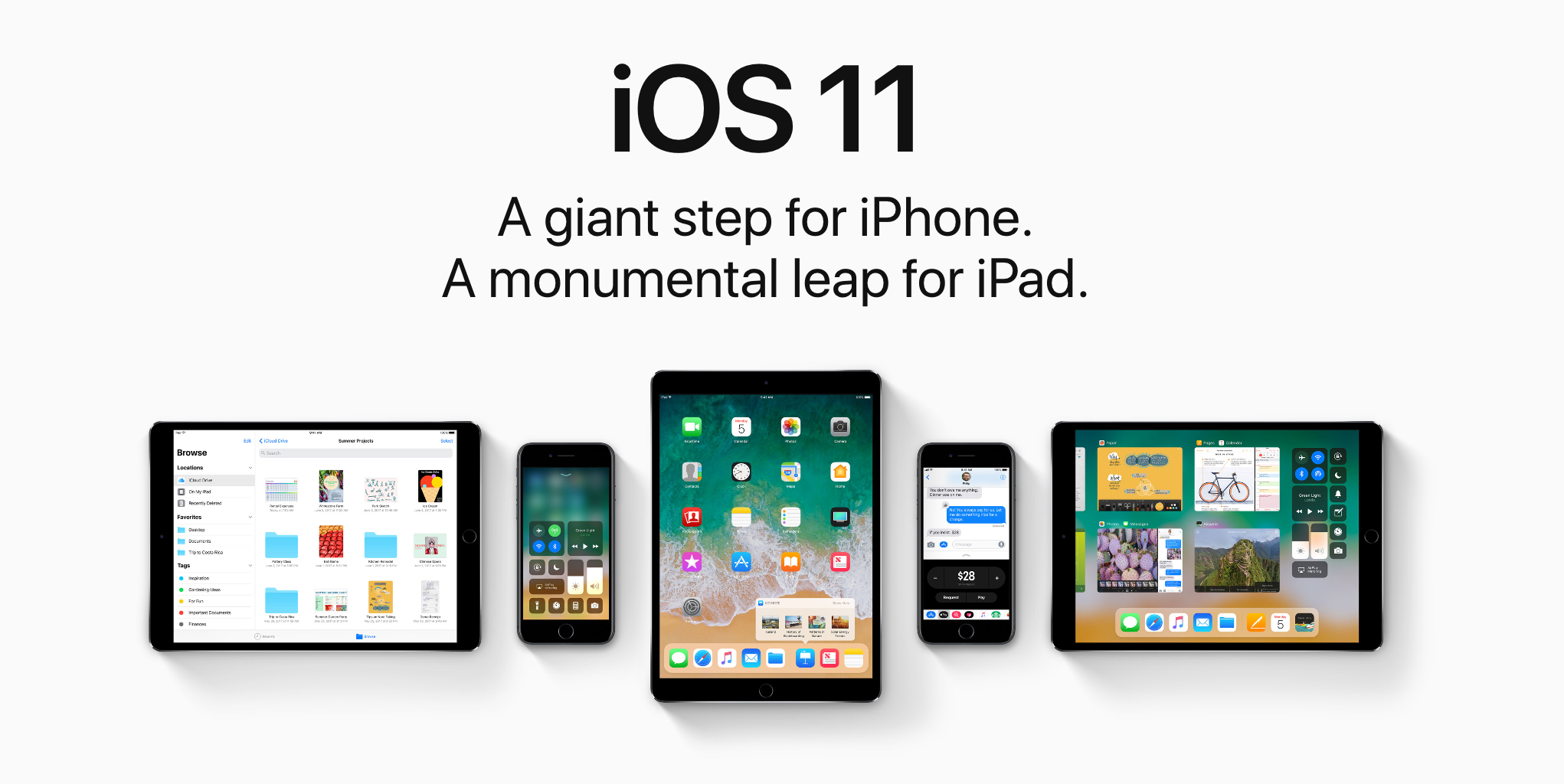
iOS 11 makes your iPhone and iPad more powerful, personal and intelligent than ever before. You might be wondering if you have the device requirements to install it. Fortunately, we're here to answer that question.

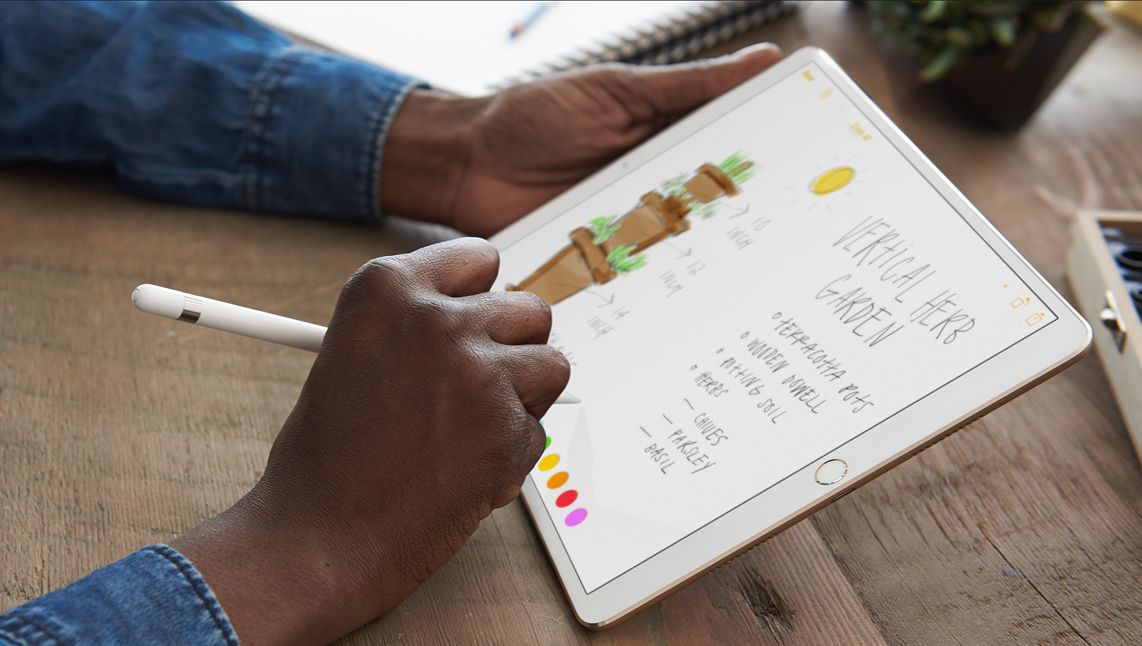
iOS 11 on iPad comes with a raft of new features for Apple Pencil

Apple Pencil is already loved by a large constituency, but new features added this fall will mean more and better use cases for the white stylus. Deeper integration for Apple Pencil has been developed for both the current and new iPad Pro range, the latter however does boast additional technological advancements such as ProMotion, developed to further boost the responsiveness and latency of the writing tool.

With the exception of ProMotion, all iPad Pros in the market are going to acquire a bunch of new skills. Naturally, the most prominent features were introduced under the buzzwords of Instant Markup, Instant Notes, Inline Drawing and Scan & Sign.

To flesh out Instant Markup, any device screenshot taken on iPad immediately creates a thumbnail in the newly-designed app dock, which in turn can be marked up or manipulated otherwise before being shared.

Besides this and a built-in scanner functionality for the enhanced Notes app, Inline Drawing (between typed paragraphs) for Pencil will be implemented, allowing for the user to easily clear as much space as needed between written words for drawings or sketches.

It is also now confirmed that touching the lock screen with Pencil will instantaneously open a clean piece of paper to work on. The instant note will be saved inside your Notes app in the event that the iPad is locked again.

What's more is that iOS 11 boasts smarter machine learning algorithms capable of recognizing Apple Pencil handwritings in Notes, which means you will be able to search notes by way of Spotlight search and consequently detect files containing words scrawled by hand.


New Apple Files app has support for Dropbox and other third-party cloud services

Apple announced a new Files app at its Worldwide Developers Conference today that works especially well with the newly announced iOS 11 productivity features for iPad. A placeholder listing for the Files app appeared on App Store earlier today, meaning users will be able to hide and re-download the new app.

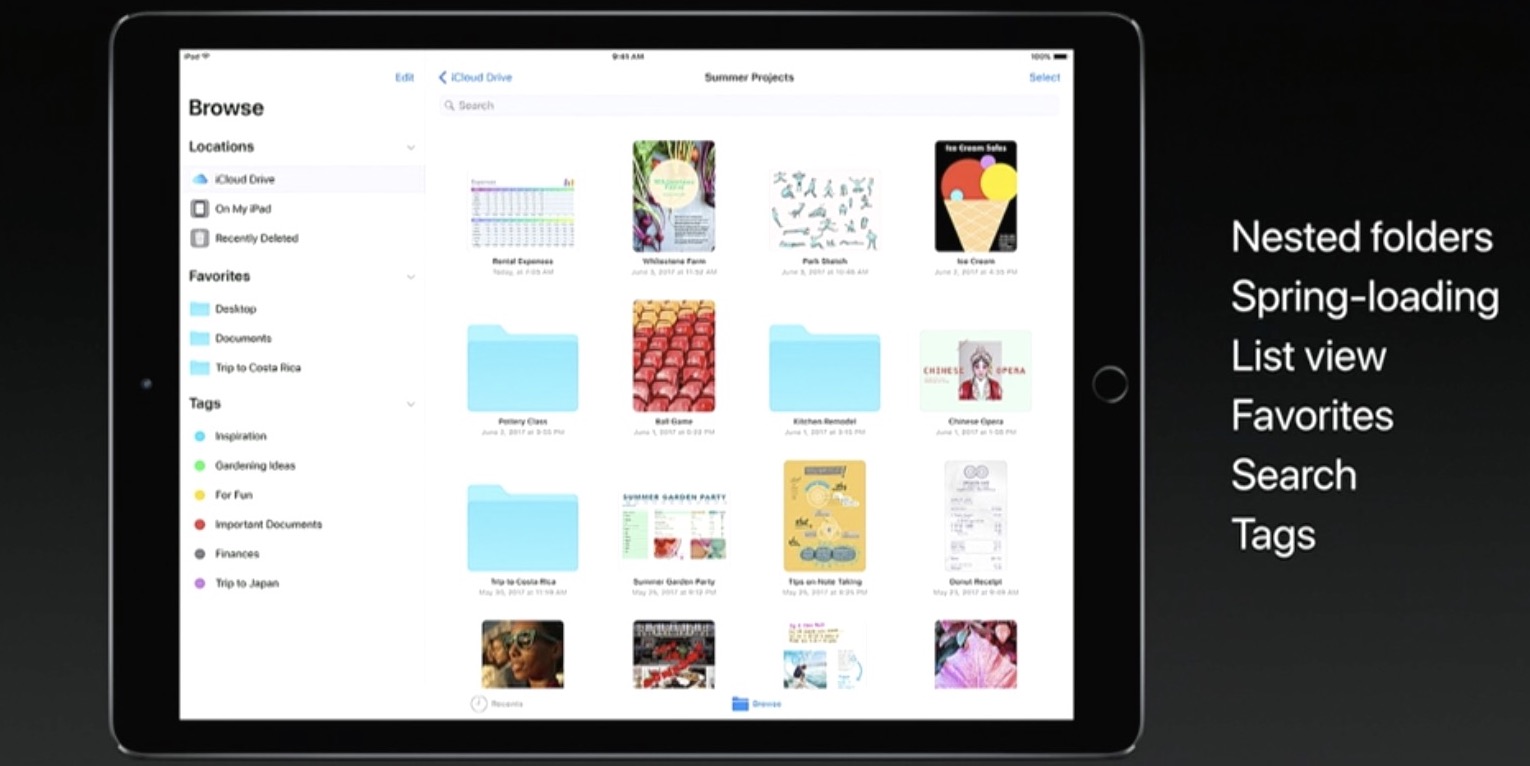
Featuring a user interface that looks like an enhanced iCloud Drive app, the Files app allows you to access files and folders in your iCloud Drive, on your device and in third-party cloud services like Box and Dropbox, as long as they include a Provider Extension for iOS.

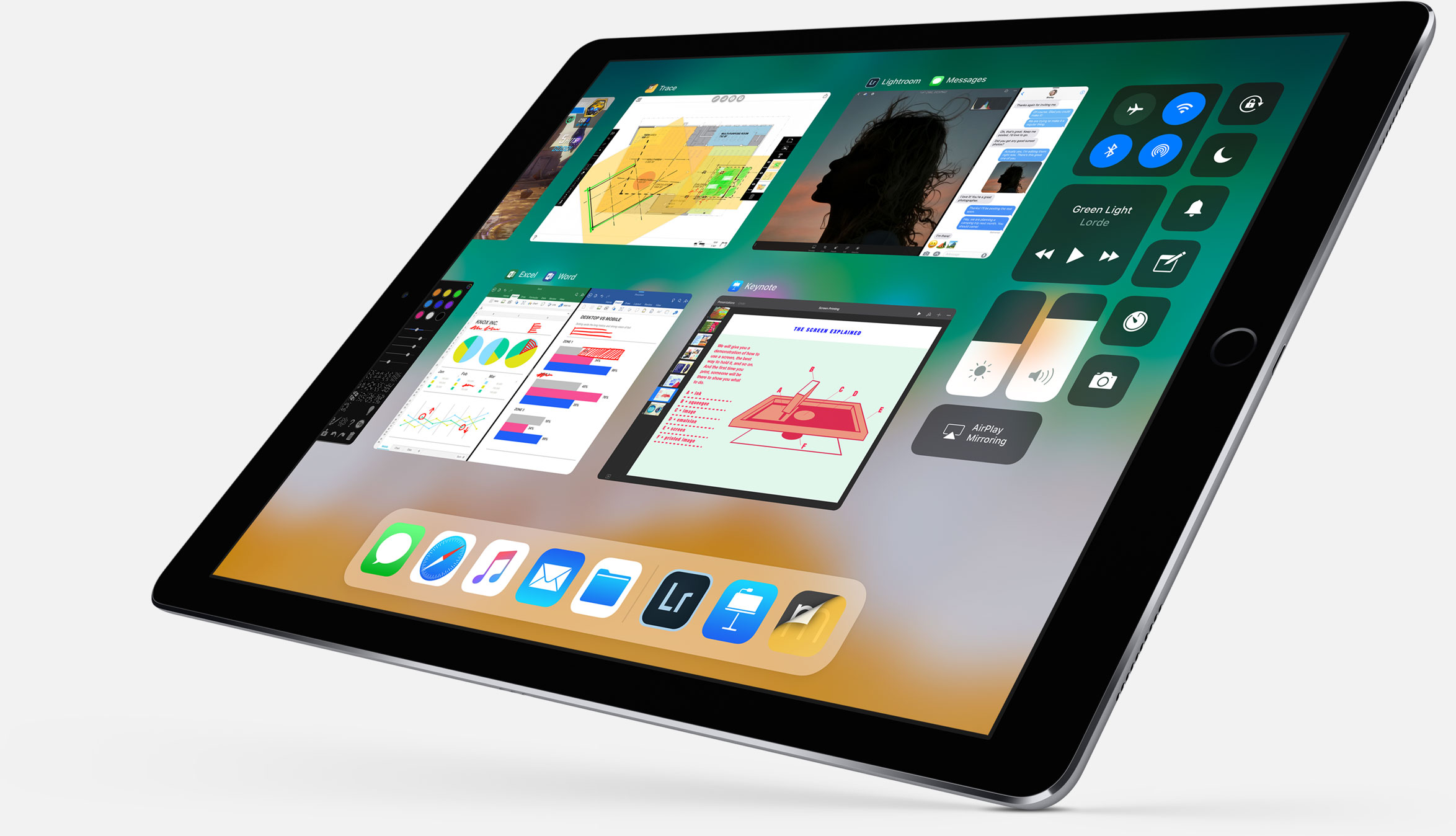
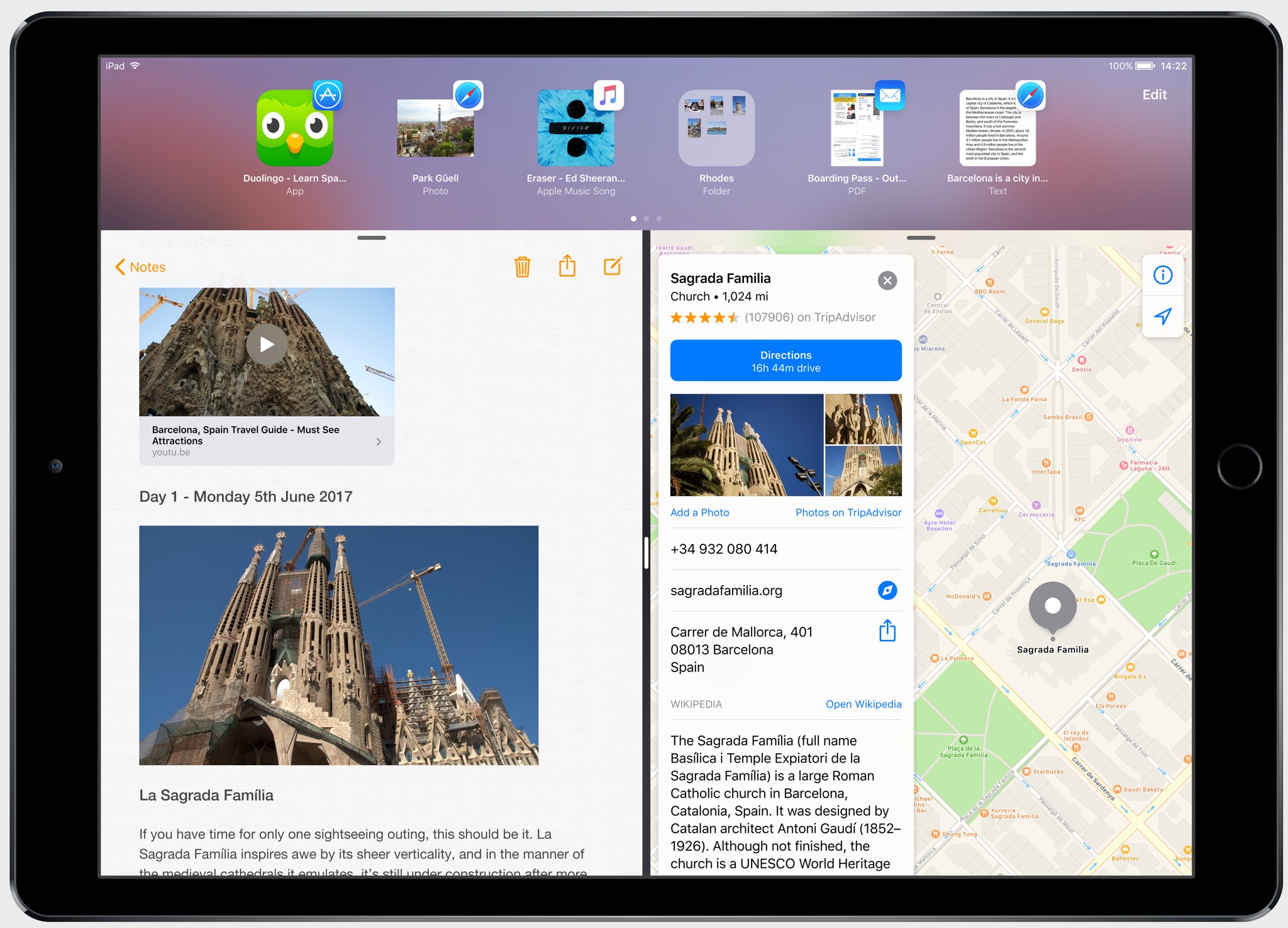
And with new iPad productivity features on iOS 11 like an enhanced Split View mode, an interactive Dock (pictured above) and drag-and-drop, users will be able to easily, say, drag an attachment from Mail and drop it on a folder in the Files app to save it to a custom location.

It works the other way, too.

For instance, you could tap and hold the Files app icon in the Dock to bring up your recently accessed files, then simply drag a recently opened image and drop it in a precise place within the Keynote presentation you're working on.

Your files can be browsed in the grid view with larger thumbnails or you can access details about files in the more informative list view. Items can be sorted by size, date and more, you can create new folders, delete files and so forth.

The files app requires iOS 11 and supports only 64-bit devices.

iOS 11 adds new dock, drag and drop and other iPad productivity features

Following the announcement of its new 10.5-inch iPad Pro, Apple showed off a slew of new iPad-specific features that are coming in iOS 11. It's a pretty impressive collection of improvements, clearly aimed at making the tablet more of a productivity tool.

Apple calls this the "biggest iOS release for iPad ever," and there is a lot of new stuff here. So for now, instead of going into each new feature in detail, we're just going to list out all of the features so you can get an idea of what to expect.

New dock - can be filled with a ton of apps now, and there's a new predictive area to the far right that guesses which app you'll want to use next. You can pull it up from anywhere and slide an app up from it to the Slide Over view. New app switcher - preserves spaces, along with app pairings, so you can open the same set of apps easily. Drag and drop - drag and drop anything including images, texts and URLS. Even if you're in a full screen app you can collect multiple images by swiping with opposite hand and drag and drop. New Files app - supports iCloud, Dropbox OneDrive, etc. Allows you to drag and drop files into apps by swiping up on dock and holding down on the Files icon. Spotlight search for handwritten notes in Notes app. Inline drawing with Apple Pencil in Notes app. Quickly input numbers by swiping on corresponding key on virtual keyboard. New screenshot-editing UI that lets you crop image, annotate with pencil, and share with Share Sheet. Notes now has document scanner built-in.

Here's a shot of the new Files app:

And here is Files app with drag and drop:

Here's the official excerpt on iPad features in iOS 11 from Apple's website:

iOS 11 makes multitasking on iPad even more powerful with a new customizable Dock that provides quick access to frequently used apps and documents from any screen, and a redesigned app switcher makes it easier to move between pairs of active apps, used in Split View and now Slide Over. The new Files app keeps everything in one place, whether files are stored locally, in iCloud Drive or across other providers like Box, Dropbox and more, and with Drag and Drop available across the system, moving images and text is easier than ever. Apple Pencil is more deeply integrated into iPad with support for inline drawing and a new Instant Notes feature opens Notes from the Lock Screen by simply tapping Apple Pencil on the display.

So what do you think, did Apple achieve its goal of making the iPad more productive?

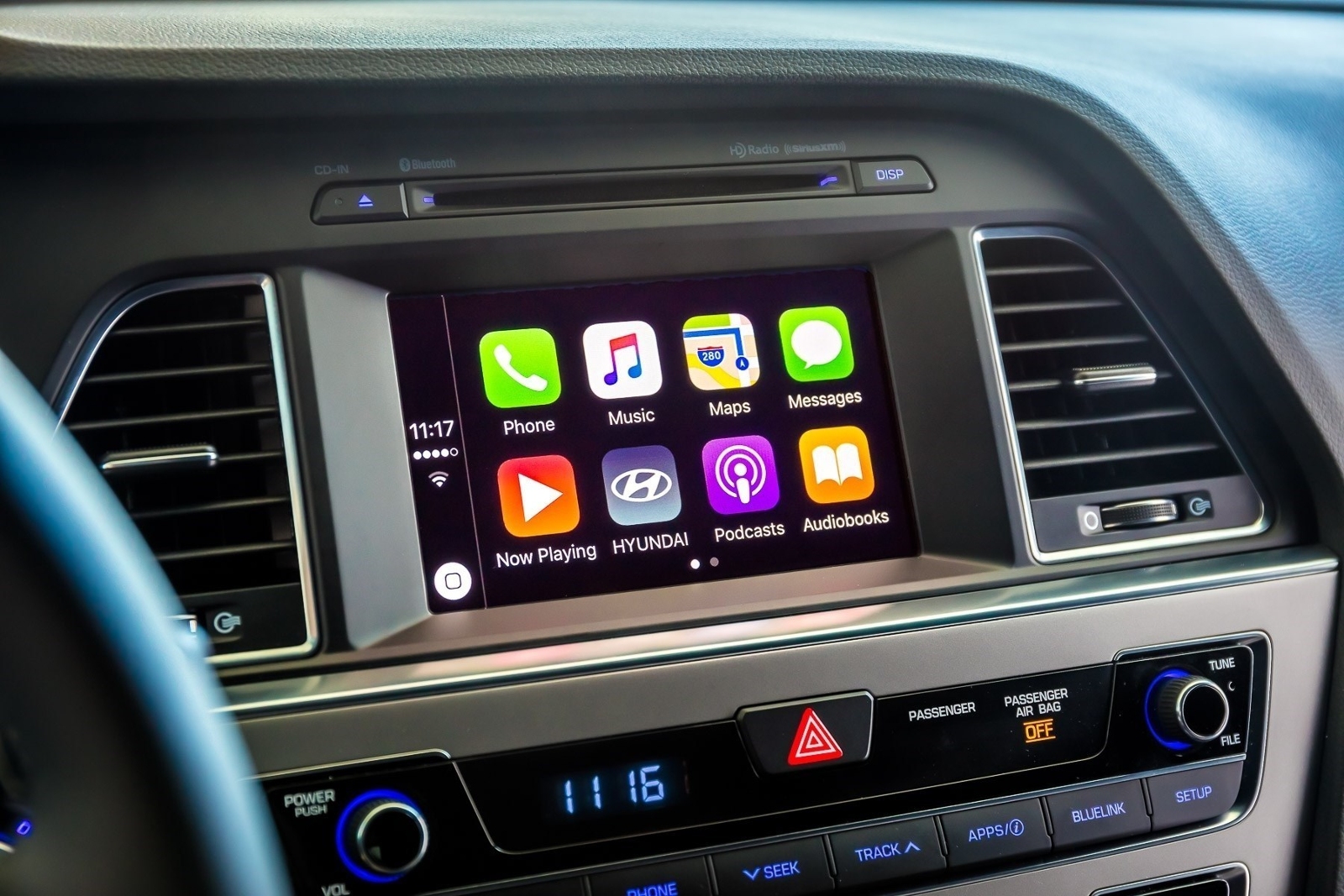
CarPlay on iOS 11 has DND while driving

A real important step for safety in the car was just introduced at Apple's Worldwide Developers Conference that's currently underway in San Jose: Do Not Disturb mode while driving. Apple's proactive assistant on iOS 11 determines when you're driving and offers to automatically turn on DND mode via CarPlay.

With DND active while driving, CarPlay won't be showing any notifications, similar to DND mode on iPhone, iPad and iPod touch. And if someone message you while DND mode is active on CarPlay, the Messages app on your iPhone will auto-respond with a message on your behalf telling the sender that you're currently driving and will be getting back to them soon.

Like with DND on iOS, DND for CarPlay allows you to cherry-pick contacts whose messages will get through while you're driving in DND mode. The Messages app on iOS 11 will permit users to respond with a simple “reply” message if they'd like their muted message delivered to CarPlay, as long as they're on your whitelist.

Those and other CarPlay improvements will launch for everyone when iOS 11 releases for public consumption this fall.

Control Center gets major redesign in iOS 11

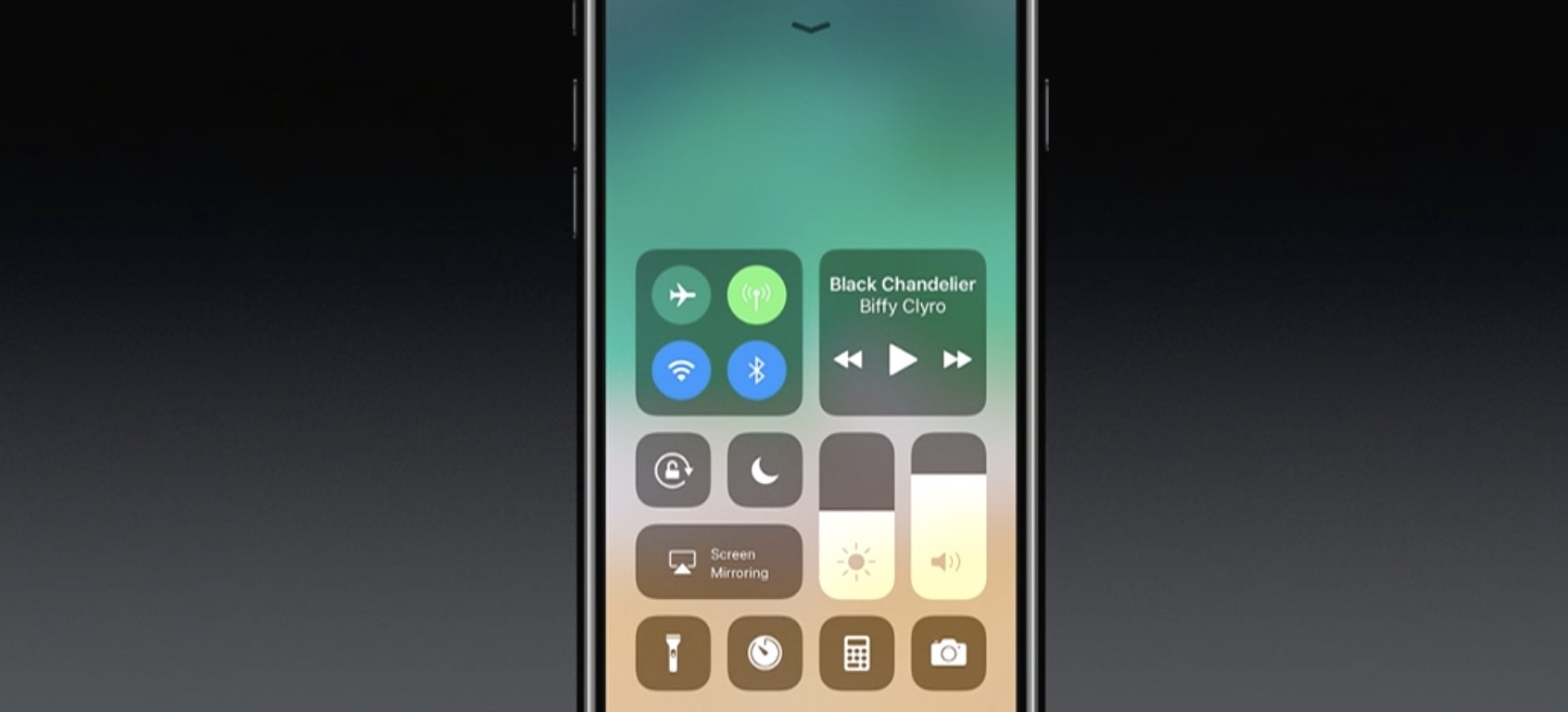
One of the many new features in iOS 11 is a completely redesigned Control Center. As you can see in the above screenshot, it looks nothing like the previous design, with more of a widget-style interface, and yes—it's back to a single page.

Apple describes it as far more customizable than previous versions of Control Center, allowing you to quickly access the settings for things you do most. We haven't tried it yet, but it looks like you can customize at least some of the settings and app shortcuts that appear here.

This being a smaller feature in the grand scheme of the iOS 11 update, there aren't many other details available yet. We are currently installing the developer beta and will be sure to publish a post with a full breakdown of the new CC.

Apple’s Activity app could be removable in iOS 11

Aside from spotting interesting references to a drag-and-drop feature for iPad and an all-new dedicated Files app, developer Troughton-Smith also noticed a placeholder listing for Apple's stock Activity app on App Store.

This is the first time the app has appeared as a downloadable item on App Store, suggesting Activity could be removable in iOS 11. The listing has since been removed from App Store.

No additional screenshots, descriptions or other information were provided.

Introduced as part of the iOS 9 update two years ago, the Activity app is one of the few stock apps that cannot be hidden from a user's Home screen. Check out Apple's support document for the full list of built-in iPhone and iPad apps that can be removed from the Home screen.

The Activity app only appears on the Home screen if a paired Apple Watch is present. Apple could be making Activity a downloadable item so that non-watch users could optionally download it and fill their Activity rings with other fitness tracking devices.

References to drag and drop on iPad spotted in Apple Feedback app ahead of iOS 11 reveal

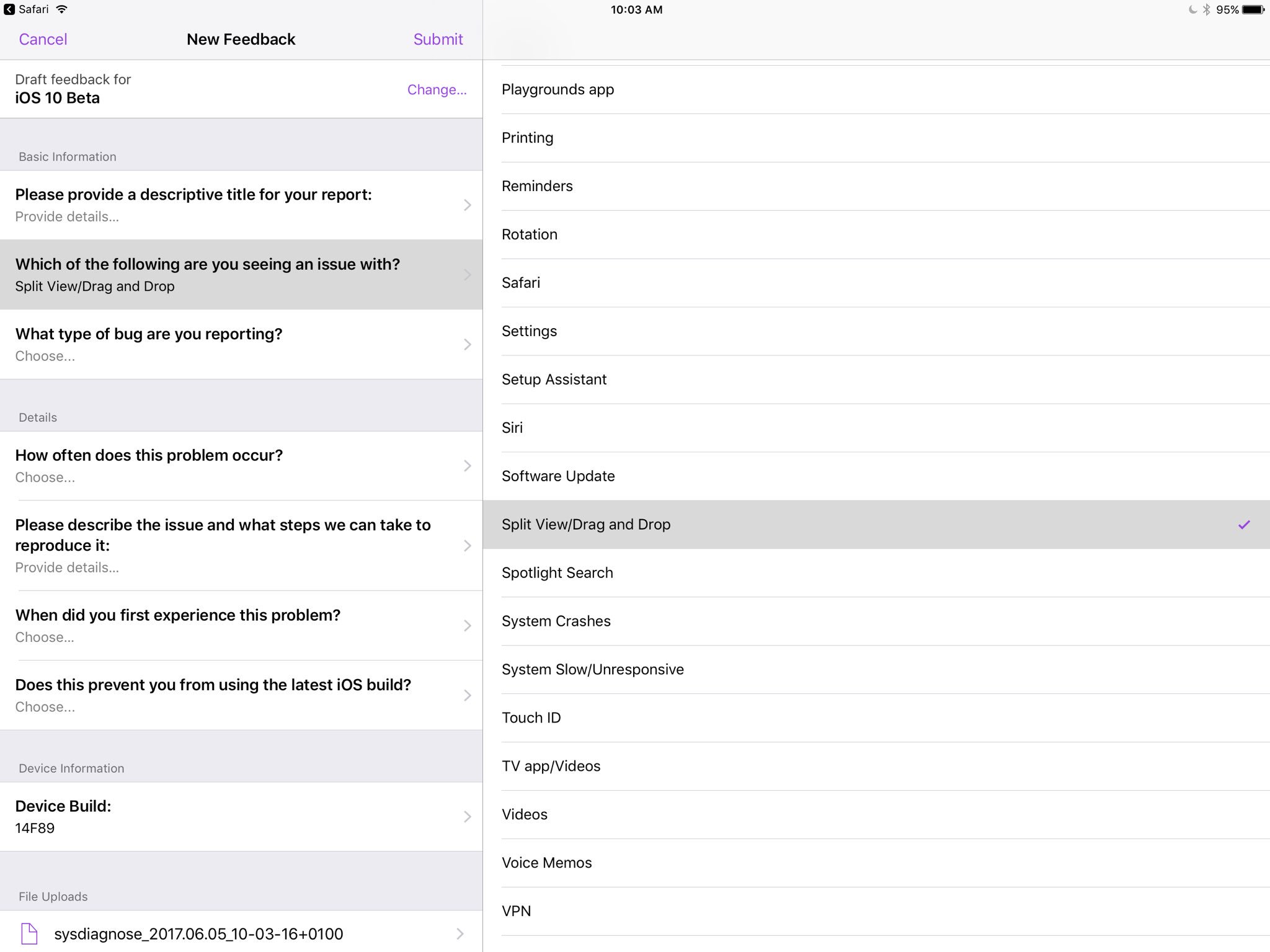
Apple's own Feedback app, that iOS beta testers use for reporting bugs, contains references to a drag and drop feature, as first spotted by developer Steven Troughton-Smith this morning.

An entry labeled “Split View/Drag and Drop” now appears in the list of preset options when filing a bug using the Feedback app. iOS, of course, lacks any drag and drop features that would admittedly be tremendously useful, especially in Split View mode.

That said, it's unclear that the Cupertino technology giant will formally announce drag and drop functionality in iOS 11 during today's live-streamed WWDC keynote.

Ukrainian developer Readdle's popular iOS apps were updated last week with the ability to drag and drop content between them in iOS's Split View multitasking mode on iPad, providing an early preview of how Apple's version of system-wide drag-and-drop might work in iOS 11.

https://www.youtube.com/watch?v=epzh9-rd-AI

MacStories editor Federico Vittici and his team painstakingly created some awesome iOS 11 productivity concepts, imagining new productivity features for iPad. Among them is—you guessed right—drag and drop functionality. “Because drag-and-drop would be fully multitouch-enabled, it wouldn’t block the iOS interface,” Vittici explained.

https://www.youtube.com/watch?v=UyFUDQ5LLZw

“Another finger could be used to navigate in a different 'drop area' of an app, or a user could keep dragging until the Split View app picker is shown and drop an item onto an app’s icon, opening a contextual action menu.”

Late Sunday, Troughton-Smith discovered a placeholder listing for Apple's unreleased Files app on App Store. It's since been removed and no screenshots or official descriptions were provided, but we do know it's going to require iOS 11 and 64-bit support.

App Store placeholder listing for Apple Files app appears briefly ahead of WWDC keynote

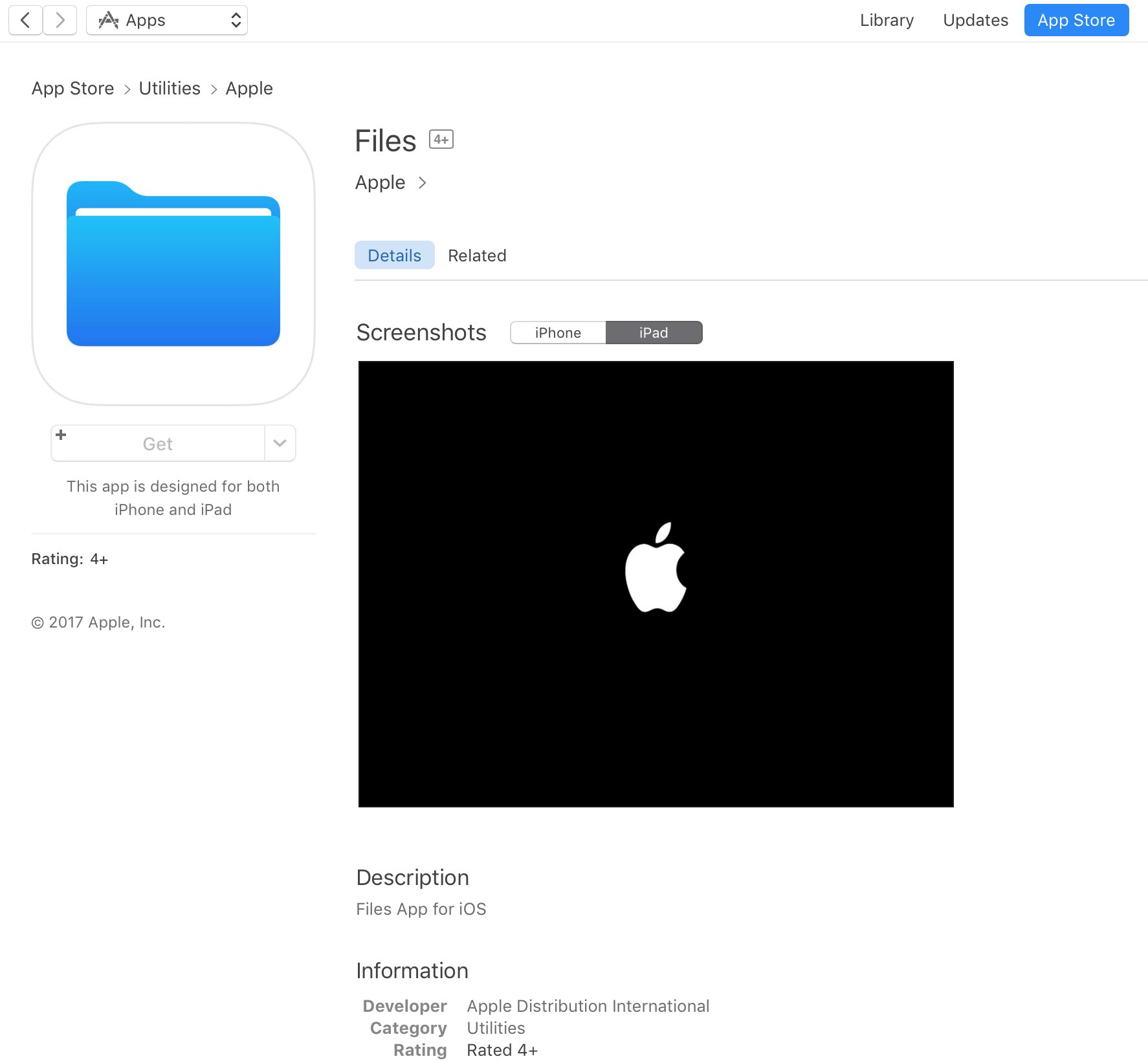
A placeholder listing for a new Apple Files app has briefly appeared on App Store ahead of today's live-streamed WWDC keynote, as spotted by iOS developer Steven Troughton-Smith late Sunday. It's surfaced in the Utilities section of App Store and has since been removed.

No screenshots or the official description were provided.

The app requires iOS 11 and 64-bit support and is designed for both iPhone and iPad. It sports a blue file folder icon resembling the design for folder icons in macOS. It's entirely possible that the new Files app is really just a rebranded version of the existing iCloud Drive app.

It's unclear if the forthcoming app will be a new stock item in iOS 11 or an optional download. If I had to guess, I'd say it will likely come pre-installed with iOS 11. Since iOS 10, Apple has allowed users to hide most of the stock apps from their Home screen.

To help users easily re-install any removed stock apps, Apple has provided all of its first-party iOS apps that are removable as downloadable App Store items. iOS 11 will be previewed at WWDC later today along with tvOS 11, watchOS 4 and macOS 10.13.

iOS 11 concept imagines new productivity features for iPad

Apple is going to preview iOS 11 along with other OS updates at its annual developers conference next month and we fully expect the mobile operating system to include advances that should make the Apple tablet a better laptop replacement than it currently is.

In the meantime, Federico Viticci and Sam Beckett of MacStories have put together an incredibly detailed concept of iPad-specific features that could be part of iOS 11, including the Finder, a new Shelf feature, drag-and-drop available system-wide and other perks.

With the Shelf feature, you would be able to clip pretty much anything with a simple drag-and-drop gesture. Sitting above apps both in full-screen or Split View mode, it would reveal itself automatically when you're dragging an item towards the top of the screen.

The Shelf would display your previously saved items as thumbnail previews and you'd be able to drop an item on top of another item to create a folder in the Shelf.

“The idea behind the Shelf is to make it as effortless as possible to hold something for later without the cognitive load of deciding which app or extension should receive it right away.”

The Shelf would be paginated and local to each iPad.

You'd be permitted to drop almost anything in it: from text selections and images to phone numbers and even songs. Tapping an item in the Shelf would pull up a custom Quick Look preview with additional information and actions relevant to the selected item.

And here's the concept video.

https://www.youtube.com/watch?v=UyFUDQ5LLZw

Next up: file management.

As you know, Apple currently offers the iCloud Drive app for browsing your iCloud files.

MacStories has envisioned a Finder for iOS because the argument that iPad doesn't need to expose its filesystem to the user “lost its validity when Apple introduced document providers in iOS 8 and the iCloud Drive app in iOS 9.”

Unlike Finder for macOS, its iOS counterpart would not expose system information beyond the actual files. You'd be able to browse your files in column and grid views, shared items via iCloud with full permission controls, apply tags, use the Versions feature and even take advantage of Siri integration to search across your files.

“All the pieces of the current system—iCloud Drive, the document picker and document providers—should be unified into a single Finder app and system-wide layer available everywhere,” said MacStories.

Instead of having files stored within app-specific folders on iCloud Drive, users would be able to create files in a top-level iCloud Drive view.

As a bonus, rather than list a bunch of installed document provider extensions in a popup, you'd get a full-blown Finder dialog to open files from any folder or app.

MacStories notes:

With a new set of APIs and user permissions, iOS 11 could allow apps to more easily open each other's documents in complex (but intuitive) workflows that aren't possible today.

And, obviously, automation could play a role in this down the road, opening the door to ideas such as folder-monitoring utilities and file automation either via Workflow or Hazel-like apps.

Finder for iOS would integrate with other features that MacStories has envisioned, such as the Shelf and system-wide drag-and-drop, but without the complexity of macOS.

But wouldn't drag-and-drop clash with iOS's standard gestures?

In a word, no. As MacStories explains:

Because drag-and-drop would be fully multitouch-enabled, it wouldn't block the iOS interface: another finger could be used to navigate in a different "drop area" of an app, or a user could keep dragging until the Split View app picker is shown and drop an item onto an app's icon, opening a contextual action menu.

App Store could be redesigned around Apple Music-inspired redesign, as show below.

Apple could even bring aspects of the watchOS interface to iOS and move beyond the static, inexpressive nature of its interface. “Touch-down states for icons and buttons would add useful context to iOS toolbar icons and menus as well,” reads the article.

A better Split View implementation is one of my favorite concepts proposed by MacStories for iOS 11. In addition to supporting drag-and-drop between the apps in Split View mode, you'd gain the ability to quickly select an app for Split View by choosing it from a Home screen like view complete with Spotlight integration for surfacing Split View-enabled apps.

Be sure to visit the MacStories concept for additional high-resolution mockups and detailed descriptions of other proposed enhancements, such as improvements to Notes and Control Center, better extension support in Safari and more.

Feel free to let us know your thoughts on this concept by posting a comment below.
iOS 11 to bring new video features to Apple Music, 10 original series planned this year

Bloomberg BusinessWeek today ran an extensive profile of Jimmy Iovine, 64, who runs Apple Music. In it, he reveals some of Apple's plans for the service, including new video-centric features coming to Apple Music as part of iOS 11. Iovine says Apple could release up to ten original series on Apple Music this year. Essentially, it boils down to turning Apple's music-streaming service into a one-stop shop for pop culture.

Rumor: iOS 11’s Siri will learn from user behaviors, gain iMessage integration & iCloud syncing

A sketchy rumor released Monday by the Israeli outlet The Verified claims that Siri will gain some interesting new capabilities when iOS 11 launches this fall. For starters, Apple's personal digital assistant will tap into machine learning deeper than ever before to learn from user behaviors within the context of individual apps. Moreover, Siri will integrate with Apple's iMessage service and sync data via iCloud.