iOS 10

Add the Dock to the Today view with this handy tweak

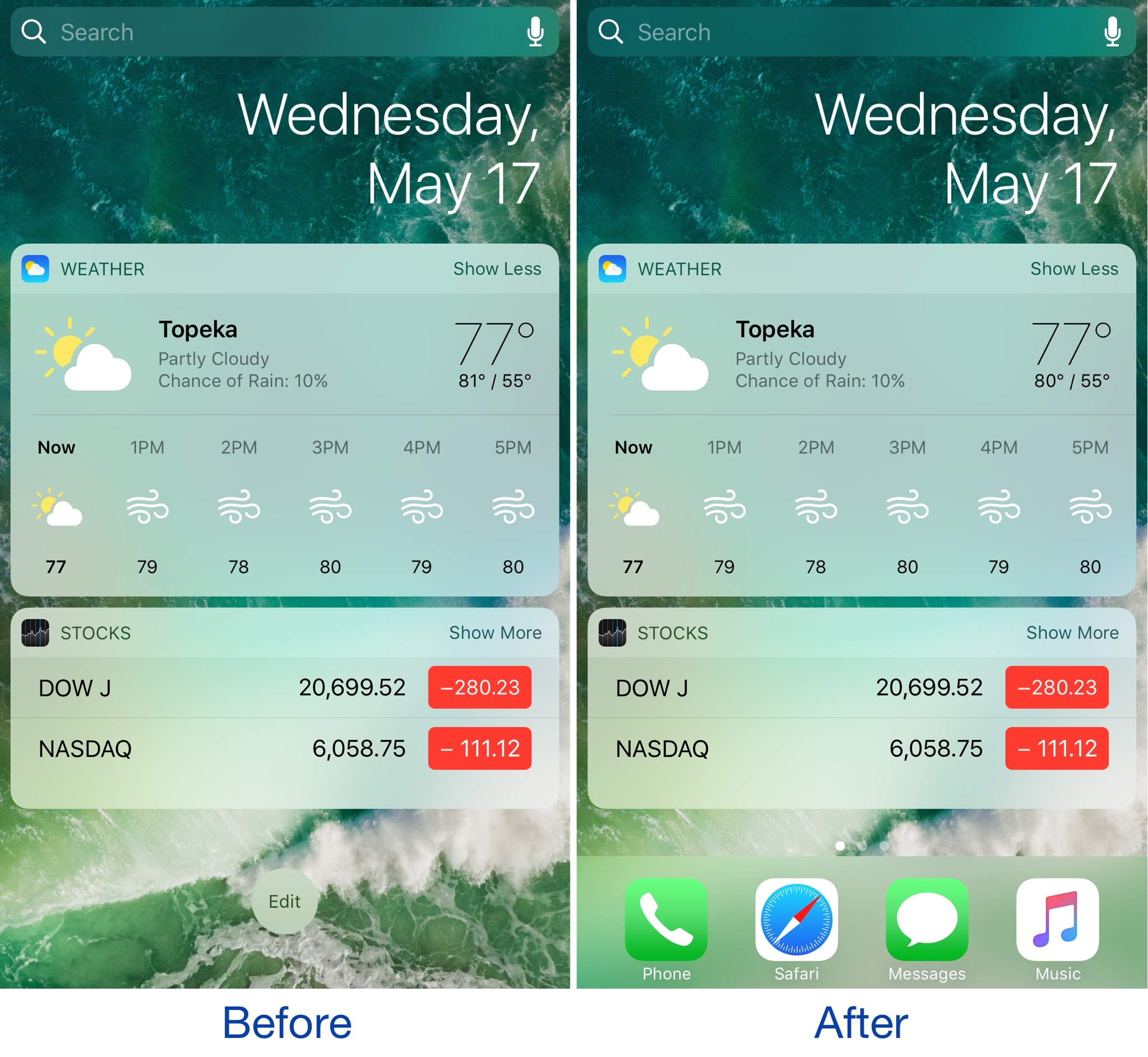
The Dock is a special part of the Home screen that houses your favorite apps and appears on all pages except for the Today page, which is where your widgets appear. On the other hand, if you wanted to change that, you officially can.

A new free jailbreak tweak dubbed ViewDockOnTodayView by CydiaGeek allows the Dock appear on the Today page with all of your widgets and in addition to all of your regular Home screen pages.

This tweak masks your iPhone’s Personal Hotspot password

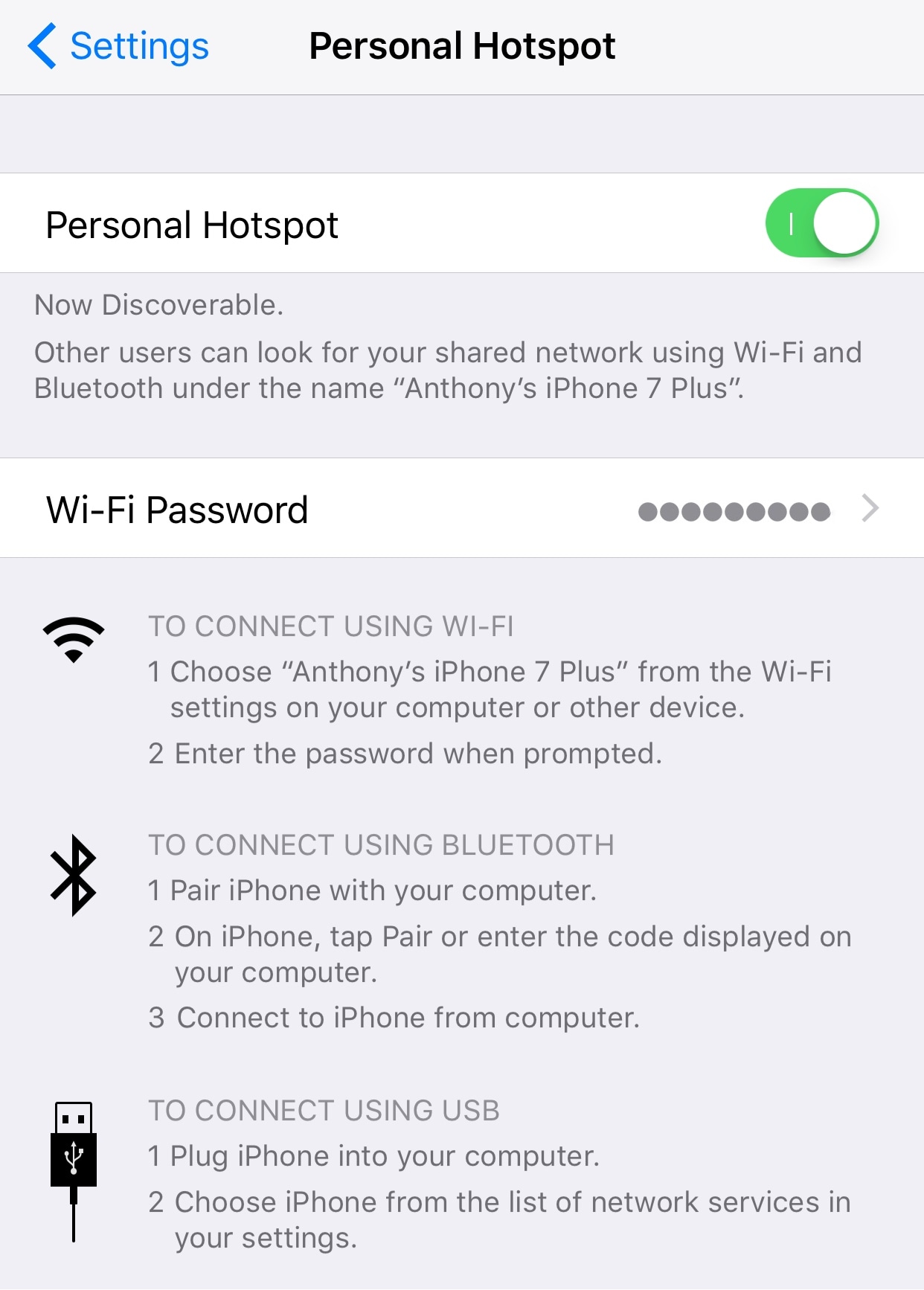
Your iPhone’s Personal Hotspot password is displayed as a string of text in the Settings app, which means anyone can look over your shoulder and figure out your password without you knowing.

A new free jailbreak tweak called MaskedHotspotPass by iOS developer Andreas Henriksson helps to do away with this problem by concealing your Personal Hotspot password from the preferences pane.

This tweak makes Control Center default to the Now Playing card when music is playing

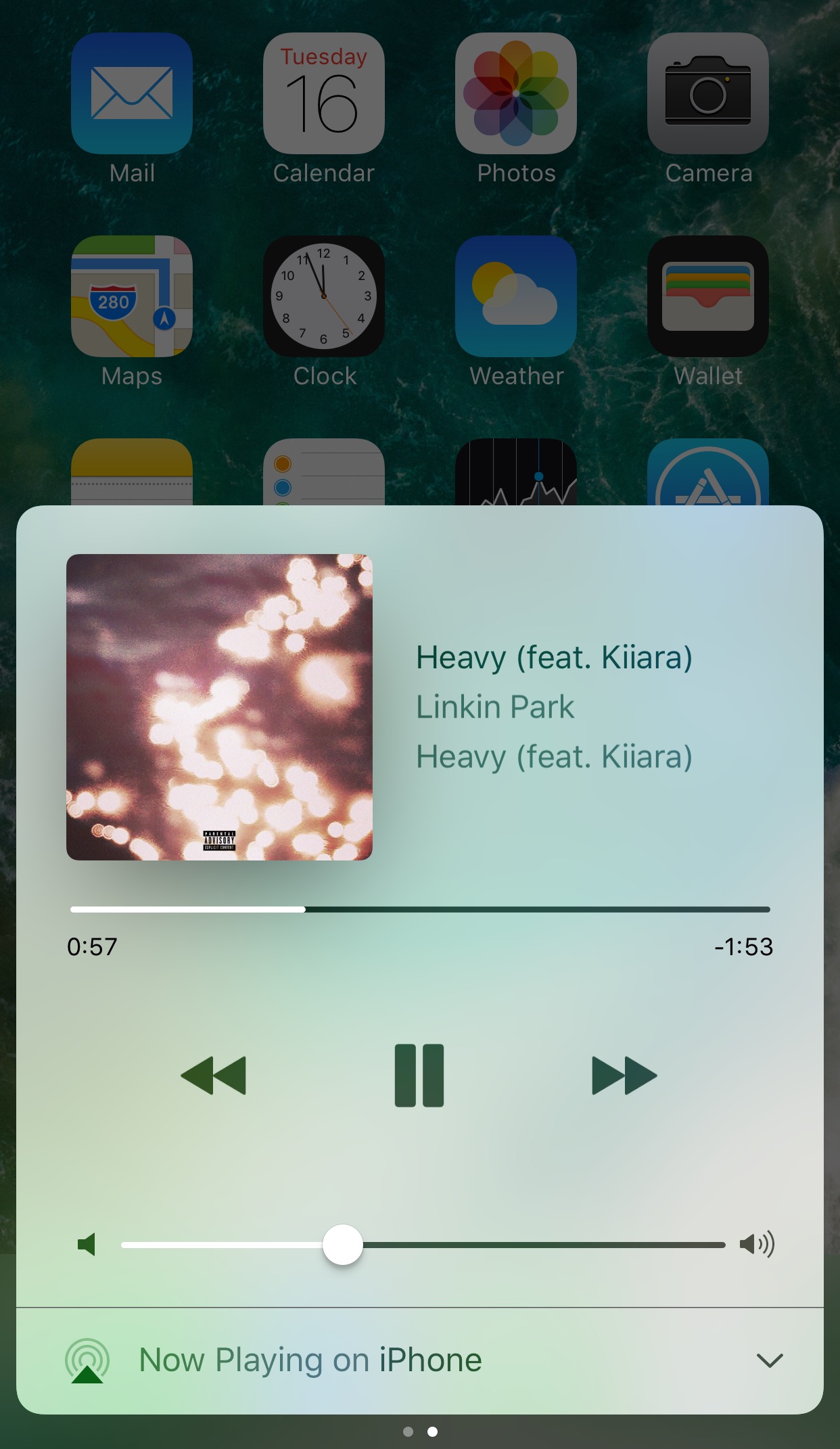
Whenever you listen to music on your iPhone, the Now Playing interface in Control Center is just a few swipes away. From here, you can see information about your song and control your music playback.

As convenient as the Now Playing page is, a new free jailbreak tweak called AMP by iOS developer CP Digital Darkroom makes the interface even easier to get to by making it the default Control Center card whenever media is playing.

Make your folders look the way they did in iOS 6 with ClassicFolders 2

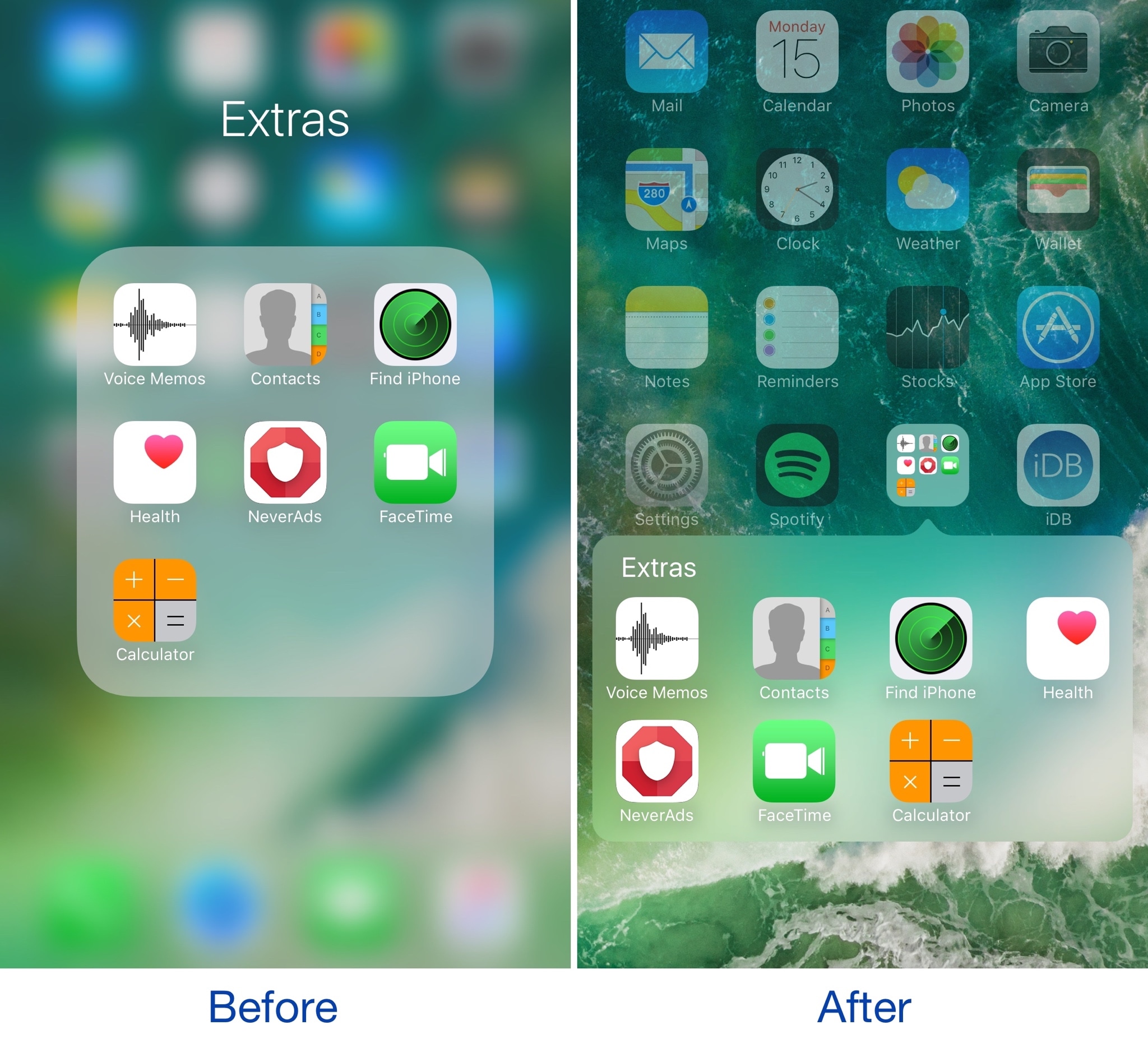
If you’ve got nostalgia for older skeuomorphic versions of iOS, or you’re just looking for a different look and feel for your device altogether, then a new jailbreak tweak called ClassicFolders 2 just might tickle your fancy.

This tweak gives your folders a throwback to the days of iOS 6 and earlier by giving them a page break-style instead of the full-screen effect that's been around since iOS 7.

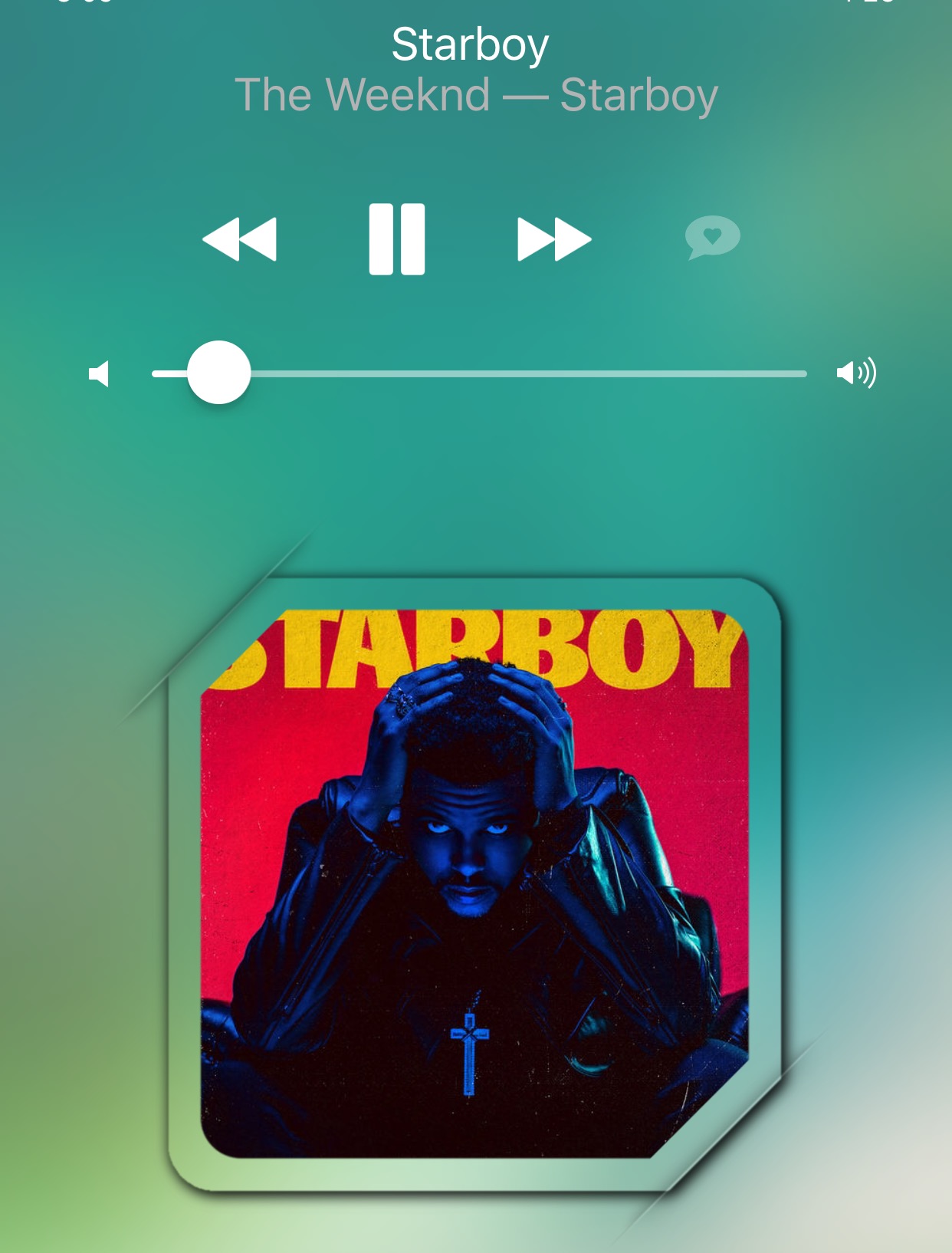
Masq lets you customize the Now Playing interface

The Now Playing interface found both on the Lock screen and in Control Center when you're listening to music is the main focus of a new jailbreak tweak dubbed Masq by iOS developer candoizo.

The tweak lets you spice up the look of each interface independently with themes and a trough of aesthetic options. Tailored for the creative mind, Masq is a great addition to themed devices and stock-looking devices alike.

Jailbreak tweaks of the week: CCVertically, MusicMoreColumns, WAStatusVolume, & more…

Just when we thought we were going through a small lull in the jailbreak community, Cydia is sparking up again with some jailbreak tweak releases that you can use to make your device do awesome new things it normally can't do out of the box.

Int his roundup, we'll discuss all the jailbreak tweaks that were released throughout the week, starting with our favorites and then outlining the rest of them afterwards.

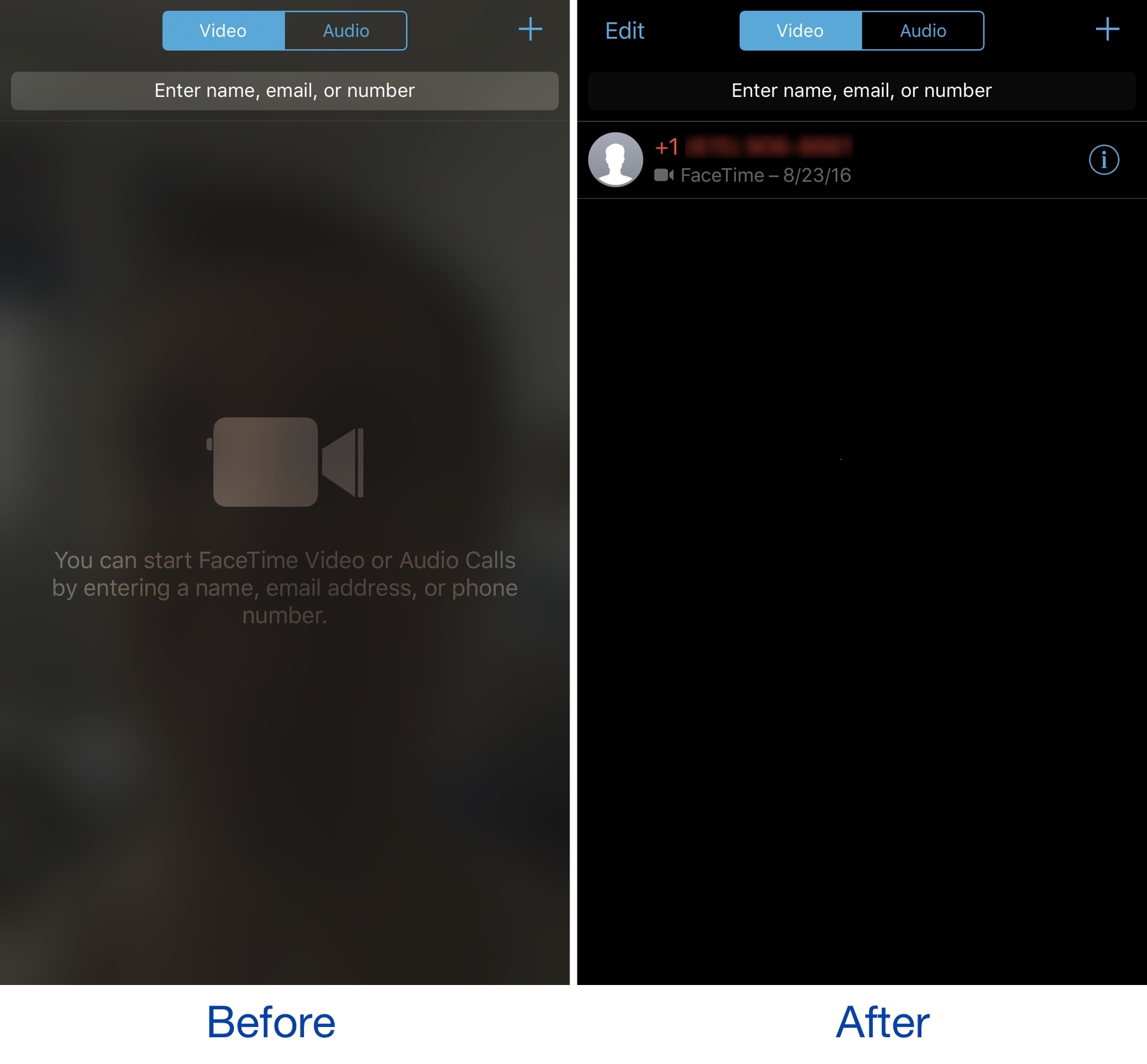
NoBlurFrontCamera disables the blurred camera effect in the FaceTime app

The FaceTime app on your iPhone exhibits a blurred silhouette of yourself via your device's front-facing camera any time you're in the app. It’s an interesting aesthetic effect, but it’s a waste of battery and a deterrent for camera-shy people.

A new free jailbreak tweak called NoBlurFrontCamera by CydiaGeek officially lets you disable this effect, replacing it with a simple dark background.

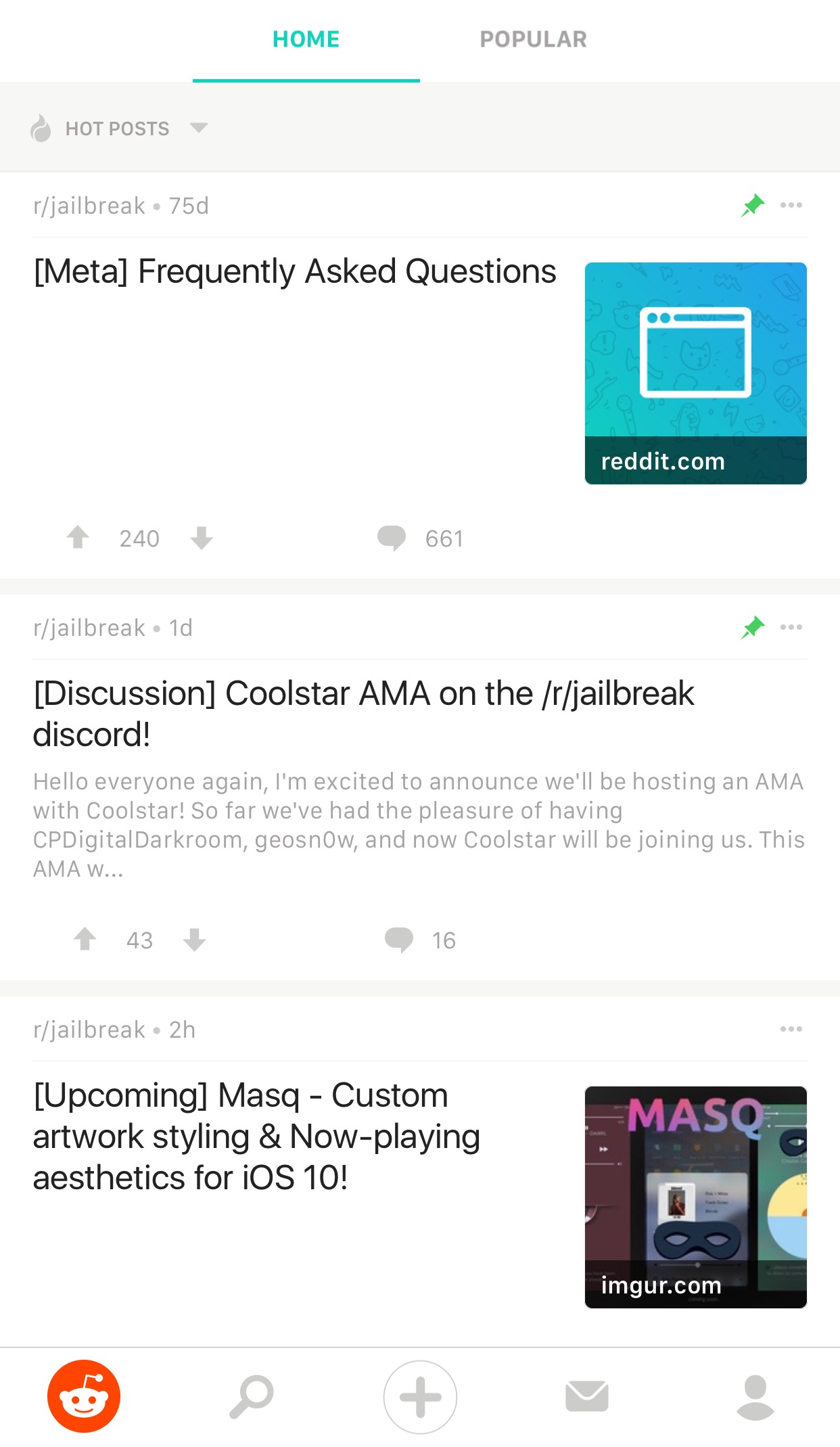
Reddit Enhanced is a tweak that lets you customize the official Reddit app

If you frequently use Reddit, then chances are you have the Reddit app on your iPhone or iPad for ease of access. While it’s useful for perusing the boards, it does have its shortcomings.

To get around many of the shortcomings, a new free jailbreak tweak called Reddit Enhanced by iOS developer Tom Effects offers a bevy of new options that let you fine-tune the Reddit app to better fit your personal needs.

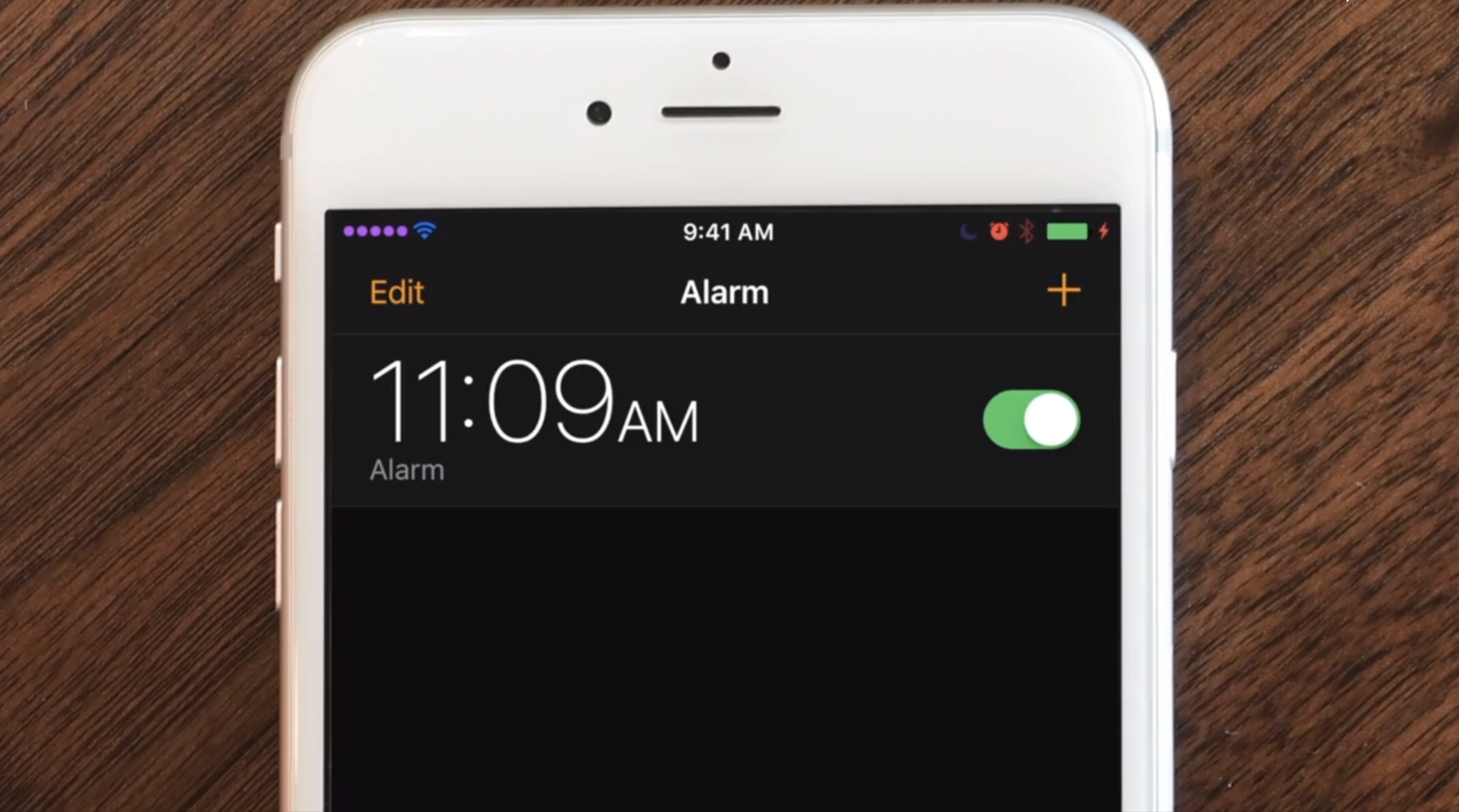
The best jailbreak tweaks for the Status Bar

Jailbroken or not, the Status Bar is an essential part of your iPhone that lest you keep track of your battery level, wireless signal, and time. On the other hand, jailbreakers can take control of their devices and have their Status Bar do so much more.

In this roundup, we'll discuss the best jailbreak tweaks for modifying the Status Bar since the the Yalu iOS 10 jailbreak was released to the general public.

Change the shape of your app icons with SpringToolz

Looking to spice up your Home screen a little bit more? A new free jailbreak tweak called SpringToolz by iOS developer Stoyan Stoyanov lets you change the shape of your Home screen icons, add drop shadows, and much more.

The tweak comes loaded with a vast number of shape options to choose from and can give your device that distinct appearance you’re looking for to make it stand out from the rest.

CCVertically gives Control Center a vertical makeover

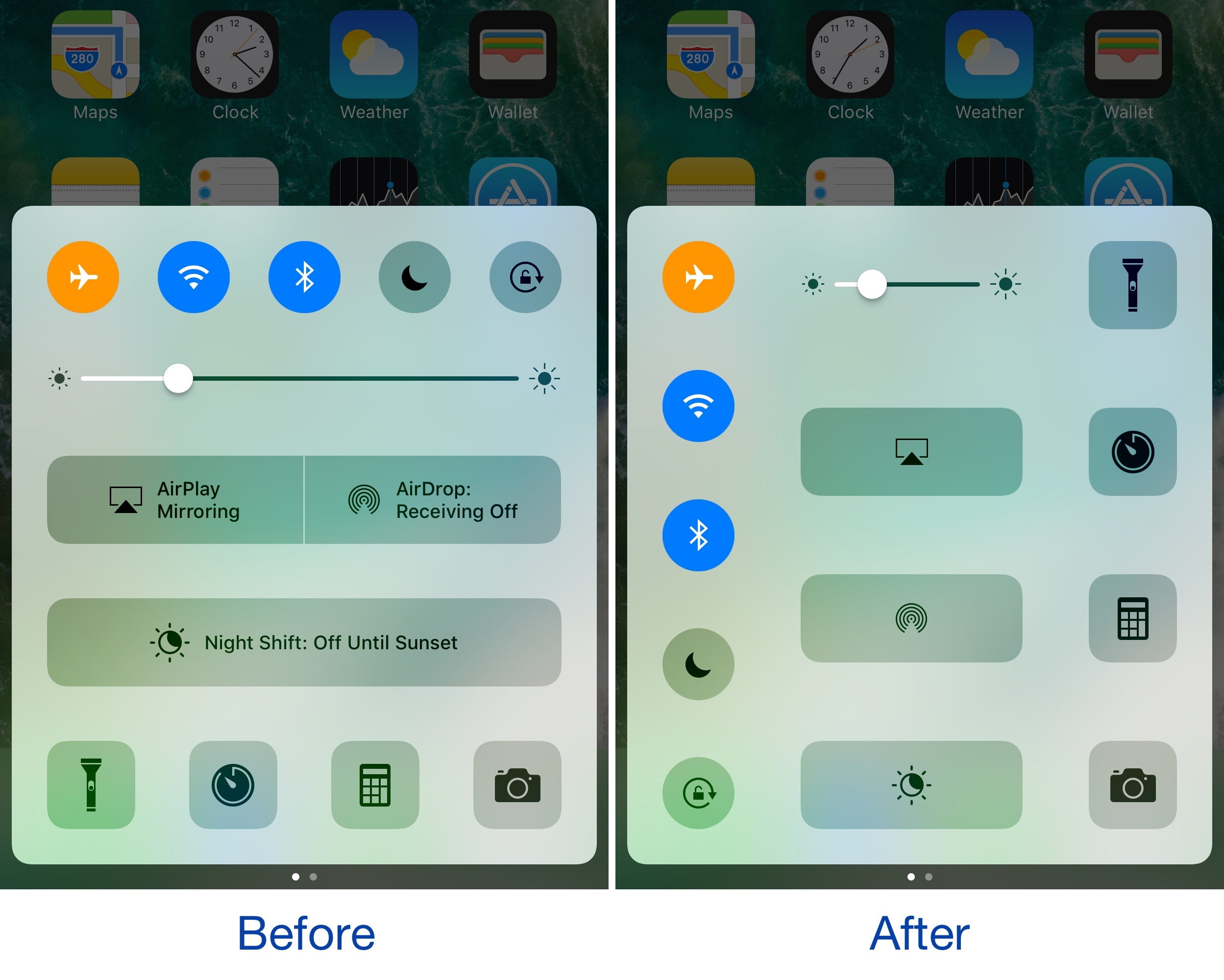
Control Center normally has a horizontal layout; it's categorized into rows with each section having its own dedicated purpose, whether it’s for toggles, shortcuts, or sliders.

If you're interested in trying something new, then you might be interested in a new free jailbreak tweak called CCVertically by iOS developer pxcex. This tweak flips everything 90 degrees to give Control Center a vertical layout.

How to disable in-app ratings and review requests on iPhone and iPad

Apple included a handy new feature in iOS 10.3 beta to give people the power to disable in-app prompts seeking feedback in one fell swoop. Apps that use the new SKStoreReviewController API can invoke a new standardized prompt offering users to provide a rating or write a review without taking them to the actual App Store. This feature has been available on and off for beta testers and should be available to the public in an upcoming update to iOS 10.

These in-app prompts for ratings and reviews can be disabled at once for all apps installed on your iPhone, iPad or iPod touch which support the feature. This tutorial provides step-by-step instructions for how to disable in-app ratings and review requests in iOS.

How to disable in-app ratings and review requests on iPhone and iPad

To opt out of receiving these feedback prompts, do the following:

1) Launch Settings on your iOS device.

2) Tap iTunes & App Stores.

3) To disable all in-app prompts for App Store reviews and ratings, flip the switch In-App Ratings & Reviews switch to the OFF position.

This will prevent all apps that are installed on your iPhone, iPad or iPod touch from asking for product feedback in the form of App Store ratings and reviews. Again, this toggle has no bearing on apps on your device that do not use iOS 10.3's new SKStoreReviewController API.

Please think twice before disabling in-app ratings and reviews.

As I explained before, the new API streamlines the product feedback experience with standardized prompts limited to three per year per app. As Apple itself suggests, you should help developers and other users know what you think by letting apps ask for product feedback.

Like before, your submitted ratings are valid for the App Store territory where you originally purchased the app. You can also leave ratings and write reviews for iPhone, iPad and iPod touch apps directly in App Store, and for macOS apps in Mac App Store.

You can also leave ratings for Apple TV apps, but not submit reviews.

About in-app ratings and review requests

iOS 10.3 beta gives users the power to silence in-app prompts seeking App Store feedback.

In the past, developers were free to interrupt the experience and inundate users with pesky prompts asking them to provide a rating or write a review on App Store.

With the new SKStoreReviewController API, developers simply choose when they’d like to prompt the user and identify places in their apps where it makes sense to ask for feedback, and the system takes care of the rest.

The system allows users to submit a rating through the standardized prompt and authenticate with Touch ID to write and submit a review, all without leaving the app.

The API limits these requests to three prompts per app in a 365-day period. The counter is not reset when the app is updated. The hope here is that the new API will encourage developers to strategically ask for feedback for major updates only.

Previously, many apps would aggressively ask for feedback after each and every update because App Store erases an app's average rating with each submitted update. Apps that don't use the aforesaid API can still put up a bespoke prompt seeking feedback “at appropriate times throughout the user experience,” according to Apple.

App makers that use iOS 10.3's new SKStoreReviewController API save time because the system decides when to pull up these in-app prompts and how they're rendered.

Users benefit from having the standardized prompt and the ability to write a review or submit a rating without leaving the app they're in.

When the user sees an in-app prompt seeking App Store feedback, he or she can authenticate with Touch ID to write and submit a review, right there and then.

“The system’s rating prompt offers a familiar, efficient experience that’s designed to engage the user with minimal impact,” explains Apple.

As a bonus, developers can at long last respond publicly to App Store reviews.

Any questions?

If you have any questions regarding the topic of this tutorial, please post a comment below and our knowledgable writers will try to answer them.

Be sure to pass this article along to the friends and family you support.

Submit your ideas regarding future coverage via tips@iDownloadBlog.com.