iPod Touch

Viber for iPhone gains chat pinning and adjustable notification sounds

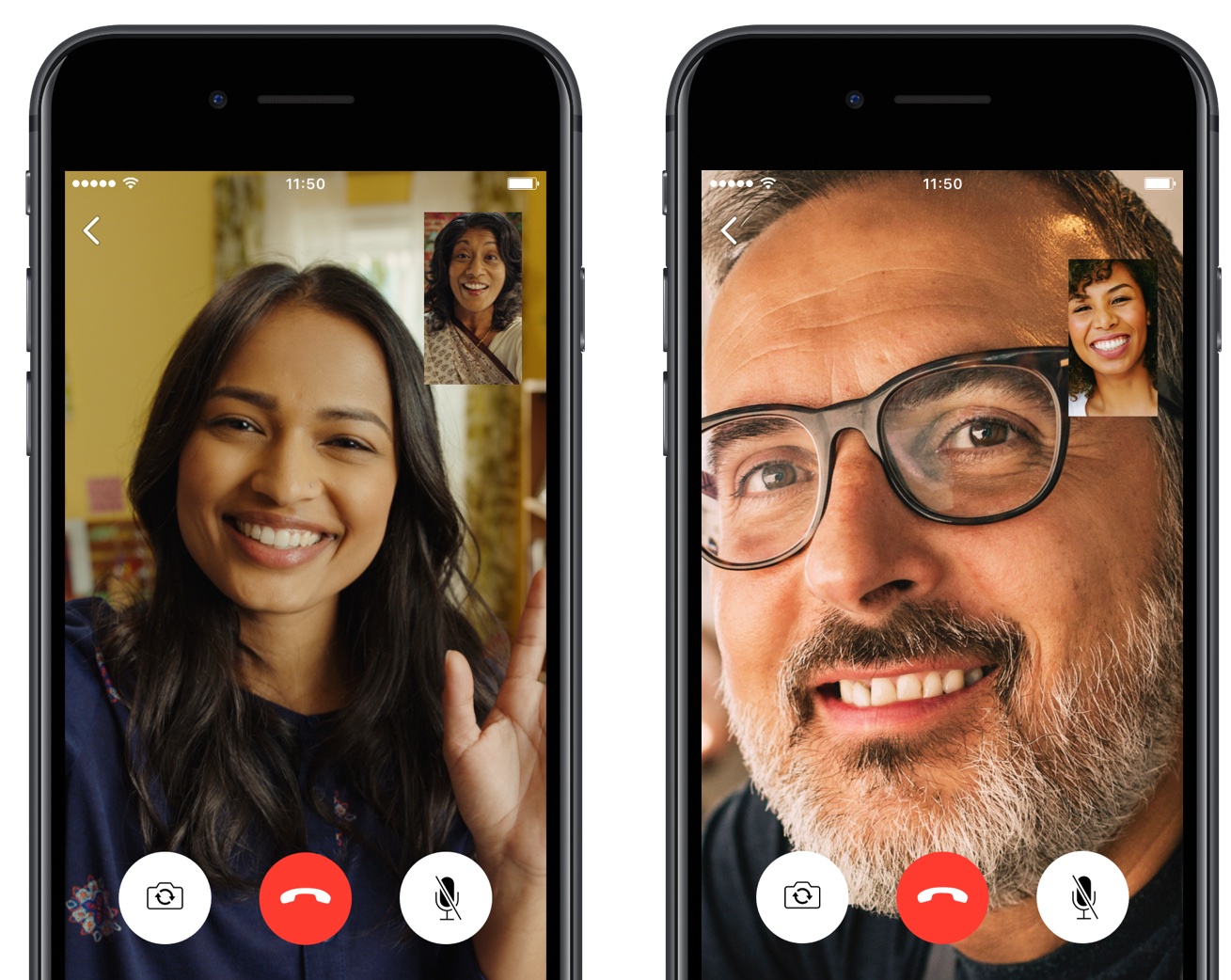
Rakuten-owned messaging app Viber is launching a pair of interesting enhancements in its mobile app for iPhone and iPad. The first improvement comes in the form of handy new options for adjusting Viber's default notification sound on a per-chat basis. The other enhancement lets you easily pin your favorite conversations to the top of the chat screen.

Aside from these improvements, Viber 6.8.8 for iPhone and iPad, a free download from App Store, includes unspecified bug fixes and performance improvements.

Chat pinning

With this feature, you can pin your favorite conversations to the top of the chat list where they're easier to spot. To pin a chat, swipe the conversations in the chat list, then select Pin to pin it to the top of the screen or Unpin if it's already pinned and you'd like to unpin it, as shown on the screenshots top of post.

Rival WhatsApp from Facebook is said to be working on chat pinning, too.

Custom notification sounds

Viber now allows you to override its default notification sound and replace it with the sounds listed in Settings → Sounds. You can choose a new default sound for all Viber notifications or select a different notification sound on a per-chat basis to make it easier to audibly distinguish between notifications for new messages from, say, your Mom and a co-worker.

Download Viber 6.8.8 for iOS via App Store.

First gameplay video of Oceanhorn 2 looks fantastic

The official sequel to Oceanhorn: Monster of Uncharted Seas is in the works and we already showed you a few screenshots taken from an early build of the game. Tuesday, developer Cornfox & Bros. shared the official gameplay video of the Oceanhorn sequel, titled Oceanhorn 2: Knights of the Lost Realm.

While still work in progress, the new gameplay footage clearly demonstrates that Oceanhorn 2 is shaping up to become one of the best-looking iPhone and iPad games on the market.

That's hardly a surprise given it's based on Epic's fantastic Unreal Engine 4.

“With Unreal Engine 4, we have hundreds of man years of video game development backing us up,” developers said. The gameplay video, embedded below, is actual unedited footage of Oceanhorn 2 captured on iPhone 7 Plus.

https://www.youtube.com/watch?v=YRp5_TvU3oI

Your hero's journey will take him around the world.

The game sports a vast world map littered with fields, forests, mountains, water, towns and dungeons. An updated battle system consists of sword fighting, utilizing powerful spells and finding creative ways to use various items that you discover along the way.

Oceanhorn 2's main protagonist lives near an ancient structure, called Beacon, located in Arne Village, which is the starting location of his adventures.

To help players solve complex puzzles, lure enemies into traps or cast directed spells at them, Oceanhorn 2 introduces a cool gun that shoots magical projectiles. As a bonus, your character can carry and throw all sorts of objects.

Developers will be demoing Oceanhorn 2 at Epic's booth at the Nordic Game conference in Malmö, Sweden.

Although Oceanhorn released in September 2016 on PS4 and Xbox One as Cornfox's very first console game, it was ported over to iOS and Android. Just recently, the original Oceanhorn game has been confirmed as coming to the PS Vita handheld console on May 17.

The sequel is still in development, but we'll be making sure to keep you in the loop.

Apple to soon require app-specific passwords to access your iCloud data

According to an Apple Support email sent out today, all native third-party apps for iPhone, iPad, Mac and other platforms will be required to use app-specific passwords to access user data stored in iCloud, not Apple ID credentials.

App-specific passwords went into effect in October 2014.

Back then, enabling two-step verification for Apple ID would turn on app-specific passwords for web-based apps and services. Starting on June 15, app-specific passwords will become a mandatory requirement for any native app that wishes to access user data in iCloud.

You can generate app passwords in the Password & Security section of the Apple ID website.

A password created for one app, like Outlook, doesn't work in another app like Spark.

Come June 15, you'll be automatically signed out of all apps that use your Apple ID credentials. As an example, if you set up Fantastical for Mac with your Apple ID to access your iCloud calendars, you'll need to generate an app-specific password to continue accessing your iCloud calendars from within the app on and after June 15.

In simpler terms, you'll be required to enable two-factor authentication for your Apple ID and generate individual passwords for each app after the cutoff date.

The change is platform-agnostic: if you use Windows 10's Mail app to receive your iCloud data like contacts and calendars, you'll need to create an app-specific password for it. This is for the sake of everyone's security because signing into third-party apps with your primary Apple ID password may expose you to various attacks and hacking attempts.

To be clear, this only affects apps which access iCloud in a non-native way, which includes email clients like Outlook, Thunderbird and others. If an app has been updated to use iCloud Drive, it won't need an app-specific password to access user data in iCloud.

Bottom line: Apple still lets you grant apps access to your iCloud data, but soon you'll be able to do so in such a way that keeps your primary Apple ID password safe and secure.

Apple's first-party apps are not affected by this change.

Instagram rolls out selfie filters, rewind option for videos, hashtag sticker & eraser brush

Instagram today announced several new capabilities for its mobile app, including selfie filters via the front-facing camera in what appears to be yet another effort to copy the last big Snapchat feature. Aside from face filters, Instagram 10.21 also includes a rewind playback option for videos, a new hashtag sticker an an eraser brush tool.

Face filters

With all-new face filters in the Instagram camera, you can turn an ordinary selfie into something fun and entertaining. A total of eight different face filters are included at launch, with more to be added at a later stage via future updates. To get started with this feature, tap the new face icon in the bottom-right corner of the Instagram camera.

Simply tap a filter to try it on.

The filters include effects ranging from math equations swirling around your head to furry koala ears that move and twitch. “Whether you're sitting on the couch at home or out and about, face filters help you express yourself and have playful conversations with friends,” noted the Facebook-owned company.

https://vimeo.com/217551217

Some of the filters work with a friend.

Moreover, all the face filters included in this edition of Instagram work with Boomerang, meaning you can now add an unexpected twist to the videos you share.

Rewind option for videos

Instagram also provides a new Rewind playback option for videos.

A new camera format next to “Boomerang” and “Hands-Free”, “Rewind” lets you share a rewind of your video. This mode captures your video normally, then makes it play in reverse.

Hashtag stickers

A new hashtag sticker joins Instagram's existing stickers and geofilters. To get started with it, tap the sticker icon in the top-right corner, then choose and customize the new hashtag sticker before adding it to your own Story.

Like with mentions, you can add hashtags using regular text as well.

Hashtag stickers are interactive: folks watching your Story can tap the hashtag sticker or text to visit the hashtag page and explore related posts.

Eraser tool

With the new eraser brush, you can remove parts of drawings or color.

Instagram advises selecting the fill tool after you’ve taken a photo or video to fill the entire screen with color. Then, using the new Eraser tool, you can easily and quite creatively reveal parts of your photo or video underneath.

These new features are available as part of Instagram 10.21 for iOS.

To learn more about these updates, check out Instagram's Help Center.

Instagram is available at no charge from App Store.

Google could launch Assistant for iOS soon as a standalone app

After unveiling Assistant at Google I/O a year ago, the search giant is now expected to bring its AI conversational helper to iPhone and iPad in the form of a standalone app, AndroidPolice reported Monday. The app should be announced at Google's annual developers conference, which kicks off on Wednesday, May 17, at Shoreline Amphitheatre Mountain View in California.

Assistant for iOS will only be available in the US at launch, said a trusted source cited in the report. Assistant's SDK  was just made available to developers so bringing the app to Apple's mobile platform could encourage more developers to integrate with its functionality.

Here's an excerpt from the article:

The app would likely feature a blend of the "chat" style functionality in the Google Allo version of Assistant and the voice-controlled version found on Android, but again, details are scant.

Rather than roll out Assistant as a standalone app, Google could fold its functionality into the existing search app for iOS, which supports Google Now cards but not Assistant.

https://www.youtube.com/watch?v=Wsic12MXlsc

A company executive hinted two months ago that Google's general philosophy is that “we would like to have the Assistant available to as many people as possible.”

After debuting exclusively on Google's Pixel line of smartphones in October of last year, Google Assistant soon after made its way into into Google’s voice-activated speaker, called Home, the latest version of Android Wear and a few devices from third-party vendors.

It powers AI features in Google's messaging app Allo and will be at the heart of the new Android operating system for touchscreen car consoles and in-car infotainment systems.

You can expect the feature to become integrated over time into virtually every major device Google makes, as well as into its most important consumer-facing services and mobile apps.

Nintendo’s next big franchise coming to iPhone will be The Legend of Zelda

Nintendo's next big franchise coming to iPhone and other smartphones will be The Legend of Zelda, a high-fantasy action-adventure RPG video game series created by the legendary Japanese game designers Shigeru Miyamoto and Takashi Tezuka.

The iOS port of The Legend of Zelda should hit App Store either in in the latter half of 2017 or in 2018, following the release of Animal Crossing for iOS, according to sources speaking with The Wall Street Journal.

The mobile game will be developed by DeNA, the studio behind Super Mario Run and Fire Emblem Heroes.

As mentioned, Animal Crossing for iPhone will be coming out some time in the second half of 2017, followed by the official Legend of Zelda game for smartphones. Separately, the report mentions that the Pokemon Company is working on a new digital card game app, too.

If you've never played The Legend of Zelda, you should give it a try as it's one of Nintendo's most successful franchises, selling over 75 million copies as of 2016.

The game's chief protagonist is named Link.

https://www.youtube.com/watch?v=rweamiexWHU

Subscribe to iDownloadBlog on YouTube

The series' installments typically task the player with rescuing Princess Zelda and the kingdom of Hyrule from Ganon, who is the game's key antagonist. The games' plots commonly involve a relic known as the Triforce, which is basically a set of three omnipotent golden triangles.

Following its 1986 debut, The Legend of Zelda has expanded to include 19 entries on all of Nintendo's major game consoles, as well as a number of spin-offs. The series even gave birth to an American animated TV series and individual manga adaptations in Japan.

Following a multi-year hiatus from mobile, Nintendo eventually committed to bringing some of its most-prized intellectual property to smartphones, starting with the Miitomo app and on to Super Mario Run for iPhone and the iOS version of Fire Emblem Heroes.

Image: Breath of the Wild, the latest title in the Zelda series, is currently available for Nintendo's Switch and Wii U consoles.

How to check if the phone you’re buying was stolen

If you're in the market for a used iPhone, it's always a good idea to ask the owner to disable Find My iPhone, which automatically turns off Apple's theft-deterring Activation Lock feature.

But what if you're buying a non-Apple smartphone? Can you still check if it was stolen? As it turns out, that's exactly what CTIA’s Stolen Phone Checker service does for you.

Powered by the GSMA Device Check service, which provides up to 10 years’ of a device’s history as well as the device model information and capabilities, the free Stolen Phone Checker tool is an online service designed to help consumers, businesses and law enforcement agencies make informed purchasing decisions and limit the resale of lost and stolen mobile devices.

TUTORIAL: How to find your iPhone's IMEI number

This is a US-only service so this tutorial may not apply to international readers.

How to check if the phone you're buying was stolen

1) Visit stolenphonechecker.org/spc/consumer on your device.

2) Enter the IMEI, MEID or ESN of the phone you're about to purchase. If you're buying an iPhone, you can find this information in Settings → General → About. If you're buying a non-Apple smartphone, ask the owner to provide the IMEI number.

3) Solve the captcha and click the Submit button.

If the phone isn't stolen,“Not reported lost or stolen” should appear next to Device Status along with some useful information, including the device model, manufacturer and more.

Regular consumers are allowed to check up to find phones per day. Again, this service is limited solely to consumers in the United States.

Related tutorials

Check out the following how-tos:

What to do if your iPhone is lost/stolen How to remotely erase iPhone that was lost/stolen How to use Lost Mode if your iOS device is lost/stolen How to secure your iPhone with Activation Lock How to locate misplaced AirPods Checking Activation Lock status via Apple Support website Wrapping it up

If you have a question, post a comment below and we'll do our best to answer it. Please share this tutorial on social media and pass it along to the folks you support.

Submit your ideas regarding future coverage via tips@iDownloadBlog.com.

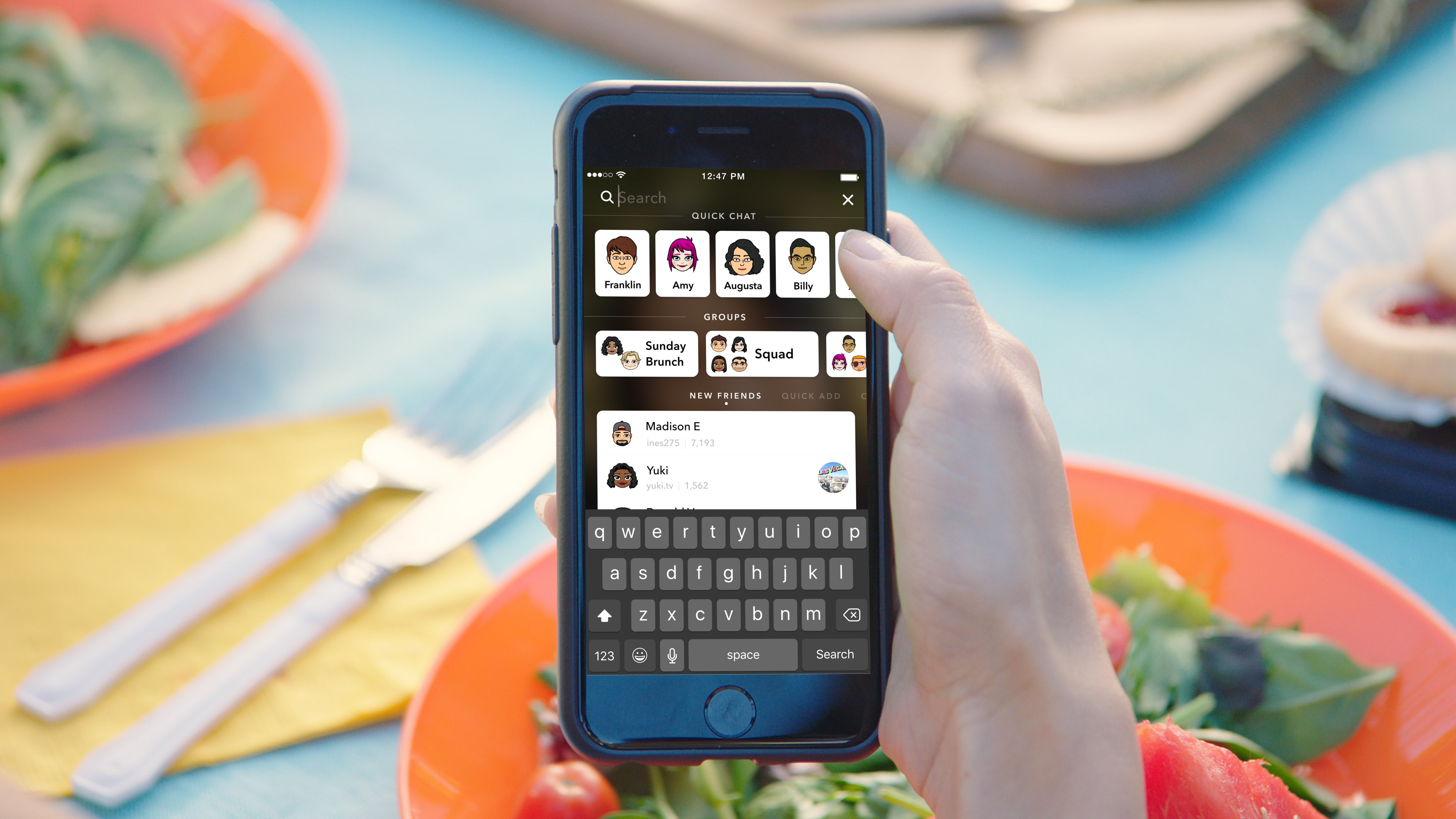
Google’s Allo messaging app will soon let you create personalized stickers from your selfies

Google is working on a new feature for its mobile messaging app Allo that will permit iPhone users to create stickers based on their selfies. Taking advantage of neural networks, machine learning and the work of artists, the app will create virtual avatars personalized to match the user's own distinct look, said the company.

“Photography in the form of a selfie is a very direct form of expression. It comes with a set of rules bounded by reality,” wrote Google. “Illustration, on the other hand, empowers people to define themselves—it’s warmer and less fraught than reality.”

The feature is pretty straightforward: you just snap a selfie and the app returns an automatically generated illustrated version of you. You can also customize your new sticker manually with various facial features and other options.

What makes you, you?

Rather than algorithmically determine the colors, shapes and textures in selfies, Google's system takes advantage of an advanced algorithm that picks out qualitative features of one's face in a manner similar to the way people do.

“While we could have trained a large convolutional neural network from scratch to attempt to accomplish this, we wondered if there was a more efficient way to get results, since we expected that learning to interpret a face into an illustration would be a very iterative process.”

Toying with its existing more general-purpose computer vision neural networks, Google found out that a few neurons in these networks were good at focusing on things they weren’t explicitly trained to look at.

The company explains:

By virtue of being large general-purpose neural networks, they had already figured out how to abstract away things they didn’t need.

All that was left to do was to provide a much smaller number of human labeled examples to teach the classifiers to isolate out the qualities that the neural network already knew about the image.

They fed the neural network illustrations created by an artistic team which captured a wide variety of facial features, such as different hairstyles, skin tones and nose shapes. Human curators then trained the network to match the right illustration to the right selfie.

Google's research team has taken special care to ensure that the illustrations cover a range of race, age, masculinity, femininity and androgyny. Furthermore, they're working with a range of artistic voices because “it’s not enough to make an avatar that is a literal representation of yourself when there are many versions of you.”

The feature began rolling out today in Allo for Android, and will come soon to Allo on iOS.

The most recent update to Allo for iOS included Incognito chats for group conversations and new notification settings for selectively enabling and disabling individual notifications.

Google Allo is a free download from App Store.

Pagico 8.7 helps you make better plans and actually stick to them [sponsored]

If you haven't heard about Pagico before, it's a productivity app that allows individuals and team members to easily manage all their tasks, files and notes across iPhone, iPad, Mac, Windows, Ubuntu and Android devices.

With Pagico, you can organize everything related to your projects in one place, stay informed with handy flowcharts, access data anywhere, manage your day, visualize workloads, cross-link everything, organize stuff into collections, collaborate and much more.

Now bumped to version 8.7, the app sports some interesting new features designed to help you be more productive and stay on track with support for sub-containers, enhanced container duplication features, smart filters, teammate filters, improved email handling and printing, plus a lot more.

iTunes is coming to Windows Store later this year

Windows maker Microsoft announced today at its Build conference for developers that Apple is working on bringing iTunes to Windows Store with full support for Apple Music and iOS device syncing. TechCrunch reports that users will essentially enjoy the same iTunes experience from Windows Store that the existing iTunes for Windows download currently offers.

While Microsoft didn’t show any screenshots of what this experience might look like, Apple may be required to tweak iTunes’ look and feel to match Microsoft’s new Fluent Design system.

The development is especially important in light of Windows 10 S, a slimmed down version of Windows 10 for inexpensive Chromebook-like computers aimed at education, because Windows 10 S customers can only install officially sanctioned apps from Windows Store.

As a result of the restrictions, many popular apps such as Apple iTunes, Google Chrome, Mozilla Firefox and Spotify are currently unavailable on Windows 10 S systems. According to The Verge, iTunes is one of the apps Windows users search for most often on the store.

Unless iTunes is available on Windows Store, people in the market for a Surface Laptop, for example, won't be a be able to synchronize their iOS devices with their Windows 10 S-powered PC unless they upgrade to Windows 10 Pro to remove all restrictions.

Windows 10 is now on half a billion devices and Office 365 recently passed its hundred-millionth monthly user, Microsoft revealed at the Build conference.

The Sims Mobile soft-launches, brings all the features of the original Sims game to iPhone and iPad

Publisher Electronic Arts said today that it's soft-launched a new Sims game for mobile devices via App Store in Brazil. Called The Sims Mobile, it includes all of the features of the original PC game which released 17 years ago back in 2000 and files as an official mobile game by Maxis Studios and Electronic Arts.

In The Sims Mobile, players can shape their Sims' legacy as they create their unique personalities, homes and relationships—all on their iPhone, iPad or iPod touch.

Key highlights include:

Shape your Sims' legacy—Shape your Sims’ families over multiple generations. When your Sims accomplish their career goals and retire, you’ll be rewarded with Heirlooms that unlock hobbies and careers for future generations, allowing new Sims to tell deeper stories. Create unique Sims—Customize your Sims with distinct appearances, hairstyles, outfits, and accessories. Choose different personality traits and life goals. Build a home—Personalize your Sims home layouts and designs, and decorate with a variety of furniture, appliances, decorations and more. Play together—Host and attend parties with other Sims to socialize, show off your amazing house, earn rewards, and develop new relationships.

Here's the promotional trailer for the free-to-play title.

https://www.youtube.com/watch?v=VwFMyHGtIXs

As mentioned, The Sims Mobile is a free-to-play download. If other EA games are an indication, the game may include a bunch of optional In-App Purchases.

You can sign up for email updates at the thesims.com/mobile.

Six years ago, EA released The Sims Freeplay for iOS and Android, a simplified version of the original PC game. The publisher has other Sims-branded titles on App Store, including The Sims 3, The Sims 3 World Adventures, The Sims 3 Ambitions for iPad and more.

The Sims Mobile soft-launched today on App Store in Brazil.

We'll keep you posted when the game expands to other markets.

Are you a fan of The Sims franchise?

How to disable in-app ratings and review requests on iPhone and iPad

Apple included a handy new feature in iOS 10.3 beta to give people the power to disable in-app prompts seeking feedback in one fell swoop. Apps that use the new SKStoreReviewController API can invoke a new standardized prompt offering users to provide a rating or write a review without taking them to the actual App Store. This feature has been available on and off for beta testers and should be available to the public in an upcoming update to iOS 10.

These in-app prompts for ratings and reviews can be disabled at once for all apps installed on your iPhone, iPad or iPod touch which support the feature. This tutorial provides step-by-step instructions for how to disable in-app ratings and review requests in iOS.

How to disable in-app ratings and review requests on iPhone and iPad

To opt out of receiving these feedback prompts, do the following:

1) Launch Settings on your iOS device.

2) Tap iTunes & App Stores.

3) To disable all in-app prompts for App Store reviews and ratings, flip the switch In-App Ratings & Reviews switch to the OFF position.

This will prevent all apps that are installed on your iPhone, iPad or iPod touch from asking for product feedback in the form of App Store ratings and reviews. Again, this toggle has no bearing on apps on your device that do not use iOS 10.3's new SKStoreReviewController API.

Please think twice before disabling in-app ratings and reviews.

As I explained before, the new API streamlines the product feedback experience with standardized prompts limited to three per year per app. As Apple itself suggests, you should help developers and other users know what you think by letting apps ask for product feedback.

Like before, your submitted ratings are valid for the App Store territory where you originally purchased the app. You can also leave ratings and write reviews for iPhone, iPad and iPod touch apps directly in App Store, and for macOS apps in Mac App Store.

You can also leave ratings for Apple TV apps, but not submit reviews.

About in-app ratings and review requests

iOS 10.3 beta gives users the power to silence in-app prompts seeking App Store feedback.

In the past, developers were free to interrupt the experience and inundate users with pesky prompts asking them to provide a rating or write a review on App Store.

With the new SKStoreReviewController API, developers simply choose when they’d like to prompt the user and identify places in their apps where it makes sense to ask for feedback, and the system takes care of the rest.

The system allows users to submit a rating through the standardized prompt and authenticate with Touch ID to write and submit a review, all without leaving the app.

The API limits these requests to three prompts per app in a 365-day period. The counter is not reset when the app is updated. The hope here is that the new API will encourage developers to strategically ask for feedback for major updates only.

Previously, many apps would aggressively ask for feedback after each and every update because App Store erases an app's average rating with each submitted update. Apps that don't use the aforesaid API can still put up a bespoke prompt seeking feedback “at appropriate times throughout the user experience,” according to Apple.

App makers that use iOS 10.3's new SKStoreReviewController API save time because the system decides when to pull up these in-app prompts and how they're rendered.

Users benefit from having the standardized prompt and the ability to write a review or submit a rating without leaving the app they're in.

When the user sees an in-app prompt seeking App Store feedback, he or she can authenticate with Touch ID to write and submit a review, right there and then.

“The system’s rating prompt offers a familiar, efficient experience that’s designed to engage the user with minimal impact,” explains Apple.

As a bonus, developers can at long last respond publicly to App Store reviews.

Any questions?

If you have any questions regarding the topic of this tutorial, please post a comment below and our knowledgable writers will try to answer them.

Be sure to pass this article along to the friends and family you support.

Submit your ideas regarding future coverage via tips@iDownloadBlog.com.