iMessage

Two years later, DEA learns the government can’t break into Apple’s iMessage

Apple's iMessage platform has gone through its share of teething problems, ranging from issues related to iOS devices continuing to send and receive messages, even after being remotely wiped and having their SIM cards deactivated, to iOS saving deleted iMessage attachments to a recent exploit which involved denial of service attacks leading to a series of spam messages crashing the stock iOS Messages app. Although unpleasant and worrying, these problems are mostly localized.

When it comes to government surveillance, however, iMessage is bullet proof and the agile government, of course, has only recently become aware of this. According to an internal document from the Drug Enforcement Administration (DEA), instant messages exchanged between iOS users through the iMessage platform are "impossible to intercept" due to strong iCloud encryption...

Chpwn and other developers hit with iMessage DoS attack

Over the past few days, several well-known iOS and jailbreak developers have reported that they've been hit with an iMessage DoS, or denial of service, attack. The attacks feature a series of spam messages that end up crashing the iMessage app.

The list of affected developers include Sn0wBreeze creator iH8sn0w, Zephyr creator Chpwn, and others. And the perpetrator has been tracked to a Twitter account involved in selling things like provisioned UDIDs and Siri proxy servers...

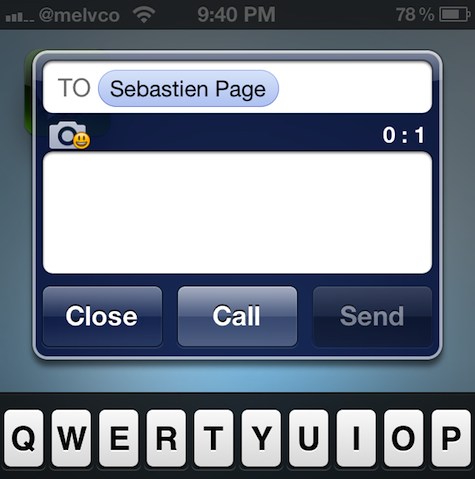
Doodle Message: compose doodle drawings within the Messages app

A while back, we covered a jailbreak tweak called Grafiti [sic]. It allowed you to instantly create and share drawings via the messages app, by acting as a keyboard replacement. WIth that in mind, it supported a lot more apps than just the stock Messages app; it worked with Whatsapp, Mail, Tweetbot, and more.

Doodle Message is similar to Grafiti, in that it allows you to create drawings from within the Messages app, and send those drawings to your friends via Messages. The big difference here is that Doodle Message only works with the Messages app. There are, of course, other smaller differences, as we'll touch on inside.

iMessage beware, Google Babble is coming

The Internet giant Google, reportedly adamant to solve its instant messaging conundrum, is working on consolidating its many chat services and folding them under a new brand name - Google Babble. Not sure whether Babble is just a code-name, but I'd definitely chose a different moniker because the term 'babble' doesn't just denote chatter, it also means "to utter a meaningless confusion of words" and "talk foolishly or idly".

Be that as it may, a new report Monday claims knowledge of an all-new IM solution from Google designed around organizing chats by conversation rather than by people, no matter what chat service they happen to be using. It's said to support video, audio, file transfers and threaded conversations across all the existing services. Go right past the break for more tidbits...

‘Compose’ adds new Mail and Message shortcuts to Notification Center

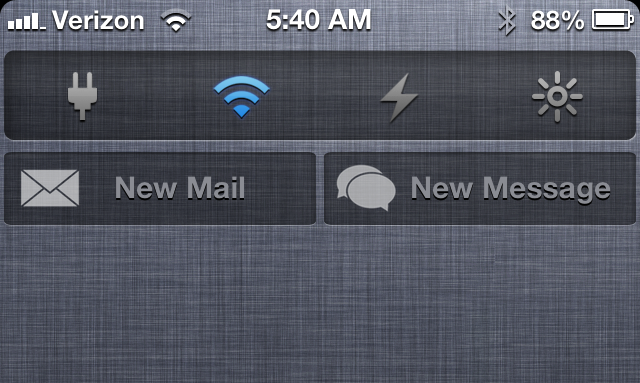
Looking for a quick and easy way to compose new messages and emails via Notification Center? Then perhaps Compose — a new jailbreak tweak that places shortcuts to each respective app in Notification Center — will suit your fancy.

Compose follows the same visual template that Apple created with its Facebook and Twitter Notification Center shortcuts, but it doesn't work exactly the same. Instead of opening up a small pop-up box to type in any content you wish to share, Compose works more like a shortcut to each respective app. More details inside...

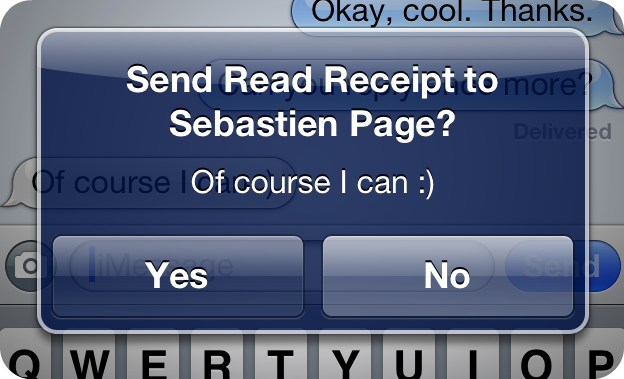
‘SelectiveReading’ allows you to select who receives iMessage read receipts

There have been some really great jailbreak tweaks released for iMessage lately. A few weeks ago, we talked about TypeStatus, which allows you to see incoming "now typing" notifications for ongoing iMessage conversations. Now, there's SelectiveReading — a jailbreak tweak that lets you selectively send read receipts to specific contacts.

I've always enjoyed the ability to send and receive read receipts between my iMessage friends. It gives both parties a peace of mind knowing that their message has been received and consumed. But I've always had a lingering beef with the feature as well. I never appreciated the fact that it was all or nothing with read receipts. That is to say, it was either enabled for everyone, or disabled for everyone, there was no middle ground.

Again, the jailbreak community has stepped in to save the day. SelectiveReading makes a feature that I've always wanted to use, but didn't because of its limitations, actually usable. Take a look inside as I divulge more details about this long awaited jailbreak tweak...

‘LastPic’ released on Cydia

LastPic, the jailbreak tweak that allows you to attach the last taken photograph into an iMessage conversation, has been released on Cydia. The tweak, which we discussed on Monday, is an iMessage implementation of a feature that has been a staple in the popular Tweetbot Twitter client.

LastPic is a free download, and it's available on Cydia's BigBoss repo right now. For those of you browsing this post on an iOS device, you can click here to be taken directly to Cydia for the download.

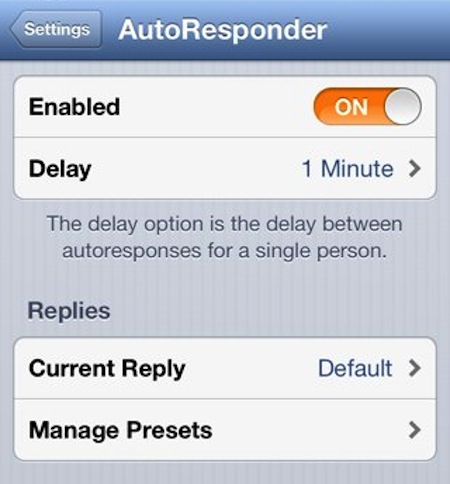
AutoResponder 2 for iOS is out, 50% off for a limited time

If you've been jailbreaking for a while, chances are you've heard of AutoResponder. The tweak allows you to set up an auto-reply for your text messages, sending a pre-generated reply to anyone who messages you.

Well good news for folks who love the tweak, and even better news for those that want to try it. It was updated this week, released as AutoResponder 2, with support for iOS 6. And for a limited time, it's 50% off...

TypeStatus now available on Cydia

http://www.youtube.com/watch?v=3q0yMz41Ojc

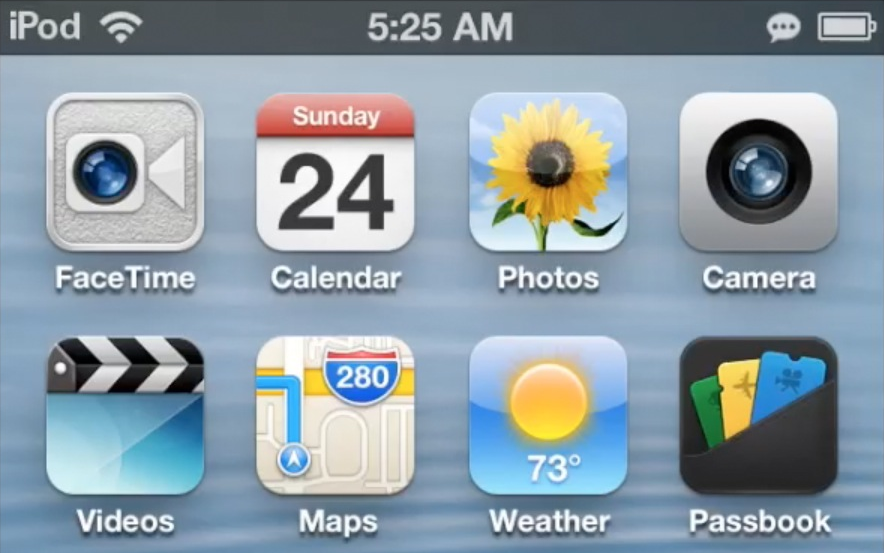
TypeStatus — a new jailbreak tweak that we previewed in the wee hours this morning, has gone live on Cydia. This tweak places a handy ellipsis notification in the status bar when someone is in the midsts of composing an iMessage reply to one of your ongoing conversations.

If you want to try TypeStatus out, then head over to Cydia's BigBoss repo where it can be downloaded for free. As always, we urge you to share your sentiments in the comments below.

TypeStatus adds an iMessage ‘now typing’ indicator to the status bar

TypeStatus is a new jailbreak tweak that has a special place in my heart. Why? Well, it's because for once I can claim some sort of credit for its creation. A couple of weeks ago, I suggested, just on a whim, that someone create a tweak that allows you to see the "now typing" indicator for iMessages in the status bar.

A few hours later, I was informed that the tweak was being worked on, and not long after that, I had a working copy in my inbox. Folks, this is what makes the jailbreak community so special. It's filled with uber-talented developers who have a knack for creating great things, and bringing ideas to life.

Truth to be told, I never expected anyone to take my request and bring it to fruition, but I'm happy that someone did. @thekirbylover of Hashbang Productions is the one I have to thank for making it a reality. I'd like to say I can take credit for this tweak, but the majority of the credit goes out to the mind behind the code. Check out my hands-on video preview of TypeStatus inside.

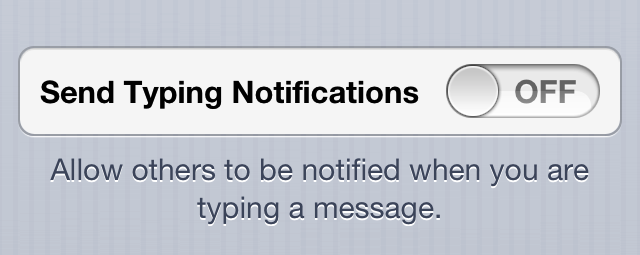
TypingPrivacy prevents iMessage users from seeing when you type

Whenever you begin composing a new iMessage, your recipient can see that you're typing. That's because an ellipsis appears in their Messages app to let them know so. The purpose of this is to let people know that you're responding to them, that you haven't left them hanging. It makes the party on the other end of the message wait in expectation of your response.

While most people don't have a problem with this and actually enjoy the feature, some find it to be an intrusion of privacy. You could, obviously, just disable iMessage, and the issue would be settled. But that means the inconvenience of incurring possible SMS fees, and the inability to send messages via Wi-Fi, and on iOS devices which aren't iPhones.

As a response to this possible breach of privacy, a jailbreak developer has created a tweak to eliminate the 'now typing' ellipsis. The tweak is called TypingPrivacy, and it's available right now on Cydia's BigBoss repo.

Flex patch highlight: 5 essential enhancements to iOS

As we've mentioned in the past, Flex is basically a Game Genie for the iPhone. While Flex can't create new content, it can nullify lines of code, override return values, and mess with variable return values. These can be used to prevent jailbreak detection, enable hidden features, hide interface elements in apps, and even, as you may expect, cheat in games.

Flex is a very versatile tool with a near limitless number of potential uses, so today we're going to highlight 5 general purpose Flex patches for iOS...