How to

How to Quickly Launch Apps With Siri

One of the glaring features that Apple left out of Siri is the ability to integrate with and launch apps. You can do all sorts of things with your voice and Siri, but you can't use third-party apps (short of a few exceptions and the services Apple officially partnered with for launch) or open apps with a voice command.

Thanks to the widely undocumented world of iOS URL schemes, you can actually trigger app shortcuts with Siri on your iPhone 4S. While it's not the cleanest method, there are tons of possibilities for quickly launching apps with Siri. Let's take a closer look...
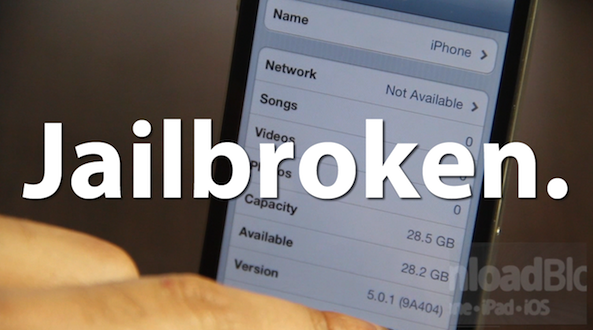
How to Jailbreak iOS 5.0.1 Beta 2 With RedSn0w

Am I imagining things, or did iOS 5.0.1 beta 1 just drop a few days ago? Now we already have iOS 5.0.1 beta 2?

Either way, it's no big deal for jailbreakers, because as noted, iOS 5.0.1 beta 2 can be jailbroken using the latest version of RedSn0w.

Inside, we'll show you how to do so on video...

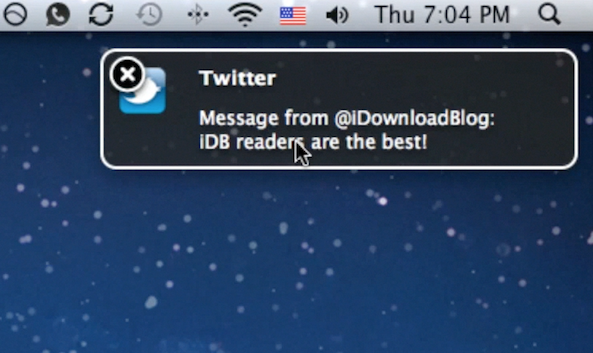
How to Forward Push Notifications to Your Mac or PC Using ‘GrowlNotifier’

Wouldn't it be awesome if you could forward all of your iPhone's push notifications to your Mac or PC? Well now you can, if your iDevice is jailbroken.

GrowlNotifier is a free jailbreak tweak that allows you to easily forward all of your push notifications to your Mac or PC with just a few easy to configure steps.

Check inside for a video walkthrough and tutorial...

How to Jailbreak iOS 5.0.1 With RedSn0w

If you're a developer and you've taken the plunge to update to iOS 5.0.1 beta, we confirmed earlier that you can jailbreak the bleeding edge firmware.

Now we'll show you how to jailbreak iOS 5.0.1 on video using RedSn0w. You will need your iOS 5.0 firmware, since RedSn0w has not been updated to recognize 5.0.1 yet.

Other than that small little detail, jailbreaking iOS 5.0.1 with RedSn0w is a cinch...

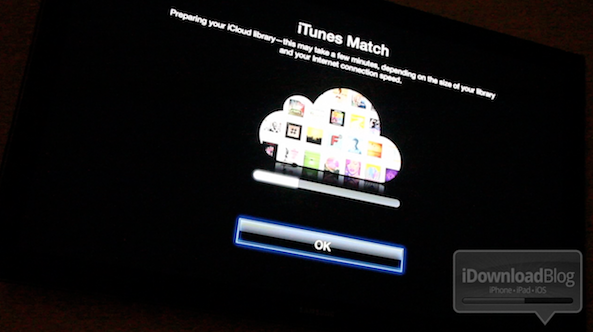
How to Enable iTunes Match on Apple TV 2 [Video]

So by now you've probably heard the news: Apple has released iTunes 10.5.1 beta 2, and along with it comes iTunes Match Support for Apple TV 2.

But how do you go about enabling iTunes match on the Apple TV? It's actually much easier than one would expect.

Check out our video demonstration of iTunes Match on Apple TV inside...

How to Mark Multiple Emails as Read in iOS 5

For the past few weeks, we've been showing you how to access some handy features in iOS 5. We've shown you how to create text shortcuts, and how to look up word definitions using iOS' system-wide dictionary.

Now we're going to show you how to mark multiple emails as read in iOS 5. This wasn't something you could do before in iOS 4 without a jailbreak tweak, but it's easy to do in the latest version of Apple's mobile OS...

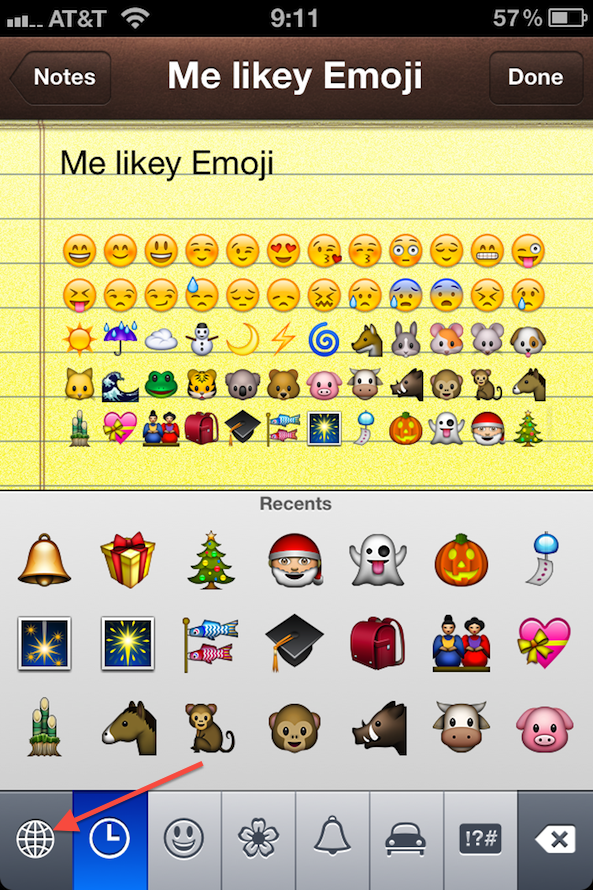
How to Get Emoji Icons on iOS 5 [No Jailbreak Required]

Up until now, the only way to get Emoji icons on your iPhone or iPad was to employ some workaround that either required a jailbreak or an app from the App Store.

Workarounds are great, but native solutions are even better. iOS 5 has made this much easier since it is now letting you use an Emoji icon keyboard on a stock iDevice. No jailbreak and no download required...

How to Fix iBooks on a Jailbroken iOS 5 Device

Yesterday, a book about Steve Jobs was released; perhaps you've heard of it?

Sadly, if you're an iBooks reader with a jailbroken iOS 5 device, you won't be doing too much catching up on the late Apple CEO's affairs, or otherwise.

That's because iBooks crashes on iOS 5 devices that are jailbroken, rendering it quite useless. Fortunately, there is a workaround. Check out the video tutorial inside, for an in-depth walkthrough on the fix...

Save Video Attachments to Your Camera Roll With iOS 5

After nearly two weeks on the market, people are still finding new stuff in iOS 5. Apple's latest software update to its mobile operating system is loaded with new features — over 200 according to Scott Forstall and company.

The update also includes new capibilities for iOS users. You can activate your device's camera from your lock screen and you can view notifications by swiping down on your status bar. You can also save videos to your camera roll...

How to Rename Your iDevice on the Fly in iOS 5

You've always been able to name your iDevice in iTunes by plugging it in and clicking on its name in the sidebar to edit. With the introduction of iOS 5 and the PC-free mentality, you don't need to do that anymore.

Apple has made it even simpler to rename your device by letting you do it directly from your iPhone, iPod, or iPad...

How to Push Links from iOS to Your Desktop

How many times have you realized you needed to continue your iPhone browsing session on your laptop or desktop PC? What about when you come across an app for your Mac that you want to download to your PC, not your iPhone?

Sure, there are plenty of options for downloading something to your iPhone or iPad, or even to Dropbox , but there is an unparalleled advantage to seamlessly transferring a link or webpage to your Mac. Whether you want to send a DMG, an installer package, a torrent, or a website that only supports Flash, your options are limited when you try to view them from an iOS app.

Luckily, there are several solutions that have sprung up over the past year. Pushing from a browser to an iPhone has been relatively simple for quite some time, but one-tap solutions to go from iOS to Mac are finally available. Read on for our list of creative services that offer you just that…

Untethered Jailbreak vs. Tethered Jailbreak vs. SemiTethered Jailbreak — What’s the Difference?

The age old questions remain: What's an untethered jailbreak? Why is a tethered jailbreak undesirable?

What's a tethered boot? Why does my iPhone keep rebooting over and over after I jailbreak?

If you've ever asked one of these questions, or you're still looking for answers, then step inside to learn, and contribute your knowledge to the discussion...