How to

How to Protect Your iMessages on a Stolen iPhone

Apple's iMessage may be a fine SMS/MMS tool, but as we recently reported, it isn't without its problems.

If you are unlucky enough to find your iPhone stolen or lost, then under some circumstances it is possible that the iPhone can continue receiving iMessages. Even moving your phone number to another handset, changing your Apple ID password, and remote wiping the handset may not stop the problem.

There are two possible fixes, and they are as simple as turning on your iPhone's SIM card PIN and calling your phone carrier...


How to Recalibrate Your iPhone’s Home Button to Make it More Responsive

Sometimes the Home button on the iPhone just starts getting a little funky, a little laggy, a bit unresponsive.

Most of the time, those issues are software based, unless of course you've dropped your iPhone in water while feeding your pet fish.

For us non-fish owners, we've confirmed that a simple recalibration is usually all that's needed to fix most issues with the iPhone's Home button. Take a look at our video tutorial inside...

How to Jailbreak iOS 5.0.1 With RedSn0w Beta 9

As promised, a new and improved version of RedSn0w was unleashed just a few moments ago, and one of its primary features is the ability to jailbreak iOS 5.0.1 outright without the assistance of any additional firmware.

This makes for one of the easiest jailbreak methods possible for iOS 5.0.1. Check inside for a video walkthrough of the jailbreak process, along with a brief tutorial...

How to See Facebook Timelines on Your iPhone

Back in September of this year Facebook held its F8 developer conference. Like Apple's WWDC event, Facebook uses F8 to announce new features and services. The big hit of this year's conference was the company's new Timeline feature.

Facebook Timelines allows you to see all of a user's content on the social networking site in one convenient stream. We've already shown you how to access the feature on the iPad, and now we're going to tell you how to see it on the iPhone.

How to Install Siri Proxy Plugins [Video]

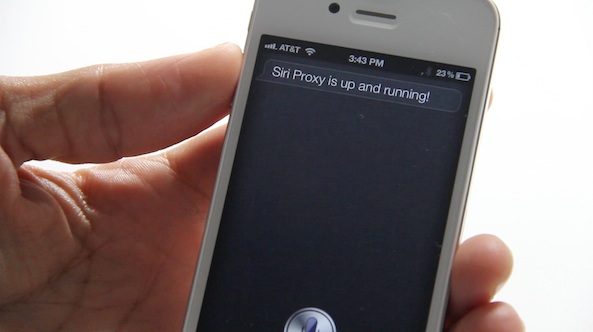
A couple of days ago we showed you how to install the much talked about Siri Proxy Server. That's the first step to being able to really do some marvelous things with Apple's so-called personal assistant.

The next step is installing the plugins that take advantage of the Siri Proxy. These plugins range from enabling you to tweet on command, start your car, control your television, or query IMDB's massive movie database.

In the following tutorial, we show you how easy it is to install Siri Proxy plugins, and we use the IMDB plugin as an example. If you already have Siri Proxy installed, you don't want to miss this...

How to Install Siri Proxy Tutorial [Video]

We've gone hands-on with Siri Proxy, and the things you can do with this handy tool are amazing.

But as you know, at iDB we don't like to keep all the good stuff to ourselves. For that reason, we've created this comprehensive video tutorial and guide that shows you how to run Siri Proxy on your iPhone 4S.

We show you step-by-step what's needed to try out Siri Proxy yourself...

Introducing Our New And Improved RedSn0w Page

The timing almost couldn't be any better. The Dev Team is working on a new and improved version of RedSn0w, and we just finished our new and improved RedSn0w tutorial page.

The new RedSn0w page includes a comprehensive breakdown of every feature present in RedSn0w. It also includes handy video tutorials to make understanding the tool's primary features easy to follow.

If you haven't seen our new RedSn0w page already, check inside for a glimpse of what's new...

How to Downgrade iOS 5.0.1 to iOS 4.3.3 For Untethered Jailbreak

If you absolutely must have an untethered jailbreak at this very moment, there is always the option of downgrading back to iOS 4.3.3.

Assuming you saved your SHSH blobs for the last firmware susceptible to an untethered jailbreak, you can follow this video tutorial and downgrade to iOS 4.3.3 in about 10-15 minutes. Inside we show you how, step-by-step...

How to Transfer Media From iOS to a Computer Without Using iTunes

When Apple originally launched iTunes it revolutionized device-to-computer media sync software. But after years of leaving the app largely unchanged, users have started calling for a revamp. In this day in age, iTunes feels antiquated.

Luckily, there are a couple of ways around using iTunes to transfer media from your iOS device to your computer, and vice versa. Using file transfer software, you can move virtually anything from your iDevice to your Windows PC or Mac and back again.

How to Save iOS 5 SHSH Blobs and Create Custom Firmware to Downgrade iOS 5.x Using iFaith

As we told you yesterday, iFaith — the Windows based tool that allows you to manage SHSH blobs on all devices sans the iPhone 4S — has been updated with the ability to save iOS 5.x blobs, and create custom firmware that you can use to downgrade your iOS 5 device.

It works very similar to RedSn0w's stitching feature, except the big difference here is that it encompasses Apple's APTicket and features iOS 5 compatibility.

Up until now it was impossible to downgrade an iOS 5.x device to a previous version of iOS 5. That's no longer the case, as our video tutorial shows you inside...

How to Get Siri Dictation on Your Mac or PC [Video]

Earlier we told you about the update to TouchPad, a VNC remote control app for iOS devices. It's a well known app in itself, but this latest update is sure to make a few people ecstatic.

Indeed, Edovia — the highly esteemed developers behind this and other great apps, like Screens — has updated TouchPad to allow Siri dictation between an iPhone 4S and a Mac, Windows, or even Linux machine if that suits your fancy.

Check out our video demonstration inside...

How to Send Group Messages and Emails With Siri

Now that folks have had over a month to play with the new iPhone 4S, more and more Siri tips are starting to surface. Siri can do so many things that new commands are constantly being discovered.

Earlier today we told you how to use Siri to see planes flying above you using Wolfram Alpha's database. Now we've come across a tip that lets you use the assistant to send group text messages and emails...