How to

How to Permanently Preserve Your iOS 5.0.1 Untethered Jailbreak

If you've been paying attention to the jailbreak scene lately, then you've heard the warnings about preparing for Apple's next counter move against jailbreakers. The question is this: have you heeded it?

It's imperative that you update to iOS 5.0.1 now and save your SHSH blobs across all devices, including the iPhone 4S and iPad 2. That way, you can always downgrade to iOS 5.0.1 later, which means you will always have access to an untethered jailbreak.

We'll show you how to create a firmware file for your A4 devices that can always be jailbroken. We'll also tell you what to do to preserve the jailbreakability of your A5 devices as well. If you haven't done this yet, now is the time to act...


How to Stream Media From Your iPhone to Your PS3 Without Jailbreaking

Between its AirPlay feature and the Apple TV, Apple has made streaming media content from your iPhone to your TV extremely simple. But those that don't own an Apple TV will find the task a bit more complicated.

Luckily, it's not too difficult for folks with a Sony PS3 system. Last year, we showed you how to stream media from your iPhone to your PS3 using a jailbreak app. And now we're going to show you how to do it without jailbreaking.

How to Get Unlimited Data On Your Verizon iPhone

Verizon discontinued its unlimited data plan last July, thereby joining the ranks of AT&T with tiered data offerings for smartphone users. Thankfully, a nifty trick has surfaced for getting unlimited data on Verizon, despite the CDMA carrier technically not offering its all-you-can-eat plan anymore.

While we can't verify the legitimacy of this method, many Verizon customers have reported that performing this workaround has indeed unlocked unlimited data...

How to Jailbreak Apple TV 4.4.4 Untethered With Seas0nPass

Now that pod2g's untether exploit has been made public, the benefits are now being felt in our living rooms. That's because the team at FireCore has updated their Seas0nPass Apple TV jailbreak tool to take advantage of the untether exploit.

Now you can enjoy all of the benefits of Apple's latest Apple TV update — which includes AirPlay mirroring — coupled with an untethered jailbreak that allows you to do all sorts of interesting things.

Check inside for the full tutorial...

How to Set Up Spire [Video Tutorial]

A few days ago chpwn released Spire, a legal Siri port for the iPhone 4 and other devices. The release was met with much excitement, and likely just as much confusion. How does it work? Can it work with an existing Siri Proxy?

Getting Spire working on your non-iPhone 4S device may seem daunting, but it's actually fairly straight forward, especially if you've successfully followed our Siri Proxy tutorial in the past. The Spire setup pretty much involves the same steps needed to get Siri Proxy working, with a few notable differences thrown in.

Check inside as I show you how to get Siri running on your iPhone 4 using Spire. This should also work for other devices, like the fourth-generation iPod touch...

How to Fix iBooks Crash After Jailbreaking iOS 5.0.1

Those of you who have used the untethered jailbreak for iOS 5.0.1 might have encountered an issue where iBooks crashes every time you try to launch the application.

This problem isn't new. Apple introduced this awhile back as a way to fight jailbreaking. Fortunately, we already have a fix for it. It's quick, simple, and it should solve all your issues with iBooks...

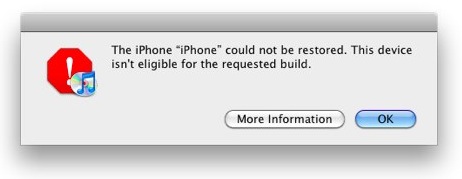
How to Fix “Device Not Eligible for Upgrade, Restore, Requested Build” Error

When trying to update your iPhone, iPad, or iPod touch to a newer firmware to take advantage of an untethered jailbreak, you might have encountered various problems, such as error message 1013, 1600, 1601, 1602, 1603, 1604, etc. These errors might tell you that your device is not eligible for upgrade, or that it's not eligible for restore, or even that it isn't eligible for the requested build.

There are fairly common errors, and thankfully there is an easy fix. All it takes in a few seconds of your time.

How to Jailbreak iOS 5.0.1 Untethered And Preserve Your Unlockable Baseband

Today, as we're sure you're aware of, the untethered jailbreak for iOS 5.0.1 was released. Tools like RedSn0w and packages like Corona were released to take advantage of pod2g's untethered exploit.

If you've had an iPhone 4 since launch, then it's entirely possible that you've preserved your baseband up until now for unlocking and resale value.

If your primary concern is preserving your baseband for an UltraSn0w unlock, then you'll be happy to hear that PwnageTool is back, and it packs full iOS 5.0.1 compatibility in tow...

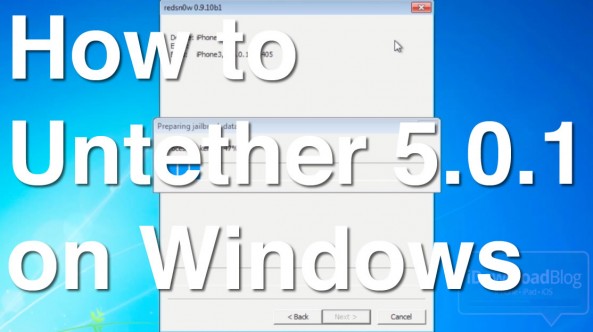
How to Perform an Untethered Jailbreak on iOS 5.0.1 Using Windows

Jailbreaking iOS 5.0.1 is about as easy as it can get on both Mac and Windows, but Windows users might encounter a couple of hiccups along the way if you're not careful.

The main thing to remember is that RedSn0w works best on Windows when you use XP Compatibility Mode and run it as an Administrator. By following those handy suggestions, the jailbreak process on Windows is just as easy as it is on the Mac.

Check inside for a video tutorial that shows how to perform an iOS 5.0.1 untethered jailbreak on a Windows 7 machine...

How to Get the iOS 5.0.1 Untethered Jailbreak Using RedSn0w

By now you've probably read our earlier report that there is finally an untethered jailbreak for iOS 5.0.1. This is thanks to the amazing work of iOS hacker pod2g, but also thanks to GeoHot, who found some of these exploits a while back.

As we mentioned in our previous post, there are two ways to untether iOS 5.0.1. If you're already jailbroken, you may want to use Corona Untether 5.0.1. If, however, you're still running a stock iOS 5.0.1 version, then this RedSn0w tutorial is for you...

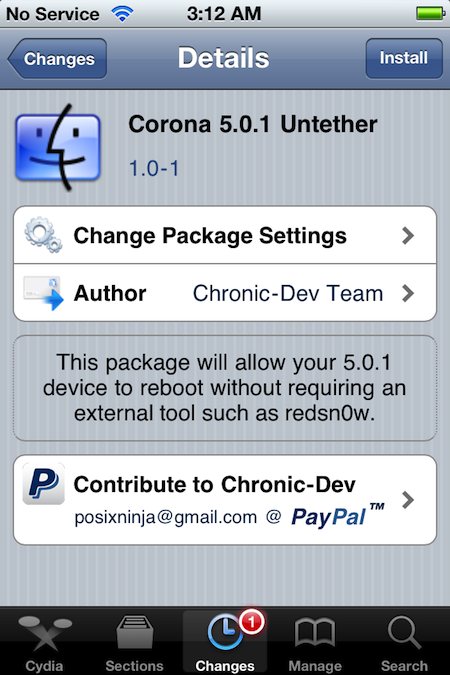
How to Get the Untethered Jailbreak Using Corona Untether 5.0.1

After weeks of anticipation, the iOS 5.0.1 untethered jailbreak is finally here, compliments of pod2g, the Chronic Dev Team, and the Dev Team. As we explained a little earlier today, you currently have two ways to untether.

Depending on your situation, you can either run the latest version of RedSn0w, or if you're already jailbroken, you can use the Cydia package called Corona Untether 5.0.1 to do the job. The latter is what we'll focus on in this post...

How to Add Game ROMS to iMAME on Your iOS Device

Yesterday we told you about iMAME, the free iOS emulator that somehow managed to sneak its way into the App Store. The app allows users to play classic arcade games by loading ROM [read only memory] files onto an iOS device.

iMAME comes with 10 classic arcade games, but is compatible with thousands more if you can figure out how to transfer ROMs onto your handset (or iPad). We put together this easy tutorial to show you how to do sideload retro game ROMs for iMAME.