Apps

LaunchInSafeMode lets you selectively launch apps without being affected by tweaks

If you install jailbreak tweaks that modify certain apps in particular, then you might find a new free release dubbed LaunchInSafeMode by iOS developer inoahdev useful for troubleshooting when things stop working properly.

This tweak lets you launch individual apps into a “safe mode”-like state in which it launches without the effects of other jailbreak tweaks. In other words, it lets you see if a problem you’re experiencing is caused by a jailbreak tweak or something else.

Not to be outdone by Instagram, Snapchat unveils custom Stories of its own

Just a few hours following Instagram's announcement regarding all-new location and hashtag-based Stories in the app's Explore tab, rival Snapchat just announced custom Stories of its own. Now there's a new way to create Stories in Snapchat 10.9 for iPhone, iPad and iPod touch.

You can create a custom Story in a specific location or with your cherry-picked friends. “It's perfect for a trip, a birthday party or a new baby Story just for the family,” notes Snap.

Tap the Create Story icon in the top-right corner of the Stories screen to get started.

https://www.youtube.com/watch?v=ohN8cv7nUmA

Song: “Sunroof” by courtship

Of course, you have the tools at your disposal to control who can add to your Story and who can view it. And by using geofencing, you can attach your Story to a specific location. Your custom Story disappears automatically if no one has contributed to it in the past 24 hours.

Aside from custom Stories, this edition of Snapchat puts your own Bitmoji selfie inside your Snapcode. To change the mood of your Bitmoji, just tap the Edit Bitmoji command.

Grab Snapchat for free on App Store.

Duet Display brings even more desktop power to your iPad drawing experience

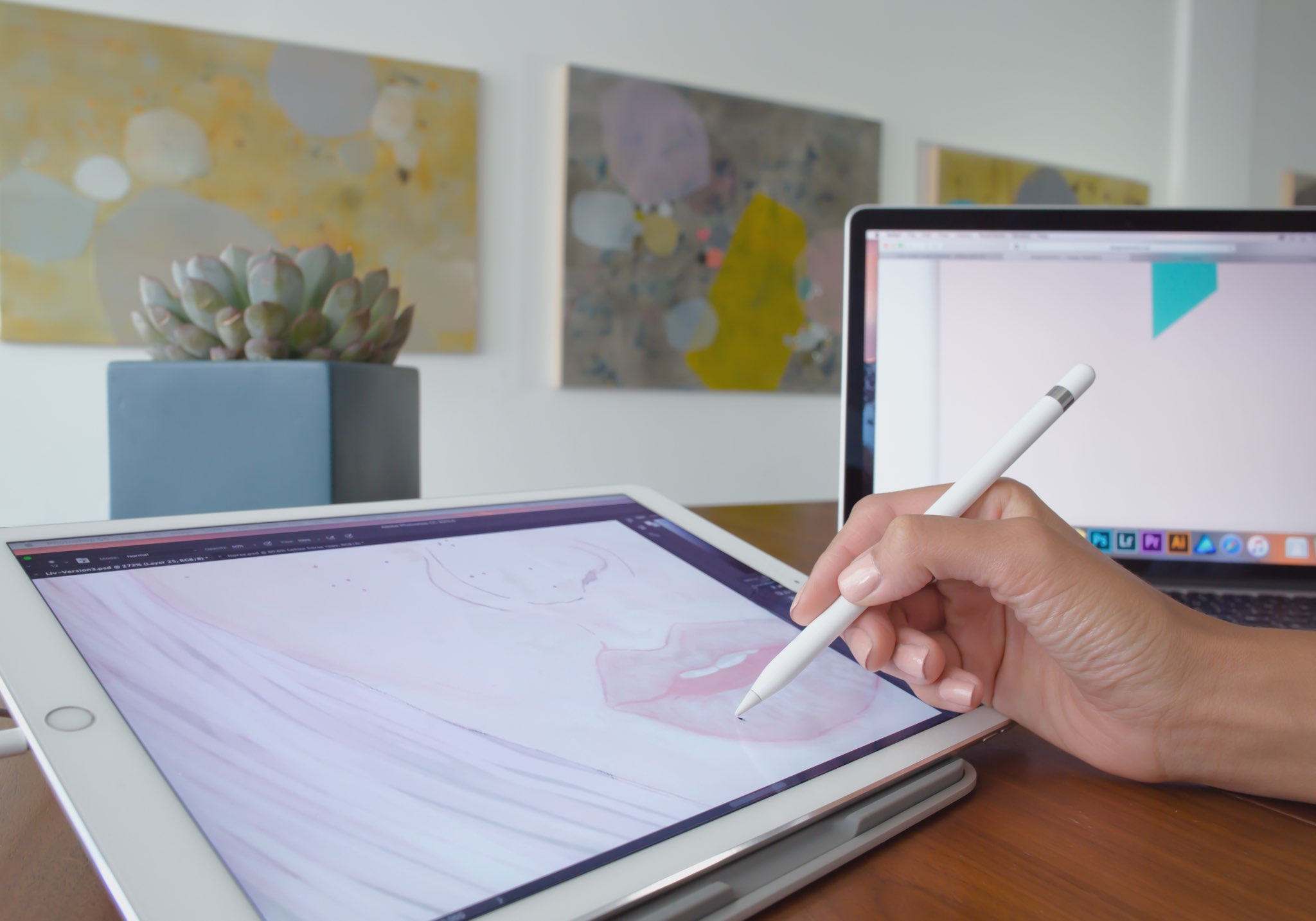
Duet Display, an app billed as the first solution to turn your Apple tablet into a second display and a high-performance drawing tablet for your Mac or Windows PC, was updated on App Store today with some new features.

The new Duet Display now lets you have the drawing experience on your iPad with the speedy rendering and sheer hardware power of a desktop.

The update brings out a number of enhancements and new customizations, including a customized pressure curve, advanced gesture support, a more fluid drawing experience, improved color quality and more.

Here are the key highlights in this release of Duet Display:

Customized pressure curve—You can now change the way macOS or Windows receives the data, allowing for a personalized drawing experience. Advanced gestures—We have added a lot of gestures to both standard and pro users. This should make drawing and using your iPad as the primary device much simpler. Line lead—To provide a faster drawing experience, we have spent some time making a line preview to predict where the Pencil is before macOS or Windows knows where it is. We plan to continue improving this to create an instant drawing experience. Touch Bar—We implemented Touch Bar support last Christmas. Pro users have really benefitted the most as they are using their iPad more than their computer, so it makes quick interactions much faster. We have improved the stability and speed of it, and many more apps support Touch Bar now. Improved color quality—We have improved rendering quality and speed for pro users under the Pixel Perfect setting, delivering a higher quality display in less time. We plan to continue improving performance as much as we can.

Duet Display works over a USB connection as wired connections are significantly faster and far more responsive than wireless solutions. The app's speedy rendering engine has a much lower latency than Apple's AirPlay technology.

Duet Display has proven to be very valuable to artists, designers and video editors as it essentially replaces a Wacom drawing tablet with your iPad Pro and Apple Pencil.

The app supports finger drawing, too.

Aside from drawing support, Duet Display can be used to turn your iPad into a second screen for your Mac or Windows PC. For instance, you could use your iPad Pro to keep tabs on your social media feeds while editing a document on your Mac's primary display.

The ability to turn a supported iOS device an external monitor for a Mac should be especially handy while you're traveling or if you cannot afford an eternal display for your computer.

Duet Display for iOS is a $19.99 value on App Store.

To celebrate today's update, the app is on sale today for $9.99.

A pro-level upgrade which unlocks the ability to use your Apple tablet as a drawing tablet for your computer costs an additional $19.99 per year as an in-app subscription.

Duet Display 2.0 for Mac or Windows is available directly from the official website.
YouTube TV app gains AirPlay support

Google today updated its official YouTube TV app with support for AirPlay, an Apple technology that lets you play video streamed from your iPhone or iPad on a TV set through your Apple TV.

“Announcing AirPlay! There are a few bug fixes and minor improvements in this thing, too. But mostly AirPlay,” reads the changelog for YouTube TV on App Store.

Prior to today's update, YouTube TV only supported broadcasting content from the app to a television set via Google's Chromecast HDMI dongle.

Google launched its new streaming television service back in April 2017.

In exchange for $35 per month, cord-cutters can enjoy live TV streaming from Fox, ABC, CBS, NBC and other popular cable networks along with content from an additional 39 local broadcast networks and channels, like ESPN.

Some sports channels like Fox Soccer Plus, as well as premium networks such as Showtime, are available for an additional monthly charge. DVR with unlimited storage is included in the subscription at no additional charge.

https://www.youtube.com/watch?v=qediav063xQ

YouTube TV can be used with up to six accounts in a single household without needing to share passwords between family members.

YouTube TV is separate from the YouTube Red service, which costs ten bucks per month.

YouTube TV is currently limited to select cities, like Chicago, Los Angeles, New York City, Philadelphia and the San Francisco Bay Area.

For more information, visit tv.youtube.com/tv/availability.

You can try YouTube TV free for 30 days by signing up at tv.youtube.com.

Not Hotdog, GiftHead, Stigma, and other apps to check out this weekend

This week's edition of our Apps of the Week roundup includes a not-so-smart food identifying app, a personal shopper that is an expert at helping you pick out gifts, and a journaling app aimed at helping you improve your mood. And as usual, we have two great new games for you to check out this weekend.

Not Hotdog

If you're a fan of HBO's TV series Silicon Valley, you probably already know what this is. In last week's episode, budding entrepreneur Jian-Yang demonstrated an app called Seefood, which was supposed to be able to identify different foods using your phone's camera. Instead, all it was able to do was differentiate between hot dogs and non-hotdog items—thus, Not Hotdog was born. That's literally all the app does, but I got a little kick out of taking pictures of random things and sharing them with friends using the 'Not hotdog' caption. And you could too. Not Hotdog is available for free.

GiftHead

Here's a not-so-new app that you may not have known about. It's called GiftHead and it just received a huge update with a major redesign and support for 500 new stores. The app works like this: tell it who you're shopping for, what the occasion is and your preferred price range. Then pick a gift from the curated list of suggestions, and the app will point you to the right store. Rather shop online? The app can do that too. Other features include sale alerts, wish lists and gift reminders, so you'll never miss a birthday or anniversary again. GiftHead is available for free.

Stigma

Stigma is another not-so-new app that could be useful for folks that don't know about it. It's described as a "mental health" app, with a built-in journal, mood calendar, reminders and a word cloud that allows you to see the types of words you're using most in your journal entries. There's also a support network aspect, with PenPals (supportive peers), Support Groups, and a community you can share your journal entries with. Now the app itself is free, but there is a Pro service that starts at $2.99 per month with premium features like advanced analytics and longer journal entries. Stigma is available for free.

Old Man's Journey

Old Man’s Journey is a soul-searching puzzle adventure game about life’s precious moments, broken dreams, and changed plans. Immerse yourself in a visual narrative as you uncover stories of the old man’s life told through beautiful vignettes of his memories. Interact with the serene, whimsical environment as you solve playful puzzles and shape the landscape around you, growing the hills to create the old man’s path forward. Note that this game has won a ton of awards for its visuals and storytelling, but some of the iTunes reviews complain that the puzzles are too easy and the game is too short. We still think this is worth checking out. Old Man's Journey is available for $4.99.

Timber Tennis

From the makers of the hit Timberman comes Timber Tennis, essentially a unique take on the game Pong with a lumberjack twist. Take part in the annual Timber Tennis World Championship—beat all your old rivals by upgrading your skills, using super-shots and staying clear of other players' specials. Unlock a slew of characters and balls, and compete in local multiplayer against your friends. Note that this is a freemium title, with an in-app purchase to remove ads, and some of the early reviews complain that the ads are super intrusive. Even so, if this game is half as addictive as Timberman, it's worth checking out. Timber Tennis is available for free.

More apps to check out Microsoft refreshes OneNote apps with new design and accessibility features Apple’s free app of the week: Eggggg – The Platform Puker Things 3 is out with overhauled interface and multiple new features Hey Siri, make some room for Google Assistant on my iPhone Gmail for iOS now uses machine learning to provide smart replies Todoist gains 2-way Google Calendar integration, Dynamic Type support & more Instagram rolls out selfie filters, rewind option for videos, hashtag sticker & eraser brush

Microsoft refreshes OneNote apps with new design and accessibility features

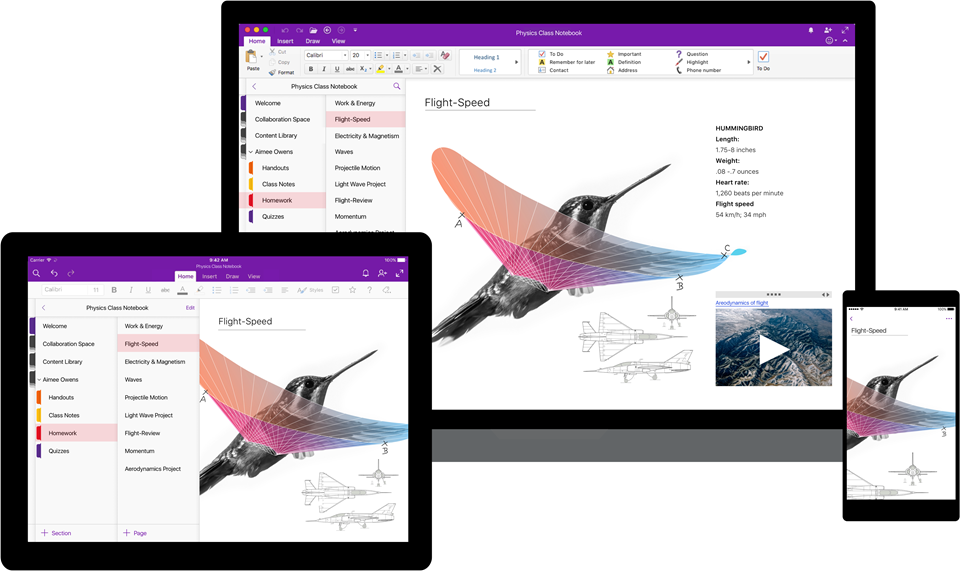
Software maker Microsoft on Friday rolled out new versions of its note-taking apps for iPhone, iPad, Apple Watch, Mac, Android, Windows 10 and the web. OneNote's interface has been tidied up and navigation improved in the latest release.

The app now includes new assistive features to help users with disabilities.


OneNote's revamped interface makes organizing your notes easier than before with an improved layout. You'll notice that the reworked interface puts your content front and center, with all of the notebooks, sections and pages moved to columns on the left side of the app.

This allows for efficient organization of your notebooks.

The company celebrated the redesigned OneNote launch with the following video.

https://www.youtube.com/watch?v=fmGVp76WyIU

The newly implemented accessibility features, available across iOS and macOS, let people with various disabilities efficiently navigate the app with screen readers, improved keyboard shortcuts and other assistive technologies.

And with the left-hand navigation controls, screen readers can easily navigate through the app.

OneNote is now available with a consistent experience across devices: with this update, says Microsoft, your experience will be the same regardless of what device you happen to be using.

The new redesign for OneNote is rolling out for Windows 10, Mac, iOS, Android and on the web over the coming weeks so check back later if it's not live yet.

OneNote for iPhone, iPad and Apple Watch is available free on App Store.

OneNote for Mac is available free on Mac App Store.

Things 3 is out with overhauled interface and multiple new features

German developer Cultured Code on Thursday released Things 3, a major new iteration of its powerful personal task manager for iPhone, Apple Watch, iPad and Mac. Things 3 brings out a beautiful timeless new design with delightful interactions and animations. Aside from the new look and feel, the refreshed app is packed to the gills with a host of new features.

Released as three separate apps (they've kept the current pricing), Things 3 is Cultured Code's first paid update for existing users since versions 1.0.

Here's what developers had to say about the app's gorgeous new UI:

The all-new Things comes with an all-new design. It's not just how it looks—but also how it works, and how it feels. The interactions are delightful. The animations are smooth. The content is more structured. The concepts are clearer.

Open a to-do and you'll immediately get a sense of how the new apps feel.

Nicely animated transitions expand the selected to-do into an empty white piece of paper. You can add additional details to your to-do, neatly tucked away in the corner until you need them.

“There are no distractions here, it’s just you and your thoughts,” said developers.

The choice is yours: you can create either a simple to-do that looks like text on a piece of paper or opt for a richer to-do which may include additional details such as tags, checklists (a new feature for to-dos in Things 3), a start date, a deadline and so forth.

Speaking of to-dos, Things 3 introduces an all-new Magic Plus Button.

Found in the corner of the screen, you can tap it to quickly add a new to-do or actually drag the button to a particular list in order to generate a to-do in a specific location. Plus, managing to-dos is now way easier than before with expanded support for gestures, like dragging and dropping, swiping, tapping to expand and more.

Seasoned Things users will be delighted to know that developers have implemented one of the most-requested features: time-based reminders. For those to-dos you absolutely cannot miss, adding a reminder will give you peace of mind.

While scheduling a to-do in Jump Start, click Add Reminder and set the time. There are three ways to set the time: manually, using the app's natural language parser (just type “Wed 8pm” or some such, and you're all set) or you can speak to Siri (“Remind me to call Seb at 5am.”)

Watch the promotional video for Things 3.

https://www.youtube.com/watch?v=2R6o5t0VK_A

Things 3 now supports headings to break up complex projects into sections.

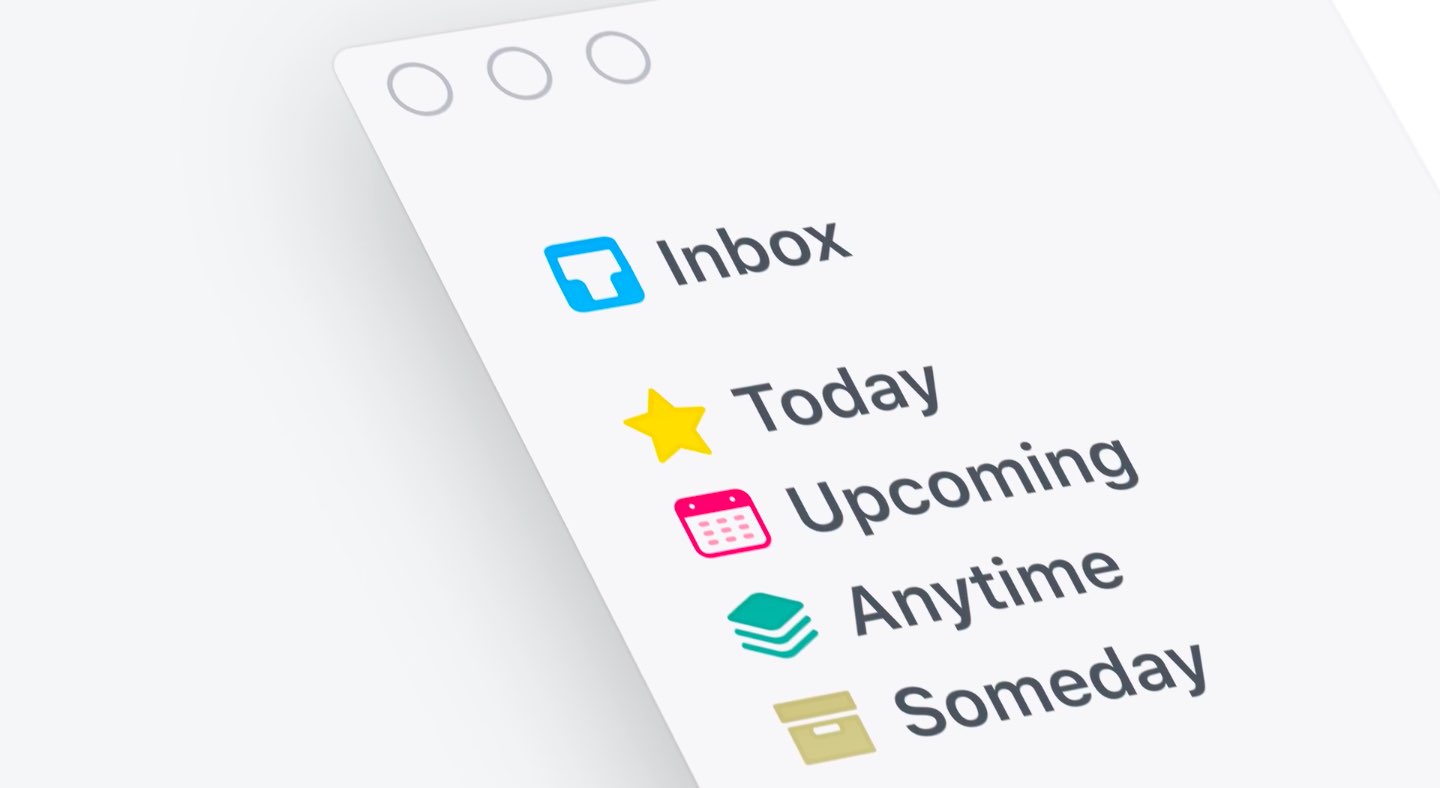
And with the app's Magic Plus Button, you can create and place headings in new projects like a pro. The app's cleaner design extends to your Today and Upcoming sections which now combine calendar events and to-dos into one unified view with a timeline at the top, giving an outline of your schedule.

A new This Evening section is your at-a-glance overview of any to-dos that you won’t get to until later in the day, like things you can only do when you get home. The This Evening section is a handy way to keep these to-dos separate from the rest, in their own discrete list.

And to help you find a needle in the haystack, Things 3 now includes a Quick Find feature.

Just pull down on any list to reveal search, which can now find content across the entire app. Quick Find also includes handy shortcuts to your to-dos, lists, tags and more.

Type Travel, another new feature in Things 3, lets you navigation to any project, area or to-do in the app. On iPad, you can now swipe away the sidebar and focus on just the current list you’re working on, both in portrait and landscape orientations.

On your Mac, Things now has a Slim Mode which cuts out distractions so you can focus on the task at hand. To enter this mode, collapse the sidebar with a two-finger swipe. Slim Mode is especially great when you’re working in macOS's Split View multitasking mode.

You can even open multiple windows in Slim Mode and drag and drop items between them.

https://culturedcode.cachefly.net/things/videos/2017-05-03-allnewthings-when/video.mp4

Developers have completely rewritten core layers of the apps, which are now shared between macOS and iOS for increased reliability. The Apple Watch app has been updated as well (it now shows checklists and headings), there's a new structure for Areas in the iOS app and you can now import data from Wunderlist or OmniFocus into Things 3.

And with TouchBar support, owners of the new MacBook Pro can take advantage of convenient access to the app's most-used commands.

Things is fully integrated with all the latest iOS technologies: Apple Watch, Calendars, Siri, Reminders, Today Widget, Quick Actions, Action Extension, Handoff and Notifications.

The apps all stay updated via Things Cloud, which is the push sync service that Cultured Code custom-built for the app. Unfortunately, iCloud syncing is not supported in Things.

For the complete overview of what's new in the app, visit the official Things website.

Things 3 for iPhone and Apple Watch is $9.99 on App Store.

Things 3 for iPad is $19.99 on App Store.

Things 3 for Mac is $49.99 on Mac App Store.

To celebrate the launch of Things 3, all apps are 20 percent off until next Thursday, May 25.

A 14-day trial of Things for Mac is available via the Cultured Code website.

Futurama: Worlds of Tomorrow coming to iOS, will contain some entirely new episodes

Game developers FoxNext Games and Jam City (via its game studio TinyCo) announced today that Futurama: Worlds of Tomorrow for iPhone and iPad will arrive sometime in early summer.

The new game will blend simulation, combat, galactic exploration and choose-your-own-adventure mechanics together to bring the escapades of the Planet Express crew to life. In his February interview with USA Today, Matt Goering said that the game will contain some entirely new episodes of the show.

“Oh, you guys wanna do a game? That’s fine,” he said. “But we’re gonna sneak some more Futurama episodes in there on whatever device people are gonna be using.”

The game features two main settings: New New York, which focuses on simulation and character progression gameplay, and Space Adventures, in which players explore and battle their way through planets, nebulas and other weird stuff across the Futurama universe.

Futurama: Worlds of Tomorrow is being developed in partnership with Futurama and The Simpsons creator Matt Groening and his Curiosity Company, along with executive producer David X. Cohen and original Futurama writers.

“Jam City is working with the writers, animators, and cast to produce even more original animation that will have fans waving their tentacles in the air,” according to developers.

The official teaser trailer embedded below is the first new animation from the Futurama universe since the show's original TV run ended in 2013.

“I'm proud to say that Futurama lives! In mobile-video-game teaser trailer form, anyway,” said the series' creator Matt Groening. “If you squint, it's kind of like a little episode!”

https://www.youtube.com/watch?v=k2Izx4MQCwQ

“Working on this new Futurama animation has been a thrilling adventure,” said David X. Cohen.

“I finally understand how Neil Armstrong must have felt when he first landed on the lunar surface, watched some funny cartoons on the control screen, and did whatever else was on his schedule that day,” he added, jokingly.

In the New New York setting, your main focus will be on rescuing characters, collecting special items and materials, expanding your characters' capabilities by leveling them up and crafting ability-defining character outfits and tackling story-driven quests.

According to developers, events that occur in New New York will often move the game's overarching narrative forward, by allowing players to assemble a crew of their favorite Futurama characters and take to the stars for Space Adventures.

“While traversing the depths of space, players will fight alien enemies in retro arcade-style combat, rendered in beautiful 16-bit graphics, and explore strange lands in which their choices determine their fate,” they said.

Futurama: Worlds of Tomorrow will arrive sometime in early summer to iPhone, iPad, Android and Amazon devices. More information on the game will be released in the near future and we'll be making sure to keep you in the loop.

You can pre-register at youwillplayfuturama.com to receive a special in-game gift when you start playing. More original Futurama animation is coming too, so stay tuned.

Add the Dock to the Today view with this handy tweak

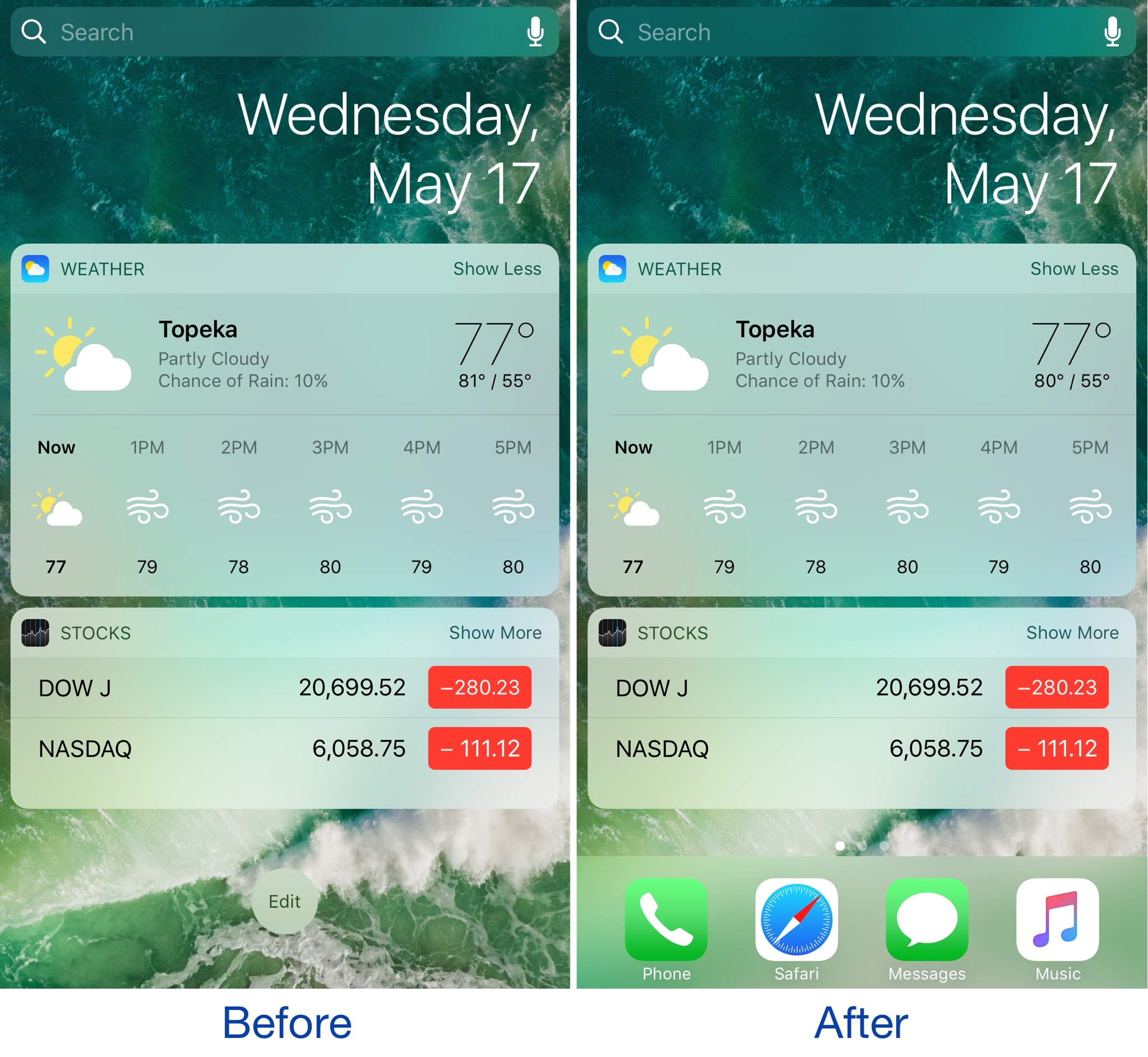
The Dock is a special part of the Home screen that houses your favorite apps and appears on all pages except for the Today page, which is where your widgets appear. On the other hand, if you wanted to change that, you officially can.

A new free jailbreak tweak dubbed ViewDockOnTodayView by CydiaGeek allows the Dock appear on the Today page with all of your widgets and in addition to all of your regular Home screen pages.

Google Photos launching automatically curated albums, photo books & sharing suggestions

During today's keynote address at Google's annual I/O conference for developers, the company announced a trio of smart features powered by machine learning intelligence.

For starters, the app now automatically curates albums for the user.

Even better, Google Photos provides suggestions when sharing photos with others. As a bonus, there's now an Apple Photos-like feature for ordering printed photo books from within the app.

But first, check out the new features for yourself in Google's video embedded below.

https://www.youtube.com/watch?v=SN_7r0mFf5Y

Sharing suggestions

Photos now uses Google's machine learning technology to remind you when it's time to share some photos. The app automatically select the right photos and even suggest who you should send them to based on who was in the photos.

All that's left for you to do is review the choices the app's made on your behalf before hitting that Send button. People you're sharing with will see all your photos and get a reminder to add theirs too. Your sharing activities are collated in the app's new Sharing tab.

This feature will be rolling out on Android, iOS and web in the coming weeks.

Automatically curated albums

Google Photos can now automatically share relevant photos with specific people. Say you took a bunch of photos of your kids: Photos may offer to automatically share them with your wife.

Called Shared Libraries, it lets you give a person access to your full photo library.

Don't worry, you can easily choose to limit sharing by having the app include just the photos of certain people or the images taken from a certain date forward. When the other person shares their library with you, you can automatically save their photos to your own library.

Shared Libraries will be rolling out on iOS, Android and web in the coming weeks.

Photo Books

Like with Apple Photos or services like Shutterfly, you can now order a printed coffee table book comprised of your best photographs without ever leaving the app. Simply select the images you'd like to fill your album with and Google's machine learning algorithm will pick the best shots, removing duplicates and poor quality images.

When placing your order, choose between a high-quality twenty-page softcover book for ten bucks a piece or a hardcover variant for twice as much. Your photo book will be delivered to that special person in your life in the mail.

This feature is rolling out today in the US on web, and on Android and iOS next week.

“We’ll bring photo books to more countries soon,” said the search giant.

Another feature that's coming soon to Photos: personalized suggestions for photo books (i.e. your trip to the Grand Canyon, time with family during the holidays, your puppy and so forth). Machine learning powers features in other Google apps, including smart replies in Gmail for iOS and the newly launched Assistant for iPhone app.

Grab Google Photos for free from App Store.

Gmail for iOS now uses machine learning to provide smart replies

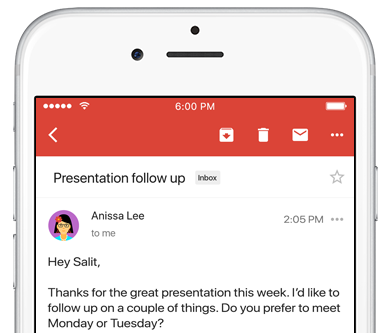
Google on Wednesday launched an updated version of the mobile Gmail app for iOS and Android, bringing out a handy new Smart Reply feature based on the company's machine learning technology. Like with canned responses in Apple's own Messages app, Gmail analyzes the contents of your emails to provide up to three canned responses based on what it thinks the sender is asking in their original message.

Smart Replies may include simple “Yes” and “No” responses. If the sender is asking whether to meet on Wednesday or Friday, Gmail may provide a bit more complex replies such as “Let's do Wednesday”, “Friday works for me” or “Either day works for me”.

Once you’ve selected one, you can send it immediately or edit your response starting with the Smart Reply text. By utilizing machine learning, the Smart Reply feature produces better responses the more you use it. “If you're more of a 'thanks!' than a 'thanks.' person, we'll suggest the response that's, well, more you,” says Google.

To learn about the smarts behind Smart Reply, check out the Google Research Blog.

Smart Reply will roll out globally in English first, with Spanish following in the coming weeks. Additional languages for Smart Replies will be added soon, Google has promised.

According to the search monster, the machine learning-assisted Smart Reply feature already drives twelve percent of replies in its Inbox email app.

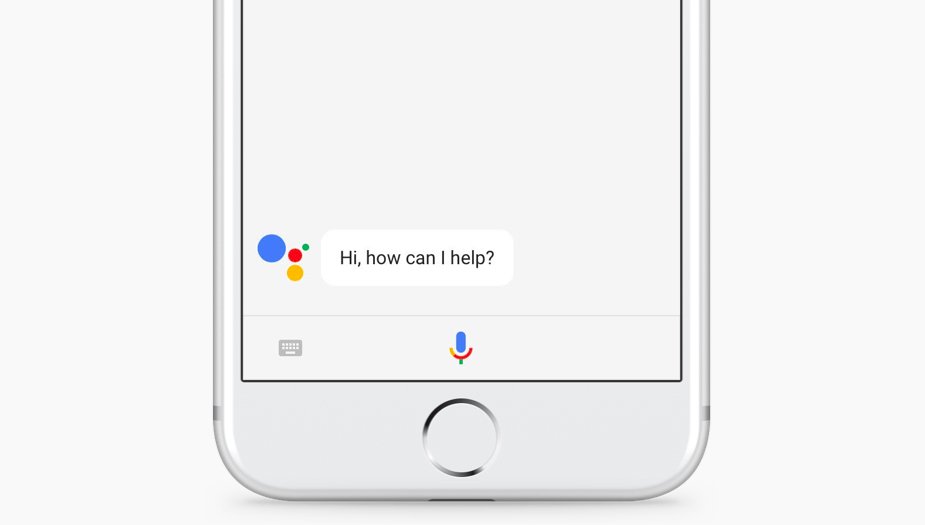
Aside from Smart Replies in the Gmail app, today's keynote address at Google's annual I/O conference for developers saw the release of the official Google Assistant app for iOS.

Gmail for iOS is available at no charge from App Store.