Apps

Lightroom for iOS gains selective brush editing, all-new iPad interface & more

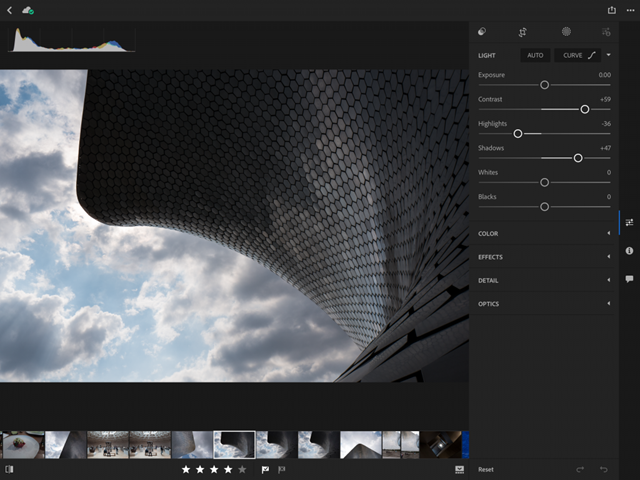
Adobe today updated Lightroom for iPhone and Lightroom for iPad on App Store with some key new features aimed at making editing on the go easier than ever. You can now use a new brush feature to selectively paint in enhancements to any part of your images.

The selective brush option extends to the eraser tool, allowing you to selectively erase both the linear and radial gradients. And if your device has 3D Touch, like iPhone 6s or iPhone 7, you can even vary the effect by just pressing softer or harder as you paint.

iPad Pro users working with an Apple Pencil get the same pressure-sensing to apply more or less of the effect. You'll also notice a new Details tab within the app where you can add the finishing touches to images by controlling noise and enhancing image details.

The in-app camera now supports a new Show Highlight Clipping feature that shows you the over-exposed areas prior to capture, which lets you adjust the exposure or composition in camera. Lightroom for iOS also packs in an improved virtual level via the in-app camera with haptic feedback and support for latest cameras and lenses.

Last but not least, Lightroom for iPad now features a revamped interface, shown top of post, designed for the tablet's larger canvas. According to Adobe, the app makes editing via iPad a serious option as a laptop replacement for any photographer.

Download Lightroom for iPhone and iPad free in App Store.

Vigor brings useful new features to Home screen app icons

The iOS Home screen has always left a lot to be desired. Being nothing more than a wall of app icons, you really can’t get useful information on the Home screen without using a 3D Touch gesture or swiping over to the Today widget page.

A new jailbreak tweak called Vigor by the AtomDevTeam changes that by displaying useful information directly inside your app icons, making it easier to see at a glance.

WhatsApp gains chat pinning, comprehensive file sharing & more in latest update

As part of a broader set of capabilities recently teased for the Facebook-owned WhatsApp messaging platform, the app has now gained a trio of new features in the latest update. WhatsApp version 2.17.40 for iOS brings a chat pinning feature, multi-format file sharing and other improvements.

With the pinning feature, you can make it so your favorite chats remain at the top of the list, so you can quickly find them. To use this feature, just swipe right on a chat in the conversation list, then tap a Pin or Unpin option.

The app has also expanded the file sharing feature, which now allows you to share any type of file with one or more recipients. To send files of any type, open a chat, tap the plus icon at the bottom then choose the Document option.

In the popup menu, select your favorite storage provider like iCloud Drive, Dropbox, Google Drive and so forth (any app that includes an iOS Document Provider extension should be available from the menu).

And lastly, when you receive multiple photos the app now lets you tap and hold on the group of photos to quickly forward or delete all of them in one fell swoop.

Download WhatsApp for iPhone, iPad and iPod for free from App Store.

Sticky AI, Picsew, RoverPass, and other apps to check out this weekend

This week's edition of our Apps of the Week roundup features a sticker-maker, screenshot-stitcher, and an app for locating and reserving campsites. And as usual, we've selected two great new games for you to check out.

Sticky AI

Sticky AI uses artificial intelligence to help you create your own selfie-stickers incredibly fast. Create still and animated stickers, save them to the sticker pack and share them easily across your favorite messaging apps. Features include awesome comic and cartoon-like sticker styles, bright and colorful backgrounds to choose from, and a simple and clean user interface. For me it's kind of like having Instagram or Snapchat stickers in all of your favorite social apps. Sticky AI is available for free.

Picsew

In the market for a screenshot-stitching app? Check out Picsew. It's not a new app, but it just received a big update. Picsew can automatically merge multiple screenshots into a single image. The developer says it has the leading auto-stitching success rate among similar products, and it also has a manual stitching option for more complex projects. Other features include support for both vertical and horizontal screenshots, high resolution output, watermarks and more. Picsew is available for $0.99.

RoverPass

It's that time of year again! Search, compare, and book with thousands of other travelers using RoverPass. With more than 20,000 campgrounds across the country, RoverPass is the only directory to offer nationwide booking through its online travel agency service. Other features include quick-loading search results, large photos, map exploration, online booking, and more. This isn't a new app, but if you like to camp and haven't checked it out, it may be worth doing so. It has one of the largest campground databases of any app I've seen. RoverPass is available for free.

Dice Smash

In the mood to try a new puzzler this weekend? Check out Dice Smash. This game is simple, with the goal of tapping empty spaces between pairs of dice in an effort to clear the board. Features include daily challenges, support for Apple Watch and iMessage, and a gorgeous interface. Think you have what it takes to smash the dice? Try it. Dice Smash is available for free.

Street Fighter IV Champion Edition

A new warrior has entered the ring. Street Fighter 4: Champion Edition perfects the winning gameplay formula of its predecessor by offering higher resolution graphics, three new characters (Poison, Ibuki and Dudley), wide screen support for newer iOS devices and a host of updates and refinements. Long time Street Fighter fans can jump into the action and have an instant familiarity with the controls. For more casual players, Street Fighter 4 features numerous settings and tutorials that put you on the path to victory. Street Fighter IV Champion Edition is available for $5.

More apps to check out Pocketdex app by Majd Alfhaily and Surenix complements Pokémon GO Apple’s free app of the week: illi Fantastical for Mac gains attachment and travel time support, time to leave alerts & more

How to save Instagram stories on iPhone

Download Instagram story to iPhone

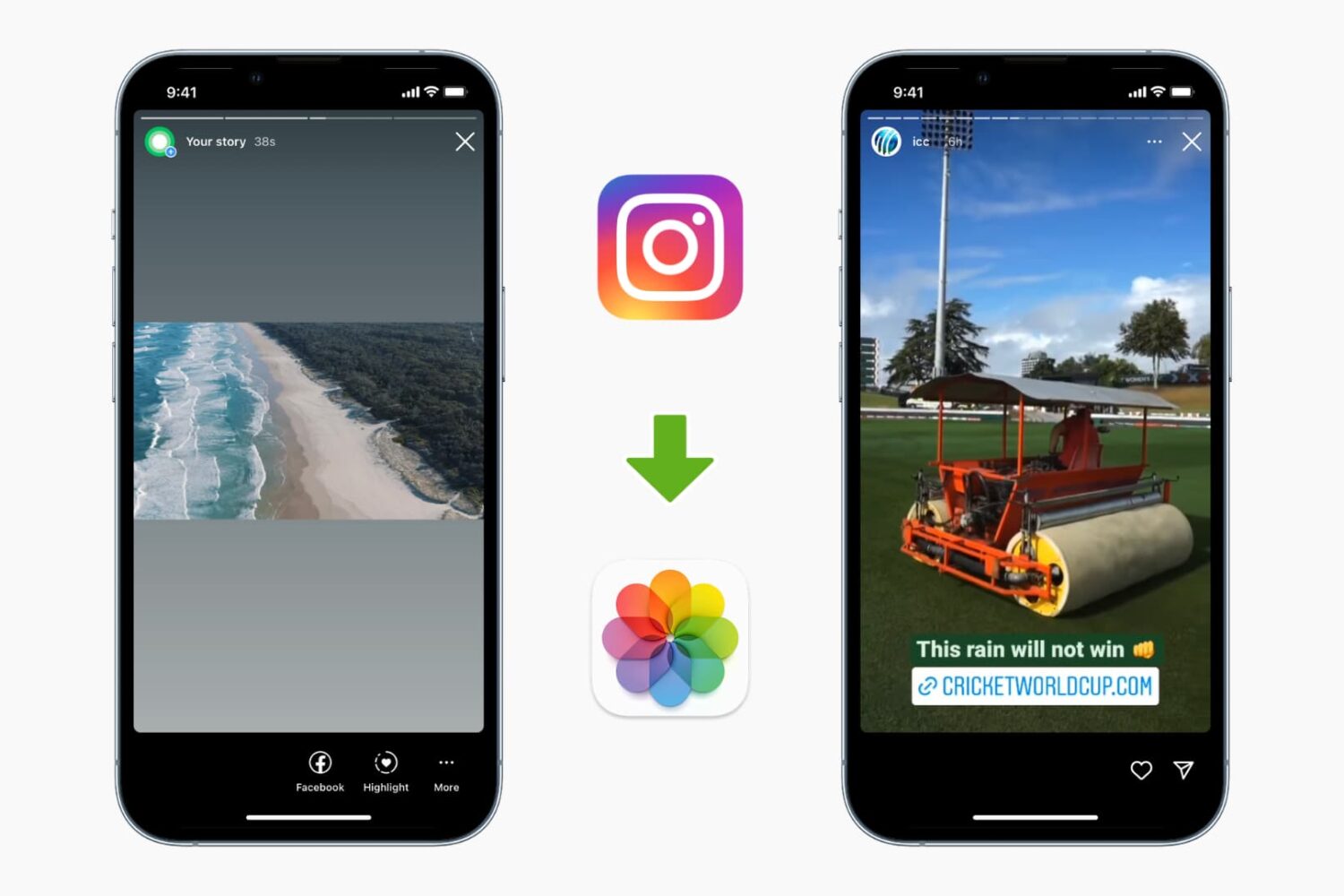
While the Instagram app allows downloading your stories, it doesn't let you download other people's stories. But there are ways to do it. This tutorial shows you how to download and save Instagram Stories to your iPhone's Photos app.

This awesome ARKit app uses HTC Vive to bring mixed reality to iPad

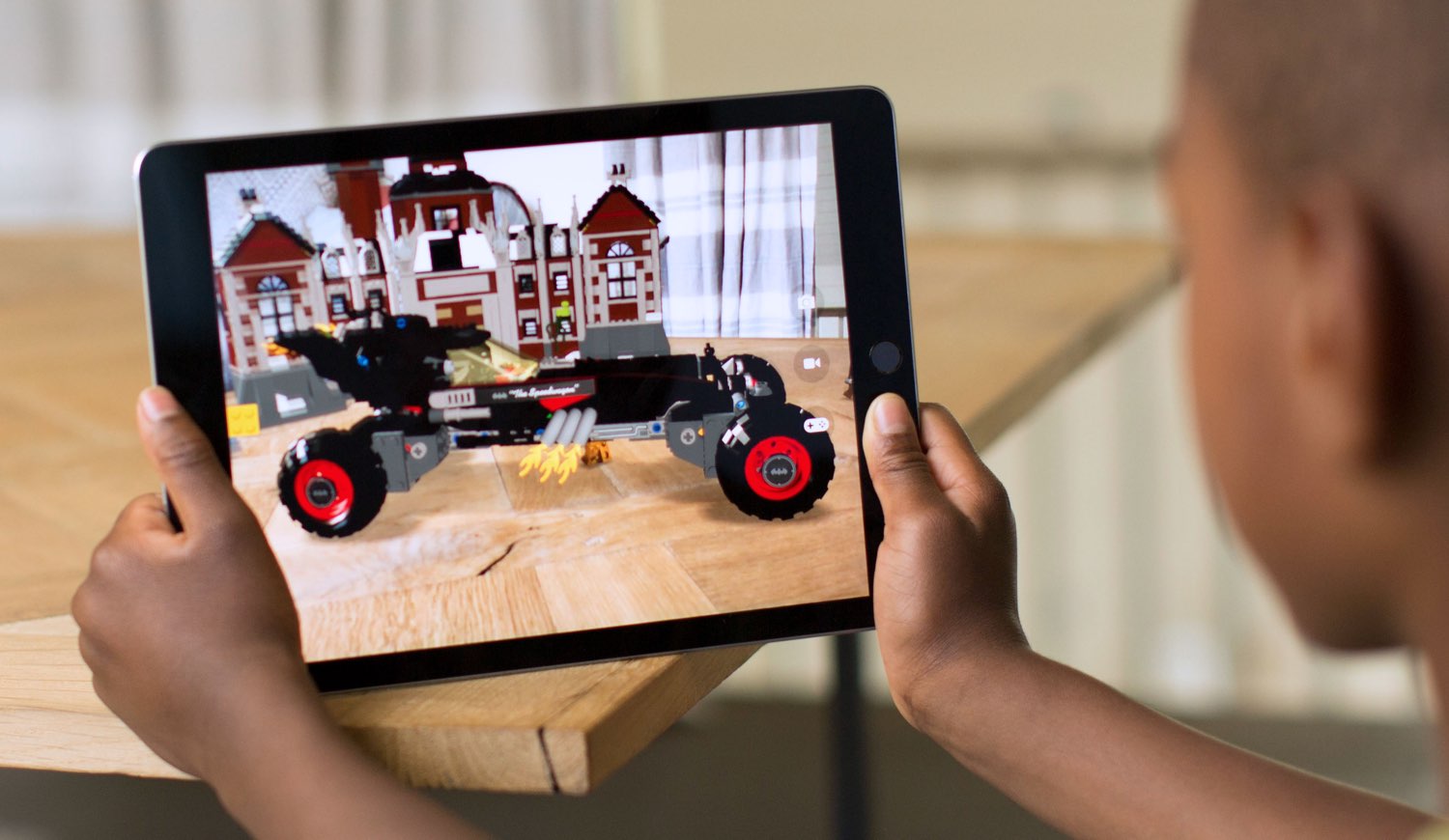
Unlike virtual reality which completely immerses you in computer-generated images, augmented reality superimposes virtual objects on top of your world rather than close it out.

Mixed reality, on the other hand, (sometimes called hybrid reality) merges the two worlds so that physical and digital objects co-exist and interact in real time.

A new recently published demo combines an ARKit-driven app running on the Unity 3D engine on an iPad Pro with real-time input from HTC's Vive virtual reality headset and controller. Created by NY-based virtual reality developer Normal VR, the app features a cute avatar drawing a virtual painting in the middle of the company's office.

What's really interesting about it is the fact that a person wearing a HTC Vive is revealed when the camera pans right, proving that the app captures the moves of the person in real-time and projects the resulting actions in their real world through augmented reality.

“This is going from East Coast to West Coast (server) and back. We definitely do some extrapolation to account for ping,” developers wrote. You could easily imagine the possibilities for remote interactions between people across the globe in mixed reality.

Blobbing in the studio today w/ the Vive + ARKit. Definitely some huge mixed reality potential here. #arkit #vr #indiedev #gamedev pic.twitter.com/C1zANBuSrx

— Normal (@normalvr) July 10, 2017

Not sure about you, but I'm really impressed by this demo.

There's a lot going on here as this app brings objects from the virtual world into the real one, in real-time—not only does the avatar realistically replicates the person's actions, it shows the digital painting on top of the real world as it's being created, updating it constantly.

Welcome to the future of mixed reality!

We showed you many demos powered by Apple's ARKit framework for building augmented reality apps on iPhone and iPad, ranging from a simple but awesome measuring tape to home decor shopping, accurate room measurement, Tic Tac Toe, food ordering and more.

Even Ikea has jumped on the AR bandwagon by partnering with Apple on an ARKit-powered app that will let you try out virtual furniture in your home, with support for in-app ordering.

The beauty of ARKit is that it does all the heavy lifting, allowing developers to focus on app design rather than deal with things like plane detection, lighting estimation, tracking, etc.

Using computer vision and other techniques, ARKit does all that by analyzing live camera feed and data from iPhone or iPad's built-in sensors. ARKit requires the A9 or A10 chip, meaning augmented reality apps will require an iPhone 6s or newer or one of the latest iPad models.