Apple

Apple launches new Trade Up With Installments 24-month iPhone payment plan

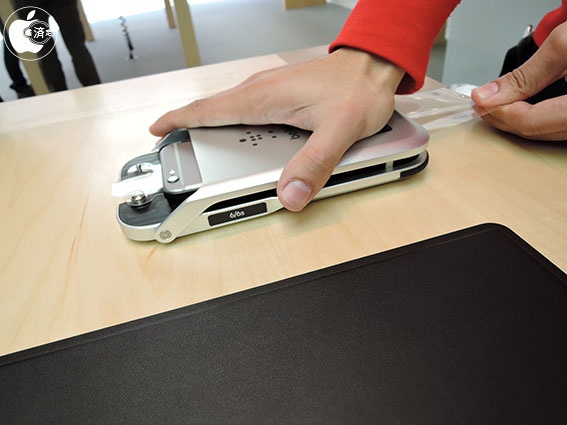
CNET is reporting that Apple is launched a new iPhone payment plan, the Trade Up With Installments program, that gives users the option of unloading their old phone to get a brand new iPhone for an outlay of less than about $35 a month.

The program, CNET explains, was designed for people who have older-generation iPhones and lets these customers hand over their old iPhone, Android or Microsoft Windows phone device in exchange for credit toward a new iPhone purchase. It's currently available in the United States through Apple's official retail stores.

Concept: dual-camera iPhone 7 Plus and pink iPhone 5se with iPhone 6-style design

The rumor-mill cannot agree whether a rumored 'iPhone 5se' is going to feature a refined iPhone 5s design or an iPhone 6-style look with smoothly rounded corners and curved screen edges.

Be that as it may, German magazine Curved.de has taken upon itself to envision what the iPhone 5se might look like should Apple streamline its handset lineup around the current iPhone 6/6s look and feel.

As a bonus, they've also done some intriguing renditions of what a next-generation 'iPhone 7' and a dual-camera 'iPhone 7 Plus' might look like, based on the rumors that have been floating around. Check out the images and tell us what you think in the comments.

Skype group video calling starts rolling out with support for up to 25 participants

As promised, Microsoft has begun rolling out free group video calling in Skype's mobile apps for iOS and Android devices, Engadget reported this morning.

According to Microsoft, this feature will allow Skype users to video chat with up to 24 other people at once in crisp 1080p resolution, and each participant can flip between the front and back camera mid-call.

Group video calling in mobile Skype apps is going to be available to users in North America and Western Europe. “We plan to be fully available worldwide in March,” said Skype.

Apple posts new iPhone 6s ads highlighting 3D Touch and Live Photos

Apple on Wednesday posted two new iPhone 6s ads to its YouTube channel entitled Less Time and Live Photos. As it says in the headline, each spot highlights one of two major features from the company's latest handset: 3D Touch and Live Photos.

The first video, Less Time, talks about what 3D Touch is and the many ways you can use it. Notably, actress Aubrey Plaza makes a cameo. The second clip, Live Photos, similarly shows the feature in action, and lists off some of its many benefits.

Apple Pay has officially expanded to China

In a move that could really help open up the market for Apple Pay, Apple just announced that its mobile payment service has expanded to China, the 1.33 billion people market.

“You can now support Apple Pay for your customers in China, providing an easy, secure, and private way for them to pay using their China UnionPay credit and debit cards,” reads an update on Apple's portal for developers.

How to quickly get your answers from a website you’ve searched before in Safari

In addition to finding all occurrences of a word within any webpage, Apple's Safari browser for the iPhone, iPod touch, iPad and Mac includes a nifty little feature called Quick Website Search which lets you get your answers from within a specific website as long as you've used its search box before.

Safari keeps tracks of the webpages as you surf the web so you can later find anything within a previously visited website, right from the Smart Search field.

In this tutorial, you'll learn how to leverage Safari's Quick Website Search feature to search within a website.

Tim Cook and Jony Ive talk watches, fashion and iSpaceship in Vogue interview

Apple's boss Tim Cook and Jony Ive, its Chief Design Officer charged with blue sky thinking, have discussed several topics of interest in a new interview published in the March 2016 edition of the Vogue magazine.

The two executives talked the synergy between Apple and fashion, the Apple Watch, partnership with the luxury French brand Hermes and the upcoming flying saucer-shaped Campus 2 building, Apple's future headquarters.

How to select Siri voices for VoiceOver, Speak Screen and Speak Selection features

I'm not hearing impaired but that doesn't prevent me from taking advantage of certain VoiceOver features on my iPhone. For instance, I sometimes use Speak Selection to get iOS to read a book to me as I'm surfing the web, or doing something else.

Being a non-native English speaker, I also rely on that feature to have my iPhone read aloud words and phrases whenever I'm unsure about their correct pronunciation, which is a lot of help—especially with the adjustable pitch and speaking rate.

Starting with iOS 8, a number of options for the Siri voices you can use for the VoiceOver, Speak Screen and Speak Selection features became available. This tutorial explains how to choose a voice for Speak Screen and Speak Selection and adjust voices for VoiceOver.

How to use Gmail without an @gmail address

Set up Gmailify on iPhone

Gmail is the most popular email service, offering excellent features like spam protection, automatic email sorting (Social, Updates, Promotions), advanced search, and more. Contrary to popular belief, you can use these features on your existing non-Gmail email service, thanks to a feature called Gmailify.

This tutorial shows you how to link your non-Gmail account with Gmail via Gmailify on iPhone and iPad.

Here are two Caffeine alternatives for keeping your Mac awake

Yesterday, my colleague Anthony ran an informative tutorial that does a good job covering two ways to keep your Mac from sleeping, dimming or showing a screensaver: one is based on a little bit of Terminal magic and the other involves using a free of charge utility, called Caffeine.

As easy to use as Caffeine is, it suffers from not having been updated in years so it has some issues with OS X Yosemite and El Capitan.

Its icon, for example, is not Retina-compatible and looks odd in Yosemite's dark mode. That said, I want to share with you a pair of apps that one-up Caffeine at its own game.

Pre-register for Miitomo, Nintendo’s first smartphone app

Back in October 2015, Nintendo announced its inaugural smartphone app for iOS and Android, Miitomo. Today, the Japanese gaming giant has opened up pre-registrations on its website for the forthcoming app. Signing up requires you to create a Nintendo Account so you can be notified when Miitomo launches in the App Store.

Creating a Nintendo Account ahead of Miitomo's launch will also net you Platinum Points for the My Nintendo rewards program, which is scheduled to go live alongside the Miitomo app.

How about the tiniest game of pong for your Apple Watch?

Meet the tiniest game of pong for your Apple Watch, created by developer Matt Wiechec and aptly named A Tiny Game of Pong. Available free in the App Store for a limited time, this minimalist game lets you push your paddle back-and-forth across the display by turning the responsive Digital Crown.

You can play in the Classic or endless Arcade mode, track your high score and rank on Game Center, personalize the game to your liking with ten theme colors and, of course, you can also play A Tiny Game of Pong on your iPhone.