Learn how to instantly turn off your Mac display and lock your computer without waiting for the screen saver to activate.
How to quickly lock your Mac and turn the screen off

Learn how to instantly turn off your Mac display and lock your computer without waiting for the screen saver to activate.

Mother's Day is one week from today. Apple has already sent an email blast to registered customers to remind them to pick up an Apple Watch as a Mother’s Day gift recommendation and now the company has started airing a brand new iPhone 6s television commercial, aptly titled “Mother's Day”.
The 30-second ad “celebrates motherhood through the lens of iPhone users around the world”.
With 3D Touch shortcuts and gestures available for iOS's stock Notes application, you can elevate your productivity and accomplish certain tasks faster and with fewer taps than without 3D Touch.
iPhone 6s and iPhone 6s Plus owners can take advantage of their device's pressure-sensitive screen to quickly start a new note from the Home screen, preview a specific note’s content, sketch using pressure-sensitive drawing tools, quickly delete, share and copy notes and more.
Imbued with the information in this tutorial, you'll take full advantage of 3D Touch interactions that are available to you in Notes so that you can be more productive.
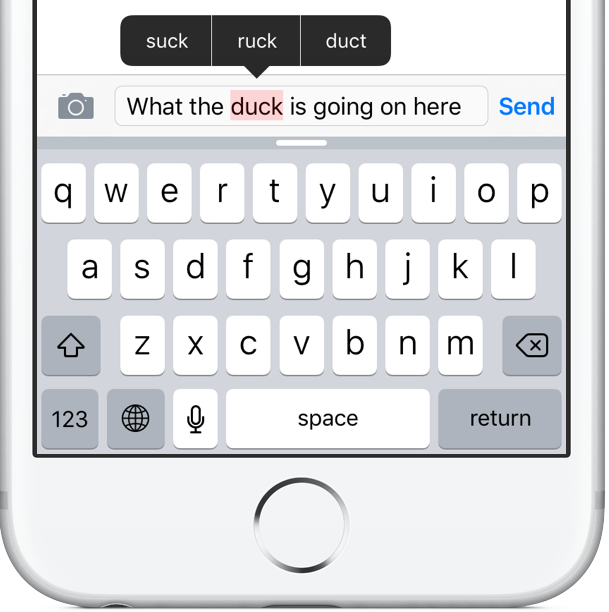
There probably isn't a single iPhone user on this planet that hasn't experienced the “joys” of the Auto-Correction feature interfering with their messaging. Auto-Correction mistakes often produce hilarious miscommunications (there's a website for that).
Whether or not you're a heavy typist, you'll appreciate that Apple's been researching ways to improve Auto-Correction, according to a patent application that surfaced yesterday in the United States Patent and Trademark Office's (USPTO) database.
Cryptically titled “Device, method and graphical user interface for visible and interactive corrected content,” it envisions highlighting auto-corrected words in an iMessage for the recipient and a built-in Messages feature for streamlining the process of clarifying what the sender meant.

What if I told you that you most likely have tons of messages you didn't even know existed, stowed away in a little-known folder on Facebook?
While messages from your Facebook friends and Messenger contacts are delivered straight to your inbox, the system filters out those it deems spam and tucks them away into a hidden vault.
Some of those filtered messages could be from a distant family member trying to re-connect with you. Others might be vitally important. If you suspect Facebook is hiding messages you should've been aware of, this tutorial will teach you how to access a treasure trove of messages that you never knew you had.
Another day, another content expansion for Apple Maps. Less than 24 hours after bringing TrainLink and bus routes to commuters in New South Wales, Australia, Apple's mapping service has expanded its footprint with new three-dimensional Flyover content for Akron, Ohio and Puerto Vallarta, Mexico.
Apple's also brought Spotlight Suggestions to the iPhone, iPod touch, iPad and Mac customers in Europe's Denmark, Norway and Sweden.
Last but not least, traffic information on Maps has gone live in Thailand, bringing the total number of markets where this feature is available to 34 countries, as per Apple's iOS 9 Feature Availability webpage.

You use your iPhone every day, but how many iPhones do you actually own? That simple question would never pass a grammar check by Apple's boss of worldwide marketing, Phil Schiller.
Responding to a debate on pluralizing the iPad Pro name, which ensued between Andreessen Horowitz partner Benedict Evans and analyst Michael Gartenberg, Schiller tweeted that “One need never pluralize Apple product names”. But what then does he propose as the correct way of saying that Evans used two iPad Pros?

Apple on Thursday pushed out a solid update for iMovie for Mac, bringing the popular video-editing software to version 10.1.2. The release brings about several improvements, including faster project creation, easier clip selection and more.
The focus of the update seems to be visual cues and speed. Apple added a New Project button in the Projects Browser and Larger project thumbnails on the visual side, and the ability to begin editing a project with a single click on the speed side.

Location Services and Privacy settings on your iPhone, iPod touch and iPad certainly provide a very detailed breakdown of the apps and system services that have requested access to your location, or are motoring your location in the background.
Options in Location Services are incredibly complex so average users may be tempted to not bother and simply leave everything on. Others may disable Location Services altogether, which isn't a very good idea either (from a usability standpoint).
Suppose you want to stop an iOS device from tracking your whereabouts, but without disrupting essential features or sacrificing much of the device's functionality.
But how precisely does one accomplish that?
There's no master switch in iOS that'd tell the device to stop monitoring your location. Plus, things get more complex if you don't know exactly which switches in Settings need flipping and which ones must be left intact.
This easy to follow step-by-step tutorial will lay out exactly the features on your device that you must disable in order to limit or prevent unwanted location tracking.

Apple on Thursday updated its App of the Week promotion in iTunes with Dragon Hills. This means that from now through next Thursday, you’ll be able to pick up the action-packed adventurer for free—a solid savings of $2.
In Dragon Hills, players take control of a dangerous dragon to help the furious princess on her revenge mission. You'll slide down the hills jumping into and out of the ground, crashing and destroying everything on your way.
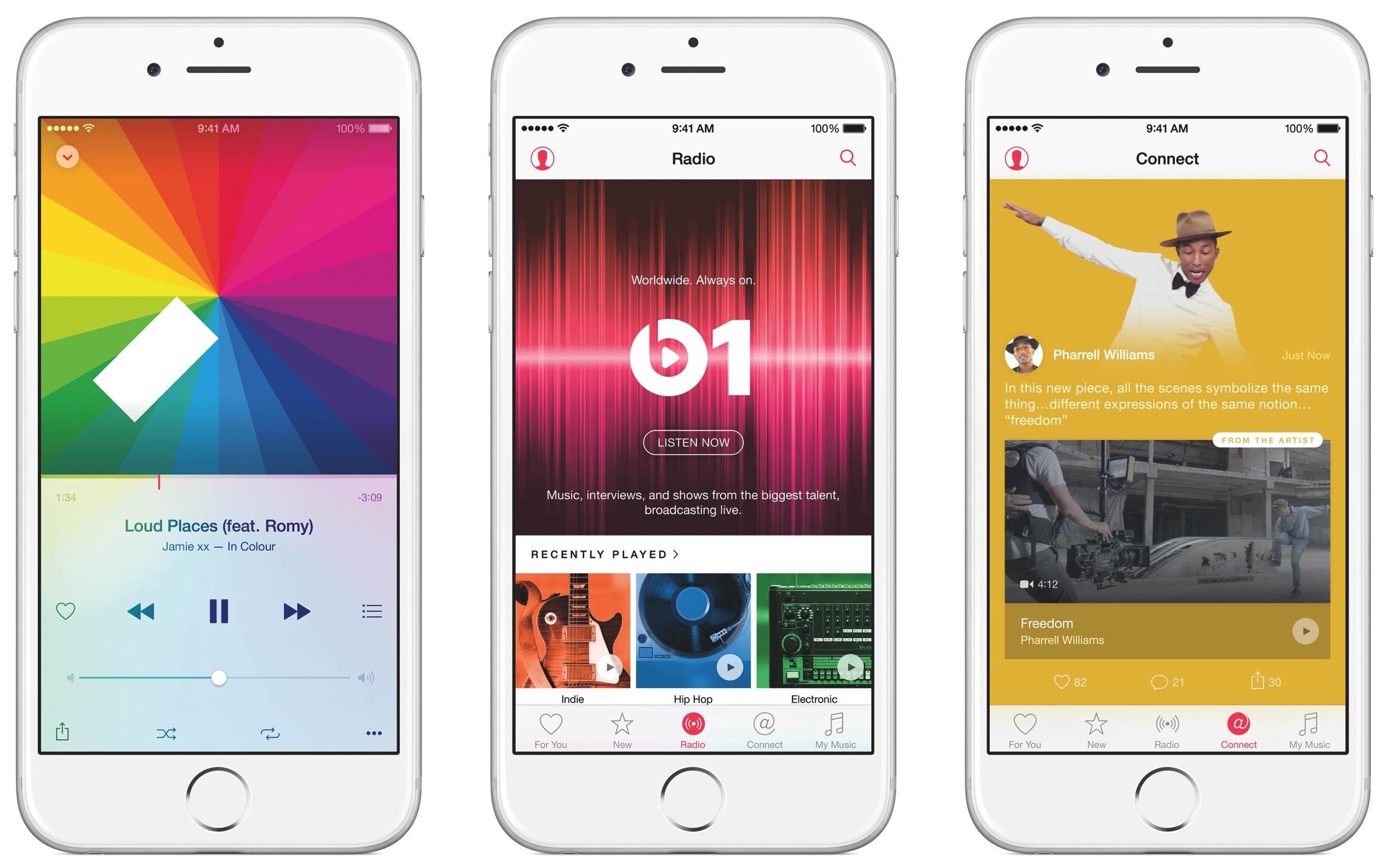
Apple's Affiliate Program Newsletter has started promoting a new Apple Music API, which the Cupertino company introduced alongside iOS 9.3. With it, third-party developers can implement in their apps interesting functionality for Apple Music subscribers, including playing tracks, adding songs to a user's library and queuing up tracks for playback.
Supported apps can also see if a user is currently a member, in which country the users account is based and provide other features for members of Apple Music.

I'm nervous every time a curious friend picks up my iPhone and ventures into Settings—not because they could see something they shouldn't, but out of fear they might mess up my multiple email accounts.
While removing email accounts from an iOS device won't wipe the server, re-adding them is a tedious process: you need to remember your access credentials and, if an account is protected with two-factor authentication, provide a verification code, too.
iOS lets you disallow changes to some device settings, including restricting all email, calendar and contact accounts so that no one can add or remove them, here's how.